
Buffer
Social media scheduler priced by the channel, with a free plan
Our verdict
First of our top three social media schedulers
For: Most people
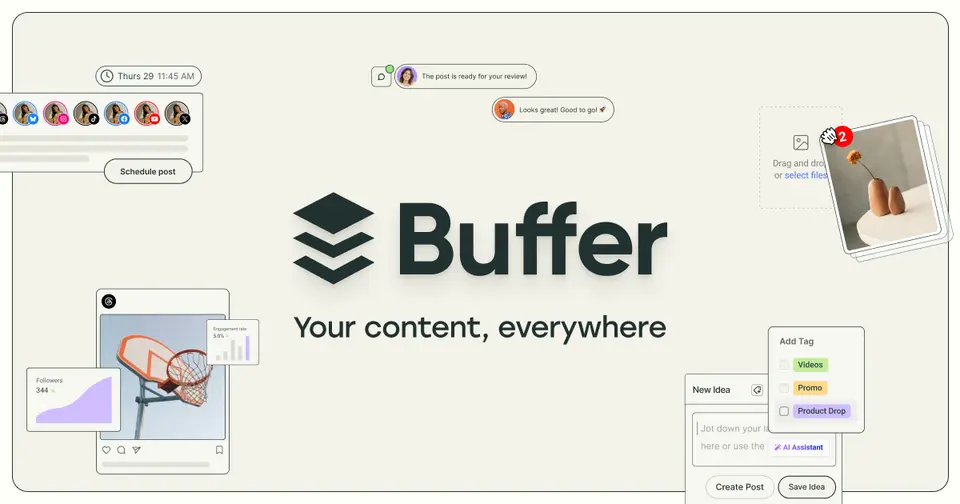
Buffer schedules posts to 12 networks, including Instagram, LinkedIn, TikTok, Threads, Bluesky and YouTube, from a queue and a calendar on the web, iPhone and Android. The free plan covers 3 channels and 1 user, Essentials is $5 a channel a month billed yearly, and every plan includes the API. Its iPhone and iPad app averages 4.7 from about 34,600 ratings. Know the limits: the free plan holds 10 queued posts per channel, the inbox handles comments only, and approvals need Team at $10 a channel.
See all three and how we rankBuffer report card
Good · out of 4.0 · graded Oct 17, 2026
Best for paying only for the channels you use
Buffer is the simple one: a queue and a calendar for 12 networks, a free plan for three of them, and a price per channel rather than per person. A team of two or three running five profiles pays $50 a month on Team. Just know the inbox in its listing is for comments, and there's no competitor tracking on record.
Who Buffer is for
- Great if you post to a few channels and want to pay only for those
- Good for one person running up to 3 accounts who never wants to pay
- Handy when you want an API, even on the free plan
Who Buffer is not for
- Pricey if you keep adding channels on Team, since every one is $10 a month
- Too light for teams that live in DMs, as its inbox is described for comments
- Tight if you're staying free, with 10 queued posts per channel at a time
Why Buffer gets a 2.8
Five grades, each with its reason. The GPA is their average: an A is 4 points, an F is none.
- CValue for moneyFive channels on Team, which a team needs because Essentials is one user, is $50 a month billed yearly ($10 a channel). That's above this category's $29 middle and under the $58 where the dearer quarter starts. On your own, Essentials is $25 for five.
- BFree plan and trialFree for good with up to 3 channels, AI help, a comment inbox and 30 days of insights. One person can run three accounts on it. The catch is 10 queued posts per channel at a time and a single user.
- CFeaturesQueue, calendar, ideas board, AI help, reports and an API across 12 networks. The gaps it shows: the inbox is described for comments only, there's no competitor tracking on record, and Instagram personal profiles and Facebook groups only get a reminder to post by hand.
- AEase of useIts iPhone and iPad app averages 4.7 from about 34,600 ratings, and the free plan needs nothing but your social accounts connected.
- BPlatforms and integrationsWeb, iPhone, Android and a Chrome extension, plus an API on every plan, an MCP server, and Canva, Zapier, Make and WordPress. No desktop app, which is what an A needs.
What these grades rest on. Graded from this listing, whose facts were read from Buffer's own pages on 17 October 2026, and its App Store rating. Not based on using the product, and shorter than our full reviews. How we review and grade.
Make Buffer? Put this grade on your site
Paste this where you want the badge. It links here and follows the grade if it changes. About badges
<a href="https://toolgpa.com/tools/buffer#review"><img src="https://toolgpa.com/badge/buffer.svg" alt="Buffer: 2.8 GPA on ToolGPA" width="196" height="56"></a>Where Buffer stands among social media schedulers
Buffer's GPA of 2.8 is higher than 19 of the 19 other social media schedulers we grade.
It stands best on ease of use (A, above 17 of 19) and worst on features (C, above 0).
Its paid plans start at $5 a month, against a middle price of $27.25 for the category: 1 of the 19 others that charge start lower.
On features, ease of use and platforms it scores 3.0 out of 4. Nothing scores higher for less, though at least one tool matches that score at a lower price.
Each grade against the category
Every bar is all 20 social media schedulers we grade, cut by the letter each got. Buffer’s own letter is outlined.
- CValue for moneyAbove 4 of 19, level with 14
- BFree plan and trialAbove 19 of 19
- CFeaturesAbove 0 of 19, level with 10
- AEase of useAbove 17 of 19, level with 2
- BPlatforms and integrationsAbove 1 of 19, level with 17
Price against what you get
Each dot is one of 20 social media schedulers. Further left costs less, and higher up scores better on features, ease of use and platforms. Point at a dot to see which tool it is.
Features, ease of use and platforms, averaged
What paid plans start at, a month (each step along is roughly double) →
- The best score at each price
- Has a free plan
- No free plan
Keep Buffer, or make your own?
Your call
You could make the core of Buffer for yourself: calendar, reports and templates.
What you would give up is listed below. Whether that is worth the price is your call. It costs $60 a year.
What you could make
- Calendar, reports and templates: an app builder makes these well.
What you could not
- A real app for iOS and Android. Something home-made would be a web page.
- It plugs into other products, Canva, Google Drive and Dropbox among them, and has an API.
- AI features, unless you pay a model provider for each request yourself.
What this rests on. Buffer’s listing: what it does, where it runs, what it plugs into and what it costs. It is a judgement about the kind of software this is. We have not built a replacement for it, and making your own means looking after it too. How we decide, and every tool’s verdict.
What is Buffer?
Buffer schedules posts to 12 networks, including Instagram, LinkedIn, TikTok, Threads, Bluesky and YouTube, from a queue and a content calendar. It also collects content ideas, answers comments from one inbox and reports on how posts performed. Paid plans are charged for each connected social account, and the rate per account falls after the tenth.
Buffer has a free plan. Paid plans start at $5 per channel / month, billed annually ($6 billed monthly). See every plan
Good for
- Solo creators and small businesses posting to a handful of accounts
- People who want a free plan for up to three social accounts
- Agencies that add and drop client accounts and want to pay only for those connected
Worth knowing
- The Free plan holds only 10 scheduled posts per channel at a time and keeps 30 days of analytics.
- Essentials allows a single user; approval workflows, access controls and branded reports need Team.
- Upgrading means paying for every connected channel, including the three that were free.
- Instagram personal profiles and Facebook groups get reminder notifications to post by hand, not automatic publishing.
Key features
- Queue and calendar
- Posts go into a per-channel queue or onto a visual calendar for Instagram, Facebook, LinkedIn, TikTok, X, Threads, Bluesky, Mastodon, Pinterest, YouTube, Substack and Google Business Profile.
- Ideas and AI Assistant
- An ideas board stores drafts and inspiration (100 on Free, unlimited on paid plans), and the AI Assistant helps write and repurpose posts on every plan.
- Community inbox
- Comments from connected accounts can be answered in one place, with saved replies and AI reply suggestions (5 a week on Free).
- Analytics and reports
- Insights cover follower growth, engagement and post performance. Free keeps 30 days of history; paid plans add reports and UTM tags, and Team adds branded reports.
- Start Page
- A link-in-bio page builder is included on every plan, alongside link shortening and a Chrome extension for sharing from any web page.
- API and MCP server
- Every plan includes API keys, from 3,000 requests a month on Free to 15,000 on Team, and Buffer lists a social media MCP server for AI tools.
Buffer pricing
- Starts at
- $5 per channel / month, billed annually ($6 billed monthly)
- Free plan
- Up to 3 channels, 10 scheduled posts per channel at a time, 1 user, 100 saved ideas and 30 days of analytics history.
- Free trial
- 14-day free trial of the paid plans
| Plan | Price | What you get |
|---|---|---|
| Free | $0 | Up to 3 channels and 1 user, 10 queued posts per channel at a time, the AI Assistant and a comment inbox. |
| Essentials | $5per channel / month, billed annually ($6 billed monthly) | 1 user, unlimited scheduled posts, hashtag manager, first-comment scheduling and reports. The rate per channel drops after 10: $100 a month at 25 channels, billed annually. |
| Team | $10per channel / month, billed annually ($12 billed monthly) | Unlimited team members, approval workflows, access levels and branded reports. $150 a month at 25 channels, billed annually. |
Read from buffer.com on Oct 17, 2026. Prices change, so confirm with Buffer before you buy.
Ways to pay less
- Annual discountAbout two months free with yearly billing
Yearly billing brings Essentials to $5 a channel a month from $6, and Team to $10 from $12. The pricing page calls it saving two months.
Stated on buffer.com - Nonprofit50% off for nonprofits and charities
Buffer's pricing FAQ offers nonprofit and charity organizations a 50% discount on its paid plans.
Stated on buffer.com
How people rate the Buffer app
4.7
out of 5 for the iPhone and iPad app
- 5 stars85%
- 4 stars9%
- 3 stars3%
- 2 stars1%
- 1 star2%
34,637 ratings on the App Store in the United States, read Oct 17, 2026. It rates the app, not everything the product does. See the listing
Works with
Buffer alternatives
- Buffer vs Hootsuite
Free trial · from $99/mo
- Buffer vs Later
Free trial · from $18.75/mo
- Buffer vs Publer
Free plan · from $4/mo
- Buffer vs SocialBee
Free trial · from $29/mo
- Buffer vs Metricool
Free plan · from $20/mo





Common questions
Is Buffer free?
Buffer has a free plan. Up to 3 channels, 10 scheduled posts per channel at a time, 1 user, 100 saved ideas and 30 days of analytics history. Paid plans start at $5 per channel / month, billed annually ($6 billed monthly).
How much does Buffer cost?
Buffer lists 3 plans. Free: $0. Essentials: $5 per channel / month, billed annually ($6 billed monthly). Team: $10 per channel / month, billed annually ($12 billed monthly). Prices were read from buffer.com on Oct 17, 2026.
What platforms does Buffer work on?
Buffer is available on Web, iOS and Android. It also has a browser extension.
Does Buffer offer any discounts?
Buffer publicly lists the following: About two months free with yearly billing; 50% off for nonprofits and charities.
How is Buffer rated?
Buffer's iPhone and iPad app averages 4.7 out of 5 from 34,637 ratings on the App Store in the United States, as read on Oct 17, 2026. That is the store's rating of the app, not a score from us.
Does Buffer have a Windows app?
No Windows app was listed when its pages were read on Oct 17, 2026. Buffer is listed for Web, iOS and Android.
Does Buffer have a macOS app?
No macOS app was listed when its pages were read on Oct 17, 2026. Buffer is listed for Web, iOS and Android.
Is Buffer open source?
Buffer is not described as open source on its own site, as read on Oct 17, 2026.
Does Buffer have an API?
Yes. Buffer offers a public API, according to its own site.
What does Buffer integrate with?
Buffer's listing names Canva, Google Drive, Dropbox, Zapier, Make, Bitly, WordPress and Claude. A listing names up to eight integrations, so it may connect to more.
Does Buffer have a free trial?
Yes. 14-day free trial of the paid plans.
Who makes Buffer?
Buffer is made by Buffer. It dates from 2010.
What are the alternatives to Buffer?
The closest alternatives to Buffer in our directory are Hootsuite, Later, Publer, SocialBee and Metricool. Each one has a side-by-side comparison with Buffer.
How does Buffer compare with other social media schedulers?
Buffer's GPA of 2.8 is higher than 19 of the 19 other social media schedulers we grade. It stands best on ease of use (A, above 17 of 19) and worst on features (C, above 0).
Is Buffer good value for money?
ToolGPA grades Buffer C for value for money. Its paid plans start at $5 a month, against a middle price of $27.25 for the category: 1 of the 19 others that charge start lower. On features, ease of use and platforms it scores 3.0 out of 4. Nothing scores higher for less, though at least one tool matches that score at a lower price.
Could I make my own version of Buffer?
You could make the core of Buffer for yourself: calendar, reports and templates. What you would give up is listed below. Whether that is worth the price is your call. It costs $60 a year. What you could not make: A real app for iOS and Android. Something home-made would be a web page. It plugs into other products, Canva, Google Drive and Dropbox among them, and has an API. AI features, unless you pay a model provider for each request yourself. This is a judgement from its listing. We have not built one.
Sources for this page
The prices, plans, platforms and features above were read from these pages on Oct 17, 2026. What people say is linked where it appears.