
Pangram
Detects AI-written text and images, with a free daily allowance
Pangram report card
Good · out of 4.0 · graded Oct 18, 2026
Best for checking whether text was written by AI
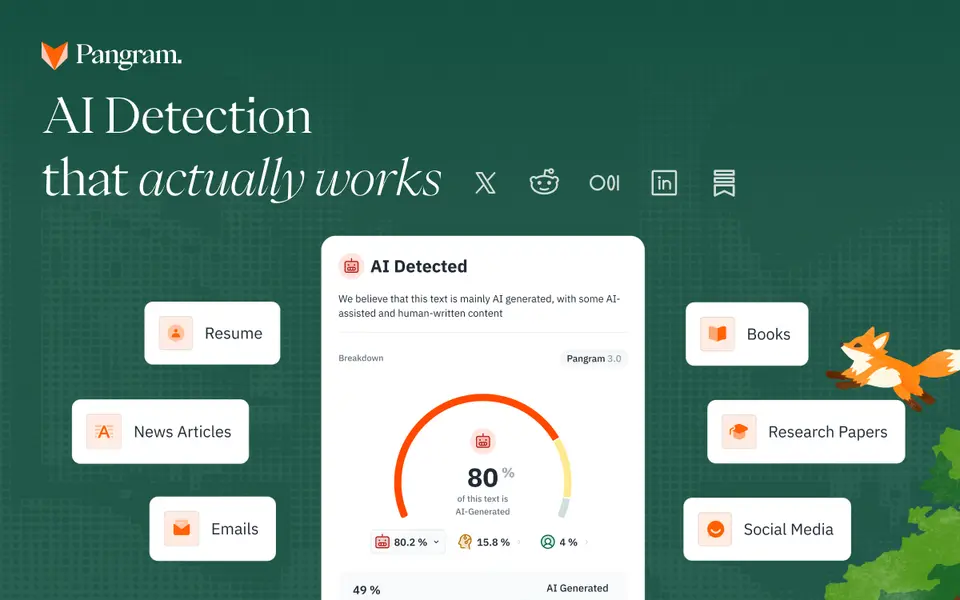
Pangram tells you whether a piece of text was written by ChatGPT, Claude or Gemini, and marks which passages look AI-written or AI-assisted, in more than 20 languages. It checks images too. The free 2,000 words a day goes a long way, but it doesn't help you write anything, it only checks.
Who Pangram is for
- Great if you're a teacher who wants to know whether that essay was really written by the student
- Handy when editors need to screen submitted articles before they run
- Good for developers adding AI detection to their own app through the API
Who Pangram is not for
- Skip it if you want help writing, as it only checks what's already written
- Tight if you mark a whole class on the free plan, at about 2,000 words a day
- Pricey if you scan in bulk through the API, at $0.05 per 100 words unless you're on Professional
Why Pangram gets a 2.6
Five grades, each with its reason. The GPA is their average: an A is 4 points, an F is none.
- CValue for moneyGraded against its own alternatives, as it checks text rather than helping you write it. Individual is $15 a month billed yearly ($20 monthly) for 300,000 words, above Grammarly's and Paperpal's $12 and nearly twice QuillBot's $8.33, which all do more besides.
- BFree plan and trialFree for good with no payment method: 20 credits a day, about 2,000 words, plus 3 image scans, and it resets daily. One person checking the odd essay or article could live on that. A teacher marking a whole class in an evening couldn't.
- CFeaturesIt does AI detection fully: scores and marked passages across 20+ languages, image checks, similarity checks, OCR for scanned files and feed scanning. But it's a much smaller job than a writing tool's, as it only tells you who wrote the text.
- BEase of useNo store rating on record, but there's nothing to set up: paste the text or upload a file, and the result comes back with the suspect passages marked.
- BPlatforms and integrationsWeb and a Chrome extension, with Google Docs and Gmail on paid plans, Canvas, Moodle, Google Classroom and Brightspace for schools, and an API. No desktop or phone app.
What these grades rest on. Graded from this listing, whose facts were read from Pangram's own pages on 18 October 2026. Not based on using the product, and shorter than our full reviews. How we review and grade.
Make Pangram? Put this grade on your site
Paste this where you want the badge. It links here and follows the grade if it changes. About badges
<a href="https://toolgpa.com/tools/pangram#review"><img src="https://toolgpa.com/badge/pangram.svg" alt="Pangram: 2.6 GPA on ToolGPA" width="196" height="56"></a>Where Pangram stands among writing tools
Pangram's GPA of 2.6 is higher than 32 of the 69 other writing tools we grade, and level with 10.
It stands best on free plan and trial (B, above 48 of 69) and worst on features (C, above 0).
Its paid plans start at $15 a month, against a middle price of $8 for the category: 37 of the 44 others that charge start lower.
On features, ease of use and platforms it scores 2.7 out of 4. 14 tools score higher and cost less.
Each grade against the category
Every bar is all 70 writing tools we grade, cut by the letter each got. Pangram’s own letter is outlined.
- CValue for moneyAbove 13 of 69, level with 21
- BFree plan and trialAbove 48 of 69, level with 9
- CFeaturesAbove 0 of 69, level with 35
- BEase of useAbove 32 of 69, level with 36
- BPlatforms and integrationsAbove 32 of 69, level with 30
Price against what you get
Each dot is one of 53 writing tools. Further left costs less, and higher up scores better on features, ease of use and platforms. Point at a dot to see which tool it is.
Features, ease of use and platforms, averaged
What paid plans start at, a month (each step along is roughly double) →
- The best score at each price
- Has a free plan
- No free plan
Keep Pangram, or make your own?
You could make this
A writing app at its plainest is a page that saves what you type.
What Pangram does at its core is plain work, and that is the kind of thing an AI app builder makes well. You would give up 2 things, listed below, and little else. It costs $180 a year. An AI app builder starts at about $19 a month on our listings, and you only need it while you build.
What you could make
- It runs in a browser, which is where something home-made would run too.
What you could not
- It plugs into other products, Google Docs, Gmail and Canvas among them, and has an API.
- AI features, unless you pay a model provider for each request yourself.
What this rests on. Pangram’s listing: what it does, where it runs, what it plugs into and what it costs. It is a judgement about the kind of software this is. We have not built a replacement for it, and making your own means looking after it too. How we decide, and every tool’s verdict.
What is Pangram?
Pangram detects text written by AI models such as ChatGPT, Claude and Gemini, and shows which passages look AI-written or AI-assisted. It works in more than 20 languages, also checks images and runs similarity checks, and is used in the browser, a Chrome extension, Google Docs, Gmail and school learning systems. A free account scans up to 2,000 words a day; paid plans are sold by monthly word allowance.
Pangram has a free plan. Paid plans start at $15 per month, billed annually ($20 billed monthly). See every plan
Good for
- Teachers and professors checking student work for AI writing
- Editors and publishers screening submitted articles
- Developers adding AI detection to their own apps through the API
Worth knowing
- The free plan stops at 20 credits a day: one credit is 100 words, rounded up, so it covers about 2,000 words. Credits reset daily.
- API use is billed apart from the seat plans at $0.05 per 100 words; of the self-serve plans, only Professional includes API credit.
- Refunds apply only to individual plans, within 14 days of purchase and with fewer than 20 credits used.
- Zero data retention, custom hosting and custom LMS or ATS integrations need the sales-priced Enterprise plan.
Key features
- AI text detection
- Scores a text for AI generation and marks AI-written or AI-assisted segments; Pangram benchmarks it against 26 models from OpenAI, Anthropic, Google and others.
- AI image detection
- Checks JPG, PNG or WebP images of at least 512 x 512 pixels for AI generation: 3 a day free, 100 a month on Individual and 500 on Professional.
- Similarity checks
- Paid plans can run a similarity (plagiarism) check on any scan; each one uses 5 credits, or 500 words of allowance.
- Chrome extension and feeds
- The Chrome extension checks text in the browser, and on paid plans it automatically scans your feeds on social media, Substack and similar sites.
- Docs, Gmail and school systems
- Paid plans add Google Docs and Gmail; schools connect it to learning systems such as Canvas, Moodle, Google Classroom and Brightspace.
- Developer API
- A pay-as-you-go API costs $0.05 per 100 words, with 20% off for batch submissions sent asynchronously.
Pangram pricing
- Starts at
- $15 per month, billed annually ($20 billed monthly)
- Free plan
- 20 credits a day, enough for 2,000 words, plus 3 image scans a day, file uploads and scans of single social posts. No payment method needed.
- Free trial
- 7-day free trial of the Individual and Team plans; Professional is billed at sign-up
| Plan | Price | What you get |
|---|---|---|
| Free | $0 | Up to 2,000 words and 3 image scans a day, file uploads and single-post scans on social media and Substack. |
| Individual | $15per month, billed annually ($20 billed monthly) | 300,000 words and 100 image scans a month, similarity checks, OCR for scanned files, automatic feed scanning, and Google Docs and Gmail. |
| Professional | $45per month, billed annually ($65 billed monthly) | Individual features at 5 times the volume: 1,500,000 words and 500 image scans a month, plus $200 of API credit each month. |
| Team | $20per seat / month from 2 seats, billed monthly | Individual features for each member, with an admin and member dashboard and one bill; $40 a month for the first 2 seats. |
| Enterprise | Custom | Sold through sales: API access, zero data retention and custom hosting, custom LMS or ATS links, volume pricing and dedicated support. |
Read from pangram.com on Oct 18, 2026. Prices change, so confirm with Pangram before you buy.
Ways to pay less
- Annual discountSave $60 to $240 a year with annual billing
Individual is $15 a month billed annually against $20 monthly (save $60), Professional $45 against $65 (save $240), and a 2-seat Team saves $120.
Stated on pangram.com
Works with
- Google Docs
- Gmail
- Canvas
- Moodle
- Google Classroom
- Brightspace
Pangram alternatives
- Pangram vs QuillBot
Free plan · from $8.33/mo
- Pangram vs Grammarly
Free plan · from $12/mo
- Pangram vs Paperpal
Free plan · from $12/mo
- Pangram vs Trinka
Free plan · from $48/yr


Common questions
Is Pangram free?
Pangram has a free plan. 20 credits a day, enough for 2,000 words, plus 3 image scans a day, file uploads and scans of single social posts. No payment method needed. Paid plans start at $15 per month, billed annually ($20 billed monthly).
How much does Pangram cost?
Pangram lists 5 plans. Free: $0. Individual: $15 per month, billed annually ($20 billed monthly). Professional: $45 per month, billed annually ($65 billed monthly). Team: $20 per seat / month from 2 seats, billed monthly. Enterprise: custom pricing. Prices were read from pangram.com on Oct 18, 2026.
What platforms does Pangram work on?
Pangram is available on Web. It also has a browser extension.
Does Pangram offer any discounts?
Pangram publicly lists the following: Save $60 to $240 a year with annual billing.
Does Pangram have an Android app?
No Android app was listed when its pages were read on Oct 18, 2026. Pangram is listed for Web.
Does Pangram have an iPhone app?
No iPhone app was listed when its pages were read on Oct 18, 2026. Pangram is listed for Web.
Is Pangram open source?
Pangram is not described as open source on its own site, as read on Oct 18, 2026.
Does Pangram have an API?
Yes. Pangram offers a public API, according to its own site.
What does Pangram integrate with?
Pangram's listing names Google Docs, Gmail, Canvas, Moodle, Google Classroom and Brightspace. A listing names up to eight integrations, so it may connect to more.
Does Pangram have a free trial?
Yes. 7-day free trial of the Individual and Team plans; Professional is billed at sign-up.
Who makes Pangram?
Pangram is made by Pangram Labs.
What are the alternatives to Pangram?
The closest alternatives to Pangram in our directory are QuillBot, Grammarly, Paperpal and Trinka. Each one has a side-by-side comparison with Pangram.
How does Pangram compare with other writing tools?
Pangram's GPA of 2.6 is higher than 32 of the 69 other writing tools we grade, and level with 10. It stands best on free plan and trial (B, above 48 of 69) and worst on features (C, above 0).
Is Pangram good value for money?
ToolGPA grades Pangram C for value for money. Its paid plans start at $15 a month, against a middle price of $8 for the category: 37 of the 44 others that charge start lower. On features, ease of use and platforms it scores 2.7 out of 4. 14 tools score higher and cost less.
Could I make my own version of Pangram?
A writing app at its plainest is a page that saves what you type. What Pangram does at its core is plain work, and that is the kind of thing an AI app builder makes well. You would give up 2 things, listed below, and little else. It costs $180 a year. An AI app builder starts at about $19 a month on our listings, and you only need it while you build. What you could not make: It plugs into other products, Google Docs, Gmail and Canvas among them, and has an API. AI features, unless you pay a model provider for each request yourself. This is a judgement from its listing. We have not built one.
Sources for this page
The prices, plans, platforms and features above were read from these pages on Oct 18, 2026.
- pangram.com/pricing
- pangram.com
- pangram.com/knowledge-hub/pangram-subscription-tiers
- pangram.com/knowledge-hub/what-do-i-get-with-a-free-account
- pangram.com/knowledge-hub/what-is-an-ai-detection-credit
- pangram.com/knowledge-hub/what-is-pangrams-developers-plan
- pangram.com/knowledge-hub/enterprise-plans
- pangram.com/knowledge-hub/refunds
- pangram.com/about-us