Microsoft Word review (2026): is the free plan enough?
Word processor sold with Microsoft 365, free in the browser
Black Friday: is there a Microsoft Word sale?
Microsoft Word review
Good · out of 4.0 · graded Nov 19, 2026
Best for files that others expect in Word format
Word can crash or fail to save and hand you back an old copy or a blank file, and people on every device report losing hours of work. Microsoft also raised the price by $3 a month to bundle Copilot, and on bigger iPads you cannot even edit without paying. Sign-in loops on phones and tablets still lock paying users out of their own files.
Who Microsoft Word is for
- Fits if people send you Word files and expect them back looking the same
- Works for contracts and reports that need track changes and version history
Who Microsoft Word is not for
- Skip it if you only write the odd letter, because the free web version or Google Docs will do
- Pricey if Word is the only app you want, since the subscription bundles Excel and PowerPoint too, from $9.99 a month
- Tight if you want track changes or advanced formatting on a phone or tablet, which needs a subscription
- Not for you if you do your real writing on an iPad, going by reviews about crashes and lost pages
- Watch out: Copilot has usage limits and works only for the owner on Family, and Business Basic has no desktop Word
Why Microsoft Word gets a 2.6
Five grades, each with its reason. The GPA is their average: an A is 4 points, an F is none.
- DValue for moneyWas C. Down to D because of one problem people report: price went up $3 a month to bundle Copilot, cheaper plan kept quiet.
- CFree plan and trialWas B. Down to C because of one problem people report: free editing stops on larger iPads and for basic layout tasks.
- BFeaturesWas A. Down to B because of one problem people report: crashes and failed saves wipe out hours of work.
- BEase of useWas A. Down to B because of three problems people report: sign-in loops and verification lock people out of their files; images, fonts and formatting shift around on their own; new documents go to OneDrive by default on Windows.
- APlatforms and integrationsWindows, Mac, iPhone, Android and the web, with OneDrive, Copilot and Microsoft Designer wired in, so every device type is covered. No Linux app is listed, so there it's the browser version.
The good
Why is Word still here after all these years? Mostly because everyone can open what you send.
Got a long report with footnotes, page numbers and a contents page? That's the job Word is built for. One reviewer wrote an 80-page essay in it.
Track changes shows who altered what, and version history lets you go back. If your job involves marking up someone else's draft, that's the part you'll use.
Share a document with anyone, even someone without an account, and edit it at the same time.
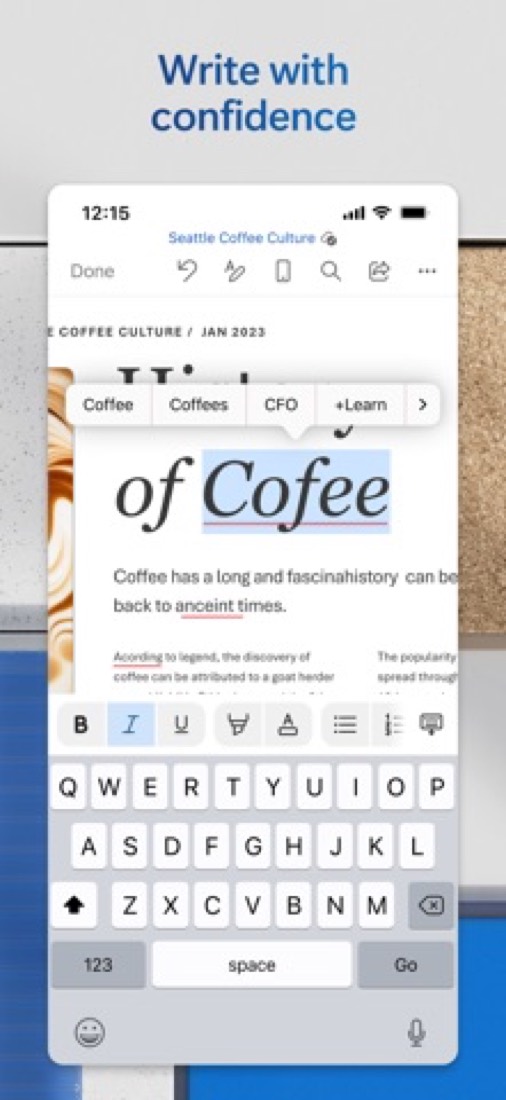
Dictate turns speech into text and can transcribe an audio file into a document. Dictation is in the free web version.
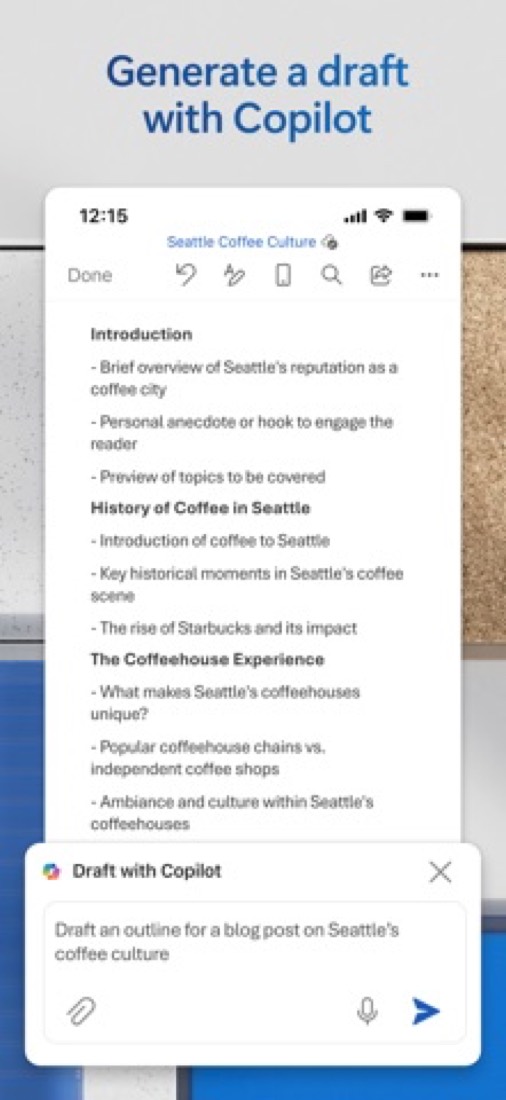
On paid plans there's Copilot, which drafts, rewrites and summarizes. Microsoft's release notes from March 2026 add an Agent mode, where you chat with it to rework the document.
The stuff that'll bug you
The real Word isn't free. The Windows and Mac apps need a Microsoft 365 subscription or a one-time Office purchase. Only the browser version costs nothing.
And you can't subscribe to Word alone. It comes with Excel, PowerPoint, Outlook and 1 TB of storage, wanted or not. Business Basic, at $7.00 a person, gets only the web and phone versions.
The phone and tablet app worries us most. Three App Store reviewers say it lost their work even with autosave on. In 2024 one of them had to retype more than 20,000 words!
On phones and tablets, track changes and advanced formatting need a subscription as well.
Copilot has strings. It needs a paid plan, has usage limits, and on a Family plan only the person who pays gets it. Premium, at $19.99 a month, mostly just adds more Copilot.
The one-time Office Home 2024 covers 1 PC or Mac, with no upgrade to later releases.
The plans are confusing, too. One reviewer paid for separate app subscriptions on their iPhone for months before realizing Microsoft 365 Personal already covered them.
Money
Start with free. Word for the web gives one person real-time collaboration, basic spelling and grammar, dictation and 5 GB of storage. For a resume or a letter, that's enough.
Microsoft 365 Personal is $9.99 a month or $99.99 a year. That's the desktop apps for Word, Excel, PowerPoint and Outlook, 1 TB of storage and Copilot, on up to 5 devices.
Family is $12.99 a month or $129.99 a year for up to 6 people. If even two of you would pay for Personal, it's the one we'd pick.
Premium is $19.99 a month or $199.99 a year, and what it adds is a lot more Copilot. We'd skip it unless you lean on the AI every day.
Hate subscriptions? Office Home 2024 is $179.99 once, for 1 PC or Mac. You get the 2024 versions of Word, Excel, PowerPoint and OneNote, with no upgrade to later releases.
A few savers. Paying yearly saves up to 17%, there's a 1-month free trial, and verified college students get Personal for $4.99 a month.
What actual users say
Word has 4.7 on the App Store from about 3 million ratings. Keep in mind those are reviews of the iPhone and iPad app, not the desktop one.
The high ratings come from long-time users. One had their computer crash after writing 30 pages in a day and found the file in Word's recovery.
The unhappy ones have a theme: lost work. Reviewers from 2021 and 2024 describe pages vanishing even with autosave on, and the app crashing ten minutes into a document.
Others find the phone app slow with long files. One editing a 98-page document in 2019 said each letter took a moment to appear.
Hacker News treats Word like the weather. One commenter says nobody has wanted a new version for decades. Another points at how far back its files stay readable.
A third sums up why offices keep it. Nobody likes paying for Word, they say, but it handles the sign-in systems and document signing that some businesses need.
What this review rests on. Based on Microsoft's Word product page, its Microsoft 365 plan comparison, free web apps and student pricing pages and its Office release notes as of 9 October 2026, its App Store reviews and Hacker News threads about it. Problems people report, and lawsuits, fines and breaches, were read from reviews, news, app-store reviews and court and regulator records on 19 November 2026. How we review and grade.
Make Microsoft Word? Put this grade on your site

Paste this where you want the badge. It links here and follows the grade if it changes. About badges
<a href="https://toolgpa.com/tools/microsoft-word#review"><img src="https://toolgpa.com/badge/microsoft-word.svg" alt="Microsoft Word: 2.6 GPA on ToolGPA" width="196" height="56"></a>The worst thing about Microsoft Word
Crashes and failed saves wipe out hours of work
Word on phones, iPads, Windows and Mac can crash or fail to save and bring back an older copy or nothing at all, even with AutoSave on. Students lose assignments and one Mac user lost five hours in a week. Keep your own dated copies.
Took a letter off its grade for Features
Reported byitunes.apple.com (Nov 11, 2026)itunes.apple.com (Sep 2, 2026)itunes.apple.com (Oct 20, 2026)itunes.apple.com (Sep 21, 2026)itunes.apple.com (Aug 18, 2026)learn.microsoft.com (Mar 30, 2026)learn.microsoft.com (Jun 20, 2025)glotier.com (Jul 23, 2026)
What else goes wrong
- 2
Price went up $3 a month to bundle Copilot, cheaper plan kept quiet
In January 2025 Microsoft 365 Personal went from $6.99 to $9.99 a month and Family from $9.99 to $12.99, because Copilot was added. Existing subscribers got the rise at renewal. A Classic plan at the old price was only offered to people who started cancelling, which Microsoft later admitted it should have made clearer. In Australia the yearly Personal price rose 45%, from A$109 to A$159.
Took a letter off its grade for Value for money
Reported byhowtogeek.com (Jan 16, 2025)itpro.com (Oct 27, 2025)computerworld.com (Nov 6, 2025)itunes.apple.com (Jun 26, 2026)itunes.apple.com (Sep 26, 2026)
- 3
Sign-in loops and verification lock people out of their files
The phone and tablet apps keep asking people to sign in again, reject correct details, or stall on verification. Paying subscribers are told to sign in or start a trial even though they are signed in, often because a plan bought through Apple does not show up on their Microsoft account. Forced sign-in is the top complaint, about 15%, in negative store reviews from February to July 2026.
Took a letter off its grade for Ease of use
Reported byitunes.apple.com (Nov 12, 2026)itunes.apple.com (Nov 4, 2026)itunes.apple.com (Nov 12, 2026)itunes.apple.com (Sep 16, 2026)learn.microsoft.com (Jan 26, 2026)learn.microsoft.com (Jun 10, 2026)glotier.com (Jul 23, 2026)
- 4
Free editing stops on larger iPads and for basic layout tasks
Free editing in the phone and tablet apps only works on screens of 10.1 inches or less. On a bigger iPad, or an iPad Pro, you need a paid plan just to edit. Even on a phone, section breaks, page orientation, different headers, multi-column layouts and track changes need a subscription. Reviewers in 2026 say they hit a paywall when filling in forms or signing documents.
Took a letter off its grade for Free plan and trial
Reported byitunes.apple.com (Aug 12, 2026)itunes.apple.com (Nov 11, 2026)itunes.apple.com (Oct 2, 2026)itunes.apple.com (Nov 1, 2026)learn.microsoft.com (Aug 13, 2025)
- 5
Images, fonts and formatting shift around on their own
People report pictures that jump across the page, tables that end up with mixed fonts no style reset can fix, pasted text that changes font, and headers that make the document leap between pages. The complaints run from June to September 2026 on Windows and on iPad.
Took a letter off its grade for Ease of use
Reported bylearn.microsoft.com (Aug 21, 2026)itunes.apple.com (Jun 20, 2026)itunes.apple.com (Sep 22, 2026)
- 6
New documents go to OneDrive by default on Windows
From Word for Windows version 2509 (late 2025), a new blank document is created in OneDrive with AutoSave on before you choose where to put it. Users with poor internet or privacy worries say Word kept pointing at OneDrive after they changed the default, and some thought files were lost because the save prompt they knew had gone.
Took a letter off its grade for Ease of use
Reported bylearn.microsoft.com (Oct 25, 2025)techcommunity.microsoft.com (Aug 26, 2025)theregister.com (Aug 27, 2025)office-watch.com (Nov 16, 2025)techradar.com (Sep 3, 2025)
Microsoft Word on the record
LawsuitOngoingOct 27, 2025
Australian regulator sues Microsoft over Copilot price rise and hidden Classic plan
The ACCC sued Microsoft in October 2025, alleging it told about 2.7 million Microsoft 365 Personal and Family subscribers to accept a Copilot plan at a higher price or cancel, without saying a Classic plan at the old price existed. Microsoft apologised, said it should have been clearer, and offered Australian subscribers a switch back and a refund of the difference until 31 December 2025. The court case itself has not been decided.
Reported byitpro.com (Oct 27, 2025)computerworld.com (Nov 6, 2025)
Found on Nov 19, 2026 by searching reviews, news, app-store reviews, and court and regulator records. A problem is listed only when at least three places report it and it is still true, and each one took a letter off the grade it belongs to. Cases are described as they stand today: an ongoing case is a claim, not a finding.
Where Microsoft Word stands among writing tools
Microsoft Word's GPA of 2.6 is higher than 86 of the 136 other writing tools we grade, and level with 20.
It stands best on platforms and integrations (A, above 128 of 136) and worst on value for money (D, above 0).
Its paid plans start at $8.33 a month when paid by the year, against a middle price of $8.66 for the category: 37 of the 81 others that charge start lower.
On features, ease of use and platforms it scores 3.3 out of 4. Nothing scores higher for less, though at least one tool matches that score at a lower price.
Each grade against the category
Every bar is all 137 writing tools we grade, cut by the letter each got. Microsoft Word’s own letter is outlined.
- DValue for moneyAbove 0 of 136, level with 31
- CFree plan and trialAbove 20 of 136, level with 71
- BFeaturesAbove 109 of 136, level with 26
- BEase of useAbove 99 of 136, level with 36
- APlatforms and integrationsAbove 128 of 136, level with 8
Price against what you get
Each dot is one of 107 writing tools. Further left costs less, and higher up scores better on features, ease of use and platforms. Point at a dot to see which tool it is.
Features, ease of use and platforms, averaged
What paid plans start at, a month (each step along is roughly double) →
- The best score at each price
- Has a free plan
- No free plan
Keep Microsoft Word, or make your own?
Keep it
To replace Microsoft Word you would be making dictation that types into any app on your computer. That is not a weekend's work, with an AI app builder or without one.
It costs $99.99 a year.
What you could make
- Documents and templates: an app builder makes these well.
What you could not
- Dictation that types into any app on your computer.
- Grammar checking as you type, wherever you type.
- Apps for macOS, Windows, iOS and Android that stay in step with each other.
- Several people working in it at the same moment.
- AI features, unless you pay a model provider for each request yourself.
- The depth: we grade its features B, which means it covers the whole job.
What this rests on. Microsoft Word’s listing: what it does, where it runs, what it plugs into and what it costs. It is a judgement about the kind of software this is. We have not built a replacement for it, and making your own means looking after it too. How we decide, and every tool’s verdict.
What is Microsoft Word?
Microsoft Word is a word processor for writing, formatting and reviewing documents. A free version runs in the browser, while the Windows and Mac desktop apps come with a Microsoft 365 subscription or the one-time Office Home 2024 purchase. Paid subscriptions add Copilot, which drafts, rewrites and summarizes documents inside Word.
Worth knowing
- The Windows and Mac apps need a Microsoft 365 subscription or a one-time Office purchase; only the web version is free.
- Copilot requires a paid subscription, has usage limits, and on shared plans works for the subscription owner only.
- On phones and tablets, advanced formatting and track changes need a Microsoft 365 subscription.
- Microsoft 365 Business Basic ($7.00 per user / month paid yearly, or $5.40 without Teams) includes only the web and mobile versions of Word.
Key features
- Copilot in Word
- Drafts, rewrites and summarizes documents and answers questions about them. It needs a Microsoft 365 subscription, and usage limits apply.
- Editor
- A built-in checker for spelling, grammar and writing style. The free web version includes basic spelling and grammar checks.
- Real-time co-authoring
- Share a document with anyone, including people without an account, and edit it together, with track changes and version history. Shared files are stored in OneDrive.
- Templates
- Thousands of customizable templates are available at no charge, and the free web version includes a basic set of templates, fonts and icons.
- Dictate
- Speech-to-text for writing by voice, plus transcription of audio files into a document. Dictation and voice commands are part of the free web version.
- Immersive Reader and Accessibility Checker
- Immersive Reader gives a pared-back reading view, and the Accessibility Checker recommends fixes to formatting, color contrast and word choice.
Microsoft Word tips most people miss
Setting
Set AutoRecover to 5 minutes and keep the last version
In File, Options, Save, tick "Save AutoRecover information every" and put in a small number. Microsoft suggests 5 or 10, so you never lose more than that. Tick "Keep the last autorecovered version if I close without saving" too. It doesn't replace saving, mind.
support.microsoft.comShortcut
Ctrl+Shift+V pastes the words without the formatting
On Windows, Ctrl+Shift+V pastes text only, so a quote from a web page takes on your document's look. F4 repeats your last action, like applying that heading again, and Shift+F3 flips selected text between upper, lower and title case. Ctrl+Spacebar strips manual character formatting.
support.microsoft.comPrivacy
Run Inspect Document before a file leaves the building
File, Info, Check for Issues, Inspect Document finds comments, tracked changes, version details, hidden text and personal information like your username, and Remove All clears each kind. Microsoft says to run it on a copy, because what it removes can't always be brought back.
support.microsoft.comSetting
Turn Copilot off in Word on each computer you use
Go to File, Options, Copilot (on a Mac, Preferences, Authoring and Proofing Tools, Copilot), clear Enable Copilot and restart Word. It only applies to that app on that device, so repeat it on the others. Microsoft says this switch isn't there in Word on the web, iPhone or Android.
support.microsoft.comRenewal
Renewed when you didn't mean to? You have 30 days to cancel
Microsoft's refund policy says you're entitled to a refund of your most recent recurring charge if you cancel within 30 days of paying, once per Microsoft account per product. Cancel in Services & subscriptions and the screen tells you if you qualify. Paid through Apple or Google? They handle it.
support.microsoft.comRenewal
Family storage becomes one shared 2 TB pot at a coming renewal
Microsoft is moving Family and Premium to 2 TB shared across up to six people, instead of storage assigned to each person. New plans got it from 8 October 2026. Existing subscribers generally switch at the first renewal on or after 2 May 2027. Go over 2 TB and you keep access for up to a year.
support.microsoft.comLeaving
Let Microsoft 365 lapse and Word turns read-only
The desktop apps go into Reduced Functionality Mode: you can open and print documents but not edit or save them. Storage drops to the free 5 GB, and if you're over it your files go read-only, the account freezes after 3 months and may be deleted after 6. Move what you need first.
support.microsoft.com
Read on Oct 17, 2026. Read from Microsoft Support (AutoRecover, Word keyboard shortcuts, Document Inspector, turning off Copilot, the subscription refund policy, Microsoft 365 storage changes and what happens when a subscription expires) on 17 October 2026. Not tried out: these tips are what its own pages say.
Microsoft Word pricing
As of Oct 9, 2026, Microsoft Word has a free plan, and paid plans start at $9.99 / month, or $99.99 / year (Microsoft 365 Personal).
- Starts at
- $9.99 / month, or $99.99 / year (Microsoft 365 Personal)
- Free plan
- Word for the web is free for 1 person: real-time collaboration, basic spelling and grammar, basic templates, dictation and 5 GB of cloud storage. The mobile apps cover basic editing without a subscription.
- Free trial
- 1-month free trial of Microsoft 365 Personal, Family or Premium.
| Plan | Price | What you get |
|---|---|---|
| Free | $0 | Word for the web for 1 person, with real-time collaboration, basic spelling and grammar, basic templates, dictation and 5 GB of storage. |
| Microsoft 365 Personal | $9.99per month, or $99.99 per year | 1 person signed in on up to 5 devices, 1 TB of cloud storage, and the Word, Excel, PowerPoint and Outlook desktop apps with Copilot. |
| Microsoft 365 Apps for business | $10.00per user / month, paid yearly | Desktop versions of Word, Excel, PowerPoint and Outlook for up to 300 employees, with 1 TB of cloud storage per user. |
| Microsoft 365 Family | $12.99per month, or $129.99 per year | Everything in Personal for 1 to 6 people, who share 2 TB of cloud storage between them. AI features are for the subscription owner only. |
| Microsoft 365 Premium | $19.99per month, or $199.99 per year | Everything in Family, plus extensive Copilot usage and agentic AI features such as advanced research and analytics. |
| Office Home 2024 | $179.99one-time purchase for 1 PC or Mac | Classic 2024 desktop versions of Word, Excel, PowerPoint and OneNote, with no upgrade path to later releases. |
Read from microsoft.com on Oct 9, 2026. Prices change, so confirm with Microsoft Word before you buy.
Ways to pay less
- Annual discountSave up to 17% by paying yearly
Microsoft 365 Personal is $99.99 a year against $9.99 a month, Family $129.99 against $12.99 and Premium $199.99 against $19.99.
Stated on microsoft.com - EducationStudents save 50% on Microsoft 365 Personal
Verified college and university students pay $4.99 a month for Microsoft 365 Personal. Student status has to be re-verified each year to keep the price.
Stated on microsoft.com - EducationOffice 365 A1 free for eligible schools
Educators and students with an eligible school email address get Office 365 A1 at no cost, which includes the web versions of Word and the other core apps.
Stated on microsoft.com - Lifetime licenseOffice Home 2024 one-time purchase
$179.99 buys the classic 2024 desktop versions of Word, Excel, PowerPoint and OneNote for 1 PC or Mac, with no subscription.
Stated on microsoft.com
Microsoft Word refunds and cancellation
Good · checked Oct 18, 2026
Thirty days to change your mind, and Microsoft says plainly that you are entitled to your most recent renewal charge back if you cancel within 30 days of it. Better than most. Two things keep it off an A: Microsoft hedges the first-purchase refund with in most cases and decides eligibility for you during the cancellation, and cancelling cuts your cloud storage to 5 GB, with a warning that OneDrive may be deleted after six months if you are over that.
- Refund window
- 30 days
- How you cancel
- Yourself, in settings
- Getting your money back
Microsoft's subscription refund policy says that in most cases you may get a refund within 30 days of the initial purchase, or before the first recurring billing date, whichever is sooner. It also says you are entitled to a refund of your most recent recurring charge if you cancel within 30 days of that payment, once per account per subscription product. Prorated refunds are offered only in a listed set of countries.
Stated on support.microsoft.com- How to cancel Microsoft Word
A Microsoft 365 subscription bought from Microsoft is cancelled by signing in to the Microsoft account page for Microsoft 365 and choosing Cancel subscription. Microsoft says eligibility for a refund is worked out automatically during the cancellation, so you have to cancel before you learn whether you get money back. One bought from the App Store, Google Play or a retailer such as Amazon is cancelled there instead.
- Sign in at the Microsoft account services page with the account you bought the subscription on
- Select Cancel subscription, which may read Upgrade or Cancel
- Read the Please review section at the top of the cancellation page
- Read the rest of the page, including the cheaper alternatives offered
- At the bottom, select I don't want my subscription to go ahead and cancel
- What you keep afterwards
Microsoft says cancelling drops your storage allowance to 5 GB of cloud storage plus 15 GB of Outlook.com storage, and that on a Family or Premium plan everyone you shared with is cut back too. If you are over the free allowance you cannot upload, edit or sync new files to OneDrive, you cannot send or receive Outlook.com email, and after 6 months Microsoft may delete your OneDrive and all the files in it.
Stated on support.microsoft.com- Renewals
Microsoft bills on the renewal date, monthly or yearly depending on the plan, while recurring billing is on. Turn recurring billing off and you are not billed again but keep using the subscription as normal until the expiry date, and anyone sharing a Family plan keeps it until then as well. The page mentions no reminder before a renewal.
Stated on support.microsoft.com
In your favour
- Thirty days from the purchase to change your mind, which is as long as anyone gives.
- Microsoft says you are entitled to your most recent renewal charge back if you cancel within 30 days of it.
- You cancel it yourself in your Microsoft account, with nobody to write to.
- Switching recurring billing off leaves the subscription running normally to its expiry date.
Watch out for
- Microsoft says not all cancellations end in a refund, and decides your eligibility during the cancellation.
- The renewal refund is one time only, per Microsoft account and per subscription product.
- Cancelling cuts cloud storage to 5 GB, and if you are over it OneDrive files may be deleted after six months.
- Bought it in the App Store, on Google Play or from a retailer? They handle the cancelling and the refund.
Microsoft Word customer support
Good · checked Oct 18, 2026
Everyone who pays can get to a person. The contact page says live chat with a Microsoft specialist sits behind the self-help suggestions, and business admins can ask for a phone callback. The reason it is not an A is that Microsoft never says when the consumer chat is open or how long you will wait. Only the business side gets stated hours, and only the business side gets a phone number.
Ways to get help
Live chat
The Contact Us page asks you to sign in and pick a product, shows self-help options first, and says further help is available including live chat with a Microsoft specialist. It gives no hours for the chat.
Stated on support.microsoft.comPhone
For Microsoft 365 for business subscriptions, Microsoft publishes support phone numbers by country for admins, with a PIN check if you call from a number the admin centre does not hold. Consumer plans are not given a number on these pages.
Stated on learn.microsoft.comHelp centre
The Word help and learning site has written articles, templates and training on writing, formatting, collaborating and troubleshooting across Windows, Mac, web and mobile, open to anyone without signing in.
Stated on support.microsoft.comCommunity or forum
Microsoft Q&A has a public Microsoft 365 and Office tag where users and Microsoft staff post questions and answers.
Stated on learn.microsoft.com
Not listed on Microsoft Word’s pages: email, contact form or ticket.
- When people answer
Microsoft states hours only for business subscriptions: technical support in English 24 hours a day, 7 days a week, with local languages in some countries, and billing support in English from 9 AM to 5 PM, Monday to Friday, in most countries. The consumer contact page gives no hours for its chat.
Stated on learn.microsoft.com- How fast it says it replies
Its pages do not say.
- What depends on your plan
The business support routes are open only to admins of a Microsoft 365 for business subscription bought through Microsoft, and the page says customers who bought everything through a partner go to the partner. Anyone on a consumer plan uses the general Contact Us page instead, with self-help first and then a chat.
Stated on learn.microsoft.com
In your favour
- The contact page says a Microsoft specialist, not a bot, is on the other end of the chat.
- Business admins get a published phone number and support in English around the clock.
- The Word help and learning site is large and open to everyone, free users included.
Watch out for
- No hours and no reply time are given for the consumer chat, so you cannot tell when it is staffed.
- You have to work through the self-help suggestions before the chat is offered.
- There is no phone number for consumer plans: the published numbers are for business admins.
- Buy a business plan through a reseller and Microsoft sends you to the reseller for help.
What these two grades rest on. Read on 18 October 2026: Microsoft's subscription refund policy, its help articles on cancelling Microsoft 365 and on turning recurring billing on or off, the Microsoft Services Agreement, the Contact Us page, the Microsoft 365 admin support page, the Word help site and the Microsoft Q&A Office tag. These are account-wide rules, not a policy for Word. Nobody here cancelled a plan or contacted support. They are graded apart from the five that make the GPA. How we grade refunds and support.
How people rate the Microsoft Word app
4.7
out of 5 for the iPhone and iPad app
- 5 stars86%
- 4 stars7%
- 3 stars2%
- 2 stars<1%
- 1 star3%
3,001,411 ratings on the App Store in the United States, read Oct 7, 2026. It rates the app, not everything the product does. See the listing
Works with
- OneDrive
- Microsoft Copilot
- Microsoft Designer
Jobs at Microsoft
Any open roles at Microsoft are on its own careers page. We can’t read a count from there, so have a look.
Applications go to Microsoft, not to us.
Microsoft Word alternatives
- Microsoft Word vs WPS Writer
Free plan · from $5.83/mo
- Microsoft Word vs Google Docs
Free plan · from $7/mo
- Microsoft Word vs Mellel
Free trial · from $69.99 one-time
- Microsoft Word vs ONLYOFFICE
Free plan · from $20/mo


Common questions
Does Microsoft Word have a Linux app?
No Linux app was listed when its pages were read on Oct 9, 2026. Microsoft Word is listed for Web, Windows, macOS, iOS and Android.
Is Microsoft Word open source?
Microsoft Word is not described as open source on its own site, as read on Oct 9, 2026.
Does Microsoft Word work offline?
Yes, according to its own site. What works without a connection differs by plan and platform, so check the vendor's page for the detail.
Sources for this page
The prices, plans, platforms and features above were read from these pages on Oct 9, 2026. What people say is linked where it appears.
- microsoft.com/en-us/microsoft-365/word
- microsoft.com/en-us/microsoft-365/buy/compare-all-microsoft-365-products
- microsoft.com/en-us/microsoft-365/free-office-online-for-the-web
- microsoft.com/en-us/microsoft-365/college-student-pricing
- microsoft.com/en-us/education/products/office
- microsoft.com/en-us/microsoft-365/p/office-home-2024/cfq7ttc0pqvj
- support.microsoft.com/en-us/onedrive/microsoft-storage-quotas