MacDown review (2026): is it any good?
Open-source Markdown editor for macOS with live preview
MacDown report card
Good · out of 4.0 · graded Nov 12, 2026
Best for a Markdown editor for Mac
MacDown is a free open-source Markdown editor for Mac with a live preview. It's Mac only, the latest release is 0.7.3 and the footer says 2014 to 2021, and the app is unsigned. Look elsewhere if you want a tool that's kept up.
Who MacDown is for
- Fits if you write Markdown on a Mac and want a preview beside it
- Works for blog or Jekyll writers
Who MacDown is not for
- Not for you if you're not on a Mac, as other platforms aren't planned
- Watch out: the latest release is 0.7.3 and the footer says 2014 to 2021, so updates are infrequent
- Watch out: the app is unsigned, and macOS asks you to open it manually the first time
- Too light for long documents, as it's an editor with a preview
Why MacDown gets a 2.8
Five grades, each with its reason. The GPA is their average: an A is 4 points, an F is none.
- AValue for moneyFree under the MIT License, with no account.
- AFree plan and trialThe whole app is free and open source, with nothing to cap.
- CFeaturesLive preview, syntax highlighting, math, task lists and Jekyll front matter. A Markdown editor and not a full writing suite.
- BEase of useNo store rating on record, but it's a Mac app with a preview pane and nothing to set up. macOS asks you to open it manually the first time.
- DPlatforms and integrationsMac only, and the FAQ says other platforms are not planned.
What these grades rest on. Graded from this listing, whose facts were read from Tzu-ping Chung's own pages on 12 November 2026. Not based on using the product, and shorter than our full reviews. How we review and grade.
Make MacDown? Put this grade on your site
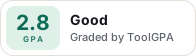
Paste this where you want the badge. It links here and follows the grade if it changes. About badges
<a href="https://toolgpa.com/tools/macdown#review"><img src="https://toolgpa.com/badge/macdown.svg" alt="MacDown: 2.8 GPA on ToolGPA" width="196" height="56"></a>Where MacDown stands among writing tools
MacDown's GPA of 2.8 is higher than 67 of the 100 other writing tools we grade, and level with 18.
It stands best on free plan and trial (A, above 81 of 100) and worst on platforms and integrations (D, above 0).
MacDown has no paid plan.
On features, ease of use and platforms it scores 2.0 out of 4. Nothing scores higher for less, though at least one tool matches that score at a lower price.
Each grade against the category
Every bar is all 101 writing tools we grade, cut by the letter each got. MacDown’s own letter is outlined.
- AValue for moneyAbove 65 of 100, level with 35
- AFree plan and trialAbove 81 of 100, level with 19
- CFeaturesAbove 0 of 100, level with 63
- BEase of useAbove 58 of 100, level with 40
- DPlatforms and integrationsAbove 0 of 100, level with 4
Price against what you get
Each dot is one of 79 writing tools. Further left costs less, and higher up scores better on features, ease of use and platforms. Point at a dot to see which tool it is.
Features, ease of use and platforms, averaged
What paid plans start at, a month (each step along is roughly double) →
- The best score at each price
- Has a free plan
- No free plan
Keep MacDown, or make your own?
Keep it
MacDown is free, so making your own would save you nothing.
It is one of the better ones too: its GPA of 2.8 is higher than 67 of the 100 other writing tools we grade.
What you could make
- Markdown: an app builder makes this well.
What you could not
- A real app for macOS. Something home-made would be a web page.
What this rests on. MacDown’s listing: what it does, where it runs, what it plugs into and what it costs. It is a judgement about the kind of software this is. We have not built a replacement for it, and making your own means looking after it too. How we decide, and every tool’s verdict.
What is MacDown?
MacDown is a Markdown editor for macOS released under the MIT License. It renders a live preview of the document with configurable rendering options. The version on its site is 0.7.3, and the page's copyright line runs to 2021.
Worth knowing
- It runs on macOS only; the FAQ says other platforms are not planned for now.
- The latest release on the site is 0.7.3 and the footer says 2014 to 2021, so updates have been infrequent.
- The app is not signed with an Apple developer certificate, so macOS asks you to open it manually the first time, according to the FAQ.
Key features
- Live preview
- Hoedown renders Markdown to HTML as you type, and the rendering options can be changed in Preferences.
- Syntax highlighting
- Fenced code blocks with a language name are highlighted using Prism.
- Math and task lists
- It renders TeX-like math such as $$...$$ blocks and GitHub-style task lists.
- Jekyll front matter
- Jekyll front matter is among the additional rendering tools the features page lists.
- Auto-completion
- The features page describes auto-completion built for the author's own needs, and says it can be turned off.
MacDown pricing
As of Nov 12, 2026, MacDown is free to use.
- Starts at
- Free
- Free plan
- MacDown is open source under the MIT License and free to download, with no account.
- Free trial
- None listed
| Plan | Price | What you get |
|---|---|---|
| Free | $0 | The full Markdown editor for macOS, also installable with Homebrew. |
Read from macdown.uranusjr.com on Nov 12, 2026. Prices change, so confirm with MacDown before you buy.
MacDown alternatives
- MacDown vs Typora
Free trial · from $14.99 one-time
- MacDown vs iA Writer
Free trial · from $19.99 one-time

Common questions
Does MacDown have an Android app?
No Android app was listed when its pages were read on Nov 12, 2026. MacDown is listed for macOS.
Does MacDown have an iPhone app?
No iPhone app was listed when its pages were read on Nov 12, 2026. MacDown is listed for macOS.
Is MacDown open source?
Yes. MacDown is open source, according to its own site.
Sources for this page
The prices, plans, platforms and features above were read from these pages on Nov 12, 2026.