Grammarly
Writing assistant for grammar, tone and rewrites in any app
Our verdict
Second of our top three writing tools
For: People who want their writing checked in every app
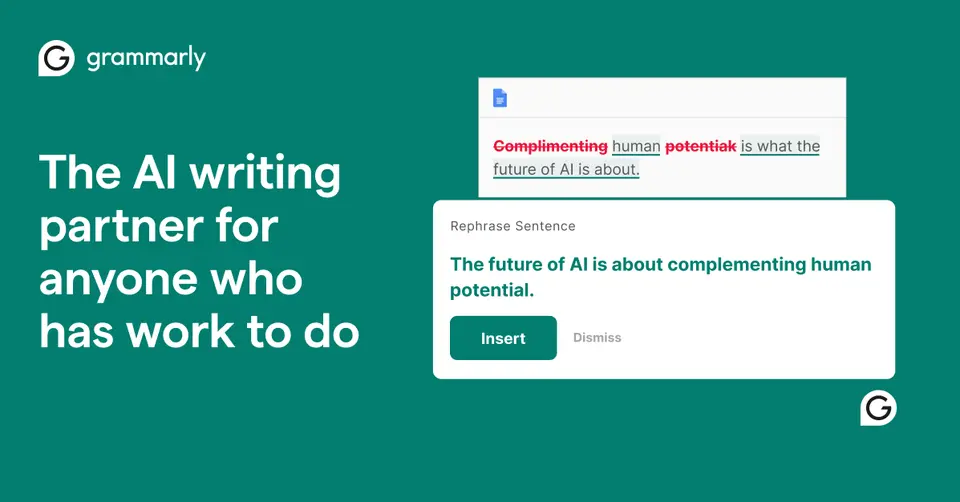
Grammarly checks spelling, grammar and tone and suggests rewrites as you type, inside other apps and sites: it has desktop apps for Windows and Mac, browser extensions, and iPhone and Android apps, and works in tools such as Gmail, Google Docs, Word and Slack. The Free plan covers spelling and grammar corrections, tone detection and 100 AI prompts a month, and its iPhone and iPad app averages 4.7 from about 225,000 ratings. It is second because it is an assistant on top of the app you write in, and its Free plan leaves out full-sentence rewrites and tone adjustments. Pro is $12 per member a month, billed annually, but $30 billed monthly, and the advanced suggestions cover six languages.
See all three and how we rankGrammarly review
Very good · out of 4.0 · graded Oct 9, 2026
Best for checking your writing in every app
Grammarly is the writing checker that follows you around. Gmail, Google Docs, Slack, your phone: it underlines the slip and you click to fix it. The basics are free. Pro is $12 a month if you pay yearly but $30 if you don't, and some long-time users say it has got too keen to rewrite them.
Who Grammarly is for
- Great if you write in lots of places and want the same checks in each
- Handy when English isn't your first language and emails need to read right
- Good for students, with citation, plagiarism and AI checks in one editor
- A treat if your team needs one style guide, for up to 149 people
Who Grammarly is not for
- Skip it if a spell checker is all you need, as your browser has one
- Pricey if you pay month to month: $30, against $12 on yearly billing
- Not for you if you want the full help in a language outside its main six
- Tight if you lean on AI drafting for free, with 100 prompts a month
Why Grammarly gets a 3.4
Five grades, each with its reason. The GPA is their average: an A is 4 points, an F is none.
- CValue for money$12 a month if you pay for the year is okay. $30 a month if you don't is a lot for a grammar checker, and LanguageTool costs less.
- BFree plan and trialFree for as long as you like, with spelling, grammar, tone detection and 100 AI prompts a month. Rewrites are Pro only, and reviewers say it nags you to upgrade.
- AFeaturesSpelling, grammar and tone, sentence rewrites, AI drafting, plus plagiarism and AI-text checks. Docs adds helpers that find citations. That's a lot for a checker.
- AEase of use4.7 from about 225,000 App Store ratings. Install it, type as normal and click what it underlines. That's the whole lesson.
- APlatforms and integrationsWindows, Mac, four browsers, iPhone, iPad and Android. It works inside Gmail, Google Docs, Word, Outlook and Slack. No Linux app, though.
The good
So what's the big deal with Grammarly? It comes to you. There's no box to paste your text into.
Writing an email in Gmail? It's there. A message in Slack, a report in Word, a text on your phone? Also there. It underlines the slip, you click, it's fixed.
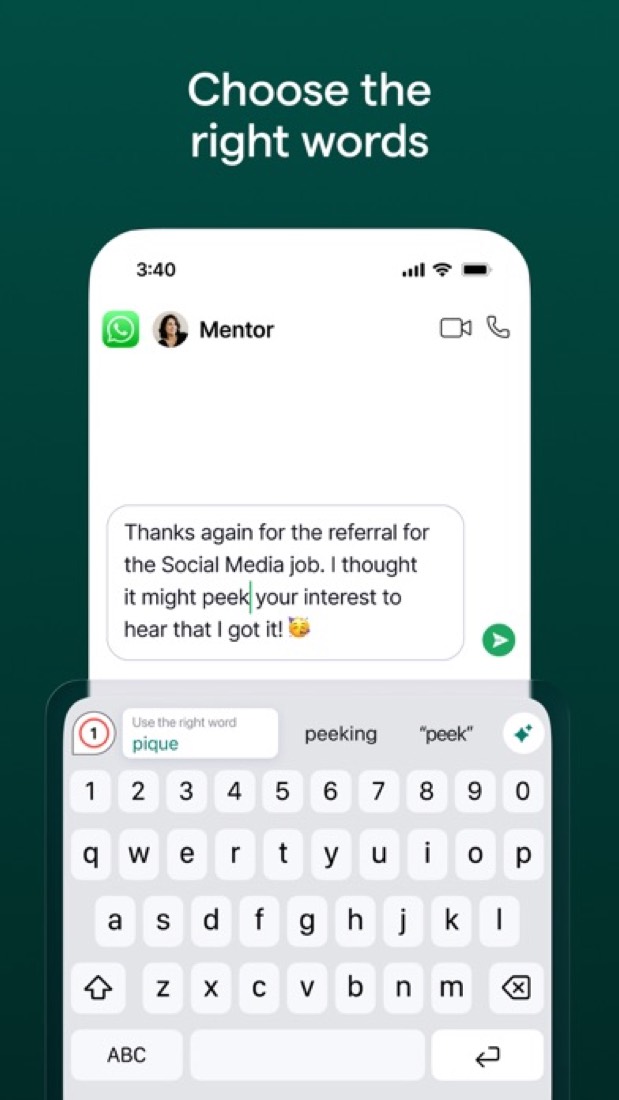
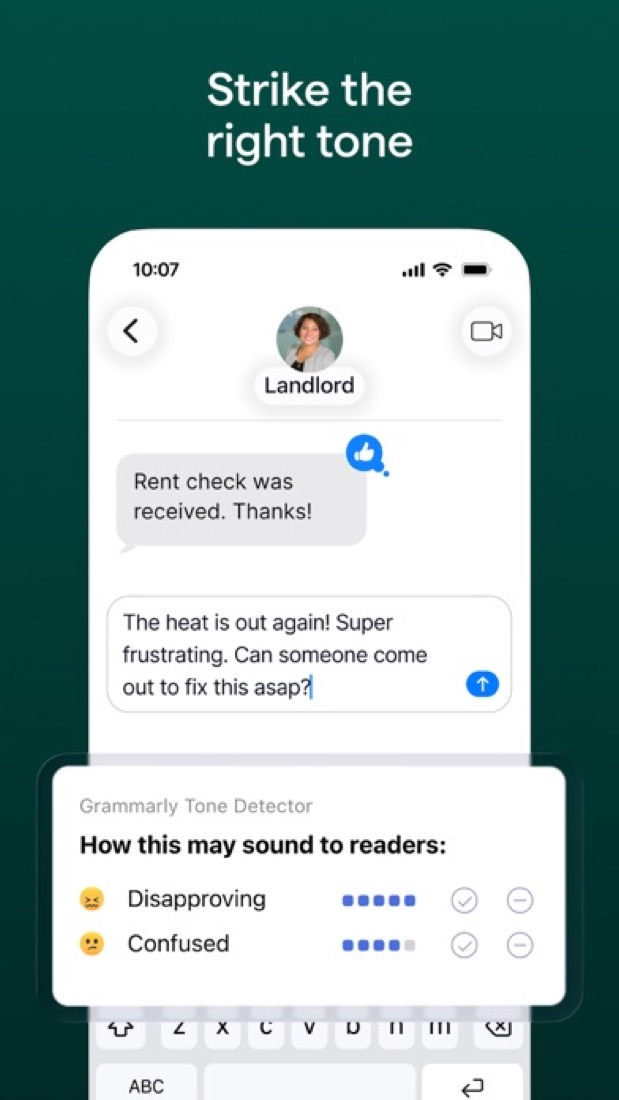
It reads tone as well as typos. Write "I already told you this on Monday" and the tone detector shows how that's likely to come across. Handy before you send something you'll regret.
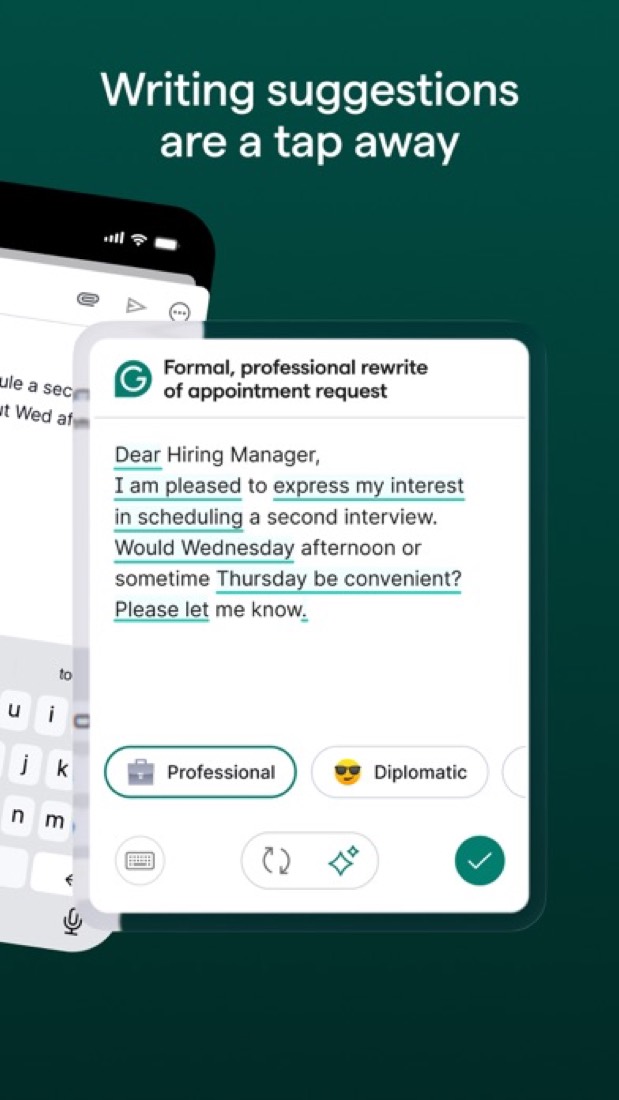
Pay for Pro and it rewrites whole sentences and shifts the tone, say from blunt to friendly.
There's also Docs, its own editor in the browser, with AI helpers that look for citations, check for plagiarism and guess how readers will react.
And for teams, a shared style guide keeps everyone spelling the product name the same way.
The stuff that'll bug you
It can be bossy. Reviewers talk about it flagging things that were right, changing "for" to "of" for no reason, and showing the same suggestion again after they'd dismissed it.
The bigger worry is newer. Long-time users on Hacker News say it used to fix grammar and now wants to rewrite whole paragraphs. Accept everything and you start to sound like everyone else who accepted everything.
The free plan nags, going by the reviews. One person took out a comma because Grammarly said to, then saw it flagged again as a paid-only fix.
The clever stuff is mostly for English. Advanced suggestions cover six languages. The rest get spelling and basic grammar.
And Docs has gaps. It's English only for now, it doesn't work on a phone, and two people can't edit together yet.
Money
Start on Free. Spelling, grammar and tone detection cost nothing, for as long as you like. You get 100 AI prompts a month too.
Pro is $12 a member a month if you pay for the year. Pay monthly and it's $30. That's a big gap, so we'd only go monthly for a one-off, like a thesis or a job hunt.
What does Pro add? Full-sentence rewrites, tone changes, plagiarism and AI checks, and 2,000 AI prompts a month. Teams get style guides and brand tones, for up to 149 people.
Not sure? There's a 7-day free trial of Pro if you're eligible. Nothing is due when you sign up, and Grammarly emails you 2 days before it ends.
More than 149 of you? That's Enterprise, with no public price, sold through Superhuman Go. Yes, Grammarly's maker goes by Superhuman now.
One thing to watch: Grammarly sells different plans in some countries, so what you see on its site may not match this.
What actual users say
Grammarly has 4.7 on the App Store from about 225,000 ratings.
The happiest reviews come from people who never felt good at writing. One runs several businesses and still remembers school essays coming back covered in red pencil. For them it's about confidence.
People who dictate, or who write in a second language, say much the same on Hacker News. One calls it as essential as a spell checker.
Then there's the other camp. Writers who've had it for years say it has got too keen to rewrite them, and some have dropped it.
One more. A Hacker News thread in September, with nearly 400 points, was a warning that cancelling a team plan sets off messages to everyone on it. We only have the poster's word for that, but it's worth knowing if you're buying for a team.
What this review rests on. Based on Grammarly's plans, Pro, desktop, browser, Docs and languages pages as of 9 October 2026, its App Store reviews and Hacker News threads about it. Not based on using the product: this is a read of everything that's public, not a test. How we review and grade.
Make Grammarly? Put this grade on your site
Paste this where you want the badge. It links here and follows the grade if it changes. About badges
<a href="https://toolgpa.com/tools/grammarly#review"><img src="https://toolgpa.com/badge/grammarly.svg" alt="Grammarly: 3.4 GPA on ToolGPA" width="196" height="56"></a>What is Grammarly?
Grammarly is a writing assistant that checks spelling, grammar and tone and suggests rewrites as you type. It works inside other apps and sites through desktop apps, browser extensions and mobile keyboards, and it has its own browser-based editor, Docs, with AI agents for jobs such as finding citations and checking for plagiarism. The company behind it now operates as Superhuman.
Grammarly has a free plan. Paid plans start at $12 per member / month, billed annually. See every plan
Good for
- People who write across many apps and want the same checks in each
- Teams of up to 149 that need a shared style guide and brand tone
- Students who want citation, plagiarism and AI-detection checks in one editor
Worth knowing
- The Free plan is capped at 100 AI prompts a month and leaves out full-sentence rewrites and tone adjustments.
- Pro costs $30 per member a month on monthly billing, against $12 a month when billed annually.
- Pro stops at 149 seats; larger organizations need Enterprise, which is priced through sales.
- Advanced grammar, clarity and tone suggestions cover six languages; the other supported languages get spelling and basic grammar only.
Key features
- Grammar, spelling and tone checks
- Corrects spelling and grammar and shows the tone of a message on every plan. Full-sentence rewrites and one-click tone adjustments are part of Pro.
- Works inside other apps
- Desktop apps for Windows and Mac, extensions for Chrome, Safari, Firefox and Edge, and iPhone, iPad and Android apps bring suggestions into tools such as Gmail, Google Docs, Word and Slack.
- Docs and AI agents
- Docs is a browser-based document editor with agents including AI Grader, Citation Finder, Reader Reactions, Humanizer and Paraphraser. Some agents are limited to Pro.
- Generative AI prompts
- Drafts and reworks text from a prompt. The allowance is 100 prompts a month on Free, 2,000 per member on Pro and unlimited on Enterprise.
- Plagiarism and AI detection
- Scans a document for text that matches other sources and for passages likely to be AI-generated. The plans page lists both checks under Pro.
- Team style controls
- Pro team accounts get style guides, brand tones, knowledge share, snippets and usage analytics, so a group writes with the same terms and voice.
Grammarly pricing
- Starts at
- $12 per member / month, billed annually
- Free plan
- Spelling and grammar corrections, tone detection and 100 AI prompts a month. Docs is free to use, though some of its agents are limited to Pro.
- Free trial
- 7-day free trial of Pro for eligible individuals and teams, with $0 due at sign-up and an email reminder 2 days before it ends.
| Plan | Price | What you get |
|---|---|---|
| Free | $0 | Spelling and grammar corrections, tone detection and 100 AI prompts a month, for individuals. |
| Pro | $12per member / month, billed annually ($30 billed monthly) | Full-sentence rewrites, tone adjustments, style guides and brand tones, and 2,000 AI prompts a month. Sold for 1 to 149 seats. |
| Enterprise | Custom | Unlimited members and AI prompts, dedicated support, confidential mode, granular roles and data loss prevention. Sold through Superhuman Go. |
Read from grammarly.com on Oct 5, 2026. Prices change, so confirm with Grammarly before you buy.
Ways to pay less
- Annual discountSave up to 60% with yearly billing
Pro is $12 per member a month when billed annually and $30 when billed monthly. The plan toggle advertises a saving of up to 60% on yearly billing.
Stated on grammarly.com - EducationDiscounts for educational institutions
The plans page FAQ says Grammarly offers discounts for educational institutions. Grammarly for Education is quoted through its education sales team.
Stated on grammarly.com
How people rate the Grammarly app
4.7
out of 5 for the iPhone and iPad app
- 5 stars84%
- 4 stars8%
- 3 stars3%
- 2 stars1%
- 1 star4%
225,387 ratings on the App Store in the United States, read Oct 5, 2026. It rates the app, not everything the product does. See the listing
Works with
Grammarly alternatives
- Grammarly vs ProWritingAid
Free plan · from $10/mo
- Grammarly vs LanguageTool
Free plan · from $4.99/mo
- Grammarly vs QuillBot
Free plan · from $8.33/mo
- Grammarly vs Wordtune
Free plan · from $6.99/mo
- Grammarly vs Hemingway Editor
Free plan · from $8.33/mo





Common questions
Is Grammarly free?
Grammarly has a free plan. Spelling and grammar corrections, tone detection and 100 AI prompts a month. Docs is free to use, though some of its agents are limited to Pro. Paid plans start at $12 per member / month, billed annually.
How much does Grammarly cost?
Grammarly lists 3 plans. Free: $0. Pro: $12 per member / month, billed annually ($30 billed monthly). Enterprise: custom pricing. Prices were read from grammarly.com on Oct 5, 2026.
What platforms does Grammarly work on?
Grammarly is available on Web, macOS, Windows, iOS and Android. It also has a browser extension.
Does Grammarly offer any discounts?
Grammarly publicly lists the following: Save up to 60% with yearly billing; Discounts for educational institutions.
How is Grammarly rated?
Grammarly's iPhone and iPad app averages 4.7 out of 5 from 225,387 ratings on the App Store in the United States, as read on Oct 5, 2026. That is the store's rating of the app, not a score from us.
Does Grammarly have a Linux app?
No Linux app was listed when its pages were read on Oct 5, 2026. Grammarly is listed for Web, macOS, Windows, iOS and Android.
Is Grammarly open source?
Grammarly is not described as open source on its own site, as read on Oct 5, 2026.
What does Grammarly integrate with?
Grammarly's listing names Google Docs, Microsoft Word, Gmail, Microsoft Outlook, Slack, Salesforce, Zendesk and Jira. A listing names up to eight integrations, so it may connect to more.
Does Grammarly have a student discount?
Discounts for educational institutions. The plans page FAQ says Grammarly offers discounts for educational institutions. Grammarly for Education is quoted through its education sales team.
Does Grammarly have a free trial?
Yes. 7-day free trial of Pro for eligible individuals and teams, with $0 due at sign-up and an email reminder 2 days before it ends.
Who makes Grammarly?
Grammarly is made by Superhuman Platform Inc. It dates from 2009.
What are the alternatives to Grammarly?
The closest alternatives to Grammarly in our directory are ProWritingAid, LanguageTool, QuillBot, Wordtune and Hemingway Editor. Each one has a side-by-side comparison with Grammarly.
Sources for this page
The prices, plans, platforms and features above were read from these pages on Oct 5, 2026. What people say is linked where it appears.