The Grammarly Insider’s Guide
Everything we know about Grammarly in one document: what it costs, its grades, getting a refund, getting help and what else to look at. Read it here, or keep a copy.
Grammarly
The Insider’s Guide
Writing assistant for grammar, tone and rewrites in any app
Every plan, grade, refund rule and rival among writing tools, read from Grammarly’s own pages.
Made by Superhuman Platform Inc. · checked Oct 5, 2026 · toolgpa.com
Contents
- 01WelcomeWhat it is, who it suits, its grades and the ten things to know first
- 02Insider tipsWhat most people miss: ways to pay less, settings worth changing and the catches
- 03What it costsEvery plan, the free plan, ways to pay less and how prices have moved
- 04What it doesIts main features, where it runs, what it works with and who makes it
- 05Where it standsIts grades against its category, and whether to keep it or make your own
- 06After you payGetting your money back, getting out, and getting help
- 07The alternativesThe tools it is most often weighed against, side by side
- 08Quick answersThe questions people ask about it, each answered in a line or two
- 09About ToolGPAWho made this guide, what else is on the site, and how to cite it
ToolGPA put this guide together from Grammarly’s own pages, its app-store listings and our grades. Every fact in it is on Grammarly’s page too, where it is kept up to date. Checked Oct 5, 2026.
Part 01 · Overview
Welcome
What it is, who it suits, its grades and the ten things to know first
3.0
GPA, above 57 of the 69 other writing tools we grade
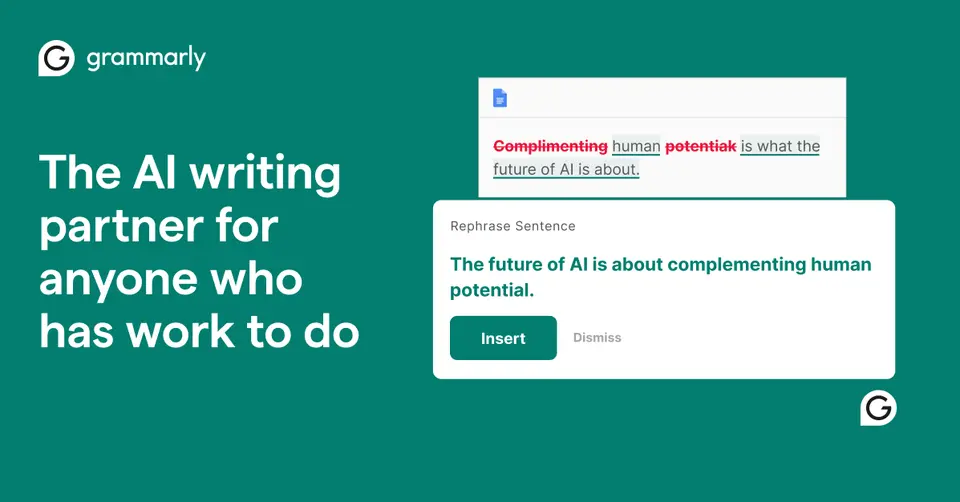
Grammarly is a writing assistant that checks spelling, grammar and tone and suggests rewrites as you type. It works inside other apps and sites through desktop apps, browser extensions and mobile keyboards, and it has its own browser-based editor, Docs, with AI agents for jobs such as finding citations and checking for plagiarism. The company behind it now operates as Superhuman.
To get you started, here are 10 things to know about Grammarly, taken from its own pages and our grades.
There's nothing to learn, mind: install it, type as normal, click what it underlines.
- 1
Best for checking your writing in every app
If you only need spelling, your browser already does that.
- 2
Paid plans start at $12 a month for each person
As its pricing page puts it: $12 per member / month, billed annually.
- 3
There is a free plan
Spelling and grammar corrections, tone detection and 100 AI prompts a month. Docs is free to use, though some of its agents are limited to Pro.
- 4
It runs on 5 platforms
Web, macOS, Windows, iOS and Android, with a browser extension too.
- 5
Grammar, spelling and tone checks
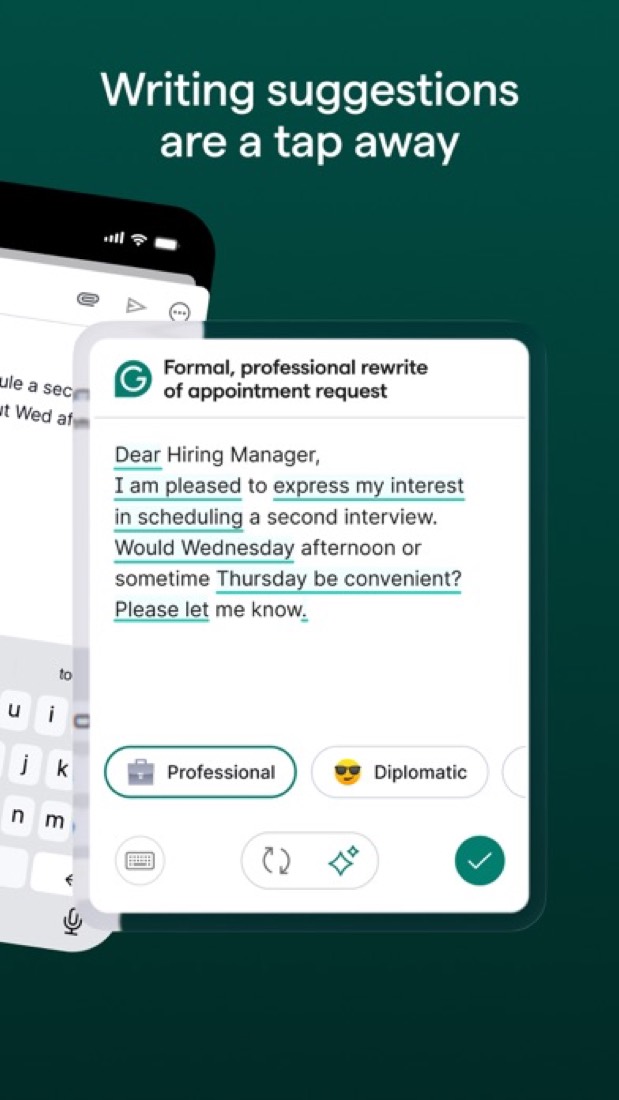
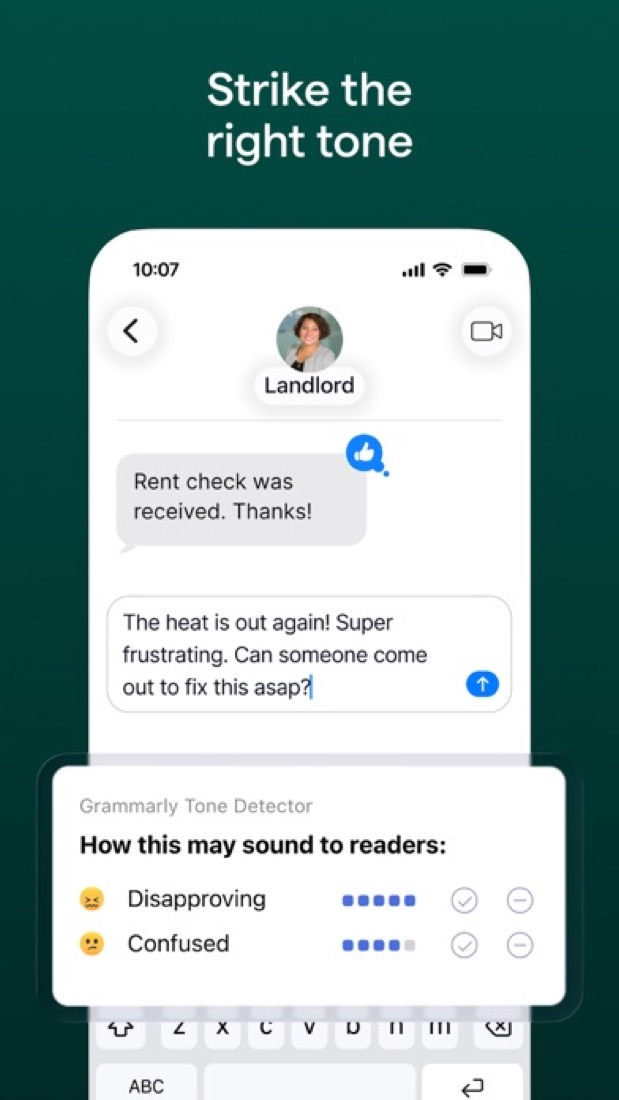
Corrects spelling and grammar and shows the tone of a message on every plan. Full-sentence rewrites and one-click tone adjustments are part of Pro.
- 6
Works inside other apps
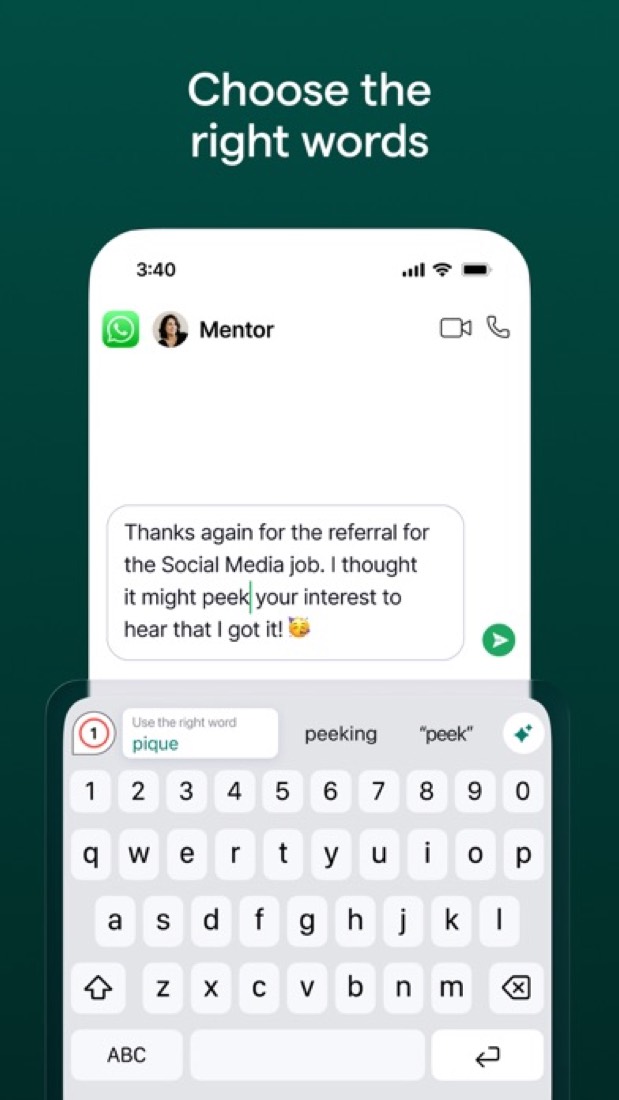
Desktop apps for Windows and Mac, extensions for Chrome, Safari, Firefox and Edge, and iPhone, iPad and Android apps bring suggestions into tools such as Gmail, Google Docs, Word and Slack.
- 7
Docs and AI agents
Docs is a browser-based document editor with agents including AI Grader, Citation Finder, Reader Reactions, Humanizer and Paraphraser. Some agents are limited to Pro.
- 8
Refunds: no set window
Grammarly's line on refunds is short: only where the law requires one. Nothing comes back for a part-used period or for AI capacity you never spent.
- 9
A 3.0 GPA, above 57 of 69
That is against the other writing tools we grade, on value, the free plan, features, ease of use and platforms.
- 10
Keep it
To replace Grammarly you would be making an AI agent, with the models and the safeguards behind it. That is not a weekend's work, with an AI app builder or without one.
Grammarly at a glance
- Pricing
- Free plan, from $12 per member / month, billed annually
- Free plan
- Yes
- Free trial
- 7-day free trial of Pro for eligible individuals and teams, with $0 due at sign-up and an email reminder 2 days before it ends.
- Runs on
- Web, macOS, Windows, iOS, Android, Browser extension
- Made by
- Superhuman Platform Inc., since 2009
- Category
- Writing Tools
- Our grade
- 3.0 GPA, very good
- Store rating
- 4.7 on the App Store, 225,387 ratings
The report card
Best for checking your writing in every app
Grammarly checks your writing inside Gmail, Google Docs, Slack and your phone, underlining slips for you to click and fix, and the basic checks are free. But rewrites and tone changes need Pro, which is $12 a month on the year and $30 month to month, the full suggestions only cover six languages, reviewers say the free plan nags, and long-time users say it has got too keen to rewrite them. If you only need spelling, your browser already does that.
| Subject | Grade | Comment |
|---|---|---|
| Value for money | C | $12 a member a month on yearly billing is the top of this category's normal range, where the dearer quarter starts at $12.00. Pay month to month and it's $30, nearly four times the $8.33 middle. LanguageTool, on its own list of rivals, asks less. |
| Free plan and trial | B | Free lasts as long as you like, and the checking isn't capped: spelling, grammar and tone detection on everything you write. Rewrites are Pro only, AI stops at 100 prompts a month, and reviewers say it nags you to upgrade. |
| Features | B | Spelling, grammar and tone everywhere you type, full-sentence rewrites, AI drafting, plagiarism and AI-text checks, Docs with agents that find citations and guess reader reactions, and team style guides. Advanced suggestions only cover six languages, and Docs is English only. |
| Ease of use | B | 4.66 on the App Store from 225,387 ratings. That's a B, not an A, because an A wants 4.7, and 4.66 is 4.66. There's nothing to learn, mind: install it, type as normal, click what it underlines. |
| Platforms and integrations | A | Windows, Mac, four browsers, iPhone, iPad and Android, so every device type, and it works inside Gmail, Google Docs, Word, Outlook, Slack, Salesforce, Zendesk and Jira. No Linux app is listed. |
An A is worth 4 points, a B 3, a C 2, a D 1 and an F nothing. The GPA is the average of the five.
Who Grammarly is for
- Fits if you write in lots of places and want the same checks in each
- Works for people writing English as a second language, and students who want citation and plagiarism checks in one place
Who it is not for
- Skip it if a spell checker is all you need, as your browser has one
- Pricey if you pay month to month: $30, against $12 on yearly billing
- Not for you if you write in a language outside its main six, which only get spelling and basic grammar
- Tight if you lean on AI for free, with 100 prompts a month and no full-sentence rewrites or tone changes
- Watch out: Pro stops at 149 seats, Enterprise has no public price, and reviewers say it flags correct text and nags you to upgrade
Good to know
Good for
- People who write across many apps and want the same checks in each
- Teams of up to 149 that need a shared style guide and brand tone
- Students who want citation, plagiarism and AI-detection checks in one editor
Worth knowing
- The Free plan is capped at 100 AI prompts a month and leaves out full-sentence rewrites and tone adjustments.
- Pro costs $30 per member a month on monthly billing, against $12 a month when billed annually.
- Pro stops at 149 seats; larger organizations need Enterprise, which is priced through sales.
- Advanced grammar, clarity and tone suggestions cover six languages; the other supported languages get spelling and basic grammar only.
Part 02 · Tips
Insider tips
What most people miss: ways to pay less, settings worth changing and the catches
7
Things most people miss, each from its own help pages
The things about Grammarly that are easy to miss until they cost you: ways to pay less, settings worth changing and the catches at renewal or when you leave. Each one is from Grammarly’s own pages, linked beside it.
Read on Oct 17, 2026. Read from Grammarly's help centre (the desktop and browser extension guides, Product Improvement and Training, Authorship, cancelling and refunds) on 17 October 2026. Not tried out: these tips are what its own pages say.
- 1
Setting
Not American? Change the English it checks against
Grammarly checks American English by default. Set "I write in" to British, Canadian, Australian or Indian English on your account's Language settings page and it applies to every Grammarly app you use. The Windows and Mac apps have the same choice in their own settings.
support.grammarly.com - 2
Privacy
Your writing can train its models unless you switch it off
Product Improvement and Training is on by default for Free, Premium and single-user Pro accounts. Turn it off at account.grammarly.com/security/privacy, or on Pro at account.grammarly.com/admin/data_settings. On a multi-user Pro plan only an admin can. Enterprise and Education start with it off.
support.grammarly.com - 3
Setting
Switch it off for one website instead of uninstalling it
Click the Grammarly icon in your browser's toolbar and turn the extension off for the site you're on. That's the fix for the one tool where the underlines get in the way, like a code editor or a form that breaks. Everywhere else carries on being checked.
support.grammarly.com - 4
Easy to miss
Turn off the kinds of suggestion you keep rejecting
On paid plans, the Your preferences page lets you switch off whole types of suggestion, such as adding the Oxford comma or flagging passive voice, and the change applies across every Grammarly product. A word it wrongly flags can go in your personal dictionary with the book icon.
support.grammarly.com - 5
Easy to miss
Students: switch Authorship on before you start writing
Authorship records whether text was typed, pasted or made with AI, and builds a report you can share with a teacher. Basic tracking is free in Google Docs and Word, but it's off by default there: click the thumbprint icon by "Track writing activity". You can leave out the typing replay when you share.
support.grammarly.com - 6
Renewal
You can cancel any time, but don't count on a refund
Grammarly's refund page says you can cancel whenever you like, but refunds are issued only if the law requires one. If you bought through the App Store, it's Apple you ask. So treat a yearly plan as a year's commitment. Not sure yet? One month is the smaller bet, even at the higher monthly rate.
support.grammarly.com - 7
Leaving
Cancelling through Grammarly can end your other Superhuman apps too
The cancel page warns that if your Grammarly account is linked to Superhuman, cancelling applies across all the other apps in the Superhuman suite. If you only mean to drop Grammarly, check what your plan covers first. After cancelling, paid features last to the end of the period.
support.grammarly.com
Part 03 · Pricing
What it costs
Every plan, the free plan, ways to pay less and how prices have moved
$12
A month to start, for each person. There is a free plan too
Grammarly has a free plan. Paid plans start at $12 per member / month, billed annually.
LanguageTool, on its own list of rivals, asks less.
Free
$0
Spelling and grammar corrections, tone detection and 100 AI prompts a month, for individuals.
Pro
$12
per member / month, billed annually ($30 billed monthly)
Full-sentence rewrites, tone adjustments, style guides and brand tones, and 2,000 AI prompts a month. Sold for 1 to 149 seats.
Enterprise
Custom
Unlimited members and AI prompts, dedicated support, confidential mode, granular roles and data loss prevention. Sold through Superhuman Go.
The free plan
Spelling and grammar corrections, tone detection and 100 AI prompts a month. Docs is free to use, though some of its agents are limited to Pro.
Trying it first
7-day free trial of Pro for eligible individuals and teams, with $0 due at sign-up and an email reminder 2 days before it ends.
Read from grammarly.com on Oct 5, 2026.
Ways to pay less
Annual discount
Save up to 60% with yearly billing
Pro is $12 per member a month when billed annually and $30 when billed monthly. The plan toggle advertises a saving of up to 60% on yearly billing.
Stated on grammarly.comEducation
Discounts for educational institutions
The plans page FAQ says Grammarly offers discounts for educational institutions. Grammarly for Education is quoted through its education sales team.
Stated on grammarly.com
How its prices have moved
- Sep 29, 2024Pro: Premium, $12 per month, billed annually → Pro, $12 per member / month, billed annually ($30 billed monthly)The archived copy of Grammarly's plans page of 29 September 2024 lists Free, Pro and Enterprise, with Pro at $12 billed annually; the copy before it, of 27 August 2024, calls the $12 plan Premium. It was renamed between the two.
- Sep 29, 2024Business: withdrawn (was $15 per member / month, billed annually)The archived copy of 29 September 2024 has no Business plan, and offers Pro to individuals or teams; the copy before it, of 27 August 2024, still lists Business at $15 per member. The plan was withdrawn between the two.
- May 21, 2022Business: $12.50 per member / month, billed annually → $15 per member / month, billed annuallyThe archived copy of 21 May 2022 shows Business starting at $15 per member, $180 a year; the copy before it, of 8 April 2022, shows $12.50, $150 a year. The price changed between the two.
- May 16, 2021Premium: $11.66 per month, billed annually ($29.95 billed monthly) → $12 per month, billed annually ($30 billed monthly)The archived copy of 16 May 2021 shows Premium at $12 a month, $144 for the year and $30 month to month; the copy before it, of 10 April 2021, shows $11.66, $139.95 and $29.95. Premium is the plan now called Pro.
What the app costs elsewhere
Each country’s App Store price for “Monthly Plan”, against $29.99 in the United States, in dollars at the day’s rate. The four cheapest and the four dearest of 11.
| Country | Price there | In dollars | Against the US |
|---|---|---|---|
| Turkey | ₺184,99 | $3.76 | 87% less |
| Philippines | ₱ 349.00 | $5.56 | 81% less |
| India | ₹ 999 | $10.33 | 66% less |
| Brazil | R$ 114,90 | $22.96 | 23% less |
| Australia | $44.99 | $31.41 | about the same |
| Mexico | $609.00 | $33.46 | 12% more |
| Germany | 31,99 € | $35.85 | 20% more |
| United Kingdom | £27.99 | $37.00 | 23% more |
Part 04 · Features
What it does
Its main features, where it runs, what it works with and who makes it
6
Places it runs: Web, macOS, Windows, iOS, Android and Browser extension
Writing assistant for grammar, tone and rewrites in any app. Here is what it does, as its own site describes it, and what it covers: AI features, AI agents, citations, documents, grammar & style.
Advanced suggestions only cover six languages, and Docs is English only.
- Grammar, spelling and tone checks
- Corrects spelling and grammar and shows the tone of a message on every plan. Full-sentence rewrites and one-click tone adjustments are part of Pro.
- Works inside other apps
- Desktop apps for Windows and Mac, extensions for Chrome, Safari, Firefox and Edge, and iPhone, iPad and Android apps bring suggestions into tools such as Gmail, Google Docs, Word and Slack.
- Docs and AI agents
- Docs is a browser-based document editor with agents including AI Grader, Citation Finder, Reader Reactions, Humanizer and Paraphraser. Some agents are limited to Pro.
- Generative AI prompts
- Drafts and reworks text from a prompt. The allowance is 100 prompts a month on Free, 2,000 per member on Pro and unlimited on Enterprise.
- Plagiarism and AI detection
- Scans a document for text that matches other sources and for passages likely to be AI-generated. The plans page lists both checks under Pro.
- Team style controls
- Pro team accounts get style guides, brand tones, knowledge share, snippets and usage analytics, so a group writes with the same terms and voice.
Where it runs
- Web
- macOS
- Windows
- iOS
- Android
- Browser extension
What it works with
- Google Docs
- Microsoft Word
- Gmail
- Microsoft Outlook
- Slack
- Salesforce
- Zendesk
- Jira
Who makes Grammarly
Grammarly is made by the company founded under that name in 2009, which renamed itself Superhuman in October 2025 after buying Coda and Superhuman Mail. It is privately held and earns money from paid Grammarly subscriptions for individuals, teams and schools on top of a free tier.
- Founded
- 2009grammarly.com
- Based
- San Francisco, California, with nine hubs across North America and Europesuperhuman.com
- Ownership
- Privately held. Privately held and venture-backed, trading as Superhuman Platform Inc. since the October 2025 rename. Investors named in reports of its rounds include General Catalyst, Baillie Gifford, funds managed by BlackRock and IVP. It has no parent company.grammarly.com
- Funding
- Took a $1 billion non-dilutive commitment from General Catalyst's Customer Value Fund in May 2025, repaid out of revenue rather than equity, per TechCrunch. Before that it raised $200 million at a $13 billion valuation in November 2021, $90 million in October 2019 and $110 million in May 2017.techcrunch.comtechcrunch.com
- Founders and leaders
- Shishir Mehrotra, CEOgrammarly.com
- Max Lytvyn, Co-foundergrammarly.com
- Alex Shevchenko, Co-foundergrammarly.com
- Dmytro Lider, Co-foundergrammarly.com
- Hiring
- It runs a careers site with an open roles page and says it has nine hubs across North America and Europe; the page gives no totalsuperhuman.com
- Affiliate program
- Affiliates earn a commission on referred customers, with an activation bonus for placing a banner and writing a post, a 90-day cookie window, cross-device tracking and higher payouts for top performers. The rate is not published on the page.grammarly.com
- Partner program
- The Superhuman Alliance has no tiers: every partner gets the same tools, enablement, support and benefits. Partners can sell with deal protection, deliver services, build on the products or extend them, and get directory listings and badges.superhuman.com
- Lately
- Superhuman Launches Superhuman Docs, a Collaboration Surface for Teams to Write, Track, and Build With AI · Jul 8, 2026
- Superhuman to Acquire GPTZero, AI Authenticity Platform · Jun 23, 2026
- Superhuman Launches First-of-Its-Kind Agent-Specific Attribution With Grammarly Authorship Update · Mar 10, 2026
- Superhuman Go Scales Agent Ecosystem With New Partner Agents From Box, Gamma, and Wayground · Feb 23, 2026
Read on Oct 18, 2026 from the company’s own pages and from news reports. What is not stated there is left out.
Part 05 · Standing
Where it stands
Its grades against its category, and whether to keep it or make your own
57/69
Other writing tools it is graded above
Grammarly's GPA of 3.0 is higher than 57 of the 69 other writing tools we grade, and level with 6.
It stands best on platforms and integrations (A, above 63 of 69) and worst on value for money (C, above 13).
Its paid plans start at $12 a month for each person, against a middle price of $8 for the category: 32 of the 44 others that charge start lower.
On features, ease of use and platforms it scores 3.3 out of 4. 1 tool scores higher and costs less.
Each grade against the category
Every bar is all 70 writing tools we grade, cut by the letter each got. Grammarly’s own letter is outlined.
- CValue for moneyAbove 13 of 69
- BFree plan and trialAbove 48 of 69
- BFeaturesAbove 36 of 69
- BEase of useAbove 32 of 69
- APlatforms and integrationsAbove 63 of 69
Price against what you get
Each dot is one of 53 writing tools. Further left costs less; higher up scores better on features, ease of use and platforms. Grammarly is the marked dot.
What paid plans start at, a month (each step along is roughly double) →
Keep it, or make your own?
Whether this is something you could build for yourself with an AI app builder, and what you would give up.
Keep it
To replace Grammarly you would be making an AI agent, with the models and the safeguards behind it. That is not a weekend's work, with an AI app builder or without one.
It is one of the better ones too: its GPA of 3.0 is higher than 57 of the 69 other writing tools we grade. It costs $144 a year.
What you could make
- Documents: an app builder makes this well.
What you could not
- An AI agent, with the models and the safeguards behind it.
- Grammar checking as you type, wherever you type.
- Citation records for millions of papers.
- Apps for macOS, Windows, iOS and Android that stay in step with each other.
- It is priced for each person, which means accounts and billing for a team.
- It plugs into other products, Google Docs, Microsoft Word and Gmail among them.
- The depth: we grade its features B, which means it covers the whole job.
What this rests on. Grammarly’s listing: what it does, where it runs, what it plugs into and what it costs. It is a judgement about the kind of software this is. We have not built a replacement for it, and making your own means looking after it too. How we decide, and every tool’s verdict.
Part 06 · Refunds
After you pay
Getting your money back, getting out, and getting help
What happens once you have paid: whether you can get your money back, how to leave, and how to reach a person when something goes wrong. Each is graded from Grammarly’s own terms and help pages.
Refunds and cancelling
Ordinary · checked Oct 18, 2026
Grammarly's line on refunds is short: only where the law requires one. Nothing comes back for a part-used period or for AI capacity you never spent. What you do get is a clean exit, five clicks in the settings, every paid feature until the period you paid for runs out, and an account that drops to the free plan rather than closing. That is the ordinary deal, so a C.
- Refund window
- No set window
- How you cancel
- Yourself, in settings
- Getting your money back
The help centre says you can cancel at any time but that, as the terms of service set out, refunds are issued only if required by law. The terms say all payments are non-refundable and payment obligations non-cancelable, with no refunds or credits for partially used subscription periods or unused consumption or capacity. A subscription bought from the App Store is Apple's to refund.
Stated on support.grammarly.com- How to cancel Grammarly
The help article says cancelling stops automatic renewal and that you keep every paid feature for the rest of the current subscription period. You do it yourself under Account, then Your account, then Subscription. On a mobile device it is done at Grammarly's account site, and a subscription bought from the App Store is cancelled with Apple instead.
- Sign in to your account and click the Account tab in the left sidebar
- Click Your account, then Subscription
- Click Cancel Subscription at the bottom of the page
- Click Continue in the window that appears
- Choose a reason for cancellation and click Cancel Subscription
- What you keep afterwards
The terms say that after a paid subscription is cancelled you keep access to it through the end of the current billing cycle, the account is then converted to a free subscription, and all future payments are cancelled. They add that if you delete the account instead, you will not be able to reactivate it or retrieve any content or information associated with it.
Stated on grammarly.com- Renewals
The terms say, in capitals, that a paid subscription renews automatically for further periods of the same length at the then-current fees unless you cancel or decline to renew. No reminder before a renewal is promised, and the no-refunds section means a renewal you did not want is not money back.
Stated on grammarly.com
In your favour
- You cancel yourself in the account settings, in five clicks, with nobody to email.
- Cancel and you keep every paid feature to the end of the period you've already paid for.
- The account drops to the free plan rather than closing on the day you leave.
Watch out for
- No refunds as a rule. The help page says they are issued only if the law requires one.
- Nothing comes back for a part-used period or for AI capacity you never used.
- Renewal is automatic at whatever the fee is by then, and no reminder is promised.
- Delete the account instead and the terms say you can't reactivate it or get your content back.
Customer support
Good · checked Oct 18, 2026
A ticket is the way in, and Grammarly says plainly that there is no phone support. The upside is a number in writing: it aims to answer email support within 48 hours, with a caveat about busy spells. Anyone can open a ticket, free users included, and the help centre behind it is thorough. Written support for everyone with a stated target is a B.
Ways to get help
Contact form or ticket
A support request form on the help centre, where you choose the category that best describes the request. A support chatbot in the lower-right corner of the help centre is offered as the step before opening a ticket.
Stated on support.grammarly.comHelp centre
A help centre with sections on billing and subscriptions, account basics, resolving issues, tips and tutorials, and business and schools, searchable and open without signing in.
Stated on support.grammarly.com
Not listed on Grammarly’s pages: live chat, phone.
- When people answer
Its pages do not say.
- How fast it says it replies
The contact article says the goal is to respond to email support issues within 48 hours of receipt, and adds that the team is currently dealing with a higher-than-usual volume, so delays are possible. No opening hours or time zone are given.
Stated on support.grammarly.com- What depends on your plan
The contact article says Grammarly for Business and Grammarly for Education customers receive priority support. The plans page lists three customer support rows, help centre, priority support and dedicated support, and its Enterprise card lists dedicated support, but the marks in the table could not be read, so which plans get which is not clear.
Stated on support.grammarly.com
In your favour
- A target in writing: a reply to email support within 48 hours of receipt.
- Anyone can open a ticket, free users included, and the help centre is open to all.
- Business and education customers are told outright that they get priority.
Watch out for
- No phone support, and the contact page says so in as many words.
- No live chat with a person either. The help centre's chatbot is the only instant option.
- 48 hours is a goal, and the page itself warns of higher-than-usual volume and delays.
- The plans table lists priority and dedicated support, but the marks beside them couldn't be read.
What these two grades rest on. Read on 18 October 2026: Grammarly's terms of service, its help centre articles on refunds, cancelling a subscription and contacting support, the help centre itself, and its contact and plans pages. Our reader is served from India and was shown a regional set of plans, so the support rows could not be matched to the plans in our file. Nobody here cancelled a plan or wrote to its support. They are graded apart from the five that make the GPA. How we grade refunds and support.
Part 07 · Alternatives
The alternatives
The tools it is most often weighed against, side by side





ProWritingAid, LanguageTool, QuillBot, Wordtune and Hemingway Editor
The 5 tools Grammarly is most often weighed against, with where each one differs from it.
- 2.6GPA
ProWritingAid
Free plan · from $10/mo
Grammar, style and story-critique toolkit for book writers.
- Only Grammarly lists iOS and Android apps.
- Grammarly also covers AI agents, citations and documents.
- ProWritingAid also covers long-form writing.
- 2.8GPA
LanguageTool
Free plan · from $4.99/mo
Grammar and style checker for more than 30 languages.
- Only Grammarly lists an Android app.
- LanguageTool is open source and self-hostable, according to its own site.
- Grammarly also covers AI agents, citations and documents.
- 2.8GPA
QuillBot
Free plan · from $8.33/mo
AI paraphraser with grammar, summarizing and AI-detection tools.
- Grammarly also covers AI agents and documents.
- QuillBot also covers chat assistant.
- 2.2GPA
Wordtune
Free plan · from $6.99/mo
AI rewriting, grammar and summarizing assistant for English.
- Only Grammarly lists macOS, Windows and Android apps.
- Grammarly also covers AI agents, citations and documents.
- 2.4GPA
Hemingway Editor
Free plan · from $8.33/mo
Readability editor that flags wordy, hard-to-read sentences.
- Only Grammarly lists iOS and Android apps.
- Only Grammarly lists a browser extension.
- Hemingway Editor can be bought with a one-time purchase.
Part 08 · Questions
Quick answers
The questions people ask about it, each answered in a line or two
19
Questions, each answered in a line or two
The short version of everything above, for when you only need the answer. Each one is told in full in its part of the guide.
Is Grammarly free?
Grammarly has a free plan. Spelling and grammar corrections, tone detection and 100 AI prompts a month.
How much does Grammarly cost?
Grammarly lists 3 plans. Free: $0.
What platforms does Grammarly work on?
Grammarly is available on Web, macOS, Windows, iOS and Android. It also has a browser extension.
Does Grammarly offer any discounts?
Grammarly publicly lists the following: Save up to 60% with yearly billing; Discounts for educational institutions.
How is Grammarly rated?
Grammarly's iPhone and iPad app averages 4.7 out of 5 from 225,387 ratings on the App Store in the United States, as read on Oct 5, 2026.
Does Grammarly have a Linux app?
No Linux app was listed when its pages were read on Oct 5, 2026. Grammarly is listed for Web, macOS, Windows, iOS and Android.
Is Grammarly open source?
Grammarly is not described as open source on its own site, as read on Oct 5, 2026.
What does Grammarly integrate with?
Grammarly's listing names Google Docs, Microsoft Word, Gmail, Microsoft Outlook, Slack, Salesforce, Zendesk and Jira.
Does Grammarly have a student discount?
Discounts for educational institutions. The plans page FAQ says Grammarly offers discounts for educational institutions.
Does Grammarly have a free trial?
Yes. 7-day free trial of Pro for eligible individuals and teams, with $0 due at sign-up and an email reminder 2 days before it ends.
Who makes Grammarly?
Grammarly is made by Superhuman Platform Inc. Privately held and venture-backed, trading as Superhuman Platform Inc. since the October 2025 rename.
What are the alternatives to Grammarly?
The closest alternatives to Grammarly in our directory are ProWritingAid, LanguageTool, QuillBot, Wordtune and Hemingway Editor.
Does Grammarly give refunds?
The help centre says you can cancel at any time but that, as the terms of service set out, refunds are issued only if required by law.
How do I cancel Grammarly?
The help article says cancelling stops automatic renewal and that you keep every paid feature for the rest of the current subscription period.
What happens to my data if I cancel Grammarly?
The terms say that after a paid subscription is cancelled you keep access to it through the end of the current billing cycle, the account is then converted to a free subscription, and all future payments are cancelled.
How do I contact Grammarly support?
Grammarly's pages list these ways to get help: contact form or ticket and help centre.
How does Grammarly compare with other writing tools?
Grammarly's GPA of 3.0 is higher than 57 of the 69 other writing tools we grade, and level with 6.
Is Grammarly good value for money?
ToolGPA grades Grammarly C for value for money. Its paid plans start at $12 a month for each person, against a middle price of $8 for the category: 32 of the 44 others that charge start lower.
Could I make my own version of Grammarly?
To replace Grammarly you would be making an AI agent, with the models and the safeguards behind it.
Where this guide comes from
The prices, plans, platforms and features were read from Grammarly’s own pages on Oct 5, 2026, and the grades were given on Oct 10, 2026. Based on Grammarly's plans, Pro, desktop, browser, Docs and languages pages as of 9 October 2026, its App Store reviews and Hacker News threads about it. Also tested with a demo account on 2026-08-12.
Every tool we list gets five grades, A to F, each with its reason, and a GPA that averages them. How each is decided is at toolgpa.com/grades. This guide is ToolGPA’s own work; it is not made, paid for or approved by Superhuman Platform Inc. Prices change, so check grammarly.com before you buy.
Part 09 · About
About ToolGPA
Who made this guide, what else is on the site, and how to cite it
3,189
Tools graded, in 94 categories
ToolGPA grades software the way a school report grades a pupil: five subjects, a letter for each with the reason written beside it, and a GPA that averages them. Prices, plans and platforms are read from each maker’s own pages and dated, so you always know how fresh a figure is.
Every grade, review and ranking on ToolGPA is our own judgement. No company can pay for a grade or change one. Every tool on the site has a guide like this one, free to download and pass on. It all lives at toolgpa.com.
3,189
tools graded
94
categories
426
price changes on record
579
apps priced in 12 countries
What else is on toolgpa.com
- Grammarly, kept up to dateEverything in this guide, with prices and grades as they are todaytoolgpa.com/tools/grammarly
- How grades are givenThe rules behind every letter and every GPAtoolgpa.com/grades
- Value chartsWhat each tool costs against what it scores, for every categorytoolgpa.com/charts
- CompareAny two tools side by side, plan by plantoolgpa.com/compare
- Price changesEvery price rise and cut on record, each with its sourcetoolgpa.com/price-changes
- Prices by countryWhat apps cost on the App Store in 12 countriestoolgpa.com/prices-by-country
- Pay lessEvery public discount: yearly billing, students, nonprofitstoolgpa.com/save
- Keep or makeWhich tools are worth paying for, and which you could build yourselftoolgpa.com/keep-or-make
Scan for the live page
Prices and grades as they are today
Quoting this guide?
Please name ToolGPA and link to the live page, so readers can check the figures for themselves:
ToolGPA, "Grammarly: The Insider's Guide", checked Oct 5, 2026. https://toolgpa.com/tools/grammarly
Know someone choosing between writing tools?
Send them this guide: toolgpa.com/tools/grammarly/guide
ToolGPA elsewhere: youtube.com/@toolgpa
See our other guides
The best-graded writing tools after Grammarly, each with an Insider's Guide of its own.
- Writing Tools Insider's GuideEvery one of the 70 writing tools we grade, compared
- Microsoft Word Insider's GuideWord processor sold with Microsoft 365, free in the browser3.4 GPA
- Beat Insider's GuideFree, open-source Fountain screenwriting app for Mac and iOS3.2 GPA
- JotterPad Insider's GuideMarkdown and Fountain editor for books, papers and screenplays3.2 GPA
Choosing software? Every tool graded, every price dated.
Compare tools at toolgpa.com ›Everything in this guide is ToolGPA’s own summary of what Grammarly’s pages, its app-store listings and public reviews said on the dates shown. Grades are our judgement under the rules at toolgpa.com/grades. Every grade, review and ranking on ToolGPA is our own judgement. No company can pay for a grade or change one. Grammarly is a trademark of its owner, and this guide is not made, paid for or approved by Superhuman Platform Inc. Prices and plans change: check grammarly.com before you buy.