
Switcher Studio
Multicamera live streaming from iPhone, iPad and Mac
Switcher Studio report card
Weak · out of 4.0 · graded Oct 18, 2026
Best for multicamera streams from iPhones and iPads
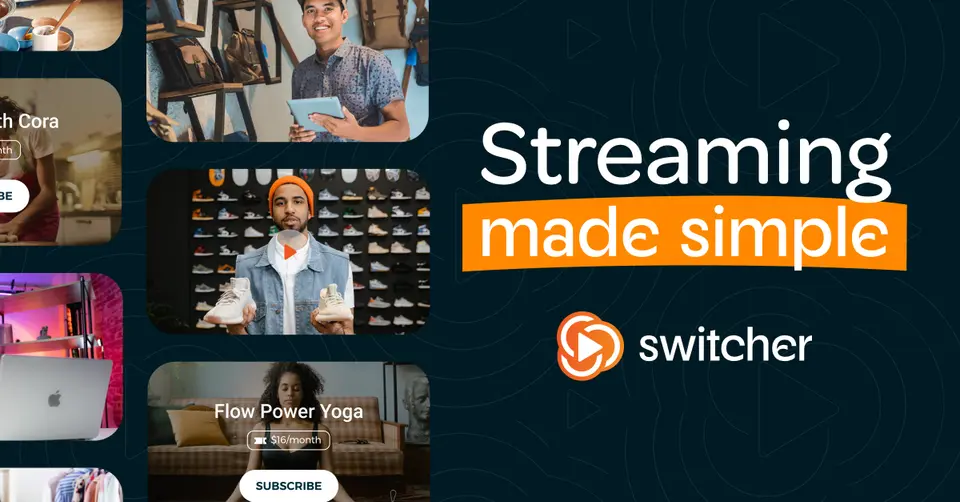
Switcher Studio turns a few iPhones and iPads into a multicamera live studio, with graphics, remote guests and streaming to Facebook, YouTube, Instagram and more. Suite adds video hosting and ways to sell tickets and subscriptions. It's Apple only, though, and $45 a month billed yearly is a lot next to other streaming tools.
Who Switcher Studio is for
- Great if you film with iPhones and iPads and want to cut between them live
- Handy when a church or school streams services or games with several cameras
- Good for selling tickets or subscriptions to your streams, on Suite
Who Switcher Studio is not for
- Skip it if anyone on your team uses Windows or Android
- Pricey if you only need one camera going to three platforms, at $45 a month billed yearly
- Not for you if you want webinar sign-up pages and reminder emails
Why Switcher Studio gets a 1.8
Five grades, each with its reason. The GPA is their average: an A is 4 points, an F is none.
- DValue for moneyStudio is $45 a month billed annually ($65 by the month). Its pricing page gives Studio 2 destinations while its multistreaming page says 5, so three platforms may need Suite at $79. Either way, that's around three to five times what Ecamm and Castr charge for the same job.
- CFree plan and trialNo free plan, but a 14-day free trial on Mac or iOS, and the listing doesn't say whether it asks for a card. There's also a 7-day pass for $35 if you only have one event.
- CFeaturesUp to nine cameras, live graphics, 5 remote guests, multistreaming, video hosting and ticket sales, which is more than most streaming tools do. But its own pages disagree on whether Studio streams to 2 destinations or 5, and selling needs Suite.
- CEase of useNo App Store rating on record. It's an app you install, but the point is wiring up several cameras, graphics templates and destinations, so expect some setup before the first stream.
- CPlatforms and integrationsApple only: Mac, iPhone and iPad. It streams to Facebook, YouTube, Instagram, TikTok, X and custom RTMP, sells through Stripe and Shopify, and the iOS app can be your camera in Zoom, Teams or Meet.
What these grades rest on. Graded from this listing, whose facts were read from Switcher's own pages on 18 October 2026. Not based on using the product, and shorter than our full reviews. How we review and grade.
Make Switcher Studio? Put this grade on your site
Paste this where you want the badge. It links here and follows the grade if it changes. About badges
<a href="https://toolgpa.com/tools/switcher-studio#review"><img src="https://toolgpa.com/badge/switcher-studio.svg" alt="Switcher Studio: 1.8 GPA on ToolGPA" width="196" height="56"></a>Where Switcher Studio stands among webinar and live streaming tools
Switcher Studio's GPA of 1.8 is higher than 1 of the 14 other webinar and live streaming tools we grade, and level with 2.
It stands best on free plan and trial (C, above 4 of 14) and worst on value for money (D, above 1).
Its paid plans start at $45 a month, against a middle price of $47 for the category: 5 of the 13 others that charge start lower.
On features, ease of use and platforms it scores 2.0 out of 4. 4 tools score higher and cost less.
Each grade against the category
Every bar is all 15 webinar and live streaming tools we grade, cut by the letter each got. Switcher Studio’s own letter is outlined.
- DValue for moneyAbove 1 of 14, level with 1
- CFree plan and trialAbove 4 of 14, level with 10
- CFeaturesAbove 0 of 14, level with 12
- CEase of useAbove 0 of 14, level with 13
- CPlatforms and integrationsAbove 1 of 14, level with 1
Price against what you get
Each dot is one of 14 webinar and live streaming tools. Further left costs less, and higher up scores better on features, ease of use and platforms. Point at a dot to see which tool it is.
Features, ease of use and platforms, averaged
What paid plans start at, a month (each step along is roughly double) →
- The best score at each price
- Has a free plan
- No free plan
Keep Switcher Studio, or make your own?
Keep it
To replace Switcher Studio you would be making one live stream sent to several platforms at once. That is not a weekend's work, with an AI app builder or without one.
That makes this kind of software worth paying for, not this one in particular: 11 of the 14 other webinar and live streaming tools grade higher. It costs $540 a year.
What you could not
- One live stream sent to several platforms at once.
- A video editor.
- Apps for macOS and iOS that stay in step with each other.
- It plugs into other products, Facebook, YouTube and Instagram among them.
What this rests on. Switcher Studio’s listing: what it does, where it runs, what it plugs into and what it costs. It is a judgement about the kind of software this is. We have not built a replacement for it, and making your own means looking after it too. How we decide, and every tool’s verdict.
What is Switcher Studio?
Switcher Studio is a live video app for iPhone, iPad and Mac that switches between up to nine cameras, adds graphics and remote guests, and multistreams the result to Facebook, YouTube, Instagram, TikTok, X and custom RTMP destinations. The Suite plan adds video hosting, embeddable players and watch pages, and ways to charge viewers through tickets, pay-to-view videos and subscriptions. It is mainly a multistreaming and production tool rather than a webinar platform.
Switcher Studio is a paid product with a free trial, starting at $45 per month, billed annually ($65 billed monthly). See every plan
Good for
- Churches and schools streaming services or games with several cameras
- Creators who film and stream from iPhones and iPads
- Selling tickets or subscriptions to live and recorded video
Worth knowing
- The app runs on Mac, iPhone and iPad only.
- Sales of tickets, pay-to-view videos and subscriptions carry a $0.99 fee per transaction, and selling needs the Suite plan.
- The pricing page gives Studio 2 multistream destinations while the multistreaming page says 5.
- Suite's discounted first month or first year renews at $99 a month or $948 a year, and past payments are not refunded.
Key features
- Multicamera switching
- Connect up to nine wireless cameras, including iPhones, iPads and webcams, or HDMI cameras such as DSLRs and GoPros, and cut between angles live.
- Multistreaming
- Streams to Facebook, YouTube, Instagram, TikTok, X and custom RTMP channels at once, with Facebook, YouTube and Twitch comments shown in one panel.
- Live graphics and guests
- Branded graphic templates, lower thirds, music, green screen, screen sharing, live polls and on-screen chat, with up to 5 remote guests in split-screen.
- Video hosting and watch pages
- Upload a video library, embed players, playlists and collections on any site, or build watch pages, with password protection and viewer analytics.
- Selling access
- Suite sells tickets to live streams, pay-to-view videos and subscriptions through Stripe, and shoppable streams link to Shopify products through the Cartr app.
- Camera for video calls
- The iOS app can act as the webcam in Zoom, Teams or Meet, with camera switching, graphics and pre-recorded clips during the call.
Switcher Studio pricing
- Starts at
- $45 per month, billed annually ($65 billed monthly)
- Free plan
- None
- Free trial
- 14-day free trial on Mac or iOS
| Plan | Price | What you get |
|---|---|---|
| Studio 7-Day Pass | $35one-time, for 7 days | All Studio plan features for a single event, for a one-time fee. |
| Studio | $45per month, billed annually ($65 billed monthly) | Multicamera streaming and recording, multistreaming to 2 destinations, graphics templates, 5 remote guests, 10 hosted videos and 250 cloud assets. |
| Suite | $79per month, billed annually ($99 billed monthly) | Everything in Studio plus 20 destinations, 100 hosted videos, watch pages and selling tickets, pay-to-view and subscriptions. First month $79, or $71 a month the first year. |
Read from switcherstudio.com on Oct 18, 2026. Prices change, so confirm with Switcher Studio before you buy.
Ways to pay less
- Annual discountUp to 30% off with annual billing
Switcher's pricing page labels annual billing up to 30% off: Studio is $45 a month billed annually against $65 monthly, and Suite $79 against $99.
Stated on switcherstudio.com - Other savingsSuite first-term discount
Suite is $20 off the first month ($79, then $99 a month) or $95 off the first year ($71 a month, then $948 a year), shown as a limited-time saving.
Stated on switcherstudio.com
Works with
Switcher Studio alternatives
- Switcher Studio vs Ecamm
Free trial · from $16/mo
- Switcher Studio vs Restream
Free plan · from $19/mo
- Switcher Studio vs Castr
Free trial · from $16.67/mo
- Switcher Studio vs StreamYard
Free plan · from $35.99/mo




Common questions
Is Switcher Studio free?
No, Switcher Studio is a paid product, but you can try it first. 14-day free trial on Mac or iOS.
How much does Switcher Studio cost?
Switcher Studio lists 3 plans. Studio 7-Day Pass: $35 one-time, for 7 days. Studio: $45 per month, billed annually ($65 billed monthly). Suite: $79 per month, billed annually ($99 billed monthly). Prices were read from switcherstudio.com on Oct 18, 2026.
What platforms does Switcher Studio work on?
Switcher Studio is available on macOS and iOS.
Does Switcher Studio offer any discounts?
Switcher Studio publicly lists the following: Up to 30% off with annual billing; Suite first-term discount.
Does Switcher Studio have an Android app?
No Android app was listed when its pages were read on Oct 18, 2026. Switcher Studio is listed for macOS and iOS.
Does Switcher Studio have a Windows app?
No Windows app was listed when its pages were read on Oct 18, 2026. Switcher Studio is listed for macOS and iOS.
Is Switcher Studio open source?
Switcher Studio is not described as open source on its own site, as read on Oct 18, 2026.
What does Switcher Studio integrate with?
Switcher Studio's listing names Facebook, YouTube, Instagram, TikTok, X, Shopify, Stripe and Zoom. A listing names up to eight integrations, so it may connect to more.
Who makes Switcher Studio?
Switcher Studio is made by Switcher Inc. It dates from 2014.
What are the alternatives to Switcher Studio?
The closest alternatives to Switcher Studio in our directory are Ecamm, Restream, Castr, StreamYard and OBS Studio. Each one has a side-by-side comparison with Switcher Studio.
How does Switcher Studio compare with other webinar and live streaming tools?
Switcher Studio's GPA of 1.8 is higher than 1 of the 14 other webinar and live streaming tools we grade, and level with 2. It stands best on free plan and trial (C, above 4 of 14) and worst on value for money (D, above 1).
Is Switcher Studio good value for money?
ToolGPA grades Switcher Studio D for value for money. Its paid plans start at $45 a month, against a middle price of $47 for the category: 5 of the 13 others that charge start lower. On features, ease of use and platforms it scores 2.0 out of 4. 4 tools score higher and cost less.
Could I make my own version of Switcher Studio?
To replace Switcher Studio you would be making one live stream sent to several platforms at once. That is not a weekend's work, with an AI app builder or without one. That makes this kind of software worth paying for, not this one in particular: 11 of the 14 other webinar and live streaming tools grade higher. It costs $540 a year. What you could not make: One live stream sent to several platforms at once. A video editor. Apps for macOS and iOS that stay in step with each other. It plugs into other products, Facebook, YouTube and Instagram among them. This is a judgement from its listing. We have not built one.
Sources for this page
The prices, plans, platforms and features above were read from these pages on Oct 18, 2026.