
BetterTouchTool review (2026): is it worth $15?
Mac input customization: gestures, shortcuts and automation
Black Friday: is there a BetterTouchTool sale?
BetterTouchTool report card
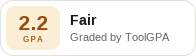
Fair · out of 4.0 · graded Nov 18, 2026
Best for custom gestures and shortcuts on a Mac
BetterTouchTool can leave your typing and mouse clicks dead or laggy until you quit it, and users kept reporting this through 2026, on macOS 27 too. Gestures also stop until a restart, each new macOS breaks parts of it for weeks, and some Macs see a core stuck at 100%. It costs $15 once with 2 years of updates or $25 for lifetime updates, but it's Mac only and takes an evening to set up.
Who BetterTouchTool is for
- Fits if you want your own trackpad, mouse and keyboard gestures in one Mac app
- Works for Stream Deck or macro pad owners who want to skip the vendor software
Who BetterTouchTool is not for
- Skip it if you want something free, as a license or Setapp is needed after the 45-day trial
- Not for you if you're on Windows; it's macOS only, and BTT Mobile is just a remote for the Mac app
- Tight if you buy the $15 license and expect updates for good, because Standard stops getting them after 2 years
- Not for you if you want it working in minutes, with more than 600 actions and app-specific triggers to set up
- Watch out: prices vary by country and taxes, and refunds outside the EU are decided case by case
Why BetterTouchTool gets a 2.2
Five grades, each with its reason. The GPA is their average: an A is 4 points, an F is none.
- AValue for money$15 once for the Standard License, covering all your personal Macs with 2 years of updates, and $25 for Lifetime. Pay-once utilities here sit right around $15, and this one includes window snapping, a clipboard manager and a launcher too. Prices do vary by country and taxes.
- CFree plan and trialNo free version. The trial is a long one, though: 45 days with no account required. After that it's a license or a Setapp subscription.
- BFeaturesWas A. Down to B because of one problem people report: each new macOS breaks parts of it for weeks.
- DEase of useWas C. Down to D because of four problems people report: can freeze or lag your keyboard and mouse until you quit it; gestures and shortcuts stop working until you restart it; can hold a CPU core at 100% and drain the battery; takes a long time to learn, and the settings are dense.
- DPlatforms and integrationsMac only, so one operating system. BTT Mobile for iPhone and iPad is a remote control for the Mac app, not a version of its own. It connects to Stream Deck, Apple Shortcuts, OpenAI and Anthropic, and can be driven by URL scheme, web server or CLI.
What these grades rest on. Graded from this listing, whose facts were read from BetterTouchTool's own pages on 5 October 2026. Problems people report, and lawsuits, fines and breaches, were read from reviews, news, app-store reviews and court and regulator records on 18 November 2026. How we review and grade.
Make BetterTouchTool? Put this grade on your site
Paste this where you want the badge. It links here and follows the grade if it changes. About badges
<a href="https://toolgpa.com/tools/bettertouchtool#review"><img src="https://toolgpa.com/badge/bettertouchtool.svg" alt="BetterTouchTool: 2.2 GPA on ToolGPA" width="196" height="56"></a>The worst thing about BetterTouchTool
Your keyboard and mouse clicks can stop working until you quit BTT
BTT sits between your keyboard, mouse and every app. When it misbehaves, typing lags or drops letters, the pointer stutters, or clicks and keys stop reaching apps at all until BTT is quit, which is hard to do with clicks dead. Users reported it from 2021 through October 2026, on macOS 26 and 27. It costs work time, and one user had to quit BTT from another computer.
Took a letter off its grade for Ease of use
Reported bycommunity.folivora.ai (Feb 5, 2026)community.folivora.ai (Sep 28, 2026)community.folivora.ai (Oct 2, 2026)community.folivora.ai (Sep 6, 2026)community.folivora.ai (Apr 28, 2026)community.folivora.ai (Nov 3, 2025)talk.macpowerusers.com (May 2, 2021)
What else goes wrong
- 2
Gestures and shortcuts stop working until you restart it
Triggers can quietly die after sleep, after a long idle or 20 to 40 minutes after launch, and only quitting and reopening BTT brings them back. A MacBook Pro user on macOS 27.2 loses three-finger taps about once a day. Another has stayed on version 6.598 since September because every later build stalls. Keyboard Maestro forum users describe the same thing, and one keeps a Stream Deck button just to restart BTT.
Took a letter off its grade for Ease of use
Reported bycommunity.folivora.ai (Nov 17, 2026)community.folivora.ai (Nov 17, 2026)community.folivora.ai (Jan 14, 2026)community.folivora.ai (Nov 5, 2023)forum.keyboardmaestro.com (Sep 26, 2023)
- 3
Each new macOS breaks parts of it for weeks
After macOS 27 came out in September 2026, the maker's forum filled with more than 30 threads on broken gestures, shortcuts, Mission Control and space-switching actions. Three-finger taps and clicks stopped working, and on the new 16-inch MacBook Pro no gestures fired until alpha builds in November, still not for everyone. macOS 26 brought crashes after a few dozen minutes in late 2025. Fixes come first as alpha builds, and Setapp copies get them later.
Took a letter off its grade for Features
Reported bycommunity.folivora.ai (Nov 17, 2026)community.folivora.ai (Sep 20, 2026)community.folivora.ai (Nov 7, 2026)community.folivora.ai (Oct 17, 2025)setapp.com (Aug 11, 2026)
- 4
Can hold a CPU core at 100% and drain the battery
Some users see BTT at or near 100% CPU from launch. A MacBook Air M4 owner hit it on 6.667 in July 2026, and another said in October that one core had been pegged for 10 days and was draining his battery, with no fix offered. On the macOS 27.2 beta three users saw 80 to 99% until a workaround and a fix in 6.884. The maker often points at the old experimental Dropbox or iCloud sync.
Took a letter off its grade for Ease of use
Reported bycommunity.folivora.ai (Jul 25, 2026)community.folivora.ai (Sep 25, 2026)community.folivora.ai (Sep 28, 2026)news.ycombinator.com (Aug 7, 2020)
- 5
Takes a long time to learn, and the settings are dense
Setapp reviewers in 2026 call the interface difficult, very dense and clunky, and say you need time with the docs before it does what you want. A Hacker News user said getting his key bindings right was fiddly and took a lot of time. Keyboard Maestro forum users call linking it to other tools tedious. With more than 600 actions and triggers that change by app, it is a lot to take in.
Took a letter off its grade for Ease of use
Reported bysetapp.com (Oct 10, 2026)news.ycombinator.com (Aug 16, 2025)forum.keyboardmaestro.com (Sep 27, 2023)
Found on Nov 18, 2026 by searching reviews, news, app-store reviews, and court and regulator records. A problem is listed only when at least three places report it and it is still true, and each one took a letter off the grade it belongs to. Cases are described as they stand today: an ongoing case is a claim, not a finding.
Where BetterTouchTool stands among desktop utilities
BetterTouchTool's GPA of 2.2 is higher than 67 of the 186 other desktop utilities we grade, and level with 42.
It stands best on value for money (A, above 93 of 186) and worst on platforms and integrations (D, above 1).
Each grade against the category
Every bar is all 187 desktop utilities we grade, cut by the letter each got. BetterTouchTool’s own letter is outlined.
- AValue for moneyAbove 93 of 186, level with 93
- CFree plan and trialAbove 10 of 186, level with 71
- BFeaturesAbove 154 of 186, level with 32
- DEase of useAbove 5 of 186, level with 56
- DPlatforms and integrationsAbove 1 of 186, level with 129
Keep BetterTouchTool, or make your own?
Keep it
To replace BetterTouchTool you would be making keys and buttons remapped below the level of apps. That is not a weekend's work, with an AI app builder or without one.
It costs $15, paid once.
What you could not
- Keys and buttons remapped below the level of apps.
- Connections to other products, each kept working as those products change.
- Control over other apps' windows.
- A launcher wired into the operating system.
- A clipboard history running in the background of your computer.
- A real app for macOS. Something home-made would be a web page.
- AI features, unless you pay a model provider for each request yourself.
- Hooks into the device itself: Shortcuts.
- The depth: we grade its features B, which means it covers the whole job.
What this rests on. BetterTouchTool’s listing: what it does, where it runs, what it plugs into and what it costs. It is a judgement about the kind of software this is. We have not built a replacement for it, and making your own means looking after it too. How we decide, and every tool’s verdict.
What is BetterTouchTool?
BetterTouchTool is a macOS app for customizing input devices and automating tasks. It maps trackpad and Magic Mouse gestures, mouse buttons, keyboard shortcuts, Stream Deck keys, game controllers and other devices to more than 600 built-in actions, which can be chained and made conditional on the active app. It also bundles window snapping, a clipboard manager, a Spotlight-style launcher and custom AI agents that work with OpenAI, Anthropic or local models.
Worth knowing
- macOS only. BTT Mobile for iPhone and iPad is a companion remote control for the Mac app, not a standalone version.
- There is no free version: after the 45-day trial a license or a Setapp subscription is needed.
- The Standard License stops receiving updates after 2 years, though the last version received keeps working.
- Listed prices vary by country and taxes, and refunds outside the European Union are decided case by case.
Key features
- Trackpad and Magic Mouse gestures
- Map multi-finger taps, clicks, swipes and drawn shapes on a MacBook trackpad, Magic Trackpad or Magic Mouse to any action.
- Keyboard shortcuts and Hyper Key
- Global hotkeys that tell left and right modifiers apart, short and long presses, typed key sequences, text triggers and a configurable Hyper Key.
- Window snapping and built-in tools
- Window snapping, resizing and switching, plus a clipboard manager and a screenshot tool. The vendor says the snapping is the same technology as its separate BetterSnapTool app.
- Spotlight-style launcher
- Searches apps, windows, files, actions and calendar events, calculates inline and browses clipboard history. Several launchers can run in parallel, each with its own pinned items.
- Stream Deck, macro pads and controllers
- Drives Elgato Stream Deck and 43 recognized macro pad models without vendor software, and maps Xbox, PlayStation and Nintendo Switch controllers, MIDI devices and the Touch Bar.
- Conditional automations and scripting
- A trigger can run different actions by active app, Wi-Fi or time of day. It can run Apple Shortcuts, JavaScript or AppleScript, and BTT itself is controllable by URL scheme, web server or CLI.
BetterTouchTool pricing
As of Oct 5, 2026, BetterTouchTool is a paid product with a free trial, starting at $15 one-time purchase (Standard License, 2 years of updates).
- Starts at
- $15 one-time purchase (Standard License, 2 years of updates)
- Free plan
- None
- Free trial
- 45-day free trial, no account required
| Plan | Price | What you get |
|---|---|---|
| Standard License | $15one-time purchase, 2 years of updates | Updates for 2 years, after which the last version received keeps working. Covers all of the buyer's personal Macs and unlocks BTT Mobile. |
| Lifetime License | $25one-time purchase, lifetime updates | All updates for as long as BetterTouchTool exists, plus any other Mac apps the developer releases in the 2 years after purchase. |
Read from folivora.ai on Oct 5, 2026. Prices change, so confirm with BetterTouchTool before you buy.
Ways to pay less
- Lifetime licenseLifetime License with all future updates
The $25 Lifetime License receives every update for as long as BetterTouchTool exists, where the $15 Standard License covers 2 years of updates.
Stated on folivora.ai - Other savingsIncluded with a Setapp subscription
BetterTouchTool is also available through Setapp, a subscription service that bundles many Mac apps for a monthly fee.
Stated on folivora.ai
Works with
- Elgato Stream Deck
- Apple Shortcuts
- OpenAI
- Anthropic
- Logitech MX Creative Keypad
- Loupedeck Live
- Setapp
BetterTouchTool alternatives
- BetterTouchTool vs Keyboard Maestro
Free trial · from $36 one-time
- BetterTouchTool vs Raycast
Free plan · from $96/yr
- BetterTouchTool vs Swish
Free trial · from $16 one-time





Common questions
Does BetterTouchTool have an Android app?
No Android app was listed when its pages were read on Oct 5, 2026. BetterTouchTool is listed for macOS.
Does BetterTouchTool have an iPhone app?
No iPhone app was listed when its pages were read on Oct 5, 2026. BetterTouchTool is listed for macOS.
Is BetterTouchTool open source?
BetterTouchTool is not described as open source on its own site, as read on Oct 5, 2026.
Sources for this page
The prices, plans, platforms and features above were read from these pages on Oct 5, 2026.