
Blocs review (2026): is the free plan enough?
Visual website builder for Mac that exports code you host yourself
Black Friday: is there a Blocs sale?
Blocs report card
Fair · out of 4.0 · graded Nov 13, 2026
Best for a Mac app that builds Bootstrap sites
Blocs is a Mac app that builds Bootstrap sites from stacked sections, sold as a one-time purchase. The free version cannot export code or publish, so launching a site needs Standard at $112.99 or Plus at $179.99, and there is no hosting.
Who Blocs is for
- Fits if you own a Mac and want to build a Bootstrap site you host yourself
- Works for people who prefer one payment to a subscription
Who Blocs is not for
- Skip it if you use Windows or Linux, as the editor is Mac only
- Tight if you stay free: no code export and no publishing
- Pricey if you want WordPress themes or custom interactions, which are Plus at $179.99
- Watch out: no hosting is included, and e-commerce needs third-party integrations
- Watch out: moving from Blocs 5 to 6 is a paid upgrade
Why Blocs gets a 2.4
Five grades, each with its reason. The GPA is their average: an A is 4 points, an F is none.
- AValue for money$112.99 one-time for Standard, under a year of the category's middle subscription ($144). Plus is $179.99.
- CFree plan and trialA free version for unlimited sites, but no code export and no publishing, so you hit the cap before launch.
- CFeaturesStackable sections, interactions, code export, WordPress themes on Plus and website import. No hosting is included, and e-commerce works only through other services.
- CEase of useNo rating on record. You build the site from sections and learn the editor.
- CPlatforms and integrationsThe editor runs on Mac only. iPad and iPhone apps are separate companions, so it is one family of devices.
What these grades rest on. Graded from this listing, whose facts were read from Blocs's own pages on 13 November 2026. Not based on using the product, and shorter than our full reviews. How we review and grade.
Make Blocs? Put this grade on your site

Paste this where you want the badge. It links here and follows the grade if it changes. About badges
<a href="https://toolgpa.com/tools/blocs#review"><img src="https://toolgpa.com/badge/blocs.svg" alt="Blocs: 2.4 GPA on ToolGPA" width="196" height="56"></a>Where Blocs stands among website and landing page builders
Blocs's GPA of 2.4 is higher than 70 of the 104 other website and landing page builders we grade, and level with 20.
It stands best on value for money (A, above 94 of 104) and worst on platforms and integrations (C, above 2).
Each grade against the category
Every bar is all 105 website and landing page builders we grade, cut by the letter each got. Blocs’s own letter is outlined.
- AValue for moneyAbove 94 of 104, level with 10
- CFree plan and trialAbove 25 of 104, level with 66
- CFeaturesAbove 5 of 104, level with 81
- CEase of useAbove 6 of 104, level with 92
- CPlatforms and integrationsAbove 2 of 104, level with 32
Keep Blocs, or make your own?
Keep it
To replace Blocs you would be making a builder that other people can use without writing code. That is not a weekend's work, with an AI app builder or without one.
It is one of the better ones too: its GPA of 2.4 is higher than 70 of the 104 other website and landing page builders we grade. It costs $112.99, paid once.
What you could make
- Templates: an app builder makes this well.
What you could not
- A builder that other people can use without writing code.
- Apps for macOS and iOS that stay in step with each other.
What this rests on. Blocs’s listing: what it does, where it runs, what it plugs into and what it costs. It is a judgement about the kind of software this is. We have not built a replacement for it, and making your own means looking after it too. How we decide, and every tool’s verdict.
What is Blocs?
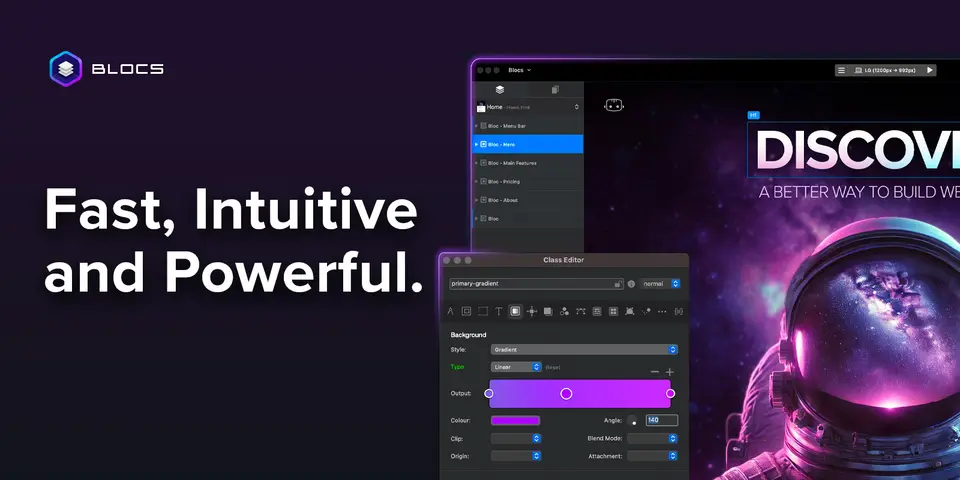
Blocs is a drag-and-drop website builder installed on a Mac, with companion apps for iPad and iPhone. Sites are built from stacked sections on the Bootstrap framework and are exported as code or published to your own hosting. It is sold as a one-time purchase rather than a subscription.
Worth knowing
- The desktop editor runs on macOS only; iPad and iPhone are separate companion apps.
- The free version cannot export code or publish, so a real launch needs Standard or Plus.
- No hosting is included, and e-commerce works only through third-party integrations.
- Updates are free within Blocs 6, but moving from Blocs 5 to 6 is a paid upgrade.
Key features
- Stackable page sections
- Pages are assembled from pre-made Bloc sections and Bric components such as carousels, modals and media players, on Bootstrap 4 and 5.
- Code export or own hosting
- Standard and Plus export sites as code or publish them to your own hosting; the free version cannot.
- Interactions and scroll effects
- Standard interactions, animations and Scroll FX are in every edition; custom interactions need Plus.
- WordPress themes
- Plus can build custom WordPress themes from a Blocs design.
- Templates and add-ons
- Site templates are included and add-ons can be installed in every edition.
- Website import
- Plus can import content from existing websites and extract images, fonts and colors from live sites.
Blocs pricing
As of Nov 13, 2026, Blocs has a free plan, and paid plans start at $112.99 one-time (Standard, price shown as including tax).
- Starts at
- $112.99 one-time (Standard, price shown as including tax)
- Free plan
- Build unlimited websites with interactions, animations and add-ons, but no code export and no publishing to your hosting.
- Free trial
- None listed
| Plan | Price | What you get |
|---|---|---|
| Blocs 6 Free | $0 | Unlimited sites, styling, interactions and add-ons; no code export or publishing. |
| Blocs 6 Standard | $112.99one-time, inc tax, 1 Mac | Adds code export, publishing to your hosting, custom fonts and browser preview. |
| Blocs 6 Plus | $179.99one-time, inc tax, 2 Macs | Adds custom interactions, WordPress themes, website import, image editing and advanced SEO. |
Read from blocsapp.com on Nov 13, 2026. Prices change, so confirm with Blocs before you buy.
Ways to pay less
- Education25% student discount on Standard
Full-time college or university students over 16 may get 25% off a first Blocs Standard license; it cannot be combined with other promotions.
Stated on blocsapp.com
Works with
- WordPress
- Bootstrap
Blocs alternatives
- Blocs vs Bootstrap Studio
From $29 one-time
- Blocs vs Pinegrow
Free trial · from $49.50/yr
- Blocs vs RapidWeaver Elements
Free trial · from $99/yr
- Blocs vs Publii
Free
- Blocs vs Nicepage
Free plan · from $6.75/mo





Common questions
Does Blocs have an Android app?
No Android app was listed when its pages were read on Nov 13, 2026. Blocs is listed for macOS and iOS.
Does Blocs have a Windows app?
No Windows app was listed when its pages were read on Nov 13, 2026. Blocs is listed for macOS and iOS.
Is Blocs open source?
Blocs is not described as open source on its own site, as read on Nov 13, 2026.
Does Blocs work offline?
Yes, according to its own site. What works without a connection differs by plan and platform, so check the vendor's page for the detail.
Sources for this page
The prices, plans, platforms and features above were read from these pages on Nov 13, 2026.