
Brick
Physical device you tap to block distracting phone apps
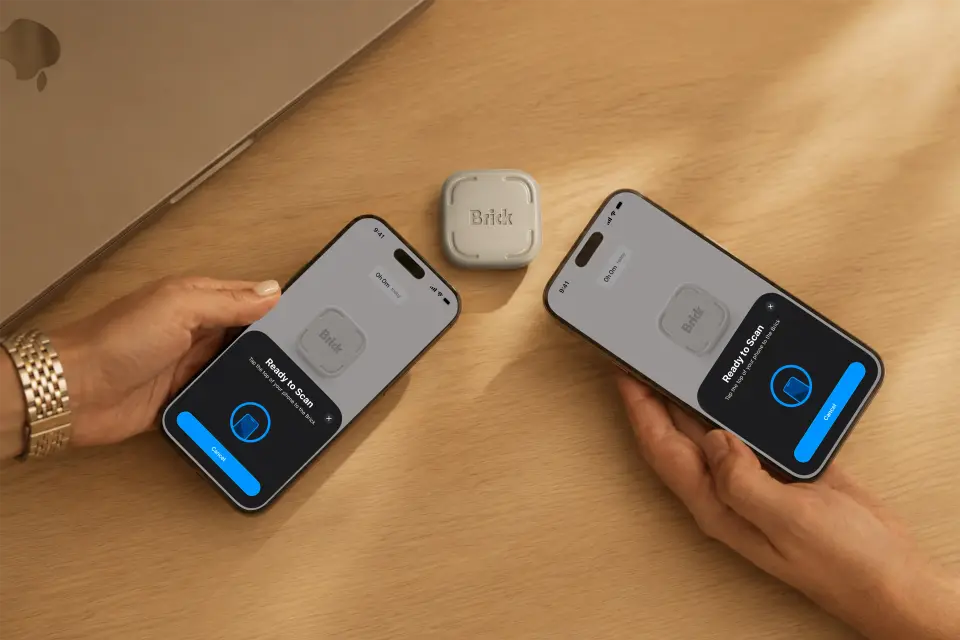
Brick review
Fair · out of 4.0 · graded Oct 9, 2026
Best for people who override every app blocker
Ever tapped "Ignore Limit" on your own screen-time rule? Brick is for you. It's a $59 gadget that blocks the apps you pick when you tap your phone on it, and only another tap brings them back. Leave it on the fridge and Instagram stays shut. It only does phones, though, and you can't try it without buying it.
Who Brick is for
- Great if you've set screen-time limits and then tapped straight through them
- Handy when you work from home and want Instagram shut until you clock off
- Good for a household, since one Brick works with any number of phones
- A treat if you're sick of subscriptions, because it's $59 once
Who Brick is not for
- Skip it if you do your scrolling on a laptop or iPad, which Brick doesn't cover
- Not for you if you want to try before you buy, as there's no free version
- Pricey if a free blocker like ScreenZen already keeps you honest
- Not for you if you'd go hunting for a way round it, because on iPhone there is one
Why Brick gets a 2.4
Five grades, each with its reason. The GPA is their average: an A is 4 points, an F is none.
- BValue for money$59 once, with no subscription, and one Brick does every phone in the house. It's still $59 for a small plastic square when ScreenZen blocks apps for free.
- FFree plan and trialThere's nothing to try for free. The app costs nothing, but you need the $59 device to end a session. The only safety net is the 30-day money-back guarantee.
- BFeaturesUp to 10 modes, block or allow lists, schedules, a strict mode and five emergency unlocks. That covers the job. On iPhone a mode stops at 50 apps and sites.
- AEase of use4.94 from about 56,600 App Store ratings, and 96% of them are five stars. Pick your apps, tap your phone on the Brick, walk away.
- CPlatforms and integrationsiPhone and Android phones, and that's your lot. Brick's help centre says iPads and computers aren't supported, so YouTube in a laptop tab is still your problem.
The good
So why pay $59 for a square of plastic when blocker apps are free? Distance.
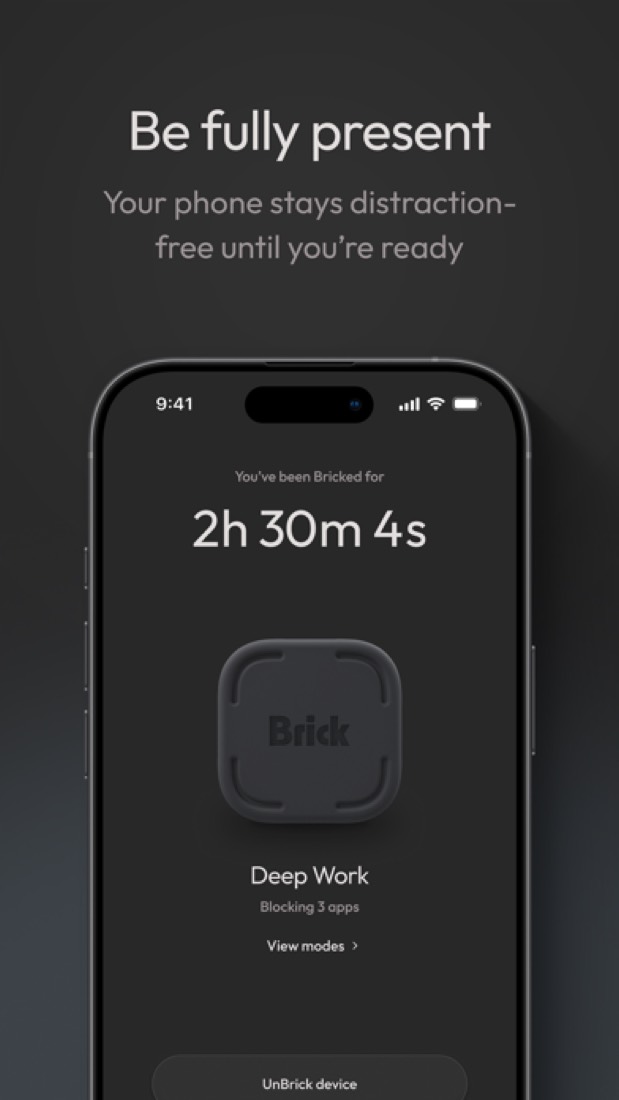
Every blocker on your phone has an off switch on your phone. Brick's off switch is the Brick. Tap to block, and the apps stay blocked until you tap the Brick again. Put it in a drawer or on the fridge, and getting TikTok back means standing up.
Honestly, that's the whole trick. Going by the reviews, it works on people nothing else worked on.
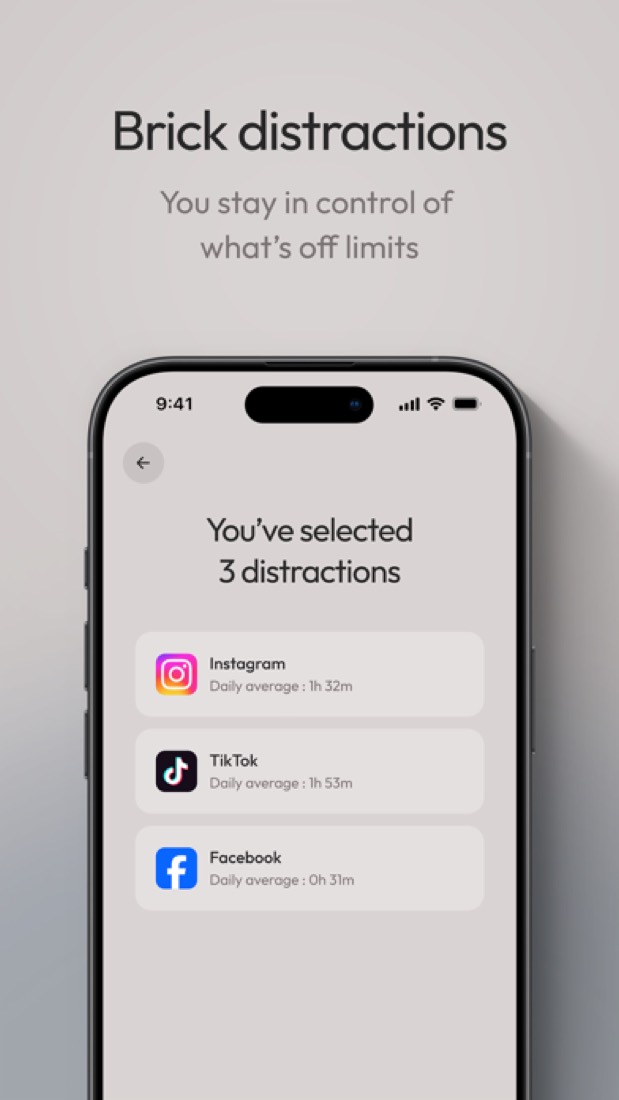
You choose what goes. Block Instagram but keep Maps. Or flip it and allow only the few apps you need. You can save up to 10 modes, like one for work, one for dinner and one for bed.
There's no battery to charge and it doesn't need Wi-Fi. And if you lose it? The app gives you five Emergency Unbricks.
The stuff that'll bug you
It only does phones. If your weak spot is YouTube at your desk, this won't touch it.
On iPhone there's a way round it, and you should know before you pay. A one-star reviewer points out you can go into Screen Time in Settings and switch Brick off. Brick's own guide half admits it: to close the gap, it says to set a Screen Time passcode and let a friend choose it.
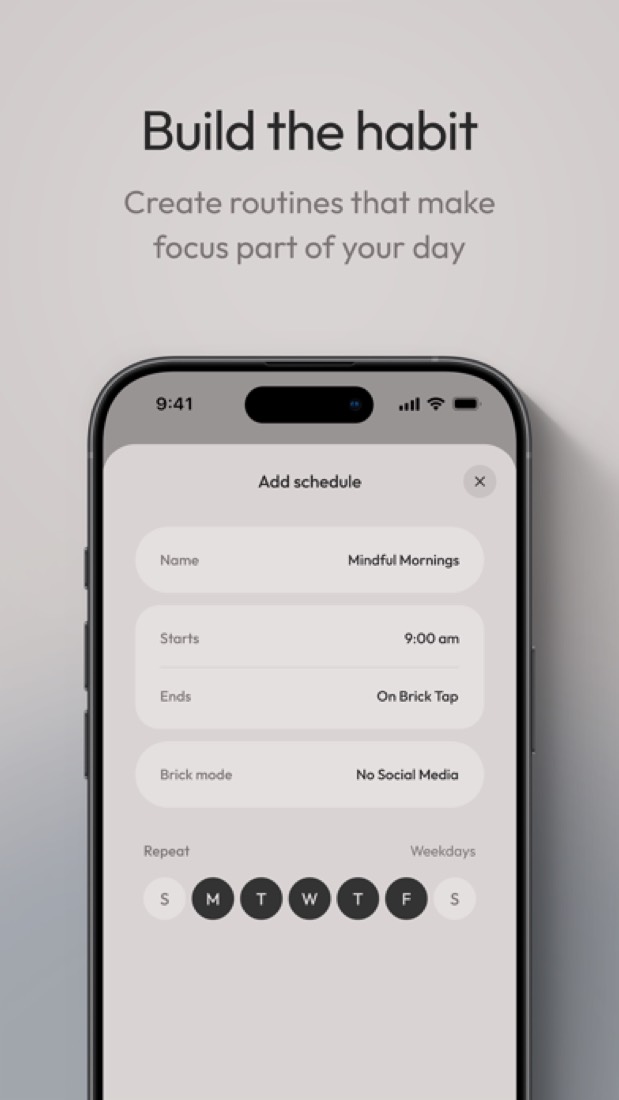
Schedules have quirks. Unbrick halfway through a scheduled block and its end time stops applying. One reviewer says theirs stopped unlocking on time, got fixed, then broke again.
You can't block the Phone app either.
And check your phone first. Brick's own pages don't agree on how new your iPhone's software has to be. Android needs version 12 or later.
Money
One Brick is $59. You pay once, there's no subscription, and the app is free.
Buy two and you get 10% off plus free shipping, so the pair comes to $106.20. Do you need two? Probably not. One Brick works with every phone in the house.
The extras are where it creeps up. A case is $39 and the mount is $15. Neither is needed.
There's a 30-day money-back guarantee, which matters because there's no other way to try it.
Is $59 fair? We'd start with a free blocker like ScreenZen. If you've already beaten those, a Brick pays for itself against a yearly subscription in a year or two.
What actual users say
Brick has 4.94 on the App Store from about 56,600 ratings. That's higher than ScreenZen, Forest or Opal.
Most of the reviews tell the same story. Someone who kept overriding their limits finally couldn't. One keeps eleven social apps blocked most of the day. Another leaves the Brick in their truck, so they have to go outside for it.
They say they read more and sleep better. A few admit it took weeks to stop reaching for the phone.
Not everyone's sold. Some find the app buggy, like a timer that resets itself. And one Hacker News commenter prefers a timed lockbox for the whole phone, because that can't be got round.
What this review rests on. Based on Brick's home, product, FAQ, story and help centre pages as of 9 October 2026, its App Store reviews and a Hacker News thread about it. Not based on using the product: this is a read of everything that's public, not a test. How we review and grade.
What is Brick?
Brick is a small physical device paired with a free phone app. You pick the apps to block, tap the phone against the Brick to start, and those apps stay blocked until you tap the same device again, so leaving it in another room keeps them out of reach. It works with iPhone and Android, and one Brick can be shared by several phones.
Brick is a paid product, starting at $59 one-time purchase (device; the app is free). See every plan
Good for
- People who override app-based blockers and want a physical barrier
- Households sharing one device across several phones
- Leaving distractions in another room during work, meals or sleep
Worth knowing
- Unblocking needs the physical Brick; if it is lost, the app offers five Emergency Unbricks and more only on request.
- On iPhone it blocks any app except Phone, but only selected Safari sites from Apple's approved list.
- It needs iOS 17.0 or later or Android 12.0 or later; the App Store lists the app for iPhone only, and no desktop version is offered.
- Cases at $39 and the Brick Mount at $15 are sold separately from the $59 device.
Key features
- Tap to block, tap to unblock
- Tapping the phone against the Brick blocks the chosen apps, and only another tap on the device restores them. It has no battery and needs no Wi-Fi.
- Custom modes
- Up to 10 modes, such as work, family, sleep or gym, each blocking its own set of apps. A mode can instead allow only chosen apps and block the rest.
- Remote start
- Holding the virtual Brick in the app for 5 seconds starts a session from anywhere. The physical device is still needed to end it.
- Strict Mode
- Closes common loopholes by preventing the app from being deleted or its settings changed in order to unblock.
- Emergency Unbricks
- The app includes five Emergency Unbricks that unblock every app if the device is lost. More can be requested from support by email.
- Schedules and analytics
- The site lists schedules and analytics alongside modes, and a focus timer starts with each session to record distraction-free time.
Brick pricing
- Starts at
- $59 one-time purchase (device; the app is free)
- Free plan
- None
- Free trial
- None listed
| Plan | Price | What you get |
|---|---|---|
| Brick | $59one-time purchase per device | One Brick device, used with the free companion app and any number of phones. Sold with a 30-day money-back guarantee. |
Read from getbrick.com on Oct 5, 2026. Prices change, so confirm with Brick before you buy.
Ways to pay less
- Other savings10% off two or more Bricks
The product page prices two Bricks at $106.20 instead of $118, a 10% saving, and adds free shipping on orders of two or more.
Stated on getbrick.com - Other savings20% off for military, teachers and medics
US military, first responders, teachers and medical professionals who verify through ID.me get 20% off a Brick. It applies to new customers and to the device only.
Stated on getbrick.com - EducationStudent discount
Brick's site links a Student Discount page for unlocking a discount. The page text does not show the amount.
Stated on getbrick.com
How people rate the Brick app
4.9
out of 5 for the iPhone and iPad app
- 5 stars96%
- 4 stars3%
- 3 stars<1%
- 2 stars<1%
- 1 star<1%
56,171 ratings on the App Store in the United States, read Oct 5, 2026. It rates the app, not everything the product does. See the listing
Brick alternatives
- Brick vs Unpluq
Free plan · from $6.99/mo
- Brick vs Opal
Free plan · from $8.29/mo
- Brick vs one sec
Free plan · from $3.99/mo




Common questions
Is Brick free?
No. Brick is a paid product, starting at $59 one-time purchase (device; the app is free).
How much does Brick cost?
Brick lists one plan. Brick: $59 one-time purchase per device. Prices were read from getbrick.com on Oct 5, 2026.
What platforms does Brick work on?
Brick is available on iOS and Android.
Does Brick offer any discounts?
Brick publicly lists the following: 10% off two or more Bricks; 20% off for military, teachers and medics; Student discount.
How is Brick rated?
Brick's iPhone and iPad app averages 4.9 out of 5 from 56,171 ratings on the App Store in the United States, as read on Oct 5, 2026. That is the store's rating of the app, not a score from us.
Does Brick have a Windows app?
No Windows app was listed when its pages were read on Oct 5, 2026. Brick is listed for iOS and Android.
Does Brick have a macOS app?
No macOS app was listed when its pages were read on Oct 5, 2026. Brick is listed for iOS and Android.
Is Brick open source?
Brick is not described as open source on its own site, as read on Oct 5, 2026.
Does Brick have a student discount?
Student discount. Brick's site links a Student Discount page for unlocking a discount. The page text does not show the amount.
Who makes Brick?
Brick is made by Brick LLC.
What are the alternatives to Brick?
The closest alternatives to Brick in our directory are Unpluq, ScreenZen, Opal and one sec. Each one has a side-by-side comparison with Brick.
Sources for this page
The prices, plans, platforms and features above were read from these pages on Oct 5, 2026. What people say is linked where it appears.