The Canva Insider’s Guide
Everything we know about Canva in one document: what it costs, its grades, getting a refund, getting help and what else to look at. Read it here, or keep a copy.
Canva
The Insider’s Guide
Template-based design platform for slides, graphics and video

Every plan, grade, refund rule and rival among presentation tools, read from Canva’s own pages.
Made by Canva Pty Ltd · checked Oct 5, 2026 · toolgpa.com
Contents
- 01WelcomeWhat it is, who it suits, its grades and the ten things to know first
- 02Insider tipsWhat most people miss: ways to pay less, settings worth changing and the catches
- 03What it costsEvery plan, the free plan, ways to pay less and how prices have moved
- 04What it doesIts main features, where it runs, what it works with and who makes it
- 05Where it standsIts grades against its category, and whether to keep it or make your own
- 06After you payGetting your money back, getting out, and getting help
- 07The alternativesThe tools it is most often weighed against, side by side
- 08Quick answersThe questions people ask about it, each answered in a line or two
- 09About ToolGPAWho made this guide, what else is on the site, and how to cite it
ToolGPA put this guide together from Canva’s own pages, its app-store listings and our grades. Every fact in it is on Canva’s page too, where it is kept up to date. Checked Oct 5, 2026.
Part 01 · Overview
Welcome
What it is, who it suits, its grades and the ten things to know first
3.2
GPA, above 20 of the 24 other presentation tools we grade
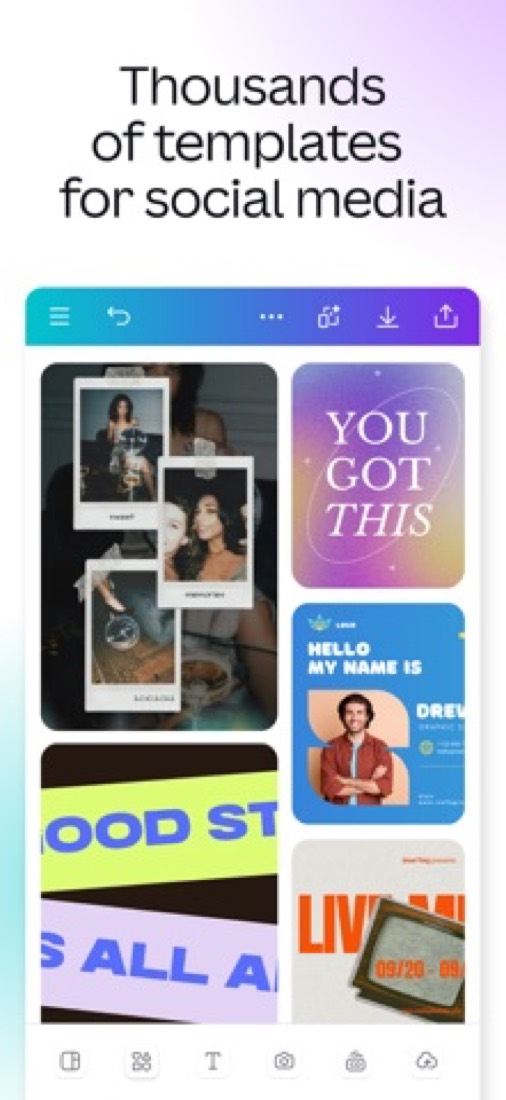
Canva is a design platform that runs in a web browser and in desktop and mobile apps, used for presentations, social media graphics, documents, video and print. Slides are built from templates and can be edited by several people at once, and built-in AI tools generate designs, images and video from prompts. A free account covers the basics, while Canva Pro adds premium content, brand tools and post scheduling.
To get you started, here are 10 things to know about Canva, taken from its own pages and our grades.
Reviewers have called the phone and iPad app glitchy for years, and it's a poor pick for editing video.
- 1
Best for slides from templates when you're no designer
Canva is a design app where you pick a template, swap in your words and photos, and get slides, a flyer or a social post.
- 2
Paid plans start at $14.99 a month
As its pricing page puts it: $14.99 to $18.00 / month for Canva Pro, as listed on the US App Store.
- 3
There is a free plan
Free account with templates, photo and video editing, real-time collaboration and 5 GB of cloud storage. Scheduler, Brand Hub, Background Remover and Magic Resize are marked as Canva Pro features.
- 4
It runs on 5 platforms
Web, macOS, Windows, iOS and Android.
- 5
Presentation templates
Presentations and slideshows start from professionally designed templates, each of which can be adapted to a brand and style.
- 6
Presenter notes
Presenter notes can be written with custom AI prompts and track speaking time for each slide.
- 7
Magic design tools
Magic Design builds designs from an uploaded image, Magic Edit swaps or adds objects in a picture, Magic Eraser removes them, and Translate converts a design into more than 100 languages.
- 8
Refunds: no set window
Canva says plainly that subscriptions usually are not refundable, and the terms back that up: cancel and you are not entitled to the fees you have already paid. The exit itself is tidy, though.
- 9
A 3.2 GPA, above 20 of 24
That is against the other presentation tools we grade, on value, the free plan, features, ease of use and platforms.
- 10
Keep it
To replace Canva you would be making a video editor. That is not a weekend's work, with an AI app builder or without one.
Canva at a glance
- Pricing
- Free plan, from $14.99 to $18.00 / month for Canva Pro, as listed on the US App Store
- Free plan
- Yes
- Free trial
- None stated
- Runs on
- Web, macOS, Windows, iOS, Android
- Made by
- Canva Pty Ltd
- Category
- Presentations
- Our grade
- 3.2 GPA, very good
- Store rating
- 4.9 on the App Store, 3,563,433 ratings
The report card
Best for slides from templates when you're no designer
Canva is a design app where you pick a template, swap in your words and photos, and get slides, a flyer or a social post. Pro has no price on record outside the US App Store, which lists several amounts from $14.99 to $18.00 a month with no word on why, and Background Remover, Magic Resize and the post scheduler are Pro only. Reviewers have called the phone and iPad app glitchy for years, and it's a poor pick for editing video.
| Subject | Grade | Comment |
|---|---|---|
| Value for money | D | The only price on record for Pro is $14.99 to $18.00 a month on the US App Store, and $14.99 is exactly where this category's dearest tenth starts, against a $9.99 middle. Several amounts for one plan, with no word on why. Google Slides, in the same category, does slides for nothing. |
| Free plan and trial | B | Free forever, with templates, photo and video editing, live collaboration and 5 GB of storage, which one person can work within. The caps: 5 GB in all, and Background Remover, Magic Resize, Brand Hub and the Scheduler are all Pro. |
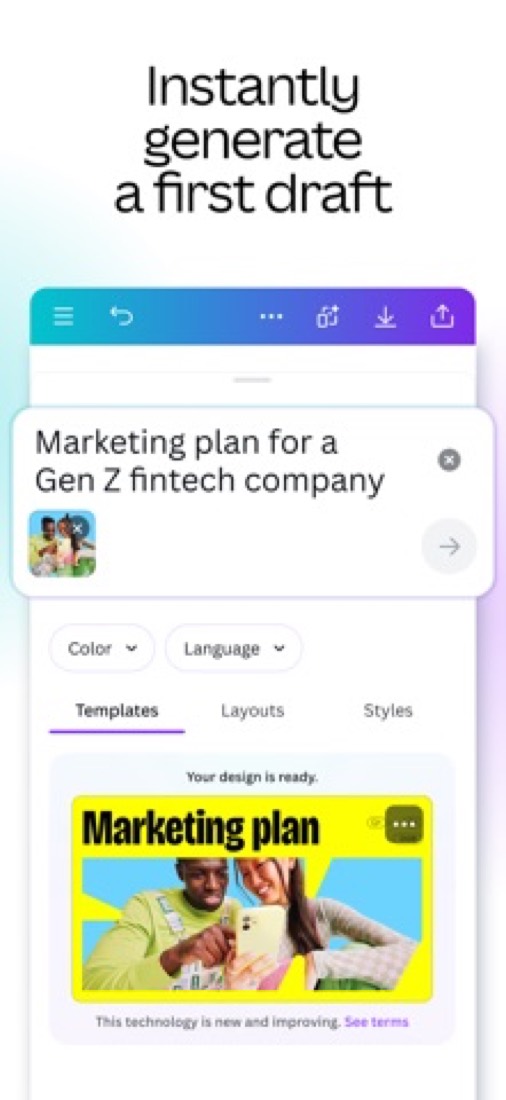
| Features | A | Slides with presenter notes that track speaking time and live collaboration, plus social posts, docs, whiteboards, video, websites and print from one editor, which no other slide tool here does. AI drafts from a typed line and translates into 100-plus languages. Video is where reviewers report lag. |
| Ease of use | A | 4.9 from about 3.6 million App Store ratings and an Editors' Choice from Apple, the top rating in this category. You pick a template and change the words. The written reviews still report freezes and crashes on iPhone and iPad. |
| Platforms and integrations | A | Browser, Mac, Windows, iPhone, iPad, Android and Chromebook, so everything bar a Linux desktop app. Developers get REST APIs, apps that run inside the editor and an MCP server so AI assistants can create and export designs. |
An A is worth 4 points, a B 3, a C 2, a D 1 and an F nothing. The GPA is the average of the five.
Who Canva is for
- Fits if you need slides or a flyer and you've never opened a design app
- Works for schools, because Canva for Education is free for eligible K-12 teachers and students
Who it is not for
- Skip it if you edit a lot of video, because reviewers report lag, fuzzy playback and sound out of sync
- Not for you if you work only on a phone or iPad, where reviews from 2021 to 2025 report freezes and crashes
- Pricey if you only make slides, since Google Slides does that for nothing
- Tight if you're staying free and want Background Remover, Magic Resize, Brand Hub or scheduling, which are Pro
- Watch out: the App Store lists several Pro prices, Business doesn't say what it adds, and there's no Linux app
Good to know
Good for
- People without design training who build slides from templates
- Teams that make presentations, social posts and video in one tool
- Teachers and students: Canva for Education is free for eligible K-12 users
Worth knowing
- Prices here are in-app purchase amounts from the US App Store listing, which shows several for Canva Pro; prices on Canva's own website may differ.
- Scheduler, Brand Hub, one-click Background Remover and Magic Resize are listed as Canva Pro features, not part of the free account.
- Cloud storage on the free account is 5 GB.
- The download page lists apps for Mac, Windows 10 and later, iOS, Android and Chromebook; no Linux desktop app is listed.
What people say
- 4.9on the App Store, from 3,563,433 ratings
What they like
- Reviewers say people with no design training can turn out flyers, invitations, presentations and social posts with it, helped by the stock of templates.
What they don’t
- Reviewers of the iPhone and iPad app report crashes, freezes and lag in the middle of editing, a complaint that runs from 2021 to late 2025.
- Video is the weak spot in reviews: several say it suits flyers and other still designs better than editing video.
10 App Store reviews of the iPhone and iPad app, five of them more than three years old, and four Hacker News comments that mention it in passing
Part 02 · Tips
Insider tips
What most people miss: ways to pay less, settings worth changing and the catches
7
Things most people miss, each from its own help pages
The things about Canva that are easy to miss until they cost you: ways to pay less, settings worth changing and the catches at renewal or when you leave. Each one is from Canva’s own pages, linked beside it.
Read on Oct 17, 2026. Read from Canva's help centre (pausing and cancelling plans, refunds, presenting, download file types), its Trust Center privacy page and its animated presentations page on 17 October 2026. Not tried out: these tips are what its own pages say.
- 1
Pay less
Quiet few months? Pause your plan instead of cancelling
A monthly or yearly plan can be paused for three months instead of cancelled. The pause starts when your current billing period ends and the plan resumes by itself, with reminder emails first. Yearly plans can only pause in the last two months before renewal. It's under Settings → Billing → Cancel plan, but not in the iPhone app.
canva.com - 2
Renewal
Cancel before it renews, as refunds are the exception
Canva's refund page says that in most cases its subscriptions aren't refundable, though it looks at each request. So cancel or pause before your paid period ends: the date is on the Billing page in Settings. Paid through the App Store? Only Apple can refund that.
canva.com - 3
Leaving
Drop Pro and your designs stay on Canva Free
After you cancel, paid features last to the end of the billing period, then the account moves to Canva Free with every design still there. On a team plan, brand kit content and shared folders are kept too, though team members lose the paid features.
canva.com - 4
Privacy
Check whether your designs are helping train Canva's AI
Canva's privacy page says your Privacy Settings decide whether your content can be used to improve its AI-powered features, and that you can change them any time. Worth a look before you upload anything you'd rather keep out of that.
canva.com - 5
Shortcut
Press a number while presenting to start a countdown
In a slide show, any key from 1 to 9 starts a countdown timer, which is handy for breaks and group exercises. B blurs the slide, Q calls for quiet, and C, D and M play confetti, a drumroll and a mic drop. Press ? to see the whole list.
canva.com - 6
Easy to miss
Hand a co-presenter the clicker with a link
Presenting from a computer, open the More menu in the corner and choose to share remote control. Others scan the QR code or open the link on any device and change slides with the arrow keys. To see your notes on the remote, they need a Canva login with view access to the design.
canva.com - 7
Easy to miss
Exporting to PowerPoint can break animations and video
Canva's download guide warns that animations and embedded videos may not play in PowerPoint after a .pptx download, and that layouts can shift unless you install the same fonts. PPTX only works for presentations. If the motion matters, download it as a video or GIF instead.
canva.com
Part 03 · Pricing
What it costs
Every plan, the free plan, ways to pay less and how prices have moved
$14.99
A month to start. There is a free plan too
Canva has a free plan. Paid plans start at $14.99 to $18.00 / month for Canva Pro, as listed on the US App Store.
Several amounts for one plan, with no word on why.
Canva Free
$0
Templates, a free library of images, video and audio, photo and video editing, real-time collaboration and 5 GB of cloud storage.
Canva Pro
$14.99 to $18.00
per month on the US App Store; $119.99 to $143.99 per year
Premium templates and stock media, one-click Background Remover, Magic Resize, Brand Hub and post scheduling. The store lists several amounts for this plan.
Canva Business
$25.00
per month on the US App Store; seat basis not shown
Canva's site lists Business alongside its Pro and Enterprise plans. The App Store listing gives a monthly price but not what the plan adds over Pro.
The free plan
Free account with templates, photo and video editing, real-time collaboration and 5 GB of cloud storage. Scheduler, Brand Hub, Background Remover and Magic Resize are marked as Canva Pro features.
Read from apps.apple.com on Oct 5, 2026.
Ways to pay less
Annual discount
Yearly Canva Pro costs less than paying monthly
The US App Store lists Canva Pro at $119.99 to $143.99 per year against $14.99 to $18.00 per month, so a year paid up front is cheaper than 12 monthly payments at any of the listed amounts.
Stated on apps.apple.comEducation
Canva for Education free for K-12
Canva's App Store listing describes Canva for Education, a school- and district-managed version, as free for eligible K-12 teachers and students.
Stated on apps.apple.com
How its prices have moved
- Jun 2, 2021Canva Pro: $119.40 per year ($12.95 billed monthly) → $119.99 per year ($12.99 billed monthly)The archived copy of Canva’s own pricing page of 2 June 2021 gives $119.99 a year or $12.99 a month; the copy before it that was read, of 20 December 2020, gives $119.40 or $12.95. The price changed between the two.
What the app costs elsewhere
Each country’s App Store price for “Canva Pro - Monthly”, against $14.99 in the United States, in dollars at the day’s rate. The four cheapest and the four dearest of 11.
| Country | Price there | In dollars | Against the US |
|---|---|---|---|
| Philippines | ₱ 300.00 | $4.78 | 68% less |
| Turkey | ₺239,99 | $4.88 | 67% less |
| India | ₹ 500 | $5.17 | 66% less |
| Indonesia | Rp 95ribu | $5.31 | 65% less |
| Canada | $18.99 | $13.35 | 11% less |
| Germany | 12,00 € | $13.45 | 10% less |
| Australia | $19.99 | $13.96 | 7% less |
| United Kingdom | £12.99 | $17.17 | 15% more |
Part 04 · Features
What it does
Its main features, where it runs, what it works with and who makes it
5
Places it runs: Web, macOS, Windows, iOS and Android
Template-based design platform for slides, graphics and video. Here is what it does, as its own site describes it, and what it covers: public API, AI features, real-time collaboration, templates, video editing, presentations.
Browser, Mac, Windows, iPhone, iPad, Android and Chromebook, so everything bar a Linux desktop app.
- Presentation templates
- Presentations and slideshows start from professionally designed templates, each of which can be adapted to a brand and style.
- Presenter notes
- Presenter notes can be written with custom AI prompts and track speaking time for each slide.
- Magic design tools
- Magic Design builds designs from an uploaded image, Magic Edit swaps or adds objects in a picture, Magic Eraser removes them, and Translate converts a design into more than 100 languages.
- AI image and video generation
- A text-to-image generator creates pictures from a prompt, and Veo 3 generates video clips with sound from a text description.
- Real-time collaboration
- Team members can work on the same design at once, share it and collect feedback from wherever they are.
- Developer platform
- The Canva Developers SDK covers apps that run inside the editor, REST APIs for connecting other platforms, and an MCP server that lets AI assistants create, edit and export designs.
Where it runs
- Web
- macOS
- Windows
- iOS
- Android
What it works with
Who makes Canva
Canva is made by a privately held, venture-backed company based in Sydney, Australia, and co-founded by Melanie Perkins, Cliff Obrecht and Cameron Adams. It earns money from paid subscriptions, and said in August 2025 that it had $3.3 billion in annualized revenue from 27 million paid users.
- Based
- Sydney, Australiafortune.com
- Ownership
- Privately held. Privately held and venture-backed: news reports of its funding name T. Rowe Price, Dragoneer, Blackbird, AirTree Ventures, Fidelity and J.P. Morgan Asset Management among its investors. It has not listed on an exchange.techcrunch.com
- Funding
- Raised $200 million at a $40 billion valuation in September 2021, led by T. Rowe Price, per TechCrunch, after $71 million at $15 billion in April 2021, co-led by Dragoneer, when Fortune put the total to date at nearly $390 million. An August 2025 employee share sale led by Fidelity valued it at $42 billion.techcrunch.comfortune.comfortune.com
- Team
- More than 5,000 employees, as SmartCompany reported in August 2026 when covering its annual employee share issuesmartcompany.com.au
- Founders and leaders
- Melanie Perkins, Co-founder and CEOsmartcompany.com.au
- Cliff Obrecht, Co-founder and Chief Operating Officerfortune.com
- Cameron Adams, Co-founderfortune.com
- Lately
- New preview APIs: Create image generation job and Get image generation job · Oct 1, 2026
- New preview APIs: Create design generation job and Get design generation job · Sep 29, 2026
- Chart data fields and video autofill in the Get brand template dataset API are now generally available · Sep 23, 2026
- Autofill APIs now available to apps acting for users on Canva Pro or Canva Teams plans · Sep 21, 2026
Read on Oct 18, 2026 from the company’s own pages and from news reports. What is not stated there is left out.
Part 05 · Standing
Where it stands
Its grades against its category, and whether to keep it or make your own
20/24
Other presentation tools it is graded above
Canva's GPA of 3.2 is higher than 20 of the 24 other presentation tools we grade, and level with 2.
It stands best on features (A, above 23 of 24) and worst on value for money (D, above 0).
Its paid plans start at $14.99 a month, against a middle price of $8.66 for the category: 19 of the 21 others that charge start lower.
On features, ease of use and platforms it scores 4.0 out of 4. Nothing scores higher for less, though at least one tool matches that score at a lower price.
Each grade against the category
Every bar is all 25 presentation tools we grade, cut by the letter each got. Canva’s own letter is outlined.
- DValue for moneyAbove 0 of 24
- BFree plan and trialAbove 15 of 24
- AFeaturesAbove 23 of 24
- AEase of useAbove 22 of 24
- APlatforms and integrationsAbove 21 of 24
Price against what you get
Each dot is one of 23 presentation tools. Further left costs less; higher up scores better on features, ease of use and platforms. Canva is the marked dot.
What paid plans start at, a month (each step along is roughly double) →
Keep it, or make your own?
Whether this is something you could build for yourself with an AI app builder, and what you would give up.
Keep it
To replace Canva you would be making a video editor. That is not a weekend's work, with an AI app builder or without one.
It is one of the better ones too: its GPA of 3.2 is higher than 20 of the 24 other presentation tools we grade. It costs $179.88 a year.
What you could make
- Templates: an app builder makes this well.
What you could not
- A video editor.
- A slide editor.
- Apps for macOS, Windows, iOS and Android that stay in step with each other.
- Several people working in it at the same moment.
- It plugs into other products, Instagram and Facebook among them, and has an API.
- AI features, unless you pay a model provider for each request yourself.
- The depth: we grade its features A, which means it covers the whole job.
What this rests on. Canva’s listing: what it does, where it runs, what it plugs into and what it costs. It is a judgement about the kind of software this is. We have not built a replacement for it, and making your own means looking after it too. How we decide, and every tool’s verdict.
Part 06 · Refunds
After you pay
Getting your money back, getting out, and getting help
What happens once you have paid: whether you can get your money back, how to leave, and how to reach a person when something goes wrong. Each is graded from Canva’s own terms and help pages.
Refunds and cancelling
Ordinary · checked Oct 18, 2026
Canva says plainly that subscriptions usually are not refundable, and the terms back that up: cancel and you are not entitled to the fees you have already paid. The exit itself is tidy, though. You cancel in your own settings, keep the paid features to the end of the period, your designs stay put on the free plan, and Canva promises to warn you before a renewal. Ordinary, so a C.
- Refund window
- No set window
- How you cancel
- Yourself, in settings
- Getting your money back
Canva's help centre says that in most cases subscriptions are not refundable, as set out in its terms of use, but that it reviews every request and sometimes helps depending on the situation, and that requests it does not approve were judged ineligible. The terms say that on cancellation you are not entitled to a refund of fees already paid, except where required by law. App Store subscriptions are refunded by Apple.
Stated on canva.com- How to cancel Canva
How you cancel depends on where you subscribed. Taken directly with Canva, you open the profile menu on the homepage, go to Settings, then Billing, select Cancel plan and confirm through a few screens, and a confirmation email follows; the terms say a subscription can be cancelled at any time in account settings. Google Play and App Store subscriptions are cancelled in those stores, and uninstalling the app does not.
- Log in to the Canva account or team that holds the subscription
- On the homepage, select your account profile to open the menu, then Settings
- Go to Billing and select Cancel plan on your plan
- Select Continue cancellation, choose a reason, and continue
- Select Cancel subscription, then look for the confirmation email
- What you keep afterwards
Canva says cancelling stops future payments and that you keep the paid features until the end of the billing period. All designs stay accessible on Canva Free and the account stays active. On a team plan, members lose the paid features at the end of the period while designs, Brand Kit content and shared folders are kept on the free plan. Cancelling a Canva Teams plan is permanent: you cannot resubscribe to it.
Stated on canva.com- Renewals
Canva's terms say a paid subscription renews automatically each billing cycle, that Canva will notify you before the auto-renewal, and that a price increase will not apply until the next renewal or 30 days after notice, whichever is later. The help centre says to cancel or pause before the last paid period ends, that transactions follow GMT, and that a monthly date missing from the next month shifts to its last day.
Stated on canva.com
In your favour
- Canva says it will tell you before the subscription renews, which most subscriptions never promise.
- You cancel in your own settings and keep the paid features to the end of the billing period.
- Your designs stay where they are: the account carries on as Canva Free with everything in it.
- Prefer a break? A paid plan can be paused for up to three months, with no charges while it is.
Watch out for
- Refunds are not the rule: Canva says subscriptions usually are not refundable and judges each request.
- The terms say cancelling earns you no refund of fees already paid, except where the law requires.
- Cancelling a Canva Teams plan is permanent, and Canva says you cannot resubscribe to it.
- Bought through the App Store or Google Play? You cancel and ask for refunds there, not from Canva.
Customer support
Ordinary · checked Oct 18, 2026
A big help centre and a contact route that wants you signed in first, and that is what we can stand behind. The pricing page does list live chat and priority queues, but it never says who answers, when, or how quickly, and the plan columns beside those rows would not open for our reader. With no hours and no reply time stated anywhere, this sits where most tools sit: a C.
Ways to get help
Live chat
The pricing page's Support and services section lists live chat support, described in its own note as real-time support for select issues, languages and hours. The columns showing which plans get it are icons our reader could not read.
Stated on canva.comContact form or ticket
Contact Canva Support, reached from the end of a help article, which asks you to log in first and says Canva can help more quickly with an existing account. People locked out of an account are pointed to a separate recovery request.
Stated on canva.comHelp centre
The Canva Help Centre, open to anyone, grouped into account settings, editing and designing, and billing, payments and plans, with articles on cancelling, pausing, renewals and refunds.
Stated on canva.com
Not listed on Canva’s pages: phone.
- When people answer
Its pages do not say.
- How fast it says it replies
Its pages do not say.
- What depends on your plan
The pricing page lists support tickets, described as specialists support via tickets for complex issues; live chat, described as real-time support for select issues, languages and hours; elevated support priority, described as faster responses; and dedicated support case management, described as admin support by email and Zoom during business hours. Which plans each row covers could not be read.
Stated on canva.com
In your favour
- The help centre is detailed and open to everyone, with proper articles on billing and cancelling.
- Canva names the paid extras plainly: priority queues, live chat and managed support cases.
Watch out for
- No page states support hours or how quickly Canva aims to reply.
- The contact page wants you signed in before it will help, so there is no open front door.
- The pricing table never says which plans get live chat or a priority queue.
- No phone number is offered anywhere on the pages read.
What these two grades rest on. Read on 18 October 2026: Canva's terms of use, its help articles on cancelling a plan, on refunds and on automatic plan renewal, its help centre, its contact page and the pricing page's support section. Canva turns automated readers away, so every page was read in a browser, and the pricing table's support rows showed values our reader could not read. Nobody here cancelled a plan or contacted its support. They are graded apart from the five that make the GPA. How we grade refunds and support.
Part 07 · Alternatives
The alternatives
The tools it is most often weighed against, side by side




Visme, Google Slides, Microsoft PowerPoint, Gamma and Pitch
The 5 tools Canva is most often weighed against, with where each one differs from it.
- 2.4GPA
Visme
Free plan · from $12.25/mo
Template-based design tool for presentations and infographics.
- Only Canva lists an Android app.
- Canva also covers video editing.
- Visme also covers whiteboard, documents and forms.
- 3.2GPA
Google Slides
Free plan · from $7/mo
Browser-based presentation builder, free with a Google Account.
- Only Canva lists macOS and Windows apps.
- Canva also covers video editing.
- 3.4GPA
Microsoft PowerPoint
Free plan · from $9.99/mo
Slide presentation app sold with Microsoft 365, free in the browser.
- Canva also covers video editing.
- 2.8GPA
Gamma
Free plan
AI generator for presentations, documents and websites.
- Only Canva lists macOS and Windows apps.
- Canva also covers video editing.
- Gamma also covers documents.
- 2.6GPA
Pitch
Free plan · from $13/mo
Collaborative presentation workspace with tracked share links.
- Canva also covers video editing.
Part 08 · Questions
Quick answers
The questions people ask about it, each answered in a line or two
20
Questions, each answered in a line or two
The short version of everything above, for when you only need the answer. Each one is told in full in its part of the guide.
Is Canva free?
Canva has a free plan. Free account with templates, photo and video editing, real-time collaboration and 5 GB of cloud storage.
How much does Canva cost?
Canva lists 3 plans. Canva Free: $0.
What platforms does Canva work on?
Canva is available on Web, macOS, Windows, iOS and Android.
Does Canva offer any discounts?
Canva publicly lists the following: Yearly Canva Pro costs less than paying monthly; Canva for Education free for K-12.
How is Canva rated?
Canva's iPhone and iPad app averages 4.9 out of 5 from 3,563,433 ratings on the App Store in the United States, as read on Oct 7, 2026.
Is Canva any good?
We have not tested Canva, so this is what reviewers say. Often praised: Reviewers say people with no design training can turn out flyers, invitations, presentations and social posts with it, helped by the stock of templates.
Does Canva have a Linux app?
No Linux app was listed when its pages were read on Oct 5, 2026. Canva is listed for Web, macOS, Windows, iOS and Android.
Is Canva open source?
Canva is not described as open source on its own site, as read on Oct 5, 2026.
Does Canva have an API?
Yes. Canva offers a public API, according to its own site.
What does Canva integrate with?
Canva's listing names Instagram and Facebook. A listing names up to eight integrations, so it may connect to more.
Does Canva have a student discount?
Canva for Education free for K-12. Canva's App Store listing describes Canva for Education, a school- and district-managed version, as free for eligible K-12 teachers and students.
Who makes Canva?
Canva is made by a company of the same name. Privately held and venture-backed: news reports of its funding name T.
What are the alternatives to Canva?
The closest alternatives to Canva in our directory are Visme, Google Slides, Microsoft PowerPoint, Gamma and Pitch.
Does Canva give refunds?
Canva's help centre says that in most cases subscriptions are not refundable, as set out in its terms of use, but that it reviews every request and sometimes helps depending on the situation, and that requests it does not approve were judged ineligible.
How do I cancel Canva?
How you cancel depends on where you subscribed. Taken directly with Canva, you open the profile menu on the homepage, go to Settings, then Billing, select Cancel plan and confirm through a few screens, and a confirmation email follows; the terms say a subscription can be cancelled at any time in account settings.
What happens to my data if I cancel Canva?
Canva says cancelling stops future payments and that you keep the paid features until the end of the billing period.
How do I contact Canva support?
Canva's pages list these ways to get help: live chat, contact form or ticket and help centre.
How does Canva compare with other presentation tools?
Canva's GPA of 3.2 is higher than 20 of the 24 other presentation tools we grade, and level with 2.
Is Canva good value for money?
ToolGPA grades Canva D for value for money. Its paid plans start at $14.99 a month, against a middle price of $8.66 for the category: 19 of the 21 others that charge start lower.
Could I make my own version of Canva?
To replace Canva you would be making a video editor. That is not a weekend's work, with an AI app builder or without one.
Where this guide comes from
The prices, plans, platforms and features were read from Canva’s own pages on Oct 5, 2026, and the grades were given on Oct 10, 2026. Based on Canva's App Store and Google Play listings, its download pages and its developer documentation as of 9 October 2026, its App Store reviews and Hacker News comments that mention it. Canva's own pricing and help pages would not load for us, so prices are the US App Store's. Also tested with a demo account on 2026-09-07.
Every tool we list gets five grades, A to F, each with its reason, and a GPA that averages them. How each is decided is at toolgpa.com/grades. This guide is ToolGPA’s own work; it is not made, paid for or approved by Canva Pty Ltd. Prices change, so check canva.com before you buy.
Part 09 · About
About ToolGPA
Who made this guide, what else is on the site, and how to cite it
3,189
Tools graded, in 94 categories
ToolGPA grades software the way a school report grades a pupil: five subjects, a letter for each with the reason written beside it, and a GPA that averages them. Prices, plans and platforms are read from each maker’s own pages and dated, so you always know how fresh a figure is.
Every grade, review and ranking on ToolGPA is our own judgement. No company can pay for a grade or change one. Every tool on the site has a guide like this one, free to download and pass on. It all lives at toolgpa.com.
3,189
tools graded
94
categories
426
price changes on record
579
apps priced in 12 countries
What else is on toolgpa.com
- Canva, kept up to dateEverything in this guide, with prices and grades as they are todaytoolgpa.com/tools/canva
- How grades are givenThe rules behind every letter and every GPAtoolgpa.com/grades
- Value chartsWhat each tool costs against what it scores, for every categorytoolgpa.com/charts
- CompareAny two tools side by side, plan by plantoolgpa.com/compare
- Price changesEvery price rise and cut on record, each with its sourcetoolgpa.com/price-changes
- Prices by countryWhat apps cost on the App Store in 12 countriestoolgpa.com/prices-by-country
- Pay lessEvery public discount: yearly billing, students, nonprofitstoolgpa.com/save
- Keep or makeWhich tools are worth paying for, and which you could build yourselftoolgpa.com/keep-or-make
Scan for the live page
Prices and grades as they are today
Quoting this guide?
Please name ToolGPA and link to the live page, so readers can check the figures for themselves:
ToolGPA, "Canva: The Insider's Guide", checked Oct 5, 2026. https://toolgpa.com/tools/canva
Know someone choosing between presentation tools?
Send them this guide: toolgpa.com/tools/canva/guide
ToolGPA elsewhere: youtube.com/@toolgpa
See our other guides
The best-graded presentation tools after Canva, each with an Insider's Guide of its own.
- Presentations Insider's GuideEvery one of the 25 presentation tools we grade, compared
- Microsoft PowerPoint Insider's GuideSlide presentation app sold with Microsoft 365, free in the browser3.4 GPA
- Zoho Show Insider's GuideOnline presentation software, free for individuals3.4 GPA
- Google Slides Insider's GuideBrowser-based presentation builder, free with a Google Account3.2 GPA
Choosing software? Every tool graded, every price dated.
Compare tools at toolgpa.com ›Everything in this guide is ToolGPA’s own summary of what Canva’s pages, its app-store listings and public reviews said on the dates shown. Grades are our judgement under the rules at toolgpa.com/grades. Every grade, review and ranking on ToolGPA is our own judgement. No company can pay for a grade or change one. Canva is a trademark of its owner, and this guide is not made, paid for or approved by Canva Pty Ltd. Prices and plans change: check canva.com before you buy.