The Descript Insider’s Guide
Everything we know about Descript in one document: what it costs, its grades, getting a refund, getting help and what else to look at. Read it here, or keep a copy.
Descript
The Insider’s Guide
Audio and video editor that works by editing the transcript
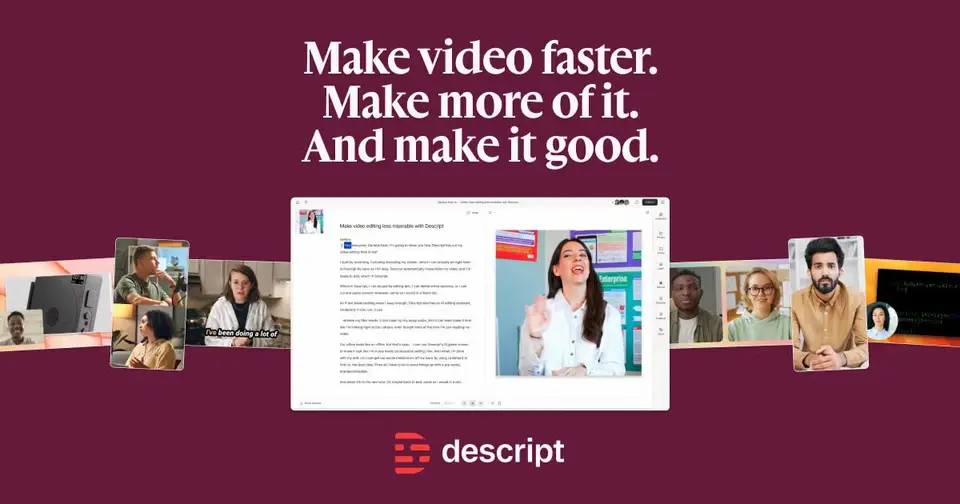
Every plan, grade, refund rule and rival among screen recording and video tools, read from Descript’s own pages.
Made by Descript · checked Oct 4, 2026 · toolgpa.com
Contents
- 01WelcomeWhat it is, who it suits, its grades and the ten things to know first
- 02What it costsEvery plan, the free plan, ways to pay less and how prices have moved
- 03What it doesIts main features, where it runs, what it works with and who makes it
- 04Where it standsIts grades against its category, and whether to keep it or make your own
- 05After you payGetting your money back, getting out, and getting help
- 06The alternativesThe tools it is most often weighed against, side by side
- 07Quick answersThe questions people ask about it, each answered in a line or two
- 08About ToolGPAWho made this guide, what else is on the site, and how to cite it
ToolGPA put this guide together from Descript’s own pages, its app-store listings and our grades. Every fact in it is on Descript’s page too, where it is kept up to date. Checked Oct 4, 2026.
Part 01 · Overview
Welcome
What it is, who it suits, its grades and the ten things to know first
2.4
GPA, above 11 of the 52 other screen recording and video tools we grade
Descript is an audio and video editor in which you change a recording by editing its transcript. It combines transcription, screen recording and remote recording with AI tools such as the Underlord co-editor, Studio Sound noise removal, AI voices and Eye Contact correction. Every plan is metered by monthly media hours and AI credits.
To get you started, here are 10 things to know about Descript, taken from its own pages and our grades.
- 1
Best for editing podcasts and videos by editing the words
Every plan, paid ones included, is capped by media hours and AI credits each month.
- 2
Paid plans start at $16 a month for each person
As its pricing page puts it: $16 per person / month, billed annually ($24 billed monthly).
- 3
There is a free plan
60 media minutes per month, a one-time 100 AI credits and 720p export with a watermark. No credit card required.
- 4
It runs on 3 platforms
Web, macOS and Windows.
- 5
Text-based editing
Recordings are transcribed automatically, and deleting or rearranging words in the transcript makes the same cut in the audio or video.
- 6
Underlord AI co-editor
An AI assistant that carries out editing tasks on a project. Its use draws on the plan's AI credits.
- 7
Studio Sound and filler-word removal
Studio Sound uses AI to remove background noise, and filler words can be detected and cut from a recording.
- 8
Refunds: 2 days
Descript does publish a refund window, which already puts it ahead of plenty of rivals, but 48 hours is a blink. Miss it and the money is gone: there are no prorated refunds for the rest of a term you cancel.
- 9
A 2.4 GPA, above 11 of 52
That is against the other screen recording and video tools we grade, on value, the free plan, features, ease of use and platforms.
- 10
Keep it
To replace Descript you would be making a video editor. That is not a weekend's work, with an AI app builder or without one.
Descript at a glance
- Pricing
- Free plan, from $16 per person / month, billed annually ($24 billed monthly)
- Free plan
- Yes
- Free trial
- None stated
- Runs on
- Web, macOS, Windows
- Made by
- Descript
- Category
- Screen Recording & Video
- Our grade
- 2.4 GPA, fair
The report card
Best for editing podcasts and videos by editing the words
Descript transcribes your recording and lets you edit the text, so deleting a sentence removes it from the video too, with noise removal, filler-word cutting and an AI co-editor called Underlord. Every plan, paid ones included, is capped by media hours and AI credits each month. Hobbyist is $16 a month billed annually, 4K needs Creator at $24, and there are no mobile apps.
| Subject | Grade | Comment |
|---|---|---|
| Value for money | C | Hobbyist is $16 a person a month billed annually, $24 monthly, above this category's $10 middle, and that buys 10 media hours and 400 AI credits. 4K export needs Creator at $24. Every plan is metered, so a busy month can run dry whatever you pay. |
| Free plan and trial | C | No card needed, and you get 60 media minutes a month. But exports are 720p with a watermark and the 100 AI credits are a one-time grant, so it's a proper look rather than something to work on. |
| Features | B | Edit the transcript and the video follows, with Studio Sound for noise, filler-word cutting, Underlord doing editing jobs for you, screen recording, Rooms for remote guests, clips, captions and translation. The job is covered; Premiere and Camtasia now cut by transcript too. |
| Ease of use | C | No store rating on record. You edit words instead of a timeline, but you still sign up, learn its way of working, and keep half an eye on media hours and AI credits all month. |
| Platforms and integrations | B | Web, Mac and Windows, with a public API and hooks into Zapier, Zoom, YouTube and podcast hosts like Buzzsprout and Transistor. No mobile apps: phones, iPads and Chromebooks aren't supported. |
An A is worth 4 points, a B 3, a C 2, a D 1 and an F nothing. The GPA is the average of the five.
Who Descript is for
- Fits if you make podcasts or videos and would rather edit a transcript than a timeline
- Works for turning one long recording into short captioned clips
Who it is not for
- Tight if you're staying free, as you get 60 media minutes a month and a watermark at 720p
- Pricey if you pay monthly, at $24 for Hobbyist against $16 a month on the annual bill
- Skip it if you edit on a phone, an iPad or a Chromebook, because none is supported
- Tight if you have a busy month, since Hobbyist stops at 10 media hours and 400 AI credits
- Watch out: 4K export needs Creator at $24 a person, and the desktop app needs macOS 14 or Windows 11
Good to know
Good for
- Podcasters and video creators who prefer editing a transcript to a timeline
- Cleaning up interview and talking-head recordings with AI tools
- Turning long recordings into short captioned clips
Worth knowing
- The Free plan is limited to 60 media minutes a month, a one-time 100 AI credits and watermarked 720p exports.
- Paid plans cap monthly usage too: 10 media hours and 400 AI credits on Hobbyist, 30 and 800 on Creator, 40 and 1,500 on Business.
- Hobbyist covers 1 person; Creator scales to a team of 3 and Business to 5, each person billed separately.
- There are no mobile apps: phones, iPads and Chromebooks are not officially supported, and the desktop app needs macOS 14 or Windows 11.
Part 02 · Pricing
What it costs
Every plan, the free plan, ways to pay less and how prices have moved
$16
A month to start, for each person. There is a free plan too
Descript has a free plan. Paid plans start at $16 per person / month, billed annually ($24 billed monthly).
Every plan is metered, so a busy month can run dry whatever you pay.
Free
$0
60 media minutes per month, 100 one-time AI credits and 720p export with a watermark.
Hobbyist
$16
per person / month, billed annually ($24 monthly)
1 person, 10 media hours and 400 AI credits per month, and 1080p export without a watermark.
Creator
$24
per person / month, billed annually ($35 monthly)
Up to 3 people, 30 media hours and 800 AI credits per month, and 4K export without a watermark.
Business
$50
per person / month, billed annually ($65 monthly)
Up to 5 people, 40 media hours and 1,500 AI credits per month, and 4K export.
Enterprise
Custom
Custom pricing with single sign-on, SCIM provisioning and dedicated support.
The free plan
60 media minutes per month, a one-time 100 AI credits and 720p export with a watermark. No credit card required.
Read from descript.com on Oct 4, 2026.
Ways to pay less
Annual discount
Save up to 35% with annual billing
Descript's pricing page says annual plans save up to 35% over monthly. Hobbyist is $16 per person per month billed annually versus $24 billed monthly.
Stated on descript.comEducation
Education plan from $8 per editor / month
Students, educators and administrators at accredited institutions can apply for Hobbyist features at $8 per editor per month paid annually, or $12 paid monthly.
Stated on help.descript.comNonprofit
Nonprofit plan from $8 per editor / month
Nonprofits with 501(c)(3) or equivalent charitable status can apply for the same rate: Hobbyist features at $8 per editor per month paid annually, or $12 paid monthly.
Stated on help.descript.com
Part 03 · Features
What it does
Its main features, where it runs, what it works with and who makes it
3
Places it runs: Web, macOS and Windows
Audio and video editor that works by editing the transcript. Here is what it does, as its own site describes it, and what it covers: public API, AI features, transcription, noise cancellation, screen recording, video editing.
The job is covered; Premiere and Camtasia now cut by transcript too.
- Text-based editing
- Recordings are transcribed automatically, and deleting or rearranging words in the transcript makes the same cut in the audio or video.
- Underlord AI co-editor
- An AI assistant that carries out editing tasks on a project. Its use draws on the plan's AI credits.
- Studio Sound and filler-word removal
- Studio Sound uses AI to remove background noise, and filler words can be detected and cut from a recording.
- Screen recording and Rooms
- Record your screen inside Descript, or use Rooms to record remote guests.
- Clips, captions and translation
- Turn long recordings into short clips, add captions and subtitles, and translate content into dozens of languages.
- AI voices and Eye Contact
- Create a clone of your voice or use stock AI voices, and correct gaze with Eye Contact. These AI features consume AI credits.
Where it runs
- Web
- macOS
- Windows
What it works with
- Zapier
- Zoom
- YouTube
- Claude
- ChatGPT
- Buzzsprout
- Transistor
- Captivate
Descript is made by Descript.
Part 04 · Standing
Where it stands
Its grades against its category, and whether to keep it or make your own
11/52
Other screen recording and video tools it is graded above
Descript's GPA of 2.4 is higher than 11 of the 52 other screen recording and video tools we grade, and level with 16.
It stands best on features (B, above 26 of 52) and worst on ease of use (C, above 0).
Its paid plans start at $16 a month for each person, against a middle price of $10 for the category: 29 of the 41 others that charge start lower.
On features, ease of use and platforms it scores 2.7 out of 4. 9 tools score higher and cost less.
Each grade against the category
Every bar is all 53 screen recording and video tools we grade, cut by the letter each got. Descript’s own letter is outlined.
- CValue for moneyAbove 10 of 52
- CFree plan and trialAbove 4 of 52
- BFeaturesAbove 26 of 52
- CEase of useAbove 0 of 52
- BPlatforms and integrationsAbove 15 of 52
Price against what you get
Each dot is one of 46 screen recording and video tools. Further left costs less; higher up scores better on features, ease of use and platforms. Descript is the marked dot.
What paid plans start at, a month (each step along is roughly double) →
Keep it, or make your own?
Whether this is something you could build for yourself with an AI app builder, and what you would give up.
Keep it
To replace Descript you would be making a video editor. That is not a weekend's work, with an AI app builder or without one.
That makes this kind of software worth paying for, not this one in particular: 25 of the 52 other screen recording and video tools grade higher. It costs $192 a year.
What you could not
- A video editor.
- Audio cleaned up live as you speak.
- Speech turned into text you can trust.
- Recording the screen with its sound, and somewhere to keep the video.
- A real app for macOS and Windows. Something home-made would be a web page.
- It is priced for each person, which means accounts and billing for a team.
- It plugs into other products, Zapier, Zoom and YouTube among them, and has an API.
- AI features, unless you pay a model provider for each request yourself.
- The depth: we grade its features B, which means it covers the whole job.
What this rests on. Descript’s listing: what it does, where it runs, what it plugs into and what it costs. It is a judgement about the kind of software this is. We have not built a replacement for it, and making your own means looking after it too. How we decide, and every tool’s verdict.
Part 05 · Refunds
After you pay
Getting your money back, getting out, and getting help
What happens once you have paid: whether you can get your money back, how to leave, and how to reach a person when something goes wrong. Each is graded from Descript’s own terms and help pages.
Refunds and cancelling
Good · checked Oct 18, 2026
Descript does publish a refund window, which already puts it ahead of plenty of rivals, but 48 hours is a blink. Miss it and the money is gone: there are no prorated refunds for the rest of a term you cancel. Cancelling itself is quick, you stay on the plan to the end of the cycle, and your projects survive the drop to Free. A real but short window you have to write in for is a B.
- Refund window
- 2 days
- How you cancel
- Yourself, in settings
- Getting your money back
Descript refunds a plan purchase if you ask within 48 hours of the invoice date, and an extra editor seat within seven days. Top-ups of media minutes or AI credits are not refundable. You request one by submitting a ticket to support from the email on the account. Cancelling or downgrading partway through a term earns no prorated refund for the time left.
Stated on help.descript.com- How to cancel Descript
Cancelling is the same as downgrading to the Free plan, and you do it in App Settings under the Plan tab, picking the right Drive first if you own more than one. A reason is required. You can undo a pending cancellation from the same tab before the cycle ends. Support can only act on a cancellation request from the Drive owner's own email address.
- Log in at web.descript.com or open the desktop app
- Open App Settings with Command or Control and comma
- If you own several Drives, pick the right one in the sidebar
- Go to the Plan tab and click Change plan
- Choose Downgrade to Free
- Select a reason for cancelling, then click Cancel subscription
- Follow the prompts until the cancellation is confirmed
- What you keep afterwards
You keep the paid plan until the end of the billing cycle, then the Drive moves to the Free plan. Existing projects stay accessible, though features your old plan paid for stop working. Any top-up balance is preserved but unusable until you pay again, and its original 12-month expiry keeps running. A separate article covers deleting the account outright.
Stated on help.descript.com- Renewals
Plans renew automatically, and the renewal date, time and time zone are shown under Billing cycle in the Drive's plan settings. No reminder before a renewal is mentioned. Descript advises making any change before the renewal date to avoid an unexpected charge, since nothing comes back afterwards.
Stated on help.descript.com
In your favour
- There is a written refund window at all, which is more than many editing tools offer.
- Cancelling is seven steps in App Settings, and you can undo it before the cycle ends.
- Your projects stay accessible after the Drive drops to the Free plan.
- An extra editor seat gets a longer window than a plan does: seven days instead of 48 hours.
Watch out for
- Forty-eight hours is the whole window on a plan, counted from the invoice date.
- Cancel mid-term and nothing is refunded for the months you have paid for and will not use.
- Top-ups of media minutes and AI credits are non-refundable, full stop.
- Each Drive is billed separately, so cancelling one does not stop charges on another.
Customer support
Excellent · checked Oct 18, 2026
Descript says the quiet part out loud: its support team are humans, they work Monday to Friday from 5am to 5pm Pacific, and paid plans get live chat with them. Everyone else, account or not, can email. Behind that sit a thorough help centre, a weekly live Q&A and a Discord. Live help on every paid plan with the hours published is an A, even if the clock stops at the weekend.
Ways to get help
Live chat
Live chat with Descript's support team, which the page describes as humans rather than a bot, offered to paid plans during the hours it publishes.
Stated on help.descript.comEmail
Email support, which Descript says is open to everyone, including people who do not have a Descript account at all.
Stated on help.descript.comContact form or ticket
A ticket form for the support team, which is also the route for a refund request. It has to come from the email address on the account, and for a cancellation from the Drive owner's address.
Stated on help.descript.comAccount manager
Enterprise plans include a dedicated Customer Success Manager for onboarding, training and ongoing account needs, with one-to-one sessions built around the team's workflows.
Stated on help.descript.comHelp centre
A large help centre covering recording, editing, exporting, team management, billing and the API, published in plain text as well as HTML and readable without an account.
Stated on help.descript.comCommunity or forum
A Discord server, a subreddit moderated by the team and a Facebook group, plus a live Q&A run by the support team every Tuesday. Descript says the community spaces are not support channels and sends account and billing problems to its team.
Stated on help.descript.com
Not listed on Descript’s pages: phone.
- When people answer
Descript says its support team humans are available Monday to Friday, from 5am to 5pm Pacific Time. Weekends are not covered. The weekly live Q&A runs on Tuesdays at 11am Pacific, with a second session listed for Wednesdays at 1pm.
Stated on help.descript.com- How fast it says it replies
Its pages do not say.
- What depends on your plan
Live chat with the support team is marked as available to paid plans. Email support is open to everyone, with or without an account. Enterprise plans add a dedicated Customer Success Manager. No page read names a priority queue or a faster target for the higher paid tiers.
Stated on help.descript.com
In your favour
- Paid plans get live chat with people, and Descript names the hours in writing.
- Email support is open even to people who have never made an account.
- The support team runs a live Q&A every week, recorded afterwards if you miss it.
- The help centre is unusually complete on billing: refunds, cancelling, renewals and charges.
Watch out for
- Those hours are weekdays only, 5am to 5pm Pacific, so a weekend problem waits.
- No reply time is published for email, only the hours the team works.
- There is no phone number anywhere on the pages read.
- Discord and the subreddit are not support channels, and Descript says so.
What these two grades rest on. Read on 18 October 2026: Descript's help articles on its refund policy, downgrading or cancelling a subscription, how billing works, when a plan renews, getting help, the community channels and the Enterprise plan. Descript publishes its help centre in plain text as well as HTML, so the pages were read in full. Nobody here cancelled a plan or contacted its support. They are graded apart from the five that make the GPA. How we grade refunds and support.
Part 06 · Alternatives
The alternatives
The tools it is most often weighed against, side by side




Riverside, Tella, Loom and Screen Studio
The 4 tools Descript is most often weighed against, with where each one differs from it.
- 2.6GPA
Riverside
Free plan · from $9.99/mo
Remote recording studio for podcasts and video interviews.
- Only Descript lists a Windows app.
- Only Riverside lists iOS and Android apps.
- Descript also covers noise cancellation.
- 2.6GPA
Tella
Free trial · from $13/mo
Screen recorder with a built-in editor, layouts and 4K export.
- Descript has a free plan. Tella does not, though it has a free trial.
- Only Tella lists a browser extension.
- 2.8GPA
Loom
Free plan · from $18/mo
Screen and camera recorder for shareable video messages.
- Only Descript lists a web app.
- Only Loom lists iOS and Android apps.
- Only Loom lists a browser extension.
- 1.6GPA
Screen Studio
From $9/mo
Mac screen recorder with automatic zooms and cursor smoothing.
- Descript has a free plan. Screen Studio does not.
- Only Descript lists a web app.
- Only Descript lists a Windows app.
Part 07 · Questions
Quick answers
The questions people ask about it, each answered in a line or two
19
Questions, each answered in a line or two
The short version of everything above, for when you only need the answer. Each one is told in full in its part of the guide.
Is Descript free?
Descript has a free plan. 60 media minutes per month, a one-time 100 AI credits and 720p export with a watermark.
How much does Descript cost?
Descript lists 5 plans. Free: $0.
What platforms does Descript work on?
Descript is available on Web, macOS and Windows.
Does Descript offer any discounts?
Descript publicly lists the following: Save up to 35% with annual billing; Education plan from $8 per editor / month; Nonprofit plan from $8 per editor / month.
Does Descript have an Android app?
No Android app was listed when its pages were read on Oct 4, 2026. Descript is listed for Web, macOS and Windows.
Does Descript have an iPhone app?
No iPhone app was listed when its pages were read on Oct 4, 2026. Descript is listed for Web, macOS and Windows.
Is Descript open source?
Descript is not described as open source on its own site, as read on Oct 4, 2026.
Does Descript have an API?
Yes. Descript offers a public API, according to its own site.
What does Descript integrate with?
Descript's listing names Zapier, Zoom, YouTube, Claude, ChatGPT, Buzzsprout, Transistor and Captivate.
Does Descript have a student discount?
Education plan from $8 per editor / month. Students, educators and administrators at accredited institutions can apply for Hobbyist features at $8 per editor per month paid annually, or $12 paid monthly.
Who makes Descript?
Descript is made by a company of the same name.
What are the alternatives to Descript?
The closest alternatives to Descript in our directory are Riverside, Tella, Loom and Screen Studio.
Does Descript give refunds?
Descript refunds a plan purchase if you ask within 48 hours of the invoice date, and an extra editor seat within seven days.
How do I cancel Descript?
Cancelling is the same as downgrading to the Free plan, and you do it in App Settings under the Plan tab, picking the right Drive first if you own more than one.
What happens to my data if I cancel Descript?
You keep the paid plan until the end of the billing cycle, then the Drive moves to the Free plan.
How do I contact Descript support?
Descript's pages list these ways to get help: live chat, email, contact form or ticket, account manager, help centre and community or forum.
How does Descript compare with other screen recording and video tools?
Descript's GPA of 2.4 is higher than 11 of the 52 other screen recording and video tools we grade, and level with 16.
Is Descript good value for money?
ToolGPA grades Descript C for value for money. Its paid plans start at $16 a month for each person, against a middle price of $10 for the category: 29 of the 41 others that charge start lower.
Could I make my own version of Descript?
To replace Descript you would be making a video editor. That is not a weekend's work, with an AI app builder or without one.
Where this guide comes from
The prices, plans, platforms and features were read from Descript’s own pages on Oct 4, 2026, and the grades were given on Oct 10, 2026. Graded from this listing, whose facts were read from Descript's own pages on 4 October 2026. Also tested with a demo account on 2026-04-01.
Every tool we list gets five grades, A to F, each with its reason, and a GPA that averages them. How each is decided is at toolgpa.com/grades. This guide is ToolGPA’s own work; it is not made, paid for or approved by Descript. Prices change, so check descript.com before you buy.
Part 08 · About
About ToolGPA
Who made this guide, what else is on the site, and how to cite it
3,189
Tools graded, in 94 categories
ToolGPA grades software the way a school report grades a pupil: five subjects, a letter for each with the reason written beside it, and a GPA that averages them. Prices, plans and platforms are read from each maker’s own pages and dated, so you always know how fresh a figure is.
Every grade, review and ranking on ToolGPA is our own judgement. No company can pay for a grade or change one. Every tool on the site has a guide like this one, free to download and pass on. It all lives at toolgpa.com.
3,189
tools graded
94
categories
426
price changes on record
579
apps priced in 12 countries
What else is on toolgpa.com
- Descript, kept up to dateEverything in this guide, with prices and grades as they are todaytoolgpa.com/tools/descript
- How grades are givenThe rules behind every letter and every GPAtoolgpa.com/grades
- Value chartsWhat each tool costs against what it scores, for every categorytoolgpa.com/charts
- CompareAny two tools side by side, plan by plantoolgpa.com/compare
- Price changesEvery price rise and cut on record, each with its sourcetoolgpa.com/price-changes
- Prices by countryWhat apps cost on the App Store in 12 countriestoolgpa.com/prices-by-country
- Pay lessEvery public discount: yearly billing, students, nonprofitstoolgpa.com/save
- Keep or makeWhich tools are worth paying for, and which you could build yourselftoolgpa.com/keep-or-make
Scan for the live page
Prices and grades as they are today
Quoting this guide?
Please name ToolGPA and link to the live page, so readers can check the figures for themselves:
ToolGPA, "Descript: The Insider's Guide", checked Oct 4, 2026. https://toolgpa.com/tools/descript
Know someone choosing between screen recording and video tools?
Send them this guide: toolgpa.com/tools/descript/guide
ToolGPA elsewhere: youtube.com/@toolgpa
See our other guides
The best-graded screen recording and video tools after Descript, each with an Insider's Guide of its own.
- Screen Recording & Video Insider's GuideEvery one of the 53 screen recording and video tools we grade, compared
- DaVinci Resolve Insider's GuideVideo editing, color, effects and audio post-production in one app3.4 GPA
- Zencastr Insider's GuideFree podcast recording, chat-based editing and hosting in one app3.4 GPA
- Cap Insider's GuideOpen-source screen recorder with instant share links and an editor3.2 GPA



Choosing software? Every tool graded, every price dated.
Compare tools at toolgpa.com ›Everything in this guide is ToolGPA’s own summary of what Descript’s pages, its app-store listings and public reviews said on the dates shown. Grades are our judgement under the rules at toolgpa.com/grades. Every grade, review and ranking on ToolGPA is our own judgement. No company can pay for a grade or change one. Descript is a trademark of its owner, and this guide is not made, paid for or approved by Descript. Prices and plans change: check descript.com before you buy.