
Fraps review (2026): is the free plan enough?
Windows game recorder, frame-rate counter and screenshot tool
Black Friday: is there a Fraps sale?
Fraps report card
Fair · out of 4.0 · graded Nov 13, 2026
Best for showing frame rates and capturing games on Windows
Fraps is a Windows tool that shows a frame-rate counter, runs benchmarks and records game video, for a one-time $37. The latest release on the site is from February 2013, the free version limits recording length and adds a watermark, and it only supports DirectX and OpenGL games.
Who Fraps is for
- Fits if you want a frame counter and benchmark for DirectX or OpenGL games
- Works for people who want a one-time purchase for game recording
Who Fraps is not for
- Skip it if you use a Mac or Linux, since it is Windows only
- Not for you if you play newer games that need other capture methods: it covers DirectX and OpenGL
- Tight if you stay free: the limited version adds a watermark and a recording cap
- Watch out: the latest release is 3.5.99 from February 26, 2013, and later Windows versions aren't named
Why Fraps gets a 2.4
Five grades, each with its reason. The GPA is their average: an A is 4 points, an F is none.
- AValue for money$37 once, under three months of a typical $14 video subscription, and level with the $37 one-time middle.
- CFree plan and trialA free download of the unregistered version, but the Buy page says recording length is limited and movies carry a watermark.
- CFeaturesFrame-rate counter, benchmarks, screenshots on a keypress and game capture up to 7680x4800. It does that job fully, but a narrow one, and only for DirectX and OpenGL games.
- BEase of useNo store rating on record. You install it and press a hotkey to record, with nothing to connect.
- DPlatforms and integrationsWindows only, and the download page lists up to Windows 7. No Mac, Linux, phone or web version, and no integrations.
What these grades rest on. Graded from this listing, whose facts were read from Fraps's own pages on 13 November 2026. Not based on using the product, and shorter than our full reviews. How we review and grade.
Make Fraps? Put this grade on your site
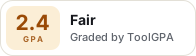
Paste this where you want the badge. It links here and follows the grade if it changes. About badges
<a href="https://toolgpa.com/tools/fraps#review"><img src="https://toolgpa.com/badge/fraps.svg" alt="Fraps: 2.4 GPA on ToolGPA" width="196" height="56"></a>Where Fraps stands among screen recording and video tools
Fraps's GPA of 2.4 is higher than 66 of the 133 other screen recording and video tools we grade, and level with 22.
It stands best on value for money (A, above 102 of 133) and worst on platforms and integrations (D, above 0).
Each grade against the category
Every bar is all 134 screen recording and video tools we grade, cut by the letter each got. Fraps’s own letter is outlined.
- AValue for moneyAbove 102 of 133, level with 31
- CFree plan and trialAbove 24 of 133, level with 80
- CFeaturesAbove 0 of 133, level with 77
- BEase of useAbove 87 of 133, level with 39
- DPlatforms and integrationsAbove 0 of 133, level with 16
Keep Fraps, or make your own?
Keep it
Nothing Fraps does is plain enough to make in a weekend. The 3 things listed below take a company.
It costs $37, paid once.
What you could not
- Recording the screen with its sound, and somewhere to keep the video.
- Capture tools hooked into the operating system.
- A real app for Windows. Something home-made would be a web page.
What this rests on. Fraps’s listing: what it does, where it runs, what it plugs into and what it costs. It is a judgement about the kind of software this is. We have not built a replacement for it, and making your own means looking after it too. How we decide, and every tool’s verdict.
What is Fraps?
Fraps is a Windows program for games that use DirectX or OpenGL. It shows a frame-rate counter, runs benchmarks, takes screenshots on a keypress and records game video with audio. The latest release listed on the site is version 3.5.99 from February 2013.
Worth knowing
- Windows only; the download page lists Windows XP, 2003, Vista and Windows 7 and does not name later Windows versions.
- The latest release on the site is 3.5.99, dated February 26, 2013.
- It works with games that use DirectX or OpenGL.
- The free version is limited; the Buy page says registration is needed for unlimited recording and movies without a watermark.
Key features
- Frame-rate counter
- Shows frames per second in a corner of the screen while a game runs.
- Custom benchmarks
- Measures the frame rate between any two points and can save the statistics to disk.
- Screenshots on a keypress
- One key takes a screenshot that is named and timestamped automatically.
- Game video capture
- Records audio and video at sizes up to 7680x4800 and custom frame rates from 1 to 120 frames per second.
Fraps pricing
As of Nov 13, 2026, Fraps has a free plan, and paid plans start at $37, one-time.
- Starts at
- $37, one-time
- Free plan
- Free download of the unregistered version. The site says registering removes the recording-length limit and the watermark on movies.
- Free trial
- None listed
| Plan | Price | What you get |
|---|---|---|
| Free version | $0 | Unregistered download; the Buy page says registration is needed to record as long as you like and to get movies without a watermark. |
| Registered | $37one-time, paid through PayPal | Unlocked version with unlimited recording length, no watermark, screenshots saved as JPG, PNG or TGA, and free updates from the Members Area. |
Read from fraps.com on Nov 13, 2026. Prices change, so confirm with Fraps before you buy.
Fraps alternatives
- Fraps vs Bandicam
Free plan · from $33.26/yr
- Fraps vs Movavi Screen Recorder
Free trial · from $19.99/mo
- Fraps vs ScreenRec
Free plan · from $4.99/mo

Common questions
Does Fraps have an Android app?
No Android app was listed when its pages were read on Nov 13, 2026. Fraps is listed for Windows.
Does Fraps have an iPhone app?
No iPhone app was listed when its pages were read on Nov 13, 2026. Fraps is listed for Windows.
Is Fraps open source?
Fraps is not described as open source on its own site, as read on Nov 13, 2026.
Sources for this page
The prices, plans, platforms and features above were read from these pages on Nov 13, 2026.