The Gemini Insider’s Guide
Everything we know about Gemini in one document: what it costs, its grades, getting a refund, getting help and what else to look at. Read it here, or keep a copy.
Gemini
The Insider’s Guide
Google's AI assistant, tied into Gmail, Docs and other Google apps
Every plan, grade, refund rule and rival among AI assistants, read from Gemini’s own pages.
Made by Google · checked Oct 9, 2026 · toolgpa.com
Contents
- 01WelcomeWhat it is, who it suits, its grades and the ten things to know first
- 02Insider tipsWhat most people miss: ways to pay less, settings worth changing and the catches
- 03What it costsEvery plan, the free plan, ways to pay less and how prices have moved
- 04What it doesIts main features, where it runs, what it works with and who makes it
- 05Where it standsIts grades against its category, and whether to keep it or make your own
- 06After you payGetting your money back, getting out, and getting help
- 07The alternativesThe tools it is most often weighed against, side by side
- 08Quick answersThe questions people ask about it, each answered in a line or two
- 09About ToolGPAWho made this guide, what else is on the site, and how to cite it
ToolGPA put this guide together from Gemini’s own pages, its app-store listings and our grades. Every fact in it is on Gemini’s page too, where it is kept up to date. Checked Oct 9, 2026.
Part 01 · Overview
Welcome
What it is, who it suits, its grades and the ten things to know first
3.8
GPA, above 57 of the 57 other AI assistants we grade
Gemini is Google's AI assistant, available on the web, in mobile apps and as a desktop app for Windows and macOS. The free plan covers chat, image generation, Deep Research, voice conversations through Gemini Live, Canvas and Gems. Paid Google AI plans raise the usage limits and bundle Google storage, Gemini inside Gmail and Docs, and other Google services.
To get you started, here are 10 things to know about Gemini, taken from its own pages and our grades.
The free plan chats, makes images, talks out loud and writes research reports.
- 1
Best for AI help that reaches into your Gmail and Drive
Gemini is Google's AI app, and it can read your Gmail, Drive, Docs and Calendar.
- 2
Paid plans start at $4.99 a month
As its pricing page puts it: $4.99 per month (Google AI Plus).
- 3
There is a free plan
Free with a Google Account: access to 3.6 Flash and varying access to 3.1 Pro, image generation and editing, Deep Research, Gemini Live, Canvas and Gems, plus 15 GB of Google storage.
- 4
It runs on 5 platforms
Web, macOS, Windows, iOS and Android.
- 5
Chat with Gemini models
The free plan includes the 3.6 Flash model and varying access to 3.1 Pro. Paid plans raise usage limits, from 2x on Plus to as much as 20x the Pro limits on Ultra.
- 6
Deep Research
A research tool that is included in the free plan, with higher access on the paid Google AI plans.
- 7
Gemini Live
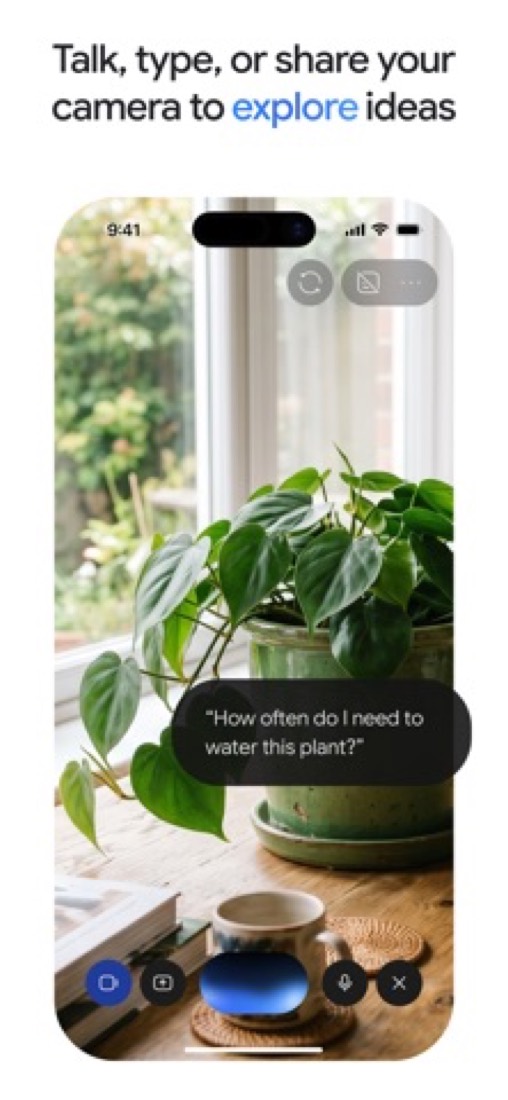
Have a spoken conversation, switch between talking and typing, and show Gemini what you are looking at while you talk.
- 8
Refunds: no set window
Paying for Gemini means taking out a Google One membership, so Google One's rules decide what happens to your money. They are simple and not generous: in most countries the purchase is non-refundable, and what you bought is yours until the period you paid for runs out.
- 9
A 3.8 GPA, above 57 of 57
That is against the other AI assistants we grade, on value, the free plan, features, ease of use and platforms.
- 10
Keep it
To replace Gemini you would be making an AI model, which you can rent by the request but not make. That is not a weekend's work, with an AI app builder or without one.
Gemini at a glance
- Pricing
- Free plan, from $4.99 per month (Google AI Plus)
- Free plan
- Yes
- Free trial
- None stated
- Runs on
- Web, macOS, Windows, iOS, Android
- Made by
- Category
- AI Assistants
- Our grade
- 3.8 GPA, excellent
- Store rating
- 4.7 on the App Store, 2,317,546 ratings
The report card
Best for AI help that reaches into your Gmail and Drive
Gemini is Google's AI app, and it can read your Gmail, Drive, Docs and Calendar. The free plan chats, makes images, talks out loud and writes research reports. But Google won't put a number on any limit, every paid plan is a Google AI bundle with storage and no Gemini-only option, and the Mac app shuts out Intel Macs. If your mail and files aren't with Google, most of the reason to pick it is gone.
| Subject | Grade | Comment |
|---|---|---|
| Value for money | A | $4.99 a month doubles your usage, puts Gemini inside Gmail and adds 400 GB of storage, the low end of this category's prices. ChatGPT's first paid plan is $8. AI Pro is $19.99, and Ultra starts at $99.99. |
| Free plan and trial | B | Chat, images, Deep Research, voice chats with Gemini Live, Canvas and Gems, all free with a Google Account. The catch is the limits: Google gives no numbers, and says free users can lose Deep Research when it's busy. |
| Features | A | Chat, image and video generation, Deep Research, and spoken conversations where you can show it what your camera sees. And it reads your Gmail, Drive, Docs and Calendar, which nothing else in this category does. |
| Ease of use | A | 4.7 from about 2.3 million App Store ratings, and asking a question is as easy as typing it. The muddle is everything around it: Gemini turns up in the app, Chrome, Gmail and Docs, each a bit different, and you pick a model too. |
| Platforms and integrations | A | Web, Mac, Windows, iPhone and Android with chats synced between them, an API, and hooks into Gmail, Docs, Drive, Calendar, Vids and Chrome. The Mac app wants Apple Silicon and macOS 15, and no Linux app is listed. |
An A is worth 4 points, a B 3, a C 2, a D 1 and an F nothing. The GPA is the average of the five.
Who Gemini is for
- Fits if your email, files and calendar are already with Google, since Gemini can look through them
- Works for anyone who needs more Google storage anyway, since $4.99 a month also gets you 400 GB
Who it is not for
- Skip it if you want to know your limits up front: Google gives no numbers, and they can change without notice
- Not for you if you're on an Intel Mac or Linux, and the Windows app can't share your screen, take dictation or connect local folders
- Tight if you lean on Deep Research for free, which Google says may be unavailable at busy times
- Pricey if you want the top tier: Ultra is $99.99 a month, or $199.99 for 20x the usage
- Watch out: there's no Gemini-only plan, paid plans need you to be 18 or over, and features vary by region
Good to know
Good for
- People who already use Gmail, Docs, Drive and Google Calendar
- Buyers who want AI features bundled with Google storage
- College students, who are offered a free year of the Pro plan
Worth knowing
- Paid tiers are Google AI plans that bundle storage and other Google services; no Gemini-only paid plan is listed.
- Google AI plans require age 18 or over, and features vary by region and platform.
- Google AI Ultra starts at $99.99 per month, and its 20x usage level costs $199.99 per month.
- The macOS desktop app requires Apple Silicon and macOS Sequoia (15.0) or later, and the Windows app does not yet share the screen, take dictation or connect local folders.
What people say
- 4.7on the App Store, from 2,317,546 ratings
What they like
- Reviewers and commenters describe learning with it, from quizzes and new vocabulary to working through maths or a practical subject step by step.
What they don’t
- Reviewers and a commenter report answers that are wrong or that contradict what it said earlier, and two of them point to the faster, lighter models.
- Reviewers and commenters find the range confusing, with Gemini appearing in many Google products that differ in which model they run and what they can do.
10 App Store reviews from November 2025 to September 2026, nine of them five stars, and about 15 Hacker News comments from the first week of October 2026
Part 02 · Tips
Insider tips
What most people miss: ways to pay less, settings worth changing and the catches
7
Things most people miss, each from its own help pages
The things about Gemini that are easy to miss until they cost you: ways to pay less, settings worth changing and the catches at renewal or when you leave. Each one is from Gemini’s own pages, linked beside it.
Read on Oct 17, 2026. Read from Gemini Apps Help (activity and privacy, usage limits, managing a plan), Google One Help (billing, cancelling), the Google AI plans page and the Gemini desktop page on 17 October 2026. Not tried out: these tips are what its own pages say.
- 1
Setting
Cut Gemini's 18-month chat history down to 3 months, or switch it off
Gemini Apps Activity keeps your chats for 18 months unless you change it to 3 or 36 months, or turn Keep Activity off. With it off, new chats aren't used for training but are still held for 72 hours. Some connected apps stop working with it off.
support.google.com - 2
Privacy
A sample of chats is read by people and kept for up to three years
Its privacy page says that with Keep Activity on, some chats go to human reviewers, and those are kept for up to three years, unlinked from your account. Temporary chats, kept for 72 hours, are left out of training and that review, though safety checks can still involve people.
support.google.com - 3
Pay less
Share one paid Google AI plan with up to five other people
Its plans page says Google AI Plus, Pro and Ultra each include family sharing with up to five others, and that family members on AI Pro get its AI features at no extra cost. So a household can share one plan rather than buying several.
one.google.com - 4
Easy to miss
See how close you are to the limit under Settings, Usage Limits
Google gives no fixed numbers, but its limits page says the allowance refreshes every 5 hours until you hit a weekly cap. Deep Research and video use the most. Paying subscribers who run out can keep going on the smaller Flash-Lite model.
support.google.com - 5
Shortcut
Press Option+Space on a Mac, or Alt+Space on Windows, to call up Gemini
The desktop app opens over whatever you're working on. On a Mac, Option+Space is the mini chat, Option+Shift+Space the full one, and pressing both Command keys shares your screen with it. You can change the keys in the app's settings.
gemini.google - 6
Renewal
Google AI plans renew on their own and are rarely refunded
Google One's purchase policy says plans renew automatically at the end of each period and, in most countries, aren't refundable. You can cancel at any time, and the downgrade happens at the start of your plan's next month.
support.google.com - 7
Leaving
Clear out storage before you cancel, or Gmail stops taking mail
Cancel while you're using more than the free 15 GB and Google One's help page says Gmail can't send or receive, Drive won't sync or take new files, and Photos stops backing up until you get under the limit. Download or delete first.
support.google.com
Part 03 · Pricing
What it costs
Every plan, the free plan, ways to pay less and how prices have moved
$4.99
A month to start. There is a free plan too
Gemini has a free plan. Paid plans start at $4.99 per month (Google AI Plus).
Chat, images, Deep Research, voice chats with Gemini Live, Canvas and Gems, all free with a Google Account.
Free
$0
Access to 3.6 Flash, varying access to 3.1 Pro, image generation, Deep Research, Gemini Live, Canvas and Gems, with 15 GB of storage.
Google AI Plus
$4.99
per month
2x higher usage than Free, 200 Google Flow credits, Gemini in Gmail and Vids, and 400 GB of storage. Google One also sells Plus with 2 TB at $9.99 a month.
Google AI Pro
$19.99
per month
4x higher usage than Free, 1,000 Flow credits, higher access to Gemini 3 Pro, Jules, Chrome auto browse, YouTube Premium Lite and 5 TB of storage.
Google AI Ultra
From $99.99
per month
5x the usage limits of AI Pro at $99.99 or 20x at $199.99, with Deep Think, Project Genie, YouTube Premium and 20 TB or more of storage.
The free plan
Free with a Google Account: access to 3.6 Flash and varying access to 3.1 Pro, image generation and editing, Deep Research, Gemini Live, Canvas and Gems, plus 15 GB of Google storage.
Read from gemini.google on Oct 9, 2026.
Ways to pay less
Education
Free Pro plan for college students for a year
Google's US subscriptions page says college students get a free Google AI Pro plan for one year, through its student offer.
Stated on gemini.google
What the app costs elsewhere
Each country’s App Store price for “Google AI Pro (5 TB)”, against $19.99 in the United States, in dollars at the day’s rate. The four cheapest and the four dearest of 11.
| Country | Price there | In dollars | Against the US |
|---|---|---|---|
| Indonesia | Rp 309ribu | $17.28 | 14% less |
| Philippines | ₱ 1,100.00 | $17.51 | 12% less |
| Turkey | ₺869,99 | $17.69 | 11% less |
| Canada | $26.99 | $18.97 | 5% less |
| Australia | $32.99 | $23.03 | 15% more |
| Germany | 21,99 € | $24.64 | 23% more |
| United Kingdom | £18.99 | $25.11 | 26% more |
| South Africa | R429.99 | $26.01 | 30% more |
Part 04 · Features
What it does
Its main features, where it runs, what it works with and who makes it
5
Places it runs: Web, macOS, Windows, iOS and Android
Google's AI assistant, tied into Gmail, Docs and other Google apps. Here is what it does, as its own site describes it, and what it covers: AI features, chat assistant, AI search.
Chat, image and video generation, Deep Research, and spoken conversations where you can show it what your camera sees.
- Chat with Gemini models
- The free plan includes the 3.6 Flash model and varying access to 3.1 Pro. Paid plans raise usage limits, from 2x on Plus to as much as 20x the Pro limits on Ultra.
- Deep Research
- A research tool that is included in the free plan, with higher access on the paid Google AI plans.
- Gemini Live
- Have a spoken conversation, switch between talking and typing, and show Gemini what you are looking at while you talk.
- Image and video generation
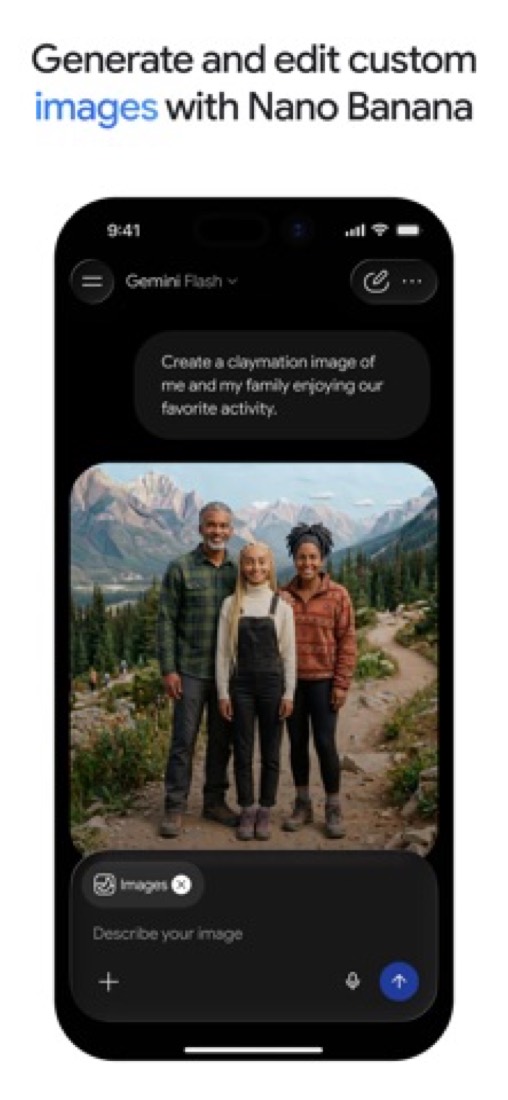
- Generate and edit images on every plan, and create or edit video by describing what you want. Paid plans include Google Flow credits.
- Google app integration
- Works with Gmail, Drive, Docs and Calendar, and paid plans add Gemini inside Gmail, Docs and Vids.
- Desktop app
- Apps for Windows and macOS open over your work with a keyboard shortcut. Screen sharing, voice dictation and connecting local folders are in the macOS app only, with Windows to follow.
Where it runs
- Web
- macOS
- Windows
- iOS
- Android
What it works with
- Gmail
- Google Docs
- Google Drive
- Google Calendar
- Google Vids
- Google Chrome
Gemini is made by Google.
Part 05 · Standing
Where it stands
Its grades against its category, and whether to keep it or make your own
57/57
Other AI assistants it is graded above
Gemini's GPA of 3.8 is higher than 57 of the 57 other AI assistants we grade.
It stands best on features (A, above 53 of 57) and worst on free plan and trial (B, above 34).
Its paid plans start at $4.99 a month, against a middle price of $10 for the category: 5 of the 38 others that charge start lower.
On features, ease of use and platforms it scores 4.0 out of 4, and no tool on the category's chart scores higher without costing more.
Each grade against the category
Every bar is all 58 AI assistants we grade, cut by the letter each got. Gemini’s own letter is outlined.
- AValue for moneyAbove 38 of 57
- BFree plan and trialAbove 34 of 57
- AFeaturesAbove 53 of 57
- AEase of useAbove 44 of 57
- APlatforms and integrationsAbove 45 of 57
Price against what you get
Each dot is one of 45 AI assistants. Further left costs less; higher up scores better on features, ease of use and platforms. Gemini is the marked dot.
What paid plans start at, a month (each step along is roughly double) →
Keep it, or make your own?
Whether this is something you could build for yourself with an AI app builder, and what you would give up.
Keep it
To replace Gemini you would be making an AI model, which you can rent by the request but not make. That is not a weekend's work, with an AI app builder or without one.
It is one of the better ones too: its GPA of 3.8 is higher than 57 of the 57 other AI assistants we grade. It costs $59.88 a year.
What you could not
- An AI model, which you can rent by the request but not make.
- A search engine with an AI model behind it.
- Apps for macOS, Windows, iOS and Android that stay in step with each other.
- It plugs into other products, Gmail, Google Docs and Google Drive among them.
- The depth: we grade its features A, which means it covers the whole job.
What this rests on. Gemini’s listing: what it does, where it runs, what it plugs into and what it costs. It is a judgement about the kind of software this is. We have not built a replacement for it, and making your own means looking after it too. How we decide, and every tool’s verdict.
Part 06 · Refunds
After you pay
Getting your money back, getting out, and getting help
What happens once you have paid: whether you can get your money back, how to leave, and how to reach a person when something goes wrong. Each is graded from Gemini’s own terms and help pages.
Refunds and cancelling
Ordinary · checked Oct 18, 2026
Paying for Gemini means taking out a Google One membership, so Google One's rules decide what happens to your money. They are simple and not generous: in most countries the purchase is non-refundable, and what you bought is yours until the period you paid for runs out. Cancelling takes four clicks and nobody to ask, which is the saving grace. No refunds plus a clean exit is the ordinary deal, and a C.
- Refund window
- No set window
- How you cancel
- Yourself, in settings
- Getting your money back
Google states that in most countries or regions storage plan purchases are non-refundable, and that the storage you bought is yours for the length of the subscription even if you cancel. Purchases made in the Play Store or the App Store are sent to those stores' own refund policies. The page notes that people based in Israel may be able to cancel with immediate effect and ask for a partial refund.
Stated on support.google.com- How to cancel Gemini
A Google AI plan is cancelled in Google One's settings. From the Gemini web app you open Settings and help, then Manage subscription, which opens Google One, and cancel the membership there. Google One's own article gives the same route from one.google.com or the Google One app. A plan bought through the App Store is cancelled in the App Store instead.
- Go to the Gemini web app at gemini.google.com
- At the bottom, click Settings and help, then Manage subscription, which opens Google One settings
- Click Cancel membership
- Click Cancel to confirm
- What you keep afterwards
When an AI Pro plan ends you can no longer start new chats on Pro, continue chats created on Pro, or use Pro-only features, and you lose the Google One benefits that came with it: the expanded storage across Drive, Gmail and Photos, direct support from Google experts, Gemini in Gmail and Docs, and the YouTube Premium Lite plan. Storage falls back to the free quota.
Stated on support.google.com- Renewals
Google says a storage purchase is set to renew automatically at the end of the subscription by default. If the automatic renewal fails, a seven-day grace period is added so payment details can be updated, and nothing is lost during it. The page mentions no reminder before a renewal and offers no refund after one.
Stated on support.google.com
In your favour
- You cancel it yourself in Google One settings. No form, no email, nobody to persuade.
- What you paid for stays yours until the period ends, even after you cancel.
- If a renewal payment fails you get a seven-day grace period rather than losing access at once.
Watch out for
- In most countries the purchase is non-refundable. Change your mind and the money stays with Google.
- Paid through the App Store or Play Store? That store's refund policy applies, not Google's.
- It renews automatically by default, and no page promises a warning before it does.
- Drop back to the free quota while over it and Gmail stops sending and receiving.
Customer support
Good · checked Oct 18, 2026
A paid Gemini plan is a Google One membership, and Google One members can reach Google people by chat, phone or email from the app or the website. That is better than most AI subscriptions offer. What stops it being an A is that no page we could find says when those people work or how fast they aim to answer, so you are promised a person but not a time. Free users get the help centre and the forum, nothing more.
Ways to get help
Live chat
Google says Google One members can reach support by chat, reached through Help, then Contact us, in the Google One app or on its website. A paid Google AI plan is a Google One membership.
Stated on support.google.comPhone
The same Contact us route in Google One offers a phone call with support, for membership, feature and storage questions.
Stated on support.google.comEmail
Email is the third option Google lists for Google One members contacting support through Help, then Contact us.
Stated on support.google.comHelp centre
The Gemini Apps Help Center has articles on getting started, plans, models, connected apps, privacy and managing your activity, open to anyone without signing in.
Stated on support.google.comCommunity or forum
The Gemini Apps Community is a public forum where other users and Google product experts answer questions about the apps.
Stated on support.google.com
- When people answer
Its pages do not say.
- How fast it says it replies
Its pages do not say.
- What depends on your plan
Google lists direct support from Google experts as one of the Google One benefits a paid Google AI plan brings, and as one of the things you lose when the plan ends. The help centre and the public community stay open to everyone, paid or not.
Stated on support.google.com
In your favour
- Pay for Gemini and you can reach a person by chat, phone or email, not just a forum.
- The help centre is open to everyone and covers plans, limits and privacy in detail.
- There is a public community forum alongside the articles, free to post in.
Watch out for
- No page states when support works or how quickly it aims to reply.
- Live help is a Google One benefit: cancel the plan and it goes with it.
- Free users get articles and the forum only, with no way to reach a person.
- Support is Google One's, not a Gemini team, so it covers membership and storage first.
What these two grades rest on. Read on 18 October 2026: Google's help articles on managing a Google AI plan from Gemini Apps, cancelling a Google One membership, Google One's purchase, cancellation and refund policies, getting help with Google One support and getting a Google AI Plus membership, plus the Gemini Apps Help Center and its community. Nobody here cancelled a plan or contacted its support. They are graded apart from the five that make the GPA. How we grade refunds and support.
Part 07 · Alternatives
The alternatives
The tools it is most often weighed against, side by side



ChatGPT, Claude, Perplexity and Gemini Notebook
The 4 tools Gemini is most often weighed against, with where each one differs from it.
- 3.4GPA
ChatGPT
Free plan · from $8/mo
OpenAI's general-purpose AI assistant for chat, images and voice.
- Only ChatGPT lists a Linux app.
- 3.0GPA
Claude
Free plan · from $17/mo
Anthropic's AI assistant for writing, analysis and coding.
- Only Claude lists a Linux app.
- Only Claude lists a browser extension.
- 2.8GPA
Perplexity
Free plan · from $17/mo
AI search assistant that answers questions with cited sources.
- Only Gemini lists macOS and Windows apps.
- Only Perplexity lists a browser extension.
- 3.4GPA
Gemini Notebook
Free plan · from $4.99/mo
Google's AI research assistant that answers from your own sources.
- Only Gemini lists macOS and Windows apps.
- Gemini Notebook also covers notes.
Part 08 · Questions
Quick answers
The questions people ask about it, each answered in a line or two
19
Questions, each answered in a line or two
The short version of everything above, for when you only need the answer. Each one is told in full in its part of the guide.
Is Gemini free?
Gemini has a free plan. Free with a Google Account: access to 3.6 Flash and varying access to 3.1 Pro, image generation and editing, Deep Research, Gemini Live, Canvas and Gems, plus 15 GB of Google storage.
How much does Gemini cost?
Gemini lists 4 plans. Free: $0.
What platforms does Gemini work on?
Gemini is available on Web, macOS, Windows, iOS and Android.
Does Gemini offer any discounts?
Gemini publicly lists the following: Free Pro plan for college students for a year.
How is Gemini rated?
Gemini's iPhone and iPad app averages 4.7 out of 5 from 2,317,546 ratings on the App Store in the United States, as read on Oct 7, 2026.
Is Gemini any good?
We have not tested Gemini, so this is what reviewers say. Often praised: Reviewers and commenters describe learning with it, from quizzes and new vocabulary to working through maths or a practical subject step by step.
Does Gemini have a Linux app?
No Linux app was listed when its pages were read on Oct 9, 2026. Gemini is listed for Web, macOS, Windows, iOS and Android.
Is Gemini open source?
Gemini is not described as open source on its own site, as read on Oct 9, 2026.
What does Gemini integrate with?
Gemini's listing names Gmail, Google Docs, Google Drive, Google Calendar, Google Vids and Google Chrome.
Does Gemini have a student discount?
Free Pro plan for college students for a year. Google's US subscriptions page says college students get a free Google AI Pro plan for one year, through its student offer.
Who makes Gemini?
Gemini is made by Google.
What are the alternatives to Gemini?
The closest alternatives to Gemini in our directory are ChatGPT, Claude, Perplexity and Gemini Notebook.
Does Gemini give refunds?
Google states that in most countries or regions storage plan purchases are non-refundable, and that the storage you bought is yours for the length of the subscription even if you cancel.
How do I cancel Gemini?
A Google AI plan is cancelled in Google One's settings. From the Gemini web app you open Settings and help, then Manage subscription, which opens Google One, and cancel the membership there.
What happens to my data if I cancel Gemini?
When an AI Pro plan ends you can no longer start new chats on Pro, continue chats created on Pro, or use Pro-only features, and you lose the Google One benefits that came with it: the expanded storage across Drive, Gmail and Photos, direct support from Google experts, Gemini in Gmail and Docs, and the YouTube Premium Lite plan.
How do I contact Gemini support?
Gemini's pages list these ways to get help: live chat, phone, email, help centre and community or forum.
How does Gemini compare with other AI assistants?
Gemini's GPA of 3.8 is higher than 57 of the 57 other AI assistants we grade.
Is Gemini good value for money?
ToolGPA grades Gemini A for value for money. Its paid plans start at $4.99 a month, against a middle price of $10 for the category: 5 of the 38 others that charge start lower.
Could I make my own version of Gemini?
To replace Gemini you would be making an AI model, which you can rent by the request but not make.
Where this guide comes from
The prices, plans, platforms and features were read from Gemini’s own pages on Oct 9, 2026, and the grades were given on Oct 10, 2026. Based on Google's subscriptions, overview, desktop app, feature and release notes pages for Gemini and its help page on usage limits as of 9 October 2026, its App Store listing and reviews, and Hacker News threads about it. Also tested with a demo account on 2026-02-13.
Every tool we list gets five grades, A to F, each with its reason, and a GPA that averages them. How each is decided is at toolgpa.com/grades. This guide is ToolGPA’s own work; it is not made, paid for or approved by Google. Prices change, so check gemini.google.com before you buy.
Part 09 · About
About ToolGPA
Who made this guide, what else is on the site, and how to cite it
3,189
Tools graded, in 94 categories
ToolGPA grades software the way a school report grades a pupil: five subjects, a letter for each with the reason written beside it, and a GPA that averages them. Prices, plans and platforms are read from each maker’s own pages and dated, so you always know how fresh a figure is.
Every grade, review and ranking on ToolGPA is our own judgement. No company can pay for a grade or change one. Every tool on the site has a guide like this one, free to download and pass on. It all lives at toolgpa.com.
3,189
tools graded
94
categories
426
price changes on record
579
apps priced in 12 countries
What else is on toolgpa.com
- Gemini, kept up to dateEverything in this guide, with prices and grades as they are todaytoolgpa.com/tools/gemini
- How grades are givenThe rules behind every letter and every GPAtoolgpa.com/grades
- Value chartsWhat each tool costs against what it scores, for every categorytoolgpa.com/charts
- CompareAny two tools side by side, plan by plantoolgpa.com/compare
- Price changesEvery price rise and cut on record, each with its sourcetoolgpa.com/price-changes
- Prices by countryWhat apps cost on the App Store in 12 countriestoolgpa.com/prices-by-country
- Pay lessEvery public discount: yearly billing, students, nonprofitstoolgpa.com/save
- Keep or makeWhich tools are worth paying for, and which you could build yourselftoolgpa.com/keep-or-make
Scan for the live page
Prices and grades as they are today
Quoting this guide?
Please name ToolGPA and link to the live page, so readers can check the figures for themselves:
ToolGPA, "Gemini: The Insider's Guide", checked Oct 9, 2026. https://toolgpa.com/tools/gemini
Know someone choosing between AI assistants?
Send them this guide: toolgpa.com/tools/gemini/guide
ToolGPA elsewhere: youtube.com/@toolgpa
See our other guides
The best-graded AI assistants after Gemini, each with an Insider's Guide of its own.
- AI Assistants Insider's GuideEvery one of the 58 AI assistants we grade, compared
- Chatbox Insider's GuideAI chat client for your own API keys or a hosted model plan3.4 GPA
- ChatGPT Insider's GuideOpenAI's general-purpose AI assistant for chat, images and voice3.4 GPA
- Gemini Notebook Insider's GuideGoogle's AI research assistant that answers from your own sources3.4 GPA

Choosing software? Every tool graded, every price dated.
Compare tools at toolgpa.com ›Everything in this guide is ToolGPA’s own summary of what Gemini’s pages, its app-store listings and public reviews said on the dates shown. Grades are our judgement under the rules at toolgpa.com/grades. Every grade, review and ranking on ToolGPA is our own judgement. No company can pay for a grade or change one. Gemini is a trademark of its owner, and this guide is not made, paid for or approved by Google. Prices and plans change: check gemini.google.com before you buy.