The Google Calendar Insider’s Guide
Everything we know about Google Calendar in one document: what it costs, its grades, getting a refund, getting help and what else to look at. Read it here, or keep a copy.
Google Calendar
The Insider’s Guide
Online calendar from Google, free with a personal account
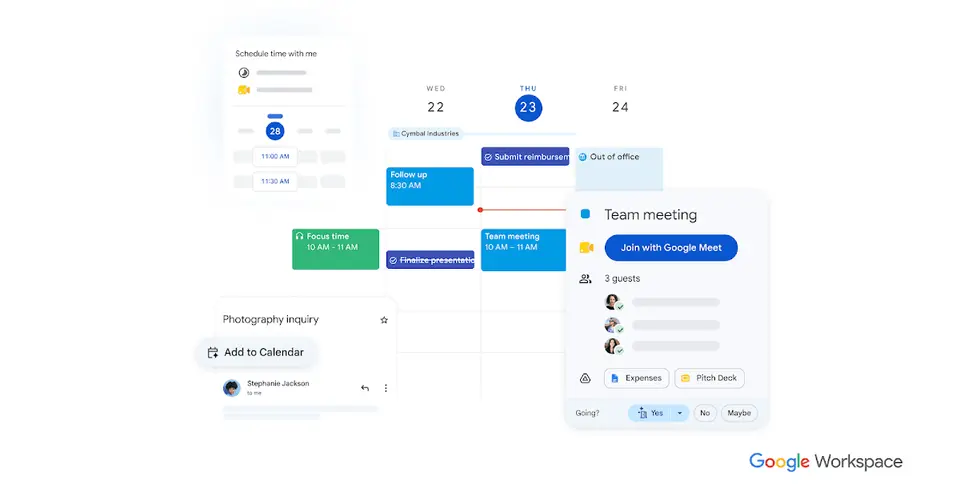
Every plan, grade, refund rule and rival among calendar and scheduling apps, read from Google Calendar’s own pages.
Made by Google · checked Oct 9, 2026 · toolgpa.com
Contents
- 01WelcomeWhat it is, who it suits, its grades and the ten things to know first
- 02Insider tipsWhat most people miss: ways to pay less, settings worth changing and the catches
- 03What it costsEvery plan, the free plan, ways to pay less and how prices have moved
- 04What it doesIts main features, where it runs, what it works with and who makes it
- 05Where it standsIts grades against its category, and whether to keep it or make your own
- 06After you payGetting your money back, getting out, and getting help
- 07The alternativesThe tools it is most often weighed against, side by side
- 08Quick answersThe questions people ask about it, each answered in a line or two
- 09About ToolGPAWho made this guide, what else is on the site, and how to cite it
ToolGPA put this guide together from Google Calendar’s own pages, its app-store listings and our grades. Every fact in it is on Google Calendar’s page too, where it is kept up to date. Checked Oct 9, 2026.
Part 01 · Overview
Welcome
What it is, who it suits, its grades and the ten things to know first
3.4
GPA, above 72 of the 74 other calendar and scheduling apps we grade
Google Calendar is Google's online calendar for the web, Android and iOS. It is free with a personal Google Account. The business version is not sold on its own: it comes bundled in Google Workspace together with Gmail, Drive and Meet, and the higher Workspace editions add extras such as multiple appointment booking pages with payments and Gemini features that schedule from Gmail.
To get you started, here are 10 things to know about Google Calendar, taken from its own pages and our grades.
There's no desktop app, and Time Insights is for work and school accounts on a computer only.
- 1
Best for a free calendar for anyone with a Google Account
Google Calendar comes free with a Google Account on web, Android and iPhone, with shared, layered calendars and one booking page.
- 2
Paid plans start at $7 a month for each person
As its pricing page puts it: $7 per user / month with a 1-year commitment (Workspace Business Starter).
- 3
There is a free plan
Free with a personal Google Account on web, Android and iOS, including one appointment booking page. Extra booking pages, payments and automatic email reminders need a paid plan.
- 4
It runs on 3 platforms
Web, iOS and Android.
- 5
Appointment booking pages
Publish a page where others pick a time on your calendar. Eligible paid plans allow several schedules, Stripe payments, email verification and up to 20 co-hosts.
- 6
Shared and layered calendars
Create calendars shared with a team or a whole organization, and view several calendars together, color-coded by category.
- 7
Scheduling from Gmail with Gemini
On Workspace plans, Gemini in Gmail can suggest meeting times and add events detected in an email with one click.
- 8
Refunds: no set window
Paying for Calendar means paying for Google Workspace, so Google's account-wide billing rules apply. On the monthly Flexible Plan this is one of the fairer deals around: cancel at any time without penalty, pay only for the days you used, leftover credit refunded to your card.
- 9
A 3.4 GPA, above 72 of 74
That is against the other calendar and scheduling apps we grade, on value, the free plan, features, ease of use and platforms.
- 10
Keep it
The plain part of Google Calendar you could make: calendar and tasks. What surrounds it you could not. The 5 things listed below take a company, not a weekend.
Google Calendar at a glance
- Pricing
- Free plan, from $7 per user / month with a 1-year commitment (Workspace Business Starter)
- Free plan
- Yes
- Free trial
- 14-day Google Workspace trial for new customers, limited to 10 users; billing details required
- Runs on
- Web, iOS, Android
- Made by
- Category
- Calendar & Scheduling
- Our grade
- 3.4 GPA, very good
- Store rating
- 4.5 on the App Store, 132,178 ratings
The report card
Best for a free calendar for anyone with a Google Account
Google Calendar comes free with a Google Account on web, Android and iPhone, with shared, layered calendars and one booking page. You can't buy it by itself, only as part of Google Workspace from $7 a user with a 1-year commitment, and extra booking pages, payments and reminders wait for Business Standard at $14. There's no desktop app, and Time Insights is for work and school accounts on a computer only.
| Subject | Grade | Comment |
|---|---|---|
| Value for money | A | For a person it's free, with one booking page, in a category whose middle plan is $6 a month. The paid route is the awkward bit: you buy all of Workspace from $7 a user, and Starter adds nothing to the calendar. |
| Free plan and trial | A | Free with a personal Google Account on web, Android and iPhone, with one appointment booking page. Extra booking pages, payments and automatic email reminders are the paid bits. |
| Features | B | The whole job: shared, color-coded calendars viewed together, a booking page, Meet links and files on events, Google Tasks beside them. No plain-language entry to speak of, and Time Insights is work accounts on a computer only. |
| Ease of use | B | 4.5 from about 132,000 App Store ratings. If you have a Google Account there's nothing to set up at all, and on Workspace plans an event spotted in an email goes in with one click. |
| Platforms and integrations | B | Web, Android and iPhone, tied into Gmail, Google Meet, Google Tasks and Stripe for paid bookings. No desktop app is listed, so on a computer it's a browser tab. |
An A is worth 4 points, a B 3, a C 2, a D 1 and an F nothing. The GPA is the average of the five.
Who Google Calendar is for
- Fits if you already have a Google Account and want a calendar that costs nothing
- Works for companies putting mail, files and meetings on Google Workspace anyway
Who it is not for
- Skip it if you want a desktop app, as it's web, Android and iPhone only
- Pricey if you just want several booking pages, since that takes Business Standard at $14 a user or an eligible Google One plan
- Not for you if you want to pay for Calendar on its own: the paid version only comes inside Google Workspace
- Not for you if you want Time Insights on a personal account, as it's for work and school accounts, on a computer
- Watch out: the 14-day Workspace trial needs billing details and stops at 10 users, and the lower prices need a 1-year commitment
Good to know
Good for
- Anyone who already has a Google Account and wants a free calendar
- Organizations standardizing on Google Workspace for mail, files and meetings
- Taking bookings through a single free appointment page
Worth knowing
- The paid version is only sold as part of Google Workspace, which also includes Gmail, Drive and Meet.
- Personal accounts and Business Starter get one booking page; extra schedules, payments and reminders need Business Standard or higher, or an eligible Google One plan.
- Time Insights and working hours and location are limited to work or school accounts, and Time Insights can only be viewed on a computer.
- No desktop app is listed; Google offers it on the web and as Android and iOS apps.
Part 02 · Tips
Insider tips
What most people miss: ways to pay less, settings worth changing and the catches
7
Things most people miss, each from its own help pages
The things about Google Calendar that are easy to miss until they cost you: ways to pay less, settings worth changing and the catches at renewal or when you leave. Each one is from Google Calendar’s own pages, linked beside it.
Read on Oct 17, 2026. Read from Google Calendar Help (invitations, keyboard shortcuts, notifications, settings, syncing with other apps, deleting events and exporting) on 17 October 2026. Not tried out: these tips are what its own pages say.
- 1
Setting
Only add invites from people you know to stop calendar spam
Under Settings, Event settings, Add invitations to my calendar, pick Only if the sender is known. Invites from strangers still arrive by email, but stay off your calendar until you act. Google warns this might let senders see they're not in your contacts.
support.google.com - 2
Shortcut
Press c to make an event and t to jump back to today
On a computer, d, w and m switch to day, week and month, j moves to the next stretch, / jumps to search and ? lists the rest. If nothing happens, tick Enable keyboard shortcuts in Settings and save.
support.google.com - 3
Setting
Stop alerts for invites you haven't said yes to
Under Settings, Notification settings, tick Notify me only if I have responded Yes or Maybe. Then a meeting you were added to and never answered stops sending you alerts. Per calendar, Other notifications lets you switch off the emails about changed events and replies.
support.google.com - 4
Setting
Add a second time zone or a world clock to your calendar
Working with people abroad? Under Settings, General, Time zone, you can add a second time zone next to your own, and the World clock setting shows the time in other parts of the world on your calendar.
support.google.com - 5
Privacy
Never share the secret iCal address, and reset it if you did
Each calendar has a Secret address in iCal format under its Integrate calendar settings. Anyone with that link can see the calendar, so Google says only you should know it. If it got out, press Reset there to make a new one, then update any app using the old one.
support.google.com - 6
Easy to miss
Deleted events sit in Trash for 30 days, except some repeating ones
On a computer, Settings then Trash shows what you deleted in the last 30 days, one trash per calendar. But if you delete a repeating event with This and following events, those go for good and can't be restored.
support.google.com - 7
Leaving
Export every calendar at once as a zip of ICS files
On a computer, go to Settings, Import & export and click Export. You get a zip with one ICS file per calendar. You can't do it from the phone app, and you need the Make changes and manage sharing permission on each calendar you want out.
support.google.com
Part 03 · Pricing
What it costs
Every plan, the free plan, ways to pay less and how prices have moved
$7
A month to start, for each person. There is a free plan too
Google Calendar has a free plan. Paid plans start at $7 per user / month with a 1-year commitment (Workspace Business Starter).
Free with a personal Google Account on web, Android and iPhone, with one appointment booking page.
Personal Google Account
$0
Calendar for personal use with a single appointment booking page and no premium booking features.
Business Starter
$7
per user / month, 1-year commitment ($8.40 flexible)
Google Workspace with 30 GB pooled storage per user. Calendar is still limited to one booking page.
Business Standard
$14
per user / month, 1-year commitment ($16.80 flexible)
2 TB pooled storage per user, plus premium appointment schedules: multiple booking pages, payments and reminders.
Business Plus
$22
per user / month, 1-year commitment ($26.40 flexible)
5 TB pooled storage per user, with the same premium appointment schedule features as Business Standard.
Enterprise
Custom
For organizations beyond the 300-user limit of the Business editions; priced through Google sales.
The free plan
Free with a personal Google Account on web, Android and iOS, including one appointment booking page. Extra booking pages, payments and automatic email reminders need a paid plan.
Trying it first
14-day Google Workspace trial for new customers, limited to 10 users; billing details required
Read from knowledge.workspace.google.com on Oct 9, 2026.
Ways to pay less
Annual discount
Lower rate with a 1-year commitment
Business Starter costs $7 per user per month on the Annual/Fixed-Term Plan versus $8.40 on the Flexible Plan. Standard drops from $16.80 to $14 and Plus from $26.40 to $22.
Stated on knowledge.workspace.google.comNonprofit
Google Workspace for Nonprofits at $0
Verified nonprofits get Google Workspace for Nonprofits at $0 per user, or Business Standard at $3.50 and Business Plus at $6.16 per user per month on a 1-year commitment.
Stated on google.comEducation
Education Fundamentals at no charge
Google Workspace for Education Fundamentals is available at no charge to qualifying institutions.
Stated on edu.google.comBy country
Lower price shown to buyers in India
On 9 October 2026 Google's Workspace pricing page showed Starter at ₹270 per user a month to a reader in India. Google's help page gives the US rate for Business Starter as $7, or $8.40 without a 1-year commitment.
Stated on workspace.google.com
How its prices have moved
- Feb 1, 2025Business Plus: $18 per user / month, 1-year commitment ($21.60 flexible) → $22 per user / month, 1-year commitment ($26.40 flexible)The archived copy of the Google Workspace pricing page of 1 February 2025 shows Business Plus at $22; the copy of 1 January 2025 still shows $18, as every US dollar copy back to October 2020 did. Both give the price on a 1-year commitment.
- Feb 1, 2025Business Standard: $12 per user / month, 1-year commitment ($14.40 flexible) → $14 per user / month, 1-year commitment ($16.80 flexible)The archived copy of the Google Workspace pricing page of 1 February 2025 shows Business Standard at $14; the copy of 1 January 2025 still shows $12, as every US dollar copy back to October 2020 did. Both give the price on a 1-year commitment.
- Feb 1, 2025Business Starter: $6 per user / month, 1-year commitment ($7.20 flexible) → $7 per user / month, 1-year commitment ($8.40 flexible)The archived copy of the Google Workspace pricing page of 1 February 2025 shows Business Starter at $7; the copy of 1 January 2025 still shows $6, as every US dollar copy back to October 2020 did. Both give the price on a 1-year commitment.
What the app costs elsewhere
Each country’s App Store price for “100 GB”, against $1.99 in the United States, in dollars at the day’s rate. The four cheapest and the four dearest of 11.
| Country | Price there | In dollars | Against the US |
|---|---|---|---|
| India | ₹ 149 | $1.54 | 23% less |
| Turkey | ₺84,99 | $1.73 | 13% less |
| Indonesia | Rp 32ribu | $1.79 | 10% less |
| Philippines | ₱ 119.00 | $1.89 | about the same |
| South Africa | R34.99 | $2.12 | 6% more |
| Mexico | $39.00 | $2.14 | 8% more |
| Germany | 1,99 € | $2.23 | 12% more |
| United Kingdom | £1.79 | $2.37 | 19% more |
Part 04 · Features
What it does
Its main features, where it runs, what it works with and who makes it
3
Places it runs: Web, iOS and Android
Online calendar from Google, free with a personal account. Here is what it does, as its own site describes it, and what it covers: AI features, tasks, calendar, booking links.
The whole job: shared, color-coded calendars viewed together, a booking page, Meet links and files on events, Google Tasks beside them.
- Appointment booking pages
- Publish a page where others pick a time on your calendar. Eligible paid plans allow several schedules, Stripe payments, email verification and up to 20 co-hosts.
- Shared and layered calendars
- Create calendars shared with a team or a whole organization, and view several calendars together, color-coded by category.
- Scheduling from Gmail with Gemini
- On Workspace plans, Gemini in Gmail can suggest meeting times and add events detected in an email with one click.
- Google Meet and attachments
- Events can carry a Google Meet video link and attached files, so the call and its documents open from the invitation.
- Time Insights and working location
- Work and school accounts can see how much time goes to meetings and who they meet most, and can share working hours and location.
- Tasks on the calendar
- Items from Google Tasks appear on the calendar next to events.
Where it runs
- Web
- iOS
- Android
What it works with
- Gmail
- Google Meet
- Google Tasks
- Stripe
Google Calendar is made by Google.
Part 05 · Standing
Where it stands
Its grades against its category, and whether to keep it or make your own
72/74
Other calendar and scheduling apps it is graded above
Google Calendar's GPA of 3.4 is higher than 72 of the 74 other calendar and scheduling apps we grade, and level with 1.
It stands best on free plan and trial (A, above 56 of 74) and worst on platforms and integrations (B, above 25).
Its paid plans start at $7 a month for each person, against a middle price of $6 for the category: 30 of the 52 others that charge start lower.
On features, ease of use and platforms it scores 3.0 out of 4. 5 tools score higher and cost less.
Each grade against the category
Every bar is all 75 calendar and scheduling apps we grade, cut by the letter each got. Google Calendar’s own letter is outlined.
- AValue for moneyAbove 45 of 74
- AFree plan and trialAbove 56 of 74
- BFeaturesAbove 47 of 74
- BEase of useAbove 32 of 74
- BPlatforms and integrationsAbove 25 of 74
Price against what you get
Each dot is one of 67 calendar and scheduling apps. Further left costs less; higher up scores better on features, ease of use and platforms. Google Calendar is the marked dot.
What paid plans start at, a month (each step along is roughly double) →
Keep it, or make your own?
Whether this is something you could build for yourself with an AI app builder, and what you would give up.
Keep it
The plain part of Google Calendar you could make: calendar and tasks. What surrounds it you could not. The 5 things listed below take a company, not a weekend.
It is one of the better ones too: its GPA of 3.4 is higher than 72 of the 74 other calendar and scheduling apps we grade. It costs $84 a year.
What you could make
- Calendar and tasks: an app builder makes these well.
What you could not
- Booking pages that read and write other people's calendars and send the emails.
- A real app for iOS and Android. Something home-made would be a web page.
- It is priced for each person, which means accounts and billing for a team.
- AI features, unless you pay a model provider for each request yourself.
- The depth: we grade its features B, which means it covers the whole job.
What this rests on. Google Calendar’s listing: what it does, where it runs, what it plugs into and what it costs. It is a judgement about the kind of software this is. We have not built a replacement for it, and making your own means looking after it too. How we decide, and every tool’s verdict.
Part 06 · Refunds
After you pay
Getting your money back, getting out, and getting help
What happens once you have paid: whether you can get your money back, how to leave, and how to reach a person when something goes wrong. Each is graded from Google Calendar’s own terms and help pages.
Refunds and cancelling
Good · checked Oct 18, 2026
Paying for Calendar means paying for Google Workspace, so Google's account-wide billing rules apply. On the monthly Flexible Plan this is one of the fairer deals around: cancel at any time without penalty, pay only for the days you used, leftover credit refunded to your card. Pick the cheaper 1-year commitment and the opposite is true: cancel early and you still owe the rest of the contract, with no refunds. Good on one plan, nothing on the other, so a B.
- Refund window
- No set window
- How you cancel
- Yourself, in settings
- Getting your money back
Google's Workspace billing help says it prorates the account and refunds unused credit, and that a credit balance left after you cancel everything is refunded automatically to the original payment method. On the Annual/Fixed-Term Plan you commit to the end of the term and payments through it are not refunded: the plan comparison page says cancelling early means paying the remaining balance, with no refunds.
Stated on knowledge.workspace.google.com- How to cancel Google Calendar
A Workspace subscription is cancelled by an administrator in the Google Admin console, under Billing and then Subscriptions, which needs the Billing management privilege. Google's page says to export user data first. A subscription bought through Google Play or the iPhone Settings app is cancelled in that store instead, and one bought from a reseller through the reseller.
- Export anything you want to keep with the Data Export tool first
- Sign in to the Google Admin console and open Billing, then Subscriptions
- Click the subscription, then More, then Cancel Subscription
- Pick a reason for cancelling and click Continue to cancel
- Read the alternatives offered and click Continue to cancel again
- Tick the confirmation box, enter your email address and click Cancel My Subscription
- What you keep afterwards
Google's page says you lose access to the core Workspace services, Calendar among them, and that user Workspace data is deleted after cancellation and cannot be restored, so it tells you to download it first with the Data Export tool. Cancelling does not by itself remove user accounts or groups. On an email-verified subscription you choose whether users keep their data as consumer accounts.
Stated on knowledge.workspace.google.com- Renewals
Google says an Annual/Fixed-Term contract renews automatically for another year if you do nothing, and that you are notified 30 days and 3 days before the renewal date. Auto-renewal can be switched off in the Admin console, in which case the service is suspended at the end of the term and can be restored by turning it back on. The Flexible Plan simply bills each month until it is cancelled.
Stated on knowledge.workspace.google.com
In your favour
- On the monthly Flexible Plan you cancel at any time without penalty and pay only for the days you used.
- Leftover credit is refunded to the card you paid with, automatically once everything is cancelled.
- Google warns you 30 days and again 3 days before a yearly contract renews, which few rivals do.
- An admin cancels the whole thing in the Admin console, with nobody to phone or email.
Watch out for
- The $7 Business Starter price needs a 1-year commitment, and cancelling early still costs you the rest of the contract.
- On that annual plan you cannot cut licences mid-term either: you pay for all of them until renewal.
- Workspace data is deleted after you cancel and cannot be restored, so export it before you press the button.
- A personal Google Account is free, so Calendar on one costs nothing and there is nothing to refund.
Customer support
Excellent · checked Oct 18, 2026
Pay for Workspace and you can reach a real person: an admin opens the console, types Contact support and is queued for a live agent, or sends email instead. Google states the hours, 24 hours a day in English in every country it serves, and a target of an initial reply within one business day. Add a huge help centre and a public community and that is an A. The catch is who it is for: the admin, and not free users at all.
Ways to get help
Live chat
A Workspace administrator clicks Get help in the Admin console, describes the problem, types Contact support and chooses Chat, then waits in a queue to be connected to a Google support representative. It needs the Support administrator privilege.
Stated on knowledge.workspace.google.comEmail
The same Get help flow in the Admin console offers Email instead of chat, which opens a support case with Google. It is for administrators with the Support administrator privilege, not for ordinary users.
Stated on knowledge.workspace.google.comHelp centre
The Google Calendar Help Center has written articles and guides on using and troubleshooting Calendar on the web, Android and iPhone, open to anyone without signing in.
Stated on support.google.comCommunity or forum
The Google Calendar Community is a public forum where users and Google product experts answer questions. Administrators have a separate Workspace Admin community.
Stated on support.google.com
Not listed on Google Calendar’s pages: phone.
- When people answer
Google's support languages table gives English support as 24/7 for all countries, with local-language support 24/7 in many of them. A few languages are business hours only: German in Austria and Dutch and French in Belgium are listed as 9:00 to 18:00, Monday to Friday, UTC+1.
Stated on knowledge.workspace.google.com- How fast it says it replies
Google says it investigates by priority level and time of submission, and that you can expect an initial response within 1 business day or less. It sets out four priority levels, from a critical outage affecting several users down to a cosmetic fault, but states no resolution time, saying that varies with the complexity of the issue.
Stated on knowledge.workspace.google.com- What depends on your plan
Standard Support comes with every Workspace edition. Enhanced Support, a paid upgrade on Business Standard and Plus and included in Enterprise, states a one-hour response time for the most critical cases and 24/7 cover for the top two priorities. Premium Support, a paid upgrade on Enterprise, states 15 minutes for the most critical cases and 24/7 cover for the top three.
Stated on workspace.google.com
In your favour
- Live chat with a Google agent is there on every paid edition, not just the expensive ones.
- English support is stated as running 24 hours a day, every day, in every country Google serves.
- Google states a target of an initial reply within one business day or less.
- The help centre and the public community are open to free users as well as paying ones.
Watch out for
- Only an administrator with the right privilege can contact support, so an ordinary user has to go through them.
- On a free personal Google Account there is no way to reach a person at all: articles and the forum only.
- Google states a first-reply target but no time by which anything will actually be fixed.
- The one-hour and 15-minute response targets cost extra on Business plans.
What these two grades rest on. Read on 18 October 2026: Google's Workspace admin help on cancelling, refunding remaining credit, renewing an annual contract and comparing payment plans, its pages on contacting Workspace support and on support hours, the Customer Care page, and the Calendar Help Center and community. These are account-wide Workspace policies, not rules for Calendar. Nobody here cancelled a plan or contacted support. They are graded apart from the five that make the GPA. How we grade refunds and support.
Part 07 · Alternatives
The alternatives
The tools it is most often weighed against, side by side





Notion Calendar, Fantastical, Vimcal, Calendly and Morgen
The 5 tools Google Calendar is most often weighed against, with where each one differs from it.
- 3.6GPA
Notion Calendar
Free
Free calendar app that connects to Notion databases.
- Only Notion Calendar lists macOS and Windows apps.
- Google Calendar also covers tasks.
- 2.4GPA
Fantastical
Free plan · from $4.75/mo
Calendar and tasks app for Apple devices, Windows and Googlebook.
- Only Google Calendar lists a web app.
- Only Google Calendar lists an Android app.
- Only Fantastical lists macOS and Windows apps.
- 2.4GPA
Vimcal
Free plan · from $25/mo
Fast calendar for people with heavy meeting schedules.
- Only Google Calendar lists an Android app.
- Only Vimcal lists macOS and Windows apps.
- Google Calendar also covers tasks.
- 2.8GPA
Calendly
Free plan · from $10/mo
Booking links and team scheduling for external meetings.
- Only Calendly lists a browser extension.
- Google Calendar also covers tasks and calendar.
- Calendly also covers meeting notes and transcription.
- 2.4GPA
Morgen
Free trial · from $15/mo
Calendar and daily planner with AI-suggested time blocking.
- Google Calendar has a free plan. Morgen does not, though it has a free trial.
- Only Morgen lists macOS, Windows and Linux apps.
- Morgen also covers time blocking and auto-scheduling.
Part 08 · Questions
Quick answers
The questions people ask about it, each answered in a line or two
20
Questions, each answered in a line or two
The short version of everything above, for when you only need the answer. Each one is told in full in its part of the guide.
Is Google Calendar free?
Google Calendar has a free plan. Free with a personal Google Account on web, Android and iOS, including one appointment booking page.
How much does Google Calendar cost?
Google Calendar lists 5 plans. Personal Google Account: $0.
What platforms does Google Calendar work on?
Google Calendar is available on Web, iOS and Android.
Does Google Calendar offer any discounts?
Google Calendar publicly lists the following: Lower rate with a 1-year commitment; Google Workspace for Nonprofits at $0; Education Fundamentals at no charge; Lower price shown to buyers in India.
How is Google Calendar rated?
Google Calendar's iPhone and iPad app averages 4.5 out of 5 from 132,178 ratings on the App Store in the United States, as read on Oct 5, 2026.
Does Google Calendar have a Windows app?
No Windows app was listed when its pages were read on Oct 9, 2026. Google Calendar is listed for Web, iOS and Android.
Does Google Calendar have a macOS app?
No macOS app was listed when its pages were read on Oct 9, 2026. Google Calendar is listed for Web, iOS and Android.
Is Google Calendar open source?
Google Calendar is not described as open source on its own site, as read on Oct 9, 2026.
What does Google Calendar integrate with?
Google Calendar's listing names Gmail, Google Meet, Google Tasks and Stripe.
Does Google Calendar have a student discount?
Education Fundamentals at no charge. Google Workspace for Education Fundamentals is available at no charge to qualifying institutions.
Does Google Calendar have a free trial?
Yes. 14-day Google Workspace trial for new customers, limited to 10 users; billing details required.
Who makes Google Calendar?
Google Calendar is made by Google.
What are the alternatives to Google Calendar?
The closest alternatives to Google Calendar in our directory are Notion Calendar, Fantastical, Vimcal, Calendly and Morgen.
Does Google Calendar give refunds?
Google's Workspace billing help says it prorates the account and refunds unused credit, and that a credit balance left after you cancel everything is refunded automatically to the original payment method.
How do I cancel Google Calendar?
A Workspace subscription is cancelled by an administrator in the Google Admin console, under Billing and then Subscriptions, which needs the Billing management privilege.
What happens to my data if I cancel Google Calendar?
Google's page says you lose access to the core Workspace services, Calendar among them, and that user Workspace data is deleted after cancellation and cannot be restored, so it tells you to download it first with the Data Export tool.
How do I contact Google Calendar support?
Google Calendar's pages list these ways to get help: live chat, email, help centre and community or forum.
How does Google Calendar compare with other calendar and scheduling apps?
Google Calendar's GPA of 3.4 is higher than 72 of the 74 other calendar and scheduling apps we grade, and level with 1.
Is Google Calendar good value for money?
ToolGPA grades Google Calendar A for value for money. Its paid plans start at $7 a month for each person, against a middle price of $6 for the category: 30 of the 52 others that charge start lower.
Could I make my own version of Google Calendar?
The plain part of Google Calendar you could make: calendar and tasks. What surrounds it you could not.
Where this guide comes from
The prices, plans, platforms and features were read from Google Calendar’s own pages on Oct 9, 2026, and the grades were given on Oct 10, 2026. Graded from this listing, whose facts were read from Google's own pages on 9 October 2026, and its App Store rating. Also tested with a demo account on 2026-03-07.
Every tool we list gets five grades, A to F, each with its reason, and a GPA that averages them. How each is decided is at toolgpa.com/grades. This guide is ToolGPA’s own work; it is not made, paid for or approved by Google. Prices change, so check workspace.google.com before you buy.
- workspace.google.com/products/calendar/
- knowledge.workspace.google.com/admin/billing/compare-flexible-and-annual-fixed-term-payment-plans
- knowledge.workspace.google.com/admin/getting-started/editions/business-editions
- workspace.google.com/pricing
- workspace.google.com/faq/
- support.google.com/calendar/answer/16287038?hl=en
- support.google.com/calendar/answer/2465776?hl=en
- support.google.com/calendar/answer/10738043?hl=en
- support.google.com/calendar/answer/7638168?hl=en&co=GENIE.Platform%3DDesktop
- google.com/nonprofits/offerings/workspace/
- edu.google.com/workspace-for-education/editions/compare-editions/
Part 09 · About
About ToolGPA
Who made this guide, what else is on the site, and how to cite it
3,189
Tools graded, in 94 categories
ToolGPA grades software the way a school report grades a pupil: five subjects, a letter for each with the reason written beside it, and a GPA that averages them. Prices, plans and platforms are read from each maker’s own pages and dated, so you always know how fresh a figure is.
Every grade, review and ranking on ToolGPA is our own judgement. No company can pay for a grade or change one. Every tool on the site has a guide like this one, free to download and pass on. It all lives at toolgpa.com.
3,189
tools graded
94
categories
426
price changes on record
579
apps priced in 12 countries
What else is on toolgpa.com
- Google Calendar, kept up to dateEverything in this guide, with prices and grades as they are todaytoolgpa.com/tools/google-calendar
- How grades are givenThe rules behind every letter and every GPAtoolgpa.com/grades
- Value chartsWhat each tool costs against what it scores, for every categorytoolgpa.com/charts
- CompareAny two tools side by side, plan by plantoolgpa.com/compare
- Price changesEvery price rise and cut on record, each with its sourcetoolgpa.com/price-changes
- Prices by countryWhat apps cost on the App Store in 12 countriestoolgpa.com/prices-by-country
- Pay lessEvery public discount: yearly billing, students, nonprofitstoolgpa.com/save
- Keep or makeWhich tools are worth paying for, and which you could build yourselftoolgpa.com/keep-or-make
Scan for the live page
Prices and grades as they are today
Quoting this guide?
Please name ToolGPA and link to the live page, so readers can check the figures for themselves:
ToolGPA, "Google Calendar: The Insider's Guide", checked Oct 9, 2026. https://toolgpa.com/tools/google-calendar
Know someone choosing between calendar and scheduling apps?
Send them this guide: toolgpa.com/tools/google-calendar/guide
ToolGPA elsewhere: youtube.com/@toolgpa
See our other guides
The best-graded calendar and scheduling apps after Google Calendar, each with an Insider's Guide of its own.
- Calendar & Scheduling Insider's GuideEvery one of the 75 calendar and scheduling apps we grade, compared
- Notion Calendar Insider's GuideFree calendar app that connects to Notion databases3.6 GPA
- World Time Buddy Insider's GuideVisual time zone converter and world clock for planning calls3.4 GPA
- Apple Calendar Insider's GuideFree built-in calendar for iPhone, iPad, Mac and iCloud.com3.2 GPA


Choosing software? Every tool graded, every price dated.
Compare tools at toolgpa.com ›Everything in this guide is ToolGPA’s own summary of what Google Calendar’s pages, its app-store listings and public reviews said on the dates shown. Grades are our judgement under the rules at toolgpa.com/grades. Every grade, review and ranking on ToolGPA is our own judgement. No company can pay for a grade or change one. Google Calendar is a trademark of its owner, and this guide is not made, paid for or approved by Google. Prices and plans change: check workspace.google.com before you buy.