The Google Docs Insider’s Guide
Everything we know about Google Docs in one document: what it costs, its grades, getting a refund, getting help and what else to look at. Read it here, or keep a copy.
Google Docs
The Insider’s Guide
Browser-based word processor, free with a Google Account
Every plan, grade, refund rule and rival among docs and wiki tools, read from Google Docs’s own pages.
Made by Google · checked Oct 10, 2026 · toolgpa.com
Contents
- 01WelcomeWhat it is, who it suits, its grades and the ten things to know first
- 02Insider tipsWhat most people miss: ways to pay less, settings worth changing and the catches
- 03What it costsEvery plan, the free plan, ways to pay less and how prices have moved
- 04What it doesIts main features, where it runs, what it works with and who makes it
- 05Where it standsIts grades against its category, and whether to keep it or make your own
- 06After you payGetting your money back, getting out, and getting help
- 07The alternativesThe tools it is most often weighed against, side by side
- 08Quick answersThe questions people ask about it, each answered in a line or two
- 09About ToolGPAWho made this guide, what else is on the site, and how to cite it
ToolGPA put this guide together from Google Docs’s own pages, its app-store listings and our grades. Every fact in it is on Google Docs’s page too, where it is kept up to date. Checked Oct 10, 2026.
Part 01 · Overview
Welcome
What it is, who it suits, its grades and the ten things to know first
3.4
GPA, above 48 of the 51 other docs and wiki tools we grade
Google Docs is an online word processor in which several people can write, comment on and revise the same document at once. It is free with a personal Google Account and is also part of every Google Workspace business plan. Gemini drafting and eSignature are reserved for Business Standard and higher editions.
To get you started, here are 10 things to know about Google Docs, taken from its own pages and our grades.
If you need Word-level layout, look elsewhere.
- 1
Best for writing documents together, for free
Google Docs is a browser word processor, free with a Google Account, where several people can type and comment in one document at once.
- 2
Paid plans start at $7 a month for each person
As its pricing page puts it: $7 per user / month with a 1-year commitment (Workspace Business Starter).
- 3
There is a free plan
Free with a personal Google Account: anyone signed in can create, edit and share documents. Some features, such as joining a Meet call from a document, need a Google Workspace plan.
- 4
It runs on 3 platforms
Web, iOS and Android, with a browser extension too.
- 5
Co-editing, comments and version history
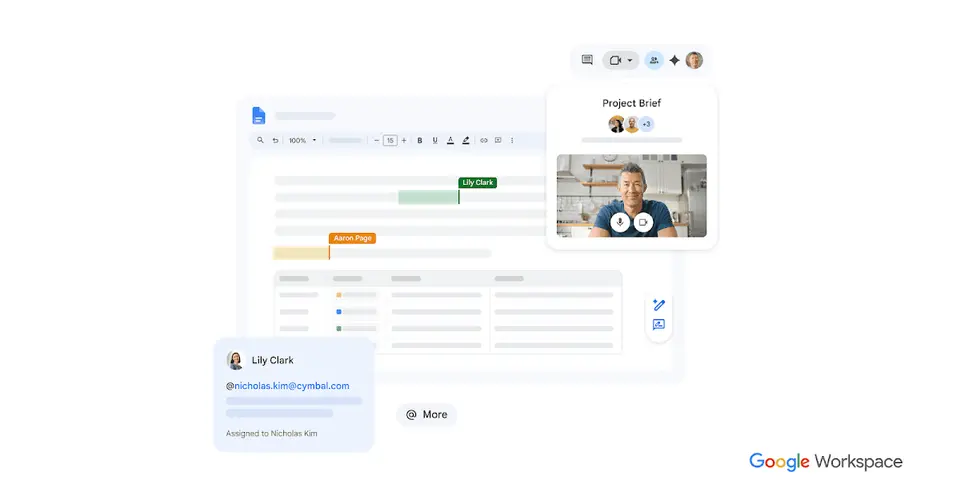
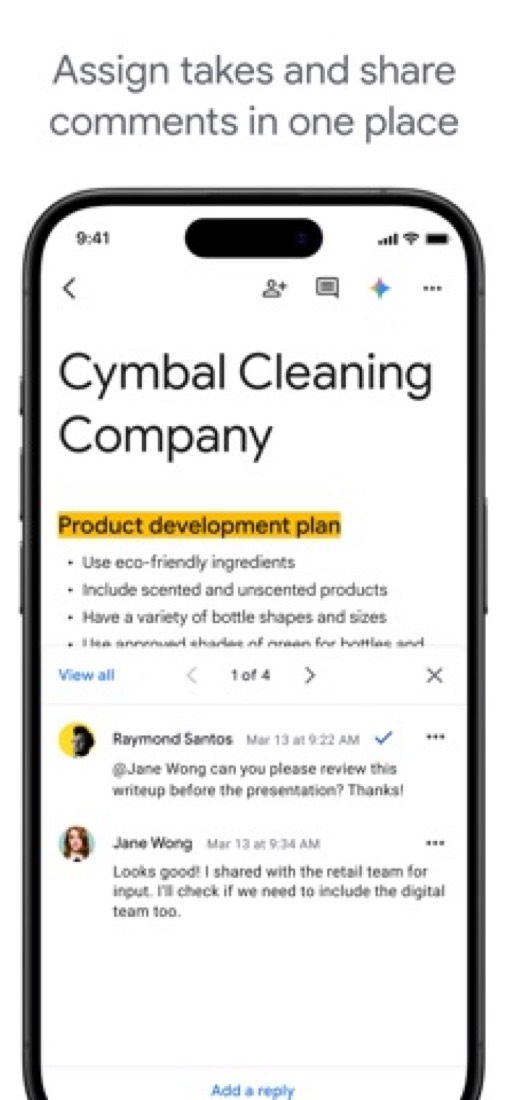
Several people can edit one document at the same time, leave comments and assign action items. Earlier versions can be opened and restored, and sharing settings control who can view, comment or edit.
- 6
Smart chips and building blocks
Typing @ inserts people, files, calendar events and dropdown menus, or building blocks such as meeting notes, email drafts and review trackers.
- 7
Document tabs and pageless mode
A document can be split into tabs for each part of a project or report, and pageless mode removes page breaks for continuous writing.
- 8
Refunds: no set window
Docs itself has no price: paying for it means paying for Google Workspace, so Google's account-wide billing rules apply. On the monthly Flexible Plan this is one of the fairer deals around: cancel at any time without penalty, pay only for the days you used, leftover credit refunded to your card.
- 9
A 3.4 GPA, above 48 of 51
That is against the other docs and wiki tools we grade, on value, the free plan, features, ease of use and platforms.
- 10
Keep it
The plain part of Google Docs you could make: documents and templates. What surrounds it you could not. The 4 things listed below take a company, not a weekend.
Google Docs at a glance
- Pricing
- Free plan, from $7 per user / month with a 1-year commitment (Workspace Business Starter)
- Free plan
- Yes
- Free trial
- 14-day Google Workspace trial
- Runs on
- Web, iOS, Android, Browser extension
- Made by
- Category
- Docs & Wikis
- Our grade
- 3.4 GPA, very good
- Store rating
- 4.8 on the App Store, 3,262,473 ratings
The report card
Best for writing documents together, for free
Google Docs is a browser word processor, free with a Google Account, where several people can type and comment in one document at once. It has less formatting control than Word, the phone app has lagged on long documents, there's no Windows or Mac app, and Gemini and eSignature start at $14 a user a month. If you need Word-level layout, look elsewhere.
| Subject | Grade | Comment |
|---|---|---|
| Value for money | A | For almost everybody it's free, and that's the full word processor. The business version only comes inside Google Workspace, from $7 a user a month on a one-year commitment with Gmail, Drive and Meet, under this category's $15 middle. Gemini and eSignature wait for $14. |
| Free plan and trial | A | Free with a personal Google Account: editing together, comments, version history and offline editing are all in it. Gemini drafting, eSignature and joining a Meet call from a document are kept back for Workspace plans. |
| Features | C | Several people in one document, comments and assigned action items, version history you can restore from, @ chips for people, files and events, document tabs and Word files edited without a copy. The gap is formatting: reviewers who like Docs say it has less power than Word, and the AI costs more. |
| Ease of use | A | 4.79 from about 3.3 million App Store ratings, far more ratings than anything else in this category. Open a tab, start typing, share the link. It saves by itself, so there's no save button to forget. |
| Platforms and integrations | B | A browser, plus iPhone, iPad and Android apps, an API, and the rest of Google wired in: Gmail, Drive, Sheets, Meet, Calendar and Chat. But Google lists no Windows or Mac app, and working offline on a computer needs Chrome or Edge with the Docs Offline extension. |
An A is worth 4 points, a B 3, a C 2, a D 1 and an F nothing. The GPA is the average of the five.
Who Google Docs is for
- Fits if several of you need to write and comment on the same document at once
- Works for collecting edits and comments from people outside your company
Who it is not for
- Skip it if you need Word's heavier formatting, which reviewers who like Docs still say it lacks
- Not for you if you want a desktop app, since Google lists none for Windows or Mac
- Tight if you work offline on a computer, as that needs Chrome or Edge with an extension
- Pricey if you want Gemini or eSignature: both start on Business Standard at $14 a user a month yearly
- Watch out: the tablet app lagged past 10,000 words for one reviewer, and businesses can't buy Docs on its own
Good to know
Good for
- People and teams who draft and review documents together in a browser
- Organizations that already pay for Google Workspace
- Collecting edits and comments from collaborators outside the company
Worth knowing
- There is no standalone paid Docs plan; the business version comes only as part of Google Workspace, with Gmail, Drive and Meet.
- Gemini in Docs and eSignature are not in Business Starter; both start at Business Standard, $14 per user / month on a 1-year commitment.
- Offline editing on a computer works only in Chrome or Microsoft Edge with the Google Docs Offline extension installed.
- Google lists Docs for web browsers, Android, iPhone and iPad; no Windows or Mac desktop app is listed.
What people say
- 4.8on the App Store, from 3,262,473 ratings
What they like
- Several people editing one document at the same time, with comments and no copies sent back and forth, is the feature reviewers and a commenter single out.
- Reviewers say they start a document on one device and carry on with it on another, such as a phone or tablet away from the desk and a computer later.
What they don’t
- It is described as having fewer features than Microsoft Word, by reviewers who otherwise like it and by a commenter.
- The phone and tablet app draws complaints in reviews from 2018 to 2024 that are not made of the desktop version, such as lag on long documents and awkward handling of comments.
9 App Store reviews, six of them more than three years old, and about 15 Hacker News comments from late September and early October 2026, most of them passing mentions
Part 02 · Tips
Insider tips
What most people miss: ways to pay less, settings worth changing and the catches
7
Things most people miss, each from its own help pages
The things about Google Docs that are easy to miss until they cost you: ways to pay less, settings worth changing and the catches at renewal or when you leave. Each one is from Google Docs’s own pages, linked beside it.
Read on Oct 17, 2026. Read from Google's Docs Editors help, Google Account help and Google Workspace admin help on 17 October 2026. Not tried out: these tips are what its own pages say.
- 1
Setting
Turn on Markdown in Tools > Preferences
Tick Enable Markdown there. Then you can right-click to Copy as Markdown or Paste from Markdown, and File > Download offers Markdown (.md). Handy if your writing ends up on GitHub, a blog or in an AI chat.
support.google.com - 2
Shortcut
Press Ctrl+/ for every shortcut and Alt+/ to find any menu item
On a Mac it's Cmd+/ and Option+/. Two more worth learning: Ctrl+Shift+V pastes without the formatting, and Ctrl+\ clears formatting from selected text (Cmd instead of Ctrl on a Mac).
support.google.com - 3
Easy to miss
Name the versions you'll want back
Google's help page warns that revisions may occasionally be merged. Open version history, pick a version, then More > Name this version. You can name up to 40 per document and make a copy of any old one. Only people who can edit see version history.
support.google.com - 4
Privacy
Hide your views from the Activity dashboard on work files
On files from a work or school account, others may see that you viewed them. To stop that, open Settings from the Docs menu and turn off Show your view history, or do it for one file under Tools > Activity dashboard privacy.
support.google.com - 5
Pay less
Your docs eat into the same 15 GB as Gmail and Photos
Docs created or edited since June 1, 2021 count against your storage, and so does Drive Trash. Go over and you can't create new Docs, and nobody can edit your files until you clear space. Files others share with you count against their storage, not yours.
support.google.com - 6
Renewal
Set the yearly Workspace plan to renew with fewer licences
On the Annual plan, removing users doesn't cut the bill until renewal. In the Admin console, go to Billing > Subscriptions, click Change next to Renewal options and choose Auto-renew my contract with fewer licenses. It then renews for the users you have that day.
knowledge.workspace.google.com - 7
Leaving
Schedule a Takeout export every two months
Google Takeout can build an archive of your data now and then every 2 months for a year. It can go straight to Drive, Dropbox, OneDrive or Box, or come as a download link that expires in about 7 days and works five times.
support.google.com
Part 03 · Pricing
What it costs
Every plan, the free plan, ways to pay less and how prices have moved
$7
A month to start, for each person. There is a free plan too
Google Docs has a free plan. Paid plans start at $7 per user / month with a 1-year commitment (Workspace Business Starter).
For almost everybody it's free, and that's the full word processor.
Personal Google Account
$0
Create, edit and share documents in a browser or the mobile apps, with comments, version history and offline access.
Business Starter
$7
per user / month, 1-year commitment ($8.40 flexible)
Google Workspace with Docs and 30 GB of pooled storage per user. Gemini in Docs and eSignature are not included.
Business Standard
$14
per user / month, 1-year commitment ($16.80 flexible)
2 TB of pooled storage per user. The lowest Business edition with Gemini in Docs and eSignature with Docs and PDFs.
Business Plus
$22
per user / month, 1-year commitment ($26.40 flexible)
Everything in Standard with 5 TB of pooled storage per user, plus Vault, eDiscovery and advanced endpoint management.
Enterprise
Custom
No minimum or maximum user count, with data loss prevention, context-aware access and data regions; priced through Google sales.
The free plan
Free with a personal Google Account: anyone signed in can create, edit and share documents. Some features, such as joining a Meet call from a document, need a Google Workspace plan.
Trying it first
14-day Google Workspace trial
Read from workspace.google.com on Oct 10, 2026.
Ways to pay less
Annual discount
Save 16% with a 1-year commitment
Business Starter is $7 per user per month on the Annual/Fixed-Term Plan against $8.40 on the Flexible Plan. Standard drops from $16.80 to $14 and Plus from $26.40 to $22.
Stated on knowledge.workspace.google.comNonprofit
Google Workspace for Nonprofits at $0
Eligible nonprofits get Google Workspace for Nonprofits at $0, or Business Standard at $3.50 and Business Plus at $6.16 per user per month on a 1-year commitment.
Stated on google.comEducation
Education Fundamentals at no charge
Google Workspace for Education Fundamentals, which includes Docs, is available at no charge to qualifying institutions.
Stated on edu.google.com
How its prices have moved
- Feb 1, 2025Business Starter: $6 per user / month, 1-year commitment ($7.20 flexible) → $7 per user / month, 1-year commitment ($8.40 flexible)The archived copy of the Google Workspace pricing page of 1 February 2025 shows $7 for Business Starter; the copy before it, of 1 January 2025, still shows $6. The price rose between the two copies; both are US dollar copies showing the 1-year commitment price.
- Feb 1, 2025Business Standard: $12 per user / month, 1-year commitment ($14.40 flexible) → $14 per user / month, 1-year commitment ($16.80 flexible)The archived copy of the Google Workspace pricing page of 1 February 2025 shows $14 for Business Standard; the copy before it, of 1 January 2025, still shows $12. The price rose between the two copies; both are US dollar copies showing the 1-year commitment price.
- Feb 1, 2025Business Plus: $18 per user / month, 1-year commitment ($21.60 flexible) → $22 per user / month, 1-year commitment ($26.40 flexible)The archived copy of the Google Workspace pricing page of 1 February 2025 shows $22 for Business Plus; the copy before it, of 1 January 2025, still shows $18. The price rose between the two copies; both are US dollar copies showing the 1-year commitment price.
What the app costs elsewhere
Each country’s App Store price for “Google AI Pro (5 TB)”, against $199.99 in the United States, in dollars at the day’s rate. The four cheapest and the four dearest of 11.
| Country | Price there | In dollars | Against the US |
|---|---|---|---|
| Indonesia | Rp 3,099juta | $173.32 | 13% less |
| Philippines | ₱ 10,900.00 | $173.51 | 13% less |
| Turkey | ₺8.699,99 | $176.93 | 12% less |
| Canada | $269.99 | $189.78 | 5% less |
| Australia | $329.99 | $230.37 | 15% more |
| Germany | 219,99 € | $246.52 | 23% more |
| United Kingdom | £189.99 | $251.17 | 26% more |
| South Africa | R4,299.99 | $260.08 | 30% more |
Part 04 · Features
What it does
Its main features, where it runs, what it works with and who makes it
4
Places it runs: Web, iOS, Android and Browser extension
Browser-based word processor, free with a Google Account. Here is what it does, as its own site describes it, and what it covers: works offline, public API, AI features, real-time collaboration, templates, documents.
The gap is formatting: reviewers who like Docs say it has less power than Word, and the AI costs more.
- Co-editing, comments and version history
- Several people can edit one document at the same time, leave comments and assign action items. Earlier versions can be opened and restored, and sharing settings control who can view, comment or edit.
- Smart chips and building blocks
- Typing @ inserts people, files, calendar events and dropdown menus, or building blocks such as meeting notes, email drafts and review trackers.
- Document tabs and pageless mode
- A document can be split into tabs for each part of a project or report, and pageless mode removes page breaks for continuous writing.
- Gemini in Docs
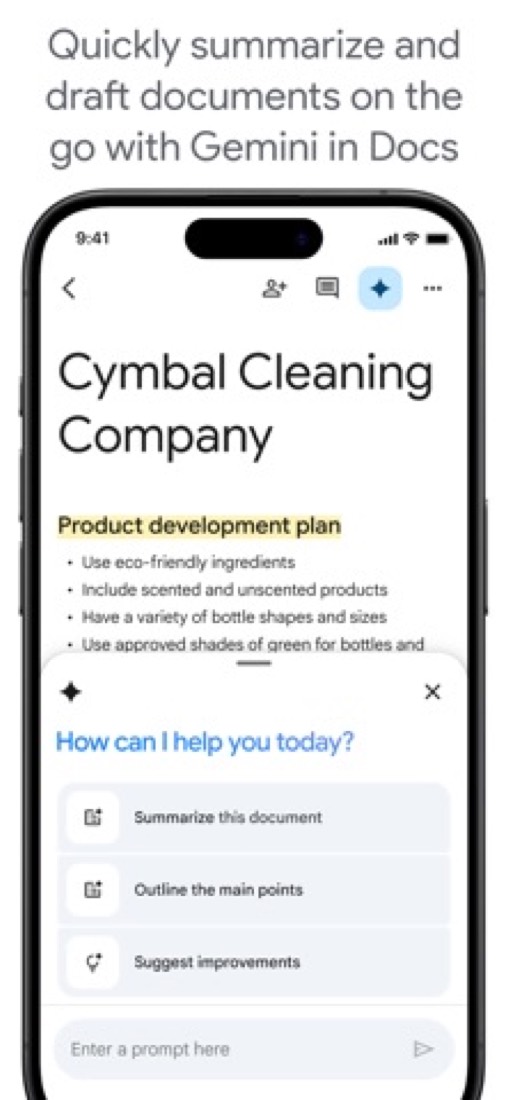
- Drafts and restyles documents from prompts, drawing on a user's Drive, Gmail and Chat. Among Business editions it starts at Business Standard; Starter does not include it.
- Word and PDF files
- Microsoft Word documents can be edited directly without making a copy, or converted to Docs format. PDF files can be imported and worked on as well.
- Offline editing
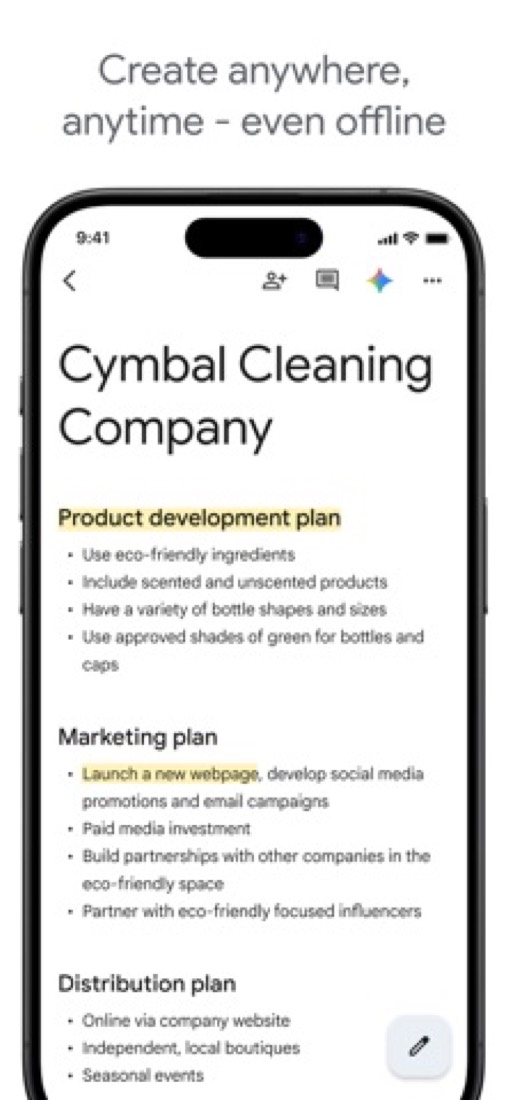
- Documents can be opened, created and edited without a connection. On a computer this requires Chrome or Microsoft Edge with the Google Docs Offline extension.
Where it runs
- Web
- iOS
- Android
- Browser extension
What it works with
- Gmail
- Google Drive
- Google Sheets
- Google Meet
- Google Calendar
- Google Chat
Google Docs is made by Google.
Part 05 · Standing
Where it stands
Its grades against its category, and whether to keep it or make your own
48/51
Other docs and wiki tools it is graded above
Google Docs's GPA of 3.4 is higher than 48 of the 51 other docs and wiki tools we grade, and level with 2.
It stands best on ease of use (A, above 51 of 51) and worst on features (C, above 1).
Its paid plans start at $7 a month for each person, against a middle price of $16.50 for the category: 13 of the 41 others that charge start lower.
On features, ease of use and platforms it scores 3.0 out of 4. 4 tools score higher and cost less.
Each grade against the category
Every bar is all 52 docs and wiki tools we grade, cut by the letter each got. Google Docs’s own letter is outlined.
- AValue for moneyAbove 38 of 51
- AFree plan and trialAbove 39 of 51
- CFeaturesAbove 1 of 51
- AEase of useAbove 51 of 51
- BPlatforms and integrationsAbove 10 of 51
Price against what you get
Each dot is one of 47 docs and wiki tools. Further left costs less; higher up scores better on features, ease of use and platforms. Google Docs is the marked dot.
What paid plans start at, a month (each step along is roughly double) →
Keep it, or make your own?
Whether this is something you could build for yourself with an AI app builder, and what you would give up.
Keep it
The plain part of Google Docs you could make: documents and templates. What surrounds it you could not. The 4 things listed below take a company, not a weekend.
It is one of the better ones too: its GPA of 3.4 is higher than 48 of the 51 other docs and wiki tools we grade. It costs $84 a year.
What you could make
- Documents and templates: an app builder makes these well.
What you could not
- A real app for iOS and Android. Something home-made would be a web page.
- Several people working in it at the same moment.
- It plugs into other products, Gmail, Google Drive and Google Sheets among them, and has an API.
- AI features, unless you pay a model provider for each request yourself.
What this rests on. Google Docs’s listing: what it does, where it runs, what it plugs into and what it costs. It is a judgement about the kind of software this is. We have not built a replacement for it, and making your own means looking after it too. How we decide, and every tool’s verdict.
Part 06 · Refunds
After you pay
Getting your money back, getting out, and getting help
What happens once you have paid: whether you can get your money back, how to leave, and how to reach a person when something goes wrong. Each is graded from Google Docs’s own terms and help pages.
Refunds and cancelling
Good · checked Oct 18, 2026
Docs itself has no price: paying for it means paying for Google Workspace, so Google's account-wide billing rules apply. On the monthly Flexible Plan this is one of the fairer deals around: cancel at any time without penalty, pay only for the days you used, leftover credit refunded to your card. Take the cheaper 1-year commitment and the opposite is true: cancel early and you still owe the rest of the contract, with no refunds. Good on one plan, nothing on the other, so a B.
- Refund window
- No set window
- How you cancel
- Yourself, in settings
- Getting your money back
Google's Workspace billing help says it prorates the account and refunds unused credit, and that a credit balance left after you cancel everything is refunded automatically to the original payment method. On the Annual/Fixed-Term Plan you commit to the end of the term and payments through it are not refunded: the plan comparison page says cancelling early means paying the remaining balance, with no refunds.
Stated on knowledge.workspace.google.com- How to cancel Google Docs
A Workspace subscription is cancelled by an administrator in the Google Admin console, under Billing and then Subscriptions, which needs the Billing management privilege. Google's page says to export user data first. A subscription bought through Google Play or the iPhone Settings app is cancelled in that store instead, and one bought from a reseller through the reseller.
- Export anything you want to keep with the Data Export tool first
- Sign in to the Google Admin console and open Billing, then Subscriptions
- Click the subscription, then More, then Cancel Subscription
- Pick a reason for cancelling and click Continue to cancel
- Read the alternatives offered and click Continue to cancel again
- Tick the confirmation box, enter your email address and click Cancel My Subscription
- What you keep afterwards
Google's page says you lose the core Workspace services and that user Workspace data is deleted after cancellation and cannot be restored, so it tells you to download it first with the Data Export tool. If you keep Cloud Identity you still reach Drive, Docs, Sheets, Slides and Keep, but shared drive data becomes read-only: you can view it and no longer edit, move or delete it.
Stated on knowledge.workspace.google.com- Renewals
Google says an Annual/Fixed-Term contract renews automatically for another year if you do nothing, and that you are notified 30 days and 3 days before the renewal date. Auto-renewal can be switched off in the Admin console, in which case the service is suspended at the end of the term and can be restored by turning it back on. The Flexible Plan simply bills each month until it is cancelled.
Stated on knowledge.workspace.google.com
In your favour
- On the monthly Flexible Plan you cancel at any time without penalty and pay only for the days you used.
- Leftover credit is refunded to the card you paid with, automatically once everything is cancelled.
- Google warns you 30 days and again 3 days before a yearly contract renews, which few rivals do.
- An admin cancels the whole subscription in the Admin console, with nobody to phone or email.
Watch out for
- The $7 Business Starter price needs a 1-year commitment, and cancelling early still costs you the rest of the contract.
- On that annual plan you cannot cut licences mid-term either: you pay for all of them until renewal.
- Workspace data is deleted after you cancel and cannot be restored, so export your documents before you press the button.
- Keep Cloud Identity and shared drive files turn read-only: you can look but not edit, move or delete.
Customer support
Excellent · checked Oct 18, 2026
Pay for Workspace and you can reach a real person: an admin opens the console, types Contact support and is queued for a live agent, or sends email instead. Google states the hours, 24 hours a day in English in every country it serves, and a target of an initial reply within one business day. Add a huge help centre and a public community and that is an A. The catch is who it is for: the admin, and not free users at all.
Ways to get help
Live chat
A Workspace administrator clicks Get help in the Admin console, describes the problem, types Contact support and chooses Chat, then waits in a queue to be connected to a Google support representative. It needs the Support administrator privilege.
Stated on knowledge.workspace.google.comEmail
The same Get help flow in the Admin console offers Email instead of chat, which opens a support case with Google. It is for administrators with the Support administrator privilege, not for ordinary users.
Stated on knowledge.workspace.google.comHelp centre
The Google Docs Editors Help Center has written articles on Docs, Sheets, Slides, Forms and Sites, covering editing, sharing, offline work and troubleshooting, open to anyone without signing in.
Stated on support.google.comCommunity or forum
The Google Docs Editors Community is a public forum where users and Google product experts answer questions. Administrators have a separate Workspace Admin community.
Stated on support.google.com
Not listed on Google Docs’s pages: phone.
- When people answer
Google's support languages table gives English support as 24/7 for all countries, with local-language support 24/7 in many of them. A few languages are business hours only: German in Austria and Dutch and French in Belgium are listed as 9:00 to 18:00, Monday to Friday, UTC+1.
Stated on knowledge.workspace.google.com- How fast it says it replies
Google says it investigates by priority level and time of submission, and that you can expect an initial response within 1 business day or less. It sets out four priority levels, from a critical outage affecting several users down to a cosmetic fault, but states no resolution time, saying that varies with the complexity of the issue.
Stated on knowledge.workspace.google.com- What depends on your plan
Standard Support comes with every Workspace edition. Enhanced Support, a paid upgrade on Business Standard and Plus and included in Enterprise, states a one-hour response time for the most critical cases and 24/7 cover for the top two priorities. Premium Support, a paid upgrade on Enterprise, states 15 minutes for the most critical cases and 24/7 cover for the top three.
Stated on workspace.google.com
In your favour
- Live chat with a Google agent is there on every paid edition, not just the expensive ones.
- English support is stated as running 24 hours a day, every day, in every country Google serves.
- Google states a target of an initial reply within one business day or less.
- The help centre and the public community are open to free users as well as paying ones.
Watch out for
- Only an administrator with the right privilege can contact support, so an ordinary user has to go through them.
- On a free personal Google Account there is no way to reach a person at all: articles and the forum only.
- Google states a first-reply target but no time by which anything will actually be fixed.
- The one-hour and 15-minute response targets cost extra on Business plans.
What these two grades rest on. Read on 18 October 2026: Google's Workspace admin help on cancelling, refunding remaining credit, renewing an annual contract and comparing payment plans, its pages on contacting Workspace support and on support hours, the Customer Care page, and the Docs Editors Help Center and community. These are account-wide Workspace policies, not rules for Docs. Nobody here cancelled a plan or contacted support. They are graded apart from the five that make the GPA. How we grade refunds and support.
Part 07 · Alternatives
The alternatives
The tools it is most often weighed against, side by side




Microsoft Word, Zoho Writer, Dropbox Paper, Proton Docs and ONLYOFFICE
The 5 tools Google Docs is most often weighed against, with where each one differs from it.
- 3.4GPA
Microsoft Word
Free plan · from $9.99/mo
Word processor sold with Microsoft 365, free in the browser.
- Only Google Docs lists a browser extension.
- Only Microsoft Word lists Windows and macOS apps.
- Microsoft Word also covers dictation and grammar & style.
- 3.6GPA
Zoho Writer
Free plan · from $2.50/mo
Free online word processor with AI and document automation.
- Only Zoho Writer lists Windows, macOS and Linux apps.
- Zoho Writer also covers grammar & style.
- 3.2GPA
Dropbox Paper
Free plan · from $9.99/mo
Free collaborative documents that live in a Dropbox account.
- Only Google Docs lists a browser extension.
- Dropbox Paper also covers tasks.
- 3.0GPA
Proton Docs
Free plan · from $3.99/mo
End-to-end encrypted collaborative documents inside Proton Drive.
- Only Google Docs lists a browser extension.
- Proton Docs is end-to-end encrypted, according to its own site.
- Google Docs also covers templates.
- 3.4GPA
ONLYOFFICE
Free plan · from $20/mo
Open-source office suite for documents, sheets, slides and PDFs.
- Only Google Docs lists a browser extension.
- Only ONLYOFFICE lists Windows, macOS and Linux apps.
- ONLYOFFICE is open source and self-hostable, according to its own site.
Part 08 · Questions
Quick answers
The questions people ask about it, each answered in a line or two
23
Questions, each answered in a line or two
The short version of everything above, for when you only need the answer. Each one is told in full in its part of the guide.
Is Google Docs free?
Google Docs has a free plan. Free with a personal Google Account: anyone signed in can create, edit and share documents.
How much does Google Docs cost?
Google Docs lists 5 plans. Personal Google Account: $0.
What platforms does Google Docs work on?
Google Docs is available on Web, iOS and Android. It also has a browser extension.
Does Google Docs offer any discounts?
Google Docs publicly lists the following: Save 16% with a 1-year commitment; Google Workspace for Nonprofits at $0; Education Fundamentals at no charge.
How is Google Docs rated?
Google Docs's iPhone and iPad app averages 4.8 out of 5 from 3,262,473 ratings on the App Store in the United States, as read on Oct 7, 2026.
Is Google Docs any good?
We have not tested Google Docs, so this is what reviewers say. Often praised: Several people editing one document at the same time, with comments and no copies sent back and forth, is the feature reviewers and a commenter single out.
Does Google Docs have a Windows app?
No Windows app was listed when its pages were read on Oct 10, 2026. Google Docs is listed for Web, iOS and Android.
Does Google Docs have a macOS app?
No macOS app was listed when its pages were read on Oct 10, 2026. Google Docs is listed for Web, iOS and Android.
Is Google Docs open source?
Google Docs is not described as open source on its own site, as read on Oct 10, 2026.
Does Google Docs work offline?
Yes, according to its own site. What works without a connection differs by plan and platform, so check the vendor's page for the detail.
Does Google Docs have an API?
Yes. Google Docs offers a public API, according to its own site.
What does Google Docs integrate with?
Google Docs's listing names Gmail, Google Drive, Google Sheets, Google Meet, Google Calendar and Google Chat.
Does Google Docs have a student discount?
Education Fundamentals at no charge. Google Workspace for Education Fundamentals, which includes Docs, is available at no charge to qualifying institutions.
Does Google Docs have a free trial?
Yes. 14-day Google Workspace trial.
Who makes Google Docs?
Google Docs is made by Google.
What are the alternatives to Google Docs?
The closest alternatives to Google Docs in our directory are Microsoft Word, Zoho Writer, Dropbox Paper, Proton Docs and ONLYOFFICE.
Does Google Docs give refunds?
Google's Workspace billing help says it prorates the account and refunds unused credit, and that a credit balance left after you cancel everything is refunded automatically to the original payment method.
How do I cancel Google Docs?
A Workspace subscription is cancelled by an administrator in the Google Admin console, under Billing and then Subscriptions, which needs the Billing management privilege.
What happens to my data if I cancel Google Docs?
Google's page says you lose the core Workspace services and that user Workspace data is deleted after cancellation and cannot be restored, so it tells you to download it first with the Data Export tool.
How do I contact Google Docs support?
Google Docs's pages list these ways to get help: live chat, email, help centre and community or forum.
How does Google Docs compare with other docs and wiki tools?
Google Docs's GPA of 3.4 is higher than 48 of the 51 other docs and wiki tools we grade, and level with 2.
Is Google Docs good value for money?
ToolGPA grades Google Docs A for value for money. Its paid plans start at $7 a month for each person, against a middle price of $16.50 for the category: 13 of the 41 others that charge start lower.
Could I make my own version of Google Docs?
The plain part of Google Docs you could make: documents and templates.
Where this guide comes from
The prices, plans, platforms and features were read from Google Docs’s own pages on Oct 10, 2026, and the grades were given on Oct 10, 2026. Based on Google's Docs product page, its Workspace pricing and billing pages, Docs help pages and the Docs API overview as of 9 October 2026, its App Store reviews and Hacker News threads about it. Also tested with a demo account on 2026-09-19.
Every tool we list gets five grades, A to F, each with its reason, and a GPA that averages them. How each is decided is at toolgpa.com/grades. This guide is ToolGPA’s own work; it is not made, paid for or approved by Google. Prices change, so check workspace.google.com before you buy.
- workspace.google.com/products/docs/
- workspace.google.com/pricing
- knowledge.workspace.google.com/admin/billing/compare-flexible-and-annual-fixed-term-payment-plans
- support.google.com/docs/answer/7068618?hl=en
- support.google.com/docs/answer/6388102?hl=en
- developers.google.com/workspace/docs/api/how-tos/overview
- google.com/nonprofits/offerings/workspace/
- edu.google.com/workspace-for-education/editions/compare-editions/
Part 09 · About
About ToolGPA
Who made this guide, what else is on the site, and how to cite it
3,189
Tools graded, in 94 categories
ToolGPA grades software the way a school report grades a pupil: five subjects, a letter for each with the reason written beside it, and a GPA that averages them. Prices, plans and platforms are read from each maker’s own pages and dated, so you always know how fresh a figure is.
Every grade, review and ranking on ToolGPA is our own judgement. No company can pay for a grade or change one. Every tool on the site has a guide like this one, free to download and pass on. It all lives at toolgpa.com.
3,189
tools graded
94
categories
426
price changes on record
579
apps priced in 12 countries
What else is on toolgpa.com
- Google Docs, kept up to dateEverything in this guide, with prices and grades as they are todaytoolgpa.com/tools/google-docs
- How grades are givenThe rules behind every letter and every GPAtoolgpa.com/grades
- Value chartsWhat each tool costs against what it scores, for every categorytoolgpa.com/charts
- CompareAny two tools side by side, plan by plantoolgpa.com/compare
- Price changesEvery price rise and cut on record, each with its sourcetoolgpa.com/price-changes
- Prices by countryWhat apps cost on the App Store in 12 countriestoolgpa.com/prices-by-country
- Pay lessEvery public discount: yearly billing, students, nonprofitstoolgpa.com/save
- Keep or makeWhich tools are worth paying for, and which you could build yourselftoolgpa.com/keep-or-make
Scan for the live page
Prices and grades as they are today
Quoting this guide?
Please name ToolGPA and link to the live page, so readers can check the figures for themselves:
ToolGPA, "Google Docs: The Insider's Guide", checked Oct 10, 2026. https://toolgpa.com/tools/google-docs
Know someone choosing between docs and wiki tools?
Send them this guide: toolgpa.com/tools/google-docs/guide
ToolGPA elsewhere: youtube.com/@toolgpa
See our other guides
The best-graded docs and wiki tools after Google Docs, each with an Insider's Guide of its own.
- Docs & Wikis Insider's GuideEvery one of the 52 docs and wiki tools we grade, compared
- Zoho Writer Insider's GuideFree online word processor with AI and document automation3.6 GPA
- ONLYOFFICE Insider's GuideOpen-source office suite for documents, sheets, slides and PDFs3.4 GPA
- XWiki Insider's GuideOpen-source enterprise wiki with structured data and apps3.4 GPA

Choosing software? Every tool graded, every price dated.
Compare tools at toolgpa.com ›Everything in this guide is ToolGPA’s own summary of what Google Docs’s pages, its app-store listings and public reviews said on the dates shown. Grades are our judgement under the rules at toolgpa.com/grades. Every grade, review and ranking on ToolGPA is our own judgement. No company can pay for a grade or change one. Google Docs is a trademark of its owner, and this guide is not made, paid for or approved by Google. Prices and plans change: check workspace.google.com before you buy.