
HazeOver
Mac utility that dims every window except the active one
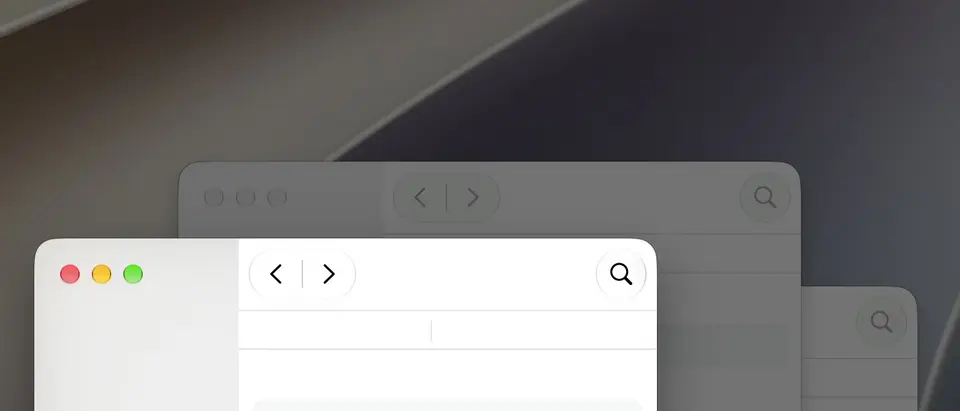
What is HazeOver?
HazeOver is a Mac utility that dims every window except the one you are working in, so the active window stands out and background clutter recedes. Dimming intensity, color and animation speed are adjustable, it handles multiple displays, and it can be controlled with a keyboard shortcut, the Shortcuts app, Focus filters and AppleScript. It is a one-time purchase with a free trial.
HazeOver is a paid product with a free trial, starting at $4.99 one-time purchase. See every plan
Good for
- Large or multiple displays, where the active window is easy to lose
- Cutting glare from bright background windows, especially in Dark Mode
- Cleaner screenshots and screen recordings with the background dimmed
- Mac users who automate their setup with Shortcuts or Focus modes
Worth knowing
- Mac only: the current version needs macOS Ventura 13 or later, with older builds offered for earlier systems.
- It only dims background windows; it does not block apps or websites or time work sessions.
- There is no free plan, and the site does not say how long the free trial lasts.
- When every window of the current app is closed or minimized, the whole screen dims until you switch to another app.
Key features
- Automatic window dimming
- HazeOver highlights the frontmost window or app as you switch and fades everything behind it. The desktop is revealed automatically when you use it.
- Adjustable intensity and color
- Dimming runs from a light shade to a fully opaque background, with a custom color and a fade lasting up to 5 seconds. Scrolling over the menu bar icon changes the intensity.
- Multiple display modes
- It can highlight the front window on each connected screen or dim the displays without keyboard focus, and dimming can be turned off for a specific display.
- Light and Dark appearance settings
- Separate dimming settings are saved for the Light and Dark system appearance, so dimming can switch on, or change strength, along with Dark Mode.
- Shortcuts, Focus filters and AppleScript
- Dimming state and settings can be automated with the Shortcuts app, Focus filters that revert when a Focus mode ends, and AppleScript. A Raycast extension adds quick commands.
- Quick toggles
- A keyboard shortcut or a double-click on the menu bar icon turns dimming on or off, and holding the Fn key pauses it while you drag between apps.
HazeOver pricing
- Starts at
- $4.99 one-time purchase
- Free plan
- None
- Free trial
- Free trial download from hazeover.com; no length is stated
| Plan | Price | What you get |
|---|---|---|
| HazeOver | $4.99one-time purchase | A license from the vendor's store at $4.99 USD, or the app on the US Mac App Store at the same price. Optional tips of $5, $7 or $15 can be added at checkout. |
Read from hazeover.com on Oct 9, 2026. Prices change, so confirm with HazeOver before you buy.
Ways to pay less
- EducationStudent discount
The buy page says HazeOver is available with a student discount and links to Student App Centre for it. The page does not state the amount.
Stated on hazeover.com - Other savingsAlso available through Setapp
The buy page says HazeOver is available to Setapp subscribers, and the download page lists a Setapp Subscription option next to the Mac App Store and direct download.
Stated on hazeover.com
Works with
- Apple Shortcuts
- AppleScript
- Raycast
- Alfred
- BetterTouchTool
- Keyboard Maestro
HazeOver alternatives
- HazeOver vs Focus
Free trial · from $49 one-time
- HazeOver vs Flow
Free plan · from $17.99/yr
- HazeOver vs f.lux
Free plan · from $24 one-time
- HazeOver vs BetterDisplay
Free plan · from $21.99 one-time





Common questions
Is HazeOver free?
No, HazeOver is a paid product, but you can try it first. Free trial download from hazeover.com; no length is stated.
How much does HazeOver cost?
HazeOver lists one plan. HazeOver: $4.99 one-time purchase. Prices were read from hazeover.com on Oct 9, 2026.
What platforms does HazeOver work on?
HazeOver is available on macOS.
Does HazeOver offer any discounts?
HazeOver publicly lists the following: Student discount; Also available through Setapp.
Does HazeOver have an Android app?
No Android app was listed when its pages were read on Oct 9, 2026. HazeOver is listed for macOS.
Does HazeOver have an iPhone app?
No iPhone app was listed when its pages were read on Oct 9, 2026. HazeOver is listed for macOS.
Is HazeOver open source?
HazeOver is not described as open source on its own site, as read on Oct 9, 2026.
What does HazeOver integrate with?
HazeOver's listing names Apple Shortcuts, AppleScript, Raycast, Alfred, BetterTouchTool and Keyboard Maestro. A listing names up to eight integrations, so it may connect to more.
Does HazeOver have a student discount?
Student discount. The buy page says HazeOver is available with a student discount and links to Student App Centre for it. The page does not state the amount.
Who makes HazeOver?
HazeOver is made by Maxim Ananov.
What are the alternatives to HazeOver?
The closest alternatives to HazeOver in our directory are Focus, SelfControl, Flow, f.lux and BetterDisplay. Each one has a side-by-side comparison with HazeOver.
Sources for this page
The prices, plans, platforms and features above were read from these pages on Oct 9, 2026.