The Logseq Insider’s Guide
Everything we know about Logseq in one document: what it costs, its grades, getting a refund, getting help and what else to look at. Read it here, or keep a copy.
Logseq
The Insider’s Guide
Open-source outliner for linked notes stored as local files
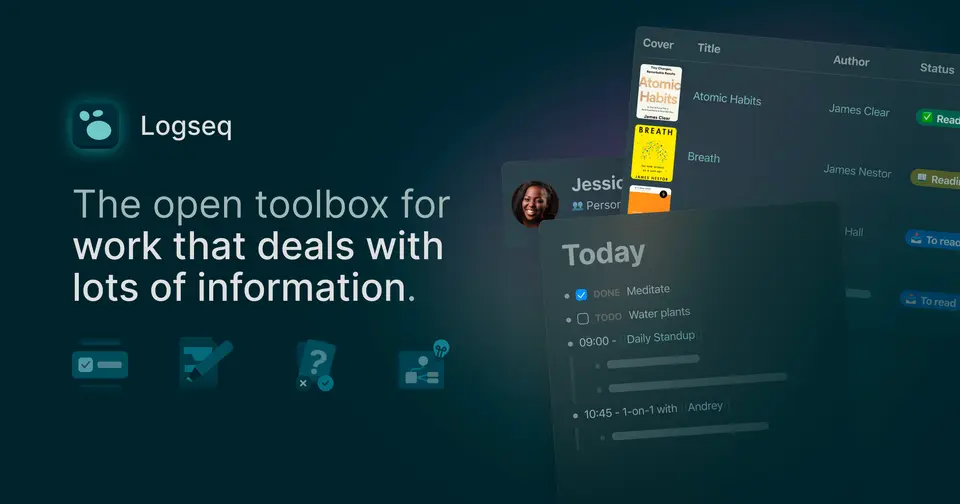
Every plan, grade, refund rule and rival among note-taking apps, read from Logseq’s own pages.
Made by Logseq, Inc. · checked Oct 4, 2026 · toolgpa.com
Contents
- 01WelcomeWhat it is, who it suits, its grades and the ten things to know first
- 02What it costsEvery plan, the free plan, ways to pay less and how prices have moved
- 03What it doesIts main features, where it runs, what it works with and who makes it
- 04Where it standsIts grades against its category, and whether to keep it or make your own
- 05After you payGetting your money back, getting out, and getting help
- 06The alternativesThe tools it is most often weighed against, side by side
- 07Quick answersThe questions people ask about it, each answered in a line or two
- 08About ToolGPAWho made this guide, what else is on the site, and how to cite it
ToolGPA put this guide together from Logseq’s own pages, its app-store listings and our grades. Every fact in it is on Logseq’s page too, where it is kept up to date. Checked Oct 4, 2026.
Part 01 · Overview
Welcome
What it is, who it suits, its grades and the ten things to know first
3.0
GPA, above 107 of the 147 other note-taking apps we grade
Logseq is an open-source outliner for notes and knowledge management. Notes are written as nested blocks in plain-text Markdown or Org-mode files on your own device, and pages and blocks link to each other through references, backlinks and a knowledge graph. The app is free; syncing between devices is offered to people who back the project monthly on Open Collective.
To get you started, here are 10 things to know about Logseq, taken from its own pages and our grades.
Journals, tasks, whiteboards and flashcards are included.
- 1
Best for linked outlines kept as plain files you own
Logseq is a free, open-source outliner where every note is a bullet in a plain-text file on your own device, linked to other notes.
- 2
Paid plans start at $5 a month
As its pricing page puts it: $5 per month for Open Collective backers, which unlocks Logseq Sync.
- 3
There is a free plan
The desktop, web and mobile apps are free and open source, and no commercial license is needed for personal or company use. Syncing between devices is the paid part.
- 4
It runs on 6 platforms
Web, macOS, Windows, Linux, iOS and Android.
- 5
Outliner on local files
Notes are nested bullet blocks saved as plain-text Markdown or Org-mode files on your device.
- 6
References, backlinks and knowledge graph
Pages and blocks can be referenced or embedded anywhere else, with backlinks and a graph showing how pages connect.
- 7
Journals, tasks and queries
A journals page collects dated entries, tasks and to-dos sit inside the outline, and queries pull matching blocks into one place.
- 8
Refunds: no set window
Logseq's terms are blunt: cancel whenever you like, keep the paid feature to the end of the month you paid for, and no refund or credit for anything already paid. That is the ordinary deal and a C.
- 9
A 3.0 GPA, above 107 of 147
That is against the other note-taking apps we grade, on value, the free plan, features, ease of use and platforms.
- 10
Keep it
The plain part of Logseq you could make: notes, Markdown, linked notes and daily notes. What surrounds it you could not. The 4 things listed below take a company, not a weekend.
Logseq at a glance
- Pricing
- Free plan, from $5 per month for Open Collective backers, which unlocks Logseq Sync
- Free plan
- Yes
- Free trial
- None stated
- Runs on
- Web, macOS, Windows, Linux, iOS, Android
- Made by
- Logseq, Inc.
- Category
- Note-Taking Apps
- Our grade
- 3.0 GPA, very good
The report card
Best for linked outlines kept as plain files you own
Logseq is a free, open-source outliner where every note is a bullet in a plain-text file on your own device, linked to other notes. Journals, tasks, whiteboards and flashcards are included. But sync between devices is in beta and only for backers paying $5 a month, the 2.0 database version is beta too, its mobile app is an iOS-only alpha, and queries take a while to learn.
| Subject | Grade | Comment |
|---|---|---|
| Value for money | A | The apps are free and open source, with no commercial license needed even at work, in a category whose middle plan is $6 a month. The only paid part is Logseq Sync, which comes with a $5 a month Open Collective contribution. |
| Free plan and trial | B | The desktop, web and mobile apps are free with local graphs, and one person on one machine could live on that. Sync isn't in it, though: Logseq Sync is for backers paying $5 or $15 a month, so moving files between devices is otherwise your job. |
| Features | B | Nested blocks you can reference or embed anywhere, backlinks, a knowledge graph, journals, tasks, queries, whiteboards, PDF highlighting and spaced-repetition flashcards. The whole job, then, but two big pieces are beta: Logseq Sync and the Logseq 2.0 database version. |
| Ease of use | C | It's an outliner, so you start by typing bullets on today's journal page, and queries and block references take a good while to click. No App Store rating is on record to go by, so that curve is what we go on. |
| Platforms and integrations | B | Web, Mac, Windows, Linux, iPhone and Android, and because notes are plain Markdown or Org-mode files other editors open them too. Zotero and YouTube are the only integrations listed, with no API, which is what keeps it off the top mark. |
An A is worth 4 points, a B 3, a C 2, a D 1 and an F nothing. The GPA is the average of the five.
Who Logseq is for
- Fits if you think in outlines and want your notes as plain-text files on your own device
- Works for students who highlight PDFs and keep their sources in Zotero
Who it is not for
- Skip it if you expect free sync between phone and laptop, as Logseq Sync is for backers paying $5 or $15 a month
- Not for you if beta software makes you nervous, since Sync and the database version are both beta, and backups are advised
- Tight if you're on Android and want the new database version, whose mobile app is an iOS-only alpha
- Too light for connecting other apps, with Zotero and YouTube the only integrations and no API listed
Good to know
Good for
- People who think in outlines and want their notes as plain-text files
- Students and researchers who annotate PDFs and manage sources in Zotero
- Users who prefer open-source software licensed under AGPL-3.0
Worth knowing
- Sync is not part of the free app: Logseq Sync is in beta and limited to active Open Collective contributors paying $5 or $15 per month.
- Logseq 2.0, the database version, is still in beta, and its release notes advise backing up data before testing it.
- The mobile app for the database version is in alpha on iOS only, with Android listed as coming soon.
Part 02 · Pricing
What it costs
Every plan, the free plan, ways to pay less and how prices have moved
$5
A month to start. There is a free plan too
Logseq has a free plan. Paid plans start at $5 per month for Open Collective backers, which unlocks Logseq Sync.
The desktop, web and mobile apps are free with local graphs, and one person on one machine could live on that.
Free
$0
The full app with local graphs. No commercial license is required for personal or company use.
Backers
$5
per month, as an Open Collective contribution
Monthly donation that gives access to Logseq Sync (beta) for up to 10 graphs, plus early access to insider builds.
Sponsors
$15
per month, as an Open Collective contribution
A larger monthly donation with the same Logseq Sync access and early access to insider builds.
The free plan
The desktop, web and mobile apps are free and open source, and no commercial license is needed for personal or company use. Syncing between devices is the paid part.
Read from opencollective.com on Oct 4, 2026.
Part 03 · Features
What it does
Its main features, where it runs, what it works with and who makes it
6
Places it runs: Web, macOS, Windows, Linux, iOS and Android
Open-source outliner for linked notes stored as local files. Here is what it does, as its own site describes it, and what it covers: open source, local-first, notes, Markdown, linked notes, whiteboard, daily notes.
Web, Mac, Windows, Linux, iPhone and Android, and because notes are plain Markdown or Org-mode files other editors open them too.
- Outliner on local files
- Notes are nested bullet blocks saved as plain-text Markdown or Org-mode files on your device.
- References, backlinks and knowledge graph
- Pages and blocks can be referenced or embedded anywhere else, with backlinks and a graph showing how pages connect.
- Journals, tasks and queries
- A journals page collects dated entries, tasks and to-dos sit inside the outline, and queries pull matching blocks into one place.
- Whiteboards
- A spatial canvas where blocks from your notes sit next to shapes, drawings, website embeds and connectors.
- PDF highlights and flashcards
- Highlight PDFs inside the app, bring in references through the Zotero integration and review notes as spaced-repetition cards.
- Logseq Sync and the DB version
- Logseq Sync (beta) encrypts and syncs up to 10 graphs for backers. Logseq 2.0, a database-based version with real-time collaboration sync, is in beta.
Where it runs
- Web
- macOS
- Windows
- Linux
- iOS
- Android
What it works with
- Zotero
- YouTube
Logseq is made by Logseq, Inc.
Part 04 · Standing
Where it stands
Its grades against its category, and whether to keep it or make your own
107/147
Other note-taking apps it is graded above
Logseq's GPA of 3.0 is higher than 107 of the 147 other note-taking apps we grade, and level with 21.
It stands best on value for money (A, above 62 of 147) and worst on ease of use (C, above 5).
Its paid plans start at $5 a month, against a middle price of $5.83 for the category: 30 of the 66 others that charge start lower.
On features, ease of use and platforms it scores 2.7 out of 4. 11 tools score higher and cost less.
Each grade against the category
Every bar is all 148 note-taking apps we grade, cut by the letter each got. Logseq’s own letter is outlined.
- AValue for moneyAbove 62 of 147
- BFree plan and trialAbove 71 of 147
- BFeaturesAbove 100 of 147
- CEase of useAbove 5 of 147
- BPlatforms and integrationsAbove 86 of 147
Price against what you get
Each dot is one of 103 note-taking apps. Further left costs less; higher up scores better on features, ease of use and platforms. Logseq is the marked dot.
What paid plans start at, a month (each step along is roughly double) →
Keep it, or make your own?
Whether this is something you could build for yourself with an AI app builder, and what you would give up.
Keep it
The plain part of Logseq you could make: notes, Markdown, linked notes and daily notes. What surrounds it you could not. The 4 things listed below take a company, not a weekend.
It is one of the better ones too: its GPA of 3.0 is higher than 107 of the 147 other note-taking apps we grade. It costs $60 a year. Logseq is open source, so there is a third way: take its code and run it yourself.
What you could make
- Notes, Markdown, linked notes and daily notes: an app builder makes these well.
What you could not
- An endless canvas that stays smooth with hundreds of things on it.
- Apps for macOS, Windows, Linux, iOS and Android that stay in step with each other.
- Sharing with other people, which means accounts and invitations.
- The depth: we grade its features B, which means it covers the whole job.
What this rests on. Logseq’s listing: what it does, where it runs, what it plugs into and what it costs. It is a judgement about the kind of software this is. We have not built a replacement for it, and making your own means looking after it too. How we decide, and every tool’s verdict.
Part 05 · Refunds
After you pay
Getting your money back, getting out, and getting help
What happens once you have paid: whether you can get your money back, how to leave, and how to reach a person when something goes wrong. Each is graded from Logseq’s own terms and help pages.
Refunds and cancelling
Ordinary · checked Oct 18, 2026
Logseq's terms are blunt: cancel whenever you like, keep the paid feature to the end of the month you paid for, and no refund or credit for anything already paid. That is the ordinary deal and a C. What muddies it is where the money actually goes. The docs say Sync is for active Open Collective contributors, while the terms talk about cancelling in your account settings, and no Logseq page explains how to stop a monthly contribution.
- Refund window
- No set window
- How you cancel
- Yourself, in settings
- Getting your money back
The terms of use say that if you cancel a subscription service you keep access through the end of the current billing period but are not entitled to a refund or credit for any subscription fee already due or paid. No money-back window is offered anywhere on the pages read, and nothing is said about a refund after a renewal.
Stated on logseq.com- How to cancel Logseq
The terms say you may cancel a subscription service at any time from your account settings. The Logseq Sync documentation says the paid feature is for active Open Collective contributors paying $5 or $15 a month, which is a recurring contribution managed on Open Collective, and no Logseq page read sets out the steps to stop one.
Stated on logseq.com- What you keep afterwards
The terms say you keep the subscription service through the end of the current billing period after cancelling. The Sync documentation says the feature is only for active contributors, so it stops when the contributions do. Logseq itself is open source and free to download and use without it. None of the pages read says what happens to the encrypted copies Sync holds once a contribution ends.
Stated on logseq.com- Renewals
The terms say subscription fees are charged every month on the day the subscription started, until it is cancelled, and that Logseq may change the fee on 30 days' notice, with continued use counting as agreement to the new price. No reminder before a monthly charge is mentioned. The Open Collective tiers behind Sync are described as monthly recurring contributions.
Stated on logseq.com
In your favour
- The terms let you cancel at any time, with no notice period to serve.
- You keep the paid feature until the end of the month you have already paid for.
- The app itself is open source and free, so stopping the payment does not take Logseq away.
Watch out for
- No refunds. The terms rule out a refund or credit for anything already paid.
- The paid route runs through a monthly Open Collective contribution, which no Logseq page explains how to stop.
- The fee can change on 30 days' notice, and carrying on using it counts as agreeing.
- Nothing says what becomes of the encrypted copies Sync holds after the contributions stop.
Customer support
Ordinary · checked Oct 18, 2026
This is support the open-source way: documentation, a busy forum and a Discord where the team can be pinged. No ticket, no inbox, no hours, no reply time, and paying $5 a month for Sync buys none of that either. For a project run in the open it is a reasonable setup, and on our ladder documentation plus an active forum is a C.
Ways to get help
Help centre
Logseq's documentation site covers features such as queries, search, flashcards and block references, written as a Logseq graph and open to anyone. The project's docs repository on GitHub holds the same pages.
Stated on docs.logseq.comCommunity or forum
The Logseq forum is a public discussion site linked from the home page, alongside the project's GitHub. The Sync documentation also points users with sync problems to a forum FAQ and then to a beta-sync channel on Logseq's Discord to ping the team.
Stated on discuss.logseq.com
Not listed on Logseq’s pages: live chat, phone, email, contact form or ticket.
- When people answer
Its pages do not say.
- How fast it says it replies
Its pages do not say.
- What depends on your plan
Its pages do not say.
In your favour
- The forum, the documentation and the GitHub repository are open to everyone, paying or not.
- The Sync documentation names a Discord channel where the team can be asked about sync problems.
Watch out for
- There is no ticket form and no support inbox on any page read.
- No page says when anyone answers or how fast they aim to.
- Paying for Sync does not buy a private support channel: you post in the same places everyone else does.
What these two grades rest on. Read on 18 October 2026: Logseq's terms of use, its home page and downloads page, the Logseq Sync documentation in the project's docs repository, the Logseq collective page on Open Collective, the Logseq forum and the documentation site. Nobody here cancelled a plan, asked for a refund or contacted its support. They are graded apart from the five that make the GPA. How we grade refunds and support.
Part 06 · Alternatives
The alternatives
The tools it is most often weighed against, side by side





Obsidian, Roam Research, Anytype, Tana Outliner and Capacities
The 5 tools Logseq is most often weighed against, with where each one differs from it.
- 3.6GPA
Obsidian
Free plan · from $4/mo
Markdown note-taking app that keeps your files on your device.
- Only Logseq lists a web app.
- Only Obsidian lists a browser extension.
- Logseq is open source, according to its own site.
- 2.0GPA
Roam Research
Free trial · from $15/mo
Outliner for networked notes with bidirectional links.
- Logseq has a free plan. Roam Research does not, though it has a free trial.
- Only Logseq lists Windows, Linux and Android apps.
- Logseq is open source, according to its own site.
- 2.6GPA
Anytype
Free plan · from $4/mo
Local-first, end-to-end encrypted workspace for notes and data.
- Only Logseq lists a web app.
- Logseq is open source, according to its own site.
- Anytype is self-hostable and end-to-end encrypted, according to its own site.
- 2.8GPA
Tana Outliner
Free plan · from $8/mo
Outliner with supertags, daily notes and built-in AI features.
- Logseq is open source, according to its own site.
- Logseq also covers Markdown and whiteboard.
- Tana Outliner also covers meeting notes and tasks.
- 2.6GPA
Capacities
Free plan · from $9.99/mo
Object-based note-taking app with daily notes and backlinks.
- Only Capacities lists a browser extension.
- Logseq is open source, according to its own site.
- Logseq also covers Markdown and whiteboard.
Part 07 · Questions
Quick answers
The questions people ask about it, each answered in a line or two
14
Questions, each answered in a line or two
The short version of everything above, for when you only need the answer. Each one is told in full in its part of the guide.
Is Logseq free?
Logseq has a free plan. The desktop, web and mobile apps are free and open source, and no commercial license is needed for personal or company use.
How much does Logseq cost?
Logseq lists 3 plans. Free: $0.
What platforms does Logseq work on?
Logseq is available on Web, macOS, Windows, Linux, iOS and Android.
Is Logseq open source?
Yes. Logseq is open source, according to its own site.
What does Logseq integrate with?
Logseq's listing names Zotero and YouTube. A listing names up to eight integrations, so it may connect to more.
Who makes Logseq?
Logseq is made by Logseq, Inc.
What are the alternatives to Logseq?
The closest alternatives to Logseq in our directory are Obsidian, Roam Research, Anytype, Tana Outliner and Capacities.
Does Logseq give refunds?
The terms of use say that if you cancel a subscription service you keep access through the end of the current billing period but are not entitled to a refund or credit for any subscription fee already due or paid.
How do I cancel Logseq?
The terms say you may cancel a subscription service at any time from your account settings.
What happens to my data if I cancel Logseq?
The terms say you keep the subscription service through the end of the current billing period after cancelling.
How do I contact Logseq support?
Logseq's pages list these ways to get help: help centre and community or forum.
How does Logseq compare with other note-taking apps?
Logseq's GPA of 3.0 is higher than 107 of the 147 other note-taking apps we grade, and level with 21.
Is Logseq good value for money?
ToolGPA grades Logseq A for value for money. Its paid plans start at $5 a month, against a middle price of $5.83 for the category: 30 of the 66 others that charge start lower.
Could I make my own version of Logseq?
The plain part of Logseq you could make: notes, Markdown, linked notes and daily notes.
Where this guide comes from
The prices, plans, platforms and features were read from Logseq’s own pages on Oct 4, 2026, and the grades were given on Oct 10, 2026. Graded from this listing, whose facts were read from Logseq's own pages on 4 October 2026. Also tested with a demo account on 2026-08-01.
Every tool we list gets five grades, A to F, each with its reason, and a GPA that averages them. How each is decided is at toolgpa.com/grades. This guide is ToolGPA’s own work; it is not made, paid for or approved by Logseq, Inc. Prices change, so check logseq.com before you buy.
- logseq.com
- github.com/logseq/logseq
- raw.githubusercontent.com/logseq/logseq/master/README.md
- github.com/logseq/logseq/releases
- opencollective.com/logseq
- opencollective.com/logseq/updates
- github.com/logseq/docs/blob/master/pages/Logseq%20Sync.md
- github.com/logseq/docs/blob/master/pages/Whiteboard.md
- github.com/logseq/docs/blob/master/pages/contents.md
- blog.logseq.com/
- apps.apple.com/us/app/logseq/id1601013908
Part 08 · About
About ToolGPA
Who made this guide, what else is on the site, and how to cite it
3,189
Tools graded, in 94 categories
ToolGPA grades software the way a school report grades a pupil: five subjects, a letter for each with the reason written beside it, and a GPA that averages them. Prices, plans and platforms are read from each maker’s own pages and dated, so you always know how fresh a figure is.
Every grade, review and ranking on ToolGPA is our own judgement. No company can pay for a grade or change one. Every tool on the site has a guide like this one, free to download and pass on. It all lives at toolgpa.com.
3,189
tools graded
94
categories
426
price changes on record
579
apps priced in 12 countries
What else is on toolgpa.com
- Logseq, kept up to dateEverything in this guide, with prices and grades as they are todaytoolgpa.com/tools/logseq
- How grades are givenThe rules behind every letter and every GPAtoolgpa.com/grades
- Value chartsWhat each tool costs against what it scores, for every categorytoolgpa.com/charts
- CompareAny two tools side by side, plan by plantoolgpa.com/compare
- Price changesEvery price rise and cut on record, each with its sourcetoolgpa.com/price-changes
- Prices by countryWhat apps cost on the App Store in 12 countriestoolgpa.com/prices-by-country
- Pay lessEvery public discount: yearly billing, students, nonprofitstoolgpa.com/save
- Keep or makeWhich tools are worth paying for, and which you could build yourselftoolgpa.com/keep-or-make
Scan for the live page
Prices and grades as they are today
Quoting this guide?
Please name ToolGPA and link to the live page, so readers can check the figures for themselves:
ToolGPA, "Logseq: The Insider's Guide", checked Oct 4, 2026. https://toolgpa.com/tools/logseq
Know someone choosing between note-taking apps?
Send them this guide: toolgpa.com/tools/logseq/guide
ToolGPA elsewhere: youtube.com/@toolgpa
See our other guides
The best-graded note-taking apps after Logseq, each with an Insider's Guide of its own.
- Note-Taking Apps Insider's GuideEvery one of the 148 note-taking apps we grade, compared
- Microsoft OneNote Insider's GuideMicrosoft's free digital notebook for typed, inked and audio notes3.8 GPA
- Goodnotes Insider's GuideHandwritten notes, PDF markup and whiteboards with an AI assistant3.6 GPA
- Joplin Insider's GuideOpen source Markdown notes with sync through a service you choose3.6 GPA



Choosing software? Every tool graded, every price dated.
Compare tools at toolgpa.com ›Everything in this guide is ToolGPA’s own summary of what Logseq’s pages, its app-store listings and public reviews said on the dates shown. Grades are our judgement under the rules at toolgpa.com/grades. Every grade, review and ranking on ToolGPA is our own judgement. No company can pay for a grade or change one. Logseq is a trademark of its owner, and this guide is not made, paid for or approved by Logseq, Inc. Prices and plans change: check logseq.com before you buy.