
The Old Reader review (2026): is it worth it?
Web-based RSS reader with sharing among friends
Black Friday: is there a The Old Reader sale?
The Old Reader report card
Fair · out of 4.0 · graded Oct 10, 2026
Best for sharing what you read with friends
The Old Reader is a plain web RSS reader with folders, a list view and a social side: you can follow friends, share posts and comment on them. Free accounts show ads, keep unread posts for 2 months and cap each feed at 300 posts. Search needs Premium, whose price isn't on any public page, and there are no apps from the maker, only third-party clients.
Who The Old Reader is for
- Fits if you want a plain web feed reader with folders and not much else
- Works for groups of friends who share and comment on the posts they read
Who The Old Reader is not for
- Not for you if you want the price before you sign up, as Premium's isn't on the public pages
- Skip it if you want apps from the maker, because the phone and desktop apps are all third-party
- Tight if you stay free and fall behind: ads, unread posts kept 2 months, 300 posts per feed
- Watch out: full-text search, faster refreshes and the Instapaper link are Premium only
- Too light for anyone who needs filters, rules or article extraction, none of which the listing shows
Why The Old Reader gets a 2.4
Five grades, each with its reason. The GPA is their average: an A is 4 points, an F is none.
- CValue for moneyNobody can tell you what Premium costs. The price isn't on the public pages and the terms say fees are stated at the time of purchase, so it gets the ordinary middle mark we give an unpublished price. What the money buys is no ads, full-text search, faster refreshes and up to 500 feeds.
- CFree plan and trialFree accounts work, with ads, and the caps are ones you'll meet: unread posts kept for 2 months only and 300 posts per feed, so a busy feed quietly loses the older items. There's a 14-day Premium trial at sign-up.
- CFeaturesIt does the basics and the listing shows where it stops: folders, OPML import, a list view of titles, keyboard shortcuts and a bookmarklet, with no filters, rules or article extraction on record. Full-text search and faster refreshes need Premium. The social side, following, likes and comments, is the unusual bit.
- BEase of useNo store rating on record, as it has no app of its own, so we go on the listing: there's nothing to set up. You sign up, type a site's address or import an OPML file, and drag feeds and folders into the order you want.
- BPlatforms and integrationsA web app with a Google Reader-style API, and no first-party mobile or desktop apps at all, which is what keeps it off an A. The apps page lists third-party clients like Reeder, Vienna, Liferea and FeedMe that sync with your account.
What these grades rest on. Graded from this listing, whose facts were read from The Old Reader's own pages on 5 October 2026. Its Premium price is not on its public pages, so the value grade is the one we give when a listing can't say. Also tested with a demo account on 2026-07-03. How we review and grade.
Make The Old Reader? Put this grade on your site
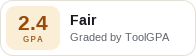
Paste this where you want the badge. It links here and follows the grade if it changes. About badges
<a href="https://toolgpa.com/tools/the-old-reader#review"><img src="https://toolgpa.com/badge/the-old-reader.svg" alt="The Old Reader: 2.4 GPA on ToolGPA" width="196" height="56"></a>Where The Old Reader stands among read-later and bookmark apps
The Old Reader's GPA of 2.4 is higher than 12 of the 66 other read-later and bookmark apps we grade, and level with 14.
It stands best on ease of use (B, above 32 of 66) and worst on features (C, above 0).
Each grade against the category
Every bar is all 67 read-later and bookmark apps we grade, cut by the letter each got. The Old Reader’s own letter is outlined.
- CValue for moneyAbove 10 of 66, level with 24
- CFree plan and trialAbove 3 of 66, level with 22
- CFeaturesAbove 0 of 66, level with 33
- BEase of useAbove 32 of 66, level with 32
- BPlatforms and integrationsAbove 26 of 66, level with 35
Keep The Old Reader, or make your own?
You could make this
A read-later list at its plainest is saved links with tags.
What The Old Reader does at its core is rSS reader, and that is the kind of thing an AI app builder makes well. You would give up 2 things, listed below, and little else.
What you could make
- RSS reader: an app builder makes this well.
- It runs in a browser, which is where something home-made would run too.
What you could not
- It plugs into other products, Reeder, Vienna and Liferea among them, and has an API.
- Sharing with other people, which means accounts and invitations.
What this rests on. The Old Reader’s listing: what it does, where it runs, what it plugs into and what it costs. It is a judgement about the kind of software this is. We have not built a replacement for it, and making your own means looking after it too. How we decide, and every tool’s verdict.
What is The Old Reader?
The Old Reader is a web-based RSS reader with folders, a list view and keyboard shortcuts. It adds a social layer: readers can follow friends, share posts, and like and comment on what others share. Free accounts are supported by ads, and a Premium subscription removes them and adds full-text search, faster feed refreshes and room for more subscriptions.
Worth knowing
- The Premium price is not shown on the public pages; the terms say fees are stated at the time of purchase.
- Free accounts show ads and keep unread posts for up to 2 months, capped at 300 posts per feed.
- Full-text search, faster feed refreshes and Instapaper integration are limited to Premium.
- There are no first-party mobile or desktop apps; the apps page lists third-party clients that use the API.
Key features
- Feeds and folders
- Add a feed by entering a site's address, or import an OPML file with its folders intact. Feeds and folders are rearranged by drag and drop.
- List view and keyboard shortcuts
- A list view collapses posts to their titles so only the interesting ones need opening, and keyboard shortcuts cover navigation.
- Sharing with friends
- Follow friends to see the posts they share, like posts, and comment on shared items. Shared, liked and commented posts are stored permanently.
- Send To and bookmarklet
- The Send To button passes a post's title and address to a sharing service you configure, and a bookmarklet adds posts from any site.
- API for third-party apps
- A Google Reader-style API lets outside apps sync with an account. The apps page lists clients such as Reeder, Vienna, Liferea and FeedMe.
- Premium extras
- Premium removes ads and adds full-text search, faster feed refreshes, up to 500 subscriptions, a year of post storage and Instapaper integration.
The Old Reader pricing
We could not confirm The Old Reader’s current pricing from its own site, so we are not listing plans here. See theoldreader.com for current prices.
Works with
- Reeder
- Vienna
- Liferea
- FeedMe
- Instapaper
The Old Reader alternatives
- The Old Reader vs Inoreader
Free plan · from $7.50/mo
- The Old Reader vs Feedly
Free plan · from $6.99/mo
- The Old Reader vs NewsBlur
Free plan · from $36/yr
- The Old Reader vs Feedbin
Free trial · from $7/mo
- The Old Reader vs BazQux Reader
Free trial · from $30/yr





Common questions
Does The Old Reader have an Android app?
No Android app was listed when its pages were read on Oct 5, 2026. The Old Reader is listed for Web.
Does The Old Reader have an iPhone app?
No iPhone app was listed when its pages were read on Oct 5, 2026. The Old Reader is listed for Web.
Is The Old Reader open source?
The Old Reader is not described as open source on its own site, as read on Oct 5, 2026.
Does The Old Reader have an API?
Yes. The Old Reader offers a public API, according to its own site.
Sources for this page
The prices, plans, platforms and features above were read from these pages on Oct 5, 2026.
- theoldreader.com/en/
- theoldreader.com/en/tour/
- theoldreader.com/en/apps/
- theoldreader.com/en/tos/
- theoldreader.com/users/sign_up
- theoldreader.uservoice.com/knowledgebase/articles/146275-how-often-are-feeds-updated
- theoldreader.uservoice.com/knowledgebase/articles/146276-how-many-posts-per-feed-do-you-store
- theoldreader.uservoice.com/knowledgebase/articles/294010-list-of-sharing-service-urls