
ToDesk review (2026): is the free plan enough?
Remote desktop control with a free personal tier
Black Friday: is there a ToDesk sale?
ToDesk report card
Good · out of 4.0 · graded Nov 13, 2026
Best for remote control with a free personal edition
ToDesk covers Windows, Mac, Linux and phones, and its free edition is capped at 1080p, 30 FPS and 4 Mbps. The site, checkout and plan names are in Chinese with prices in yuan, and extra channels and multi-person control cost extra.
Who ToDesk is for
- Fits if you want free remote control for your own computers across systems
- Works for people who can read Chinese and pay in yuan
Who ToDesk is not for
- Skip it if you need to read an English site and pay in dollars, as none was found
- Not for you if you want it for work, since the free Personal version is for personal use only
- Tight if you need speed, as free is capped at 4 Mbps and 30 FPS
- Watch out: extra channels, multi-person control and screen wall are sold as separate add-ons
- Watch out: Android control works only on Android 8.0 and later, and SMS and calls are blocked during it
Why ToDesk gets a 2.6
Five grades, each with its reason. The GPA is their average: an A is 4 points, an F is none.
- BValue for moneyPro is ¥158 a year, roughly $2 a month, near the category's $2.78 cheaper-quarter start. No English or dollar pricing page was found.
- BFree plan and trialThe Personal edition is free with 1 channel, 1080p at 30 FPS, 4 Mbps and 100 devices in the list, for personal use only. One person can live on it.
- CFeaturesRemote control, file transfer, a privacy screen and team editions are listed. Extra channels, multi-person control, screen wall and AI audit are sold separately.
- CEase of useNo store rating on record. The site and checkout are in Chinese, which slows an English-speaking buyer down.
- BPlatforms and integrationsWindows, macOS, Linux, Android, iPhone and web are listed. No API or integrations are listed.
What these grades rest on. Graded from this listing, whose facts were read from ToDesk's own pages on 13 November 2026. Not based on using the product, and shorter than our full reviews. How we review and grade.
Make ToDesk? Put this grade on your site
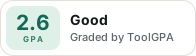
Paste this where you want the badge. It links here and follows the grade if it changes. About badges
<a href="https://toolgpa.com/tools/todesk#review"><img src="https://toolgpa.com/badge/todesk.svg" alt="ToDesk: 2.6 GPA on ToolGPA" width="196" height="56"></a>Where ToDesk stands among remote desktop apps
ToDesk's GPA of 2.6 is higher than 49 of the 85 other remote desktop apps we grade, and level with 19.
It stands best on value for money (B, above 54 of 85) and worst on features (C, above 1).
Each grade against the category
Every bar is all 86 remote desktop apps we grade, cut by the letter each got. ToDesk’s own letter is outlined.
- BValue for moneyAbove 54 of 85, level with 8
- BFree plan and trialAbove 48 of 85, level with 22
- CFeaturesAbove 1 of 85, level with 53
- CEase of useAbove 10 of 85, level with 48
- BPlatforms and integrationsAbove 28 of 85, level with 50
Keep ToDesk, or make your own?
Keep it
To replace ToDesk you would be making a fast, secure link to another computer through any network. That is not a weekend's work, with an AI app builder or without one.
What you could not
- A fast, secure link to another computer through any network.
- Storing and serving files for other people.
- Capture tools hooked into the operating system.
- Apps for macOS, Windows, Linux, iOS and Android that stay in step with each other.
What this rests on. ToDesk’s listing: what it does, where it runs, what it plugs into and what it costs. It is a judgement about the kind of software this is. We have not built a replacement for it, and making your own means looking after it too. How we decide, and every tool’s verdict.
What is ToDesk?
ToDesk is a remote desktop and remote control app for connecting to computers and phones. Its free personal version is limited to 1080p and 30 frames per second, and paid versions raise the frame rate, resolution, bandwidth and device limits. Its website and pricing are published in Chinese, with prices in yuan.
Worth knowing
- The website, checkout and plan names are in Chinese and priced in yuan; no English or US-dollar pricing page was found.
- The free Personal version is for personal use only and caps bandwidth at 4 Mbps.
- Extra simultaneous channels, multi-person control, screen wall and AI audit are sold as separate add-ons.
- Remote control of Android devices is limited to Android 8.0 and later, and SMS and phone calls are blocked during it.
Key features
- Remote control across systems
- The download page lists Windows, Mac, Linux, Android, iOS and HarmonyOS clients, and paid versions can connect from a web page.
- Tiered video quality
- Frame rate and resolution rise by version, from 1080p at 30 FPS on the free version to 8K or 360 FPS on Performance, if both ends support it.
- File transfer
- Transfers between systems run on file servers that get faster on each paid version, from a standard server on the free version.
- Privacy screen and virtual screens
- A privacy screen hides the remote display during a session. Paid versions add virtual screens and, on Performance, a mode that switches off the remote screen.
- Team and enterprise editions
- Separate Team and Enterprise editions add member and device management, connection logs, audit and multiple people controlling one device.
ToDesk pricing
As of Nov 13, 2026, ToDesk has a free plan, and paid plans start at ¥158 per year (¥13.2 per month), billed annually; priced in yuan.
- Starts at
- ¥158 per year (¥13.2 per month), billed annually; priced in yuan
- Free plan
- Personal version: up to 1080p and 30 FPS, 4 Mbps, 100 devices in the list, 1 channel, personal use only.
- Free trial
- None listed
| Plan | Price | What you get |
|---|---|---|
| Personal (个人版) | ¥0 | Free, personal use only. Up to 1080p at 30 FPS, 4 Mbps bandwidth, 100 devices in the list and 3 groups. |
| Pro (专业版) | ¥158per year (¥24 per month on auto-renew, ¥40 for one month) | Up to 2K at 60 FPS, 20 Mbps, 150 devices, 1 virtual screen, remote camera and terminal, and web connection. |
| Gaming (游戏版) | ¥298per year (¥42 per month on auto-renew, ¥68 for one month) | Up to 4K or 240 FPS, 40 Mbps, 200 devices, 2 virtual screens, and game mouse, keyboard and gamepad mapping. |
| Design (设计版) | ¥298per year (¥42 per month on auto-renew, ¥68 for one month) | Same limits as Gaming, with true color mode, drawing tablet mapping and multi-screen to multi-screen control. |
| Performance (性能版) | ¥638per year (¥95 per month on auto-renew, ¥148 for one month) | Up to 8K or 360 FPS, 60 Mbps, 300 devices, 3 virtual screens, HDR and a strong privacy mode. |
Read from todesk.com on Nov 13, 2026. Prices change, so confirm with ToDesk before you buy.
How people rate the ToDesk app
4.4
out of 5 for the iPhone and iPad app
- 5 stars80%
- 4 stars4%
- 3 stars2%
- 2 stars<1%
- 1 star14%
510 ratings on the App Store in the United States, read Nov 13, 2026. It rates the app, not everything the product does. See the listing
ToDesk alternatives
- ToDesk vs AnyDesk
Free plan
- ToDesk vs TeamViewer
Free plan · from $619.99/yr
- ToDesk vs RustDesk
Free plan · from $11.88/mo
- ToDesk vs AweSun
Free plan · from $33.35/yr
- ToDesk vs Splashtop
Free plan · from $23.99/yr





Common questions
Is ToDesk open source?
ToDesk is not described as open source on its own site, as read on Nov 13, 2026.
Sources for this page
The prices, plans, platforms and features above were read from these pages on Nov 13, 2026. What people say is linked where it appears.