
Web Highlights review (2026): is it worth it?
Highlighter for web pages and PDFs with notes and sync
Black Friday: is there a Web Highlights sale?
Web Highlights report card
Fair · out of 4.0 · graded Nov 13, 2026
Best for highlighting web pages and PDFs
Web Highlights marks up web pages and PDFs, with notes, tags and exports to Notion and Capacities. Cloud sync and the web app need Premium or Ultimate, exports are one a day on the lower plans, and the plan prices could not be read.
Who Web Highlights is for
- Fits if you mark up articles and PDFs for study
- Works for people who send highlights into Notion or Obsidian
Who Web Highlights is not for
- Tight if you want sync, since cloud sync, the web app and phone sync need a paid plan
- Watch out: Notion and Capacities exports are one a day on Free and Premium
- Watch out: PDF and HTML files and image highlighting need Ultimate
- Skip it if you want a price list, as none could be read
Why Web Highlights gets a 2.4
Five grades, each with its reason. The GPA is their average: an A is 4 points, an F is none.
- CValue for moneyPlan prices load by script and could not be read, so none are on record and value sits at the default.
- BFree plan and trialThe extension has unlimited highlights, notes and tags, with a 7-day Ultimate trial. A person could live on it, without sync.
- CFeaturesHighlights, notes, bookmarks, flashcards and exports. Sync, PDF and HTML files and image highlights need paid plans.
- CEase of useAn extension to install and start, though notes and tags take building. App Store rating not on record.
- BPlatforms and integrationsWeb, iPhone, Android and an extension, with Notion, Capacities and Obsidian exports. No desktop app.
What these grades rest on. Graded from this listing, whose facts were read from Web Highlights's own pages on 13 November 2026. Not based on using the product, and shorter than our full reviews. How we review and grade.
Make Web Highlights? Put this grade on your site
Paste this where you want the badge. It links here and follows the grade if it changes. About badges
<a href="https://toolgpa.com/tools/web-highlights#review"><img src="https://toolgpa.com/badge/web-highlights.svg" alt="Web Highlights: 2.4 GPA on ToolGPA" width="196" height="56"></a>Where Web Highlights stands among read-later and bookmark apps
Web Highlights's GPA of 2.4 is higher than 12 of the 66 other read-later and bookmark apps we grade, and level with 14.
It stands best on free plan and trial (B, above 26 of 66) and worst on features (C, above 0).
Each grade against the category
Every bar is all 67 read-later and bookmark apps we grade, cut by the letter each got. Web Highlights’s own letter is outlined.
- CValue for moneyAbove 10 of 66, level with 24
- BFree plan and trialAbove 26 of 66, level with 20
- CFeaturesAbove 0 of 66, level with 33
- CEase of useAbove 7 of 66, level with 24
- BPlatforms and integrationsAbove 26 of 66, level with 35
Keep Web Highlights, or make your own?
Your call
A read-later list at its plainest is saved links with tags.
You could make the core of Web Highlights for yourself: highlights, web clipper, bookmarks, read later and notes. What you would give up is listed below. Whether that is worth the price is your call.
What you could make
- Highlights, web clipper, bookmarks, read later and notes: an app builder makes these well.
What you could not
- A real app for iOS and Android. Something home-made would be a web page.
What this rests on. Web Highlights’s listing: what it does, where it runs, what it plugs into and what it costs. It is a judgement about the kind of software this is. We have not built a replacement for it, and making your own means looking after it too. How we decide, and every tool’s verdict.
What is Web Highlights?
Web Highlights is a browser extension that highlights text on web pages, PDFs and YouTube, with notes, tags and collections. It also works as a bookmark and read-later tool and can turn highlights into flashcards. Highlighting is free; cloud sync, the web app and the phone apps need a paid plan.
Worth knowing
- Cloud sync, the web app and phone sync need Premium or Ultimate; the site says sync needs a paid plan.
- Notion and Capacities exports are one a day each on Free and Premium; PDF and HTML export files need Ultimate or the trial.
- Highlighting images from websites is an Ultimate plan feature.
- Plan prices could not be read because the pricing page loads them with a script, so none are recorded.
Key features
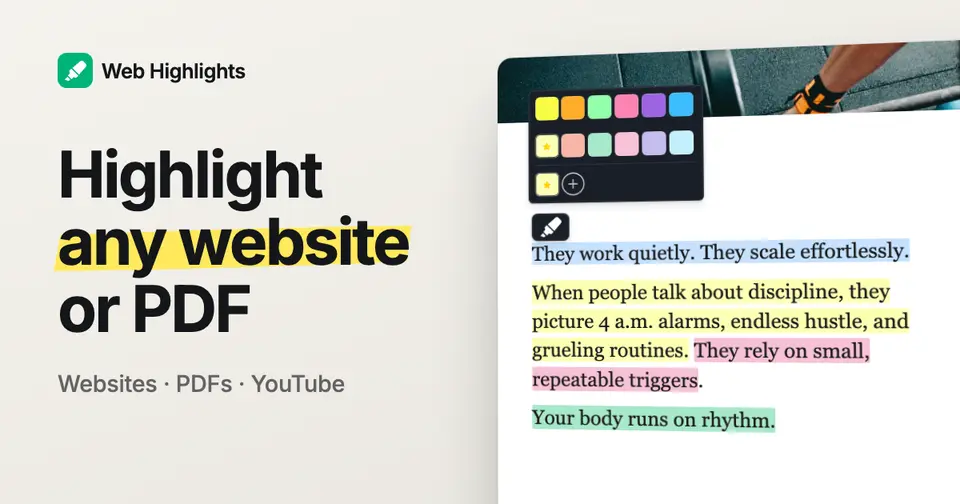
- Highlight web pages and PDFs
- Select text and pick a color, or use the Alt+S shortcut. PDFs can be downloaded with the highlights embedded as annotations.
- Notes and tags
- Attach a formatted note and tags to any highlight, or write a note about a whole page.
- Bookmarks and collections
- Save a page with one click and file it in a collection, so the extension doubles as a bookmark manager.
- Export to Notion and Capacities
- Send highlights and notes to a Notion database or Capacities, or copy Markdown for Obsidian.
- Flashcards
- Highlights can become flashcards, which the iPhone app schedules for review with spaced repetition.
- Sync across devices
- With a paid plan, highlights sync to a web app and to the Android and iPhone apps.
Web Highlights pricing
We could not confirm Web Highlights’s current pricing from its own site, so we are not listing plans here. See web-highlights.com for current prices.
Works with
Web Highlights alternatives
- Web Highlights vs Hypothesis
Free plan
- Web Highlights vs Glasp
Free plan · from $12.50/mo
- Web Highlights vs Diigo
Free plan · from $40/yr
- Web Highlights vs Readwise
Free trial · from $5.59/mo
- Web Highlights vs Weava
Free plan · from $3.99/mo





Common questions
Does Web Highlights have a Windows app?
No Windows app was listed when its pages were read on Nov 13, 2026. Web Highlights is listed for Web, iOS and Android.
Does Web Highlights have a macOS app?
No macOS app was listed when its pages were read on Nov 13, 2026. Web Highlights is listed for Web, iOS and Android.
Is Web Highlights open source?
Web Highlights is not described as open source on its own site, as read on Nov 13, 2026.
Sources for this page
The prices, plans, platforms and features above were read from these pages on Nov 13, 2026.