Wondershare UniConverter review (2026): is it worth it?
Desktop video converter, compressor and downloader with AI tools
Black Friday: is there a Wondershare UniConverter sale?
Wondershare UniConverter report card
Fair · out of 4.0 · graded Nov 13, 2026
Best for converting and compressing video files
UniConverter is a desktop converter, compressor and downloader with AI tools. The store page's yearly, perpetual and two-year prices did not agree, and the free version converts only a third of each file.
Who Wondershare UniConverter is for
- Fits if you convert and shrink video files on a desktop
- Works for people who also want to download and record clips
Who Wondershare UniConverter is not for
- Tight if you stay free, as conversion covers only one third of each file and one file at a time
- Watch out: the AI trial renews at $19.99 a month
- Watch out: AI tools run on credits, 600 or 1,000 one-time on the plans
- Skip it if you want a video editor, as Filmora is a separate product
- Skip it if you want a phone or web version, as it is a desktop program
Why Wondershare UniConverter gets a 2.2
Five grades, each with its reason. The GPA is their average: an A is 4 points, an F is none.
- CValue for moneyNo plan price is recorded because the store's price cards and comparison table disagreed, so it sits in the middle.
- CFree plan and trialA free version that converts up to one third of each file, one file at a time, plus a 1-minute recording.
- BFeaturesConversion, compression, video download, batch editing, recording and AI tools cover the job.
- CEase of useNo store rating on record, and the AI tools run on credits you track.
- CPlatforms and integrationsWindows and Mac desktop programs only; no phone or web version.
What these grades rest on. Graded from this listing, whose facts were read from Wondershare's own pages on 13 November 2026. Not based on using the product, and shorter than our full reviews. How we review and grade.
Make Wondershare UniConverter? Put this grade on your site

Paste this where you want the badge. It links here and follows the grade if it changes. About badges
<a href="https://toolgpa.com/tools/wondershare-uniconverter#review"><img src="https://toolgpa.com/badge/wondershare-uniconverter.svg" alt="Wondershare UniConverter: 2.2 GPA on ToolGPA" width="196" height="56"></a>Where Wondershare UniConverter stands among screen recording and video tools
Wondershare UniConverter's GPA of 2.2 is higher than 42 of the 133 other screen recording and video tools we grade, and level with 23.
It stands best on features (B, above 78 of 133) and worst on ease of use (C, above 2).
Each grade against the category
Every bar is all 134 screen recording and video tools we grade, cut by the letter each got. Wondershare UniConverter’s own letter is outlined.
- CValue for moneyAbove 20 of 133, level with 66
- CFree plan and trialAbove 24 of 133, level with 80
- BFeaturesAbove 78 of 133, level with 53
- CEase of useAbove 2 of 133, level with 84
- CPlatforms and integrationsAbove 17 of 133, level with 49
Keep Wondershare UniConverter, or make your own?
Keep it
To replace Wondershare UniConverter you would be making a video editor. That is not a weekend's work, with an AI app builder or without one.
That makes this kind of software worth paying for, not this one in particular: 68 of the 133 other screen recording and video tools grade higher.
What you could not
- A video editor.
- A voice model, which you can rent by the minute but not make.
- Recording the screen with its sound, and somewhere to keep the video.
- Speech turned into text you can trust.
- A real app for macOS and Windows. Something home-made would be a web page.
- AI features, unless you pay a model provider for each request yourself.
- The depth: we grade its features B, which means it covers the whole job.
What this rests on. Wondershare UniConverter’s listing: what it does, where it runs, what it plugs into and what it costs. It is a judgement about the kind of software this is. We have not built a replacement for it, and making your own means looking after it too. How we decide, and every tool’s verdict.
What is Wondershare UniConverter?
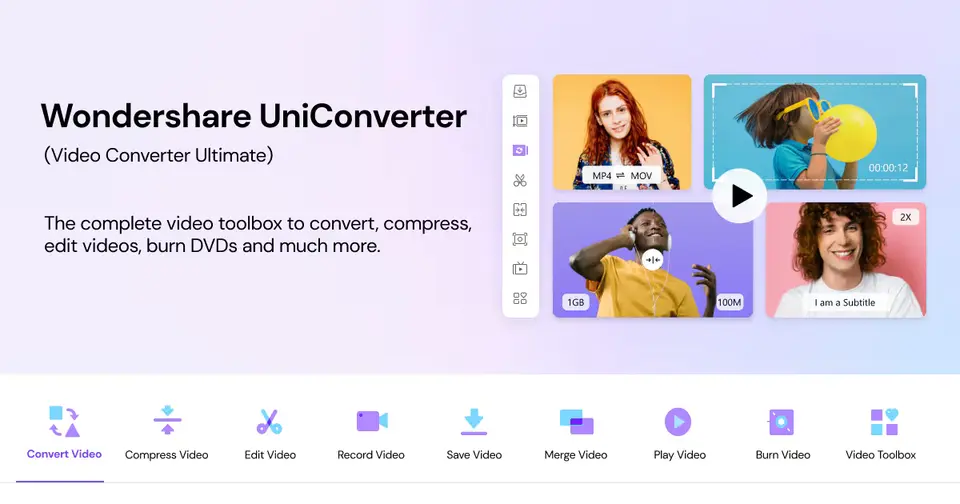
UniConverter is a Windows and Mac program that converts video, audio and images, compresses files, downloads video from links, trims and batch-edits clips, records the screen and burns discs. A set of AI tools, including a video enhancer, text-to-speech and a subtitle generator, is sold with the paid plans.
Worth knowing
- No plan prices are recorded: the store page's yearly, perpetual and 2-year figures did not agree between its price cards and its comparison table.
- The free version limits conversion to one third of each file's length and allows one file at a time.
- AI tools run on bonus credits; the plans list 600 or 1,000 one-time credits, and the AI trial renews at $19.99 per month.
- Wondershare also sells a separate editor, Filmora, which is not part of UniConverter.
Key features
- Format conversion
- Convert video, audio and images in batches, including 4K and 8K files, with GPU acceleration.
- Compression
- Shrink video and audio files, with an AI mode the vendor says can cut file size by up to 50%.
- Video download
- Save video from links on 1,000+ sites, including playlists and 2K, 4K and 8K downloads.
- Batch editing and recording
- Trim, crop, rotate and watermark many videos at once, record the screen or webcam, and burn DVDs or Blu-ray discs.
- AI creation tools
- A video enhancer, image enhancer, text-to-speech, voice changer, subtitle generator and watermark and background removers.
Wondershare UniConverter pricing
We could not confirm Wondershare UniConverter’s current pricing from its own site, so we are not listing plans here. See videoconverter.wondershare.com for current prices.
Wondershare UniConverter alternatives
- Wondershare UniConverter vs Wondershare Filmora
Free plan · from $49.99/yr
- Wondershare UniConverter vs CapCut
Free plan · from $9.99/mo
- Wondershare UniConverter vs PowerDirector
Free plan · from $79.99/yr




Common questions
Does Wondershare UniConverter have an Android app?
No Android app was listed when its pages were read on Nov 13, 2026. Wondershare UniConverter is listed for Windows and macOS.
Does Wondershare UniConverter have an iPhone app?
No iPhone app was listed when its pages were read on Nov 13, 2026. Wondershare UniConverter is listed for Windows and macOS.
Is Wondershare UniConverter open source?
Wondershare UniConverter is not described as open source on its own site, as read on Nov 13, 2026.
Sources for this page
The prices, plans, platforms and features above were read from these pages on Nov 13, 2026.