The 1Password Insider’s Guide
Everything we know about 1Password in one document: what it costs, its grades, getting a refund, getting help and what else to look at. Read it here, or keep a copy.
1Password
The Insider’s Guide
Password manager for individuals, families and businesses
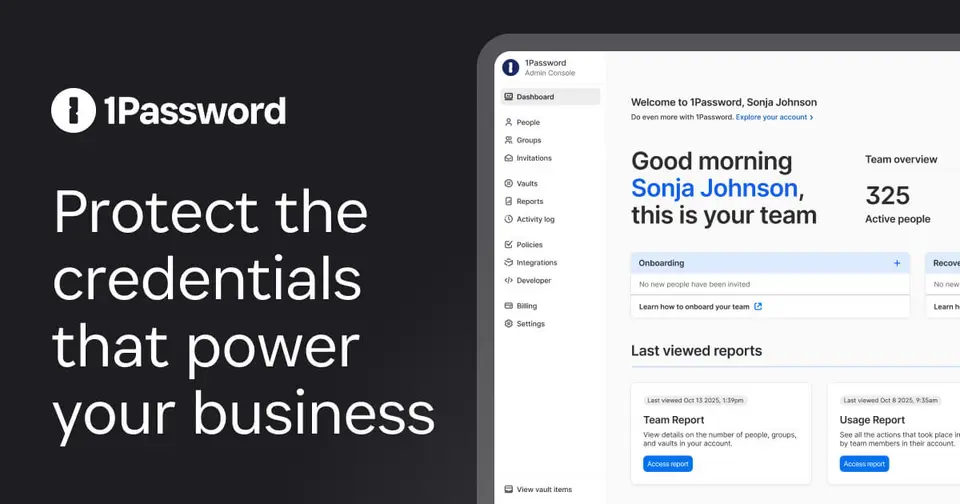
Every plan, grade, refund rule and rival among password managers, read from 1Password’s own pages.
Made by 1Password (AgileBits Inc.) · checked Oct 9, 2026 · toolgpa.com
Contents
- 01WelcomeWhat it is, who it suits, its grades and the ten things to know first
- 02What it costsEvery plan, the free plan, ways to pay less and how prices have moved
- 03What it doesIts main features, where it runs, what it works with and who makes it
- 04Where it standsIts grades against its category, and whether to keep it or make your own
- 05After you payGetting your money back, getting out, and getting help
- 06The alternativesThe tools it is most often weighed against, side by side
- 07Quick answersThe questions people ask about it, each answered in a line or two
- 08About ToolGPAWho made this guide, what else is on the site, and how to cite it
ToolGPA put this guide together from 1Password’s own pages, its app-store listings and our grades. Every fact in it is on 1Password’s page too, where it is kept up to date. Checked Oct 9, 2026.
Part 01 · Overview
Welcome
What it is, who it suits, its grades and the ten things to know first
2.8
GPA, above 4 of the 17 other password managers we grade
1Password stores passwords, passkeys, financial details and other sensitive items in encrypted vaults and autofills them in any major web browser. Personal plans cover one person or a family of five, while team and business plans add shared vaults, role-based permissions and single sign-on. The company now also sells a broader access-management platform for businesses, but the password manager remains available on its own plans.
To get you started, here are 10 things to know about 1Password, taken from its own pages and our grades.
- 1
Best for families and teams who share logins
1Password is a paid password manager that fills logins, cards and passkeys on every major device and browser.
- 2
Paid plans start at $3.99 a month
As its pricing page puts it: $3.99 per month, billed annually ($2.99 in year one for new customers).
- 3
You can try it first
14-day free trial on any plan
- 4
It runs on 5 platforms
macOS, Windows, Linux, iOS and Android, with a browser extension too.
- 5
Autofill and password generator
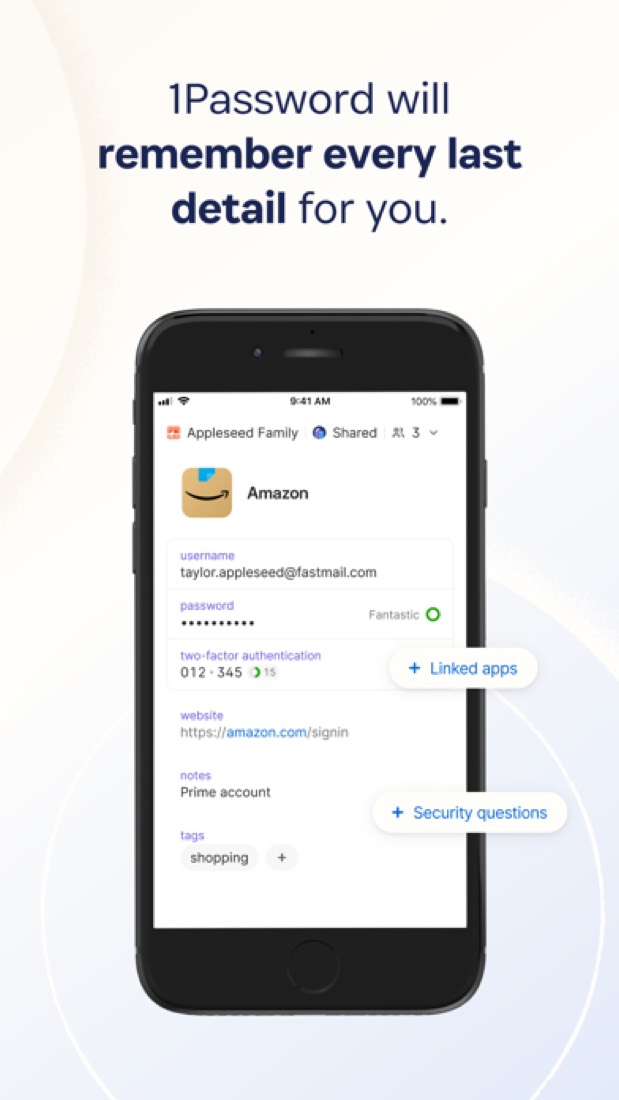
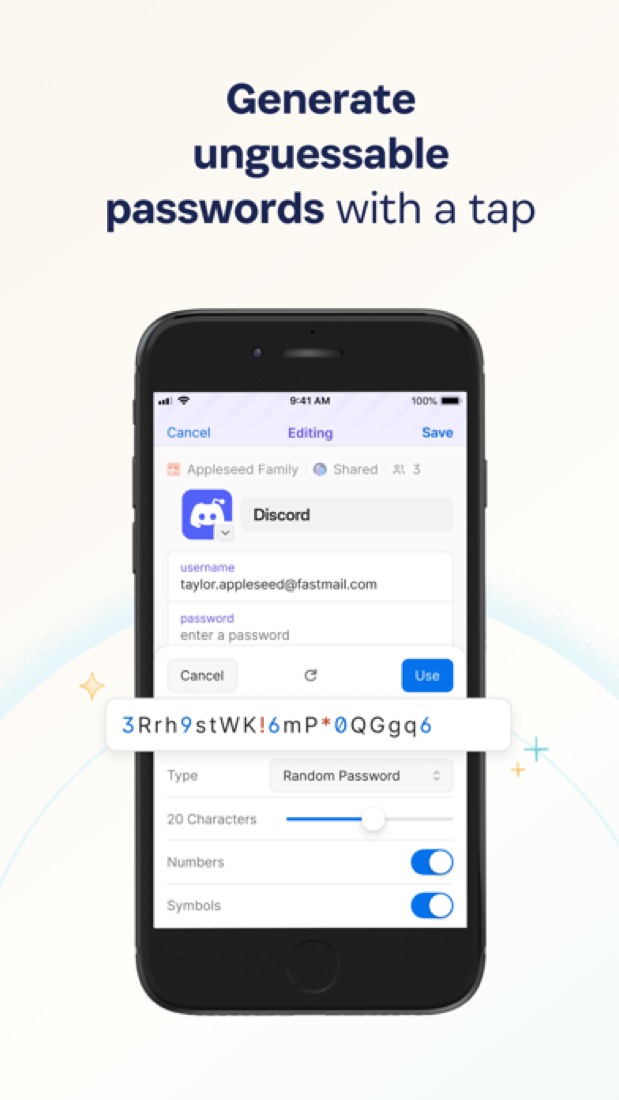
Saves and fills passwords, two-factor codes, payment details and addresses in any major browser, and generates new passwords when you sign up.
- 6
Passkeys
Saves passkeys alongside passwords and signs in with them on sites that support passwordless login.
- 7
Watchtower
Flags compromised passwords and other security issues affecting the items you have saved.
- 8
Refunds: no set window
1Password doesn't do refunds. Its policy says it can't give money back for past charges or for time left on your plan, and the terms leave any exception to its own discretion.
- 9
A 2.8 GPA, above 4 of 17
That is against the other password managers we grade, on value, the free plan, features, ease of use and platforms.
- 10
Keep it
To replace 1Password you would be making a password vault, the last thing anyone should make for themselves. That is not a weekend's work, with an AI app builder or without one.
1Password at a glance
- Pricing
- Free trial, from $3.99 per month, billed annually ($2.99 in year one for new customers)
- Free plan
- No
- Free trial
- 14-day free trial on any plan
- Runs on
- macOS, Windows, Linux, iOS, Android, Browser extension
- Made by
- 1Password (AgileBits Inc.), since 2005
- Category
- Password Managers
- Our grade
- 2.8 GPA, good
- Store rating
- 4.7 on the App Store, 41,755 ratings
The report card
Best for families and teams who share logins
1Password is a paid password manager that fills logins, cards and passkeys on every major device and browser. There's no free plan: after a 14-day trial it's $3.99 a month on yearly billing ($2.99 only in year one), while Bitwarden and Proton Pass store unlimited logins for nothing. Reviewers also report a rough move to version 8, autofill that misses and email-only support, so if you only need your own logins saved, start with a free one.
| Subject | Grade | Comment |
|---|---|---|
| Value for money | C | $3.99 a month on yearly billing ($2.99 only in year one) is the dear end of this category, where the middle plan is $2.99 and Bitwarden Premium is $1.65 with a free plan that may be all you need. Families is $5.99 for five people, about $1.20 each. |
| Free plan and trial | C | There's no free plan, only 14 days on any plan, no card needed. In a category where Bitwarden, Proton Pass, Apple and Google all give you a password manager for good, two weeks is thin. |
| Features | B | Autofill for logins, cards and two-factor codes, passkeys, Watchtower alerts for leaked passwords, sharing by a link that expires, shared vaults and a command-line tool. That's what the category expects, and nothing here goes beyond its free rivals. |
| Ease of use | B | 4.67 from about 42,000 App Store ratings, a shade under our top mark. Reviewers who moved from version 7 to 8 found it harder, and some say autofill misses or it asks for the main password far too often. |
| Platforms and integrations | A | Mac, Windows, Linux, iPhone, Android and Apple Watch, with extensions for Chrome, Safari, Edge, Firefox and Brave. Business plans plug into Okta, Entra ID, OneLogin and Duo. |
An A is worth 4 points, a B 3, a C 2, a D 1 and an F nothing. The GPA is the average of the five.
Who 1Password is for
- Fits if you want the same passwords and passkeys on Mac, Windows, Linux, both phones and every big browser
- Works for families of up to five sharing wifi and streaming logins, at $5.99 a month for all of them
Who it is not for
- Skip it if you want a free password manager, since there's no free plan, only a 14-day trial
- Pricey if you only need one person's logins saved, at $3.99 a month when Bitwarden does it for nothing
- Watch out: the $2.99 and $4.49 prices are for a new customer's first year, then it's $3.99 and $5.99
- Not for you if you want someone to phone when it breaks, as reviewers got email only, days apart
- Tight if a small team needs single sign-on, which starts on Business at $8.99 a person, with Enterprise by quote
Good to know
Good for
- Individuals and families who want one password manager on every device
- Small teams of up to 10 people on the flat-rate Teams Starter Pack
- Companies that want password management tied to their SSO provider
Worth knowing
- There is no free plan; a paid subscription is needed after the 14-day trial.
- Listed prices are for annual billing, and the $2.99 and $4.49 promotional rates apply only to a new customer's first year.
- Single sign-on integration starts at the Business plan, and Enterprise pricing is by quote only.
What people say
- 4.7on the App Store, from 41,755 ratings
What they like
- Commenters point to features beyond storing logins, such as a command-line tool, shared vaults with per-person access, item sharing and integrations with other tools.
- Commenters who keep their passkeys in it say sign-in has become easier and that the passkeys are available on each of their devices.
What they don’t
- Several reviewers describe a difficult move from version 7 to version 8, including imports that failed or left items missing and an interface they find harder to use.
- Support draws mixed reports, with some reviewers praising it and others who had account or migration problems describing email-only help and replies days apart.
- Browser autofill is described as unreliable by some reviewers and commenters, some of whom fall back on copying and pasting passwords.
10 App Store reviews, eight of them three stars or lower, and 29 Hacker News comments from August to October 2026
Part 02 · Pricing
What it costs
Every plan, the free plan, ways to pay less and how prices have moved
$3.99
A month to start
1Password is a paid product with a free trial, starting at $3.99 per month, billed annually ($2.99 in year one for new customers).
In a category where Bitwarden, Proton Pass, Apple and Google all give you a password manager for good, two weeks is thin.
Individual
$3.99
per month, billed annually
For 1 person: password generator, autofill, secure sharing and alerts for weak or compromised credentials. Promotional $2.99 in year one.
Families
$5.99
per month, billed annually
Covers 5 family members with unlimited shared vaults and admin controls. New customers pay a promotional $4.49 in the first year.
Teams Starter Pack
$24.95
per month for 10 members, billed annually ($299.40)
10 members included, with up to 10 more seats at $4.99 each a month. Password sharing, role-based permissions and developer tools.
Business
$8.99
per user / month, billed annually ($107.88)
Everything in Teams Starter Pack, plus single sign-on with Okta, Entra ID, OneLogin and Duo, and enhanced vault sharing.
Enterprise
Custom
Quote-based plan with granular vault permissions, multi-tenant support, a developer toolkit and audit-ready activity logs.
Trying it first
14-day free trial on any plan
Read from 1password.com on Oct 9, 2026.
Ways to pay less
Other savings
First-year promotional pricing for new customers
When checked, new customers subscribing on 1Password.com with annual billing paid $2.99 a month for Individual (regularly $3.99) and $4.49 for Families (regularly $5.99) for the first year.
Stated on 1password.comNonprofit
Discounts for nonprofits and journalists
The business pricing FAQ says 1Password offers discounts for eligible organizations, including nonprofits and journalists, plus volume-based pricing. No amounts are published.
Stated on 1password.comEducation
Student discount through Student Beans
1Password's pricing pages link to a Student Beans page where verified students can claim a discount. The size of the discount is not stated before verification.
Stated on 1password.com
How its prices have moved
- Jul 31, 2026Individual: $2.99 per month, billed annually → $3.99 per month, billed annuallyThe archived copy of the personal pricing page of 31 July 2026 gives $3.99 as the regular price, beside a first-year offer; the last readable copy of the main pricing page before it, of 19 June 2025, shows $2.99. The price changed between the two.
- Jul 31, 2026Families: $4.99 per month, billed annually → $5.99 per month, billed annuallyThe archived copy of the personal pricing page of 31 July 2026 gives $5.99 as the regular price, beside a first-year offer; the last readable copy of the main pricing page before it, of 19 June 2025, shows $4.99. The price changed between the two.
What the app costs elsewhere
Each country’s App Store price for “1Password Individual Monthly”, against $4.99 in the United States, in dollars at the day’s rate. The four cheapest and the four dearest of 11.
| Country | Price there | In dollars | Against the US |
|---|---|---|---|
| Canada | $5.99 | $4.21 | 16% less |
| Turkey | ₺229,99 | $4.68 | 6% less |
| Philippines | ₱ 299.00 | $4.76 | about the same |
| Germany | 4,39 € | $4.92 | about the same |
| Australia | $7.99 | $5.58 | 12% more |
| Brazil | R$ 29,90 | $5.97 | 20% more |
| South Africa | R99.99 | $6.05 | 21% more |
| United Kingdom | £4.99 | $6.60 | 32% more |
Part 03 · Features
What it does
Its main features, where it runs, what it works with and who makes it
6
Places it runs: macOS, Windows, Linux, iOS, Android and Browser extension
Password manager for individuals, families and businesses. Here is what it does, as its own site describes it, and what it covers: end-to-end encrypted, password manager, passkeys.
That's what the category expects, and nothing here goes beyond its free rivals.
- Autofill and password generator
- Saves and fills passwords, two-factor codes, payment details and addresses in any major browser, and generates new passwords when you sign up.
- Passkeys
- Saves passkeys alongside passwords and signs in with them on sites that support passwordless login.
- Watchtower
- Flags compromised passwords and other security issues affecting the items you have saved.
- Secure sharing
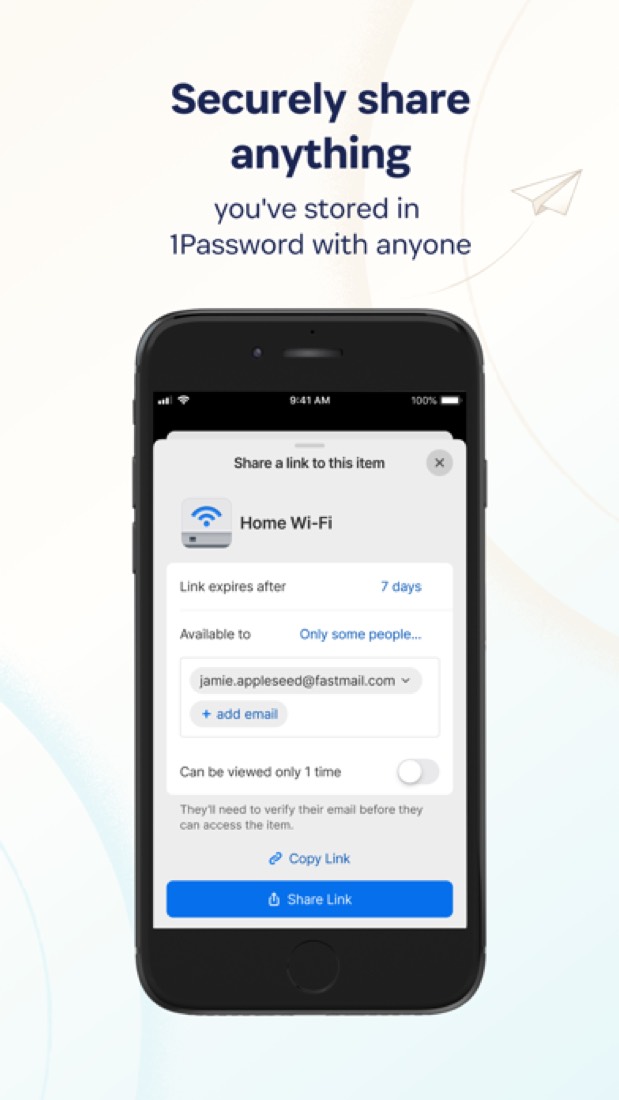
- Share an item through an expiring link, even with someone who does not use 1Password, or keep shared vaults for family members and teammates.
- Secret Key encryption
- Data is protected by your account password plus a 128-bit Secret Key, and 1Password says it cannot see the passwords or data you store.
- Team controls and single sign-on
- Teams Starter Pack adds role-based permissions. Business adds sign-in through identity providers such as Okta, Entra ID, OneLogin and Duo.
Where it runs
- macOS
- Windows
- Linux
- iOS
- Android
- Browser extension
What it works with
- Okta
- Entra ID
- OneLogin
- Duo
Who makes 1Password
1Password is made by 1Password, a privately held, venture-backed company headquartered in Toronto. It earns money from subscriptions sold to individuals, families and businesses, and says it has more than 200,000 business customers and $400 million in annual recurring revenue.
- Founded
- 20051password.com
- Based
- Headquartered in Toronto, Canada, with a remote-first workforce across five countries1password.com
- Ownership
- Privately held. Privately held and venture-backed. Its own company page lists Accel partner Arun Mathew and ICONIQ partner Will Griffith on the board alongside founder Sara Teare and executive chairman Jeff Shiner.1password.com
- Funding
- TechCrunch reported a $200 million Series A led by Accel in November 2019, the company's first outside money after fourteen years, and $100 million more in July 2021, again led by Accel, at a $2 billion valuation. VentureBeat and CNBC reported a $620 million Series C led by ICONIQ Growth in January 2022.techcrunch.comtechcrunch.comventurebeat.comcnbc.com
- Team
- 1,400+ global employees, with the workforce distributed across 5 countries1password.com
- Founders and leaders
- David Faugno, CEO1password.com
- Sara Teare, Founder1password.com
- Jeff Shiner, Executive Chairman of the Board1password.com
- Michael Hughes, President1password.com
- Hiring
- 75 open positions: 33 in go-to-market, 18 in technology, 7 in product, 5 in general and administrative, 4 in marketing, 4 at Apono and 4 internshipsjobs.ashbyhq.com
- Affiliate program
- Affiliates get $2 for each completed signup and 25% of the first year's or month's payment, with a $2 minimum. Sign-up runs through a Commission Junction account and an application to the program.1password.com
- Partner program
- Partner Program with three paths: channel partners who resell, managed service providers who run client accounts, and technology alliances that build integrations. Margins and fees are not published.1password.com
- Lately
- Stop digging, just ask: get renewal-ready AI and SaaS reports in seconds · Sep 29, 2026
- Secure agent access in development workflows with 1Password + NVIDIA OpenShell · Sep 28, 2026
- Introducing 1Password Privileged Access: Zero standing privileges for every identity · Jul 28, 2026
- 1Password Credential Broker is now in public preview · Jul 28, 2026
Read on Oct 18, 2026 from the company’s own pages and from news reports. What is not stated there is left out.
Part 04 · Standing
Where it stands
Its grades against its category, and whether to keep it or make your own
4/17
Other password managers it is graded above
1Password's GPA of 2.8 is higher than 4 of the 17 other password managers we grade, and level with 5.
It stands best on platforms and integrations (A, above 12 of 17) and worst on value for money (C, above 1).
Its paid plans start at $3.99 a month, against a middle price of $2.59 for the category: 11 of the 13 others that charge start lower.
On features, ease of use and platforms it scores 3.3 out of 4. 3 tools score higher and cost less.
Each grade against the category
Every bar is all 18 password managers we grade, cut by the letter each got. 1Password’s own letter is outlined.
- CValue for moneyAbove 1 of 17
- CFree plan and trialAbove 2 of 17
- BFeaturesAbove 8 of 17
- BEase of useAbove 5 of 17
- APlatforms and integrationsAbove 12 of 17
Price against what you get
Each dot is one of 18 password managers. Further left costs less; higher up scores better on features, ease of use and platforms. 1Password is the marked dot.
What paid plans start at, a month (each step along is roughly double) →
Keep it, or make your own?
Whether this is something you could build for yourself with an AI app builder, and what you would give up.
Keep it
To replace 1Password you would be making a password vault, the last thing anyone should make for themselves. That is not a weekend's work, with an AI app builder or without one.
That makes this kind of software worth paying for, not this one in particular: 8 of the 17 other password managers grade higher. It costs $47.88 a year.
What you could not
- A password vault, the last thing anyone should make for themselves.
- Passkeys, which rest on security you cannot improvise.
- Apps for macOS, Windows, Linux, iOS and Android that stay in step with each other.
- End-to-end encryption done properly.
- What a company asks for before it lets staff use something: single sign-on and roles and permissions.
- Sharing with other people, which means accounts and invitations.
- The depth: we grade its features B, which means it covers the whole job.
What this rests on. 1Password’s listing: what it does, where it runs, what it plugs into and what it costs. It is a judgement about the kind of software this is. We have not built a replacement for it, and making your own means looking after it too. How we decide, and every tool’s verdict.
Part 05 · Refunds
After you pay
Getting your money back, getting out, and getting help
What happens once you have paid: whether you can get your money back, how to leave, and how to reach a person when something goes wrong. Each is graded from 1Password’s own terms and help pages.
Refunds and cancelling
Ordinary · checked Oct 12, 2026
1Password doesn't do refunds. Its policy says it can't give money back for past charges or for time left on your plan, and the terms leave any exception to its own discretion. What keeps this from a worse grade is the way out: you cancel yourself on the Billing page, keep what you paid for to the end of the period, and can still view and export everything afterwards. That's the ordinary deal, so it's a C.
- Refund window
- No set window
- How you cancel
- Yourself, in settings
- Getting your money back
The refund policy says 1Password is unable to refund past charges or any time remaining on the account when you cancel, and that gift card purchases are final. Cancelling during the free trial means no charge. Its terms of service call all amounts paid non-refundable, and add that certain refund requests may be considered case by case and granted at the company's sole discretion.
Stated on support.1password.com- How to cancel 1Password
For a subscription started on 1Password.com, you sign in, open Billing and select Cancel subscription, at any time. A subscription started as an in-app purchase is managed with Apple or Google instead. If your last payment failed, the page says to contact support to cancel, and an account managed by a 1Password Business representative is referred to its account manager.
- Sign in to your account on 1Password.com
- Select Billing in the sidebar
- Select Cancel subscription, scrolling down if the button is out of view, and follow the instructions on screen
- What you keep afterwards
The billing page says that after you cancel and the account is frozen you can still sign in to 1Password.com or the apps to view and export your data, as long as you do not delete the account. The subscription stays active until the end of the current billing period first. Its page on frozen accounts adds that you cannot add or edit items, invite people or fill items in the browser until you subscribe again.
Stated on support.1password.com- Renewals
The terms say a subscription renews automatically at the end of each billing cycle, monthly or yearly, unless you cancel it. They promise reasonable prior notice of a change in fees, but say nothing of a reminder before a renewal, and they make no exception to the no-refund rule for a renewal you did not want.
Stated on 1password.com
In your favour
- You cancel yourself on the Billing page, any time you like.
- Cancel and you keep everything you paid for until the billing period runs out.
- A frozen account still lets you sign in, look up your passwords and export the lot.
- Cancel during the free trial and you're never charged.
Watch out for
- No refunds: not for past charges, and not for the months left on a yearly plan.
- The only exception is case by case and entirely up to 1Password, so don't count on it.
- It renews by itself, and nothing in the terms promises a reminder first.
- Bought it inside the iPhone or Android app? Then you cancel with Apple or Google, not on 1Password.com.
Customer support
Good · checked Oct 12, 2026
Everyone who pays can write to 1Password's support team, and its pricing pages say that team answers by email around the clock. That's better than most. There's a phone line too, but only on the Business plan and only on weekdays, and no page says how long a reply takes. The chat on the contact page is a bot. So it's a B, not an A.
Ways to get help
Live chat
The contact page offers a chatbot, available 24 hours a day. It is described as a virtual assistant, not a person, and the page does not say it passes you to one.
Stated on 1password.comPhone
Business plan customers can call the support team Monday to Friday, 9 AM to 5 PM Eastern time. The plan comparison marks phone support as not included in the Teams Starter Pack.
Stated on 1password.comEmail
The business plan comparison lists support by email, 24 hours a day, on both the Teams Starter Pack and Business. The personal pricing page says the same of its plans.
Stated on 1password.comContact form or ticket
The contact page has a form that goes to the support team. You give your name, the email on your account, your account type and the problem, and the page says an expert will be in touch.
Stated on 1password.comAccount manager
Business organisations with 101 or more users get a dedicated Customer Success Manager and personalised training, according to the plan comparison.
Stated on 1password.comHelp centre
The support site has written guides on every app, on billing and subscriptions, on families and on running 1Password in a business. It is open to everyone.
Stated on support.1password.comCommunity or forum
The 1Password Community is a public forum where, the site says, you can get help from the 1Password support team and from other members.
Stated on 1password.community
- When people answer
The plan comparison says support by email, forum and social media is available 24 hours a day, every day. Phone support, on the Business plan, runs Monday to Friday, 9 AM to 5 PM Eastern time.
Stated on 1password.com- How fast it says it replies
Its pages do not say.
- What depends on your plan
Every business plan gets support by email, forum and social media and the help library. Phone support is included in Business and not in the Teams Starter Pack. A dedicated Customer Success Manager and personalised training are for Business organisations with 101 or more users, and quarterly and annual business reviews are for enterprise customers.
Stated on 1password.com
In your favour
- Email support is stated as 24 hours a day, every day, on every plan.
- Business customers get a phone line on weekdays, 9 to 5 Eastern.
- The help site is large and covers billing, every app and the admin side.
- There's a public forum where 1Password says its own support team answers.
Watch out for
- No reply time is promised anywhere, only that someone will be in touch.
- The chat on the contact page is a chatbot, not a person.
- Phone support is listed for Business only, so the personal plans and the Teams Starter Pack write in.
- A dedicated success manager only arrives once a Business account passes 100 users.
What these two grades rest on. Read on 12 October 2026: 1Password's terms of service, its refund policy, its help pages on managing a subscription, subscription billing, frozen accounts and deleting an account, its contact page and its personal and business pricing pages. Nobody here cancelled a plan or contacted its support. They are graded apart from the five that make the GPA. How we grade refunds and support.
Part 06 · Alternatives
The alternatives
The tools it is most often weighed against, side by side




Bitwarden, Dashlane, Proton Pass and NordPass
The 4 tools 1Password is most often weighed against, with where each one differs from it.
- 3.8GPA
Bitwarden
Free plan · from $1.65/mo
Open-source password manager with a free plan and self-hosting.
- Bitwarden has a free plan. 1Password does not, though it has a free trial.
- Only Bitwarden lists a web app.
- Bitwarden is open source and self-hostable, according to its own site.
- 2.6GPA
Dashlane
Free trial · from $5.42/mo
Password manager with scam protection, dark web alerts and a VPN.
- Only 1Password lists macOS, Windows and Linux apps.
- Only Dashlane lists a web app.
- 1Password is end-to-end encrypted, according to its own site.
- 3.2GPA
Proton Pass
Free plan · from $2.99/mo
End-to-end encrypted password manager with email aliases.
- Proton Pass has a free plan. 1Password does not, though it has a free trial.
- Only Proton Pass lists a web app.
- Proton Pass is open source, according to its own site.
- 3.0GPA
NordPass
Free plan · from $4.99/mo
Password manager with breach scanning and email masking.
- NordPass has a free plan. 1Password does not, though it has a free trial.
Part 07 · Questions
Quick answers
The questions people ask about it, each answered in a line or two
19
Questions, each answered in a line or two
The short version of everything above, for when you only need the answer. Each one is told in full in its part of the guide.
Is 1Password free?
No, 1Password is a paid product, but you can try it first. 14-day free trial on any plan.
How much does 1Password cost?
1Password lists 5 plans. Individual: $3.99 per month, billed annually.
What platforms does 1Password work on?
1Password is available on macOS, Windows, Linux, iOS and Android. It also has a browser extension.
Does 1Password offer any discounts?
1Password publicly lists the following: First-year promotional pricing for new customers; Discounts for nonprofits and journalists; Student discount through Student Beans.
How is 1Password rated?
1Password's iPhone and iPad app averages 4.7 out of 5 from 41,755 ratings on the App Store in the United States, as read on Oct 5, 2026.
Is 1Password any good?
We have not tested 1Password, so this is what reviewers say. Often praised: Commenters point to features beyond storing logins, such as a command-line tool, shared vaults with per-person access, item sharing and integrations with other tools.
Is 1Password open source?
1Password is not described as open source on its own site, as read on Oct 9, 2026.
Is 1Password end-to-end encrypted?
1Password describes itself as end-to-end encrypted on its own site. Nobody here has audited that.
What does 1Password integrate with?
1Password's listing names Okta, Entra ID, OneLogin and Duo. A listing names up to eight integrations, so it may connect to more.
Does 1Password have a student discount?
Student discount through Student Beans. 1Password's pricing pages link to a Student Beans page where verified students can claim a discount.
Who makes 1Password?
1Password is made by a company of the same name. Privately held and venture-backed.
What are the alternatives to 1Password?
The closest alternatives to 1Password in our directory are Bitwarden, Dashlane, Proton Pass and NordPass.
Does 1Password give refunds?
The refund policy says 1Password is unable to refund past charges or any time remaining on the account when you cancel, and that gift card purchases are final.
How do I cancel 1Password?
For a subscription started on 1Password.com, you sign in, open Billing and select Cancel subscription, at any time.
What happens to my data if I cancel 1Password?
The billing page says that after you cancel and the account is frozen you can still sign in to 1Password.com or the apps to view and export your data, as long as you do not delete the account.
How do I contact 1Password support?
1Password's pages list these ways to get help: live chat, phone, email, contact form or ticket, account manager, help centre and community or forum.
How does 1Password compare with other password managers?
1Password's GPA of 2.8 is higher than 4 of the 17 other password managers we grade, and level with 5.
Is 1Password good value for money?
ToolGPA grades 1Password C for value for money. Its paid plans start at $3.99 a month, against a middle price of $2.59 for the category: 11 of the 13 others that charge start lower.
Could I make my own version of 1Password?
To replace 1Password you would be making a password vault, the last thing anyone should make for themselves.
Where this guide comes from
The prices, plans, platforms and features were read from 1Password’s own pages on Oct 9, 2026, and the grades were given on Oct 10, 2026. Based on 1Password's personal and business pricing, password manager, security and downloads pages as of 9 October 2026, its App Store reviews and Hacker News threads about it. Also tested with a demo account on 2026-06-24.
Every tool we list gets five grades, A to F, each with its reason, and a GPA that averages them. How each is decided is at toolgpa.com/grades. This guide is ToolGPA’s own work; it is not made, paid for or approved by 1Password (AgileBits Inc.). Prices change, so check 1password.com before you buy.
Part 08 · About
About ToolGPA
Who made this guide, what else is on the site, and how to cite it
3,189
Tools graded, in 94 categories
ToolGPA grades software the way a school report grades a pupil: five subjects, a letter for each with the reason written beside it, and a GPA that averages them. Prices, plans and platforms are read from each maker’s own pages and dated, so you always know how fresh a figure is.
Every grade, review and ranking on ToolGPA is our own judgement. No company can pay for a grade or change one. Every tool on the site has a guide like this one, free to download and pass on. It all lives at toolgpa.com.
3,189
tools graded
94
categories
426
price changes on record
579
apps priced in 12 countries
What else is on toolgpa.com
- 1Password, kept up to dateEverything in this guide, with prices and grades as they are todaytoolgpa.com/tools/1password
- How grades are givenThe rules behind every letter and every GPAtoolgpa.com/grades
- Value chartsWhat each tool costs against what it scores, for every categorytoolgpa.com/charts
- CompareAny two tools side by side, plan by plantoolgpa.com/compare
- Price changesEvery price rise and cut on record, each with its sourcetoolgpa.com/price-changes
- Prices by countryWhat apps cost on the App Store in 12 countriestoolgpa.com/prices-by-country
- Pay lessEvery public discount: yearly billing, students, nonprofitstoolgpa.com/save
- Keep or makeWhich tools are worth paying for, and which you could build yourselftoolgpa.com/keep-or-make
Scan for the live page
Prices and grades as they are today
Quoting this guide?
Please name ToolGPA and link to the live page, so readers can check the figures for themselves:
ToolGPA, "1Password: The Insider's Guide", checked Oct 9, 2026. https://toolgpa.com/tools/1password
Know someone choosing between password managers?
Send them this guide: toolgpa.com/tools/1password/guide
ToolGPA elsewhere: youtube.com/@toolgpa
See our other guides
The best-graded password managers after 1Password, each with an Insider's Guide of its own.
- Password Managers Insider's GuideEvery one of the 18 password managers we grade, compared
- Bitwarden Insider's GuideOpen-source password manager with a free plan and self-hosting3.8 GPA
- Apple Passwords Insider's GuideApple's free password and passkey app for iPhone, iPad and Mac3.4 GPA
- RoboForm Insider's GuidePassword manager and form filler with a single-device free plan3.4 GPA

Choosing software? Every tool graded, every price dated.
Compare tools at toolgpa.com ›Everything in this guide is ToolGPA’s own summary of what 1Password’s pages, its app-store listings and public reviews said on the dates shown. Grades are our judgement under the rules at toolgpa.com/grades. Every grade, review and ranking on ToolGPA is our own judgement. No company can pay for a grade or change one. 1Password is a trademark of its owner, and this guide is not made, paid for or approved by 1Password (AgileBits Inc.). Prices and plans change: check 1password.com before you buy.