1Password review (2026): is it worth $3.99 a month, billed yearly?
Password manager for individuals, families and businesses
Black Friday: is there a 1Password sale?
1Password review
Good · out of 4.0 · graded Oct 10, 2026
Best for families and teams who share logins
1Password is a paid password manager that fills logins, cards and passkeys on every major device and browser. There's no free plan: after a 14-day trial it's $3.99 a month on yearly billing ($2.99 only in year one), while Bitwarden and Proton Pass store unlimited logins for nothing. Reviewers also report a rough move to version 8, autofill that misses and email-only support, so if you only need your own logins saved, start with a free one.
Who 1Password is for
- Fits if you want the same passwords and passkeys on Mac, Windows, Linux, both phones and every big browser
- Works for families of up to five sharing wifi and streaming logins, at $5.99 a month for all of them
Who 1Password is not for
- Skip it if you want a free password manager, since there's no free plan, only a 14-day trial
- Pricey if you only need one person's logins saved, at $3.99 a month when Bitwarden does it for nothing
- Watch out: the $2.99 and $4.49 prices are for a new customer's first year, then it's $3.99 and $5.99
- Not for you if you want someone to phone when it breaks, as reviewers got email only, days apart
- Tight if a small team needs single sign-on, which starts on Business at $8.99 a person, with Enterprise by quote
Why 1Password gets a 2.8
Five grades, each with its reason. The GPA is their average: an A is 4 points, an F is none.
- CValue for money$3.99 a month on yearly billing ($2.99 only in year one) is the dear end of this category, where the middle plan is $2.99 and Bitwarden Premium is $1.65 with a free plan that may be all you need. Families is $5.99 for five people, about $1.20 each.
- CFree plan and trialThere's no free plan, only 14 days on any plan, no card needed. In a category where Bitwarden, Proton Pass, Apple and Google all give you a password manager for good, two weeks is thin.
- BFeaturesAutofill for logins, cards and two-factor codes, passkeys, Watchtower alerts for leaked passwords, sharing by a link that expires, shared vaults and a command-line tool. That's what the category expects, and nothing here goes beyond its free rivals.
- BEase of use4.67 from about 42,000 App Store ratings, a shade under our top mark. Reviewers who moved from version 7 to 8 found it harder, and some say autofill misses or it asks for the main password far too often.
- APlatforms and integrationsMac, Windows, Linux, iPhone, Android and Apple Watch, with extensions for Chrome, Safari, Edge, Firefox and Brave. Business plans plug into Okta, Entra ID, OneLogin and Duo.
The good
So why pay for a password manager when your phone has one built in? Because 1Password runs on every company's devices, not just one.
Mac, Windows, Linux, iPhone, Android and every big browser. One reviewer says a password changed on one device turns up on the others straight away.
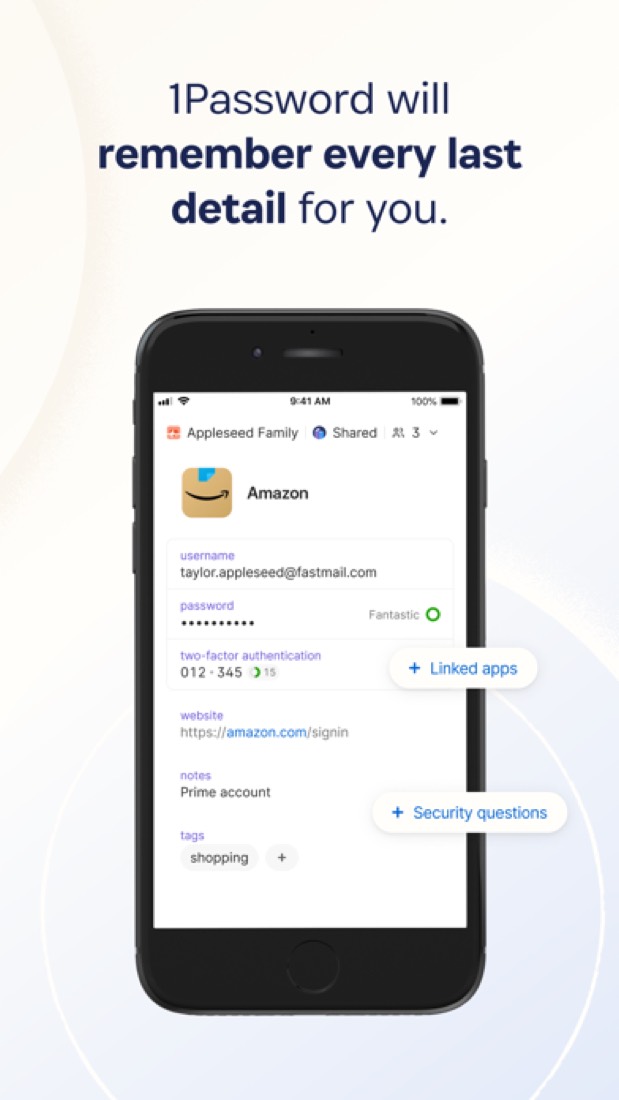
It fills in logins, card numbers, addresses and the six-digit codes for two-step sign-in. It saves passkeys too, so on sites that take them you skip the password.
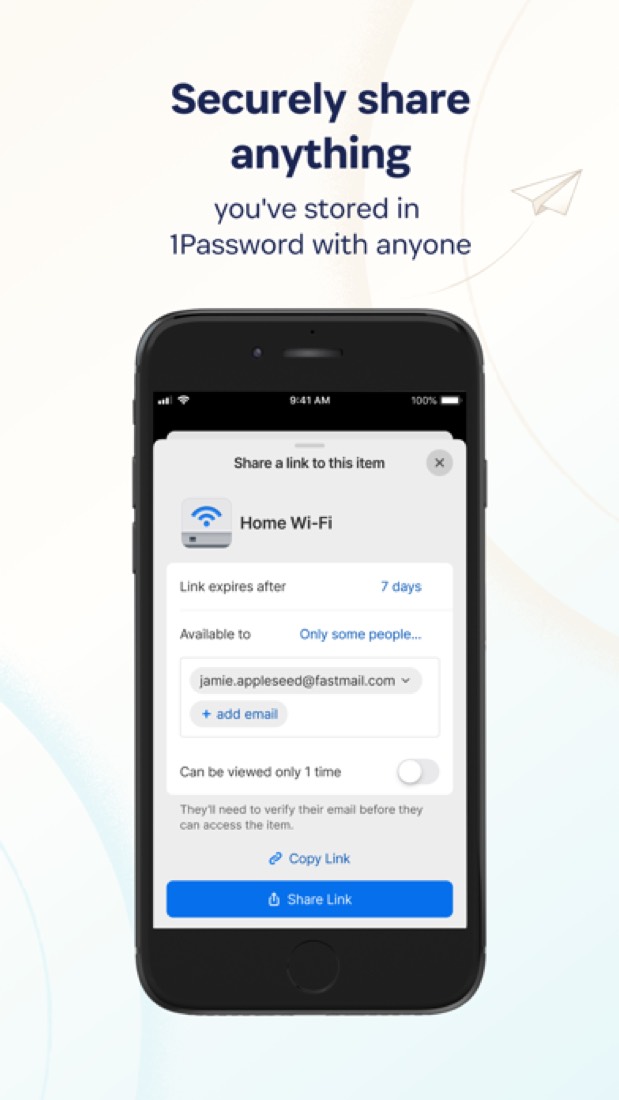
For sharing, a family gets shared vaults, so the streaming logins live in one place. To give the babysitter the wifi password, you send a link that expires, and they don't need 1Password to open it.
Watchtower flags passwords that are weak, reused or caught up in a breach.
There's a second lock on your account, a Secret Key that sits alongside your password. 1Password says it can't see what you store.
The stuff that'll bug you
It costs money. That's most of the case against it. There's no free plan, and Bitwarden and Proton Pass both store unlimited logins on unlimited devices for nothing.
The first-year prices don't last. $2.99 for one person and $4.49 for a family are for new customers in year one, then it's $3.99 and $5.99.
The move to version 8 left some scars. Several long-time users in the App Store reviews say the upgrade from version 7 went badly: imports that failed, items that went missing, a layout they liked less.
Autofill misses too. Some reviewers and Hacker News commenters say it fails on certain sites, and they end up copying and pasting.
A few find it asks for the main password far too often. One says they turned off nearly every security setting just to make it bearable.
Support is uneven. Some reviewers were happy with it. Others, stuck with a locked account, got email only, with days between replies.
For a company, single sign-on doesn't start until Business at $8.99 a person, and Enterprise is by quote.
Money
There's a 14-day free trial on every plan, and no card is needed to start. Use it. Two weeks is enough to move your logins over and see how autofill behaves on the sites you care about.
Individual is $3.99 a month, billed yearly. New customers pay $2.99 for the first year, so expect it to go up in year two.
Families is $5.99 a month for five people, or $4.49 in year one. Split five ways that's about $1.20 each, the lowest per person of its plans.
For work, the Teams Starter Pack is a flat $24.95 a month for 10 people on yearly billing. You can add up to 10 more seats at $4.99 each.
Business is $8.99 a person a month and adds single sign-on with Okta, Entra ID, OneLogin and Duo. Enterprise is by quote.
Nonprofits and journalists can ask for a discount, and students get one through Student Beans.
What actual users say
1Password has 4.7 on the App Store from about 42,000 ratings. So the bulk of ratings are high, even though the reviews shown on the listing are mostly the grumpy ones.
The happy ones say it kept every device in step where others didn't, and that they've only got one password to remember now.
On Hacker News it comes up when people ask what to set up for a parent, and one commenter recommends it for the average person. People there mention the extras as well, like a command-line tool, vaults with per-person access and somewhere to keep a photo of your passport.
Several say signing in got easier once their passkeys lived in 1Password and followed them to every device.
The unhappy reviews are nearly all about the version 8 switch, autofill and slow support.
What this review rests on. Based on 1Password's personal and business pricing, password manager, security and downloads pages as of 9 October 2026, its App Store reviews and Hacker News threads about it. Also tested with a demo account on 2026-06-24. How we review and grade.
Make 1Password? Put this grade on your site
Paste this where you want the badge. It links here and follows the grade if it changes. About badges
<a href="https://toolgpa.com/tools/1password#review"><img src="https://toolgpa.com/badge/1password.svg" alt="1Password: 2.8 GPA on ToolGPA" width="196" height="56"></a>Where 1Password stands among password managers
1Password's GPA of 2.8 is higher than 28 of the 49 other password managers we grade, and level with 9.
It stands best on platforms and integrations (A, above 42 of 49) and worst on value for money (C, above 3).
Its paid plans start at $3.99 a month, against a middle price of $2.50 for the category: 24 of the 29 others that charge start lower.
On features, ease of use and platforms it scores 3.3 out of 4. 3 tools score higher and cost less.
Each grade against the category
Every bar is all 50 password managers we grade, cut by the letter each got. 1Password’s own letter is outlined.
- CValue for moneyAbove 3 of 49, level with 20
- CFree plan and trialAbove 6 of 49, level with 20
- BFeaturesAbove 32 of 49, level with 14
- BEase of useAbove 31 of 49, level with 9
- APlatforms and integrationsAbove 42 of 49, level with 7
Price against what you get
Each dot is one of 38 password managers. Further left costs less, and higher up scores better on features, ease of use and platforms. Point at a dot to see which tool it is.
Features, ease of use and platforms, averaged
What paid plans start at, a month (each step along is roughly double) →
- The best score at each price
- Has a free plan
- No free plan
Keep 1Password, or make your own?
Keep it
To replace 1Password you would be making a password vault, the last thing anyone should make for themselves. That is not a weekend's work, with an AI app builder or without one.
It costs $47.88 a year.
What you could not
- A password vault, the last thing anyone should make for themselves.
- Passkeys, which rest on security you cannot improvise.
- Apps for macOS, Windows, Linux, iOS and Android that stay in step with each other.
- End-to-end encryption done properly.
- What a company asks for before it lets staff use something: single sign-on and roles and permissions.
- Sharing with other people, which means accounts and invitations.
- The depth: we grade its features B, which means it covers the whole job.
What this rests on. 1Password’s listing: what it does, where it runs, what it plugs into and what it costs. It is a judgement about the kind of software this is. We have not built a replacement for it, and making your own means looking after it too. How we decide, and every tool’s verdict.
What is 1Password?
1Password stores passwords, passkeys, financial details and other sensitive items in encrypted vaults and autofills them in any major web browser. Personal plans cover one person or a family of five, while team and business plans add shared vaults, role-based permissions and single sign-on. The company now also sells a broader access-management platform for businesses, but the password manager remains available on its own plans.
Worth knowing
- There is no free plan; a paid subscription is needed after the 14-day trial.
- Listed prices are for annual billing, and the $2.99 and $4.49 promotional rates apply only to a new customer's first year.
- Single sign-on integration starts at the Business plan, and Enterprise pricing is by quote only.
Key features
- Autofill and password generator
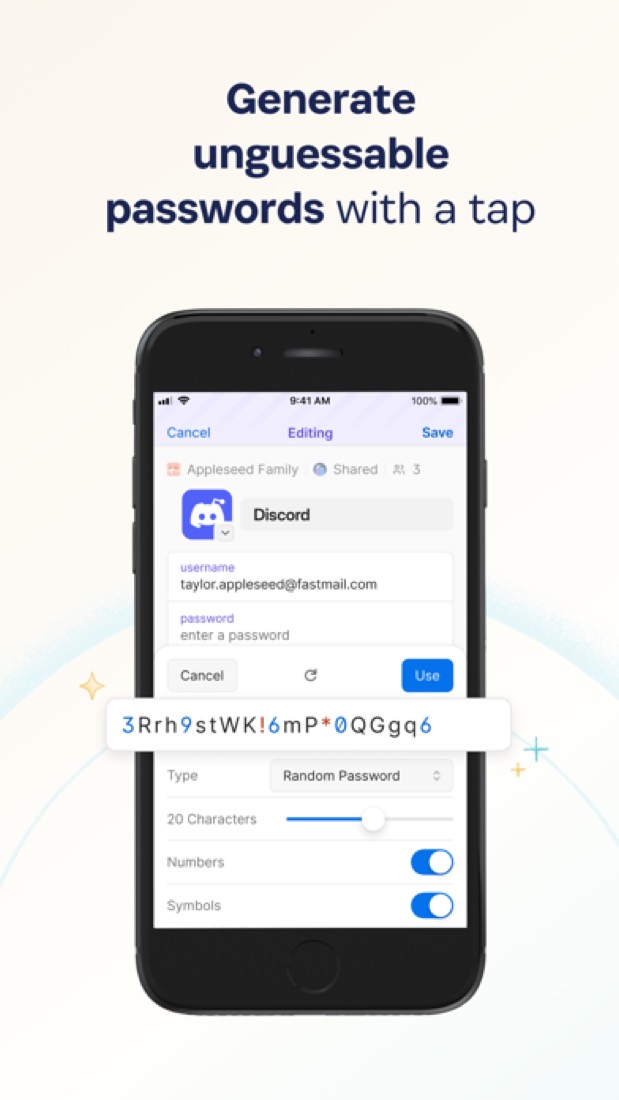
- Saves and fills passwords, two-factor codes, payment details and addresses in any major browser, and generates new passwords when you sign up.
- Passkeys
- Saves passkeys alongside passwords and signs in with them on sites that support passwordless login.
- Watchtower
- Flags compromised passwords and other security issues affecting the items you have saved.
- Secure sharing
- Share an item through an expiring link, even with someone who does not use 1Password, or keep shared vaults for family members and teammates.
- Secret Key encryption
- Data is protected by your account password plus a 128-bit Secret Key, and 1Password says it cannot see the passwords or data you store.
- Team controls and single sign-on
- Teams Starter Pack adds role-based permissions. Business adds sign-in through identity providers such as Okta, Entra ID, OneLogin and Duo.
1Password pricing
As of Oct 9, 2026, 1Password is a paid product with a free trial, starting at $3.99 per month, billed annually ($2.99 in year one for new customers).
- Starts at
- $3.99 per month, billed annually ($2.99 in year one for new customers)
- Free plan
- None
- Free trial
- 14-day free trial on any plan
| Plan | Price | What you get |
|---|---|---|
| Individual | $3.99per month, billed annually | For 1 person: password generator, autofill, secure sharing and alerts for weak or compromised credentials. Promotional $2.99 in year one. |
| Families | $5.99per month, billed annually | Covers 5 family members with unlimited shared vaults and admin controls. New customers pay a promotional $4.49 in the first year. |
| Teams Starter Pack | $24.95per month for 10 members, billed annually ($299.40) | 10 members included, with up to 10 more seats at $4.99 each a month. Password sharing, role-based permissions and developer tools. |
| Business | $8.99per user / month, billed annually ($107.88) | Everything in Teams Starter Pack, plus single sign-on with Okta, Entra ID, OneLogin and Duo, and enhanced vault sharing. |
| Enterprise | Custom | Quote-based plan with granular vault permissions, multi-tenant support, a developer toolkit and audit-ready activity logs. |
Read from 1password.com on Oct 9, 2026. Prices change, so confirm with 1Password before you buy.
2 price changes on recordWhat the app costs in other countries
Ways to pay less
- Other savingsFirst-year promotional pricing for new customers
When checked, new customers subscribing on 1Password.com with annual billing paid $2.99 a month for Individual (regularly $3.99) and $4.49 for Families (regularly $5.99) for the first year.
Stated on 1password.com - NonprofitDiscounts for nonprofits and journalists
The business pricing FAQ says 1Password offers discounts for eligible organizations, including nonprofits and journalists, plus volume-based pricing. No amounts are published.
Stated on 1password.com - EducationStudent discount through Student Beans
1Password's pricing pages link to a Student Beans page where verified students can claim a discount. The size of the discount is not stated before verification.
Stated on 1password.com
1Password refunds and cancellation
Ordinary · checked Oct 12, 2026
1Password doesn't do refunds. Its policy says it can't give money back for past charges or for time left on your plan, and the terms leave any exception to its own discretion. What keeps this from a worse grade is the way out: you cancel yourself on the Billing page, keep what you paid for to the end of the period, and can still view and export everything afterwards. That's the ordinary deal, so it's a C.
- Refund window
- No set window
- How you cancel
- Yourself, in settings
- Getting your money back
The refund policy says 1Password is unable to refund past charges or any time remaining on the account when you cancel, and that gift card purchases are final. Cancelling during the free trial means no charge. Its terms of service call all amounts paid non-refundable, and add that certain refund requests may be considered case by case and granted at the company's sole discretion.
Stated on support.1password.com- How to cancel 1Password
For a subscription started on 1Password.com, you sign in, open Billing and select Cancel subscription, at any time. A subscription started as an in-app purchase is managed with Apple or Google instead. If your last payment failed, the page says to contact support to cancel, and an account managed by a 1Password Business representative is referred to its account manager.
- Sign in to your account on 1Password.com
- Select Billing in the sidebar
- Select Cancel subscription, scrolling down if the button is out of view, and follow the instructions on screen
- What you keep afterwards
The billing page says that after you cancel and the account is frozen you can still sign in to 1Password.com or the apps to view and export your data, as long as you do not delete the account. The subscription stays active until the end of the current billing period first. Its page on frozen accounts adds that you cannot add or edit items, invite people or fill items in the browser until you subscribe again.
Stated on support.1password.com- Renewals
The terms say a subscription renews automatically at the end of each billing cycle, monthly or yearly, unless you cancel it. They promise reasonable prior notice of a change in fees, but say nothing of a reminder before a renewal, and they make no exception to the no-refund rule for a renewal you did not want.
Stated on 1password.com
In your favour
- You cancel yourself on the Billing page, any time you like.
- Cancel and you keep everything you paid for until the billing period runs out.
- A frozen account still lets you sign in, look up your passwords and export the lot.
- Cancel during the free trial and you're never charged.
Watch out for
- No refunds: not for past charges, and not for the months left on a yearly plan.
- The only exception is case by case and entirely up to 1Password, so don't count on it.
- It renews by itself, and nothing in the terms promises a reminder first.
- Bought it inside the iPhone or Android app? Then you cancel with Apple or Google, not on 1Password.com.
1Password customer support
Good · checked Oct 12, 2026
Everyone who pays can write to 1Password's support team, and its pricing pages say that team answers by email around the clock. That's better than most. There's a phone line too, but only on the Business plan and only on weekdays, and no page says how long a reply takes. The chat on the contact page is a bot. So it's a B, not an A.
Ways to get help
Live chat
The contact page offers a chatbot, available 24 hours a day. It is described as a virtual assistant, not a person, and the page does not say it passes you to one.
Stated on 1password.comPhone
Business plan customers can call the support team Monday to Friday, 9 AM to 5 PM Eastern time. The plan comparison marks phone support as not included in the Teams Starter Pack.
Stated on 1password.comEmail
The business plan comparison lists support by email, 24 hours a day, on both the Teams Starter Pack and Business. The personal pricing page says the same of its plans.
Stated on 1password.comContact form or ticket
The contact page has a form that goes to the support team. You give your name, the email on your account, your account type and the problem, and the page says an expert will be in touch.
Stated on 1password.comAccount manager
Business organisations with 101 or more users get a dedicated Customer Success Manager and personalised training, according to the plan comparison.
Stated on 1password.comHelp centre
The support site has written guides on every app, on billing and subscriptions, on families and on running 1Password in a business. It is open to everyone.
Stated on support.1password.comCommunity or forum
The 1Password Community is a public forum where, the site says, you can get help from the 1Password support team and from other members.
Stated on 1password.community
- When people answer
The plan comparison says support by email, forum and social media is available 24 hours a day, every day. Phone support, on the Business plan, runs Monday to Friday, 9 AM to 5 PM Eastern time.
Stated on 1password.com- How fast it says it replies
Its pages do not say.
- What depends on your plan
Every business plan gets support by email, forum and social media and the help library. Phone support is included in Business and not in the Teams Starter Pack. A dedicated Customer Success Manager and personalised training are for Business organisations with 101 or more users, and quarterly and annual business reviews are for enterprise customers.
Stated on 1password.com
In your favour
- Email support is stated as 24 hours a day, every day, on every plan.
- Business customers get a phone line on weekdays, 9 to 5 Eastern.
- The help site is large and covers billing, every app and the admin side.
- There's a public forum where 1Password says its own support team answers.
Watch out for
- No reply time is promised anywhere, only that someone will be in touch.
- The chat on the contact page is a chatbot, not a person.
- Phone support is listed for Business only, so the personal plans and the Teams Starter Pack write in.
- A dedicated success manager only arrives once a Business account passes 100 users.
What these two grades rest on. Read on 12 October 2026: 1Password's terms of service, its refund policy, its help pages on managing a subscription, subscription billing, frozen accounts and deleting an account, its contact page and its personal and business pricing pages. Nobody here cancelled a plan or contacted its support. They are graded apart from the five that make the GPA. How we grade refunds and support.
What people say about 1Password
4.7
out of 5 for the iPhone and iPad app
- 5 stars85%
- 4 stars6%
- 3 stars2%
- 2 stars2%
- 1 star5%
41,755 ratings on the App Store in the United States, read Oct 5, 2026. It rates the app, not everything the product does. See the listing
Often praised
- Commenters point to features beyond storing logins, such as a command-line tool, shared vaults with per-person access, item sharing and integrations with other tools. Hacker News 1, 2, 3
- Commenters who keep their passkeys in it say sign-in has become easier and that the passkeys are available on each of their devices. Hacker News 1, 2, 3
Often criticised
- Several reviewers describe a difficult move from version 7 to version 8, including imports that failed or left items missing and an interface they find harder to use. App Store reviews
- Support draws mixed reports, with some reviewers praising it and others who had account or migration problems describing email-only help and replies days apart. App Store reviews
- Browser autofill is described as unreliable by some reviewers and commenters, some of whom fall back on copying and pasting passwords. App Store reviews · Hacker News
Based on 10 App Store reviews, eight of them three stars or lower, and 29 Hacker News comments from August to October 2026, read Oct 5, 2026. These are themes summarised in our words, not our own verdict. Follow the links to read what was said.
Works with
Who makes 1Password
1Password is made by 1Password, a privately held, venture-backed company headquartered in Toronto. It earns money from subscriptions sold to individuals, families and businesses, and says it has more than 200,000 business customers and $400 million in annual recurring revenue.
- Founded
- 20051password.com
- Based
- Headquartered in Toronto, Canada, with a remote-first workforce across five countries1password.com
- Ownership
- Privately held. Privately held and venture-backed. Its own company page lists Accel partner Arun Mathew and ICONIQ partner Will Griffith on the board alongside founder Sara Teare and executive chairman Jeff Shiner.1password.com
- Funding
- TechCrunch reported a $200 million Series A led by Accel in November 2019, the company's first outside money after fourteen years, and $100 million more in July 2021, again led by Accel, at a $2 billion valuation. VentureBeat and CNBC reported a $620 million Series C led by ICONIQ Growth in January 2022.techcrunch.comtechcrunch.comventurebeat.comcnbc.com
- Team
- 1,400+ global employees, with the workforce distributed across 5 countries1password.com
- Founders and leaders
- David Faugno, CEO1password.com
- Sara Teare, Founder1password.com
- Jeff Shiner, Executive Chairman of the Board1password.com
- Michael Hughes, President1password.com
- Hiring
- 77 open roles on its job board, read Nov 17, 2026. See the roles
- Affiliate program
- Affiliates get $2 for each completed signup and 25% of the first year's or month's payment, with a $2 minimum. Sign-up runs through a Commission Junction account and an application to the program.1password.com
- Partner program
- Partner Program with three paths: channel partners who resell, managed service providers who run client accounts, and technology alliances that build integrations. Margins and fees are not published.1password.com
- Lately
- Stop digging, just ask: get renewal-ready AI and SaaS reports in seconds · Sep 29, 2026
- Secure agent access in development workflows with 1Password + NVIDIA OpenShell · Sep 28, 2026
- Introducing 1Password Privileged Access: Zero standing privileges for every identity · Jul 28, 2026
- 1Password Credential Broker is now in public preview · Jul 28, 2026
Read on Oct 18, 2026 from the company’s own pages and from news reports. What is not stated there is left out.
Jobs at 1Password
1Password has 77 open roles, most in GTM (35), Technology (22) and Product (7). Here are the newest; open one to read the whole job and apply on 1Password’s own site.
- Country Manager, Australia & New ZealandNewView and apply
Sales and partnerships · GTM · Sydney, Australia · Remote · posted 5 days ago
- Strategic Finance Analyst - 15 Month ContractNewView and apply
People, finance and operations · G&A · Remote (United States | Canada) · posted 7 days ago
- Director of Agent AccessNewView and apply
Product and design · Product · Remote (United States | Canada) · posted 8 days ago
- Staff Content DeveloperNewView and apply
Engineering · Customer Experience · Remote (United States | Canada) · posted 8 days ago
- Senior Channel Account ManagerNewView and apply
Sales and partnerships · GTM · Sydney, Australia · Remote · posted 8 days ago
Read from 1Password’s job board on Ashby on Nov 17, 2026 and checked every week. Applications go to 1Password, not to us.
1Password alternatives
- 1Password vs Bitwarden
Free plan · from $1.65/mo
- 1Password vs Dashlane
Free trial · from $5.42/mo
- 1Password vs Proton Pass
Free plan · from $2.99/mo
- 1Password vs NordPass
Free plan · from $4.99/mo




Featured in
Common questions
Is 1Password open source?
1Password is not described as open source on its own site, as read on Oct 9, 2026.
Is 1Password end-to-end encrypted?
1Password describes itself as end-to-end encrypted on its own site. Nobody here has audited that.
Sources for this page
The prices, plans, platforms and features above were read from these pages on Oct 9, 2026. What people say is linked where it appears.