
Keeper review (2026): is the free plan enough?
Password manager with personal, family and business plans
Black Friday: is there a Keeper sale?
Keeper review
Good · out of 4.0 · graded Oct 10, 2026
Best for a private vault each for a family of five
Keeper is a password manager on every device, with a private vault each for up to five people on the Family plan and support around the clock. But the free plan is ten records on one phone, so the 30-day trial is the real offer, and after it one person pays $42.99 a year, billed yearly only, against Bitwarden's $19.80. Dark web alerts and file storage cost more on top, and single sign-on is Enterprise only.
Who Keeper is for
- Fits if five people in a household each want their own vault, plus a shared folder for the Wi-Fi
- Works for teams of 5 to 10 on Business Starter, at $2 a user a month billed yearly
Who Keeper is not for
- Skip it if you never want to pay, as free means ten records on one phone with no syncing
- Pricey if you're one person, at $42.99 a year against Bitwarden's $19.80
- Not for you if you want to pay monthly, as the pricing pages only show yearly billing
- Tight if you expect dark web alerts or file storage included, as both cost extra outside Family's 10 GB
- Watch out: single sign-on and SCIM need Enterprise, the Windows app needs Windows 11, and reviewers had to ask support to cancel
Why Keeper gets a 2.8
Five grades, each with its reason. The GPA is their average: an A is 4 points, an F is none.
- CValue for money$3.58 a month, billed yearly at $42.99, which is the upper half of this category's ordinary band, where the middle plan is $2.99 and Bitwarden Premium is $19.80 a year. Dark web alerts cost extra on top. The business plans start at $2 a user.
- DFree plan and trialTen records on one phone, with no desktop app and no syncing. That isn't a password manager, it's a taster, so the real offer here is the 30-day trial. Bitwarden, Proton Pass, Apple and Google all give you one for good.
- BFeaturesPasswords, passkeys, cards and files in one vault, two-factor codes filled in, One-Time Share for someone who isn't on Keeper, emergency access and a business admin console cover what the category expects. Nothing goes beyond the rivals, and BreachWatch is sold separately.
- AEase of use4.9 from about 231,000 App Store ratings, the highest in this category. One reviewer came to it from a paper notebook of passwords. The one-star reviews are about billing and cancelling rather than learning it.
- APlatforms and integrationsWeb, Mac, Windows, Linux, iPhone, Android and six browsers, with a command-line tool and business hooks into Entra ID, Okta, Duo, Slack and Jira. One catch: the Windows app needs Windows 11.
The good
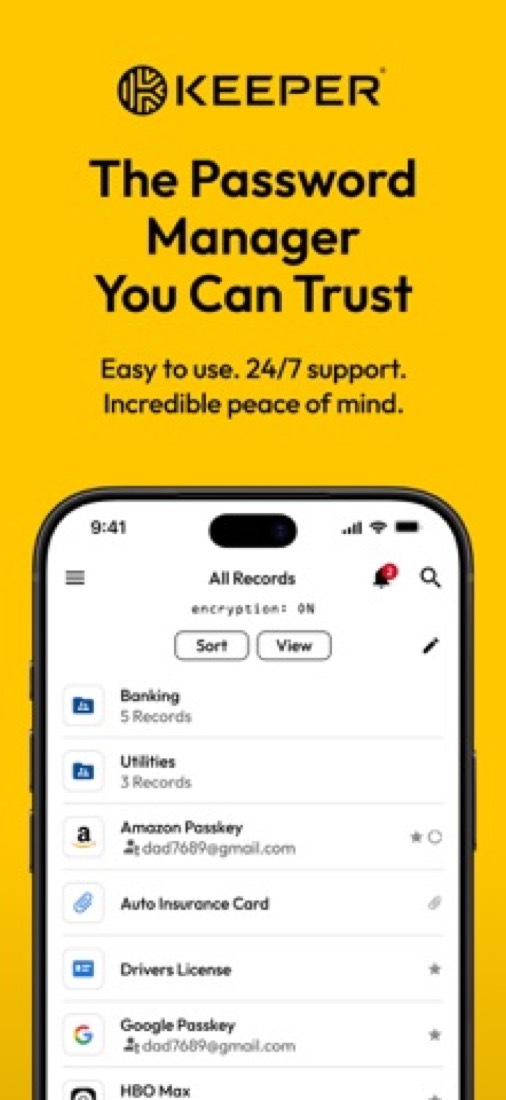
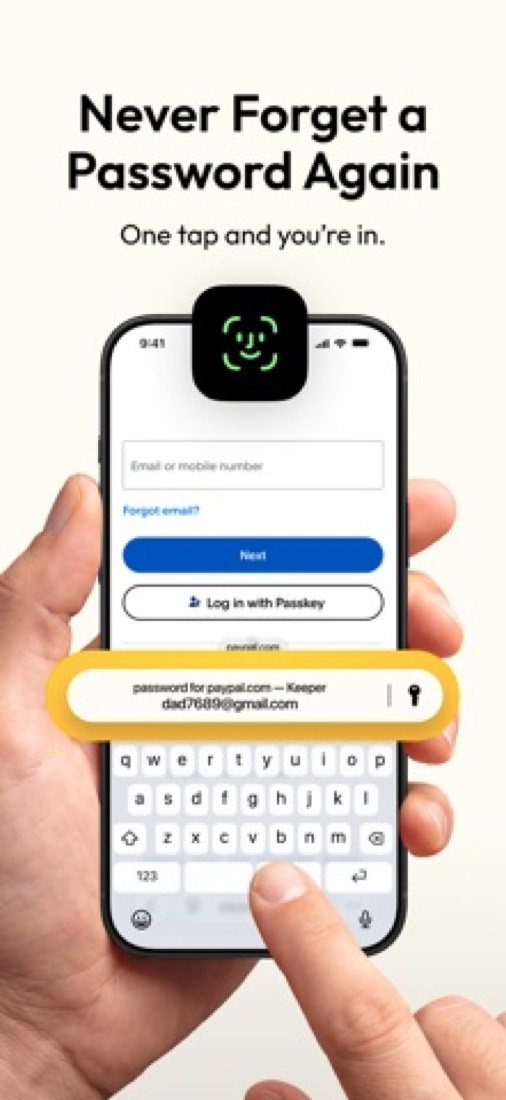
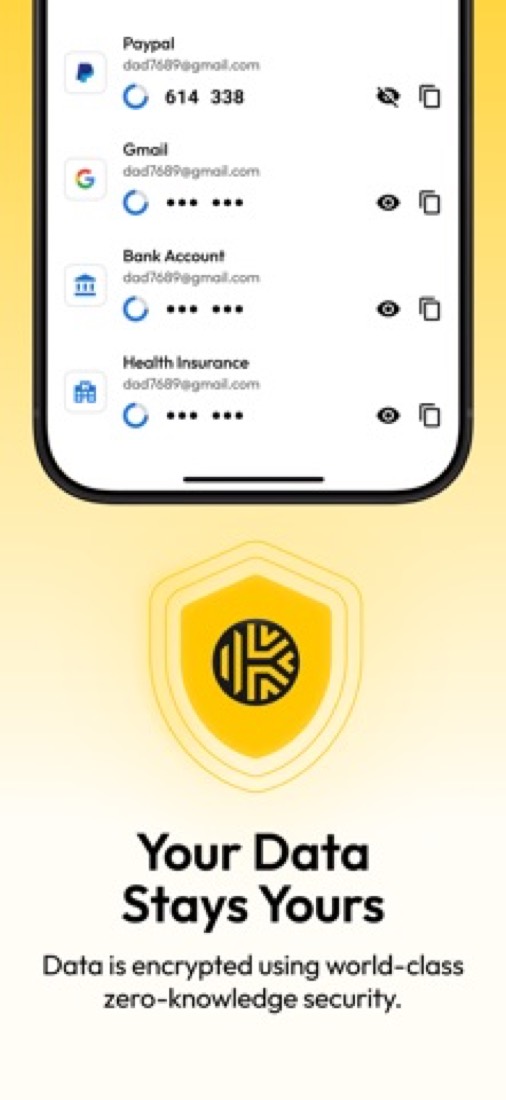
What does Keeper do? You save a login once, and after that it fills in the username, the password and the six-digit code. On a phone it's a glance at Face ID.
Passkeys and bank cards go in the same vault. So can files, if you're on Family or pay for the storage add-on.
To give the plumber the alarm code, One-Time Share sends a link that expires, and they don't need a Keeper account.
It's on Mac, Windows, Linux, iPhone, Android, the web and six browsers.
Support is open 24/7. One reviewer wrote in late at night and had an answer within the hour.
The stuff that'll bug you
The free plan. It's ten records on one phone, with no desktop app and no syncing. Most of us have ten logins before breakfast!
That matters when a trial ends. A few angry App Store reviews come from people who thought they were on a free app, then found their passwords behind an upgrade screen. Know which plan you're on from day one.
It costs more than the obvious rivals, and the extras are extra. BreachWatch, which warns you if a password turns up on the dark web, is a paid add-on. So is file storage, unless you're on Family.
You can't pay monthly. The pricing pages only show yearly billing.
Some reviewers find it pushy. One complained about a refer-a-friend box that keeps popping up, another had to contact support to cancel, and one had a renewal charged a month early.
For work, Business Starter stops at 10 users, and single sign-on, SCIM and Active Directory sync are Enterprise only. And the Windows app needs Windows 11.
Money
Personal, which Keeper also calls Unlimited, is $3.58 a month, billed yearly at $42.99. That's one person, with unlimited passwords and devices.
Family is $7.67 a month, billed yearly at $91.99. Five people get a private vault each, plus 10 GB of file storage. With three or more of you, it costs less a head than Personal.
How does that compare? Bitwarden Premium is $19.80 a year. So Keeper costs one person more than twice as much.
Try before you pay, with the 30-day free trial of the personal plans.
Look for a discount as well. Students get 50% off. Military, first responders and medical staff in the US and Canada get 40% off through ID.me.
For work, Business Starter is $2 a user a month for 5 to 10 people, and Business is $4. Both are billed yearly.
What actual users say
Keeper has 4.9 on the App Store from about 231,000 ratings. Nearly 218,000 of those are five stars.
Who leaves the five-star reviews? Not techies, mostly. One had a little book of passwords and a pile of sticky notes before this. Another has been with Keeper for over fifteen years, since it was a BlackBerry app.
Support comes up in the good reviews: quick answers, from people who know the product.
The one-star reviews are nearly all about money, not the app. Locked out when a trial ended. Having to ask support to cancel. A renewal charged a month early.
Hacker News barely mentions Keeper. When password managers come up there, it's Bitwarden people recommend, for being open source and free.
What this review rests on. Based on Keeper's pricing, personal plan, downloads and discount pages and its documentation portal as of 9 October 2026, its App Store reviews and the few Hacker News comments about it. Also tested with a demo account on 2026-08-14. How we review and grade.
Make Keeper? Put this grade on your site

Paste this where you want the badge. It links here and follows the grade if it changes. About badges
<a href="https://toolgpa.com/tools/keeper#review"><img src="https://toolgpa.com/badge/keeper.svg" alt="Keeper: 2.8 GPA on ToolGPA" width="196" height="56"></a>Where Keeper stands among password managers
Keeper's GPA of 2.8 is higher than 28 of the 49 other password managers we grade, and level with 9.
It stands best on platforms and integrations (A, above 42 of 49) and worst on free plan and trial (D, above 4).
Its paid plans start at $3.58 a month, against a middle price of $2.50 for the category: 23 of the 29 others that charge start lower.
On features, ease of use and platforms it scores 3.7 out of 4. 1 tool scores higher and costs less.
Each grade against the category
Every bar is all 50 password managers we grade, cut by the letter each got. Keeper’s own letter is outlined.
- CValue for moneyAbove 3 of 49, level with 20
- DFree plan and trialAbove 4 of 49, level with 1
- BFeaturesAbove 32 of 49, level with 14
- AEase of useAbove 41 of 49, level with 8
- APlatforms and integrationsAbove 42 of 49, level with 7
Price against what you get
Each dot is one of 38 password managers. Further left costs less, and higher up scores better on features, ease of use and platforms. Point at a dot to see which tool it is.
Features, ease of use and platforms, averaged
What paid plans start at, a month (each step along is roughly double) →
- The best score at each price
- Has a free plan
- No free plan
Keep Keeper, or make your own?
Keep it
To replace Keeper you would be making a password vault, the last thing anyone should make for themselves. That is not a weekend's work, with an AI app builder or without one.
It costs $42.96 a year.
What you could not
- A password vault, the last thing anyone should make for themselves.
- Passkeys, which rest on security you cannot improvise.
- Apps for macOS, Windows, Linux, iOS and Android that stay in step with each other.
- It plugs into other products, Entra ID, Okta and Ping among them.
- End-to-end encryption done properly.
- What a company asks for before it lets staff use something: single sign-on, SCIM and roles and permissions.
- The depth: we grade its features B, which means it covers the whole job.
What this rests on. Keeper’s listing: what it does, where it runs, what it plugs into and what it costs. It is a judgement about the kind of software this is. We have not built a replacement for it, and making your own means looking after it too. How we decide, and every tool’s verdict.
What is Keeper?
Keeper is a password manager from Keeper Security that stores passwords, passkeys, payment cards and files in an encrypted vault and fills them in across browsers and apps. Personal and Family plans cover individuals and households, with dark web monitoring and extra file storage sold as add-ons. Business plans add an admin console, policies and reporting, and the same vault underpins the company's privileged access management products.
Worth knowing
- Keeper Free is limited to one mobile device and ten records.
- BreachWatch dark web monitoring and extra file storage cost extra on personal plans; only Family includes 10 GB of storage.
- Business Starter covers 5 to 10 users, and single sign-on, SCIM and AD/LDAP sync are reserved for Enterprise.
- Prices are quoted per month but billed annually; the pricing pages show no monthly billing option.
Key features
- Encrypted vault and autofill
- Stores passwords, passkeys, payment cards and files, and KeeperFill enters logins and two-factor codes across apps and browsers. A generator creates passwords and passphrases.
- Passkeys
- Saves passkeys alongside passwords so they can be used from any device and operating system, and the browser extension manages them directly.
- Sharing and One-Time Share
- Share records and folders with set permissions, or send a time-limited One-Time Share link to someone who does not have a Keeper account.
- Zero-knowledge encryption
- Keeper says data is encrypted and decrypted on the user's device at the record level, so the company cannot access what is stored in a vault.
- Paid add-ons
- BreachWatch dark web monitoring, Secure File Storage and a Concierge support service are sold separately on top of the personal plans.
- Admin console and provisioning
- Business plans include an admin console, enforced policies, team management and a security audit. Enterprise adds SAML single sign-on, SCIM and Active Directory sync.
Keeper pricing
As of Oct 5, 2026, Keeper has a free plan, and paid plans start at $3.58 per month, billed annually at $42.99 (Personal).
- Starts at
- $3.58 per month, billed annually at $42.99 (Personal)
- Free plan
- Keeper Free: one mobile device and ten records for passwords and passkeys, with identity and payment details stored locally on that device, plus two-factor authentication.
- Free trial
- 30-day free trial for personal plans; 14-day business trial with no credit card required
| Plan | Price | What you get |
|---|---|---|
| Keeper Free | $0 | Limited to one mobile device and ten records for passwords and passkeys. |
| Personal (Keeper Unlimited) | $3.58per month, billed annually ($42.99) | 1 user with unlimited passwords, passkeys, devices and sync, secure sharing, emergency access and 24/7 support. |
| Family | $7.67per month for 5 users, billed annually ($91.99) | 5 private vaults, shared folders with permissions and 10 GB of secure file storage. |
| Business Starter | $2per user / month, billed annually | For 5 to 10 users: encrypted vaults, an admin console, credential sharing and autofill. |
| Business | $4per user / month, billed annually | Adds delegated administration, advanced organizational structure and integrations, vault transfer and a free Family plan for every user. |
| Enterprise | $6per user / month, billed annually | Adds SAML single sign-on, SCIM and AD/LDAP provisioning, Duo and RSA two-factor methods and developer APIs. Bought through a quote. |
Read from keepersecurity.com on Oct 5, 2026. Prices change, so confirm with Keeper before you buy.
Ways to pay less
- Education50% off for students
Keeper's student page offers students 50% off the Personal and Family plans.
Stated on keepersecurity.com - Other savings40% off for military and medical workers
Military members, first responders, nurses, doctors and hospital employees verified through ID.me get 40% off 1-year Keeper Unlimited and Family plans in the US and Canada.
Stated on keepersecurity.com - Other savingsFree Family plan for business users
On the Business and Enterprise plans, every user can create a free Keeper Family plan for up to 5 family members.
Stated on keepersecurity.com
Keeper refunds and cancellation
Weak · checked Oct 18, 2026
Keeper doesn't do refunds, and says so in one line: the software is delivered in full, so the money is earned on receipt. Worse, there is no cancel button. The way out is to delete your account, which wipes your vault for good, or to email support and ask them to switch auto-renewal off for you. The terms also want 30 days' written notice before a renewal date. That is a D.
- Refund window
- No set window
- How you cancel
- Yourself, in settings
- Getting your money back
The billing article says Keeper subscriptions are non-refundable: because the software is delivered in full at the time of purchase, Keeper will not refund past charges or time already used, renewals included. The terms of use say the same, that all fees are nonrefundable and considered earned on receipt. Purchases through Apple, Google or Microsoft are billed by those stores, so only they can refund them.
Stated on help.keeper.io- How to cancel Keeper
The help centre says you cancel by deleting your Keeper account, from the iOS app, the Android app or the Safari extension, under Help and then Delete Keeper Account, and that this stops all future payments. A separate article says there is no self-service cancel button for a purchase made on keepersecurity.com, and the refund article says support switch off auto-renewal for you.
- Save or export anything you need first, because deleting removes your vault data for good
- Log in to Keeper in the iOS app, the Android app or the Safari extension
- Open Help
- Select Delete Keeper Account
- If you bought through the App Store or Google Play, confirm the cancellation with that store too
- What you keep afterwards
The terms say an account converts to a Free User account when a paid subscription expires: one mobile device, a maximum of ten records, and no ability to back up, restore, share or export. If a paid subscription is not renewed within 90 days, Keeper reserves the right to delete records containing files, with email notice first. The cancellation article says deleting the account removes vault data permanently.
Stated on keepersecurity.com- Renewals
The terms say you authorise Keeper to charge your payment method for subscription fees on a recurring basis, that prices and discounts may change at the next renewal on prior written notice, and that either party may terminate or elect not to renew on at least 30 days' prior written notice before the renewal date. No reminder before an ordinary renewal is promised.
Stated on keepersecurity.com
In your favour
- You can end it yourself, from the iOS app, the Android app or the Safari extension.
- The help centre states the policy plainly, so at least there's no mystery about where you stand.
- An expired paid plan drops to the free tier rather than vanishing on the day.
Watch out for
- No refunds, ever: not for a renewal you didn't want, not for time you never used.
- There is no cancel button. Cancelling means deleting your account, and your whole vault with it.
- To stop auto-renewal without deleting everything, you have to ask support to do it for you.
- The terms ask for 30 days' written notice before the renewal date to end the agreement.
Keeper customer support
Excellent · checked Oct 18, 2026
Live chat, a phone line and email on every paid plan, personal ones included, with support listed as available 24/7 and two separate bodies of written help behind it. No reply time is published, but a line that never closes covers that. Live help for everyone who pays, with the hours in writing, is an A.
Ways to get help
Live chat
The support page lists live chat under Personal & Family, marked as paid plans, and live chat again under Business & Enterprise and for MSP partners. It is not listed for the free plan.
Stated on keepersecurity.comPhone
The support page lists phone support under Personal & Family, marked as paid plans, and under Business & Enterprise and MSP Partners. It is not listed for the free plan.
Stated on keepersecurity.comEmail
Email support is listed for Personal and Family paid plans, and as priority email support for Business and Enterprise. The billing articles also route plan changes and switching off auto-renewal through the support team.
Stated on keepersecurity.comHelp centre
A knowledge base with categories for billing, account problems, security and admin topics, plus a separate documentation portal of end-user, enterprise and MSP guides. Both are open without signing in.
Stated on help.keeper.io
- When people answer
The support page says support is available 24/7 and shows a live system status indicator beside that line. It names no time zone, no exceptions and no separate hours for any plan.
Stated on keepersecurity.com- How fast it says it replies
Its pages do not say.
- What depends on your plan
The support page splits the routes three ways. Personal and Family get documentation plus email, live chat and phone support, each marked as paid plans. Business and Enterprise get priority email support, live chat, phone and onboarding help. MSP partners get a dedicated team. The page says support options and response times vary by plan, without saying what the times are.
Stated on keepersecurity.com
In your favour
- Live chat and a phone line on every paid plan, personal ones included.
- Support is listed as available 24 hours a day, seven days a week.
- Two bodies of written help: a billing-heavy knowledge base and a full documentation portal.
Watch out for
- Chat, phone and email are all marked paid plans only. The free tier gets documentation.
- The page says response times vary by plan but never says what any of them are.
- You need support for things that should be self-service: plan changes, and switching off auto-renewal.
What these two grades rest on. Read on 18 October 2026: Keeper's terms of use, including the SaaS terms on fees, renewal and termination and the deletion and retention clauses, its support page, and knowledge base articles on refunds, cancelling a subscription and where subscription billing is managed. The service level objective sections of the terms would not open for our reader. Nobody here cancelled a plan or wrote to Keeper's support. They are graded apart from the five that make the GPA. How we grade refunds and support.
How people rate the Keeper app
4.9
out of 5 for the iPhone and iPad app
- 5 stars94%
- 4 stars4%
- 3 stars<1%
- 2 stars<1%
- 1 star1%
230,989 ratings on the App Store in the United States, read Oct 5, 2026. It rates the app, not everything the product does. See the listing
Works with
- Entra ID
- Okta
- Ping
- Duo
- RSA
- Slack
- Jira
- ServiceNow
Jobs at Keeper Security
Keeper Security has 100 open roles, most in Development (other) (12), Customer Success Quota (11) and Channel Managers (9). Here are the newest; open one to read the whole job and apply on Keeper Security’s own site.
- Implementation EngineerNewView and apply
Customer success and support · Implementation · Remote, US · posted 4 days ago
- Senior Technical Support Engineer, Enterprise PlatformNewView and apply
Customer success and support · DevOps Engineering · Remote, US · posted 5 days ago
- Senior Technical Support Engineer Lead, Enterprise PlatformNewView and apply
Customer success and support · DevOps Engineering · Remote, US · posted 5 days ago
- Director, Enterprise SalesNewView and apply
Sales and partnerships · Leadership - Enteprise · Remote, US · posted 5 days ago
- Technical Analyst Relations ManagerNewView and apply
Data and AI research · Communications · Remote, US · posted 8 days ago
Read from Keeper Security’s job board on Greenhouse on Nov 17, 2026 and checked every week. Applications go to Keeper Security, not to us.
Keeper alternatives
- Keeper vs 1Password
Free trial · from $3.99/mo
- Keeper vs Bitwarden
Free plan · from $1.65/mo
- Keeper vs Dashlane
Free trial · from $5.42/mo
- Keeper vs LastPass
Free plan · from $3/mo
- Keeper vs NordPass
Free plan · from $4.99/mo




Common questions
Is Keeper open source?
Keeper is not described as open source on its own site, as read on Oct 5, 2026.
Is Keeper end-to-end encrypted?
Keeper describes itself as end-to-end encrypted on its own site. Nobody here has audited that.
Sources for this page
The prices, plans, platforms and features above were read from these pages on Oct 5, 2026. What people say is linked where it appears.
- keepersecurity.com/pricing/personal-and-family.html
- keepersecurity.com/pricing/business-and-enterprise.html
- keepersecurity.com/personal.html
- keepersecurity.com/
- keepersecurity.com/download/
- keepersecurity.com/trial/start-business-trial/
- keepersecurity.com/student-discount-50off/
- keepersecurity.com/affiliate/id-me-verification/
- keepersecurity.com/company/about/