pass review (2026): is it any good?
Unix command-line password manager built on GPG and Git
pass report card
Good · out of 4.0 · graded Nov 13, 2026
Best for command-line people who already use GPG and Git
pass keeps one encrypted file per password and uses Git for history, all from a terminal. It costs nothing, but there is no official app, you manage your own GPG keys and syncing, and phones and browsers rely on other people's projects.
Who pass is for
- Fits if you live in a terminal and already use GPG and Git
- Works for people who want plain encrypted files they control
Who pass is not for
- Not for you if you want a graphical app, as there is no official one
- Skip it if you are on Windows, which relies on a third-party client
- Watch out: syncing is your job, through Git or file copying
- Too light for sharing with a team, as the site describes no team features
Why pass gets a 2.6
Five grades, each with its reason. The GPA is their average: an A is 4 points, an F is none.
- AValue for moneyFree software under GPLv2 or later with no paid plans, which sits under 60% of the cheaper quarter in a category where most tools charge $2.99.
- AFree plan and trialNo plan, no cap and no account. You download it and use it.
- CFeaturesIt does the job of storing, generating and copying passwords, in a smaller scope than a full manager. Sharing and team features are not described on the site.
- DEase of useYou work in a terminal and set up GPG keys and Git yourself. No store rating on record.
- CPlatforms and integrationsLinux and Mac, as the site describes, plus community clients such as qtpass, browserpass and passff. No official phone or Windows app.
What these grades rest on. Graded from this listing, whose facts were read from the project own pages on 13 November 2026. Not based on using the product, and shorter than our full reviews. How we review and grade.
Make pass? Put this grade on your site
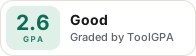
Paste this where you want the badge. It links here and follows the grade if it changes. About badges
<a href="https://toolgpa.com/tools/pass#review"><img src="https://toolgpa.com/badge/pass.svg" alt="pass: 2.6 GPA on ToolGPA" width="196" height="56"></a>Where pass stands among password managers
pass's GPA of 2.6 is higher than 21 of the 49 other password managers we grade, and level with 6.
It stands best on value for money (A, above 38 of 49) and worst on ease of use (D, above 0).
pass has no paid plan.
On features, ease of use and platforms it scores 1.7 out of 4. Nothing scores higher for less, though at least one tool matches that score at a lower price.
Each grade against the category
Every bar is all 50 password managers we grade, cut by the letter each got. pass’s own letter is outlined.
- AValue for moneyAbove 38 of 49, level with 11
- AFree plan and trialAbove 37 of 49, level with 12
- CFeaturesAbove 0 of 49, level with 31
- DEase of useAbove 0 of 49, level with 8
- CPlatforms and integrationsAbove 0 of 49, level with 15
Price against what you get
Each dot is one of 38 password managers. Further left costs less, and higher up scores better on features, ease of use and platforms. Point at a dot to see which tool it is.
Features, ease of use and platforms, averaged
What paid plans start at, a month (each step along is roughly double) →
- The best score at each price
- Has a free plan
- No free plan
Keep pass, or make your own?
Keep it
pass is free, so making your own would save you nothing.
And it is not the kind of software a weekend replaces.
What you could not
- A password vault, the last thing anyone should make for themselves.
- A real app for macOS and Linux. Something home-made would be a web page.
- It plugs into other products, GnuPG, Git and qtpass among them.
What this rests on. pass’s listing: what it does, where it runs, what it plugs into and what it costs. It is a judgement about the kind of software this is. We have not built a replacement for it, and making your own means looking after it too. How we decide, and every tool’s verdict.
What is pass?
pass stores each password in its own GPG-encrypted file under a folder in your home directory. It is a short shell script that works with ordinary Unix tools: files can be organized in folders, copied between machines and tracked with Git. It is free software under GPLv2 or later.
Worth knowing
- It has no official graphical app; phone apps and browser plugins come from other projects.
- The site describes it for Linux, BSD and Mac OS X; Windows use relies on a third-party client.
- You manage your own GPG keys and any syncing through Git or file copying.
- Sharing and team features are not described on the site.
Key features
- One GPG file per password
- Each entry is an encrypted file named for the site or resource, kept in folders under a single password-store directory.
- Git history
- The store can be tracked with Git, which records changes to passwords and helps copy the store between machines.
- Generate and copy
- Commands add, edit, generate and retrieve passwords, and can put one on the clipboard and clear it after 45 seconds.
- Plain Unix workflow
- Works alongside normal shell commands, with completion for bash, zsh and fish and a man page for documentation.
- Community clients
- The site lists third-party tools, including a cross-platform GUI, Android and iOS apps, and Firefox and Chrome plugins.
pass pricing
As of Nov 13, 2026, pass is free to use.
- Starts at
- Free
- Free plan
- Free software under GPLv2 or later with no paid plans.
- Free trial
- None listed
| Plan | Price | What you get |
|---|---|---|
| Free | $0 | The full command-line tool; third-party clients and extensions listed on the site are separate projects. |
Read from passwordstore.org on Nov 13, 2026. Prices change, so confirm with pass before you buy.
Works with
- GnuPG
- Git
- qtpass
- browserpass
- passff
pass alternatives
- pass vs gopass
Free
- pass vs KeePass
Free
- pass vs Passbolt
Free plan · from $4.90/mo
- pass vs Bitwarden
Free plan · from $1.65/mo



Common questions
Does pass have an Android app?
No Android app was listed when its pages were read on Nov 13, 2026. pass is listed for Linux and macOS.
Does pass have an iPhone app?
No iPhone app was listed when its pages were read on Nov 13, 2026. pass is listed for Linux and macOS.
Is pass open source?
Yes. pass is open source, according to its own site.
Sources for this page
The prices, plans, platforms and features above were read from these pages on Nov 13, 2026.