
Proton Pass review (2026): is the free plan enough?
End-to-end encrypted password manager with email aliases
Black Friday: is there a Proton Pass sale?
Our verdict
Second of our top three password managers
For: People who want email aliases with their passwords
Proton Pass is open source and end-to-end encrypted, and runs on the same devices as Bitwarden. Its free plan also covers unlimited logins on unlimited devices, and adds 10 hide-my-email aliases, to hand out in place of your real address, and alerts for weak and reused passwords. Its iPhone and iPad app averages 4.8 from about 8,400 ratings. It is second because paying costs more: Pass Plus is $2.99 a month, billed every 12 months at $35.88, against $19.80 a year for Bitwarden Premium. The free plan stops at 2 vaults, shared with up to 2 others, and the 2FA authenticator, sharing of single items and Dark Web Monitoring need Pass Plus.
See all three and how we rankProton Pass review
Very good · out of 4.0 · graded Oct 10, 2026
Best for a free password manager with email aliases
Proton Pass is a password manager whose free plan covers unlimited logins on unlimited devices and makes throwaway email addresses for sign-ups. But free stops at 2 vaults and 10 aliases, and two-factor codes, sharing a single login, Dark Web Monitoring and file attachments need Pass Plus at $35.88 a year, more than Bitwarden's $19.80. There's no trial of the paid plans, and iPhone users report it doesn't offer to save new passwords.
Who Proton Pass is for
- Fits if you want a free password manager on every device you own, with no card
- Works for people who already use Proton Mail, as it's the same account and it comes with Proton Unlimited
Who Proton Pass is not for
- Skip it if you want two-factor codes in the same app for free, because that needs Pass Plus
- Pricey if you only want the paid basics, at $35.88 a year when Bitwarden Premium is $19.80
- Tight if you use lots of vaults or aliases, as free stops at 2 vaults, sharing with 2 people and 10 aliases
- Not for you if you'd rather your passwords had a login of their own, apart from your Proton email
- Watch out: there's no trial of the paid plans, only a 30-day refund, and the iPhone app doesn't offer to save new passwords
Why Proton Pass gets a 3.2
Five grades, each with its reason. The GPA is their average: an A is 4 points, an F is none.
- CValue for moneyPass Plus is $2.99 a month on the yearly plan, $35.88 a year, which is bang on this category's middle price. Bitwarden Premium does the same job for $19.80, and there's no trial here, only 30 days to ask for your money back. Pass Family is six people for $4.99 a month, billed yearly.
- AFree plan and trialUnlimited logins on unlimited devices, passkeys, 10 email aliases and alerts for weak and reused passwords, with no card and no time limit. The caps are 2 vaults, sharing with 2 people and 10 aliases, and two-factor codes need Pass Plus.
- BFeaturesLogins, passkeys, cards, notes and autofill, and on Pass Plus the two-factor authenticator, sharing by link, Dark Web Monitoring, file attachments and Emergency Access. It also makes hide-my-email aliases, which NordPass does too.
- AEase of use4.84 from about 8,500 App Store ratings, the top band here. A Hacker News commenter moved over from 1Password in about 15 minutes. One wrinkle: on iPhone, a reviewer says it doesn't offer to save a new password as you sign up.
- BPlatforms and integrationsMac, Windows, Linux, iPhone, Android and the web, with extensions for Chrome, Safari, Firefox, Edge and Brave. What's missing is anything to connect it to: no integrations and no API are on record.
The good
What does the free plan cover? Unlimited logins, on as many phones and laptops as you like, and passkeys too. LastPass's free plan makes you pick between your phone and your computer, and Keeper's stops at ten records.
It makes hide-my-email aliases. Signing up for a shop's newsletter? Proton Pass makes up an address just for that shop and forwards the mail to your real inbox. If spam turns up there, you know who passed your address on.
It comes from the Proton Mail people. Everything is encrypted before it leaves your device, and Proton says not even Proton can read it.
The code is open for anyone to read. Recurity Labs, a security firm, audited it between January and April 2026. Going by Proton's own write-up, it found no remote exploits and no way round the encryption.
It runs on Mac, Windows, Linux, iPhone, Android, the web and five browsers.
The stuff that'll bug you
The iPhone app is the weak spot. One App Store reviewer who came from LastPass says it never offers to save a new password, or update a changed one, while you're in the browser. You open the app and do it yourself. Proton told them it's a limit on Apple's side.
Another says a password they'd just generated never made it into the saved entry, and they got locked out of the account. Both reviews are from 2025.
Two-factor codes cost money. The built-in authenticator is on Pass Plus. So are sharing a single login, Dark Web Monitoring and file attachments.
It's tied to your Proton account. One login opens your email, your files and your passwords, and a couple of people on Hacker News wish Pass had a password of its own.
The free plan stops at 2 vaults, sharing with 2 people and 10 aliases. Ten sounds like plenty until you start making one for every shop.
There's no free trial of the paid plans, only 30 days to ask for your money back. And there's nothing to connect it to: no integrations and no API on record.
Money
Start free. For a lot of people that's the whole story: unlimited logins, unlimited devices, no card.
Pass Plus is $2.99 a month if you pay for the year, which comes to $35.88. Month to month it's $4.99. You get unlimited aliases, the two-factor authenticator, sharing, Dark Web Monitoring, file attachments and Emergency Access.
Do you need it? Only if you want your two-factor codes in the same app, or more than 10 aliases. If you just want your passwords on every device, free already does that.
Pass Family is $4.99 a month on the yearly plan, or $59.88 a year, for up to six people. That's under a dollar a head each month.
Already paying for Proton Mail or Proton VPN? Look at Proton Unlimited. It's $9.99 a month on the yearly plan and bundles Pass with Mail, Calendar, VPN and Drive.
Bitwarden Premium is $19.80 a year, so we'd price the two side by side before paying.
What actual users say
Proton Pass has 4.8 on the App Store from about 8,500 ratings. Nine in ten are five stars.
Many of the happy users are people leaving something else. On Hacker News it turns up most in threads where people are moving off Bitwarden or 1Password. One commenter brought everything over from 1Password in about 15 minutes. Another says autofill went from worse than Bitwarden's to better.
A former Bitwarden user finds it simpler to hand one login to one person here.
Aliases come up too. One App Store reviewer now makes one for every new account.
Who's not happy? iPhone users who miss being asked to save passwords. One reviewer who switched from 1Password wants a place for Wi-Fi passwords and passport details.
And some are careful. One commenter went back to 1Password after finding autofill hit and miss. Another said in late 2025 that it still felt too new to hold everything.
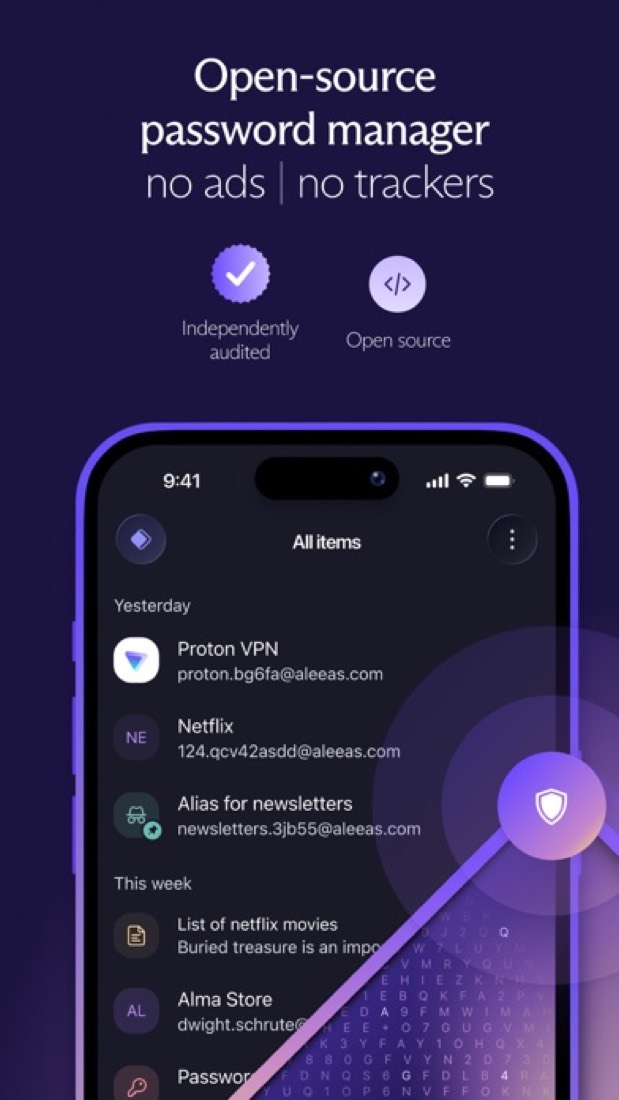
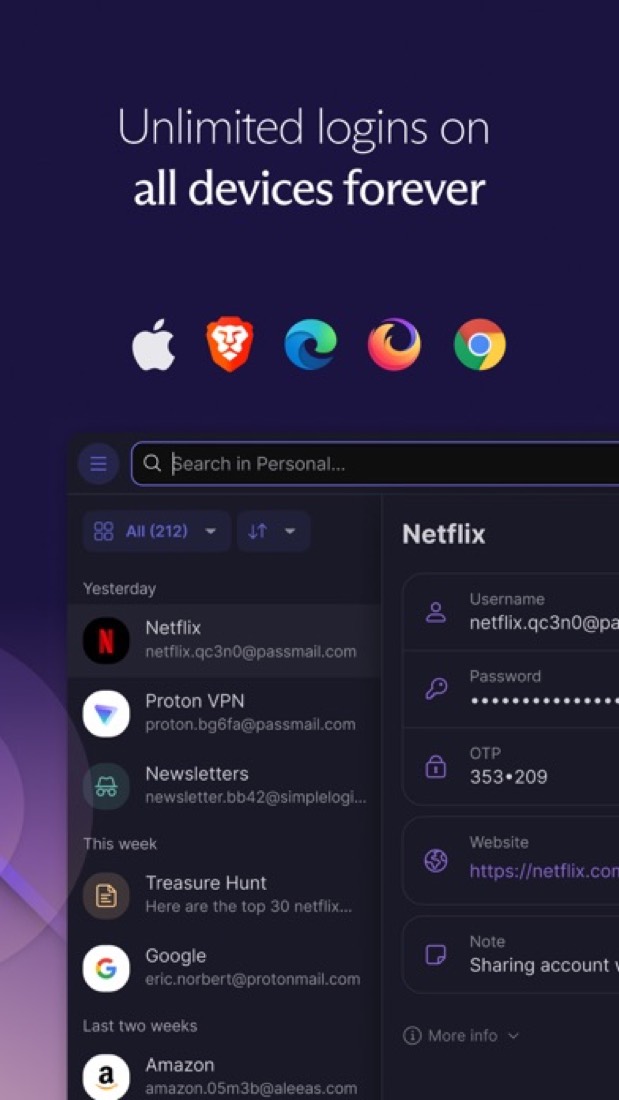
What this review rests on. Based on Proton Pass's home, pricing and download pages, three support articles and Proton's post about its 2026 security audit as of 9 October 2026, its App Store reviews and Hacker News threads about it. Also tested with a demo account on 2026-08-29. How we review and grade.
Make Proton Pass? Put this grade on your site
Paste this where you want the badge. It links here and follows the grade if it changes. About badges
<a href="https://toolgpa.com/tools/proton-pass#review"><img src="https://toolgpa.com/badge/proton-pass.svg" alt="Proton Pass: 3.2 GPA on ToolGPA" width="196" height="56"></a>Where Proton Pass stands among password managers
Proton Pass's GPA of 3.2 is higher than 43 of the 49 other password managers we grade, and level with 3.
It stands best on ease of use (A, above 41 of 49) and worst on value for money (C, above 3).
Its paid plans start at $2.99 a month, against a middle price of $2.50 for the category: 19 of the 29 others that charge start lower.
On features, ease of use and platforms it scores 3.3 out of 4. 2 tools score higher and cost less.
Each grade against the category
Every bar is all 50 password managers we grade, cut by the letter each got. Proton Pass’s own letter is outlined.
- CValue for moneyAbove 3 of 49, level with 20
- AFree plan and trialAbove 37 of 49, level with 12
- BFeaturesAbove 32 of 49, level with 14
- AEase of useAbove 41 of 49, level with 8
- BPlatforms and integrationsAbove 16 of 49, level with 25
Price against what you get
Each dot is one of 38 password managers. Further left costs less, and higher up scores better on features, ease of use and platforms. Point at a dot to see which tool it is.
Features, ease of use and platforms, averaged
What paid plans start at, a month (each step along is roughly double) →
- The best score at each price
- Has a free plan
- No free plan
Keep Proton Pass, or make your own?
Keep it
To replace Proton Pass you would be making a password vault, the last thing anyone should make for themselves. That is not a weekend's work, with an AI app builder or without one.
It is one of the better ones too: its GPA of 3.2 is higher than 43 of the 49 other password managers we grade. It costs $35.88 a year. Proton Pass is open source, so there is a third way: take its code and run it yourself.
What you could not
- A password vault, the last thing anyone should make for themselves.
- Passkeys, which rest on security you cannot improvise.
- Apps for macOS, Windows, Linux, iOS and Android that stay in step with each other.
- End-to-end encryption done properly.
- Sharing with other people, which means accounts and invitations.
- The depth: we grade its features B, which means it covers the whole job.
What this rests on. Proton Pass’s listing: what it does, where it runs, what it plugs into and what it costs. It is a judgement about the kind of software this is. We have not built a replacement for it, and making your own means looking after it too. How we decide, and every tool’s verdict.
What is Proton Pass?
Proton Pass is an open-source password manager from the company behind Proton Mail. Logins, notes, cards and passkeys are end-to-end encrypted and autofilled across browsers, desktop and mobile apps, and the app can generate hide-my-email aliases to use in place of a real address. The free plan allows unlimited logins and devices and vault sharing with 2 other people, while Pass Plus adds a 2FA authenticator, sharing of single items, Dark Web Monitoring and unlimited aliases.
Worth knowing
- The free plan is limited to 2 vaults, vault sharing with 2 others and 10 hide-my-email aliases.
- The 2FA authenticator, sharing of single items, Dark Web Monitoring and file attachments are listed under Pass Plus, not the free plan.
- No free trial of the paid plans is advertised; Proton offers a 30-day money-back guarantee instead.
Key features
- End-to-end encrypted vaults
- Everything stored is end-to-end encrypted, and Proton says that no one else, not even Proton, can access it.
- Hide-my-email aliases
- Creates email aliases to hand out at sign-up so your real address stays private: 10 on the free plan and unlimited on Pass Plus.
- Passkeys and autofill
- Passkeys are supported on all devices, including on the free plan, and logins autofill on websites and in apps.
- Built-in 2FA authenticator
- Pass Plus can generate two-factor codes inside the password manager instead of in a separate authenticator app.
- Password monitoring
- Free accounts get alerts for weak and reused passwords. Pass Plus adds Dark Web Monitoring that warns when credentials appear in a leak.
- Sharing and Emergency Access
- Free accounts can share a vault with 2 others. Pass Plus raises that to 10 and adds sharing of single items, secure links, file attachments and Emergency Access. Pass Family covers up to 6 users.
Proton Pass tips most people miss
Pay less
There's a one-time Lifetime plan, but only in USD, EUR or CHF
Proton's help describes Pass + SimpleLogin Lifetime: Pass Plus and SimpleLogin Premium for one payment, with no renewals. It's under Subscription, Compare all plans, Lifetime tab, and only shows if your currency is USD, EUR or CHF. After 30 days it can't be cancelled.
proton.mePrivacy
Give Pass its own extra password, apart from your Proton login
Otherwise one Proton password opens your mail and your passwords. Set an extra one of at least eight characters in the extension under Settings, Security, or in the app under Manage account. You'll be signed out everywhere, and if you forget it you can't get into Pass.
proton.meSetting
Set a PIN and auto-lock on the web app and extension
In Settings, Security, tick Pin code, choose a six-digit PIN and how long before Pass locks itself. Three wrong tries and you have to log in again. On phones there's no separate Pass PIN: it goes by your device's own lock settings.
proton.meEasy to miss
Disable an alias that gets spam instead of deleting it
A disabled alias stops receiving and forwarding mail, but you can switch it back on. A deleted one is gone from your vaults, with one way back: restore it from the Alias Trash in your linked SimpleLogin account within 30 days.
proton.meEasy to miss
Reply to forwarded mail and it goes out from your alias
Proton swaps your real address for the alias before the reply is sent, even though you see your own while typing. Starting a new email from an alias needs a paid plan, and you add each person as a contact for that alias first.
proton.meLeaving
You can't export from the phone apps
Exports only work in the browser extension, the web app and the Windows app, from the Export tab in settings. Choose the ZIP with a PGP-encrypted file if it's a backup. The unencrypted ZIP and the CSV are for importing into another password manager.
proton.meRenewal
Cancelling keeps your plan until the paid period ends
Cancel under Settings, All settings, Subscription. Proton's help says the plan stays active to the end of the billing period and then doesn't renew. Moving to a cheaper paid plan happens straight away instead, with the unused time turned into account credit.
proton.me
Read on Oct 17, 2026. Read from Proton's support pages for Pass (the lifetime plan, extra password, PIN, aliases and exporting) and its page on managing a subscription on 17 October 2026. Not tried out: these tips are what its own pages say.
Proton Pass pricing
As of Oct 9, 2026, Proton Pass has a free plan, and paid plans start at $2.99 per month, billed every 12 months ($35.88); $4.99 billed monthly.
- Starts at
- $2.99 per month, billed every 12 months ($35.88); $4.99 billed monthly
- Free plan
- Proton Free: unlimited logins, notes and credit cards on unlimited devices, passkeys, 2 vaults that can be shared with 2 others, 10 hide-my-email aliases and alerts for weak and reused passwords.
- Free trial
- None listed
| Plan | Price | What you get |
|---|---|---|
| Proton Free | $0 | Unlimited logins, notes and cards on unlimited devices, passkeys, a password generator, 2 vaults shared with up to 2 others and 10 hide-my-email aliases. |
| Pass Plus | $2.99per month, billed every 12 months ($35.88); $4.99 billed monthly | Unlimited aliases, built-in 2FA authenticator, 50 vaults shared with up to 10 others, sharing of single items, Dark Web Monitoring, file attachments and Emergency Access. |
| Pass Family | $4.99per month, billed every 12 months ($59.88); $6.99 billed monthly | Everything in Pass Plus for up to 6 users, with an admin panel for the family. |
| Proton Unlimited | $9.99per month, billed every 12 months ($119.88); $12.99 billed monthly | Pass bundled with Proton Mail, Calendar, VPN and Drive in one subscription. |
Read from proton.me on Oct 9, 2026. Prices change, so confirm with Proton Pass before you buy.
Ways to pay less
- Annual discount40% off Pass Plus on the yearly plan
Proton's pricing page lists Pass Plus at $2.99 a month when billed every 12 months ($35.88), against $4.99 billed monthly.
Stated on proton.me
How people rate the Proton Pass app
4.8
out of 5 for the iPhone and iPad app
- 5 stars91%
- 4 stars5%
- 3 stars1%
- 2 stars<1%
- 1 star1%
8,416 ratings on the App Store in the United States, read Oct 5, 2026. It rates the app, not everything the product does. See the listing
Jobs at Proton
Proton has 13 open roles, most in CC - Sales (3), CC - Customer Support (2) and CC - Engineering Neutron (2). Here are the newest; open one to read the whole job and apply on Proton’s own site.
- Senior Product Manager (VPN)NewView and apply
Product and design · CC - Product - VPN · Barcelona; Geneva · posted 4 days ago
- Customer Support AdvisorNewView and apply
Customer success and support · CC - Customer Support · Skopje · posted 5 days ago
- Customer Support Advisor (Proton VPN)NewView and apply
Customer success and support · CC - Customer Support · Taipei · posted 8 days ago
- Inbound Sales Development Representative - German SpeakerNewView and apply
Sales and partnerships · CC - Sales · Barcelona · posted 10 days ago
- Account ExecutiveNewView and apply
Sales and partnerships · CC - Sales · Geneva; Zurich; Remote from Switzerland · posted 10 days ago
Read from Proton’s job board on Greenhouse on Nov 17, 2026 and checked every week. Applications go to Proton, not to us.
Proton Pass alternatives
- Proton Pass vs Bitwarden
Free plan · from $1.65/mo
- Proton Pass vs 1Password
Free trial · from $3.99/mo
- Proton Pass vs NordPass
Free plan · from $4.99/mo
- Proton Pass vs Dashlane
Free trial · from $5.42/mo


Featured in
- The best 1Password alternatives in 2026Alternatives
- The best password managers in 2026Best of
Common questions
Is Proton Pass open source?
Yes. Proton Pass is open source, according to its own site.
Is Proton Pass end-to-end encrypted?
Proton Pass describes itself as end-to-end encrypted on its own site. Nobody here has audited that.
Sources for this page
The prices, plans, platforms and features above were read from these pages on Oct 9, 2026. What people say is linked where it appears.