
Capto
Screen recorder, screenshot tool and video editor for Mac and Windows
What is Capto?
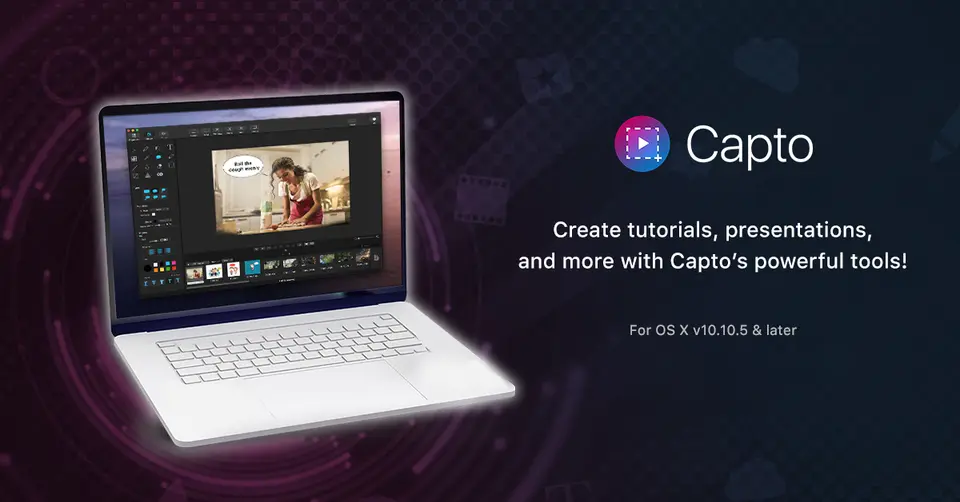
Capto is a screen capture, screen recording and editing app from Global Delight, built for the Mac and also offered for Windows. It records the screen with system and microphone audio, takes screenshots including whole web pages, and has editors for cutting and annotating both video and images. It is sold as a license after a free trial, through the vendor's web store, the Mac App Store and the Microsoft Store.
Capto is a paid product with a free trial, starting at $29.99 one-time purchase for a single license. See every plan
Good for
- Tutorial and lesson videos recorded on a Mac with voice and camera
- Buyers who prefer a one-time license to a subscription
- Recording an iPhone or iPad screen through a connected Mac
Worth knowing
- There is no free plan: the Mac trial lasts 15 days and exported videos carry a watermark until a license is bought.
- The Mac App Store edition is unlocked by its own in-app purchase, listed at $49.99 for the Lifetime Pack, against $29.99 on the web store.
- 4K recording runs at 60 fps only with the camera off; with the camera on it drops to 30 fps.
- Capto for Windows is a separate Microsoft Store app with a 7-day trial; the vendor's web store sells the Mac version only.
Key features
- Screen recording
- Records the full screen or a selected region at 60 FPS with computer and microphone audio, with an option to stop after a set time. 4K is supported at 60 fps when the camera is off.
- Camera overlay for tutorials
- Records the built-in camera or an external device alongside the screen, and lets the camera picture be resized and repositioned.
- Video and audio editor
- Cuts, joins, trims and crops recordings and adds shapes, arrows, callouts, text and blur. System and microphone audio sit on separate tracks that can be adjusted on their own.
- Screenshots and web page capture
- Captures the full screen or a selection, saves a whole web page in one click, and opens the result in an image editor for annotation and adjustment.
- iPhone and iPad recording
- Records the screen of an iPhone or iPad connected to the Mac, so a voiceover and edits can be added afterward.
- Sharing and file organization
- Uploads captures to YouTube, Dropbox, Google Drive, Evernote, Facebook, Tumblr or an FTP/SFTP server, and sorts them into folders and tags them for search.
Capto pricing
- Starts at
- $29.99 one-time purchase for a single license
- Free plan
- None
- Free trial
- 15-day free trial on Mac, with a watermark on exported video; 7-day free trial on Windows
| Plan | Price | What you get |
|---|---|---|
| Single License | $29.99one-time purchase | Capto for Mac from the vendor's web store. The store shows it at half price during a sale that runs until 12 October 2026. |
| Family Pack | $74.99one-time purchase | A family license for Capto for Mac from the vendor's web store. |
Read from globaldelight.com on Oct 9, 2026. Prices change, so confirm with Capto before you buy.
Ways to pay less
- EducationStudent / Educator Pack for $19.99
The web store lists a Student / Educator Pack at $19.99 against $29.99 for a single license. Institutions can also register for educational licensing.
Stated on globaldelight.com - Other savings50% off a single license until 12 October 2026
The web store shows the single license at half price during a promotion with a countdown; its settings end the sale on 12 October 2026.
Stated on globaldelight.com - Other savingsAvailable through Setapp
Capto's product page carries a Setapp button linking to its Setapp listing, where the app is offered as part of that subscription.
Stated on globaldelight.com
Works with
Capto alternatives
- Capto vs Camtasia Snagit
Free trial · from $39/yr
- Capto vs ScreenFlow
Free trial · from $199 one-time
- Capto vs CleanShot X
From $35 one-time
- Capto vs Camtasia
Free plan · from $39/yr
- Capto vs Movavi Screen Recorder
Free trial · from $19.99/mo




Common questions
Is Capto free?
No, Capto is a paid product, but you can try it first. 15-day free trial on Mac, with a watermark on exported video; 7-day free trial on Windows.
How much does Capto cost?
Capto lists 2 plans. Single License: $29.99 one-time purchase. Family Pack: $74.99 one-time purchase. Prices were read from globaldelight.com on Oct 9, 2026.
What platforms does Capto work on?
Capto is available on macOS and Windows.
Does Capto offer any discounts?
Capto publicly lists the following: Student / Educator Pack for $19.99; 50% off a single license until 12 October 2026; Available through Setapp.
Does Capto have an Android app?
No Android app was listed when its pages were read on Oct 9, 2026. Capto is listed for macOS and Windows.
Does Capto have an iPhone app?
No iPhone app was listed when its pages were read on Oct 9, 2026. Capto is listed for macOS and Windows.
Is Capto open source?
Capto is not described as open source on its own site, as read on Oct 9, 2026.
What does Capto integrate with?
Capto's listing names YouTube, Dropbox, Google Drive, Evernote, Facebook and Tumblr. A listing names up to eight integrations, so it may connect to more.
Does Capto have a student discount?
Student / Educator Pack for $19.99. The web store lists a Student / Educator Pack at $19.99 against $29.99 for a single license. Institutions can also register for educational licensing.
Who makes Capto?
Capto is made by Global Delight Technologies Pvt. Ltd. It dates from 2007.
What are the alternatives to Capto?
The closest alternatives to Capto in our directory are Camtasia Snagit, ScreenFlow, CleanShot X, Camtasia and Movavi Screen Recorder. Each one has a side-by-side comparison with Capto.
Sources for this page
The prices, plans, platforms and features above were read from these pages on Oct 9, 2026.
- globaldelight.com/capto/
- globaldelight.com/store/
- globaldelight.com/paddleapi
- globaldelight.com/capto/features
- globaldelight.com/capto/features-comparison
- globaldelight.com/capto/windows
- globaldelight.com/capto/educators
- globaldelight.com/about
- apps.apple.com/us/app/capto-screen-capture-recorder/id1078184147?mt=12
- apps.microsoft.com/detail/9mv7xpx1ztdj?hl=en-US&gl=US