The ClickUp Insider’s Guide
Everything we know about ClickUp in one document: what it costs, its grades, getting a refund, getting help and what else to look at. Read it here, or keep a copy.
ClickUp
The Insider’s Guide
Work platform combining tasks, docs, chat and dashboards
Every plan, grade, refund rule and rival among project management tools, read from ClickUp’s own pages.
Made by ClickUp (Mango Technologies, Inc.) · checked Oct 9, 2026 · toolgpa.com
Contents
- 01WelcomeWhat it is, who it suits, its grades and the ten things to know first
- 02Insider tipsWhat most people miss: ways to pay less, settings worth changing and the catches
- 03What it costsEvery plan, the free plan, ways to pay less and how prices have moved
- 04What it doesIts main features, where it runs, what it works with and who makes it
- 05Where it standsIts grades against its category, and whether to keep it or make your own
- 06After you payGetting your money back, getting out, and getting help
- 07The alternativesThe tools it is most often weighed against, side by side
- 08Quick answersThe questions people ask about it, each answered in a line or two
- 09About ToolGPAWho made this guide, what else is on the site, and how to cite it
ToolGPA put this guide together from ClickUp’s own pages, its app-store listings and our grades. Every fact in it is on ClickUp’s page too, where it is kept up to date. Checked Oct 9, 2026.
Part 01 · Overview
Welcome
What it is, who it suits, its grades and the ten things to know first
3.0
GPA, above 64 of the 79 other project management tools we grade
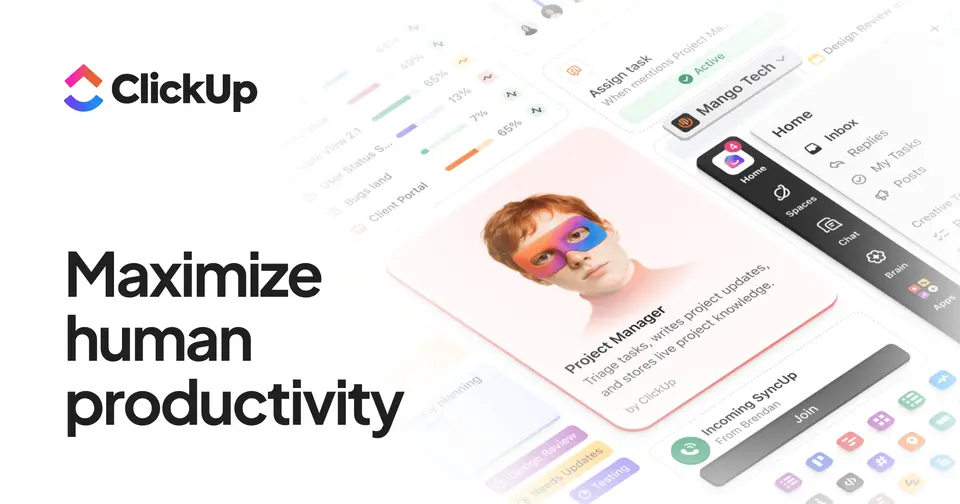
ClickUp is a work management platform that puts tasks, docs, chat, whiteboards and dashboards in one workspace. Work is organized into spaces, folders and lists, and the same tasks can be shown in more than 15 layouts, including list, board, Gantt and calendar. AI features are sold as separate per-user plans on top of the workspace subscription.
To get you started, here are 10 things to know about ClickUp, taken from its own pages and our grades.
Work lives in spaces, then folders, then lists, and one reviewer was still lost after a week of how-to videos.
- 1
Best for teams that want everything in one app
There's a lot to learn, and people on it every day say it's slow and buggy, so if you want a simple shared list, look elsewhere.
- 2
Paid plans start at $7 a month for each person
As its pricing page puts it: $7 per user / month, billed yearly ($10 billed monthly).
- 3
There is a free plan
Free Forever plan: unlimited tasks and members, 60MB of storage, 5 spaces, 1 form and 3 whiteboards, with trial-only access to advanced features.
- 4
It runs on 6 platforms
Web, macOS, Windows, Linux, iOS and Android, with a browser extension too.
- 5
Tasks in 15+ views
Show the same tasks as a list, board, Gantt chart, calendar, table and more. Gantt charts are unlimited from the Unlimited plan; timeline view needs Business.
- 6
Docs and wikis
Collaborative documents that link to tasks and can serve as wikis or standard operating procedures inside the same workspace.
- 7
Chat
Real-time team messaging that sits inside the workspace, next to tasks and docs.
- 8
Refunds: 30 days
ClickUp will refund a first purchase in full if you ask within 30 days, which on its own would earn a B. Then the terms take some of it back.
- 9
A 3.0 GPA, above 64 of 79
That is against the other project management tools we grade, on value, the free plan, features, ease of use and platforms.
- 10
Keep it
To replace ClickUp you would be making connections to other products, each kept working as those products change. That is not a weekend's work, with an AI app builder or without one.
ClickUp at a glance
- Pricing
- Free plan, from $7 per user / month, billed yearly ($10 billed monthly)
- Free plan
- Yes
- Free trial
- None stated
- Runs on
- Web, macOS, Windows, Linux, iOS, Android, Browser extension
- Made by
- ClickUp (Mango Technologies, Inc.)
- Category
- Project Management
- Our grade
- 3.0 GPA, very good
- Store rating
- 4.7 on the App Store, 9,823 ratings
The report card
Best for teams that want everything in one app
ClickUp puts tasks, docs, chat, whiteboards and dashboards in one workspace, at $7 a person a month on yearly billing for most of it. The free plan lets any number of members in but stops at 60MB of storage, timeline view and dashboards need Business at $12, and AI is a separate $9 or $28 a person. There's a lot to learn, and people on it every day say it's slow and buggy, so if you want a simple shared list, look elsewhere.
| Subject | Grade | Comment |
|---|---|---|
| Value for money | C | $7 a person a month on yearly billing, or $10 monthly, which sits below the $8 middle here but outside the $5.10 cheapest quarter, so it's ordinary money. For that you get unlimited storage, Gantt charts, time tracking and guests. Timeline view and dashboards need Business at $12, and AI is a separate bill. |
| Free plan and trial | C | Unlimited tasks and unlimited members for nothing. Then you meet the caps: 60MB of storage, which a few slide decks fill, 5 spaces, 1 form, 3 whiteboards, and the advanced features only there to try. |
| Features | A | Tasks in 15-plus views, list, board, Gantt, calendar, table, then docs and wikis, chat, whiteboards, dashboards, goals, time tracking and automations in one workspace, with Brain AI on top at extra cost. No other tool here covers that much, though timeline view and dashboards need Business. |
| Ease of use | B | 4.68 from nearly 10,000 App Store ratings, just under the 4.7 an A needs, and the written reviews are why it goes no higher. Work lives in spaces, then folders, then lists, and one reviewer was still lost after a week of how-to videos. |
| Platforms and integrations | A | Web, Mac, Windows, Linux, iPhone, Android and a Chrome extension, which is the longest list in this category. There's a public API, and it hooks into Slack, GitHub, GitLab, HubSpot, Google Drive, Figma, Zoom and Microsoft Teams. |
An A is worth 4 points, a B 3, a C 2, a D 1 and an F nothing. The GPA is the average of the five.
Who ClickUp is for
- Fits if your team pays for a task app, a docs app and a chat app and wants one bill
- Works for teams where one person wants a list, another a board and the boss a Gantt chart
Who it is not for
- Skip it if you just want a simple shared to-do list, as work sits in spaces, folders and lists
- Not for you if slow screens drive you mad, as speed is a common complaint and search can take 5 to 10 seconds
- Pricey if you want the AI, which is $9 or $28 a person on top of your plan
- Tight if you attach files on the free plan, where storage stops at 60MB, with 5 spaces, 1 form and 3 whiteboards
- Watch out: the whole workspace upgrades together, timeline view needs Business at $12, and SSO is Enterprise only
Good to know
Good for
- Teams that want tasks, docs and chat under one subscription
- Workspaces that need many different views of the same work
- Small teams starting on a free plan with unlimited members
Worth knowing
- The Free Forever plan is capped at 60MB of storage, 5 spaces, 1 form and 3 whiteboards.
- AI is billed separately: Brain AI is listed at $9 and Everything AI at $28 per user / month.
- Timeline view, unlimited dashboards and mind maps start on the Business plan.
- SAML SSO, SCIM provisioning and audit logs are limited to Enterprise.
Part 02 · Tips
Insider tips
What most people miss: ways to pay less, settings worth changing and the catches
7
Things most people miss, each from its own help pages
The things about ClickUp that are easy to miss until they cost you: ways to pay less, settings worth changing and the catches at renewal or when you leave. Each one is from ClickUp’s own pages, linked beside it.
Read on Oct 17, 2026. Read from ClickUp's pricing page and its FAQ, and its help centre articles on keyboard shortcuts, tasks by email and exporting task data, on 17 October 2026. Not tried out: these tips are what its own pages say.
- 1
Pay less
Bring clients in as guests, not paid members
On Unlimited, a workspace with 1 paid user gets 5 guest seats, plus 2 more for each extra paid user. Business gives 10, plus 5 each. Read-only guests are unlimited on paid plans. The catch: anyone from inside your own company is billed as a paid user, guest or not.
clickup.com - 2
Pay less
Free plan "uses" are a one-off taster, not a monthly allowance
The pricing FAQ says uses of trial features add up across the whole workspace and never reset. Hit the limit and nothing is deleted, but you can't create or edit with that feature any more. And the 60MB of storage only counts file attachments, not tasks.
clickup.com - 3
Privacy
On Free, every guest can edit whatever you share
Free Forever lets in unlimited guests, but the pricing page says they get full create and edit rights that can't be changed. View-only guests and limited access start on the paid plans. Worth knowing before you invite a client into a busy space.
clickup.com - 4
Renewal
Each person you add is billed at once, and each workspace is separate
Add someone mid-cycle and the pricing FAQ says you pay a prorated amount for the rest of the billing period. Payment is per workspace, so a second workspace needs its own upgrade. Only owners and admins can change the plan.
clickup.com - 5
Easy to miss
Every list has its own email address for new tasks
Open a list's ... menu, choose Email to List and copy the address. Send an email there and the subject becomes the task name, the body its description, with the email attached. Put <assign me> in the subject to take it yourself. ClickUp says it works on every plan.
help.clickup.com - 6
Shortcut
Switch keyboard shortcuts on, then press T for a new task
They're off by default. Click your avatar, go to Settings, then Preferences and turn on Keyboard Shortcuts. After that T creates a task, S searches and Ctrl+K (Cmd+K on a Mac) opens the command bar. The full list is under Keyboard shortcuts in the same avatar menu.
help.clickup.com - 7
Leaving
Export your tasks to CSV before you downgrade or leave
Click your Workspace avatar, then Settings → Imports / Exports → Export Items, pick the spaces, folders or lists and click Start Export. When it's ready, Download Export gives you a CSV of the task data. Tick every space for a full copy; it's task data only, not everything in the workspace.
help.clickup.com
Part 03 · Pricing
What it costs
Every plan, the free plan, ways to pay less and how prices have moved
$7
A month to start, for each person. There is a free plan too
ClickUp has a free plan. Paid plans start at $7 per user / month, billed yearly ($10 billed monthly).
For that you get unlimited storage, Gantt charts, time tracking and guests.
Free Forever
$0
Unlimited tasks and members with 60MB of storage, 5 spaces, 1 form and 3 whiteboards.
Unlimited
$7
per user / month, billed yearly ($10 billed monthly)
Unlimited storage, spaces, forms and Gantt charts, plus native time tracking, guest permissions and integrations.
Business
$12
per user / month, billed yearly ($19 billed monthly)
Everything in Unlimited, plus unlimited dashboards, timeline view, mind maps and 5,000 automation runs a month.
Enterprise
Custom
SAML SSO and SCIM provisioning, audit log, custom roles, data residency and 250,000 automation runs a month.
The free plan
Free Forever plan: unlimited tasks and members, 60MB of storage, 5 spaces, 1 form and 3 whiteboards, with trial-only access to advanced features.
Read from clickup.com on Oct 9, 2026.
Ways to pay less
Annual discount
Yearly billing lowers the per-user price
Unlimited is $7 per user / month billed yearly against $10 billed monthly, and Business is $12 against $19.
Stated on clickup.comNonprofit
Nonprofit discount on request
ClickUp's pricing FAQ says nonprofits can claim a discount through its nonprofit page. The size of the discount is not published.
Stated on clickup.comEducation
Academic discount for students and educators
The pricing FAQ says students, educators and administrators can claim an academic discount. The amount is not published.
Stated on clickup.comStartups
Startup credit by application
The pricing FAQ says startups can apply for a startup credit through a form. The amount and eligibility rules are not published.
Stated on clickup.com
How its prices have moved
- Jul 2, 2025Free plan: 100MB of storage → 60MB of storageThe archived copy of 2 July 2025 gives the Free Forever plan 60MB of storage; the copy before it, of 28 March 2025, gives it 100MB. The allowance was cut between the two.
- Aug 11, 2023Unlimited: $5 per user / month, billed yearly → $7 per user / month, billed yearlyThe archived copy of 11 August 2023 shows Unlimited at $7 with yearly billing selected; the copy before it, of 28 June 2023, shows $5 on the same basis. The price changed between the two.
- Aug 11, 2023Business Plus: withdrawn (was $19 per user / month, billed yearly ($29 billed monthly))The archived copy of 11 August 2023 lists Free Forever, Unlimited, Business and Enterprise only; the copy before it, of 28 June 2023, still shows Business Plus at $19 billed yearly. The plan left the page between the two.
- Mar 6, 2022Business: $9 per user / month, billed yearly → $12 per user / month, billed yearlyThe archived copy of 6 March 2022 shows Business at $12 billed yearly; the copy before it, of 6 December 2021, shows $9. The yearly price changed between the two, while the monthly price stayed at $19 in both.
- Dec 6, 2021Business Plus: new, $19 per user / month, billed yearly ($29 billed monthly)The archived copy of 6 December 2021 adds a Business Plus plan between Business and Enterprise; the copy before it, of 24 September 2021, has no such plan. It arrived between the two.
Part 04 · Features
What it does
Its main features, where it runs, what it works with and who makes it
7
Places it runs: Web, macOS, Windows, Linux, iOS, Android and Browser extension
Work platform combining tasks, docs, chat and dashboards. Here is what it does, as its own site describes it, and what it covers: public API, AI features, tasks, kanban boards, Gantt & timelines, workflow automation, time tracking.
No other tool here covers that much, though timeline view and dashboards need Business.
- Tasks in 15+ views
- Show the same tasks as a list, board, Gantt chart, calendar, table and more. Gantt charts are unlimited from the Unlimited plan; timeline view needs Business.
- Docs and wikis
- Collaborative documents that link to tasks and can serve as wikis or standard operating procedures inside the same workspace.
- Chat
- Real-time team messaging that sits inside the workspace, next to tasks and docs.
- Automations
- Rules that update tasks when conditions are met. Business includes 5,000 automation runs a month and Enterprise 250,000.
- Dashboards, goals and time tracking
- Dashboards chart project progress, goals roll up from linked tasks, and a built-in timer records time against tasks. Native time tracking starts on Unlimited.
- ClickUp Brain
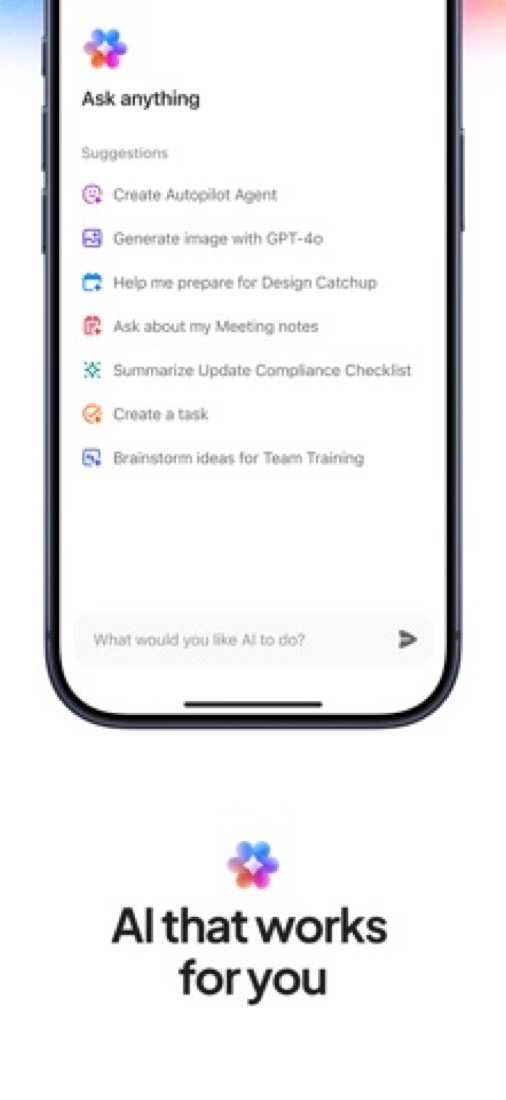
- An AI assistant that works across tasks, docs and chat. The paid AI plans, Brain AI and Everything AI, are priced per user on top of the workspace plan.
Where it runs
- Web
- macOS
- Windows
- Linux
- iOS
- Android
- Browser extension
What it works with
- Slack
- GitHub
- GitLab
- HubSpot
- Google Drive
- Figma
- Zoom
- Microsoft Teams
Who makes ClickUp
ClickUp is made by Mango Technologies, Inc., which does business as ClickUp, a privately held, venture-backed company headquartered in San Diego. It earns money from subscriptions to its paid plans, and its careers page says it has passed $300 million in annual recurring revenue.
- Founded
- 2017clickup.com
- Based
- San Diego, California, with a European HQ in Dublin, Irelandclickup.com
- Ownership
- Privately held. Privately held and venture-backed: its own funding announcements name Andreessen Horowitz, Tiger Global, Lightspeed Venture Partners, Meritech Capital Partners, Georgian and Craft Ventures as investors, and name no parent company.clickup.com
- Funding
- Raised a $400 million Series C co-led by Andreessen Horowitz and Tiger Global in October 2021, at a $4 billion valuation, bringing its total to $535 million, according to its own announcement. Before that: a $100 million Series B led by Georgian in December 2020 and a $35 million Series A led by Craft Ventures in June 2020.clickup.comclickup.comclickup.comclickup.com
- Founders and leaders
- Zeb Evans, CEO and Founderclickup.com
- Alex Yurkowski, Co-founder and CTOclickup.com
- Hiring
- 51 open roles on the job board its careers page embeds: 23 in engineering, 7 each in customer experience and product, 6 in sales, 5 in growth, and 1 each in support, finance and peoplejobs.ashbyhq.com
- Affiliate program
- Up to $25 for each new free workspace signup, with a 30-day cookie; affiliates who send 100 or 200 signups a month get 10% or 15% discount offers to share. Payments go out about six weeks after the month a referral is tracked.clickup.com
- Partner program
- Directory of Verified Consultants and Solution Partners, some of them resellers, who implement ClickUp for clients. The partner terms are not published.clickup.com
- Lately
- Release Notes 4.09 · Oct 17, 2026
- Release Notes 4.08 · Sep 18, 2026
- PayPal now in India · Aug 25, 2026
- Release Notes 4.07 · Aug 18, 2026
Read on Oct 18, 2026 from the company’s own pages and from news reports. What is not stated there is left out.
Part 05 · Standing
Where it stands
Its grades against its category, and whether to keep it or make your own
64/79
Other project management tools it is graded above
ClickUp's GPA of 3.0 is higher than 64 of the 79 other project management tools we grade, and level with 8.
It stands best on features (A, above 75 of 79) and worst on free plan and trial (C, above 4).
Its paid plans start at $7 a month for each person, against a middle price of $8 for the category: 29 of the 74 others that charge start lower.
On features, ease of use and platforms it scores 3.7 out of 4, and no tool on the category's chart scores higher without costing more.
Each grade against the category
Every bar is all 80 project management tools we grade, cut by the letter each got. ClickUp’s own letter is outlined.
- CValue for moneyAbove 16 of 79
- CFree plan and trialAbove 4 of 79
- AFeaturesAbove 75 of 79
- BEase of useAbove 65 of 79
- APlatforms and integrationsAbove 54 of 79
Price against what you get
Each dot is one of 78 project management tools. Further left costs less; higher up scores better on features, ease of use and platforms. ClickUp is the marked dot.
What paid plans start at, a month (each step along is roughly double) →
Keep it, or make your own?
Whether this is something you could build for yourself with an AI app builder, and what you would give up.
Keep it
To replace ClickUp you would be making connections to other products, each kept working as those products change. That is not a weekend's work, with an AI app builder or without one.
It is one of the better ones too: its GPA of 3.0 is higher than 64 of the 79 other project management tools we grade. It costs $84 a year.
What you could make
- Tasks, kanban boards, Gantt & timelines and time tracking: an app builder makes these well.
What you could not
- Connections to other products, each kept working as those products change.
- Apps for macOS, Windows, Linux, iOS and Android that stay in step with each other.
- It is priced for each person, which means accounts and billing for a team.
- AI features, unless you pay a model provider for each request yourself.
- The depth: we grade its features A, which means it covers the whole job.
What this rests on. ClickUp’s listing: what it does, where it runs, what it plugs into and what it costs. It is a judgement about the kind of software this is. We have not built a replacement for it, and making your own means looking after it too. How we decide, and every tool’s verdict.
Part 06 · Refunds
After you pay
Getting your money back, getting out, and getting help
What happens once you have paid: whether you can get your money back, how to leave, and how to reach a person when something goes wrong. Each is graded from ClickUp’s own terms and help pages.
Refunds and cancelling
Ordinary · checked Oct 12, 2026
ClickUp will refund a first purchase in full if you ask within 30 days, which on its own would earn a B. Then the terms take some of it back. Renewals aren't covered, and on a yearly plan you must give 30 days' notice before the renewal date or you're in for another twelve months. Good on the way in, sticky a year later, so it's a C.
- Refund window
- 30 days
- How you cancel
- See below
- Getting your money back
The terms give first-time purchases a satisfaction guarantee: contact ClickUp within 30 days for a full refund. An upgrade is covered for its first 30 days, by moving back to the old plan and refunding the difference. It does not cover purchases made through a sales representative or reseller, renewals or expansions, or a purchase made after a pilot or trial. Other fees are non-refundable except as the law requires.
Stated on clickup.com- How to cancel ClickUp
The pricing page's FAQ says you can cancel at any time and the plan lasts to the end of the billing cycle unless you choose to downgrade immediately. The terms add a condition for annual plans: notice of a cancellation or downgrade, including a cut in user count, must be given at least thirty days before the renewal date. Neither page says where in the product this is done.
Stated on clickup.com- What you keep afterwards
The pricing page's FAQ says the current plan lasts until the end of the billing cycle after you cancel, unless you choose to downgrade immediately. The terms say a free account with no activity for sixty days may be suspended or terminated. The pages read do not say how long data is kept or how it can be exported.
Stated on clickup.com- Renewals
Accounts renew automatically by default. On an annual plan, a cancellation or downgrade needs at least thirty days' notice before the renewal date, or the plan renews for another twelve months. The satisfaction guarantee does not apply to renewals. A change in fees is announced by email at least thirty days before the renewal date; no other reminder is mentioned.
Stated on clickup.com
In your favour
- A first purchase is refunded in full if you ask within 30 days, for any reason.
- Upgrade and regret it? Within 30 days you're moved back and refunded the difference.
- The pricing page says you can cancel at any time and keep the plan to the end of the billing cycle.
- A price rise comes with at least 30 days' email notice before your renewal date.
Watch out for
- On a yearly plan, give notice at least 30 days before the renewal date or it renews for twelve more months.
- The guarantee doesn't cover renewals, expansions of what you already bought, or a plan bought through a ClickUp salesperson.
- Did a trial or a pilot first? The terms say the guarantee doesn't apply.
- You have to contact ClickUp to get the refund. It isn't described as a button in the settings.
Customer support
Good · checked Oct 12, 2026
The pricing page lists 24/7 support on every plan, the free one included, and live chat support on every paid plan. That's more than most put in writing, so it's a B. We've stopped short of an A because the help centre and the contact page turned our reader away, so we couldn't see whether a person answers that chat or how you reach it.
Ways to get help
Live chat
The pricing page's plan comparison lists Live Chat Support on every paid plan and not on Free Forever. It does not say whether a person or an assistant answers first.
Stated on clickup.comAccount manager
The Enterprise plan lists a Customer Success Manager and live onboarding training.
Stated on clickup.comHelp centre
A help centre of support docs, which the pricing page's FAQ links to for more detail.
Stated on clickup.com
Not listed on ClickUp’s pages: phone, email, contact form or ticket.
- When people answer
The pricing page lists 24/7 Support as a feature of every plan, Free Forever included.
Stated on clickup.com- How fast it says it replies
Its pages do not say.
- What depends on your plan
24/7 Support is listed on every plan. Live Chat Support is listed on every paid plan but not on Free Forever. Priority Support starts at the Enterprise plan, which also lists a Customer Success Manager and live onboarding training.
Stated on clickup.com
In your favour
- 24/7 support is listed on every plan, including Free Forever.
- Every paid plan is listed with live chat support.
- Enterprise adds priority support, a Customer Success Manager and live onboarding training.
Watch out for
- Free Forever isn't listed with live chat.
- The page doesn't say how fast anyone replies, or whether a person or an assistant answers the chat first.
- Priority support starts at Enterprise. The cheaper paid plans don't get it.
What these two grades rest on. Read on 12 October 2026: ClickUp's terms of service and its pricing page, with the plan comparison and the FAQ. Its help centre and contact page turned our reader away, so nothing here rests on them, including where in the product a plan is cancelled. Nobody here cancelled a plan or contacted its support. They are graded apart from the five that make the GPA. How we grade refunds and support.
Part 07 · Alternatives
The alternatives
The tools it is most often weighed against, side by side





Asana, monday.com, Notion, Wrike and Trello
The 5 tools ClickUp is most often weighed against, with where each one differs from it.
- 3.0GPA
Asana
Free plan · from $10.99/mo
Work management for projects, goals and cross-team workflows.
- Only ClickUp lists a Linux app.
- Only ClickUp lists a browser extension.
- ClickUp also covers time tracking.
- 2.8GPA
monday.com
Free plan · from $9/mo
Board-based work management with automations and dashboards.
- Only ClickUp lists a Linux app.
- Only ClickUp lists a browser extension.
- 3.2GPA
Notion
Free plan · from $10/mo
Workspace for docs, wikis, databases and projects with built-in AI.
- Only ClickUp lists a Linux app.
- ClickUp also covers tasks, kanban boards, Gantt & timelines, workflow automation and time tracking.
- Notion also covers notes, databases, wiki and templates.
- 2.8GPA
Wrike
Free plan · from $10/mo
Work management with Gantt charts, request forms and proofing.
- Only ClickUp lists a Linux app.
- Only ClickUp lists a browser extension.
- 2.8GPA
Trello
Free plan · from $5/mo
Kanban boards with an inbox, planner and built-in automation.
- Only ClickUp lists a Linux app.
- Only ClickUp lists a browser extension.
- ClickUp also covers time tracking.
Part 08 · Questions
Quick answers
The questions people ask about it, each answered in a line or two
18
Questions, each answered in a line or two
The short version of everything above, for when you only need the answer. Each one is told in full in its part of the guide.
Is ClickUp free?
ClickUp has a free plan. Free Forever plan: unlimited tasks and members, 60MB of storage, 5 spaces, 1 form and 3 whiteboards, with trial-only access to advanced features.
How much does ClickUp cost?
ClickUp lists 4 plans. Free Forever: $0.
What platforms does ClickUp work on?
ClickUp is available on Web, macOS, Windows, Linux, iOS and Android. It also has a browser extension.
Does ClickUp offer any discounts?
ClickUp publicly lists the following: Yearly billing lowers the per-user price; Nonprofit discount on request; Academic discount for students and educators; Startup credit by application.
How is ClickUp rated?
ClickUp's iPhone and iPad app averages 4.7 out of 5 from 9,823 ratings on the App Store in the United States, as read on Oct 5, 2026.
Is ClickUp open source?
ClickUp is not described as open source on its own site, as read on Oct 9, 2026.
Does ClickUp have an API?
Yes. ClickUp offers a public API, according to its own site.
What does ClickUp integrate with?
ClickUp's listing names Slack, GitHub, GitLab, HubSpot, Google Drive, Figma, Zoom and Microsoft Teams.
Does ClickUp have a student discount?
Academic discount for students and educators. The pricing FAQ says students, educators and administrators can claim an academic discount.
Who makes ClickUp?
ClickUp is made by a company of the same name. Privately held and venture-backed: its own funding announcements name Andreessen Horowitz, Tiger Global, Lightspeed Venture Partners, Meritech Capital Partners, Georgian and Craft Ventures as investors, and name no parent company.
What are the alternatives to ClickUp?
The closest alternatives to ClickUp in our directory are Asana, monday.com, Notion, Wrike and Trello.
Does ClickUp give refunds?
The terms give first-time purchases a satisfaction guarantee: contact ClickUp within 30 days for a full refund.
How do I cancel ClickUp?
The pricing page's FAQ says you can cancel at any time and the plan lasts to the end of the billing cycle unless you choose to downgrade immediately.
What happens to my data if I cancel ClickUp?
The pricing page's FAQ says the current plan lasts until the end of the billing cycle after you cancel, unless you choose to downgrade immediately.
How do I contact ClickUp support?
ClickUp's pages list these ways to get help: live chat, account manager and help centre.
How does ClickUp compare with other project management tools?
ClickUp's GPA of 3.0 is higher than 64 of the 79 other project management tools we grade, and level with 8.
Is ClickUp good value for money?
ToolGPA grades ClickUp C for value for money. Its paid plans start at $7 a month for each person, against a middle price of $8 for the category: 29 of the 74 others that charge start lower.
Could I make my own version of ClickUp?
To replace ClickUp you would be making connections to other products, each kept working as those products change.
Where this guide comes from
The prices, plans, platforms and features were read from ClickUp’s own pages on Oct 9, 2026, and the grades were given on Oct 10, 2026. Based on ClickUp's pricing, features, download and integrations pages as of 9 October 2026, its App Store reviews and Hacker News threads about it. Also tested with a demo account on 2026-04-21.
Every tool we list gets five grades, A to F, each with its reason, and a GPA that averages them. How each is decided is at toolgpa.com/grades. This guide is ToolGPA’s own work; it is not made, paid for or approved by ClickUp (Mango Technologies, Inc.). Prices change, so check clickup.com before you buy.
Part 09 · About
About ToolGPA
Who made this guide, what else is on the site, and how to cite it
3,189
Tools graded, in 94 categories
ToolGPA grades software the way a school report grades a pupil: five subjects, a letter for each with the reason written beside it, and a GPA that averages them. Prices, plans and platforms are read from each maker’s own pages and dated, so you always know how fresh a figure is.
Every grade, review and ranking on ToolGPA is our own judgement. No company can pay for a grade or change one. Every tool on the site has a guide like this one, free to download and pass on. It all lives at toolgpa.com.
3,189
tools graded
94
categories
426
price changes on record
579
apps priced in 12 countries
What else is on toolgpa.com
- ClickUp, kept up to dateEverything in this guide, with prices and grades as they are todaytoolgpa.com/tools/clickup
- How grades are givenThe rules behind every letter and every GPAtoolgpa.com/grades
- Value chartsWhat each tool costs against what it scores, for every categorytoolgpa.com/charts
- CompareAny two tools side by side, plan by plantoolgpa.com/compare
- Price changesEvery price rise and cut on record, each with its sourcetoolgpa.com/price-changes
- Prices by countryWhat apps cost on the App Store in 12 countriestoolgpa.com/prices-by-country
- Pay lessEvery public discount: yearly billing, students, nonprofitstoolgpa.com/save
- Keep or makeWhich tools are worth paying for, and which you could build yourselftoolgpa.com/keep-or-make
Scan for the live page
Prices and grades as they are today
Quoting this guide?
Please name ToolGPA and link to the live page, so readers can check the figures for themselves:
ToolGPA, "ClickUp: The Insider's Guide", checked Oct 9, 2026. https://toolgpa.com/tools/clickup
Know someone choosing between project management tools?
Send them this guide: toolgpa.com/tools/clickup/guide
ToolGPA elsewhere: youtube.com/@toolgpa
See our other guides
The best-graded project management tools after ClickUp, each with an Insider's Guide of its own.
- Project Management Insider's GuideEvery one of the 80 project management tools we grade, compared
- GitHub Issues Insider's GuideIssue tracking and project planning built into GitHub3.4 GPA
- Freedcamp Insider's GuideProject management suite with a free plan for unlimited users3.2 GPA
- Huly Insider's GuideOpen-source project management with chat, docs and video calls3.2 GPA



Choosing software? Every tool graded, every price dated.
Compare tools at toolgpa.com ›Everything in this guide is ToolGPA’s own summary of what ClickUp’s pages, its app-store listings and public reviews said on the dates shown. Grades are our judgement under the rules at toolgpa.com/grades. Every grade, review and ranking on ToolGPA is our own judgement. No company can pay for a grade or change one. ClickUp is a trademark of its owner, and this guide is not made, paid for or approved by ClickUp (Mango Technologies, Inc.). Prices and plans change: check clickup.com before you buy.