The Discord Insider’s Guide
Everything we know about Discord in one document: what it costs, its grades, getting a refund, getting help and what else to look at. Read it here, or keep a copy.
Discord
The Insider’s Guide
Free text, voice and video chat built around servers
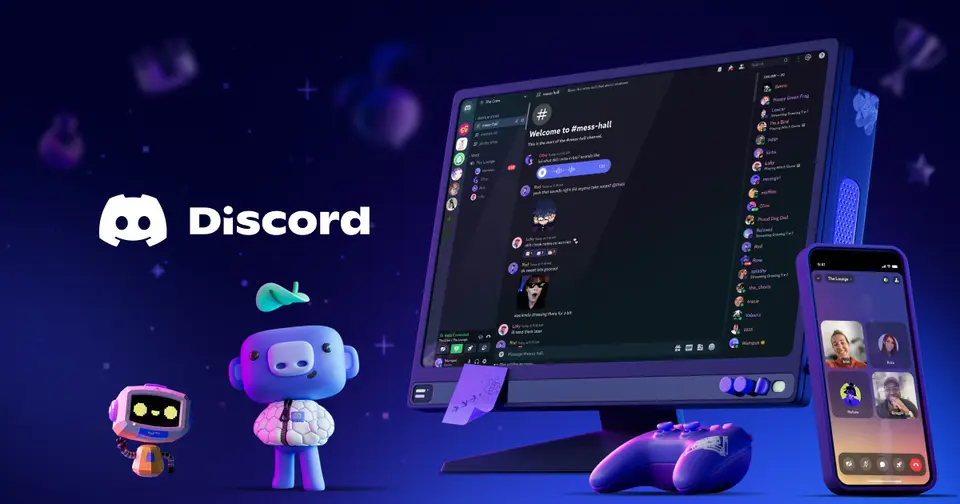
Every plan, grade, refund rule and rival among team communication apps, read from Discord’s own pages.
Made by Discord Inc. · checked Oct 9, 2026 · toolgpa.com
Contents
- 01WelcomeWhat it is, who it suits, its grades and the ten things to know first
- 02What it costsEvery plan, the free plan, ways to pay less and how prices have moved
- 03What it doesIts main features, where it runs, what it works with and who makes it
- 04Where it standsIts grades against its category, and whether to keep it or make your own
- 05After you payGetting your money back, getting out, and getting help
- 06The alternativesThe tools it is most often weighed against, side by side
- 07Quick answersThe questions people ask about it, each answered in a line or two
- 08About ToolGPAWho made this guide, what else is on the site, and how to cite it
ToolGPA put this guide together from Discord’s own pages, its app-store listings and our grades. Every fact in it is on Discord’s page too, where it is kept up to date. Checked Oct 9, 2026.
Part 01 · Overview
Welcome
What it is, who it suits, its grades and the ten things to know first
3.6
GPA, above 32 of the 33 other team communication apps we grade
Discord is a chat app where friend groups and communities talk over text, voice and video. People can drop into a voice chat without placing a call, and can stream a game or screen to the group. It was built for talking with friends while gaming and is free to use; the paid Nitro subscriptions add personal perks such as larger uploads, HD streaming and custom emoji rather than business features.
To get you started, here are 10 things to know about Discord, taken from its own pages and our grades.
Giving a group somewhere to talk is what it does.
- 1
Best for free hangouts for friends and communities
Discord is a free chat app built around servers, with voice rooms you drop into, video, screen sharing and streaming at no cost.
- 2
Paid plans start at $2.99 a month
As its pricing page puts it: $2.99 per month.
- 3
There is a free plan
Text, voice and video chat, servers, direct messages and streaming are free. Nitro raises limits such as upload size, stream quality and message length.
- 4
It runs on 6 platforms
Web, macOS, Windows, Linux, iOS and Android.
- 5
Servers with text and voice chats
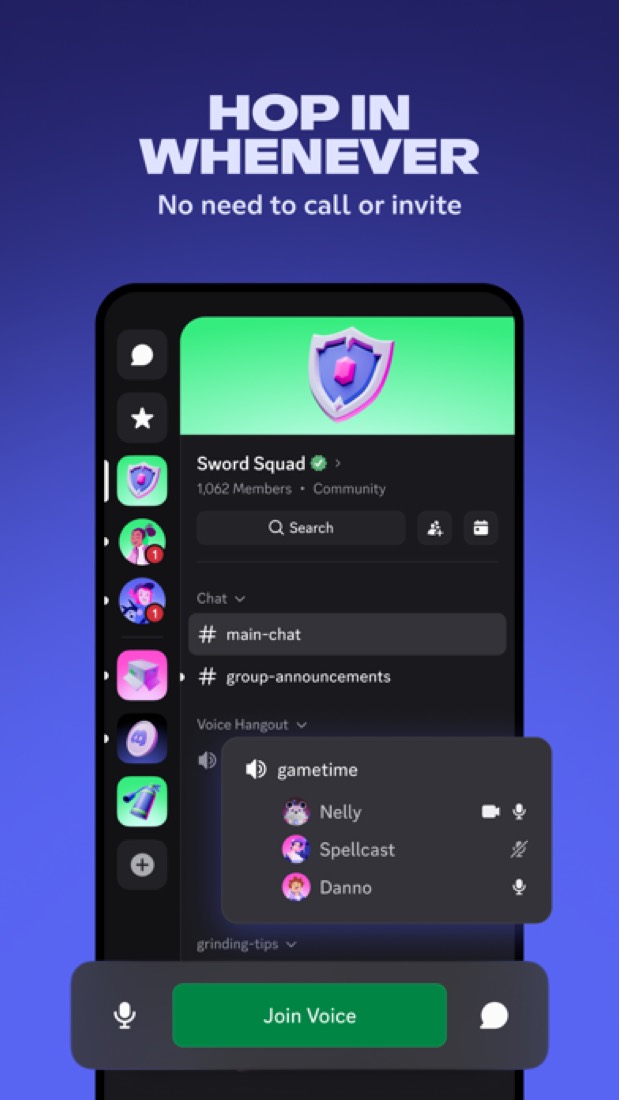
A server is a customizable space for a group or community. Members hop in and out of its voice or text chats without having to call or invite anyone.
- 6
Video chat and streaming
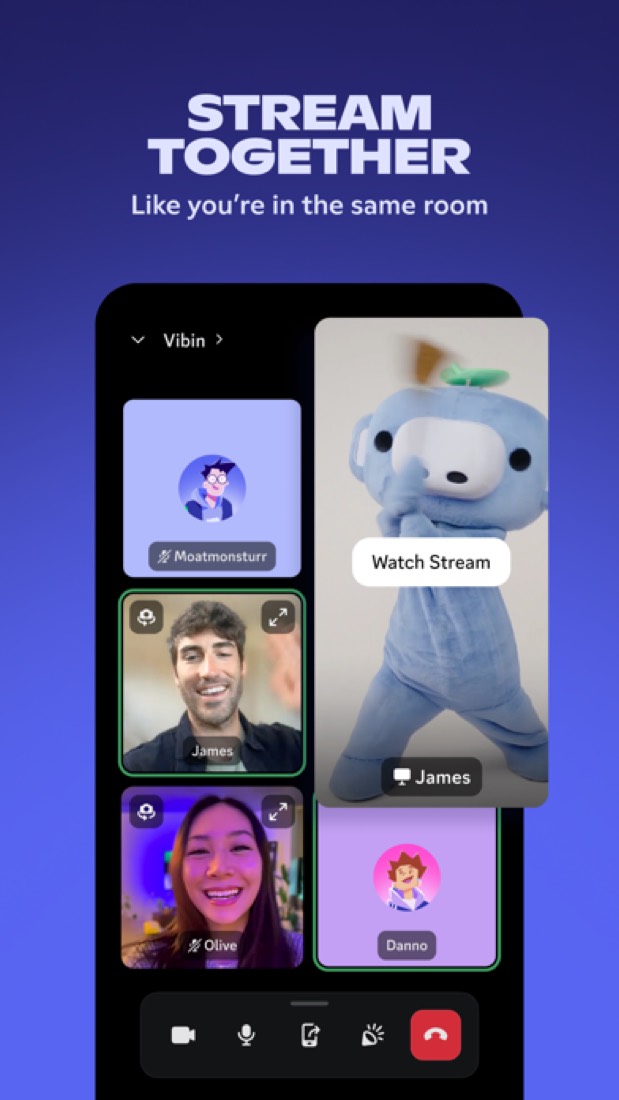
Video chat and screen share work in direct messages and group DMs, and Go Live streams a game to a server. HD streaming is a Nitro perk.
- 7
Direct messages and group DMs
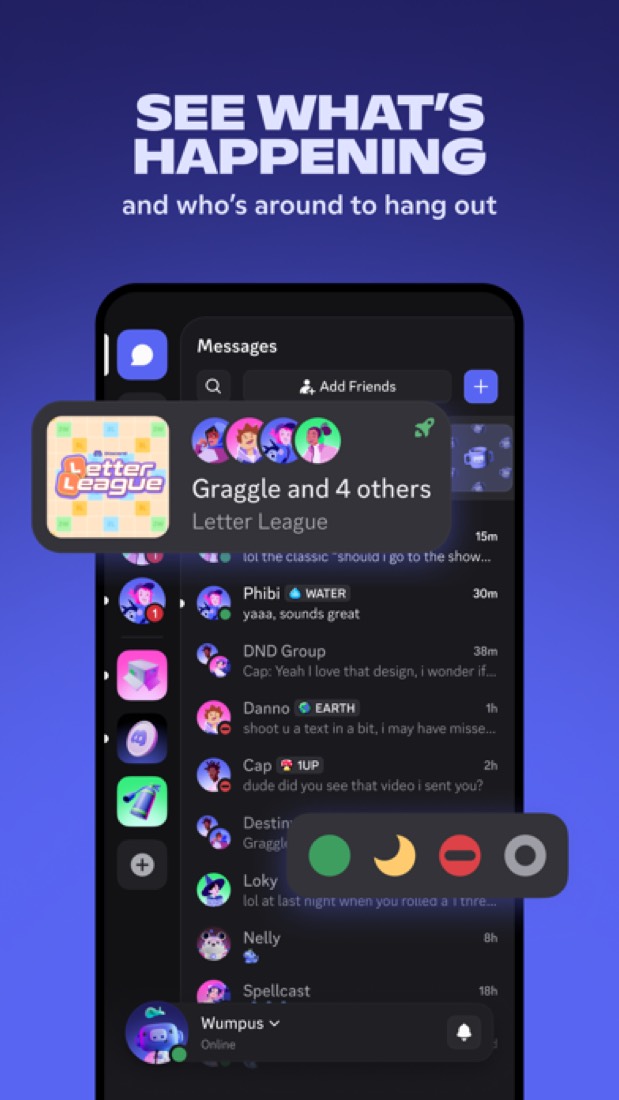
A friends list lets people talk outside of servers, with voice calls, video chat and screen sharing available directly in DMs and group DMs.
- 8
Refunds: no set window
Discord's refund policy reads friendly, but it hands itself the last word: every request is judged case by case at its sole discretion, you get five days to ask, and you only ever get one Nitro refund in your life. That is no refund window, it is a maybe.
- 9
A 3.6 GPA, above 32 of 33
That is against the other team communication apps we grade, on value, the free plan, features, ease of use and platforms.
- 10
Keep it
To replace Discord you would be making chat that a whole team counts on staying up. That is not a weekend's work, with an AI app builder or without one.
Discord at a glance
- Pricing
- Free plan, from $2.99 per month
- Free plan
- Yes
- Free trial
- None stated
- Runs on
- Web, macOS, Windows, Linux, iOS, Android
- Made by
- Discord Inc., since 2015
- Category
- Team Communication
- Our grade
- 3.6 GPA, excellent
- Store rating
- 4.7 on the App Store, 3,561,735 ratings
The report card
Best for free hangouts for friends and communities
Discord is a free chat app built around servers, with voice rooms you drop into, video, screen sharing and streaming at no cost. Giving a group somewhere to talk is what it does. But there's no business plan or admin tier for companies, written messages aren't end-to-end encrypted, bigger uploads and HD streaming need Nitro, and reviewers keep complaining about redesigns and phone bugs. For an office, look at Slack or Teams instead.
| Subject | Grade | Comment |
|---|---|---|
| Value for money | A | Servers, text, voice and video chat, direct messages and streaming cost nothing. The paid plans are personal extras, $2.99 for Nitro Basic and $9.99 for Nitro, against the $7 a month team chat typically starts at. Paying is optional, and there's no business plan to buy. |
| Free plan and trial | A | Free: servers, text, voice and video chat, DMs, group DMs and streaming are all in. Nitro raises limits like upload size, stream quality and message length, and HD streaming needs it. |
| Features | C | For hanging out: servers with always-open voice channels, video and screen sharing, Activities, Soundboard, an official API and an App Directory. For work there's a hole, and the listing names it: no per-seat business plan and no admin tier for companies at all. Text messages aren't end-to-end encrypted. |
| Ease of use | A | 4.7 on the App Store from about 3.6 million ratings, the most of any app on this site. You install it, join a server and you're talking: the voice channel sits in the sidebar showing who's already in. Some reviewers say newcomers find it confusing. |
| Platforms and integrations | A | Web, Mac, Windows, Linux, iPhone and Android, and you can link a PlayStation or an Xbox so console players land in the same chats. There's an official API, a developer portal and an App Directory for bots. |
An A is worth 4 points, a B 3, a C 2, a D 1 and an F nothing. The GPA is the average of the five.
Who Discord is for
- Fits if your friends game together and want a voice room that's always open
- Works for clubs and communities that need a free place to talk, across PC, Mac, Linux, phones and consoles
Who it is not for
- Too light for offices that need company controls, as the site lists no business plan or admin tier
- Not for you if your written chats must be end-to-end encrypted, as only calls are, and Stage channels aren't
- Tight if you send big files, since uploads top out at 50 MB on Nitro Basic and 1 GB on Nitro
- Pricey if a whole group wants HD streaming, because Nitro is $9.99 a person, and prices vary by country
- Watch out: phone redesigns and bugs draw complaints back to 2019, and new accounts start age-locked until Discord places them in a group
Good to know
Good for
- Gaming groups and friends who want always-open voice chats
- Online communities that need a free place to gather
- Groups that stream games or screens to each other
- Developers building bots and apps on a chat API
Worth knowing
- The paid plans are personal Nitro subscriptions; the site lists no per-seat business plan or admin tier for companies.
- Uploads are capped at 50 MB on Nitro Basic and 1 GB on Nitro, and HD streaming needs Nitro.
- Discord says Nitro prices vary by country and plan, so the US prices listed here may not match what the app shows elsewhere.
What people say
- 4.7on the App Store, from 3,561,735 ratings
What they like
- Commenters describe it as the place where their groups already gather, from small software projects to a radio club and a podcast's listeners.
- Reviewers say they use it daily to text, talk and video call with friends, most often around games.
What they don’t
- Updates that rearrange the phone app are a repeated complaint in reviews from 2019 to 2023, though one reviewer defends the 2023 redesign.
- Reviewers report bugs in the phone app, among them messages that are slow to send on mobile data and sound that does not carry in voice chat.
- Some commenters would rather not have their communities on it and describe looking for open or self-hosted alternatives.
10 App Store reviews, four of them more than three years old, and about 20 Hacker News comments from late September and early October 2026
Part 02 · Pricing
What it costs
Every plan, the free plan, ways to pay less and how prices have moved
$2.99
A month to start. There is a free plan too
Discord has a free plan. Paid plans start at $2.99 per month.
Servers, text, voice and video chat, direct messages and streaming cost nothing.
Free
$0
Text, voice and video chat, servers, direct messages and group DMs, without the Nitro perks.
Nitro Basic
$2.99
per month
A selection of Nitro perks: custom emoji anywhere, 50 MB uploads and custom app icons.
Nitro
$9.99
per month ($99.99 yearly on the US App Store)
Everything in Basic plus 1 GB uploads, HD streaming, custom profiles, 2 server Boosts, messages up to 4,000 characters and up to 200 servers.
The free plan
Text, voice and video chat, servers, direct messages and streaming are free. Nitro raises limits such as upload size, stream quality and message length.
Read from discord.com on Oct 9, 2026.
Ways to pay less
Annual discount
About 17% off Nitro when paid yearly
Discord's US App Store listing shows Nitro Yearly at $99.99 against $9.99 a month, about 17% less than twelve monthly payments.
Stated on apps.apple.comBy country
Localized Nitro pricing in some countries
Discord's Nitro page says the cost depends on your country and plan, and that localized pricing for Nitro and Nitro Basic is available in some places and being extended. It does not name the countries or prices there.
Stated on discord.com
How its prices have moved
- Nov 1, 2022Nitro Basic: new, Added as the lower paid plan (the archived text prints no price)The archived copy of 1 November 2022 lists Nitro Basic beside Nitro; the copy before it that was read, of 2 September 2022, does not have it. The first copy read that prints its price, of 1 July 2026, shows $2.99 a month.
- Nov 1, 2022Nitro Classic: withdrawn (was $4.99 per month ($49.99 per year))The archived copy of 1 November 2022 no longer lists Nitro Classic; the copy before it that was read, of 2 September 2022, lists it at $4.99 a month or $49.99 a year. The plan was withdrawn between the two.
What the app costs elsewhere
Each country’s App Store price for “Nitro Monthly”, against $9.99 in the United States, in dollars at the day’s rate. The four cheapest and the four dearest of 10.
| Country | Price there | In dollars | Against the US |
|---|---|---|---|
| Philippines | ₱ 269.00 | $4.28 | 57% less |
| Indonesia | Rp 85ribu | $4.75 | 52% less |
| Brazil | R$ 24,90 | $4.98 | 50% less |
| Mexico | $159.00 | $8.74 | 13% less |
| South Africa | R169.99 | $10.28 | about the same |
| Australia | $14.99 | $10.46 | about the same |
| Germany | 9,99 € | $11.19 | 12% more |
| United Kingdom | £8.99 | $11.89 | 19% more |
Part 03 · Features
What it does
Its main features, where it runs, what it works with and who makes it
6
Places it runs: Web, macOS, Windows, Linux, iOS and Android
Free text, voice and video chat built around servers. Here is what it does, as its own site describes it, and what it covers: public API, team chat, video calls, file sharing.
For work there's a hole, and the listing names it: no per-seat business plan and no admin tier for companies at all.
- Servers with text and voice chats
- A server is a customizable space for a group or community. Members hop in and out of its voice or text chats without having to call or invite anyone.
- Video chat and streaming
- Video chat and screen share work in direct messages and group DMs, and Go Live streams a game to a server. HD streaming is a Nitro perk.
- Direct messages and group DMs
- A friends list lets people talk outside of servers, with voice calls, video chat and screen sharing available directly in DMs and group DMs.
- Activities and Soundboard
- Activities let a group watch videos or play built-in games together inside Discord, and the Soundboard plays sound clips during voice calls.
- Custom emoji and profiles
- Servers can upload their own emoji and stickers. Nitro lets a member use them anywhere and adds custom profiles, app icons and color themes.
- Apps and API
- Discord has an official API, a developer portal and an App Directory, and consoles can be linked so PlayStation and Xbox players join the same chats.
Where it runs
- Web
- macOS
- Windows
- Linux
- iOS
- Android
What it works with
- PlayStation
- Xbox
Who makes Discord
Discord Inc. makes the Discord chat app, which is free to download. It earns money from the optional Nitro subscription, from items sold in its shop and from advertising sold through Quests.
- Founded
- 2012discord.com
- Based
- San Francisco, California, with a second office in Amsterdamdiscord.com
- Ownership
- Privately held. Privately held: its only filings with the US securities regulator are notices of exempt offerings. Discord Inc. is a Delaware corporation, per its company information page.discord.com
- Funding
- Raised $500 million in a round led by Dragoneer Investment Group in September 2021, according to the company's statement as reported by CNBC.cnbc.com
- Founders and leaders
- Humam Sakhnini, Chief Executive Officerdiscord.com
- Jason Citron, Founderdiscord.com
- Stanislav Vishnevskiy, Founder and CTOdiscord.com
- Hiring
- 62 roles listed in 20 departments, most of them in product engineering, developers, core tech engineering and data science, and most in the San Francisco Bay Area.discord.com
- Lately
- Cauldron Bubble w/o the Trouble? It’s Discord Halloween, Witches · Oct 1, 2026
- Discord Opens Advertising to Brands of All Sizes With Ads Manager and Video Quests · Sep 29, 2026
- Discord Update: September 25, 2026 · Sep 25, 2026
- Safer for Teens, Same Discord for Adults · Sep 22, 2026
Read on Oct 6, 2026 from the company’s own pages and from news reports. What is not stated there is left out.
Part 04 · Standing
Where it stands
Its grades against its category, and whether to keep it or make your own
32/33
Other team communication apps it is graded above
Discord's GPA of 3.6 is higher than 32 of the 33 other team communication apps we grade, and level with 1.
It stands best on value for money (A, above 30 of 33) and worst on features (C, above 0).
Its paid plans start at $2.99 a month, against a middle price of $7 for the category: 4 of the 28 others that charge start lower.
On features, ease of use and platforms it scores 3.3 out of 4. 1 tool scores higher and costs less.
Each grade against the category
Every bar is all 34 team communication apps we grade, cut by the letter each got. Discord’s own letter is outlined.
- AValue for moneyAbove 30 of 33
- AFree plan and trialAbove 30 of 33
- CFeaturesAbove 0 of 33
- AEase of useAbove 28 of 33
- APlatforms and integrationsAbove 15 of 33
Price against what you get
Each dot is one of 31 team communication apps. Further left costs less; higher up scores better on features, ease of use and platforms. Discord is the marked dot.
What paid plans start at, a month (each step along is roughly double) →
Keep it, or make your own?
Whether this is something you could build for yourself with an AI app builder, and what you would give up.
Keep it
To replace Discord you would be making chat that a whole team counts on staying up. That is not a weekend's work, with an AI app builder or without one.
It is one of the better ones too: its GPA of 3.6 is higher than 32 of the 33 other team communication apps we grade. It costs $35.88 a year.
What you could not
- Chat that a whole team counts on staying up.
- Video calls.
- Storing and serving files for other people.
- Apps for macOS, Windows, Linux, iOS and Android that stay in step with each other.
- It plugs into other products, PlayStation and Xbox among them, and has an API.
- Sharing with other people, which means accounts and invitations.
What this rests on. Discord’s listing: what it does, where it runs, what it plugs into and what it costs. It is a judgement about the kind of software this is. We have not built a replacement for it, and making your own means looking after it too. How we decide, and every tool’s verdict.
Part 05 · Refunds
After you pay
Getting your money back, getting out, and getting help
What happens once you have paid: whether you can get your money back, how to leave, and how to reach a person when something goes wrong. Each is graded from Discord’s own terms and help pages.
Refunds and cancelling
Ordinary · checked Oct 18, 2026
Discord's refund policy reads friendly, but it hands itself the last word: every request is judged case by case at its sole discretion, you get five days to ask, and you only ever get one Nitro refund in your life. That is no refund window, it is a maybe. Cancelling is the easy part, two taps in Settings, and you keep Nitro until the period you paid for runs out. Discretion plus a clean exit is a C.
- Refund window
- No set window
- How you cancel
- Yourself, in settings
- Getting your money back
The refund policy says every request is reviewed case by case and eligibility is decided at Discord's sole discretion, and that refunds are one-time only per purchase category, so a second Nitro refund is refused. For Nitro or a Server Boost you must write to billing support within 5 days of the purchase. Purchases made on an iOS device go to the App Store instead, and Orbs purchases are never refunded.
Stated on support.discord.com- How to cancel Discord
Nitro and Nitro Basic are cancelled from User Settings, under the Subscriptions tab, and the article says this can be done at any time. A subscription has to be cancelled on the same kind of device it was bought on: buy on mobile and you cancel on mobile or in the App Store or Google Play. Anyone locked out of their account is told to ask billing support through its form.
- Open Discord on desktop or in a browser
- Click the cogwheel beside your username to open User Settings
- Go to the Subscriptions tab
- Click Cancel in the Nitro or Nitro Basic banner
- Follow the prompts until the cancellation is confirmed
- What you keep afterwards
The article says a cancelled subscription ends at the close of the current billing period, and that Manage Nitro then shows the date it expires and the benefits stop. The paid services terms say the same: you keep the paid features for the time you already paid for, but get no refund. The account stays and drops back to the free tier. Cancelling can be undone before the period ends with Re-Subscribe.
Stated on support.discord.com- Renewals
The paid services terms say a subscription renews automatically at the then-current rate on each renewal date until it is cancelled, and that a free trial or promotional price rolls into the full price unless you cancel first. Discord says it may use the contact details on the account to send notices about renewals and recurring charges, but promises no reminder. Price rises take effect at the next billing period.
Stated on discord.com
In your favour
- You cancel Nitro yourself in Settings, in about four clicks, with nobody to email.
- Cancel and you keep Nitro until the period you already paid for runs out.
- Change your mind before that date and Re-Subscribe puts it back as it was.
- There is a stated route to ask for a Nitro refund within 5 days of buying it.
Watch out for
- Refunds are decided case by case at Discord's sole discretion, so nothing is promised.
- Nitro refunds are one-time only: take one and you are never eligible again.
- Buy Nitro on an iPhone and Apple handles both the cancelling and the refund, not Discord.
- The terms say EU buyers give up the statutory right to withdraw once the purchase completes.
Customer support
Ordinary · checked Oct 18, 2026
A big written help centre and a ticket form that anyone can use, paying or not. What you will not find anywhere on those pages is when the support team works or how long it aims to take, so you send your question into the dark. No phone, no live chat with a person. That is the ordinary deal, and it is a C.
Ways to get help
Contact form or ticket
A request form for billing questions and refund requests, which the refund policy tells you to fill in using the email address on your Discord account. The same page points to a general support request form for anything else.
Stated on support.discord.comHelp centre
A written help centre covering account and server settings, Nitro and the shop, payments and billing, safety and troubleshooting, open to anyone without signing in. A separate developer help centre covers bots and apps.
Stated on support.discord.com
Not listed on Discord’s pages: live chat, phone.
- When people answer
Its pages do not say.
- How fast it says it replies
Its pages do not say.
- What depends on your plan
Its pages do not say.
In your favour
- Free users can file a ticket too, not only people paying for Nitro.
- The help centre spells out the cancelling steps for every kind of Discord subscription.
Watch out for
- No page says when support works or how fast it aims to reply.
- There is no phone line and no live chat with a person: everything goes through a form.
- Nothing on these pages says Nitro buys you a faster answer than a free account gets.
What these two grades rest on. Read on 18 October 2026: Discord's paid services terms, its refund policy, its help articles on cancelling a Discord subscription and on cancelling Nitro, and its help centre home page. Nobody here cancelled a plan, asked for a refund or contacted its support. They are graded apart from the five that make the GPA. How we grade refunds and support.
Part 06 · Alternatives
The alternatives
The tools it is most often weighed against, side by side



Slack, Element, Zulip, Rocket.Chat and Microsoft Teams
The 5 tools Discord is most often weighed against, with where each one differs from it.
- 2.8GPA
Slack
Free plan · from $7.25/mo
Channel-based team messaging with huddles, workflows and AI.
- Slack also covers workflow automation and documents.
- 2.8GPA
Element
Free plan
End-to-end encrypted chat and calls on the Matrix standard.
- Element is open source, self-hostable and end-to-end encrypted, according to its own site.
- 2.8GPA
Zulip
Free plan · from $3.50/mo
Open-source team chat that organizes channels by topic.
- Zulip is open source and self-hostable, according to its own site.
- Discord also covers video calls.
- 2.4GPA
Rocket.Chat
Free plan
Open-source, self-managed chat for security-focused teams.
- Rocket.Chat is open source, self-hostable and end-to-end encrypted, according to its own site.
- Discord also covers video calls.
- 3.0GPA
Microsoft Teams
Free plan · from $4.00/mo
Chat, video meetings and calling tied into Microsoft 365.
- Only Discord lists a Linux app.
- Microsoft Teams also covers transcription, noise cancellation and whiteboard.
Part 07 · Questions
Quick answers
The questions people ask about it, each answered in a line or two
18
Questions, each answered in a line or two
The short version of everything above, for when you only need the answer. Each one is told in full in its part of the guide.
Is Discord free?
Discord has a free plan. Text, voice and video chat, servers, direct messages and streaming are free.
How much does Discord cost?
Discord lists 3 plans. Free: $0.
What platforms does Discord work on?
Discord is available on Web, macOS, Windows, Linux, iOS and Android.
Does Discord offer any discounts?
Discord publicly lists the following: About 17% off Nitro when paid yearly; Localized Nitro pricing in some countries.
How is Discord rated?
Discord's iPhone and iPad app averages 4.7 out of 5 from 3,561,735 ratings on the App Store in the United States, as read on Oct 7, 2026.
Is Discord any good?
We have not tested Discord, so this is what reviewers say. Often praised: Commenters describe it as the place where their groups already gather, from small software projects to a radio club and a podcast's listeners.
Is Discord open source?
Discord is not described as open source on its own site, as read on Oct 9, 2026.
Does Discord have an API?
Yes. Discord offers a public API, according to its own site.
What does Discord integrate with?
Discord's listing names PlayStation and Xbox. A listing names up to eight integrations, so it may connect to more.
Who makes Discord?
Discord is made by a company of the same name. Privately held: its only filings with the US securities regulator are notices of exempt offerings.
What are the alternatives to Discord?
The closest alternatives to Discord in our directory are Slack, Element, Zulip, Rocket.Chat and Microsoft Teams.
Does Discord give refunds?
The refund policy says every request is reviewed case by case and eligibility is decided at Discord's sole discretion, and that refunds are one-time only per purchase category, so a second Nitro refund is refused.
How do I cancel Discord?
Nitro and Nitro Basic are cancelled from User Settings, under the Subscriptions tab, and the article says this can be done at any time.
What happens to my data if I cancel Discord?
The article says a cancelled subscription ends at the close of the current billing period, and that Manage Nitro then shows the date it expires and the benefits stop.
How do I contact Discord support?
Discord's pages list these ways to get help: contact form or ticket and help centre.
How does Discord compare with other team communication apps?
Discord's GPA of 3.6 is higher than 32 of the 33 other team communication apps we grade, and level with 1.
Is Discord good value for money?
ToolGPA grades Discord A for value for money. Its paid plans start at $2.99 a month, against a middle price of $7 for the category: 4 of the 28 others that charge start lower.
Could I make my own version of Discord?
To replace Discord you would be making chat that a whole team counts on staying up.
Where this guide comes from
The prices, plans, platforms and features were read from Discord’s own pages on Oct 9, 2026, and the grades were given on Oct 10, 2026. Based on Discord's Nitro, home, download and company pages and four of its blog posts as of 9 October 2026, its App Store reviews and Hacker News threads about it. Its help centre would not load for us. Also tested with a demo account on 2026-08-23.
Every tool we list gets five grades, A to F, each with its reason, and a GPA that averages them. How each is decided is at toolgpa.com/grades. This guide is ToolGPA’s own work; it is not made, paid for or approved by Discord Inc. Prices change, so check discord.com before you buy.
Part 08 · About
About ToolGPA
Who made this guide, what else is on the site, and how to cite it
3,189
Tools graded, in 94 categories
ToolGPA grades software the way a school report grades a pupil: five subjects, a letter for each with the reason written beside it, and a GPA that averages them. Prices, plans and platforms are read from each maker’s own pages and dated, so you always know how fresh a figure is.
Every grade, review and ranking on ToolGPA is our own judgement. No company can pay for a grade or change one. Every tool on the site has a guide like this one, free to download and pass on. It all lives at toolgpa.com.
3,189
tools graded
94
categories
426
price changes on record
579
apps priced in 12 countries
What else is on toolgpa.com
- Discord, kept up to dateEverything in this guide, with prices and grades as they are todaytoolgpa.com/tools/discord
- How grades are givenThe rules behind every letter and every GPAtoolgpa.com/grades
- Value chartsWhat each tool costs against what it scores, for every categorytoolgpa.com/charts
- CompareAny two tools side by side, plan by plantoolgpa.com/compare
- Price changesEvery price rise and cut on record, each with its sourcetoolgpa.com/price-changes
- Prices by countryWhat apps cost on the App Store in 12 countriestoolgpa.com/prices-by-country
- Pay lessEvery public discount: yearly billing, students, nonprofitstoolgpa.com/save
- Keep or makeWhich tools are worth paying for, and which you could build yourselftoolgpa.com/keep-or-make
Scan for the live page
Prices and grades as they are today
Quoting this guide?
Please name ToolGPA and link to the live page, so readers can check the figures for themselves:
ToolGPA, "Discord: The Insider's Guide", checked Oct 9, 2026. https://toolgpa.com/tools/discord
Know someone choosing between team communication apps?
Send them this guide: toolgpa.com/tools/discord/guide
ToolGPA elsewhere: youtube.com/@toolgpa
See our other guides
The best-graded team communication apps after Discord, each with an Insider's Guide of its own.
- Team Communication Insider's GuideEvery one of the 34 team communication apps we grade, compared
- Pumble Insider's GuideTeam chat with unlimited message history on the free plan3.6 GPA
- Zoho Cliq Insider's GuideTeam chat, calls and meetings from the Zoho suite3.4 GPA
- Jitsi Meet Insider's GuideFree, open-source video meetings you can self-host3.0 GPA


Choosing software? Every tool graded, every price dated.
Compare tools at toolgpa.com ›Everything in this guide is ToolGPA’s own summary of what Discord’s pages, its app-store listings and public reviews said on the dates shown. Grades are our judgement under the rules at toolgpa.com/grades. Every grade, review and ranking on ToolGPA is our own judgement. No company can pay for a grade or change one. Discord is a trademark of its owner, and this guide is not made, paid for or approved by Discord Inc. Prices and plans change: check discord.com before you buy.