
FareHarbor review (2026): is it worth it?
Booking and business software for tours, rentals and attractions
Black Friday: is there a FareHarbor sale?
FareHarbor report card
Fair · out of 4.0 · graded Nov 13, 2026
Best for booking software for tour and activity operators
FareHarbor combines inventory, online booking, point of sale, payments and websites for tours and activities. But it publishes no prices, you have to ask for a demo, and it is built for operators, not for booking meetings.
Who FareHarbor is for
- Fits if you run tours, rentals or attractions and want one system
- Works for operators who sell through partner websites
Who FareHarbor is not for
- Not for you if you want a price before talking to sales, as none is published
- Not for you if you book one-to-one meetings: it's built for tours and activities
- Watch out: the site names no app stores or platforms for its mobile app
- Not for you if you want a free plan or trial, as none is listed
Why FareHarbor gets a 2.0
Five grades, each with its reason. The GPA is their average: an A is 4 points, an F is none.
- CValue for moneyNo price is published, so it cannot be set against the category.
- FFree plan and trialNo free plan or trial; you request a demo.
- BFeaturesInventory, staff tools, online booking, payments, distribution and waivers, with nothing in the listing missing for the job.
- CEase of useNo store rating on record, and the dashboard is built for you during onboarding.
- BPlatforms and integrationsWeb service with a mobile app and affiliate API partners; the app stores aren't named.
What these grades rest on. Graded from this listing, whose facts were read from FareHarbor's own pages on 13 November 2026. Not based on using the product, and shorter than our full reviews. How we review and grade.
Make FareHarbor? Put this grade on your site

Paste this where you want the badge. It links here and follows the grade if it changes. About badges
<a href="https://toolgpa.com/tools/fareharbor#review"><img src="https://toolgpa.com/badge/fareharbor.svg" alt="FareHarbor: 2.0 GPA on ToolGPA" width="196" height="56"></a>Where FareHarbor stands among calendar and scheduling apps
FareHarbor's GPA of 2.0 is higher than 11 of the 114 other calendar and scheduling apps we grade, and level with 10.
It stands best on features (B, above 78 of 114) and worst on free plan and trial (F, above 0).
Each grade against the category
Every bar is all 115 calendar and scheduling apps we grade, cut by the letter each got. FareHarbor’s own letter is outlined.
- CValue for moneyAbove 19 of 114, level with 50
- FFree plan and trialAbove 0 of 114, level with 9
- BFeaturesAbove 78 of 114, level with 36
- CEase of useAbove 3 of 114, level with 64
- BPlatforms and integrationsAbove 34 of 114, level with 75
Keep FareHarbor, or make your own?
Keep it
To replace FareHarbor you would be making two-way connections to Airbnb, Booking.com and Vrbo. That is not a weekend's work, with an AI app builder or without one.
That makes this kind of software worth paying for, not this one in particular: 93 of the 114 other calendar and scheduling apps grade higher.
What you could make
- Appointment booking: an app builder makes this well.
What you could not
- Two-way connections to Airbnb, Booking.com and Vrbo.
- Selling tickets and checking them at the door.
- The depth: we grade its features B, which means it covers the whole job.
What this rests on. FareHarbor’s listing: what it does, where it runs, what it plugs into and what it costs. It is a judgement about the kind of software this is. We have not built a replacement for it, and making your own means looking after it too. How we decide, and every tool’s verdict.
What is FareHarbor?
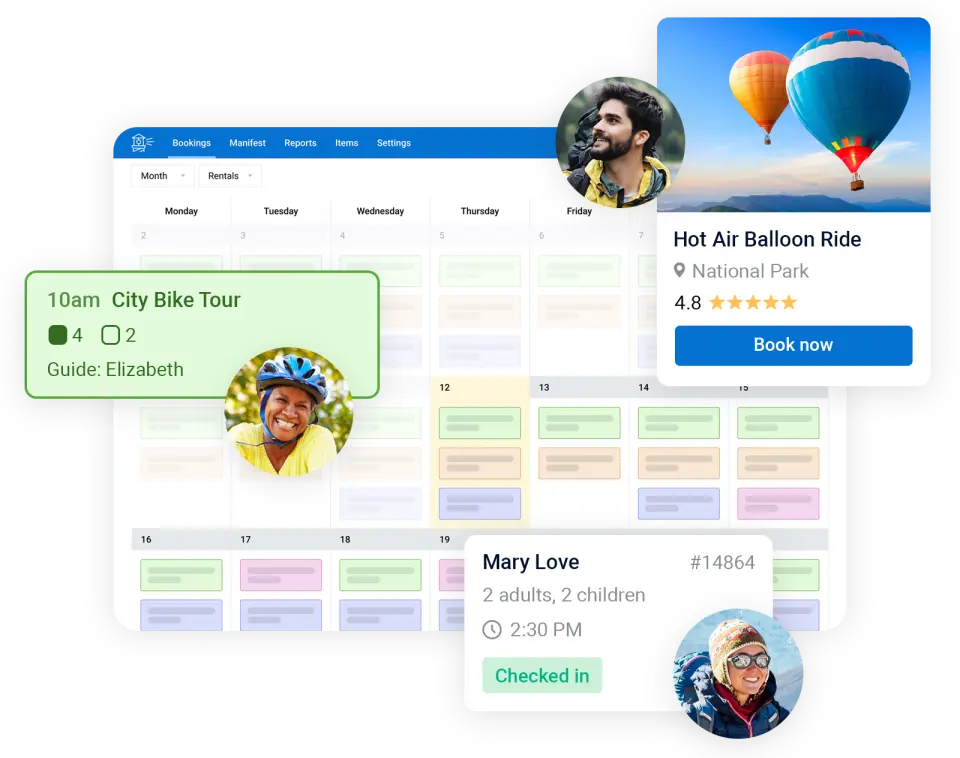
FareHarbor is booking and business management software for tours, activities, rentals and attractions. It combines a dashboard with inventory, staff and reporting tools, an online booking flow, point of sale, payments and managed websites. The company is part of Booking Holdings and says more than 23,000 businesses use it.
Worth knowing
- No prices are published; the site directs visitors to request a demo.
- The vendor says it builds each dashboard and transfers future reservations during onboarding.
- The site describes a mobile app but names no app stores or platforms.
- It is built for tours and activities, not one-to-one meeting scheduling.
Key features
- Dashboard and inventory
- A customizable dashboard tracks and allocates resources such as equipment, spaces and staff to avoid overbooking.
- Online booking and payments
- A booking flow embeds in the operator's website. Payment options include Apple Pay, Google Pay, card readers and local methods such as iDEAL and Alipay, with next-day payouts.
- Mobile app
- Takes walk-up bookings, scans QR code tickets and checks guests in, including offline, on a phone or tablet.
- Distribution
- Connects to more than 250 OTAs and travel platforms through API partners and to an in-house affiliate network.
- Private events and waivers
- Private Events covers contracts, payments and resources for charters, and FareHarbor Waivers is an in-house waiver tool.
FareHarbor pricing
We could not confirm FareHarbor’s current pricing from its own site, so we are not listing plans here. See fareharbor.com for current prices.
Works with
- Booking Holdings
- Apple Pay
- Google Pay
- Afterpay
FareHarbor alternatives
- FareHarbor vs Checkfront
From $99/mo
- FareHarbor vs Rezdy
From $49/mo
- FareHarbor vs Bookwhen
Free plan · from $16/mo
- FareHarbor vs SuperSaaS
Free plan · from $9/mo
- FareHarbor vs Setmore
Free plan · from $5/mo





Common questions
Does FareHarbor have an Android app?
No Android app was listed when its pages were read on Nov 13, 2026. FareHarbor is listed for Web.
Does FareHarbor have an iPhone app?
No iPhone app was listed when its pages were read on Nov 13, 2026. FareHarbor is listed for Web.
Is FareHarbor open source?
FareHarbor is not described as open source on its own site, as read on Nov 13, 2026.
Sources for this page
The prices, plans, platforms and features above were read from these pages on Nov 13, 2026.