
Folge review (2026): is the free plan enough?
Offline desktop app that turns clicks into step-by-step guides
Black Friday: is there a Folge sale?
Folge report card
Good · out of 4.0 · graded Oct 10, 2026
Best for step-by-step guides kept on your own computer
Folge is a desktop app that takes a screenshot every time you click and stitches them into a step-by-step guide, kept on your own computer, for $89 once for personal use. It's Windows and Mac only, the Personal license covers one platform and no commercial use, and Business is $155 a seat. The free version stops at 5 watermarked guides with PDF only, and hosting past 20 guides online is $7 a month on top.
Who Folge is for
- Fits if you want process documentation kept on your own computer
- Works for training teams that need SCORM or PowerPoint output for an LMS
Who Folge is not for
- Skip it if you want to make guides in a browser or on Linux, as it's Windows and Mac apps only
- Tight if you're staying free, because the free version stops at 5 guides, PDF only, with a watermark
- Pricey if you host many guides online, since more than 20 needs Cloud Pro at $7 a month on top
- Watch out: Personal is for personal use on one platform and machine; commercial use is $155 a seat
- Watch out: every price excludes VAT
Why Folge gets a 2.6
Five grades, each with its reason. The GPA is their average: an A is 4 points, an F is none.
- AValue for money$89 once for a Personal licence with lifetime updates, when the middle of this category is $15 a month, so it pays for itself inside half a year. Commercial use is Business at $155 a seat, still a single payment. Both exclude VAT, and hosting more than 20 guides online is $7 a month on top.
- CFree plan and trialNo time limit, every annotation tool and the AI Helper included, and then the caps: 5 guides, PDF export only with 2 templates, and a watermark on what comes out. Five guides is an afternoon's work.
- CFeaturesA screenshot on every click with the click marked, a step editor with arrows, blur, numbering and sub-steps, and export to PDF, Word, PowerPoint, HTML, Markdown, JSON, images and SCORM. It captures desktop apps too. That job is done completely, and it's a narrower one than a docs platform: guides in, files out.
- BEase of useNo store rating on record, but there's nothing to set up: install it, click through the task, and each click becomes a step with a mark where it landed. Nothing is uploaded, so there's no workspace to build first.
- CPlatforms and integrationsWindows and macOS desktop apps, with no web, Linux or mobile version of the editor listed at all, and a Personal licence covers one platform. Exports go out to Confluence, Notion, WordPress and Hudu, and guides can be published online as a help centre.
What these grades rest on. Graded from this listing, whose facts were read from Folge's own pages on 9 October 2026. Also tested with a demo account on 2026-01-31. How we review and grade.
Make Folge? Put this grade on your site

Paste this where you want the badge. It links here and follows the grade if it changes. About badges
<a href="https://toolgpa.com/tools/folge#review"><img src="https://toolgpa.com/badge/folge.svg" alt="Folge: 2.6 GPA on ToolGPA" width="196" height="56"></a>Where Folge stands among docs and wiki tools
Folge's GPA of 2.6 is higher than 47 of the 86 other docs and wiki tools we grade, and level with 17.
It stands best on value for money (A, above 60 of 86) and worst on platforms and integrations (C, above 0).
Each grade against the category
Every bar is all 87 docs and wiki tools we grade, cut by the letter each got. Folge’s own letter is outlined.
- AValue for moneyAbove 60 of 86, level with 26
- CFree plan and trialAbove 9 of 86, level with 31
- CFeaturesAbove 2 of 86, level with 51
- BEase of useAbove 65 of 86, level with 20
- CPlatforms and integrationsAbove 0 of 86, level with 27
Keep Folge, or make your own?
You could make this
A wiki at its plainest is pages that link to each other.
What Folge does at its core is plain work, and that is the kind of thing an AI app builder makes well. You would give up 5 things, listed below, and little else. It costs $89, paid once. An AI app builder starts at about $20 a month on our listings, and you only need it while you build.
What you could not
- Capture tools hooked into the operating system.
- A real app for macOS and Windows. Something home-made would be a web page.
- It is priced for each person, which means accounts and billing for a team.
- AI features, unless you pay a model provider for each request yourself.
- Hooks into the device itself: widgets.
What this rests on. Folge’s listing: what it does, where it runs, what it plugs into and what it costs. It is a judgement about the kind of software this is. We have not built a replacement for it, and making your own means looking after it too. How we decide, and every tool’s verdict.
What is Folge?
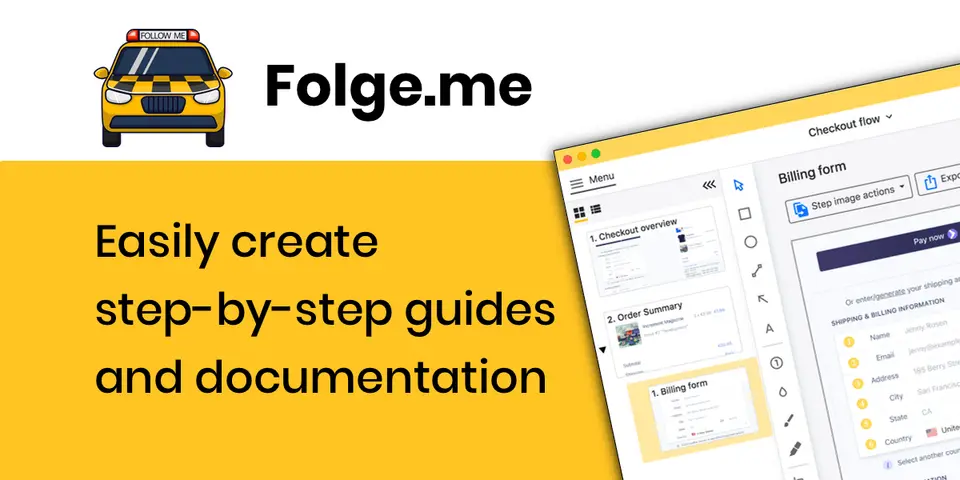
Folge is a desktop app for Windows and macOS that takes a screenshot on every click and assembles the screenshots into a step-by-step guide, SOP or tutorial. Guides are captured, edited and exported on the user's own computer, to formats including PDF, Word, PowerPoint, HTML, Markdown and SCORM. A free version covers 5 guides, and one-time licenses remove the limits; publishing guides online is an optional cloud add-on.
Worth knowing
- The free version stops at 5 guides, exports only to PDF with 2 templates, and its output is watermarked.
- The Personal license is for personal use on one platform and one machine; commercial use needs Business at $155 per seat.
- It runs only on Windows and macOS: the vendor lists no web, Linux or mobile version of the editor.
- Hosting more than 20 guides online needs Folge Cloud Pro, a $7 monthly subscription on top of a license. Prices exclude VAT.
Key features
- Capture on every click
- Folge takes a screenshot on each mouse click, hotkey or key combination and marks where the click landed. Capture can cover one window, a region or the whole screen.
- Step editor and annotations
- Steps get a title and a description, can be reordered, hidden or nested as sub-steps, and are marked up with arrows, shapes, step numbers, a magnifier and blur.
- Many export formats
- One guide exports to PDF, Word, PowerPoint, HTML, Markdown, JSON, an image bundle and a SCORM 1.2 package, with custom fonts, colors, logos and CSS.
- Local storage and Open Guide
- Captures, edits and exports happen on the computer and nothing is uploaded. Open Guide lets a team edit the same guide file from a shared folder, network drive, Dropbox or OneDrive.
- AI Helper with your own key
- The AI Helper reads a screenshot and writes a first draft of the step description. It works with an API key the user supplies and is included in the free version.
- Folge Cloud publishing
- Guides can be published online as a help center with shareable links, password protection and an embeddable widget. Hosting is free for 20 guides and $7 a month for Cloud Pro.
Folge pricing
As of Oct 9, 2026, Folge has a free plan, and paid plans start at $89 one-time for a Personal license, excluding VAT.
- Starts at
- $89 one-time for a Personal license, excluding VAT
- Free plan
- Free version with no time limit: 5 guides with unlimited steps, all annotation tools, PDF export, 2 export templates, the bring-your-own-key AI Helper and 20 hosted online guides.
- Free trial
- None listed
| Plan | Price | What you get |
|---|---|---|
| Free | $0 | Up to 5 guides with unlimited steps, all annotation tools, PDF export, 2 export templates and 20 hosted online guides. |
| Personal license | $89one-time purchase, one platform, excluding VAT | For personal use on Mac or Windows. Unlimited guides, export to 8 formats, no watermarks, WordPress and Notion export, and lifetime updates. |
| Business license | $155per seat, one-time purchase, excluding VAT | For commercial use on both Mac and Windows. Adds offline collaboration, Confluence and Hudu export, user management and transferable licenses. |
| Folge Cloud Pro | $7per month, add-on to a paid license, excluding VAT | Optional hosting add-on: up to 1,000 online guides, 3 help centers, custom branding, and feedback and analytics reports. |
Read from folge.me on Oct 9, 2026. Prices change, so confirm with Folge before you buy.
Ways to pay less
- Lifetime licenseOne-time license with lifetime updates
Folge is sold as a one-time purchase with all future updates included: $89 for a Personal license or $155 per seat for Business, with a 7-day money-back guarantee.
Stated on folge.me - Education25% academic discount
The pricing FAQ says eligible academic buyers who write to Folge receive a 25% discount.
Stated on folge.me - Other savingsVolume discounts on Business licenses
The Business license lists volume discounts, and the About page says volume pricing starts from 10 seats. No amounts are published.
Stated on folge.me
Works with
Folge alternatives
- Folge vs Scribe
Free plan · from $13/mo
- Folge vs Tango
Free plan · from $15/mo
- Folge vs Dubble
Free plan · from $18/mo
- Folge vs Guidde
Free plan · from $19/mo
- Folge vs Camtasia Snagit
Free trial · from $39/yr





Common questions
Does Folge have an Android app?
No Android app was listed when its pages were read on Oct 9, 2026. Folge is listed for macOS and Windows.
Does Folge have an iPhone app?
No iPhone app was listed when its pages were read on Oct 9, 2026. Folge is listed for macOS and Windows.
Is Folge open source?
Folge is not described as open source on its own site, as read on Oct 9, 2026.
Does Folge work offline?
Yes, according to its own site. What works without a connection differs by plan and platform, so check the vendor's page for the detail.
Sources for this page
The prices, plans, platforms and features above were read from these pages on Oct 9, 2026.