The Google Chrome Insider’s Guide
Everything we know about Google Chrome in one document: what it costs, its grades, getting a refund, getting help and what else to look at. Read it here, or keep a copy.
Google Chrome
The Insider’s Guide
Google's free browser for desktop and mobile, with Gemini built in
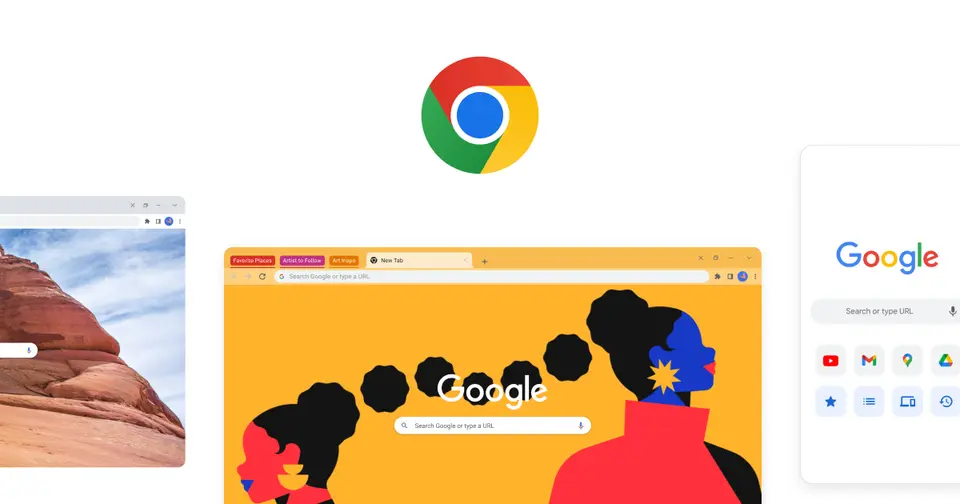
Every plan, grade, refund rule and rival among browsers, read from Google Chrome’s own pages.
Made by Google · checked Oct 5, 2026 · toolgpa.com
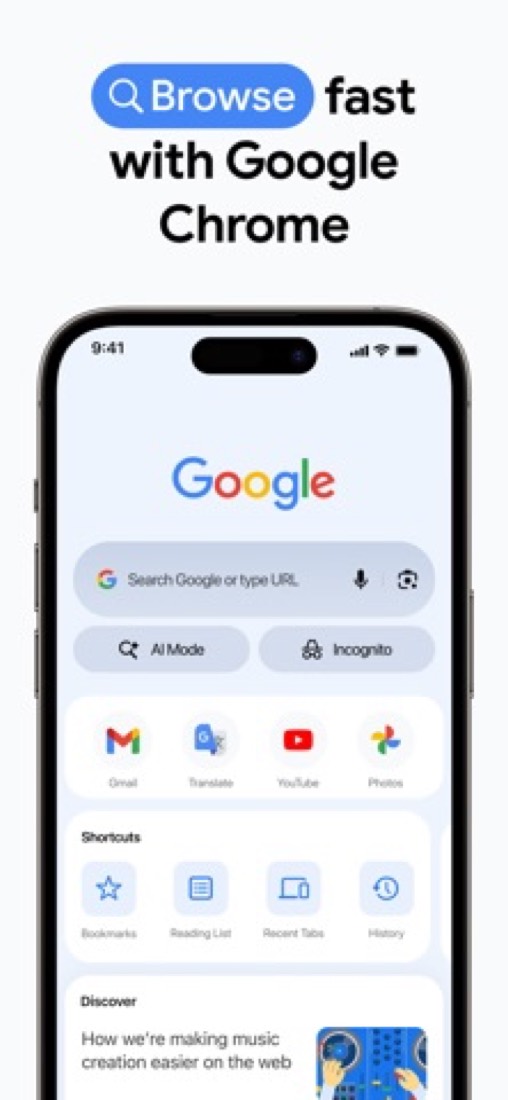
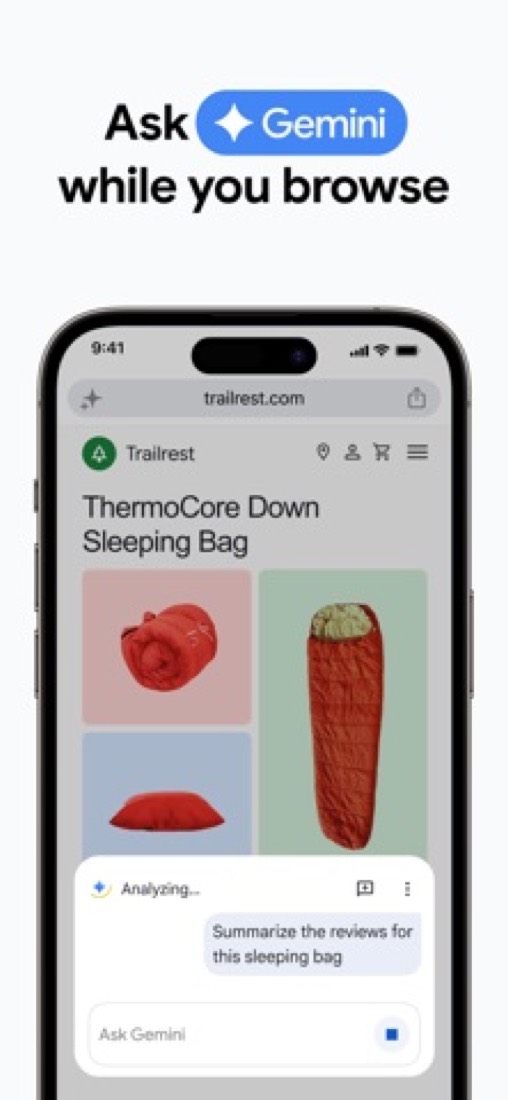
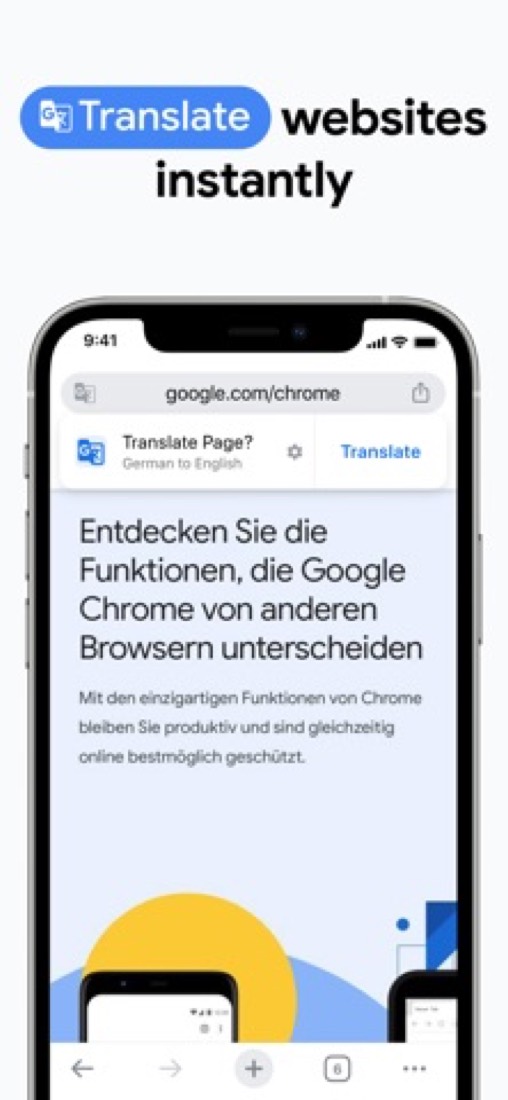
Contents
- 01WelcomeWhat it is, who it suits, its grades and the ten things to know first
- 02Insider tipsWhat most people miss: ways to pay less, settings worth changing and the catches
- 03What it costsEvery plan, the free plan, ways to pay less and how prices have moved
- 04What it doesIts main features, where it runs, what it works with and who makes it
- 05Where it standsIts grades against its category, and whether to keep it or make your own
- 06After you payGetting your money back, getting out, and getting help
- 07The alternativesThe tools it is most often weighed against, side by side
- 08Quick answersThe questions people ask about it, each answered in a line or two
- 09About ToolGPAWho made this guide, what else is on the site, and how to cite it
ToolGPA put this guide together from Google Chrome’s own pages, its app-store listings and our grades. Every fact in it is on Google Chrome’s page too, where it is kept up to date. Checked Oct 5, 2026.
Part 01 · Overview
Welcome
What it is, who it suits, its grades and the ten things to know first
3.6
GPA, above 10 of the 15 other browsers we grade
Chrome is Google's web browser for Windows, macOS, Linux, Android, iPhone and iPad. Signing in with a Google Account syncs bookmarks, saved passwords, payment info and open tabs between devices, and Google Password Manager, Safe Browsing and tab groups are built in. Gemini in Chrome adds an AI assistant that answers questions using the open tabs, although its availability depends on the account, country and device.
To get you started, here are 8 things to know about Google Chrome, taken from its own pages and our grades.
If you want ads blocked out of the box, Brave and Opera do that.
- 1
Best for the same browser on every device you own
Chrome is Google's free browser for every phone and computer, and once you sign in your bookmarks, passwords and open tabs follow you.
- 2
It is free
Google Chrome has no paid plan at all. Chrome is downloaded and installed at no charge on every platform. The auto browse feature of Gemini in Chrome needs a separate Google AI Pro or Ultra subscription.
- 3
It runs on 5 platforms
Windows, macOS, Linux, iOS and Android.
- 4
Tab groups, vertical tabs and split view
Tabs can be grouped, labeled and color coded, stacked down the side of the window as vertical tabs, or shown two at a time in split view.
- 5
Sync across devices
Signing in to Chrome brings bookmarks, saved passwords, payment info and open tabs to any phone, tablet or computer, and a tab can be sent from one device to another.
- 6
Google Password Manager and passkeys
Google Password Manager is built in to save, manage and generate passwords. Passkeys allow sign-in with a fingerprint, face, PIN or pattern.
- 7
A 3.6 GPA, above 10 of 15
That is against the other browsers we grade, on value, the free plan, features, ease of use and platforms.
- 8
Keep it
Google Chrome is free, so making your own would save you nothing.
Google Chrome at a glance
- Pricing
- Free
- Free plan
- Yes
- Free trial
- None stated
- Runs on
- macOS, Windows, Linux, iOS, Android
- Made by
- Category
- Browsers
- Our grade
- 3.6 GPA, excellent
- Store rating
- 4.7 on the App Store, 3,923,672 ratings
The report card
Best for the same browser on every device you own
Chrome is Google's free browser for every phone and computer, and once you sign in your bookmarks, passwords and open tabs follow you. It has no built-in ad or tracker blocker, older-style extensions are now switched off for good, people keep complaining about its memory use, and its AI depends on your country and skips Android. If you want ads blocked out of the box, Brave and Opera do that.
| Subject | Grade | Comment |
|---|---|---|
| Value for money | A | Free on every platform, with nothing in the browser itself held back: sync, the password manager, tab groups, extensions and Safe Browsing all come with it. The only paid thing nearby is auto browse, which wants a Google AI Pro or Ultra subscription, works in the U.S. only, and has no price on Chrome's pages. |
| Free plan and trial | A | Free outright, on every device, and there's no second tier of the browser to be sold up to. Sync, Google Password Manager, passkeys, Safe Browsing, tab groups and the Chrome Web Store are all in the free version. Only auto browse sits behind a subscription. |
| Features | B | Tab groups, vertical tabs, split view, a password manager with passkeys, Safe Browsing and Safety Check, and the biggest extension store there is. The hole is blocking. There's no ad or tracker blocker on the feature list, and Gemini depends on your account, country and device. |
| Ease of use | B | 4.69 from about 3.9 million App Store ratings, a hair under the 4.7 the top browsers here manage, and the iPhone reviews explain why: tabs closing on an update, typing that lags in text boxes. Setting it up is nothing, mind: sign in and your bookmarks are already there. |
| Platforms and integrations | A | Windows, Mac, Linux, iPhone, iPad and Android, with bookmarks, passwords, payment details and open tabs syncing across the lot once you sign in. You can throw a tab from the laptop to the phone and walk out of the house. |
An A is worth 4 points, a B 3, a C 2, a D 1 and an F nothing. The GPA is the average of the five.
Who Google Chrome is for
- Fits if you have a Google Account and want the same bookmarks and passwords on every device
- Works for mixed households, with versions for Windows, Mac, Linux, iPhone and Android
Who it is not for
- Skip it if you want ads and trackers blocked out of the box, which Brave and Opera do
- Not for you if your computer is short on memory, going by how often people grumble about Chrome's appetite
- Watch out: older-style extensions are switched off for good, and third-party cookies are only blocked by default in Incognito
- Pricey if auto browse is the draw: it needs a Google AI Pro or Ultra plan, priced nowhere on Chrome's pages, and is U.S. only
- Watch out: Gemini in Chrome isn't on Android, Enhanced Safe Browsing sends data to Google, and desktop needs Windows 10 or macOS 13
Good to know
Good for
- Google Account users who want the same bookmarks, passwords and tabs on every device
- People who depend on extensions from the Chrome Web Store
- Those who want Gemini and Google's AI search inside the browser
Worth knowing
- Auto browse, where Gemini carries out multi-step tasks, is available only to Google AI Pro and Ultra subscribers in the U.S.
- Gemini in Chrome needs a signed-in, eligible account in a supported country, and Google's FAQ says it is not available on Android yet.
- Enhanced Safe Browsing requires browsing data to be sent to Google.
- Desktop requirements start at Windows 10, macOS 13 Ventura, and 64-bit Ubuntu 18.04, Debian 10, openSUSE 15.5 or Fedora Linux 39.
Part 02 · Tips
Insider tips
What most people miss: ways to pay less, settings worth changing and the catches
7
Things most people miss, each from its own help pages
The things about Google Chrome that are easy to miss until they cost you: ways to pay less, settings worth changing and the catches at renewal or when you leave. Each one is from Google Chrome’s own pages, linked beside it.
Read on Oct 17, 2026. Read from Google's Chrome Help pages (sync, cookies, performance, tabs, keyboard shortcuts, Gemini in Chrome and password export) on 17 October 2026. Not tried out: these tips are what its own pages say.
- 1
Privacy
Set a sync passphrase so Google can't read your synced data
Under Settings, You and Google, your account name, Encryption options, you can encrypt synced Chrome data with your own passphrase, so Google stores it but can't read it. Google Wallet cards and addresses aren't covered, and you can't check your passwords on passwords.google.com any more.
support.google.com - 2
Privacy
Third-party cookies are only blocked in Incognito unless you say so
Chrome's help page says third-party cookies are blocked by default in Incognito. For normal windows, go to Settings, Privacy and security, Third-party cookies and pick Block third-party cookies. If a site breaks, add it to the exceptions list.
support.google.com - 3
Setting
Tell Memory Saver which sites it must never put to sleep
Memory Saver makes tabs you're not using inactive to free up memory. Under Settings, Performance, pick Moderate, Balanced or Maximum, then use Add next to Always keep these sites active for anything you need live all day, like your email or chat.
support.google.com - 4
Shortcut
Type @tabs in the address bar to find an open tab
Type @tabs, press Space or Tab, then a word from the page title. @bookmarks and @history work the same way. There's also a tab search button in the tab strip, or Ctrl+Shift+A (Cmd+Shift+A on a Mac).
support.google.com - 5
Shortcut
Ctrl+Shift+D bookmarks every open tab into one folder
Mid-way through research and need to shut the laptop? Ctrl+Shift+D (Cmd+Shift+D on a Mac) saves all your open tabs into a new bookmarks folder. Ctrl+Shift+T brings back the last tab you closed.
support.google.com - 6
Setting
Gemini reads the tab you're on unless you switch that off
Google's help page says Gemini in Chrome uses the content of your current tab for its answers by default. To stop that, go to Settings, AI innovations, Gemini in Chrome, and under Permissions turn off Share current tab by default.
support.google.com - 7
Leaving
Export your passwords before you switch browsers
Open the three-dot menu, Passwords and autofill, Google Password Manager, Settings, then Download file under Export passwords. Its help page warns that anyone using the computer can open a password file left on it, so delete it once you've moved.
support.google.com
Part 03 · Pricing
What it costs
Every plan, the free plan, ways to pay less and how prices have moved
Free
No paid plan at all
Google Chrome is free to use.
The only paid thing nearby is auto browse, which wants a Google AI Pro or Ultra subscription, works in the U.S.
Free
$0
The full browser on Windows, macOS, Linux, Android, iPhone and iPad, with sync through a Google Account.
The free plan
Chrome is downloaded and installed at no charge on every platform. The auto browse feature of Gemini in Chrome needs a separate Google AI Pro or Ultra subscription.
Read from support.google.com on Oct 5, 2026.
What the app costs elsewhere
Each country’s App Store price for “100 GB”, against $1.99 in the United States, in dollars at the day’s rate. The four cheapest and the four dearest of 11.
| Country | Price there | In dollars | Against the US |
|---|---|---|---|
| India | ₹ 149 | $1.54 | 23% less |
| Turkey | ₺84,99 | $1.73 | 13% less |
| Indonesia | Rp 32ribu | $1.79 | 10% less |
| Philippines | ₱ 119.00 | $1.89 | about the same |
| South Africa | R34.99 | $2.12 | 6% more |
| Mexico | $39.00 | $2.14 | 8% more |
| Germany | 1,99 € | $2.23 | 12% more |
| United Kingdom | £1.79 | $2.37 | 19% more |
Part 04 · Features
What it does
Its main features, where it runs, what it works with and who makes it
5
Places it runs: macOS, Windows, Linux, iOS and Android
Google's free browser for desktop and mobile, with Gemini built in. Here is what it does, as its own site describes it, and what it covers: AI features, password manager, passkeys, web browser.
There's no ad or tracker blocker on the feature list, and Gemini depends on your account, country and device.
- Tab groups, vertical tabs and split view
- Tabs can be grouped, labeled and color coded, stacked down the side of the window as vertical tabs, or shown two at a time in split view.
- Sync across devices
- Signing in to Chrome brings bookmarks, saved passwords, payment info and open tabs to any phone, tablet or computer, and a tab can be sent from one device to another.
- Google Password Manager and passkeys
- Google Password Manager is built in to save, manage and generate passwords. Passkeys allow sign-in with a fingerprint, face, PIN or pattern.
- Safe Browsing and Safety Check
- Safe Browsing warns before a dangerous site or download, with an optional enhanced mode. Safety Check reviews saved passwords, extensions and settings and points out anything that needs attention.
- Gemini in Chrome and AI Mode
- Gemini in Chrome answers questions using the context of open tabs, and Skills save prompts for reuse. AI Mode, Google's AI search, accepts tabs, files and images as context.
- Extensions and performance controls
- Extensions from the Chrome Web Store add features, Energy Saver and Memory Saver limit resource use, and Google ships a new Chrome update every four weeks.
Where it runs
- macOS
- Windows
- Linux
- iOS
- Android
What it works with
- Google Password Manager
- Google Calendar
- YouTube
- Google Pay
- Google Lens
Google Chrome is made by Google.
Part 05 · Standing
Where it stands
Its grades against its category, and whether to keep it or make your own
10/15
Other browsers it is graded above
Google Chrome's GPA of 3.6 is higher than 10 of the 15 other browsers we grade, and level with 2.
It stands best on platforms and integrations (A, above 13 of 15) and worst on ease of use (B, above 4).
Google Chrome has no paid plan.
On features, ease of use and platforms it scores 3.3 out of 4. Nothing scores higher for less, though at least one tool matches that score at a lower price.
Each grade against the category
Every bar is all 16 browsers we grade, cut by the letter each got. Google Chrome’s own letter is outlined.
- AValue for moneyAbove 8 of 15
- AFree plan and trialAbove 5 of 15
- BFeaturesAbove 7 of 15
- BEase of useAbove 4 of 15
- APlatforms and integrationsAbove 13 of 15
Price against what you get
Each dot is one of 15 browsers. Further left costs less; higher up scores better on features, ease of use and platforms. Google Chrome is the marked dot.
What paid plans start at, a month (each step along is roughly double) →
Keep it, or make your own?
Whether this is something you could build for yourself with an AI app builder, and what you would give up.
Keep it
Google Chrome is free, so making your own would save you nothing.
And it is not the kind of software a weekend replaces. It is one of the better ones too: its GPA of 3.6 is higher than 10 of the 15 other browsers we grade.
What you could not
- A web browser.
- A password vault, the last thing anyone should make for themselves.
- Passkeys, which rest on security you cannot improvise.
- Apps for macOS, Windows, Linux, iOS and Android that stay in step with each other.
- It plugs into other products, Google Password Manager, Google Calendar and YouTube among them.
- AI features, unless you pay a model provider for each request yourself.
- The depth: we grade its features B, which means it covers the whole job.
What this rests on. Google Chrome’s listing: what it does, where it runs, what it plugs into and what it costs. It is a judgement about the kind of software this is. We have not built a replacement for it, and making your own means looking after it too. How we decide, and every tool’s verdict.
Part 06 · Refunds
After you pay
Getting your money back, getting out, and getting help
What happens once you have paid: whether you can get your money back, how to leave, and how to reach a person when something goes wrong. Each is graded from Google Chrome’s own terms and help pages.
Leaving Google Chrome
Not graded · checked Oct 18, 2026
Chrome costs nothing, so there is no plan to end and nothing to refund. What there is to leave is the sign-in, and that part is yours to control: you sign out from the profile menu, you delete what Chrome saved to your Google Account from a page of Google's own, and the uninstaller will take your bookmarks and history with it if you tick the box. Read those pages first, because some of it does not come back.
- Closing your account
There is no plan to cancel. Google says signing in to Chrome is optional and the preference can be changed at any time: you sign out from the Profile menu at the top right, or choose Remove account from Chrome if the account is in an error state. Information saved to the Google Account is deleted from Chrome's own data page, and a separate article covers uninstalling Chrome on Windows, Mac and Linux.
- On your computer, open Chrome
- At the top right, select Profile, then Sign out of Chrome
- If the Google Account is in an error state, select Remove account from Chrome instead
- To delete information saved to the Google Account, open Chrome's data page
- What you keep afterwards
Google's article on deleting browsing data says history, open tabs, cookies and site data, cached files, saved passwords, autofill entries and site settings are all removed, while searches and other Google activity stay in the account and are deleted separately. Deleting data saved to the account removes it from every signed-in device. A separate article offers to delete profile data such as bookmarks.
Stated on support.google.com
In your favour
- Nothing to pay for, so nothing to cancel and nothing to claim back.
- Signing in is optional, and you can sign out from the profile menu whenever you like.
- Google gives you a page of its own for deleting what Chrome saved to your account.
- The uninstall article spells out how to remove the profile data as well as the app.
Watch out for
- Delete data saved to your Google Account and it goes from every device you are signed in on.
- Uninstalling leaves your bookmarks and history behind unless you tick the box to delete them.
- Searches and other Google activity live in your account, and are deleted separately from Chrome's data.
Customer support
Ordinary · checked Oct 18, 2026
There is nobody at Google to write to about Chrome. You get a thorough help centre and a public forum where other users answer, and that is the whole offer: no email, no ticket form, no chat and no phone. For a browser that costs nothing, documentation plus an active forum is the ordinary arrangement, and it is a C.
Ways to get help
Help centre
Google Chrome Help, open to anyone without signing in, with articles grouped by topic from installing and signing in to privacy, passwords, browsing data and uninstalling.
Stated on support.google.comCommunity or forum
The Google Chrome Community, a public forum linked from the top of every help page, where people post questions about Chrome and others answer.
Stated on support.google.com
Not listed on Google Chrome’s pages: live chat, phone, email, contact form or ticket.
- When people answer
Its pages do not say.
- How fast it says it replies
Its pages do not say.
- What depends on your plan
Its pages do not say.
In your favour
- The help centre is large, free and readable without an account.
- A public forum sits beside the articles for the questions they do not cover.
Watch out for
- No email, no form, no chat and no phone: there is no Chrome support desk for ordinary users.
- No page states hours or a reply time, because there is no queue to join.
- Anything the articles miss means posting in a public forum and waiting for an answer.
What these two grades rest on. Read on 18 October 2026: Google's Chrome help articles on signing in to and out of Chrome, deleting browsing data, browsing history and uninstalling Chrome, the Chrome and ChromeOS additional terms of service, the Chrome help centre and the Chrome community. Chrome has no paid plan, so there is no billing or refund page to read. Nobody here closed an account or contacted its support. They are graded apart from the five that make the GPA. How we grade refunds and support.
Part 07 · Alternatives
The alternatives
The tools it is most often weighed against, side by side




Microsoft Edge, Safari, Firefox, Brave and Opera
The 5 tools Google Chrome is most often weighed against, with where each one differs from it.
- 3.6GPA
Microsoft Edge
Free
Microsoft's browser with the Copilot assistant built in.
- 3.2GPA
Safari
Free
Apple's built-in browser for Mac, iPhone, iPad and Apple Vision Pro.
- Only Google Chrome lists Windows, Linux and Android apps.
- Google Chrome also covers password manager.
- Safari also covers read later.
- 3.8GPA
Firefox
Free
Free, open-source browser from Mozilla with tracker blocking built in.
- Firefox is open source and end-to-end encrypted, according to its own site.
- Google Chrome also covers passkeys.
- 3.8GPA
Brave
Free plan · from $3.00/mo
Open-source browser that blocks ads and trackers by default.
- Brave is open source, according to its own site.
- Google Chrome also covers passkeys.
- Brave also covers video calls.
- 3.6GPA
Opera
Free plan · from $4/mo
Browser with a built-in ad blocker, free VPN and sidebar messengers.
- Google Chrome also covers password manager and passkeys.
- Opera also covers screenshots.
Part 08 · Questions
Quick answers
The questions people ask about it, each answered in a line or two
14
Questions, each answered in a line or two
The short version of everything above, for when you only need the answer. Each one is told in full in its part of the guide.
Is Google Chrome free?
Yes. Google Chrome is free to use.
How much does Google Chrome cost?
Google Chrome lists one plan. Free: $0.
What platforms does Google Chrome work on?
Google Chrome is available on Windows, macOS, Linux, iOS and Android.
How is Google Chrome rated?
Google Chrome's iPhone and iPad app averages 4.7 out of 5 from 3,923,672 ratings on the App Store in the United States, as read on Oct 7, 2026.
Is Google Chrome open source?
Google Chrome is not described as open source on its own site, as read on Oct 5, 2026.
What does Google Chrome integrate with?
Google Chrome's listing names Google Password Manager, Google Calendar, YouTube, Google Pay and Google Lens.
Who makes Google Chrome?
Google Chrome is made by Google.
What are the alternatives to Google Chrome?
The closest alternatives to Google Chrome in our directory are Microsoft Edge, Safari, Firefox, Brave and Opera.
How do I close a Google Chrome account?
There is no plan to cancel. Google says signing in to Chrome is optional and the preference can be changed at any time: you sign out from the Profile menu at the top right, or choose Remove account from Chrome if the account is in an error state.
What happens to my data if I leave Google Chrome?
Google's article on deleting browsing data says history, open tabs, cookies and site data, cached files, saved passwords, autofill entries and site settings are all removed, while searches and other Google activity stay in the account and are deleted separately.
How do I contact Google Chrome support?
Google Chrome's pages list these ways to get help: help centre and community or forum.
How does Google Chrome compare with other browsers?
Google Chrome's GPA of 3.6 is higher than 10 of the 15 other browsers we grade, and level with 2.
Is Google Chrome good value for money?
ToolGPA grades Google Chrome A for value for money. Google Chrome has no paid plan.
Could I make my own version of Google Chrome?
Google Chrome is free, so making your own would save you nothing. And it is not the kind of software a weekend replaces.
Where this guide comes from
The prices, plans, platforms and features were read from Google Chrome’s own pages on Oct 5, 2026, and the grades were given on Oct 10, 2026. Based on Google's Chrome home, AI and mobile pages, Chrome help pages and its developer page on extensions as of 9 October 2026, its App Store reviews and Hacker News threads about it. Also tested with a demo account on 2026-09-06.
Every tool we list gets five grades, A to F, each with its reason, and a GPA that averages them. How each is decided is at toolgpa.com/grades. This guide is ToolGPA’s own work; it is not made, paid for or approved by Google. Prices change, so check google.com before you buy.
Part 09 · About
About ToolGPA
Who made this guide, what else is on the site, and how to cite it
3,189
Tools graded, in 94 categories
ToolGPA grades software the way a school report grades a pupil: five subjects, a letter for each with the reason written beside it, and a GPA that averages them. Prices, plans and platforms are read from each maker’s own pages and dated, so you always know how fresh a figure is.
Every grade, review and ranking on ToolGPA is our own judgement. No company can pay for a grade or change one. Every tool on the site has a guide like this one, free to download and pass on. It all lives at toolgpa.com.
3,189
tools graded
94
categories
426
price changes on record
579
apps priced in 12 countries
What else is on toolgpa.com
- Google Chrome, kept up to dateEverything in this guide, with prices and grades as they are todaytoolgpa.com/tools/google-chrome
- How grades are givenThe rules behind every letter and every GPAtoolgpa.com/grades
- Value chartsWhat each tool costs against what it scores, for every categorytoolgpa.com/charts
- CompareAny two tools side by side, plan by plantoolgpa.com/compare
- Price changesEvery price rise and cut on record, each with its sourcetoolgpa.com/price-changes
- Prices by countryWhat apps cost on the App Store in 12 countriestoolgpa.com/prices-by-country
- Pay lessEvery public discount: yearly billing, students, nonprofitstoolgpa.com/save
- Keep or makeWhich tools are worth paying for, and which you could build yourselftoolgpa.com/keep-or-make
Scan for the live page
Prices and grades as they are today
Quoting this guide?
Please name ToolGPA and link to the live page, so readers can check the figures for themselves:
ToolGPA, "Google Chrome: The Insider's Guide", checked Oct 5, 2026. https://toolgpa.com/tools/google-chrome
Know someone choosing between browsers?
Send them this guide: toolgpa.com/tools/google-chrome/guide
ToolGPA elsewhere: youtube.com/@toolgpa
See our other guides
The best-graded browsers after Google Chrome, each with an Insider's Guide of its own.
- Browsers Insider's GuideEvery one of the 16 browsers we grade, compared
- Brave Insider's GuideOpen-source browser that blocks ads and trackers by default3.8 GPA
- Firefox Insider's GuideFree, open-source browser from Mozilla with tracker blocking built in3.8 GPA
- Vivaldi Insider's GuideCustomizable browser with built-in mail, calendar and feed reader3.8 GPA

Choosing software? Every tool graded, every price dated.
Compare tools at toolgpa.com ›Everything in this guide is ToolGPA’s own summary of what Google Chrome’s pages, its app-store listings and public reviews said on the dates shown. Grades are our judgement under the rules at toolgpa.com/grades. Every grade, review and ranking on ToolGPA is our own judgement. No company can pay for a grade or change one. Google Chrome is a trademark of its owner, and this guide is not made, paid for or approved by Google. Prices and plans change: check google.com before you buy.