The Google Sheets Insider’s Guide
Everything we know about Google Sheets in one document: what it costs, its grades, getting a refund, getting help and what else to look at. Read it here, or keep a copy.
Google Sheets
The Insider’s Guide
Browser-based spreadsheet, free with a Google Account
Every plan, grade, refund rule and rival among spreadsheet and database tools, read from Google Sheets’s own pages.
Made by Google · checked Oct 10, 2026 · toolgpa.com
Contents
- 01WelcomeWhat it is, who it suits, its grades and the ten things to know first
- 02Insider tipsWhat most people miss: ways to pay less, settings worth changing and the catches
- 03What it costsEvery plan, the free plan, ways to pay less and how prices have moved
- 04What it doesIts main features, where it runs, what it works with and who makes it
- 05Where it standsIts grades against its category, and whether to keep it or make your own
- 06After you payGetting your money back, getting out, and getting help
- 07The alternativesThe tools it is most often weighed against, side by side
- 08Quick answersThe questions people ask about it, each answered in a line or two
- 09About ToolGPAWho made this guide, what else is on the site, and how to cite it
ToolGPA put this guide together from Google Sheets’s own pages, its app-store listings and our grades. Every fact in it is on Google Sheets’s page too, where it is kept up to date. Checked Oct 10, 2026.
Part 01 · Overview
Welcome
What it is, who it suits, its grades and the ten things to know first
3.4
GPA, above 19 of the 21 other spreadsheet and database tools we grade
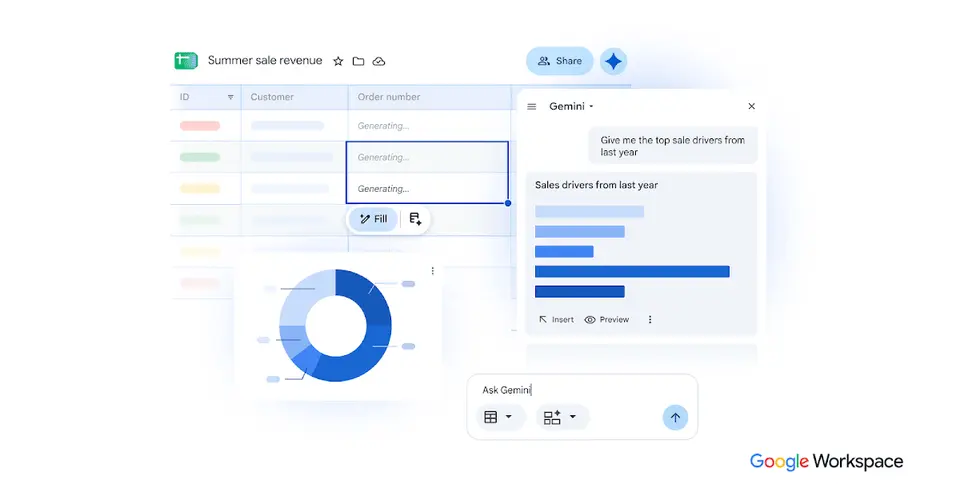
Google Sheets is an online spreadsheet in which several people can edit the same file at once, with sharing controls and revision history. It is free with a personal Google Account and is also part of every Google Workspace business plan. Gemini in Sheets, which builds spreadsheets and writes formulas from prompts, is reserved for Business Standard and higher editions.
To get you started, here are 10 things to know about Google Sheets, taken from its own pages and our grades.
If you live in Excel or work on an iPad, look elsewhere.
- 1
Best for spreadsheets several people edit at once
Google Sheets is a browser spreadsheet that's free with a Google Account, and several people can edit one file at the same time.
- 2
Paid plans start at $7 a month for each person
As its pricing page puts it: $7 per user / month with a 1-year commitment (Workspace Business Starter).
- 3
There is a free plan
Free with a personal Google Account: anyone signed in can create, edit and share spreadsheets. Some Gemini in Sheets features are available only on Google Workspace plans.
- 4
It runs on 3 platforms
Web, iOS and Android.
- 5
Co-editing and revision history
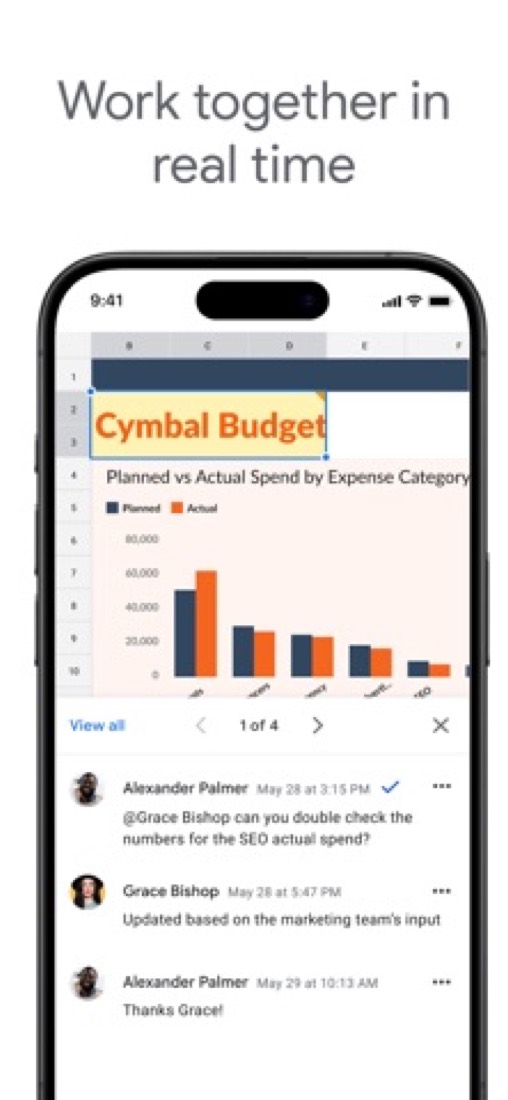
Several people can work in one spreadsheet at the same time. Sharing settings control who can view, comment or edit, and revision history restores earlier versions.
- 6
Gemini in Sheets
Builds and edits spreadsheets from a prompt, writes and repairs formulas, and fills table columns with summarized or categorized data. Among Business editions it starts at Business Standard.
- 7
Sheets canvas
Turns the data in a sheet into interactive mini-apps such as dashboards, heat maps and Kanban boards from a text prompt, without writing code.
- 8
Refunds: no set window
Sheets is free with a Google Account, and the paid version of it is Google Workspace, so Workspace's billing rules apply. Monthly is the good half: cancel in the Admin console whenever you like, pay only for the days you used, and Google says leftover credit goes back to your card by itself.
- 9
A 3.4 GPA, above 19 of 21
That is against the other spreadsheet and database tools we grade, on value, the free plan, features, ease of use and platforms.
- 10
Keep it
To replace Google Sheets you would be making a spreadsheet engine with its formulas. That is not a weekend's work, with an AI app builder or without one.
Google Sheets at a glance
- Pricing
- Free plan, from $7 per user / month with a 1-year commitment (Workspace Business Starter)
- Free plan
- Yes
- Free trial
- 14-day Google Workspace trial
- Runs on
- Web, iOS, Android
- Made by
- Category
- Spreadsheets & Databases
- Our grade
- 3.4 GPA, very good
- Store rating
- 4.8 on the App Store, 1,859,427 ratings
The report card
Best for spreadsheets several people edit at once
Google Sheets is a browser spreadsheet that's free with a Google Account, and several people can edit one file at the same time. That's the part it does well. The rest is thinner: no Mac or Windows app, offline needs Chrome or Edge with an extension, a file stops at 20 million cells, old Excel macros don't run, and reviewers say the phone app leaves out pivot tables and conditional formatting. If you live in Excel or work on an iPad, look elsewhere.
| Subject | Grade | Comment |
|---|---|---|
| Value for money | A | For a person it's free, and there's no paid tier to buy for yourself, in a category whose middle plan is $9.99 a month. A business can't buy Sheets on its own: it comes inside Google Workspace from $7 a head on a one-year deal, with Gmail, Drive and Meet. Gemini in Sheets needs the $14 plan. |
| Free plan and trial | A | Free with a Google Account: create, edit and share files, work in one with other people, go back to old versions, edit offline. A file stops at 20 million cells or 100 MB, and some Gemini features are kept for paid plans. |
| Features | C | The everyday spreadsheet job in a browser: editing together, version history, pivot tables, charts, Excel files edited as they are. The gaps: a file stops at 20 million cells, old Excel macros don't carry over, and reviewers say the phone app drops pivot tables and conditional formatting. |
| Ease of use | A | 4.8 from 1,859,427 App Store ratings, the highest in this category. On a computer you open a link and you're in the spreadsheet, with nothing to install, and the formulas follow the usual spreadsheet ones. Most of the written App Store reviews complain about the phone app. |
| Platforms and integrations | B | Any computer browser, iPhone, iPad and Android, plus an API and data connectors. But there's no Windows or Mac app, offline on a computer needs Chrome or Edge with an extension, and reviewers say the phone app does far less than the browser. |
An A is worth 4 points, a B 3, a C 2, a D 1 and an F nothing. The GPA is the average of the five.
Who Google Sheets is for
- Fits if a few of you need to be in the same spreadsheet at once, each seeing the others' edits
- Works for budgets, rotas and sign-up lists shared with a link, and Excel files you edit without converting
Who it is not for
- Skip it if you want a spreadsheet app on your Mac or PC: Sheets lives in the browser, and offline needs Chrome or Edge with an extension
- Not for you if your work hangs on old Excel macros, which commenters say don't run in Sheets
- Too light for giant data sets, as a file is capped at 20 million cells or 100 MB
- Tight if you do real work on an iPhone or iPad, where reviewers miss conditional formatting, pivot tables and scripts
- Pricey if you want Gemini in Sheets, which starts on Workspace Business Standard at $14 a head; a business can't buy Sheets alone
Good to know
Good for
- Teams that edit and review the same spreadsheet together in a browser
- Organizations that already pay for Google Workspace
- Analysts pulling BigQuery or Looker data into a spreadsheet
Worth knowing
- There is no standalone paid Sheets plan; the business version comes only as part of Google Workspace, with Gmail, Drive and Meet.
- Gemini in Sheets is not in Business Starter; it starts at Business Standard, $14 per user / month on a 1-year commitment.
- A spreadsheet created in or converted to Google Sheets is capped at 20 million cells or 100 MB.
- Google's help lists Sheets for computer browsers, Android, iPhone and iPad; no Windows or Mac desktop app is listed.
What people say
- 4.8on the App Store, from 1,859,427 ratings
What they like
- Reviewers call the version used in a desktop browser powerful, and a commenter says it stands in for Excel in many workplaces because most people need only the basics.
What they don’t
- Reviewers say the iPhone and iPad app leaves out much of what the desktop version does, naming conditional formatting, pivot tables, scripts and keyboard shortcuts.
- Reviewers describe editing cells on a phone as error-prone, with typed text lost or a different cell selected from the one they tapped.
- Commenters who tried the built-in Gemini assistant for formatting or charts say it did not manage what they asked.
10 App Store reviews of the iPhone and iPad app, eight of them three stars or lower and seven more than three years old, and about 16 Hacker News comments from August to October 2026
Part 02 · Tips
Insider tips
What most people miss: ways to pay less, settings worth changing and the catches
7
Things most people miss, each from its own help pages
The things about Google Sheets that are easy to miss until they cost you: ways to pay less, settings worth changing and the catches at renewal or when you leave. Each one is from Google Sheets’s own pages, linked beside it.
Read on Oct 17, 2026. Read from Google's Docs Editors Help (keyboard shortcuts, filter views, version history, locale settings, protected ranges), Drive Help on sharing and Google One Help on storage on 17 October 2026. Not tried out: these tips are what its own pages say.
- 1
Shortcut
Coming from Excel? Switch on the compatible shortcuts
Press Ctrl+/ (Cmd+/ on a Mac) to see every shortcut. At the bottom of that window, turn on "Enable compatible spreadsheet shortcuts" so the keys you know from other spreadsheet apps work. Ctrl+D fills down, Ctrl+; puts in today's date and Ctrl+~ shows all formulas.
support.google.com - 2
Easy to miss
Use a filter view so you don't filter the sheet for everyone
A normal filter changes what everyone with access sees. Data, Create filter view only changes yours, and you can name and save several. Even if you can only view a file, sorting or filtering makes a temporary filter view just for you, so you can't mess it up for others.
support.google.com - 3
Easy to miss
Right-click a cell to see who changed it and when
Show edit history on the right-click menu lists a cell's past values. For the whole file, click Last edit at the top and name the versions worth keeping, up to 15 per spreadsheet. Restoring an old version wipes the cell history before it, so make a copy instead if you need that trail.
support.google.com - 4
Setting
Set the locale and time zone before anyone types dates in
File, Settings, General has the Locale and Time zone menus. They decide how currency, dates and numbers are formatted for the whole spreadsheet, for everyone in it. It's worth checking on a new file, especially if your account was set up in another country.
support.google.com - 5
Setting
Lock the formula columns, but don't treat it as security
Data, Protect sheets and ranges lets you choose who can edit a range, or just show a warning before anyone does. Google's own page says it shouldn't be used as a security measure, though: anyone with access can still copy, print or export the file.
support.google.com - 6
Privacy
Stop viewers downloading, and editors re-sharing, your file
Click Share, then the gear at the top right. Untick the roles you don't want under "People who can download, copy, and print", and untick "Editors can change permissions and share". One catch: if the file sits in a shared folder, people added to the folder still get in.
support.google.com - 7
Leaving
Over your storage limit, nobody can edit your spreadsheets
Sheets files made or edited since 1 June 2021 count against your Google storage. Go over it, say after dropping a Google One plan, and you can't create sheets, and nobody can edit or copy the affected ones. Stay over for 2 years and Google may delete your content, after at least 3 months' notice.
support.google.com
Part 03 · Pricing
What it costs
Every plan, the free plan, ways to pay less and how prices have moved
$7
A month to start, for each person. There is a free plan too
Google Sheets has a free plan. Paid plans start at $7 per user / month with a 1-year commitment (Workspace Business Starter).
Free with a Google Account: create, edit and share files, work in one with other people, go back to old versions, edit offline.
Personal Google Account
$0
Create, edit and share spreadsheets in a browser or the mobile apps, with co-editing, revision history and offline access.
Business Starter
$7
per user / month, 1-year commitment ($8.40 flexible)
Google Workspace with Sheets and 30 GB of pooled storage per user. Gemini in Sheets is not included.
Business Standard
$14
per user / month, 1-year commitment ($16.80 flexible)
2 TB of pooled storage per user. The lowest Business edition that includes Gemini in Sheets.
Business Plus
$22
per user / month, 1-year commitment ($26.40 flexible)
Everything in Standard with 5 TB of pooled storage per user, plus Vault, eDiscovery and advanced endpoint management.
Enterprise
Custom
No minimum or maximum user count, with data loss prevention, context-aware access and data regions; priced through Google sales.
The free plan
Free with a personal Google Account: anyone signed in can create, edit and share spreadsheets. Some Gemini in Sheets features are available only on Google Workspace plans.
Trying it first
14-day Google Workspace trial
Read from workspace.google.com on Oct 10, 2026.
Ways to pay less
Annual discount
Save 16% with a 1-year commitment
Business Starter is $7 per user per month on the Annual/Fixed-Term Plan against $8.40 on the Flexible Plan. Standard drops from $16.80 to $14 and Plus from $26.40 to $22.
Stated on knowledge.workspace.google.comNonprofit
Google Workspace for Nonprofits at $0
Eligible nonprofits get Google Workspace for Nonprofits at $0, or Business Standard at $3.50 and Business Plus at $6.16 per user per month on a 1-year commitment.
Stated on google.comEducation
Education Fundamentals at no charge
Google Workspace for Education Fundamentals, which includes Sheets, is available at no charge to qualifying institutions.
Stated on edu.google.com
How its prices have moved
- Feb 1, 2025Business Starter: $6 per user / month, 1-year commitment ($7.20 flexible) → $7 per user / month, 1-year commitment ($8.40 flexible)The archived copy of the Google Workspace pricing page of 1 February 2025 shows $7 for Business Starter; the copy before it, of 1 January 2025, still shows $6. The price rose between the two copies; both are US dollar copies showing the 1-year commitment price.
- Feb 1, 2025Business Standard: $12 per user / month, 1-year commitment ($14.40 flexible) → $14 per user / month, 1-year commitment ($16.80 flexible)The archived copy of the Google Workspace pricing page of 1 February 2025 shows $14 for Business Standard; the copy before it, of 1 January 2025, still shows $12. The price rose between the two copies; both are US dollar copies showing the 1-year commitment price.
- Feb 1, 2025Business Plus: $18 per user / month, 1-year commitment ($21.60 flexible) → $22 per user / month, 1-year commitment ($26.40 flexible)The archived copy of the Google Workspace pricing page of 1 February 2025 shows $22 for Business Plus; the copy before it, of 1 January 2025, still shows $18. The price rose between the two copies; both are US dollar copies showing the 1-year commitment price.
Part 04 · Features
What it does
Its main features, where it runs, what it works with and who makes it
3
Places it runs: Web, iOS and Android
Browser-based spreadsheet, free with a Google Account. Here is what it does, as its own site describes it, and what it covers: works offline, public API, AI features, real-time collaboration, spreadsheets.
The everyday spreadsheet job in a browser: editing together, version history, pivot tables, charts, Excel files edited as they are.
- Co-editing and revision history
- Several people can work in one spreadsheet at the same time. Sharing settings control who can view, comment or edit, and revision history restores earlier versions.
- Gemini in Sheets
- Builds and edits spreadsheets from a prompt, writes and repairs formulas, and fills table columns with summarized or categorized data. Among Business editions it starts at Business Standard.
- Sheets canvas
- Turns the data in a sheet into interactive mini-apps such as dashboards, heat maps and Kanban boards from a text prompt, without writing code.
- Connected Sheets and data connectors
- Connected Sheets analyzes BigQuery or Looker data from the grid without SQL, and connectors bring in data from sources such as Asana, HubSpot, QuickBooks and Salesforce.
- Excel files
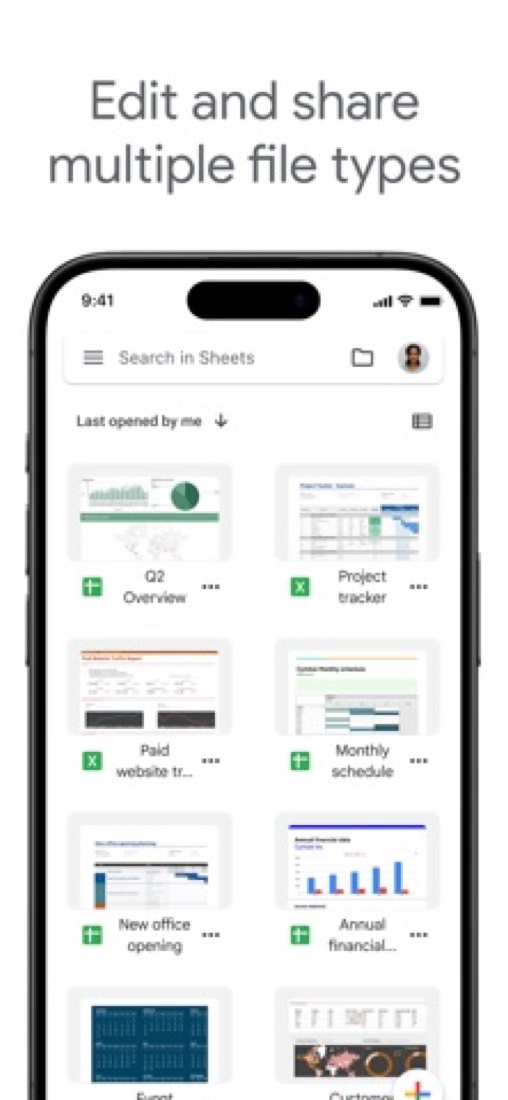
- Microsoft Excel files can be edited directly without making a copy, or converted to Sheets format. Gemini features such as Sheets canvas need the file converted first.
- Offline editing
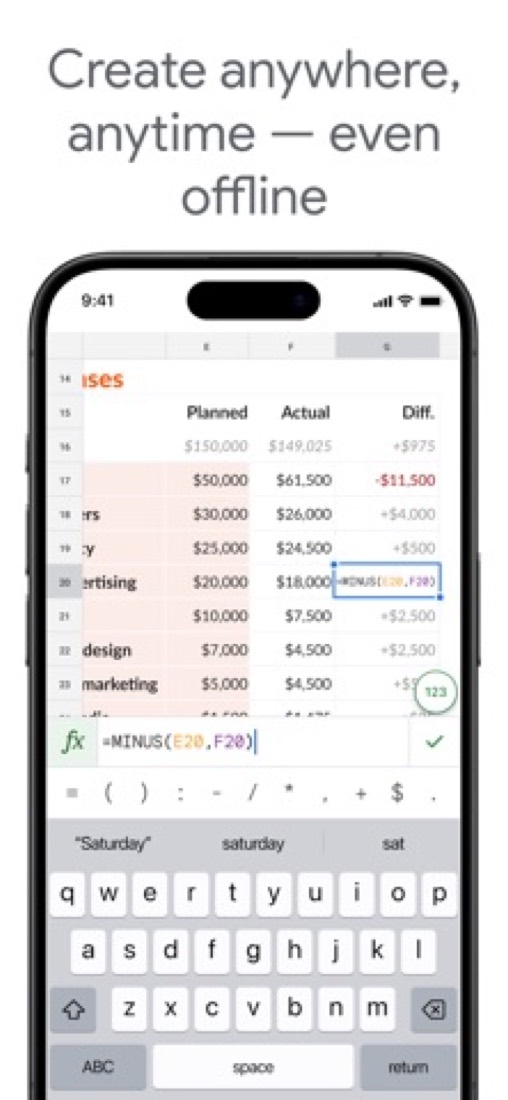
- Spreadsheets can be created, viewed and edited without a connection. On a computer this requires Chrome or Microsoft Edge with the Google Docs Offline extension.
Where it runs
- Web
- iOS
- Android
What it works with
- BigQuery
- Looker
- Salesforce
- HubSpot
- Asana
- QuickBooks
Google Sheets is made by Google.
Part 05 · Standing
Where it stands
Its grades against its category, and whether to keep it or make your own
19/21
Other spreadsheet and database tools it is graded above
Google Sheets's GPA of 3.4 is higher than 19 of the 21 other spreadsheet and database tools we grade, and level with 1.
It stands best on ease of use (A, above 20 of 21) and worst on features (C, above 0).
Its paid plans start at $7 a month for each person, against a middle price of $8 for the category: 8 of the 20 others that charge start lower.
On features, ease of use and platforms it scores 3.0 out of 4. 1 tool scores higher and costs less.
Each grade against the category
Every bar is all 22 spreadsheet and database tools we grade, cut by the letter each got. Google Sheets’s own letter is outlined.
- AValue for moneyAbove 17 of 21
- AFree plan and trialAbove 18 of 21
- CFeaturesAbove 0 of 21
- AEase of useAbove 20 of 21
- BPlatforms and integrationsAbove 3 of 21
Price against what you get
Each dot is one of 22 spreadsheet and database tools. Further left costs less; higher up scores better on features, ease of use and platforms. Google Sheets is the marked dot.
What paid plans start at, a month (each step along is roughly double) →
Keep it, or make your own?
Whether this is something you could build for yourself with an AI app builder, and what you would give up.
Keep it
To replace Google Sheets you would be making a spreadsheet engine with its formulas. That is not a weekend's work, with an AI app builder or without one.
It is one of the better ones too: its GPA of 3.4 is higher than 19 of the 21 other spreadsheet and database tools we grade. It costs $84 a year.
What you could not
- A spreadsheet engine with its formulas.
- A real app for iOS and Android. Something home-made would be a web page.
- Several people working in it at the same moment.
- It plugs into other products, BigQuery, Looker and Salesforce among them, and has an API.
- AI features, unless you pay a model provider for each request yourself.
What this rests on. Google Sheets’s listing: what it does, where it runs, what it plugs into and what it costs. It is a judgement about the kind of software this is. We have not built a replacement for it, and making your own means looking after it too. How we decide, and every tool’s verdict.
Part 06 · Refunds
After you pay
Getting your money back, getting out, and getting help
What happens once you have paid: whether you can get your money back, how to leave, and how to reach a person when something goes wrong. Each is graded from Google Sheets’s own terms and help pages.
Refunds and cancelling
Good · checked Oct 18, 2026
Sheets is free with a Google Account, and the paid version of it is Google Workspace, so Workspace's billing rules apply. Monthly is the good half: cancel in the Admin console whenever you like, pay only for the days you used, and Google says leftover credit goes back to your card by itself. The yearly commitment is the other half, where cancelling early still costs you the rest of the contract. That split, under an agreement that says plainly it owes you no refund, is a B.
- Refund window
- No set window
- How you cancel
- Yourself, in settings
- Getting your money back
Google says billing is prorated and unused credit refunded: if a credit balance is left after you cancel everything, a refund to the original payment method is started automatically, and a balance can also be claimed under Billing, then Payment accounts. On an Annual/Fixed-Term Plan, payments through the end of the term are not refunded. The Workspace agreement adds that it owes no refund on termination.
Stated on knowledge.workspace.google.com- How to cancel Google Sheets
An administrator cancels in the Google Admin console under Billing, then Subscriptions, which needs the Billing management privilege. The payment-plan comparison says a monthly Flexible Plan can be cancelled at any time without penalty, while an Annual/Fixed-Term Plan must be paid in full even if cancelled early. A subscription billed through Google Play or the iOS Settings app is cancelled in that store instead.
- In the Google Admin console, open Menu, then Billing, then Subscriptions (this needs the Billing management privilege)
- Click your subscription, then More, then Cancel Subscription
- Select a reason for cancelling and click Continue
- Review the alternatives to cancelling that are offered, then click Continue to cancel
- Tick the box to confirm you have read the information
- Enter your email address and click Cancel My Subscription
- What you keep afterwards
You lose the core Workspace services, and with them the managed Drive the spreadsheets live in. Google warns that users' Workspace data will be deleted and cannot be restored, and says to download it with the Data Export tool first. User accounts, groups and the organisational structure stay unless you also delete the organisation's Google Account. You can resubscribe within 51 days, or after 84 days.
Stated on knowledge.workspace.google.com- Renewals
The agreement says a Flexible Plan order term is monthly and renews automatically each month unless cancelled in the Admin console, and that an Annual/Fixed-Term order term renews in line with the elections in the order form or Admin console. Either side that does not want a renewal must say so at least 15 days before the term ends. No reminder before a renewal is mentioned.
Stated on workspace.google.com
In your favour
- On monthly billing you cancel yourself in the Admin console at any time, with no penalty.
- Monthly billing is prorated: you pay for the days you actually used and no more.
- Credit left over after you cancel everything goes back to your card without you asking.
- The Data Export tool means you can take the files, mail and calendars with you.
Watch out for
- Cancel a yearly contract early and you still owe the rest of it. Nothing comes back.
- The agreement is blunt: ending or not renewing does not oblige Google to refund fees.
- Once you cancel, users' Workspace data is deleted and cannot be restored. Export it first.
- The terms ask for 15 days' notice before the term ends if you do not want it to renew.
Customer support
Excellent · checked Oct 18, 2026
Every Workspace licence includes Standard Support, and it is not a token gesture: live chat with a Google agent from the Admin console, round the clock in English, with a stated four-hour target on the most urgent cases. Behind it sit a huge help centre for the Docs editors and a public admin community. Live help on every paid plan, with hours and a response time in writing, is an A. The catch is that only administrators can open a case.
Ways to get help
Live chat
Get help in the Admin console opens a chat with an assistant; typing Contact support and choosing Chat puts you in a queue until a Google support representative is free. It needs an administrator account with the Support administrator privilege.
Stated on knowledge.workspace.google.comPhone
Phone support is offered only to Google Workspace Premium Support customers and certain Education editions, in English only. You generate a PIN in the Admin console, valid for 60 minutes, and call the number shown for your region.
Stated on knowledge.workspace.google.comEmail
The same Get help flow offers an Email option, which sends the question to Google support rather than opening a live chat.
Stated on knowledge.workspace.google.comAccount manager
Premium Support includes a designated Technical Account Manager, described as helping with operational rigour, platform health and architectural stability.
Stated on knowledge.workspace.google.comHelp centre
The Google Docs Editors Help Center has a Sheets section covering formulas, formatting, sharing and troubleshooting, open to anyone without signing in. A separate Admin Help Center covers billing and administration.
Stated on support.google.comCommunity or forum
The Google Workspace Community is a public forum where administrators and Google product experts answer troubleshooting questions.
Stated on support.google.com
- When people answer
Google publishes hours by country. English support is listed as 24/7 for all countries. Some local languages are weekday hours only: German for Austria and Germany, and Dutch and French for Belgium, are listed as 9:00 to 18:00 Monday to Friday, UTC+1.
Stated on knowledge.workspace.google.com- How fast it says it replies
Standard Support, included with every Workspace licence, states a four-hour service-level objective for P1 cases. Enhanced Support states one hour for P1 cases and Premium Support 15 minutes. Those are the published targets for the most urgent priority, not for ordinary questions.
Stated on knowledge.workspace.google.com- What depends on your plan
Standard Support comes with the licence on every paid edition, with 24/7 access. Enhanced and Premium are paid upgrades: Enhanced adds faster targets and help with third-party applications, Premium adds the fastest targets, designated technical advisors and a Technical Account Manager. Every Workspace user gets the Help Center and the admin community.
Stated on knowledge.workspace.google.com
In your favour
- Live chat with a Google agent is included with every paid licence, not sold as an add-on.
- Google puts a number on it: a four-hour target for the most urgent cases on Standard Support.
- English support is listed as running 24 hours a day, every day, in every country.
- The help centre is enormous, free to read, and backed by a public admin community.
Watch out for
- Only administrators with the Support administrator privilege can open a case.
- Phone support is kept for Premium Support and some Education editions, in English only.
- The chat opens with an assistant, and you have to ask it for support to reach a person.
- Round the clock means English. Several local languages are weekday business hours only.
What these two grades rest on. Read on 18 October 2026: the Google Workspace agreement and Google's help articles on cancelling a subscription, refunding remaining credit, the Flexible and Annual/Fixed-Term payment plans, renewals, Workspace support offerings, contacting support, support hours by language and phone support, plus the Docs Editors Help Center and the Workspace community. Nobody here cancelled a plan or contacted its support. They are graded apart from the five that make the GPA. How we grade refunds and support.
Part 07 · Alternatives
The alternatives
The tools it is most often weighed against, side by side



Microsoft Excel, Zoho Sheet, Numbers, Proton Sheets and LibreOffice Calc
The 5 tools Google Sheets is most often weighed against, with where each one differs from it.
- 3.4GPA
Microsoft Excel
Free plan · from $9.99/mo
Spreadsheet app sold with Microsoft 365, free in the browser.
- Only Microsoft Excel lists Windows and macOS apps.
- Microsoft Excel also covers templates.
- 3.6GPA
Zoho Sheet
Free plan · from $2.50/mo
Collaborative online spreadsheet with a free version.
- Only Zoho Sheet lists Windows and macOS apps.
- Zoho Sheet also covers templates.
- 3.2GPA
Numbers
Free plan · from $12.99/mo
Apple's free spreadsheet app for Mac, iPad and iPhone.
- Only Google Sheets lists an Android app.
- Only Numbers lists a macOS app.
- Numbers also covers templates.
- 2.8GPA
Proton Sheets
Free plan · from $3.99/mo
End-to-end encrypted online spreadsheets inside Proton Drive.
- Proton Sheets is end-to-end encrypted, according to its own site.
- 3.0GPA
LibreOffice Calc
Free
Free, open-source spreadsheet for Windows, macOS and Linux.
- Only Google Sheets lists a web app.
- Only Google Sheets lists iOS and Android apps.
- Only LibreOffice Calc lists Windows, macOS and Linux apps.
Part 08 · Questions
Quick answers
The questions people ask about it, each answered in a line or two
23
Questions, each answered in a line or two
The short version of everything above, for when you only need the answer. Each one is told in full in its part of the guide.
Is Google Sheets free?
Google Sheets has a free plan. Free with a personal Google Account: anyone signed in can create, edit and share spreadsheets.
How much does Google Sheets cost?
Google Sheets lists 5 plans. Personal Google Account: $0.
What platforms does Google Sheets work on?
Google Sheets is available on Web, iOS and Android.
Does Google Sheets offer any discounts?
Google Sheets publicly lists the following: Save 16% with a 1-year commitment; Google Workspace for Nonprofits at $0; Education Fundamentals at no charge.
How is Google Sheets rated?
Google Sheets's iPhone and iPad app averages 4.8 out of 5 from 1,859,427 ratings on the App Store in the United States, as read on Oct 7, 2026.
Is Google Sheets any good?
We have not tested Google Sheets, so this is what reviewers say. Often praised: Reviewers call the version used in a desktop browser powerful, and a commenter says it stands in for Excel in many workplaces because most people need only the basics.
Does Google Sheets have a Windows app?
No Windows app was listed when its pages were read on Oct 10, 2026. Google Sheets is listed for Web, iOS and Android.
Does Google Sheets have a macOS app?
No macOS app was listed when its pages were read on Oct 10, 2026. Google Sheets is listed for Web, iOS and Android.
Is Google Sheets open source?
Google Sheets is not described as open source on its own site, as read on Oct 10, 2026.
Does Google Sheets work offline?
Yes, according to its own site. What works without a connection differs by plan and platform, so check the vendor's page for the detail.
Does Google Sheets have an API?
Yes. Google Sheets offers a public API, according to its own site.
What does Google Sheets integrate with?
Google Sheets's listing names BigQuery, Looker, Salesforce, HubSpot, Asana and QuickBooks.
Does Google Sheets have a student discount?
Education Fundamentals at no charge. Google Workspace for Education Fundamentals, which includes Sheets, is available at no charge to qualifying institutions.
Does Google Sheets have a free trial?
Yes. 14-day Google Workspace trial.
Who makes Google Sheets?
Google Sheets is made by Google.
What are the alternatives to Google Sheets?
The closest alternatives to Google Sheets in our directory are Microsoft Excel, Zoho Sheet, Numbers, Proton Sheets and LibreOffice Calc.
Does Google Sheets give refunds?
Google says billing is prorated and unused credit refunded: if a credit balance is left after you cancel everything, a refund to the original payment method is started automatically, and a balance can also be claimed under Billing, then Payment accounts.
How do I cancel Google Sheets?
An administrator cancels in the Google Admin console under Billing, then Subscriptions, which needs the Billing management privilege.
What happens to my data if I cancel Google Sheets?
You lose the core Workspace services, and with them the managed Drive the spreadsheets live in.
How do I contact Google Sheets support?
Google Sheets's pages list these ways to get help: live chat, phone, email, account manager, help centre and community or forum.
How does Google Sheets compare with other spreadsheet and database tools?
Google Sheets's GPA of 3.4 is higher than 19 of the 21 other spreadsheet and database tools we grade, and level with 1.
Is Google Sheets good value for money?
ToolGPA grades Google Sheets A for value for money. Its paid plans start at $7 a month for each person, against a middle price of $8 for the category: 8 of the 20 others that charge start lower.
Could I make my own version of Google Sheets?
To replace Google Sheets you would be making a spreadsheet engine with its formulas.
Where this guide comes from
The prices, plans, platforms and features were read from Google Sheets’s own pages on Oct 10, 2026, and the grades were given on Oct 10, 2026. Based on Google's Sheets product page, its Workspace pricing page and FAQ, and its help pages on getting started, offline use, file size limits and billing as of 9 October 2026, its App Store reviews and Hacker News threads about it. Also tested with a demo account on 2026-10-04.
Every tool we list gets five grades, A to F, each with its reason, and a GPA that averages them. How each is decided is at toolgpa.com/grades. This guide is ToolGPA’s own work; it is not made, paid for or approved by Google. Prices change, so check workspace.google.com before you buy.
- workspace.google.com/products/sheets/
- workspace.google.com/pricing
- knowledge.workspace.google.com/admin/billing/compare-flexible-and-annual-fixed-term-payment-plans
- support.google.com/docs/answer/6000292?hl=en
- support.google.com/docs/answer/6388102?hl=en
- support.google.com/drive/answer/37603?hl=en
- developers.google.com/workspace/sheets/api/guides/concepts
- google.com/nonprofits/offerings/workspace/
- edu.google.com/workspace-for-education/editions/compare-editions/
Part 09 · About
About ToolGPA
Who made this guide, what else is on the site, and how to cite it
3,189
Tools graded, in 94 categories
ToolGPA grades software the way a school report grades a pupil: five subjects, a letter for each with the reason written beside it, and a GPA that averages them. Prices, plans and platforms are read from each maker’s own pages and dated, so you always know how fresh a figure is.
Every grade, review and ranking on ToolGPA is our own judgement. No company can pay for a grade or change one. Every tool on the site has a guide like this one, free to download and pass on. It all lives at toolgpa.com.
3,189
tools graded
94
categories
426
price changes on record
579
apps priced in 12 countries
What else is on toolgpa.com
- Google Sheets, kept up to dateEverything in this guide, with prices and grades as they are todaytoolgpa.com/tools/google-sheets
- How grades are givenThe rules behind every letter and every GPAtoolgpa.com/grades
- Value chartsWhat each tool costs against what it scores, for every categorytoolgpa.com/charts
- CompareAny two tools side by side, plan by plantoolgpa.com/compare
- Price changesEvery price rise and cut on record, each with its sourcetoolgpa.com/price-changes
- Prices by countryWhat apps cost on the App Store in 12 countriestoolgpa.com/prices-by-country
- Pay lessEvery public discount: yearly billing, students, nonprofitstoolgpa.com/save
- Keep or makeWhich tools are worth paying for, and which you could build yourselftoolgpa.com/keep-or-make
Scan for the live page
Prices and grades as they are today
Quoting this guide?
Please name ToolGPA and link to the live page, so readers can check the figures for themselves:
ToolGPA, "Google Sheets: The Insider's Guide", checked Oct 10, 2026. https://toolgpa.com/tools/google-sheets
Know someone choosing between spreadsheet and database tools?
Send them this guide: toolgpa.com/tools/google-sheets/guide
ToolGPA elsewhere: youtube.com/@toolgpa
See our other guides
The best-graded spreadsheet and database tools after Google Sheets, each with an Insider's Guide of its own.
- Spreadsheets & Databases Insider's GuideEvery one of the 22 spreadsheet and database tools we grade, compared
- Zoho Sheet Insider's GuideCollaborative online spreadsheet with a free version3.6 GPA
- Microsoft Excel Insider's GuideSpreadsheet app sold with Microsoft 365, free in the browser3.4 GPA
- Numbers Insider's GuideApple's free spreadsheet app for Mac, iPad and iPhone3.2 GPA
Choosing software? Every tool graded, every price dated.
Compare tools at toolgpa.com ›Everything in this guide is ToolGPA’s own summary of what Google Sheets’s pages, its app-store listings and public reviews said on the dates shown. Grades are our judgement under the rules at toolgpa.com/grades. Every grade, review and ranking on ToolGPA is our own judgement. No company can pay for a grade or change one. Google Sheets is a trademark of its owner, and this guide is not made, paid for or approved by Google. Prices and plans change: check workspace.google.com before you buy.