The Grist Insider’s Guide
Everything we know about Grist in one document: what it costs, its grades, getting a refund, getting help and what else to look at. Read it here, or keep a copy.
Grist
The Insider’s Guide
Open-source relational spreadsheet with Python formulas
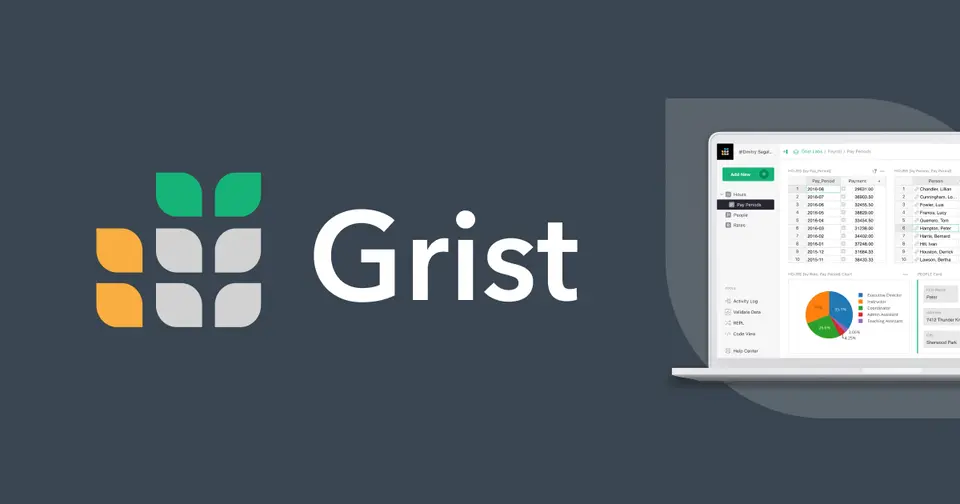
Every plan, grade, refund rule and rival among spreadsheet and database tools, read from Grist’s own pages.
Made by Grist Labs · checked Oct 5, 2026 · toolgpa.com
Contents
- 01WelcomeWhat it is, who it suits, its grades and the ten things to know first
- 02Insider tipsWhat most people miss: ways to pay less, settings worth changing and the catches
- 03What it costsEvery plan, the free plan, ways to pay less and how prices have moved
- 04What it doesIts main features, where it runs, what it works with and who makes it
- 05Where it standsIts grades against its category, and whether to keep it or make your own
- 06The alternativesThe tools it is most often weighed against, side by side
- 07Quick answersThe questions people ask about it, each answered in a line or two
- 08About ToolGPAWho made this guide, what else is on the site, and how to cite it
ToolGPA put this guide together from Grist’s own pages, its app-store listings and our grades. Every fact in it is on Grist’s page too, where it is kept up to date. Checked Oct 5, 2026.
Part 01 · Overview
Welcome
What it is, who it suits, its grades and the ten things to know first
2.6
GPA, above 8 of the 21 other spreadsheet and database tools we grade
Grist is a spreadsheet-database hybrid: each document holds several linked tables, and pages are laid out from tables, cards, charts and forms. Formulas accept Python as well as Excel-style functions, and access rules can restrict who sees or edits data down to a single cell. It is offered as a hosted service with a free plan and as open-source software to self-host.
To get you started, here are 9 things to know about Grist, taken from its own pages and our grades.
No rating on record, and the work here is building the document itself: tables to link, pages to lay out, access rules to write.
- 1
Best for a spreadsheet with linked tables and Python formulas
Grist is a spreadsheet whose tables link up like a database, with formulas in Python and access rules down to a single cell.
- 2
Paid plans start at $8 a month for each person
As its pricing page puts it: $8 per user / month, billed annually.
- 3
There is a free plan
Unlimited documents with up to 5,000 records each, 10 team members, 30 days of snapshot history and 100 one-time AI Assistant credits. The self-hosted Community edition is also free.
- 4
It runs on 4 platforms
Web, Windows, macOS and Linux.
- 5
Relational spreadsheet documents
A Grist document is a relational spreadsheet-database with multiple tables, stored in SQLite format. Linked widgets pull up the details and related records of a selected row.
- 6
Python and Excel-style formulas
Formulas can be single or multi-line Python with the full standard library available, and most Excel-like spreadsheet functions are supported as well.
- 7
Granular access rules
Rules decide who can see or edit individual tables, columns, records and cells, so one document can be shared in part with team members, guests or public links.
- 8
A 2.6 GPA, above 8 of 21
That is against the other spreadsheet and database tools we grade, on value, the free plan, features, ease of use and platforms.
- 9
Keep it
To replace Grist you would be making a spreadsheet engine with its formulas. That is not a weekend's work, with an AI app builder or without one.
Grist at a glance
- Pricing
- Free plan, from $8 per user / month, billed annually
- Free plan
- Yes
- Free trial
- 30-day trial of the Pro and Business plans
- Runs on
- Web, macOS, Windows, Linux
- Made by
- Grist Labs, since 2014
- Category
- Spreadsheets & Databases
- Our grade
- 2.6 GPA, good
The report card
Best for a spreadsheet with linked tables and Python formulas
Grist is a spreadsheet whose tables link up like a database, with formulas in Python and access rules down to a single cell. But there's no phone app, Automations wait for Business at $24 a user with a 5-user minimum, the free plan stops at 5,000 records a document, and SSO on Grist's own servers is Enterprise only.
| Subject | Grade | Comment |
|---|---|---|
| Value for money | C | Pro is $8 a user a month billed annually, $10 monthly, which lands in the ordinary band for this category: dearer than the $5.40 lowest quarter, a little under the $9.99 middle. Automations and priority support need Business at $24 with a 5-user minimum, and self-hosting the full edition is $24 a user too. |
| Free plan and trial | B | Unlimited documents with up to 5,000 records each, 10 team members and 30 days of snapshot history. The free self-hosted Community edition is there as well, and small organisations can ask for a free activation key. The AI Assistant gets 100 one-time credits. |
| Features | B | It covers the whole job of a spreadsheet-database: several linked tables in one document, formulas in multi-line Python or Excel-style functions, access rules for tables, columns, records and single cells, pages laid out from tables, cards and charts, summary tables doing pivot duty, and forms. |
| Ease of use | C | No rating on record, and the work here is building the document itself: tables to link, pages to lay out, access rules to write. Formulas are Python, which is a learning curve if you've come from Excel, though most Excel-like functions do work. |
| Platforms and integrations | B | Web, plus a separate open-source desktop app for Windows, macOS and Linux that works on spreadsheets stored locally, with Zapier, Make and n8n and an API. No phone apps are listed at all, so an A is out. |
An A is worth 4 points, a B 3, a C 2, a D 1 and an F nothing. The GPA is the average of the five.
Who Grist is for
- Fits if your spreadsheets have become several that need linking together
- Works for teams where different people should see different rows or cells of one document
Who it is not for
- Skip it if you want a phone app, as there's only the web and a desktop app for local files
- Pricey if you need Automations, which start on Business at $24 a user with a 5-user minimum
- Tight if one document will pass 5,000 records on Free, or 100,000 on Pro
- Watch out: on Grist's servers, custom SSO, a custom domain and audit log streaming are Enterprise only
- Tight if you lean on the AI Assistant, with 100 one-time credits free and from 100 a month on Pro
Good to know
Good for
- Spreadsheet users who have outgrown a single sheet and need linked tables
- Teams that must limit what each collaborator can see in one document
- Organizations that want to self-host open-source software
- People comfortable writing Python in formulas
Worth knowing
- Records per document are capped at 5,000 on Free, 100,000 on Pro and 150,000 on Business.
- Business has a 5-user minimum, and Automations and priority email support start on that plan.
- On Grist's own servers, custom SSO, a custom domain and audit log streaming are listed under Enterprise only.
- The desktop app is a separate open-source build for Windows, macOS and Linux that works on spreadsheets stored locally.
Part 02 · Tips
Insider tips
What most people miss: ways to pay less, settings worth changing and the catches
6
Things most people miss, each from its own help pages
The things about Grist that are easy to miss until they cost you: ways to pay less, settings worth changing and the catches at renewal or when you leave. Each one is from Grist’s own pages, linked beside it.
Read on Oct 17, 2026. Read from Grist's support docs (FAQ, automatic backups, sharing, keyboard shortcuts, exports, team sites, limits) and its pricing page on 17 October 2026. Not tried out: these tips are what its own pages say.
- 1
Pay less
Add occasional helpers as guests, not team members
On paid plans the number of team members sets the price. Guests are different: every document, even on a free personal site, gets up to 2 guests who don't change the bill at all. Invite a client or a one-off reviewer to the document itself rather than to the team.
support.getgrist.com - 2
Easy to miss
Broke something? Restore a snapshot from Document History
Grist backs your document up while you work, keeping hourly snapshots for about a day and monthly ones for over a year. Click Document History in the left panel, then Snapshots, open one, and use Share, Replace Current Version. Save Copy keeps it as a separate document instead.
support.getgrist.com - 3
Privacy
Public Access as Editor lets anyone with the link change anything
Turning on Public Access in Manage Users means anyone with the link can open the document without logging in. Set its role to Editor and they can change absolutely anything, its help page warns. Keep it on Viewer, and use access rules or link keys to limit which rows a link shows.
support.getgrist.com - 4
Shortcut
Space opens a row as a card, and Ctrl+Enter adds one below
Press Space to see the selected record as a card. Ctrl+Enter (Cmd+Enter on a Mac) inserts a record after the current one, and adding Shift puts it before. Type = at the start of a cell to make the whole column a formula. F1 shows the full list.
support.getgrist.com - 5
Leaving
Download the .grist file for a real backup, not a CSV
Share, Download gives you the whole document as a SQLite file with its tables, attachments, layout and recent history, though not who it was shared with. A CSV from a widget's menu only holds the rows and columns you can see. External attachments need Download attachments as well.
support.getgrist.com - 6
Leaving
Deleting a team site takes every document with it
A team site can be deleted from its Billing Summary page, and Grist says that can't be undone and removes all the documents in it. Download the ones that matter first. Changing the site's subdomain on the same page is gentler, but every old link to it will need updating.
support.getgrist.com
Part 03 · Pricing
What it costs
Every plan, the free plan, ways to pay less and how prices have moved
$8
A month to start, for each person. There is a free plan too
Grist has a free plan. Paid plans start at $8 per user / month, billed annually.
The free self-hosted Community edition is there as well, and small organisations can ask for a free activation key.
Free
$0
Unlimited documents with up to 5,000 records each, 10 team members, 30 days of snapshot history and 100 one-time AI Assistant credits.
Grist Community edition
$0
Free and open-source edition hosted on your own server, with community support, custom domain and custom branding.
Pro
$8
per user / month, billed annually ($10 billed monthly)
Up to 100,000 records per document, snapshot history going back 3 years and AI Assistant credits starting at 100 a month.
Business
$24
per user / month, billed annually ($30 monthly); min. 5 users
Up to 150,000 records per document, 5 years of snapshot history, 2,000 AI Assistant credits a month, Automations and priority email support.
Grist (self-hosted)
$24
per user / month, billed annually ($30 billed monthly)
Self-hosted edition with admin controls, the AI Assistant, Automations, custom SSO and audit log streaming, sold without support.
Enterprise
Custom
A dedicated server in a chosen region, or a supported self-hosted installation, with custom SSO, custom domain and audit log streaming.
The free plan
Unlimited documents with up to 5,000 records each, 10 team members, 30 days of snapshot history and 100 one-time AI Assistant credits. The self-hosted Community edition is also free.
Trying it first
30-day trial of the Pro and Business plans
Read from getgrist.com on Oct 5, 2026.
Ways to pay less
Annual discount
Save 20% by paying annually
Pro is $8 per user a month billed annually against $10 billed monthly, and Business is $24 against $30.
Stated on getgrist.comNonprofit
50% off Pro for nonprofits
Non- and not-for-profit organizations are eligible for a 50% discount on the Pro plan, requested by emailing a Letter of Determination before the free trial ends.
Stated on getgrist.comOther savings
Free activation key for small self-hosters
Individuals and organizations with less than $1 million in total annual income may request a free activation key for self-hosted Grist.
Stated on getgrist.com
Part 04 · Features
What it does
Its main features, where it runs, what it works with and who makes it
4
Places it runs: Web, macOS, Windows and Linux
Open-source relational spreadsheet with Python formulas. Here is what it does, as its own site describes it, and what it covers: open source, self-hostable, public API, AI features, real-time collaboration, databases, spreadsheets.
No phone apps are listed at all, so an A is out.
- Relational spreadsheet documents
- A Grist document is a relational spreadsheet-database with multiple tables, stored in SQLite format. Linked widgets pull up the details and related records of a selected row.
- Python and Excel-style formulas
- Formulas can be single or multi-line Python with the full standard library available, and most Excel-like spreadsheet functions are supported as well.
- Granular access rules
- Rules decide who can see or edit individual tables, columns, records and cells, so one document can be shared in part with team members, guests or public links.
- Custom layouts, charts and widgets
- Pages are arranged by dragging tables, cards and charts into place. Summary tables work as pivot tables, and custom widgets show data on a map or calendar.
- Forms
- Forms and surveys are built from a table and shared with a link, and the responses are analyzed in the same document as they arrive.
- AI Assistant
- Answers questions about data and formulas in plain language and can create or modify records and formulas. Usage is metered in credits, with extra packs from $10 a month on paid plans.
Where it runs
- Web
- macOS
- Windows
- Linux
What it works with
- Zapier
- Make
- n8n
- Pabbly Connect
- Integrately
Who makes Grist
Grist is made by Grist Labs Inc., a New York company founded in 2014 that says it has been self-funded since. The core of Grist is open source; the company earns money from paid plans of its hosted service and from licences for the self-hosted full edition.
- Founded
- 2014getgrist.com
- Based
- New York City, with a fully remote team spread from Canada to South Africa and California to Polandgetgrist.com
- Ownership
- Privately held. Privately held with no parent company: its About page says Grist Labs was started by the brothers Dmitry and Stan Sagalovskiy in 2014 and has been self-funded ever since.getgrist.com
- Funding
- Self-funded: its About page says Grist Labs has been self-funded since it was founded in 2014. Its team page lists one advisor, Perry Tam, with the title Investor, and says nothing about what he put in.getgrist.comgetgrist.com
- Founders and leaders
- Anais Concepcion, CEOgetgrist.com
- Dmitry Sagalovskiy, Co-founder and Head of Productgetgrist.com
- Stan Sagalovskiy, Founder & Advisorgetgrist.com
- Paul Fitzpatrick, CTOgetgrist.com
- Partner program
- Product support partners keep all of their service fees on paid self-hosted installations, and pay Grist Labs a 10% share of Grist-related service revenue for clients on the free editions, for the first 12 months of an engagement only.getgrist.com
- Reseller program
- Installation support partners get 30% off the list price of self-hosted Full Edition licences, with a 10-user minimum per installation, which can be taken as a commission instead. Resellers of the hosted plans get tiered discounts of up to 20%.getgrist.com
- Lately
- Grist Fleet in the Admin Panel · September 2026
- New AI tools: arrange page and card layouts · September 2026
- MCP and custom widget building improvements · August 2026
- Multi-server support with Grist Fleet · July 2026
Read on Oct 18, 2026 from the company’s own pages and from news reports. What is not stated there is left out.
Part 05 · Standing
Where it stands
Its grades against its category, and whether to keep it or make your own
8/21
Other spreadsheet and database tools it is graded above
Grist's GPA of 2.6 is higher than 8 of the 21 other spreadsheet and database tools we grade, and level with 4.
It stands best on free plan and trial (B, above 8 of 21) and worst on ease of use (C, above 0).
Its paid plans start at $8 a month for each person, against a middle price of $8 for the category: 10 of the 20 others that charge start lower.
On features, ease of use and platforms it scores 2.7 out of 4. 4 tools score higher and cost less.
Each grade against the category
Every bar is all 22 spreadsheet and database tools we grade, cut by the letter each got. Grist’s own letter is outlined.
- CValue for moneyAbove 4 of 21
- BFree plan and trialAbove 8 of 21
- BFeaturesAbove 6 of 21
- CEase of useAbove 0 of 21
- BPlatforms and integrationsAbove 3 of 21
Price against what you get
Each dot is one of 22 spreadsheet and database tools. Further left costs less; higher up scores better on features, ease of use and platforms. Grist is the marked dot.
What paid plans start at, a month (each step along is roughly double) →
Keep it, or make your own?
Whether this is something you could build for yourself with an AI app builder, and what you would give up.
Keep it
To replace Grist you would be making a spreadsheet engine with its formulas. That is not a weekend's work, with an AI app builder or without one.
It costs $96 a year. Grist is open source, so there is a third way: take its code and run it yourself.
What you could not
- A spreadsheet engine with its formulas.
- Databases with views, filters and links between them.
- Apps for macOS, Windows and Linux that stay in step with each other.
- Several people working in it at the same moment.
- It plugs into other products, Zapier, Make and n8n among them, and has an API.
- AI features, unless you pay a model provider for each request yourself.
- Hooks into the device itself: widgets.
- The depth: we grade its features B, which means it covers the whole job.
What this rests on. Grist’s listing: what it does, where it runs, what it plugs into and what it costs. It is a judgement about the kind of software this is. We have not built a replacement for it, and making your own means looking after it too. How we decide, and every tool’s verdict.
Part 06 · Alternatives
The alternatives
The tools it is most often weighed against, side by side



Baserow, NocoDB, Airtable, Google Sheets and Microsoft Excel
The 5 tools Grist is most often weighed against, with where each one differs from it.
- 2.6GPA
Baserow
Free plan · from $10/mo
Open-source no-code database and application builder.
- Only Grist lists Windows, macOS and Linux apps.
- Grist also covers spreadsheets.
- Baserow also covers workflow automation, app builder and no-code.
- 2.6GPA
NocoDB
Free plan · from $12/mo
No-code database with a spreadsheet interface, cloud or self-hosted.
- Only Grist lists Windows, macOS and Linux apps.
- Grist is open source, according to its own site.
- Grist also covers spreadsheets.
- 3.0GPA
Airtable
Free plan · from $20/mo
Relational database platform for building team workflows and apps.
- Only Grist lists a Linux app.
- Only Airtable lists iOS and Android apps.
- Grist is open source and self-hostable, according to its own site.
- 3.4GPA
Google Sheets
Free plan · from $7/mo
Browser-based spreadsheet, free with a Google Account.
- Only Grist lists Windows, macOS and Linux apps.
- Only Google Sheets lists iOS and Android apps.
- Grist is open source and self-hostable, according to its own site.
- 3.4GPA
Microsoft Excel
Free plan · from $9.99/mo
Spreadsheet app sold with Microsoft 365, free in the browser.
- Only Grist lists a Linux app.
- Only Microsoft Excel lists iOS and Android apps.
- Grist is open source and self-hostable, according to its own site.
Part 07 · Questions
Quick answers
The questions people ask about it, each answered in a line or two
15
Questions, each answered in a line or two
The short version of everything above, for when you only need the answer. Each one is told in full in its part of the guide.
Is Grist free?
Grist has a free plan. Unlimited documents with up to 5,000 records each, 10 team members, 30 days of snapshot history and 100 one-time AI Assistant credits.
How much does Grist cost?
Grist lists 6 plans. Free: $0.
What platforms does Grist work on?
Grist is available on Web, Windows, macOS and Linux.
Does Grist offer any discounts?
Grist publicly lists the following: Save 20% by paying annually; 50% off Pro for nonprofits; Free activation key for small self-hosters.
Does Grist have an Android app?
No Android app was listed when its pages were read on Oct 5, 2026. Grist is listed for Web, Windows, macOS and Linux.
Does Grist have an iPhone app?
No iPhone app was listed when its pages were read on Oct 5, 2026. Grist is listed for Web, Windows, macOS and Linux.
Is Grist open source?
Yes. Grist is open source, according to its own site.
Does Grist have an API?
Yes. Grist offers a public API, according to its own site.
What does Grist integrate with?
Grist's listing names Zapier, Make, n8n, Pabbly Connect and Integrately.
Does Grist have a free trial?
Yes. 30-day trial of the Pro and Business plans.
Who makes Grist?
Grist is made by Grist Labs. Privately held with no parent company: its About page says Grist Labs was started by the brothers Dmitry and Stan Sagalovskiy in 2014 and has been self-funded ever since.
What are the alternatives to Grist?
The closest alternatives to Grist in our directory are Baserow, NocoDB, Airtable, Google Sheets and Microsoft Excel.
How does Grist compare with other spreadsheet and database tools?
Grist's GPA of 2.6 is higher than 8 of the 21 other spreadsheet and database tools we grade, and level with 4.
Is Grist good value for money?
ToolGPA grades Grist C for value for money. Its paid plans start at $8 a month for each person, against a middle price of $8 for the category: 10 of the 20 others that charge start lower.
Could I make my own version of Grist?
To replace Grist you would be making a spreadsheet engine with its formulas.
Where this guide comes from
The prices, plans, platforms and features were read from Grist’s own pages on Oct 5, 2026, and the grades were given on Oct 10, 2026. Graded from this listing, whose facts were read from Grist's own pages on 5 October 2026. Also tested with a demo account on 2026-04-21.
Every tool we list gets five grades, A to F, each with its reason, and a GPA that averages them. How each is decided is at toolgpa.com/grades. This guide is ToolGPA’s own work; it is not made, paid for or approved by Grist Labs. Prices change, so check getgrist.com before you buy.
Part 08 · About
About ToolGPA
Who made this guide, what else is on the site, and how to cite it
3,189
Tools graded, in 94 categories
ToolGPA grades software the way a school report grades a pupil: five subjects, a letter for each with the reason written beside it, and a GPA that averages them. Prices, plans and platforms are read from each maker’s own pages and dated, so you always know how fresh a figure is.
Every grade, review and ranking on ToolGPA is our own judgement. No company can pay for a grade or change one. Every tool on the site has a guide like this one, free to download and pass on. It all lives at toolgpa.com.
3,189
tools graded
94
categories
426
price changes on record
579
apps priced in 12 countries
What else is on toolgpa.com
- Grist, kept up to dateEverything in this guide, with prices and grades as they are todaytoolgpa.com/tools/grist
- How grades are givenThe rules behind every letter and every GPAtoolgpa.com/grades
- Value chartsWhat each tool costs against what it scores, for every categorytoolgpa.com/charts
- CompareAny two tools side by side, plan by plantoolgpa.com/compare
- Price changesEvery price rise and cut on record, each with its sourcetoolgpa.com/price-changes
- Prices by countryWhat apps cost on the App Store in 12 countriestoolgpa.com/prices-by-country
- Pay lessEvery public discount: yearly billing, students, nonprofitstoolgpa.com/save
- Keep or makeWhich tools are worth paying for, and which you could build yourselftoolgpa.com/keep-or-make
Scan for the live page
Prices and grades as they are today
Quoting this guide?
Please name ToolGPA and link to the live page, so readers can check the figures for themselves:
ToolGPA, "Grist: The Insider's Guide", checked Oct 5, 2026. https://toolgpa.com/tools/grist
Know someone choosing between spreadsheet and database tools?
Send them this guide: toolgpa.com/tools/grist/guide
ToolGPA elsewhere: youtube.com/@toolgpa
See our other guides
The best-graded spreadsheet and database tools after Grist, each with an Insider's Guide of its own.
- Spreadsheets & Databases Insider's GuideEvery one of the 22 spreadsheet and database tools we grade, compared
- Zoho Sheet Insider's GuideCollaborative online spreadsheet with a free version3.6 GPA
- Google Sheets Insider's GuideBrowser-based spreadsheet, free with a Google Account3.4 GPA
- Microsoft Excel Insider's GuideSpreadsheet app sold with Microsoft 365, free in the browser3.4 GPA

Choosing software? Every tool graded, every price dated.
Compare tools at toolgpa.com ›Everything in this guide is ToolGPA’s own summary of what Grist’s pages, its app-store listings and public reviews said on the dates shown. Grades are our judgement under the rules at toolgpa.com/grades. Every grade, review and ranking on ToolGPA is our own judgement. No company can pay for a grade or change one. Grist is a trademark of its owner, and this guide is not made, paid for or approved by Grist Labs. Prices and plans change: check getgrist.com before you buy.