
Grist review (2026): is the free plan enough?
Open-source relational spreadsheet with Python formulas
Black Friday: is there a Grist sale?
Our verdict
Third of our top three spreadsheet and database tools
For: People whose data has outgrown a single sheet
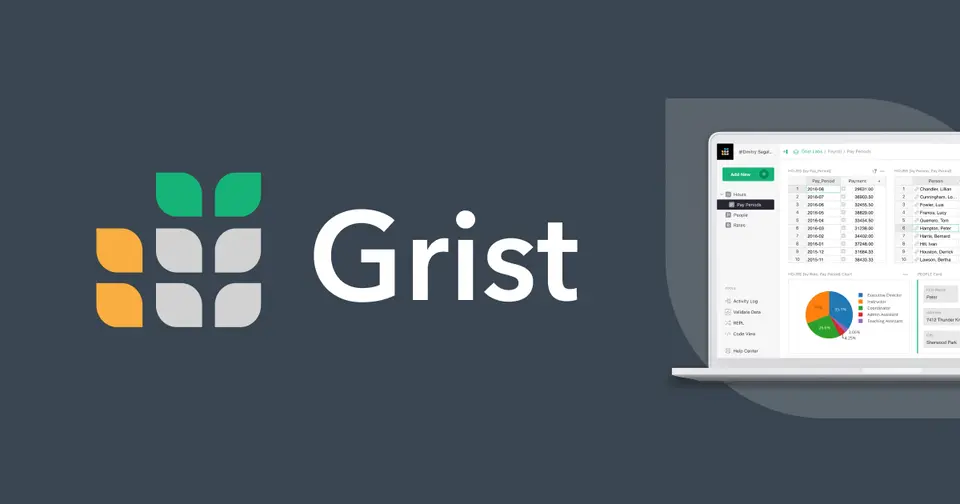
Grist is a spreadsheet-database hybrid: each document holds several linked tables, formulas take Python as well as Excel-style functions, and access rules can limit who sees or edits data down to a single cell. The free plan allows unlimited documents with up to 5,000 records each and 10 team members, and Pro is $8 per user a month, billed annually. It is open source: a free Community edition runs on your own server, and a desktop app for Windows, macOS and Linux works on local files. It is third because it suits fewer people than the two above: no iPhone or Android app is listed, and Automations start on Business at $24 per user a month, billed annually, with a 5-user minimum.
See all three and how we rankGrist report card
Good · out of 4.0 · graded Oct 10, 2026
Best for a spreadsheet with linked tables and Python formulas
Grist is a spreadsheet whose tables link up like a database, with formulas in Python and access rules down to a single cell. But there's no phone app, Automations wait for Business at $24 a user with a 5-user minimum, the free plan stops at 5,000 records a document, and SSO on Grist's own servers is Enterprise only.
Who Grist is for
- Fits if your spreadsheets have become several that need linking together
- Works for teams where different people should see different rows or cells of one document
Who Grist is not for
- Skip it if you want a phone app, as there's only the web and a desktop app for local files
- Pricey if you need Automations, which start on Business at $24 a user with a 5-user minimum
- Tight if one document will pass 5,000 records on Free, or 100,000 on Pro
- Watch out: on Grist's servers, custom SSO, a custom domain and audit log streaming are Enterprise only
- Tight if you lean on the AI Assistant, with 100 one-time credits free and from 100 a month on Pro
Why Grist gets a 2.6
Five grades, each with its reason. The GPA is their average: an A is 4 points, an F is none.
- CValue for moneyPro is $8 a user a month billed annually, $10 monthly, which lands in the ordinary band for this category: dearer than the $5.40 lowest quarter, a little under the $9.99 middle. Automations and priority support need Business at $24 with a 5-user minimum, and self-hosting the full edition is $24 a user too.
- BFree plan and trialUnlimited documents with up to 5,000 records each, 10 team members and 30 days of snapshot history. The free self-hosted Community edition is there as well, and small organisations can ask for a free activation key. The AI Assistant gets 100 one-time credits.
- BFeaturesIt covers the whole job of a spreadsheet-database: several linked tables in one document, formulas in multi-line Python or Excel-style functions, access rules for tables, columns, records and single cells, pages laid out from tables, cards and charts, summary tables doing pivot duty, and forms.
- CEase of useNo rating on record, and the work here is building the document itself: tables to link, pages to lay out, access rules to write. Formulas are Python, which is a learning curve if you've come from Excel, though most Excel-like functions do work.
- BPlatforms and integrationsWeb, plus a separate open-source desktop app for Windows, macOS and Linux that works on spreadsheets stored locally, with Zapier, Make and n8n and an API. No phone apps are listed at all, so an A is out.
What these grades rest on. Graded from this listing, whose facts were read from Grist's own pages on 5 October 2026. Also tested with a demo account on 2026-04-21. How we review and grade.
Make Grist? Put this grade on your site

Paste this where you want the badge. It links here and follows the grade if it changes. About badges
<a href="https://toolgpa.com/tools/grist#review"><img src="https://toolgpa.com/badge/grist.svg" alt="Grist: 2.6 GPA on ToolGPA" width="196" height="56"></a>Where Grist stands among spreadsheet and database tools
Grist's GPA of 2.6 is higher than 38 of the 63 other spreadsheet and database tools we grade, and level with 8.
It stands best on features (B, above 40 of 63) and worst on ease of use (C, above 9).
Its paid plans start at $8 a month for each person, against a middle price of $12 for the category: 12 of the 47 others that charge start lower.
On features, ease of use and platforms it scores 2.7 out of 4. 4 tools score higher and cost less.
Each grade against the category
Every bar is all 64 spreadsheet and database tools we grade, cut by the letter each got. Grist’s own letter is outlined.
- CValue for moneyAbove 12 of 63, level with 29
- BFree plan and trialAbove 31 of 63, level with 19
- BFeaturesAbove 40 of 63, level with 20
- CEase of useAbove 9 of 63, level with 38
- BPlatforms and integrationsAbove 21 of 63, level with 39
Price against what you get
Each dot is one of 59 spreadsheet and database tools. Further left costs less, and higher up scores better on features, ease of use and platforms. Point at a dot to see which tool it is.
Features, ease of use and platforms, averaged
What paid plans start at, a month (each step along is roughly double) →
- The best score at each price
- Has a free plan
- No free plan
Keep Grist, or make your own?
Keep it
To replace Grist you would be making a spreadsheet engine with its formulas. That is not a weekend's work, with an AI app builder or without one.
It costs $96 a year. Grist is open source, so there is a third way: take its code and run it yourself.
What you could not
- A spreadsheet engine with its formulas.
- Databases with views, filters and links between them.
- Apps for macOS, Windows and Linux that stay in step with each other.
- Several people working in it at the same moment.
- It plugs into other products, Zapier, Make and n8n among them, and has an API.
- AI features, unless you pay a model provider for each request yourself.
- Hooks into the device itself: widgets.
- The depth: we grade its features B, which means it covers the whole job.
What this rests on. Grist’s listing: what it does, where it runs, what it plugs into and what it costs. It is a judgement about the kind of software this is. We have not built a replacement for it, and making your own means looking after it too. How we decide, and every tool’s verdict.
What is Grist?
Grist is a spreadsheet-database hybrid: each document holds several linked tables, and pages are laid out from tables, cards, charts and forms. Formulas accept Python as well as Excel-style functions, and access rules can restrict who sees or edits data down to a single cell. It is offered as a hosted service with a free plan and as open-source software to self-host.
Worth knowing
- Records per document are capped at 5,000 on Free, 100,000 on Pro and 150,000 on Business.
- Business has a 5-user minimum, and Automations and priority email support start on that plan.
- On Grist's own servers, custom SSO, a custom domain and audit log streaming are listed under Enterprise only.
- The desktop app is a separate open-source build for Windows, macOS and Linux that works on spreadsheets stored locally.
Key features
- Relational spreadsheet documents
- A Grist document is a relational spreadsheet-database with multiple tables, stored in SQLite format. Linked widgets pull up the details and related records of a selected row.
- Python and Excel-style formulas
- Formulas can be single or multi-line Python with the full standard library available, and most Excel-like spreadsheet functions are supported as well.
- Granular access rules
- Rules decide who can see or edit individual tables, columns, records and cells, so one document can be shared in part with team members, guests or public links.
- Custom layouts, charts and widgets
- Pages are arranged by dragging tables, cards and charts into place. Summary tables work as pivot tables, and custom widgets show data on a map or calendar.
- Forms
- Forms and surveys are built from a table and shared with a link, and the responses are analyzed in the same document as they arrive.
- AI Assistant
- Answers questions about data and formulas in plain language and can create or modify records and formulas. Usage is metered in credits, with extra packs from $10 a month on paid plans.
Grist tips most people miss
Pay less
Add occasional helpers as guests, not team members
On paid plans the number of team members sets the price. Guests are different: every document, even on a free personal site, gets up to 2 guests who don't change the bill at all. Invite a client or a one-off reviewer to the document itself rather than to the team.
support.getgrist.comEasy to miss
Broke something? Restore a snapshot from Document History
Grist backs your document up while you work, keeping hourly snapshots for about a day and monthly ones for over a year. Click Document History in the left panel, then Snapshots, open one, and use Share, Replace Current Version. Save Copy keeps it as a separate document instead.
support.getgrist.comPrivacy
Public Access as Editor lets anyone with the link change anything
Turning on Public Access in Manage Users means anyone with the link can open the document without logging in. Set its role to Editor and they can change absolutely anything, its help page warns. Keep it on Viewer, and use access rules or link keys to limit which rows a link shows.
support.getgrist.comShortcut
Space opens a row as a card, and Ctrl+Enter adds one below
Press Space to see the selected record as a card. Ctrl+Enter (Cmd+Enter on a Mac) inserts a record after the current one, and adding Shift puts it before. Type = at the start of a cell to make the whole column a formula. F1 shows the full list.
support.getgrist.comLeaving
Download the .grist file for a real backup, not a CSV
Share, Download gives you the whole document as a SQLite file with its tables, attachments, layout and recent history, though not who it was shared with. A CSV from a widget's menu only holds the rows and columns you can see. External attachments need Download attachments as well.
support.getgrist.comLeaving
Deleting a team site takes every document with it
A team site can be deleted from its Billing Summary page, and Grist says that can't be undone and removes all the documents in it. Download the ones that matter first. Changing the site's subdomain on the same page is gentler, but every old link to it will need updating.
support.getgrist.com
Read on Oct 17, 2026. Read from Grist's support docs (FAQ, automatic backups, sharing, keyboard shortcuts, exports, team sites, limits) and its pricing page on 17 October 2026. Not tried out: these tips are what its own pages say.
Grist pricing
As of Oct 5, 2026, Grist has a free plan, and paid plans start at $8 per user / month, billed annually.
- Starts at
- $8 per user / month, billed annually
- Free plan
- Unlimited documents with up to 5,000 records each, 10 team members, 30 days of snapshot history and 100 one-time AI Assistant credits. The self-hosted Community edition is also free.
- Free trial
- 30-day trial of the Pro and Business plans
| Plan | Price | What you get |
|---|---|---|
| Free | $0 | Unlimited documents with up to 5,000 records each, 10 team members, 30 days of snapshot history and 100 one-time AI Assistant credits. |
| Grist Community edition | $0 | Free and open-source edition hosted on your own server, with community support, custom domain and custom branding. |
| Pro | $8per user / month, billed annually ($10 billed monthly) | Up to 100,000 records per document, snapshot history going back 3 years and AI Assistant credits starting at 100 a month. |
| Business | $24per user / month, billed annually ($30 monthly); min. 5 users | Up to 150,000 records per document, 5 years of snapshot history, 2,000 AI Assistant credits a month, Automations and priority email support. |
| Grist (self-hosted) | $24per user / month, billed annually ($30 billed monthly) | Self-hosted edition with admin controls, the AI Assistant, Automations, custom SSO and audit log streaming, sold without support. |
| Enterprise | Custom | A dedicated server in a chosen region, or a supported self-hosted installation, with custom SSO, custom domain and audit log streaming. |
Read from getgrist.com on Oct 5, 2026. Prices change, so confirm with Grist before you buy.
Ways to pay less
- Annual discountSave 20% by paying annually
Pro is $8 per user a month billed annually against $10 billed monthly, and Business is $24 against $30.
Stated on getgrist.com - Nonprofit50% off Pro for nonprofits
Non- and not-for-profit organizations are eligible for a 50% discount on the Pro plan, requested by emailing a Letter of Determination before the free trial ends.
Stated on getgrist.com - Other savingsFree activation key for small self-hosters
Individuals and organizations with less than $1 million in total annual income may request a free activation key for self-hosted Grist.
Stated on getgrist.com
Works with
- Zapier
- Make
- n8n
- Pabbly Connect
- Integrately
Who makes Grist
Grist is made by Grist Labs Inc., a New York company founded in 2014 that says it has been self-funded since. The core of Grist is open source; the company earns money from paid plans of its hosted service and from licences for the self-hosted full edition.
- Founded
- 2014getgrist.com
- Based
- New York City, with a fully remote team spread from Canada to South Africa and California to Polandgetgrist.com
- Ownership
- Privately held. Privately held with no parent company: its About page says Grist Labs was started by the brothers Dmitry and Stan Sagalovskiy in 2014 and has been self-funded ever since.getgrist.com
- Funding
- Self-funded: its About page says Grist Labs has been self-funded since it was founded in 2014. Its team page lists one advisor, Perry Tam, with the title Investor, and says nothing about what he put in.getgrist.comgetgrist.com
- Founders and leaders
- Anais Concepcion, CEOgetgrist.com
- Dmitry Sagalovskiy, Co-founder and Head of Productgetgrist.com
- Stan Sagalovskiy, Founder & Advisorgetgrist.com
- Paul Fitzpatrick, CTOgetgrist.com
- Partner program
- Product support partners keep all of their service fees on paid self-hosted installations, and pay Grist Labs a 10% share of Grist-related service revenue for clients on the free editions, for the first 12 months of an engagement only.getgrist.com
- Reseller program
- Installation support partners get 30% off the list price of self-hosted Full Edition licences, with a 10-user minimum per installation, which can be taken as a commission instead. Resellers of the hosted plans get tiered discounts of up to 20%.getgrist.com
- Lately
- Grist Fleet in the Admin Panel · September 2026
- New AI tools: arrange page and card layouts · September 2026
- MCP and custom widget building improvements · August 2026
- Multi-server support with Grist Fleet · July 2026
Read on Oct 18, 2026 from the company’s own pages and from news reports. What is not stated there is left out.
Jobs at Grist
Any open roles at Grist are on its own careers page. We can’t read a count from there, so have a look.
Applications go to Grist, not to us.
Grist alternatives
- Grist vs Baserow
Free plan · from $10/mo
- Grist vs NocoDB
Free plan · from $12/mo
- Grist vs Airtable
Free plan · from $20/mo
- Grist vs Google Sheets
Free plan · from $7/mo
- Grist vs Microsoft Excel
Free plan · from $9.99/mo



Common questions
Does Grist have an Android app?
No Android app was listed when its pages were read on Oct 5, 2026. Grist is listed for Web, Windows, macOS and Linux.
Does Grist have an iPhone app?
No iPhone app was listed when its pages were read on Oct 5, 2026. Grist is listed for Web, Windows, macOS and Linux.
Is Grist open source?
Yes. Grist is open source, according to its own site. It can also be run on a server of your own.
Does Grist have an API?
Yes. Grist offers a public API, according to its own site.
Sources for this page
The prices, plans, platforms and features above were read from these pages on Oct 5, 2026.