
Langflow
Open-source visual builder for AI agents and MCP servers
Langflow report card
Very good · out of 4.0 · graded Oct 9, 2026
Best for building agents on a free, open-source canvas
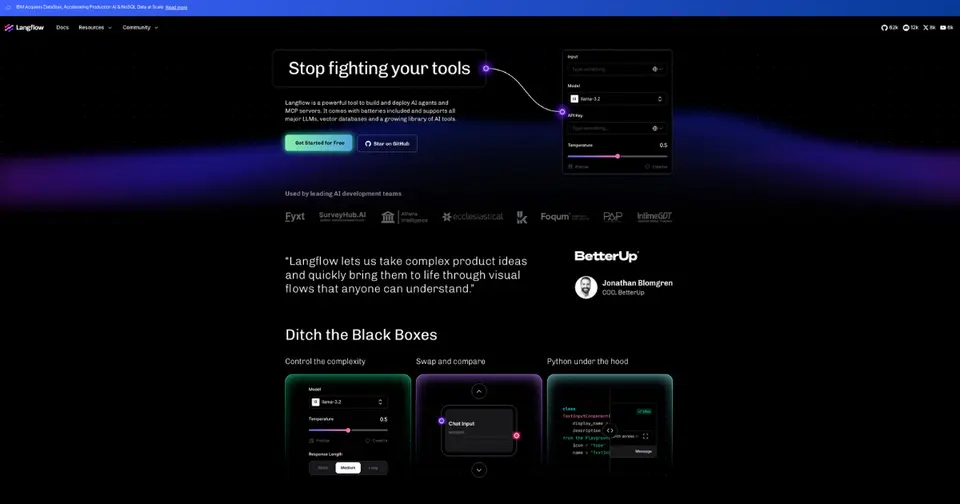
Langflow is a free, open-source canvas for building AI agents. Drag components on, connect them up, test the result in a playground, then run it through an API or expose it as an MCP server. It's Python underneath, so developers can change anything. There's no hosted version to sign up for, though, so you run it yourself and bring your own model keys.
Who Langflow is for
- Great if you're a developer sketching out agent or RAG apps on a canvas
- Handy when your team wants to self-host a builder under an MIT license
- Good for turning a flow into an API endpoint or an MCP tool for another app
Who Langflow is not for
- Skip it if you want to sign up and build in the cloud, as the docs cover only installs you run yourself
- Not for you if you expect email support, because help comes through GitHub and the community unless you pay IBM
- Tight if you're on an Intel Mac, where the components that depend on PyTorch are limited or unavailable
Why Langflow gets a 3.2
Five grades, each with its reason. The GPA is their average: an A is 4 points, an F is none.
- AValue for moneyIt costs nothing. The whole application is MIT licensed and free to run. The only thing on sale is optional IBM support for teams running it themselves, at a custom price, and that buys support, not software. Model access is yours to pay for.
- AFree plan and trialThe full application is free, whether you run Langflow Desktop, the Docker image or the Python package. Nothing is held back for a paid tier. You supply the computer it runs on and the model access.
- AFeaturesBuild a flow by dragging components onto a canvas and connecting them, then test it in the playground. Agents can use other components and whole flows as tools. Flows run through an API or as MCP tools, and since components are Python you can edit them or write your own.
- DEase of useYou host it yourself. The docs cover only installs you look after: Langflow Desktop, Docker, the Python package or Kubernetes. Desktop does make a solo start on a Mac or Windows PC fairly painless. You still bring your own model keys, and anything for a team is yours to deploy.
- BPlatforms and integrationsA desktop app for Mac and Windows, Docker or Python anywhere else, and you work in a browser. It connects to OpenAI, Anthropic, Ollama, Pinecone, Notion and Slack, with an API and MCP in both directions. No phone app is listed.
What these grades rest on. Graded from this listing, whose facts were read from Langflow's own pages on 9 October 2026. Not based on using the product, and shorter than our full reviews. How we review and grade.
Make Langflow? Put this grade on your site

Paste this where you want the badge. It links here and follows the grade if it changes. About badges
<a href="https://toolgpa.com/tools/langflow#review"><img src="https://toolgpa.com/badge/langflow.svg" alt="Langflow: 3.2 GPA on ToolGPA" width="196" height="56"></a>What is Langflow?
Langflow is an open-source, Python-based tool for building AI agents, retrieval (RAG) applications and other LLM workflows by connecting components on a visual canvas. Flows are tested in a built-in playground, then run through an API, exported for Python apps or exposed as MCP servers. It is MIT licensed and free to run with Langflow Desktop, Docker or a Python package, and IBM sells an optional support subscription for teams that run it themselves.
Langflow has a free plan. See every plan
Good for
- Developers prototyping agent and RAG applications on a canvas
- Teams that want to self-host an MIT-licensed builder
- Turning flows into API endpoints or MCP tools for other applications
Worth knowing
- The docs cover only self-managed installs: Desktop, Docker, the Python package or Kubernetes. The homepage mentions a free cloud account but links no sign-up.
- Langflow Desktop is for macOS 13 or later and Windows, and lacks some features such as the Shareable Playground and Voice Mode.
- On Intel Macs, the ML and AI components that depend on PyTorch are limited or unavailable.
- The team gives no individual support by email: help comes through GitHub and community channels unless you subscribe to IBM Elite Support.
Key features
- Visual flow editor
- A flow is built by dragging component nodes onto a canvas and connecting them. Each component is one step, with parameters you fix or override at run time.
- Playground
- Test a flow and see its logic and responses in real time without building the rest of the application, or run a single component on its own.
- Agents and tools
- Agent components can call other components and whole flows as tools, running as a single agent or as several working together.
- MCP server and client
- Flows can be exposed as tools through Langflow's MCP server, and Langflow can connect to external MCP servers as a client.
- API and deployment
- Flows run from your own code through the Langflow API or are exported as JSON. The docs cover Docker, Kubernetes, remote servers and cloud providers.
- Custom Python components
- Components are written in Python, so you can edit the ones provided, write your own or install components shared by other users.
Langflow pricing
- Starts at
- Not published
- Free plan
- The whole application is open source under the MIT license and free to run with Langflow Desktop, Docker or the Python package. You supply the infrastructure and the model access.
- Free trial
- None listed
| Plan | Price | What you get |
|---|---|---|
| Langflow OSS | Free | The full MIT-licensed application, run with Langflow Desktop on macOS or Windows, a Docker image or the Python package. |
| IBM Elite Support for Langflow | Custom | Optional subscription to IBM technical support for open-source deployments you run yourself. It covers support only and includes no software license. |
Read from langflow.org on Oct 9, 2026. Prices change, so confirm with Langflow before you buy.
Works with
Langflow alternatives
- Langflow vs Dify
Free plan · from $590/yr
- Langflow vs Sim
Free plan · from $21.25/mo
- Langflow vs n8n
Free plan · from €20/mo
- Langflow vs MindStudio
Free plan · from $16/mo
- Langflow vs Gumloop
Free trial · from $37/mo





Common questions
Is Langflow free?
Langflow has a free plan. The whole application is open source under the MIT license and free to run with Langflow Desktop, Docker or the Python package. You supply the infrastructure and the model access.
How much does Langflow cost?
Langflow lists 2 plans. Langflow OSS: Free. IBM Elite Support for Langflow: custom pricing. Prices were read from langflow.org on Oct 9, 2026.
What platforms does Langflow work on?
Langflow is available on Web, macOS, Windows and Linux.
Does Langflow have an Android app?
No Android app was listed when its pages were read on Oct 9, 2026. Langflow is listed for Web, macOS, Windows and Linux.
Does Langflow have an iPhone app?
No iPhone app was listed when its pages were read on Oct 9, 2026. Langflow is listed for Web, macOS, Windows and Linux.
Is Langflow open source?
Yes. Langflow is open source, according to its own site. It can also be run on a server of your own.
Does Langflow have an API?
Yes. Langflow offers a public API, according to its own site.
What does Langflow integrate with?
Langflow's listing names OpenAI, Anthropic, Ollama, Amazon Bedrock, Pinecone, MongoDB, Notion and Slack. A listing names up to eight integrations, so it may connect to more.
Who makes Langflow?
Langflow is made by Langflow (IBM).
What are the alternatives to Langflow?
The closest alternatives to Langflow in our directory are Dify, Sim, n8n, MindStudio and Gumloop. Each one has a side-by-side comparison with Langflow.
Sources for this page
The prices, plans, platforms and features above were read from these pages on Oct 9, 2026.
- langflow.org/
- langflow.org/desktop/
- langflow.org/contact-us/
- docs.langflow.org/
- docs.langflow.org/get-started-installation
- docs.langflow.org/deployment-overview
- docs.langflow.org/macos-support
- docs.langflow.org/contributing-github-issues
- docs.langflow.org/luna-for-langflow
- ibm.com/docs/en/esfl?topic=elite-support-langflow-specification
- github.com/langflow-ai/langflow