The Obsidian Insider’s Guide
Everything we know about Obsidian in one document: what it costs, its grades, getting a refund, getting help and what else to look at. Read it here, or keep a copy.
Obsidian
The Insider’s Guide
Markdown note-taking app that keeps your files on your device
Every plan, grade, refund rule and rival among note-taking apps, read from Obsidian’s own pages.
Made by Dynalist Inc. · checked Oct 4, 2026 · toolgpa.com

Contents
- 01WelcomeWhat it is, who it suits, its grades and the ten things to know first
- 02Insider tipsWhat most people miss: ways to pay less, settings worth changing and the catches
- 03What it costsEvery plan, the free plan, ways to pay less and how prices have moved
- 04What it doesIts main features, where it runs, what it works with and who makes it
- 05Where it standsIts grades against its category, and whether to keep it or make your own
- 06After you payGetting your money back, getting out, and getting help
- 07The alternativesThe tools it is most often weighed against, side by side
- 08Quick answersThe questions people ask about it, each answered in a line or two
- 09About ToolGPAWho made this guide, what else is on the site, and how to cite it
ToolGPA put this guide together from Obsidian’s own pages, its app-store listings and our grades. Every fact in it is on Obsidian’s page too, where it is kept up to date. Checked Oct 4, 2026.
Part 01 · Overview
Welcome
What it is, who it suits, its grades and the ten things to know first
3.6
GPA, above 144 of the 147 other note-taking apps we grade
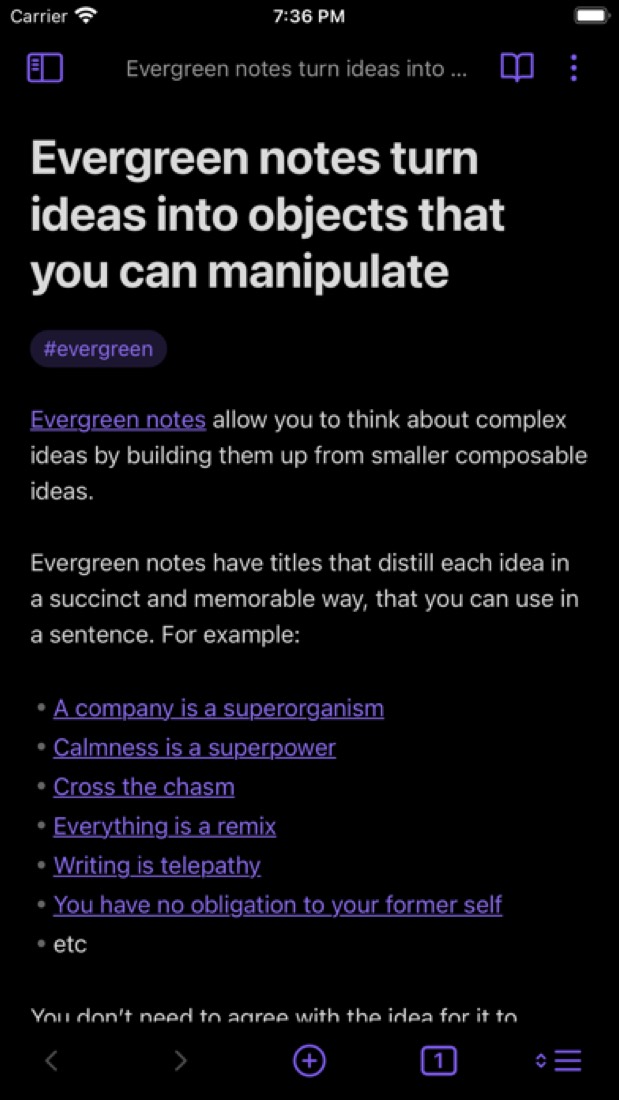
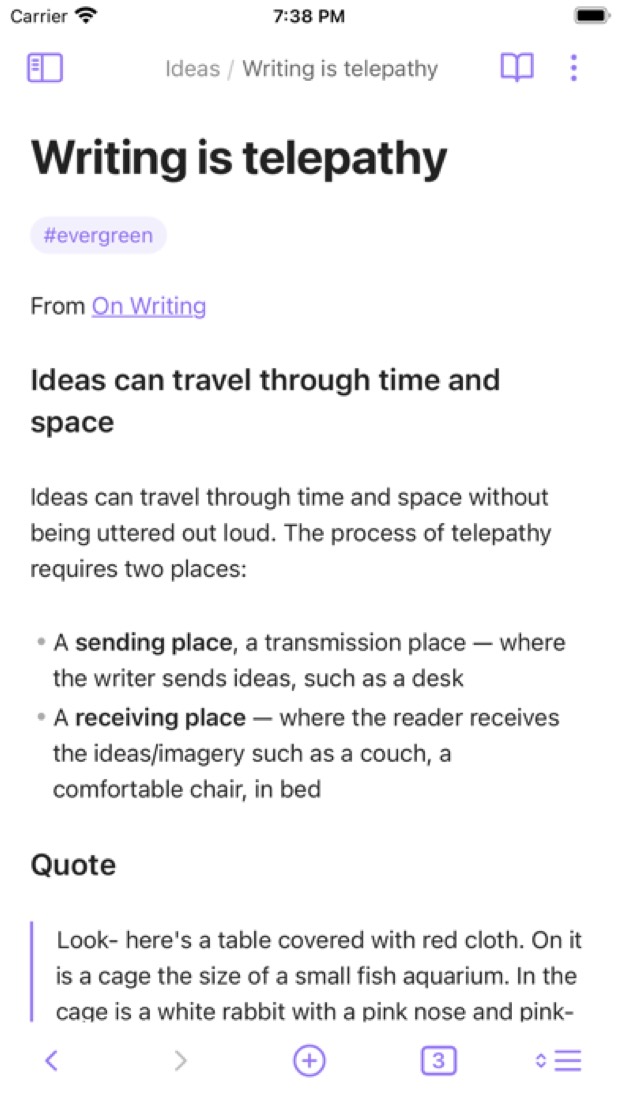
Obsidian is a note-taking app that stores notes as plain Markdown files on your own device. Notes link to each other, and a graph view and an infinite canvas help map how ideas connect. The app itself is free for personal and work use; syncing between devices and publishing notes to the web are paid add-ons.
To get you started, here are 10 things to know about Obsidian, taken from its own pages and our grades.
But it starts as an empty folder and takes a while to learn, there's no web app, and the phone app is weaker than the desktop one.
- 1
Best for notes you own as plain files
Obsidian keeps your notes as plain Markdown files on your own device, and the app itself is free with no sign-up.
- 2
Paid plans start at $4 a month for each person
As its pricing page puts it: $4 per user / month, billed annually (Sync Standard add-on).
- 3
There is a free plan
The app is free without limits on desktop and mobile, with no sign-up, and a commercial license is not required for work use. Sync and Publish are optional paid add-ons.
- 4
It runs on 5 platforms
macOS, Windows, Linux, iOS and Android, with a browser extension too.
- 5
Local Markdown files
Notes are saved on your device as plain-text Markdown files, so they stay readable in other editors and available offline.
- 6
Links and graph view
Notes link to one another, and a graph view draws the relationships between them so related ideas are easier to find.
- 7
Canvas
An infinite board for laying out notes, diagrams and research side by side while brainstorming.
- 8
Refunds: 7 days
Seven days to get all your money back on Sync or Publish, no questions asked, and you do it yourself from your account. On its own that would be a B.
- 9
A 3.6 GPA, above 144 of 147
That is against the other note-taking apps we grade, on value, the free plan, features, ease of use and platforms.
- 10
Keep it
The plain part of Obsidian you could make: notes, Markdown and linked notes. What surrounds it you could not. The 5 things listed below take a company, not a weekend.
Obsidian at a glance
- Pricing
- Free plan, from $4 per user / month, billed annually (Sync Standard add-on)
- Free plan
- Yes
- Free trial
- None stated
- Runs on
- macOS, Windows, Linux, iOS, Android, Browser extension
- Made by
- Dynalist Inc., since 2020
- Category
- Note-Taking Apps
- Our grade
- 3.6 GPA, excellent
- Store rating
- 4.5 on the App Store, 2,738 ratings
The report card
Best for notes you own as plain files
Obsidian keeps your notes as plain Markdown files on your own device, and the app itself is free with no sign-up. But it starts as an empty folder and takes a while to learn, there's no web app, and the phone app is weaker than the desktop one. Getting notes onto your phone means $4 a month for Sync, or setting up iCloud or Dropbox yourself and living with the odd stuck file.
| Subject | Grade | Comment |
|---|---|---|
| Value for money | A | The app is free in full, in a category whose middle plan is $6 a month. Sync is $4 a month on yearly billing ($5 monthly), which is mid-pack here, and Publish is $8 a site on top. Past 1 vault or 1 GB you need Sync Plus at $8. |
| Free plan and trial | A | The whole app is free, with no account, no cap on notes, vaults or devices, and no license needed for work. Money buys sync and publishing only. You can sync yourself with iCloud or Dropbox, though reviewers report stuck files that way. |
| Features | A | Linked notes with a graph view, an infinite canvas, local Markdown files and a web clipper, plus thousands of community plugins and themes on an open API, more than Logseq or Anytype list. Sync and publishing cost extra, and there's no web app. |
| Ease of use | B | 4.5 from about 2,700 App Store ratings, which is the B band. That score is for the phone app, the weaker side of it. And you do start with an empty folder: even people who give it five stars say it took a while to get comfortable. |
| Platforms and integrations | B | Mac, Windows, Linux, iPhone and Android, plus a web clipper for four browsers. No web app at all, which is what keeps it off an A, and the listing shows no integrations beyond the clipper and Git-style file sync. |
An A is worth 4 points, a B 3, a C 2, a D 1 and an F nothing. The GPA is the average of the five.
Who Obsidian is for
- Fits if you want your notes as plain Markdown files in a folder you control
- Works for people who are offline a lot, since everything lives on the device
Who it is not for
- Skip it if you want a notes app that works on day one, as you start with an empty folder
- Not for you if you need your notes in a browser, since there's no web app at all
- Tight if you want phone and laptop in sync for free: Sync is $4 a month, or you set up iCloud or Dropbox
- Not for you if you mostly write on an iPhone or iPad, where reviewers report slow opening and crashes
- Watch out: Sync at $4 is 1 vault, 1 GB and 5 MB files, Sync Plus is $8, and a published site is $8 more
Good to know
Good for
- People who want their notes as plain Markdown files they control
- Building a linked personal knowledge base that works offline
- Users who like to customize an app with plugins and themes
Worth knowing
- There is no web app; Obsidian runs as desktop and mobile apps only.
- Obsidian Sync is a paid add-on, from $4 per user / month billed annually.
- Sync Standard covers 1 vault with 1 GB of storage and a 5 MB file size limit; larger limits need Sync Plus.
- Publishing notes to the web is billed separately from Sync, at $8 per site / month on annual billing.
What people say
- 4.5on the App Store, from 2,738 ratings
What they like
- Commenters value that notes are ordinary Markdown files in a folder they control, saying it keeps them from being tied to the app and lets them use Git or other editors.
- Community plugins come up in reviews across several years as the way people adapt the app to how they work.
- Linking notes to each other is mentioned by reviewers and commenters as part of how they organise their ideas.
What they don’t
- Several reviewers are less happy with the iPhone and iPad app than with the desktop one, with slow start-up and crashes among the complaints.
- Syncing between devices draws complaints, from not wanting to pay for the official service to stuck files or a difficult setup with iCloud or Dropbox.
- A learning curve is mentioned even by reviewers who rate it highly, who say it takes time to get comfortable with.
10 App Store reviews, six of them more than three years old, and 18 Hacker News comments from August and September 2026
Part 02 · Tips
Insider tips
What most people miss: ways to pay less, settings worth changing and the catches
7
Things most people miss, each from its own help pages
The things about Obsidian that are easy to miss until they cost you: ways to pay less, settings worth changing and the catches at renewal or when you leave. Each one is from Obsidian’s own pages, linked beside it.
Read on Oct 17, 2026. Read from Obsidian's help pages (Sync security, settings, FAQ and shared vaults, File recovery, the Quick switcher and plugin security) on 17 October 2026. Not tried out: these tips are what its own pages say.
- 1
Privacy
Write down your Sync encryption password: nobody can reset it
Remote vaults are end-to-end encrypted by default and the password isn't stored anywhere, so a forgotten one is gone for good. Fixing that means a new remote vault and reconnecting every device. You can also pick the server region (Asia, Europe, North America or Oceania) instead of Automatic.
obsidian.md - 2
Setting
Sync leaves out some files and every plugin until you tick them
Out of the box, Sync copies images, audio, video and PDFs along with your notes. Other file types need Sync all other types, and community plugins need their own toggles under Vault configuration sync. These settings don't sync, so set them on each device.
obsidian.md - 3
Setting
Don't keep a Sync vault inside iCloud, Dropbox or OneDrive
Obsidian doesn't recommend running another sync service alongside Sync. Files on-demand in Dropbox and OneDrive can make Sync think files were deleted. And Sync only runs while Obsidian is open, not in the background.
obsidian.md - 4
Setting
File recovery only keeps 7 days of snapshots unless you change it
The File recovery core plugin saves snapshots of your notes at least 5 minutes apart and deletes them after 7 days. Change both in Settings, Core plugins, File recovery. Snapshots stay on each device and don't sync, so it isn't a full backup.
obsidian.md - 5
Shortcut
Cmd+O finds a note, and Enter makes it if it doesn't exist
Ctrl+O, or Cmd+O on a Mac, opens the Quick switcher. Type a name and press Enter to make the note when nothing matches, or Shift+Enter to make one with that exact name anyway. Ctrl or Cmd+Enter opens the pick in a new tab.
obsidian.md - 6
Easy to miss
Everyone in a shared vault needs their own Sync plan
Obsidian's help says all collaborators must have an active Sync subscription, with up to 20 people on one shared vault. Only the owner can invite. Everyone else gets the same access, since finer permissions aren't supported yet.
obsidian.md - 7
Privacy
Community plugins get your files and the internet, so pick with care
Restricted mode stays on until you switch it off, and that's on purpose. Plugins can read files on your computer, connect to the internet and install programs. Obsidian scans every version automatically, but only popular, featured and flagged plugins get a manual review.
obsidian.md
Part 03 · Pricing
What it costs
Every plan, the free plan, ways to pay less and how prices have moved
$4
A month to start, for each person. There is a free plan too
Obsidian has a free plan. Paid plans start at $4 per user / month, billed annually (Sync Standard add-on).
The whole app is free, with no account, no cap on notes, vaults or devices, and no license needed for work.
Obsidian app
$0
The full app with local Markdown notes, links, graph, canvas, plugins and themes. No account needed.
Sync Standard
$4
per user / month, billed annually ($5 billed monthly)
Encrypted sync for 1 vault with 1 GB of storage, a 5 MB maximum file size and 1 month of version history.
Sync Plus
$8
per user / month, billed annually ($10 billed monthly)
Sync for 10 vaults with 10 GB of storage (upgradable to 100 GB), 200 MB maximum file size and 12 months of version history.
Publish
$8
per site / month, billed annually ($10 billed monthly)
Publishes selected notes as a website with a custom domain, password protection, graph view and full-text search.
Catalyst
$25
one-time payment
Optional supporter license with early access to beta versions, community badges and exclusive channels.
Commercial
$50
per user / year
Optional license for organizations that want to support development. It is not required to use Obsidian at work.
The free plan
The app is free without limits on desktop and mobile, with no sign-up, and a commercial license is not required for work use. Sync and Publish are optional paid add-ons.
Read from obsidian.md on Oct 4, 2026.
Ways to pay less
Annual discount
20% lower price with annual billing
Sync is $4 per user / month billed annually versus $5 billed monthly, and Publish is $8 per site versus $10: a 20% saving on each.
Stated on obsidian.mdEducation
40% off Sync and Publish for students and faculty
Students and faculty members of schools and universities can apply for 40% off Obsidian Sync and Publish from their account dashboard, using a school email.
Stated on obsidian.mdNonprofit
40% off Sync and Publish for nonprofits
People who run or work at a nonprofit organization can apply for 40% off Obsidian Sync and Publish, using their organization email.
Stated on obsidian.md
How its prices have moved
- Apr 1, 2024Sync Standard: new, $4 per user / month, billed annually ($5 billed monthly)The archived copy of Obsidian's Sync page of 1 April 2024 shows a new Sync Standard plan at $4 beside Sync Plus at $8; the copy before it, of 4 February 2024, shows a single Sync plan at $8. The cheaper plan arrived between the two.
- Jun 9, 2023Publish: $16 per site / month, billed annually → $8 per site / month, billed annuallyThe archived copy of 9 June 2023 shows Publish at $8 per site a month on annual billing; the copy before it, of 2 April 2023, shows $16. The price changed between the two.
Part 04 · Features
What it does
Its main features, where it runs, what it works with and who makes it
6
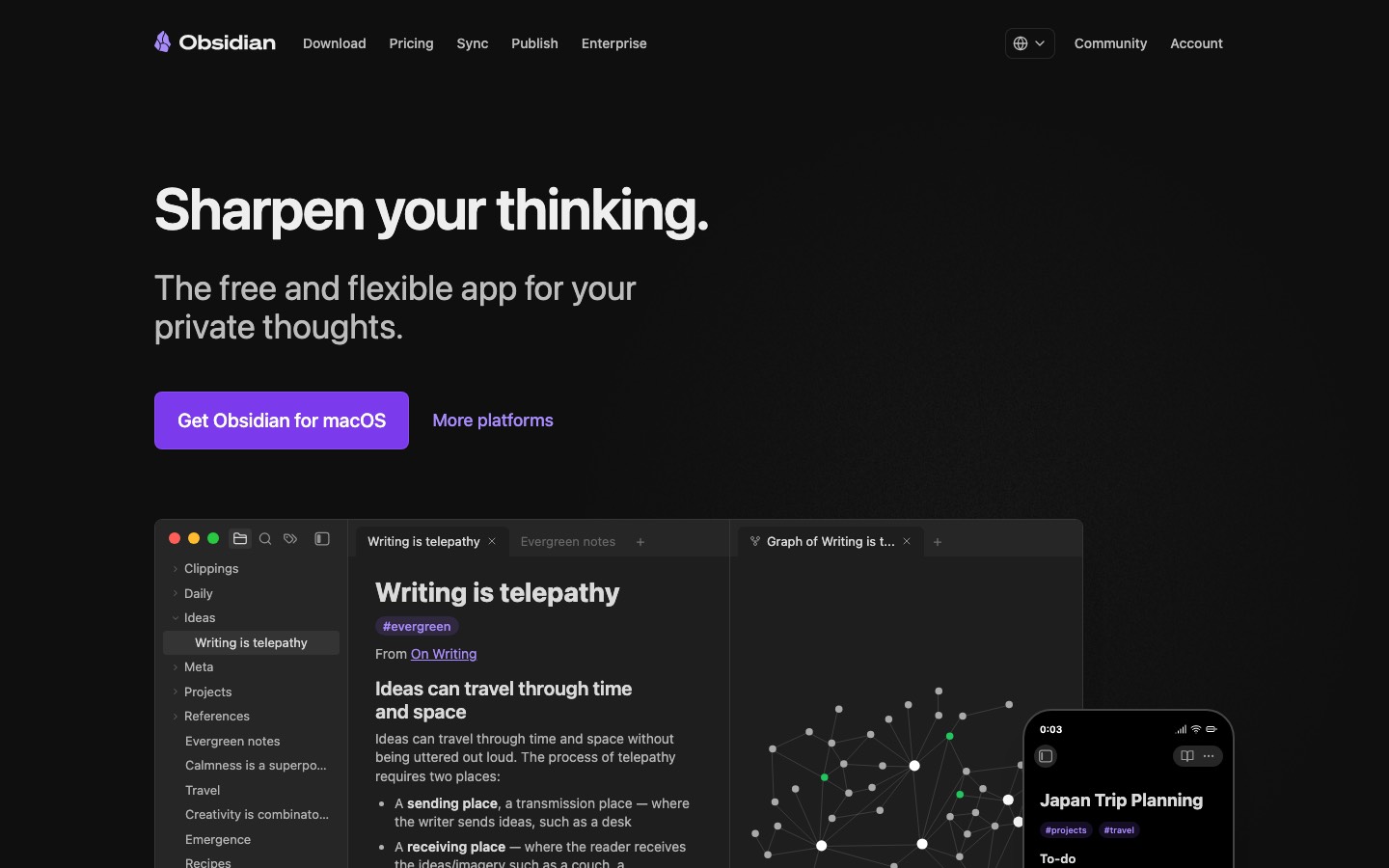
Places it runs: macOS, Windows, Linux, iOS, Android and Browser extension
Markdown note-taking app that keeps your files on your device. Here is what it does, as its own site describes it, and what it covers: works offline, local-first, end-to-end encrypted, notes, Markdown, linked notes, whiteboard.
Sync and publishing cost extra, and there's no web app.
- Local Markdown files
- Notes are saved on your device as plain-text Markdown files, so they stay readable in other editors and available offline.
- Links and graph view
- Notes link to one another, and a graph view draws the relationships between them so related ideas are easier to find.
- Canvas
- An infinite board for laying out notes, diagrams and research side by side while brainstorming.
- Plugins and themes
- Thousands of community plugins and themes, built on an open API, change how the app looks and behaves.
- Sync (paid add-on)
- End-to-end encrypted sync across devices with version history and shared vaults that update in real time for a team.
- Publish and Web Clipper
- Publish turns notes into a hosted site, priced per site. The Web Clipper extension saves web pages from Chrome, Safari, Firefox and Edge.
Where it runs
- macOS
- Windows
- Linux
- iOS
- Android
- Browser extension
What it works with
Its own pages name no integrations.
Who makes Obsidian
Obsidian is made by Dynalist Inc., a small team that says it is paid for by its users rather than investors. The app is free to use; the company earns money from Sync and Publish subscriptions and from optional Catalyst and Commercial licenses.
- Ownership
- Privately held. Its About page says Obsidian is independent and 100% supported by its users, not investors. Its privacy policy names Dynalist Inc. as the company that develops Obsidian.obsidian.md
- Funding
- No outside investors: its About page says Obsidian is 100% supported by its users, not investors, and its pricing page calls it 100% user-supported.obsidian.mdobsidian.md
- Team
- A small team, in its own words, with help from contributors and volunteersobsidian.md
- Founders and leaders
- Steph Ango, CEOobsidian.md
- Shida Li, Co-founder, CTOobsidian.md
- Erica Xu, Co-founder, COOobsidian.md
- Lately
- Obsidian 1.14 Desktop (Public) · Oct 5, 2026
- Obsidian 1.14 Mobile (Public) · Oct 5, 2026
- Obsidian Sync audits by Cure53 and Trail of Bits · May 13, 2026
- The future of Obsidian plugins · May 12, 2026
Read on Oct 18, 2026 from the company’s own pages and from news reports. What is not stated there is left out.
Part 05 · Standing
Where it stands
Its grades against its category, and whether to keep it or make your own
144/147
Other note-taking apps it is graded above
Obsidian's GPA of 3.6 is higher than 144 of the 147 other note-taking apps we grade, and level with 2.
It stands best on features (A, above 135 of 147) and worst on ease of use (B, above 47).
Its paid plans start at $4 a month for each person, against a middle price of $5.83 for the category: 24 of the 66 others that charge start lower.
On features, ease of use and platforms it scores 3.3 out of 4. 4 tools score higher and cost less.
Each grade against the category
Every bar is all 148 note-taking apps we grade, cut by the letter each got. Obsidian’s own letter is outlined.
- AValue for moneyAbove 62 of 147
- AFree plan and trialAbove 100 of 147
- AFeaturesAbove 135 of 147
- BEase of useAbove 47 of 147
- BPlatforms and integrationsAbove 86 of 147
Price against what you get
Each dot is one of 103 note-taking apps. Further left costs less; higher up scores better on features, ease of use and platforms. Obsidian is the marked dot.
What paid plans start at, a month (each step along is roughly double) →
Keep it, or make your own?
Whether this is something you could build for yourself with an AI app builder, and what you would give up.
Keep it
The plain part of Obsidian you could make: notes, Markdown and linked notes. What surrounds it you could not. The 5 things listed below take a company, not a weekend.
It is one of the better ones too: its GPA of 3.6 is higher than 144 of the 147 other note-taking apps we grade. It costs $48 a year.
What you could make
- Notes, Markdown and linked notes: an app builder makes these well.
What you could not
- An endless canvas that stays smooth with hundreds of things on it.
- Apps for macOS, Windows, Linux, iOS and Android that stay in step with each other.
- It is priced for each person, which means accounts and billing for a team.
- End-to-end encryption done properly.
- The depth: we grade its features A, which means it covers the whole job.
What this rests on. Obsidian’s listing: what it does, where it runs, what it plugs into and what it costs. It is a judgement about the kind of software this is. We have not built a replacement for it, and making your own means looking after it too. How we decide, and every tool’s verdict.
Part 06 · Refunds
After you pay
Getting your money back, getting out, and getting help
What happens once you have paid: whether you can get your money back, how to leave, and how to reach a person when something goes wrong. Each is graded from Obsidian’s own terms and help pages.
Refunds and cancelling
Ordinary · checked Oct 12, 2026
Seven days to get all your money back on Sync or Publish, no questions asked, and you do it yourself from your account. On its own that would be a B. But the help pages never say how to stop a renewal once the week is up, and the terms call every fee non-refundable, so we're holding it at a C. Your notes stay on your own devices either way.
- Refund window
- 7 days
- How you cancel
- See below
- Getting your money back
The refund policy page offers a full refund within 7 days of purchase, no questions asked, on Obsidian Sync and Obsidian Publish, requested in the Obsidian account under Billing, then Invoices and refunds. Catalyst and Commercial licenses and Obsidian Credit are not refundable. Later refunds are for exceptional circumstances, by email. The terms call all fees non-refundable; this entry follows the refund policy page.
Stated on obsidian.md- How to cancel Obsidian
No help page read says how to end a subscription or switch off auto-renewal outside the refund window. The refund policy page says that taking a refund, from the account's Billing section, removes the service and cancels any auto-renewal. The Sync help says plans are changed from the account dashboard.
Stated on obsidian.md- What you keep afterwards
The Sync FAQ says data in remote vaults, including version history, is kept for one month after a subscription expires, and that renewing within that month should leave your usage unaffected. If a subscription is refunded, the data is deleted from the Sync servers immediately. In both cases the local vaults on your devices are not affected.
Stated on obsidian.md- Renewals
The refund policy page refers to auto-renewals, which a refund cancels, and the page on Obsidian Credit says credit is applied before any payment is due, including auto-renewals. The refund window is stated as 7 days from purchase; the page does not say whether a renewal counts, and mentions no reminder before one.
Stated on obsidian.md
In your favour
- Sync and Publish come with a full refund for 7 days, no questions asked.
- You ask for the refund yourself in your account, under Billing.
- The vaults on your own devices aren't touched when a subscription ends or is refunded.
- Remote vaults are kept for a month after a subscription lapses, so a late renewal picks up where it left off.
Watch out for
- Seven days is short, and it covers Sync and Publish only.
- Catalyst and Commercial licences and Obsidian Credit can't be refunded at all.
- Taking a refund deletes what's on the Sync servers straight away.
- No help page says how to switch off auto-renewal once the first week has passed.
Customer support
Ordinary · checked Oct 12, 2026
Obsidian is mostly free, and its support is built to match: a forum, a Discord server and help pages in more than 30 languages do most of the work. Email is there, but only for account, payment, licence, Sync and Publish questions. Nothing says how fast they answer, even with priority support listed on the paid add-ons. That's a C.
Ways to get help
Email
Email support is offered only for questions about commercial licenses, your account, payment, and the Sync and Publish add-ons. The help page links the address.
Stated on obsidian.mdHelp centre
Obsidian Help, a written manual covering the app, Sync, Publish, licenses and payment, offered in more than 30 languages.
Stated on obsidian.mdCommunity or forum
A forum and a Discord server for questions and advice. Bug reports and feature requests go to their own sections of the forum.
Stated on obsidian.md
Not listed on Obsidian’s pages: live chat, phone.
- When people answer
Its pages do not say.
- How fast it says it replies
Its pages do not say.
- What depends on your plan
The pricing page lists Priority support among what Sync and Publish each include, and the Publish page calls it priority email support. For everyone else, the help and support page limits email to account, payment and license matters and points product questions to the forum and Discord.
Stated on obsidian.md
In your favour
- Sync and Publish subscribers are listed as getting priority support by email.
- The forum has its own sections for bug reports and feature requests.
- The help pages come in more than 30 languages.
Watch out for
- If you only use the free app, there's no email support for questions about the app itself.
- No page says when support works or how fast it replies, priority or not.
- There's no live chat and no phone line on any of the pages we read.
What these two grades rest on. Read on 12 October 2026: Obsidian's terms of service, its pricing, Sync and Publish pages, and its help pages on refunds, Obsidian Credit, Sync plans, the Sync FAQ and help and support. None of them says how a subscription is ended outside the refund window. Nobody here cancelled a plan or contacted its support. They are graded apart from the five that make the GPA. How we grade refunds and support.
Part 07 · Alternatives
The alternatives
The tools it is most often weighed against, side by side





Logseq, Anytype, Notion, Roam Research and Capacities
The 5 tools Obsidian is most often weighed against, with where each one differs from it.
- 3.0GPA
Logseq
Free plan · from $5/mo
Open-source outliner for linked notes stored as local files.
- Only Obsidian lists a browser extension.
- Only Logseq lists a web app.
- Obsidian is end-to-end encrypted, according to its own site.
- 2.6GPA
Anytype
Free plan · from $4/mo
Local-first, end-to-end encrypted workspace for notes and data.
- Only Obsidian lists a browser extension.
- Anytype is self-hostable, according to its own site.
- Obsidian also covers Markdown, linked notes and whiteboard.
- 3.2GPA
Notion
Free plan · from $10/mo
Workspace for docs, wikis, databases and projects with built-in AI.
- Only Obsidian lists a Linux app.
- Only Notion lists a web app.
- Obsidian is end-to-end encrypted, according to its own site.
- 2.0GPA
Roam Research
Free trial · from $15/mo
Outliner for networked notes with bidirectional links.
- Obsidian has a free plan. Roam Research does not, though it has a free trial.
- Only Obsidian lists Windows, Linux and Android apps.
- Only Obsidian lists a browser extension.
- 2.6GPA
Capacities
Free plan · from $9.99/mo
Object-based note-taking app with daily notes and backlinks.
- Only Capacities lists a web app.
- Obsidian is end-to-end encrypted, according to its own site.
- Obsidian also covers Markdown and whiteboard.
Part 08 · Questions
Quick answers
The questions people ask about it, each answered in a line or two
19
Questions, each answered in a line or two
The short version of everything above, for when you only need the answer. Each one is told in full in its part of the guide.
Is Obsidian free?
Obsidian has a free plan. The app is free without limits on desktop and mobile, with no sign-up, and a commercial license is not required for work use.
How much does Obsidian cost?
Obsidian lists 6 plans. Obsidian app: $0.
What platforms does Obsidian work on?
Obsidian is available on macOS, Windows, Linux, iOS and Android. It also has a browser extension.
Does Obsidian offer any discounts?
Obsidian publicly lists the following: 20% lower price with annual billing; 40% off Sync and Publish for students and faculty; 40% off Sync and Publish for nonprofits.
How is Obsidian rated?
Obsidian's iPhone and iPad app averages 4.5 out of 5 from 2,738 ratings on the App Store in the United States, as read on Oct 5, 2026.
Is Obsidian any good?
We have not tested Obsidian, so this is what reviewers say. Often praised: Commenters value that notes are ordinary Markdown files in a folder they control, saying it keeps them from being tied to the app and lets them use Git or other editors.
Is Obsidian open source?
Obsidian is not described as open source on its own site, as read on Oct 4, 2026.
Is Obsidian end-to-end encrypted?
Obsidian describes itself as end-to-end encrypted on its own site. Nobody here has audited that.
Does Obsidian work offline?
Yes, according to its own site. What works without a connection differs by plan and platform, so check the vendor's page for the detail.
Does Obsidian have a student discount?
40% off Sync and Publish for students and faculty. Students and faculty members of schools and universities can apply for 40% off Obsidian Sync and Publish from their account dashboard, using a school email.
Who makes Obsidian?
Obsidian is made by Dynalist Inc. Its About page says Obsidian is independent and 100% supported by its users, not investors.
What are the alternatives to Obsidian?
The closest alternatives to Obsidian in our directory are Logseq, Anytype, Notion, Roam Research and Capacities.
Does Obsidian give refunds?
The refund policy page offers a full refund within 7 days of purchase, no questions asked, on Obsidian Sync and Obsidian Publish, requested in the Obsidian account under Billing, then Invoices and refunds.
How do I cancel Obsidian?
No help page read says how to end a subscription or switch off auto-renewal outside the refund window.
What happens to my data if I cancel Obsidian?
The Sync FAQ says data in remote vaults, including version history, is kept for one month after a subscription expires, and that renewing within that month should leave your usage unaffected.
How do I contact Obsidian support?
Obsidian's pages list these ways to get help: email, help centre and community or forum.
How does Obsidian compare with other note-taking apps?
Obsidian's GPA of 3.6 is higher than 144 of the 147 other note-taking apps we grade, and level with 2.
Is Obsidian good value for money?
ToolGPA grades Obsidian A for value for money. Its paid plans start at $4 a month for each person, against a middle price of $5.83 for the category: 24 of the 66 others that charge start lower.
Could I make my own version of Obsidian?
The plain part of Obsidian you could make: notes, Markdown and linked notes.
Where this guide comes from
The prices, plans, platforms and features were read from Obsidian’s own pages on Oct 4, 2026, and the grades were given on Oct 10, 2026. Based on Obsidian's home, pricing, download, Sync, Publish and help pages as of 8 October 2026, its App Store reviews and Hacker News threads about it. Also tested with a demo account on 2026-05-11.
Every tool we list gets five grades, A to F, each with its reason, and a GPA that averages them. How each is decided is at toolgpa.com/grades. This guide is ToolGPA’s own work; it is not made, paid for or approved by Dynalist Inc. Prices change, so check obsidian.md before you buy.
Part 09 · About
About ToolGPA
Who made this guide, what else is on the site, and how to cite it
3,189
Tools graded, in 94 categories
ToolGPA grades software the way a school report grades a pupil: five subjects, a letter for each with the reason written beside it, and a GPA that averages them. Prices, plans and platforms are read from each maker’s own pages and dated, so you always know how fresh a figure is.
Every grade, review and ranking on ToolGPA is our own judgement. No company can pay for a grade or change one. Every tool on the site has a guide like this one, free to download and pass on. It all lives at toolgpa.com.
3,189
tools graded
94
categories
426
price changes on record
579
apps priced in 12 countries
What else is on toolgpa.com
- Obsidian, kept up to dateEverything in this guide, with prices and grades as they are todaytoolgpa.com/tools/obsidian
- How grades are givenThe rules behind every letter and every GPAtoolgpa.com/grades
- Value chartsWhat each tool costs against what it scores, for every categorytoolgpa.com/charts
- CompareAny two tools side by side, plan by plantoolgpa.com/compare
- Price changesEvery price rise and cut on record, each with its sourcetoolgpa.com/price-changes
- Prices by countryWhat apps cost on the App Store in 12 countriestoolgpa.com/prices-by-country
- Pay lessEvery public discount: yearly billing, students, nonprofitstoolgpa.com/save
- Keep or makeWhich tools are worth paying for, and which you could build yourselftoolgpa.com/keep-or-make
Scan for the live page
Prices and grades as they are today
Quoting this guide?
Please name ToolGPA and link to the live page, so readers can check the figures for themselves:
ToolGPA, "Obsidian: The Insider's Guide", checked Oct 4, 2026. https://toolgpa.com/tools/obsidian
Know someone choosing between note-taking apps?
Send them this guide: toolgpa.com/tools/obsidian/guide
ToolGPA elsewhere: youtube.com/@toolgpa
See our other guides
The best-graded note-taking apps after Obsidian, each with an Insider's Guide of its own.
- Note-Taking Apps Insider's GuideEvery one of the 148 note-taking apps we grade, compared
- Microsoft OneNote Insider's GuideMicrosoft's free digital notebook for typed, inked and audio notes3.8 GPA
- Goodnotes Insider's GuideHandwritten notes, PDF markup and whiteboards with an AI assistant3.6 GPA
- Joplin Insider's GuideOpen source Markdown notes with sync through a service you choose3.6 GPA



Choosing software? Every tool graded, every price dated.
Compare tools at toolgpa.com ›Everything in this guide is ToolGPA’s own summary of what Obsidian’s pages, its app-store listings and public reviews said on the dates shown. Grades are our judgement under the rules at toolgpa.com/grades. Every grade, review and ranking on ToolGPA is our own judgement. No company can pay for a grade or change one. Obsidian is a trademark of its owner, and this guide is not made, paid for or approved by Dynalist Inc. Prices and plans change: check obsidian.md before you buy.