The Opera Insider’s Guide
Everything we know about Opera in one document: what it costs, its grades, getting a refund, getting help and what else to look at. Read it here, or keep a copy.
Opera
The Insider’s Guide
Browser with a built-in ad blocker, free VPN and sidebar messengers
Every plan, grade, refund rule and rival among browsers, read from Opera’s own pages.
Made by Opera Norway · checked Oct 5, 2026 · toolgpa.com
Contents
- 01WelcomeWhat it is, who it suits, its grades and the ten things to know first
- 02What it costsEvery plan, the free plan, ways to pay less and how prices have moved
- 03What it doesIts main features, where it runs, what it works with and who makes it
- 04Where it standsIts grades against its category, and whether to keep it or make your own
- 05After you payGetting your money back, getting out, and getting help
- 06The alternativesThe tools it is most often weighed against, side by side
- 07Quick answersThe questions people ask about it, each answered in a line or two
- 08About ToolGPAWho made this guide, what else is on the site, and how to cite it
ToolGPA put this guide together from Opera’s own pages, its app-store listings and our grades. Every fact in it is on Opera’s page too, where it is kept up to date. Checked Oct 5, 2026.
Part 01 · Overview
Welcome
What it is, who it suits, its grades and the ten things to know first
3.6
GPA, above 10 of the 15 other browsers we grade
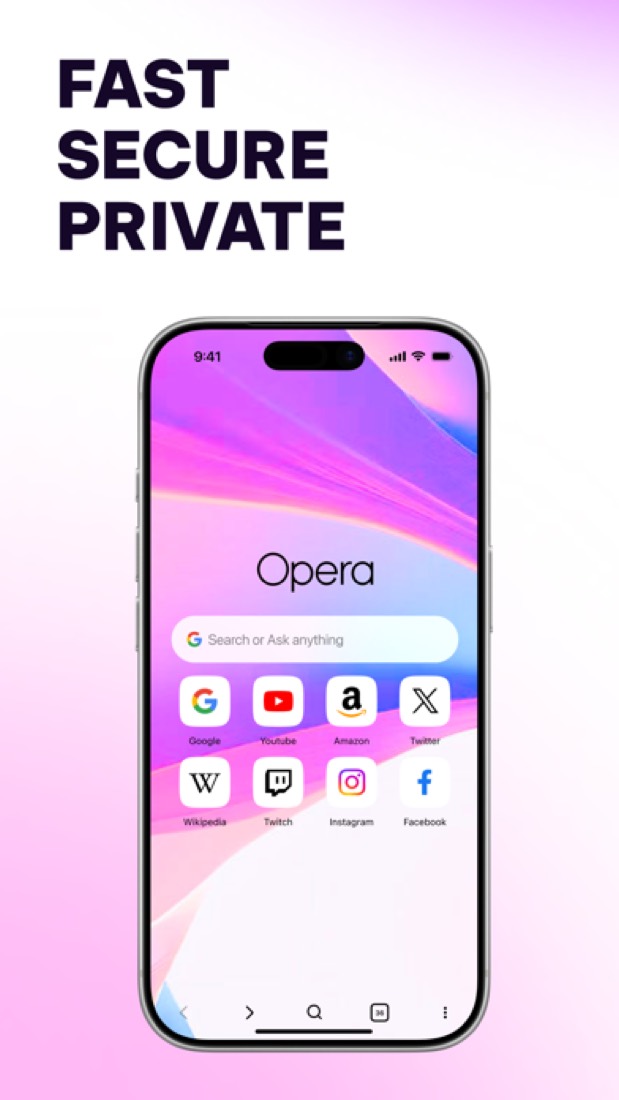
Opera is a web browser for Windows, macOS, Linux, Chromebook, Android and iOS from Opera Norway. It builds in an ad blocker, a free browser VPN, the Opera AI assistant and a sidebar that holds messengers such as WhatsApp, Telegram and Slack next to ChatGPT and Gemini. Tabs are organized into Tab Islands and workspaces, and a free Opera Account syncs data between desktop and mobile.
To get you started, here are 10 things to know about Opera, taken from its own pages and our grades.
The phone app is thinner, so iPad users should look elsewhere.
- 1
Best for a free VPN and ad blocker built in
Opera is a free browser with an ad blocker, a VPN and chat apps like WhatsApp built into the sidebar.
- 2
Paid plans start at $4 a month
As its pricing page puts it: $4 per month (VPN Pro; billing term for this rate not stated).
- 3
There is a free plan
The browser is free to download and use on desktop and mobile, including the ad blocker, the browser VPN with no data cap and Opera AI with no login.
- 4
It runs on 5 platforms
Windows, macOS, Linux, Android and iOS.
- 5
Ad blocker and free VPN
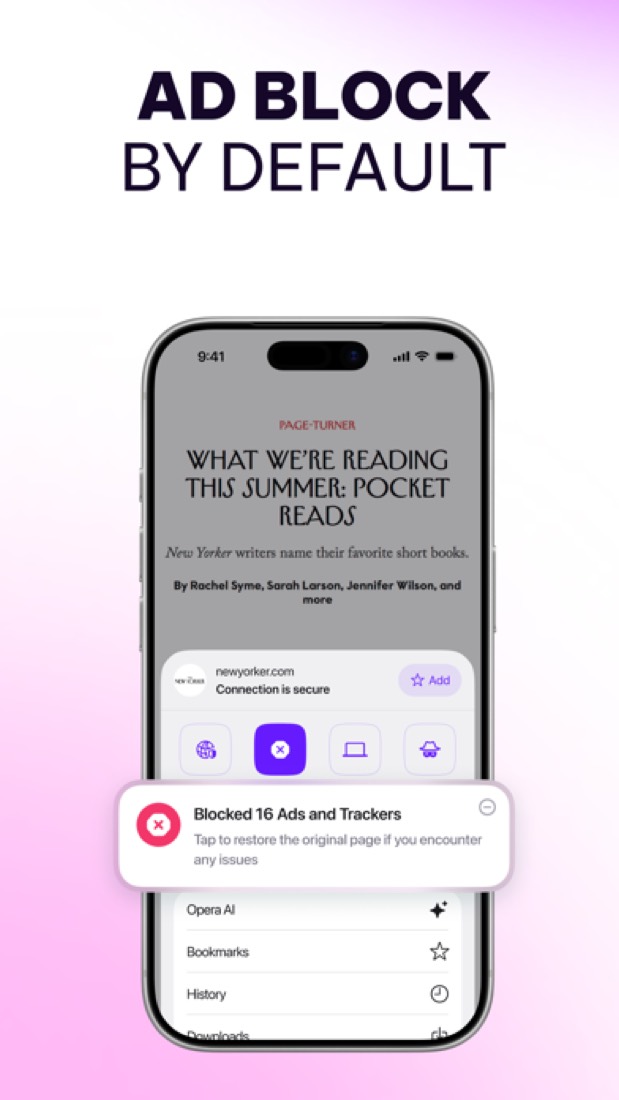
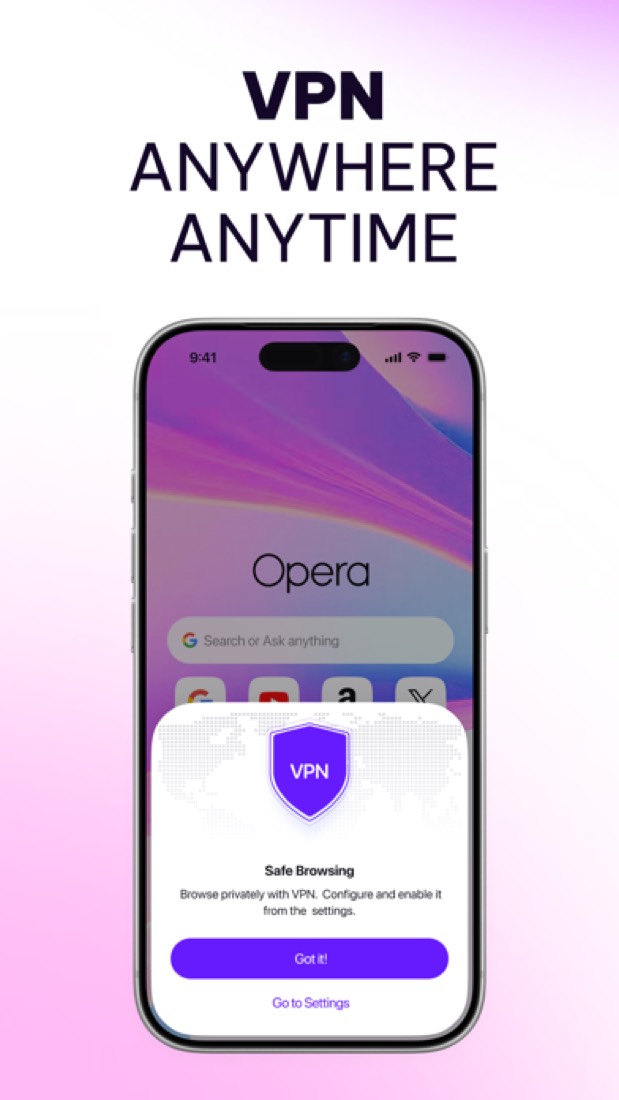
The ad blocker removes ads and pop-ups without an extension. The browser VPN is free, has no data cap, needs no subscription or login and follows a no-logs policy; on Android it offers three virtual locations.
- 6
Opera AI, ChatGPT and Gemini
Opera AI is free with no sign-up and can read the current tab or a group of tabs for context. ChatGPT and Gemini open in the sidebar, and an AI image generator is included.
- 7
Tab Islands, workspaces and split screen
Tab Islands keep related tabs together in groups that collapse and expand, workspaces separate tab groups, split screen shows several tabs at once and vertical tabs are available.
- 8
Refunds: 30 days
VPN Pro comes with a written 30-day money-back guarantee, and you cancel it yourself in your Opera account or in Google Play. That is the good half.
- 9
A 3.6 GPA, above 10 of 15
That is against the other browsers we grade, on value, the free plan, features, ease of use and platforms.
- 10
Keep it
To replace Opera you would be making a web browser. That is not a weekend's work, with an AI app builder or without one.
Opera at a glance
- Pricing
- Free plan, from $4 per month (VPN Pro; billing term for this rate not stated)
- Free plan
- Yes
- Free trial
- None stated
- Runs on
- macOS, Windows, Linux, iOS, Android
- Made by
- Opera Norway
- Category
- Browsers
- Our grade
- 3.6 GPA, excellent
- Store rating
- 4.7 on the App Store, 260,256 ratings
The report card
Best for a free VPN and ad blocker built in
Opera is a free browser with an ad blocker, a VPN and chat apps like WhatsApp built into the sidebar. The free VPN only covers the browser and offers three broad regions, not countries, the start page and address bar carry sponsored items until you switch them off, and on a computer the blocker and VPN start switched off. The phone app is thinner, so iPad users should look elsewhere.
| Subject | Grade | Comment |
|---|---|---|
| Value for money | B | The browser is free with the ad blocker and a no-data-cap VPN in it, where Brave and DuckDuckGo want $9.99 a month for a VPN, and VPN Pro from $4 sits in this category's lowest-priced quarter. Opera pays its way with sponsored Speed Dials and promoted address-bar suggestions instead. |
| Free plan and trial | A | Free outright: the ad blocker, a browser VPN with no data cap and no sign-up, Opera AI without a login, the sidebar, Flow and sync. In return the start page shows sponsored tiles until you switch them off. |
| Features | A | A built-in VPN, free, with no data cap and no sign-up, though it covers the browser only. WhatsApp, Telegram, Discord and Slack in the sidebar. Then Opera AI beside ChatGPT and Gemini, Tab Islands, split screen, Flow, translation and a 5x volume booster. |
| Ease of use | A | 4.7 from about 260,000 App Store ratings, the top band for this category, and Chrome users say switching took little effort. Two things to know: there's a lot on the screen, and on a computer the ad blocker and VPN sit switched off until you find them. |
| Platforms and integrations | B | Windows, Mac, Linux, Chromebook, iPhone and Android, tied together by a free Opera Account, and the desktop builds run Chrome extensions. Computers and both phones is a B on our scale: the top mark also wants a web app, and a browser isn't one. |
An A is worth 4 points, a B 3, a C 2, a D 1 and an F nothing. The GPA is the average of the five.
Who Opera is for
- Fits if you want an ad blocker and a browser VPN without hunting for extensions
- Works for people with WhatsApp, Telegram or Slack open all day next to their work
Who it is not for
- Skip it if you want a start page with no sponsored tiles or promoted suggestions on day one
- Not for you if you need a VPN for your whole device or one country: the free one covers the browser and three broad regions
- Pricey if you want the full VPN: VPN Pro starts at $4 a month on an unstated term, and only for desktop and Android
- Too light for anyone on an iPad, where reviewers say basics are missing and news alerts need switching off
- Watch out: on a computer the ad blocker and VPN start switched off, and Android lists unnamed in-app buys of $5.99 to $29.99
Good to know
Good for
- People who want an ad blocker and a VPN without installing extensions
- Keeping messengers and music in a sidebar next to the page
- Trying Opera AI, ChatGPT and Gemini from one browser
Worth knowing
- The free VPN protects the browser only. VPN Pro, which covers the whole device, is a paid subscription from $4 per month.
- Opera earns revenue from ads, sponsored Speed Dials and promoted address-bar suggestions. The sponsored items can be replaced or switched off in settings.
- The Android app lists in-app purchases of $5.99 to $29.99 per item on the US Google Play store, without naming them.
- Opera GX, Opera Air, Opera Mini and Opera Neon, an AI browser at $19.90 a month, are separate products; this entry covers the main Opera browser.
Part 02 · Pricing
What it costs
Every plan, the free plan, ways to pay less and how prices have moved
$4
A month to start. There is a free plan too
Opera has a free plan. Paid plans start at $4 per month (VPN Pro; billing term for this rate not stated).
Opera pays its way with sponsored Speed Dials and promoted address-bar suggestions instead.
Free
$0
The full browser with the ad blocker, the free browser VPN, Opera AI, sidebar messengers, Flow and sync through a free Opera Account.
VPN Pro
From $4
per month; billing term for this rate not stated
Device-wide VPN for up to six desktop and Android devices at once, with servers in 48 countries. Sold on monthly or annual plans.
The free plan
The browser is free to download and use on desktop and mobile, including the ad blocker, the browser VPN with no data cap and Opera AI with no login.
Read from blogs.opera.com on Oct 5, 2026.
Part 03 · Features
What it does
Its main features, where it runs, what it works with and who makes it
5
Places it runs: macOS, Windows, Linux, iOS and Android
Browser with a built-in ad blocker, free VPN and sidebar messengers. Here is what it does, as its own site describes it, and what it covers: AI features, screenshots, web browser.
A built-in VPN, free, with no data cap and no sign-up, though it covers the browser only.
- Ad blocker and free VPN
- The ad blocker removes ads and pop-ups without an extension. The browser VPN is free, has no data cap, needs no subscription or login and follows a no-logs policy; on Android it offers three virtual locations.
- Opera AI, ChatGPT and Gemini
- Opera AI is free with no sign-up and can read the current tab or a group of tabs for context. ChatGPT and Gemini open in the sidebar, and an AI image generator is included.
- Tab Islands, workspaces and split screen
- Tab Islands keep related tabs together in groups that collapse and expand, workspaces separate tab groups, split screen shows several tabs at once and vertical tabs are available.
- Sidebar messengers and music
- WhatsApp, Facebook Messenger, Telegram, Discord, Slack and Bluesky open in the sidebar, as do Instagram, X and a music player that works with services such as Spotify.
- Flow and sync
- Flow sends files, links and notes between a person's own devices, and a free Opera Account syncs open tabs, bookmarks and speed dials between mobile and desktop.
- Built-in utilities
- Extras include a snapshot tool for capturing and editing screenshots, video pop-out, page translation, a unit and currency converter, a battery saver and a volume booster of up to 5x.
Where it runs
- macOS
- Windows
- Linux
- iOS
- Android
What it works with
- Facebook Messenger
- Telegram
- Discord
- Slack
- Spotify
- ChatGPT
- Gemini
Who makes Opera
Opera is made by Opera Limited, a company listed on Nasdaq that develops its browsers out of Oslo through Opera Norway and hubs in Poland, Sweden and elsewhere. The browsers are free; Opera says its money comes from advertising, search partnerships and paid subscriptions such as Opera Neon and VPN Pro.
- Founded
- 1995jobs.opera.com
- Based
- Headquartered in Oslo, Norway, with hubs in Poland, China, Spain, Scotland, Singapore and Swedenjobs.opera.com
- Ownership
- Publicly traded. Opera Limited, incorporated in the Cayman Islands, is listed on the Nasdaq Global Select Market, where its American depositary shares have traded under the symbol OPRA since 27 July 2018, as its Form 20-F states.sec.gov
- Team
- 605 full-time employees across the whole company as of 31 December 2025, 73% of them in research and developmentsec.gov
- Founders and leaders
- Hiring
- 7 open roles listed: 2 in advertising technology, and one each in product marketing, marketing and communications, product development, product design and engineeringjobs.opera.com
- Affiliate program
- Affiliate links from a partner site to Opera.com earn a commission for each new Opera user, with the rate set by how engaged the referred users are. Smaller publishers join through the CJ or OfferGate networks. Rates are not published.opera.com
- Lately
- Opera Air. Less, on Purpose. · Oct 15, 2026
- Opera GX Hands Persona5: The Phantom X Players Their Pick of a ★4 Phantom Idol · Oct 1, 2026
- Opera adds a travel eSIM to the browser, with 3GB of free data on your next trip abroad · Sep 29, 2026
- Basic digital hygiene shouldn't be complicated: Opera's free, built-in VPN now protects your browsing automatically on public Wi-Fi · Sep 24, 2026
Read on Oct 18, 2026 from the company’s own pages and from news reports. What is not stated there is left out.
Part 04 · Standing
Where it stands
Its grades against its category, and whether to keep it or make your own
10/15
Other browsers it is graded above
Opera's GPA of 3.6 is higher than 10 of the 15 other browsers we grade, and level with 2.
It stands best on features (A, above 12 of 15) and worst on value for money (B, above 5).
Its paid plans start at $4 a month, against a middle price of $7.08 for the category: 1 of the 7 others that charge start lower.
On features, ease of use and platforms it scores 3.7 out of 4. 1 tool scores higher and costs less.
Each grade against the category
Every bar is all 16 browsers we grade, cut by the letter each got. Opera’s own letter is outlined.
- BValue for moneyAbove 5 of 15
- AFree plan and trialAbove 5 of 15
- AFeaturesAbove 12 of 15
- AEase of useAbove 10 of 15
- BPlatforms and integrationsAbove 7 of 15
Price against what you get
Each dot is one of 15 browsers. Further left costs less; higher up scores better on features, ease of use and platforms. Opera is the marked dot.
What paid plans start at, a month (each step along is roughly double) →
Keep it, or make your own?
Whether this is something you could build for yourself with an AI app builder, and what you would give up.
Keep it
To replace Opera you would be making a web browser. That is not a weekend's work, with an AI app builder or without one.
It is one of the better ones too: its GPA of 3.6 is higher than 10 of the 15 other browsers we grade. It costs $48 a year.
What you could not
- A web browser.
- Capture tools hooked into the operating system.
- Apps for macOS, Windows, Linux, iOS and Android that stay in step with each other.
- It plugs into other products, WhatsApp, Facebook Messenger and Telegram among them.
- AI features, unless you pay a model provider for each request yourself.
- The depth: we grade its features A, which means it covers the whole job.
What this rests on. Opera’s listing: what it does, where it runs, what it plugs into and what it costs. It is a judgement about the kind of software this is. We have not built a replacement for it, and making your own means looking after it too. How we decide, and every tool’s verdict.
Part 05 · Refunds
After you pay
Getting your money back, getting out, and getting help
What happens once you have paid: whether you can get your money back, how to leave, and how to reach a person when something goes wrong. Each is graded from Opera’s own terms and help pages.
Refunds and cancelling
Good · checked Oct 18, 2026
VPN Pro comes with a written 30-day money-back guarantee, and you cancel it yourself in your Opera account or in Google Play. That is the good half. The money itself comes back through the payment provider's support rather than a button in your account, the guarantee can lapse if you have cancelled three or more VPN Pro subscriptions before, and Opera Neon gets no guarantee at all. A B.
- Refund window
- 30 days
- How you cancel
- Yourself, in settings
- Getting your money back
The terms give VPN Pro a 30-day money-back guarantee: cancel at any point in the first thirty days after the payment method is charged and you get a full refund, whether you bought through Google Play or your Opera account. A first renewal can also be refunded within 48 hours of the charge. The terms add that restrictions may apply, for example if three or more VPN Pro subscriptions have been cancelled before.
Stated on opera.com- How to cancel Opera
The terms say a VPN Pro subscription can be cancelled at any point up to the end of the subscription period, through Google Play or through your Opera account, and that for the refund itself you contact the payment provider's support. A separate Opera Neon terms page says that subscription is cancelled with options in your Opera Account or by writing to its support address.
Stated on opera.com- What you keep afterwards
The terms say that at the end of the then-current subscription period the VPN Pro subscription is cancelled and access to VPN Pro ends. The Opera browser itself is free and separate from the subscription. None of the pages read says an Opera account or the data synced through it is removed when a subscription ends.
Stated on opera.com- Renewals
The terms say a VPN Pro subscription renews automatically for a further period of equal length unless cancelled before the period ends, and that a seven-day free trial charges the payment method unless cancelled first. No reminder before a renewal is promised. The Opera Neon terms say the card is charged at the beginning of each subscription period.
Stated on opera.com
In your favour
- Thirty days to change your mind on VPN Pro, and the terms put that in writing.
- Forget to cancel before a renewal and the first one can still be refunded within 48 hours.
- You end VPN Pro yourself, in your Opera account or in Google Play, with nobody to persuade.
- The browser is free, so a cancelled subscription doesn't cost you the browser.
Watch out for
- The refund comes through the payment provider's support, not a button in your Opera account.
- The 30 days may not apply if you've cancelled three or more VPN Pro subscriptions before.
- Opera Neon gets no money-back guarantee, and you give up the 14-day right to withdraw when you start using it.
- A Neon cancellation only takes effect at the end of the next subscription period, not the current one.
Customer support
Ordinary · checked Oct 18, 2026
You get help pages, a large public forum and a bug wizard that says outright it isn't for support questions. Pay for VPN Pro or Opera Neon and the terms give you an address to write to. Nowhere does Opera say when anyone answers or how long a reply takes, and it tells you plainly that there is no phone support. That is the ordinary deal, so a C.
Ways to get help
Email
The terms give a customer support address for questions about VPN Pro, and the Opera Neon terms give another for Neon subscriptions and cancellations. Neither is offered to users of the free browser.
Stated on opera.comContact form or ticket
The Opera Neon terms point support requests, incidents and complaints to a Jira Service Management form Opera runs. The separate bug wizard for the desktop browser states that it is for reporting bugs and not for seeking support.
Stated on opera.atlassian.netHelp centre
Help and FAQ pages cover the desktop browser, Opera for Android and iOS, Opera Mini and the Opera account, free to read without signing in.
Stated on opera.comCommunity or forum
The Opera forums are public boards organised by product, with tens of thousands of topics on the computer browser alone, open to read without an account.
Stated on forums.opera.com
Not listed on Opera’s pages: live chat, phone.
- When people answer
Its pages do not say.
- How fast it says it replies
Its pages do not say.
- What depends on your plan
Opera's contact page lists only a bug report route and the help and FAQ pages under Customer Support, and notes that product support is not available by telephone at any of its offices. A named support address appears only inside the VPN Pro and Opera Neon terms, which cover the paid products. No page read describes a priority queue or a service level.
Stated on opera.com
In your favour
- The help pages and FAQ are open to everyone, free browser included.
- The forums are large and public, with tens of thousands of topics on the desktop browser.
- Paying for VPN Pro or Neon gets you a support address, written into the terms.
Watch out for
- No hours and no reply time are stated anywhere, so there's no telling how long you'd wait.
- Opera says product support is not available by telephone at any of its offices.
- The bug wizard says it is for bugs only, not for support questions.
- On the free browser the help pages and the forum are all you get.
What these two grades rest on. Read on 18 October 2026: Opera's terms of service, including the VPN Pro section with its refund and cancellation terms, the Opera Neon terms and subscription page, Opera's contact page, its help and FAQ hub, the Opera forums and the Jira bug wizard. Nobody here cancelled a plan or contacted Opera's support. They are graded apart from the five that make the GPA. How we grade refunds and support.
Part 06 · Alternatives
The alternatives
The tools it is most often weighed against, side by side




Vivaldi, Google Chrome, Brave, Microsoft Edge and Firefox
The 5 tools Opera is most often weighed against, with where each one differs from it.
- 3.8GPA
Vivaldi
Free
Customizable browser with built-in mail, calendar and feed reader.
- Vivaldi is end-to-end encrypted, according to its own site.
- Vivaldi also covers notes, calendar, email client and rSS reader.
- 3.6GPA
Google Chrome
Free
Google's free browser for desktop and mobile, with Gemini built in.
- Opera also covers screenshots.
- Google Chrome also covers password manager and passkeys.
- 3.8GPA
Brave
Free plan · from $3.00/mo
Open-source browser that blocks ads and trackers by default.
- Brave is open source, according to its own site.
- Opera also covers screenshots.
- Brave also covers password manager and video calls.
- 3.6GPA
Microsoft Edge
Free
Microsoft's browser with the Copilot assistant built in.
- Opera also covers screenshots.
- Microsoft Edge also covers password manager and passkeys.
- 3.8GPA
Firefox
Free
Free, open-source browser from Mozilla with tracker blocking built in.
- Firefox is open source and end-to-end encrypted, according to its own site.
- Opera also covers screenshots.
- Firefox also covers password manager.
Part 07 · Questions
Quick answers
The questions people ask about it, each answered in a line or two
15
Questions, each answered in a line or two
The short version of everything above, for when you only need the answer. Each one is told in full in its part of the guide.
Is Opera free?
Opera has a free plan. The browser is free to download and use on desktop and mobile, including the ad blocker, the browser VPN with no data cap and Opera AI with no login.
How much does Opera cost?
Opera lists 2 plans. Free: $0.
What platforms does Opera work on?
Opera is available on Windows, macOS, Linux, Android and iOS.
How is Opera rated?
Opera's iPhone and iPad app averages 4.7 out of 5 from 260,256 ratings on the App Store in the United States, as read on Oct 5, 2026.
Is Opera open source?
Opera is not described as open source on its own site, as read on Oct 5, 2026.
What does Opera integrate with?
Opera's listing names WhatsApp, Facebook Messenger, Telegram, Discord, Slack, Spotify, ChatGPT and Gemini.
Who makes Opera?
Opera is made by Opera Limited. Opera Limited, incorporated in the Cayman Islands, is listed on the Nasdaq Global Select Market, where its American depositary shares have traded under the symbol OPRA since 27 July 2018, as its Form 20-F states.
What are the alternatives to Opera?
The closest alternatives to Opera in our directory are Vivaldi, Google Chrome, Brave, Microsoft Edge and Firefox.
Does Opera give refunds?
The terms give VPN Pro a 30-day money-back guarantee: cancel at any point in the first thirty days after the payment method is charged and you get a full refund, whether you bought through Google Play or your Opera account.
How do I cancel Opera?
The terms say a VPN Pro subscription can be cancelled at any point up to the end of the subscription period, through Google Play or through your Opera account, and that for the refund itself you contact the payment provider's support.
What happens to my data if I cancel Opera?
The terms say that at the end of the then-current subscription period the VPN Pro subscription is cancelled and access to VPN Pro ends.
How do I contact Opera support?
Opera's pages list these ways to get help: email, contact form or ticket, help centre and community or forum.
How does Opera compare with other browsers?
Opera's GPA of 3.6 is higher than 10 of the 15 other browsers we grade, and level with 2.
Is Opera good value for money?
ToolGPA grades Opera B for value for money. Its paid plans start at $4 a month, against a middle price of $7.08 for the category: 1 of the 7 others that charge start lower.
Could I make my own version of Opera?
To replace Opera you would be making a web browser. That is not a weekend's work, with an AI app builder or without one.
Where this guide comes from
The prices, plans, platforms and features were read from Opera’s own pages on Oct 5, 2026, and the grades were given on Oct 10, 2026. Based on Opera's features, download and help pages and its own blog posts on the VPN and on how it makes money, as of 9 October 2026, its App Store reviews and Hacker News threads about it. Also tested with a demo account on 2026-06-06.
Every tool we list gets five grades, A to F, each with its reason, and a GPA that averages them. How each is decided is at toolgpa.com/grades. This guide is ToolGPA’s own work; it is not made, paid for or approved by Opera Norway. Prices change, so check opera.com before you buy.
- opera.com/
- opera.com/opera
- opera.com/features
- opera.com/features/browser-ai
- opera.com/download
- opera.com/about
- help.opera.com/en/latest/security-and-privacy/
- apps.apple.com/us/app/opera-browser-with-vpn/id1411869974
- play.google.com/store/apps/details?id=com.opera.browser&hl=en_US&gl=US
- blogs.opera.com/security/2026/06/how-does-opera-make-money-monetization-explainer/
Part 08 · About
About ToolGPA
Who made this guide, what else is on the site, and how to cite it
3,189
Tools graded, in 94 categories
ToolGPA grades software the way a school report grades a pupil: five subjects, a letter for each with the reason written beside it, and a GPA that averages them. Prices, plans and platforms are read from each maker’s own pages and dated, so you always know how fresh a figure is.
Every grade, review and ranking on ToolGPA is our own judgement. No company can pay for a grade or change one. Every tool on the site has a guide like this one, free to download and pass on. It all lives at toolgpa.com.
3,189
tools graded
94
categories
426
price changes on record
579
apps priced in 12 countries
What else is on toolgpa.com
- Opera, kept up to dateEverything in this guide, with prices and grades as they are todaytoolgpa.com/tools/opera
- How grades are givenThe rules behind every letter and every GPAtoolgpa.com/grades
- Value chartsWhat each tool costs against what it scores, for every categorytoolgpa.com/charts
- CompareAny two tools side by side, plan by plantoolgpa.com/compare
- Price changesEvery price rise and cut on record, each with its sourcetoolgpa.com/price-changes
- Prices by countryWhat apps cost on the App Store in 12 countriestoolgpa.com/prices-by-country
- Pay lessEvery public discount: yearly billing, students, nonprofitstoolgpa.com/save
- Keep or makeWhich tools are worth paying for, and which you could build yourselftoolgpa.com/keep-or-make
Scan for the live page
Prices and grades as they are today
Quoting this guide?
Please name ToolGPA and link to the live page, so readers can check the figures for themselves:
ToolGPA, "Opera: The Insider's Guide", checked Oct 5, 2026. https://toolgpa.com/tools/opera
Know someone choosing between browsers?
Send them this guide: toolgpa.com/tools/opera/guide
ToolGPA elsewhere: youtube.com/@toolgpa
See our other guides
The best-graded browsers after Opera, each with an Insider's Guide of its own.
- Browsers Insider's GuideEvery one of the 16 browsers we grade, compared
- Brave Insider's GuideOpen-source browser that blocks ads and trackers by default3.8 GPA
- Firefox Insider's GuideFree, open-source browser from Mozilla with tracker blocking built in3.8 GPA
- Vivaldi Insider's GuideCustomizable browser with built-in mail, calendar and feed reader3.8 GPA
Choosing software? Every tool graded, every price dated.
Compare tools at toolgpa.com ›Everything in this guide is ToolGPA’s own summary of what Opera’s pages, its app-store listings and public reviews said on the dates shown. Grades are our judgement under the rules at toolgpa.com/grades. Every grade, review and ranking on ToolGPA is our own judgement. No company can pay for a grade or change one. Opera is a trademark of its owner, and this guide is not made, paid for or approved by Opera Norway. Prices and plans change: check opera.com before you buy.