Opera
Browser with a built-in ad blocker, free VPN and sidebar messengers
Opera review
Excellent · out of 4.0 · graded Oct 9, 2026
Best for a free VPN and ad blocker built in
Want an ad blocker, a VPN and your WhatsApp chats inside the browser, with nothing extra to install? That's Opera, and it's free. Just know the free VPN only covers what you do in Opera itself, and the start page shows sponsored tiles until you switch them off.
Who Opera is for
- Great if you want an ad blocker and a VPN without hunting for extensions
- Handy when WhatsApp, Telegram or Slack are open all day next to your work
- Good for tab hoarders, since Tab Islands group tabs and fold them away
- A treat if you want ChatGPT, Gemini and a free AI helper one click away
Who Opera is not for
- Skip it if you want a start page with no sponsored tiles on day one
- Not for you if you need a VPN for your whole device, not only the browser
- Too light for anyone who wants the full desktop browser on an iPad
- Pricey if it's Opera's AI browser you want, as Neon is $19.90 a month
Why Opera gets a 3.6
Five grades, each with its reason. The GPA is their average: an A is 4 points, an F is none.
- BValue for moneyThe browser is free, VPN and all. The only thing to buy is VPN Pro, from $4 a month. Opera doesn't say which billing term gets you that price, though.
- AFree plan and trialAll of it is free: the ad blocker, a VPN with no data cap, and Opera AI with no login. The price is a few sponsored tiles on the start page.
- AFeaturesTab Islands, split screen, WhatsApp and Slack in the sidebar, ChatGPT and Gemini next to Opera's own AI. Few browsers come with this much built in.
- BEase of use4.7 from about 260,000 App Store ratings. But there's a lot on screen, and on a computer the ad blocker and VPN stay off until you switch them on.
- APlatforms and integrationsWindows, Mac, Linux, Chromebook, iPhone and Android, with a free account to sync them. The desktop versions run Chrome extensions too.
The good
So why pick Opera over the browser your computer came with? Because of how much is already in it.
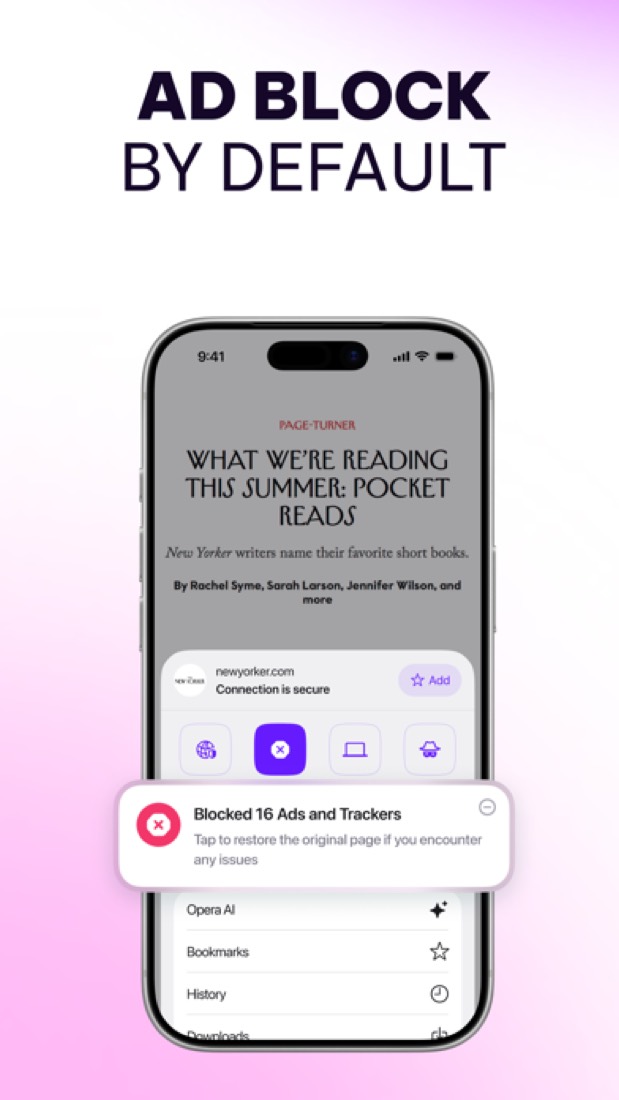
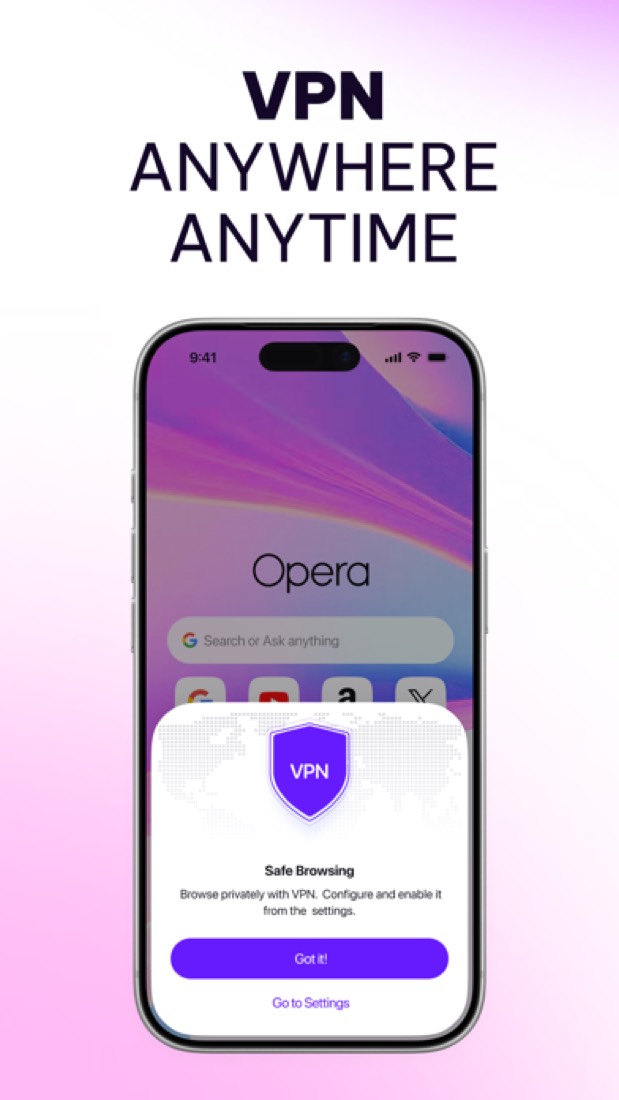
There's an ad blocker. There's a VPN that's free, has no data cap and doesn't ask you to sign up. Opera says it keeps no logs, and it has had Deloitte check that.
Then there's the sidebar. WhatsApp, Telegram, Messenger, Discord and Slack sit down the side, so you can answer a message without leaving the page you're on.
Got forty tabs open? Tab Islands group the related ones, and you can fold a group away until you need it. Think "holiday", "work" and "that sofa you keep looking at".
The AI is free as well, with no login. It can read the page you're on, and ChatGPT and Gemini are one click away in the sidebar.
The stuff that'll bug you
The free VPN isn't a full VPN. It only covers what you do inside Opera, not the other apps on your device. And you pick from three broad regions, not a country.
Want everything covered? That's VPN Pro, which is paid, and it's for desktop and Android only.
Then there's how Opera pays its way. The start page comes with sponsored tiles, and the address bar can show promoted suggestions. You can switch both off, but they're there on day one.
On a computer, the ad blocker and the VPN are off until you turn them on, going by Opera's help pages. Easy to miss.
The phone app is thinner, too. App Store reviewers grumble about basics missing on iPad and news alerts they had to switch off. Some of that is a few years old, so it may be better now.
Money
The browser is free. Ad blocker, VPN, AI, sidebar, sync, the lot. There's no paid version of Opera itself.
So what can you pay for? VPN Pro. It covers your whole device, on up to six desktop and Android devices at once, with servers in 48 countries.
It starts at $4 a month. Opera sells monthly and yearly plans but doesn't say which one that $4 belongs to, so check the total before you commit.
Do you need it? If you only want to hide your browsing on coffee-shop Wi-Fi, the free one does that. We'd skip Pro unless you want your other apps covered too.
One more thing. Opera Neon, the AI browser at $19.90 a month, is a separate product. So are Opera GX, Air and Mini.
And the Android app's Play Store listing shows in-app purchases from $5.99 to $29.99, without saying what they are.
What actual users say
Opera has 4.7 on the App Store from about 260,000 ratings. That's a big, happy crowd for a browser nobody gets by default.
What do they like? The built-in stuff, mostly. One recent reviewer moved over from Chrome, found the switch easy, and says the whole office has followed.
The grumbles are nearly all about the phone app. Basics missing on iPad, pushy news notifications, and one person who called the AI assistant useless.
Hacker News is cooler on it. Long-time fans there say today's Opera isn't the one they fell for, and a few send people to Vivaldi instead.
It gets some credit there too. As Chrome-based browsers drop older ad blockers, one commenter notes Opera has said it'll keep them working as long as it reasonably can.
What this review rests on. Based on Opera's features, download and help pages and its own blog posts on the VPN and on how it makes money, as of 9 October 2026, its App Store reviews and Hacker News threads about it. Not based on using the product: this is a read of everything that's public, not a test. How we review and grade.
What is Opera?
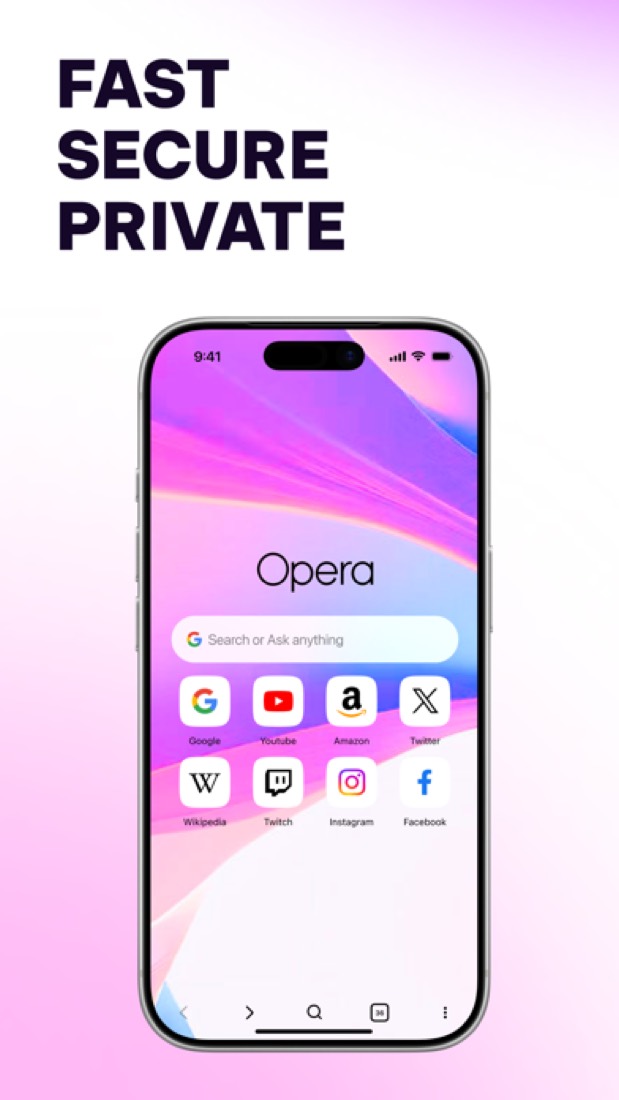
Opera is a web browser for Windows, macOS, Linux, Chromebook, Android and iOS from Opera Norway. It builds in an ad blocker, a free browser VPN, the Opera AI assistant and a sidebar that holds messengers such as WhatsApp, Telegram and Slack next to ChatGPT and Gemini. Tabs are organized into Tab Islands and workspaces, and a free Opera Account syncs data between desktop and mobile.
Opera has a free plan. Paid plans start at $4 per month (VPN Pro; billing term for this rate not stated). See every plan
Good for
- People who want an ad blocker and a VPN without installing extensions
- Keeping messengers and music in a sidebar next to the page
- Trying Opera AI, ChatGPT and Gemini from one browser
Worth knowing
- The free VPN protects the browser only. VPN Pro, which covers the whole device, is a paid subscription from $4 per month.
- Opera earns revenue from ads, sponsored Speed Dials and promoted address-bar suggestions. The sponsored items can be replaced or switched off in settings.
- The Android app lists in-app purchases of $5.99 to $29.99 per item on the US Google Play store, without naming them.
- Opera GX, Opera Air, Opera Mini and Opera Neon, an AI browser at $19.90 a month, are separate products; this entry covers the main Opera browser.
Key features
- Ad blocker and free VPN
- The ad blocker removes ads and pop-ups without an extension. The browser VPN is free, has no data cap, needs no subscription or login and follows a no-logs policy; on Android it offers three virtual locations.
- Opera AI, ChatGPT and Gemini
- Opera AI is free with no sign-up and can read the current tab or a group of tabs for context. ChatGPT and Gemini open in the sidebar, and an AI image generator is included.
- Tab Islands, workspaces and split screen
- Tab Islands keep related tabs together in groups that collapse and expand, workspaces separate tab groups, split screen shows several tabs at once and vertical tabs are available.
- Sidebar messengers and music
- WhatsApp, Facebook Messenger, Telegram, Discord, Slack and Bluesky open in the sidebar, as do Instagram, X and a music player that works with services such as Spotify.
- Flow and sync
- Flow sends files, links and notes between a person's own devices, and a free Opera Account syncs open tabs, bookmarks and speed dials between mobile and desktop.
- Built-in utilities
- Extras include a snapshot tool for capturing and editing screenshots, video pop-out, page translation, a unit and currency converter, a battery saver and a volume booster of up to 5x.
Opera pricing
- Starts at
- $4 per month (VPN Pro; billing term for this rate not stated)
- Free plan
- The browser is free to download and use on desktop and mobile, including the ad blocker, the browser VPN with no data cap and Opera AI with no login.
- Free trial
- None listed
| Plan | Price | What you get |
|---|---|---|
| Free | $0 | The full browser with the ad blocker, the free browser VPN, Opera AI, sidebar messengers, Flow and sync through a free Opera Account. |
| VPN Pro | From $4per month; billing term for this rate not stated | Device-wide VPN for up to six desktop and Android devices at once, with servers in 48 countries. Sold on monthly or annual plans. |
Read from blogs.opera.com on Oct 5, 2026. Prices change, so confirm with Opera before you buy.
How people rate the Opera app
4.7
out of 5 for the iPhone and iPad app
260,256 ratings on the App Store in the United States, read Oct 5, 2026. It rates the app, not everything the product does. See the listing
Works with
Opera alternatives
- Opera vs Vivaldi
Free
- Opera vs Brave
Free plan · from $3.00/mo
- Opera vs Firefox
Free




Common questions
Is Opera free?
Opera has a free plan. The browser is free to download and use on desktop and mobile, including the ad blocker, the browser VPN with no data cap and Opera AI with no login. Paid plans start at $4 per month (VPN Pro; billing term for this rate not stated).
How much does Opera cost?
Opera lists 2 plans. Free: $0. VPN Pro: from $4 per month; billing term for this rate not stated. Prices were read from blogs.opera.com on Oct 5, 2026.
What platforms does Opera work on?
Opera is available on Windows, macOS, Linux, Android and iOS.
How is Opera rated?
Opera's iPhone and iPad app averages 4.7 out of 5 from 260,256 ratings on the App Store in the United States, as read on Oct 5, 2026. That is the store's rating of the app, not a score from us.
Is Opera open source?
Opera is not described as open source on its own site, as read on Oct 5, 2026.
What does Opera integrate with?
Opera's listing names WhatsApp, Facebook Messenger, Telegram, Discord, Slack, Spotify, ChatGPT and Gemini. A listing names up to eight integrations, so it may connect to more.
Who makes Opera?
Opera is made by Opera Norway.
What are the alternatives to Opera?
The closest alternatives to Opera in our directory are Vivaldi, Google Chrome, Brave, Microsoft Edge and Firefox. Each one has a side-by-side comparison with Opera.
Sources for this page
The prices, plans, platforms and features above were read from these pages on Oct 5, 2026. What people say is linked where it appears.
- opera.com/
- opera.com/opera
- opera.com/features
- opera.com/features/browser-ai
- opera.com/download
- opera.com/about
- help.opera.com/en/latest/security-and-privacy/
- apps.apple.com/us/app/opera-browser-with-vpn/id1411869974
- play.google.com/store/apps/details?id=com.opera.browser&hl=en_US&gl=US
- blogs.opera.com/security/2026/06/how-does-opera-make-money-monetization-explainer/