
Wavebox
Desktop browser that keeps many web apps and accounts signed in
What is Wavebox?
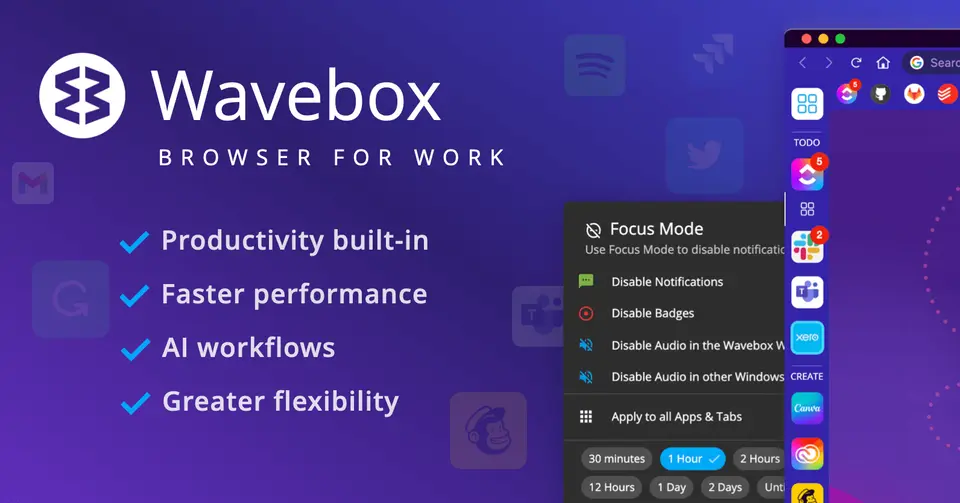
Wavebox is a Chromium-based desktop browser for macOS, Windows and Linux built around web apps rather than tabs. Apps are grouped in a sidebar and divided into Spaces, and several accounts of the same service, such as multiple Gmail or Slack logins, can stay signed in at once with unread badges and notifications. It is made by Bookry Ltd in the UK and sold as a subscription, with a limited free plan.
Wavebox has a free plan. Paid plans start at $8.33 per month, paid annually (Wavebox Pro). See every plan
Good for
- Virtual assistants and agencies working across many client accounts
- People who live in several Gmail, Slack or Teams accounts at once
- Teams that want a shared, pre-configured browser for new hires
Worth knowing
- The free Basic plan stops at 2 groups with 2 apps in each, 1 extension and 1 dashboard.
- The pricing page shows annual-billing rates only; monthly billing is offered, but its price is not listed there.
- Wavebox is a desktop browser for macOS, Windows and Linux; no mobile app is listed.
- The Mac version requires macOS 12 Monterey or later.
Key features
- Apps, groups and Spaces
- Web apps sit in a sidebar and are grouped much like apps on a phone, and Spaces keep separate setups for work, home or individual clients.
- Several accounts signed in at once
- Multiple accounts of the same service, such as Gmail, Slack, Microsoft Teams or Asana, stay signed in side by side without switching browsers or profiles.
- Unread badges and notifications
- Apps show unread badges and desktop notifications, the Wavebox Mini menu lists what is new across accounts, and Focus Mode silences them for a while.
- Split screen and tab strips
- Any app or tab can be split into resizable panes, including two accounts of the same type, and every group has its own tab strip.
- AI assistant on the page
- A chosen AI engine works in the context of the current app or tab, with ready-made skills in the right-click menu and custom skills. It can be disabled.
- Chrome extensions and team setups
- Extensions install from the Chrome Web Store, with 20 or more built in. Teams can share an app setup with encrypted passwords and manage the browser remotely.
Wavebox pricing
- Starts at
- $8.33 per month, paid annually (Wavebox Pro)
- Free plan
- Wavebox Basic: Work and Home spaces, 2 groups with 2 apps in each, 1 Chrome extension and 1 dashboard, with limited features.
- Free trial
- 7-day free trial of Wavebox Pro on every new account, no credit card required
| Plan | Price | What you get |
|---|---|---|
| Basic | $0 | Work and Home spaces, 2 groups with 2 apps in each, 1 extension and one dashboard. |
| Wavebox Pro | $8.33per month, paid annually | For individuals: unlimited spaces, groups and apps, all extensions, cloud sync and unlimited dashboards. The help center puts the annual charge at $99. |
| Teams | $12.50per user / month; $150 per seat when paid annually | Everything in Pro plus Connect, shared dashboards, Wavebox Live, consolidated billing and an admin portal. Monthly billing is offered at a rate not shown. |
Read from wavebox.io on Oct 5, 2026. Prices change, so confirm with Wavebox before you buy.
Ways to pay less
- Education70% discount for education
People in full-time education or working in education can claim 70% off by starting a 7-day trial with an education email address and then emailing support.
Stated on wavebox.io - Nonprofit70% discount for non-profits
Non-profit teams and people working in the non-profit sector can claim 70% off by starting a 7-day trial with a .org email address and then emailing support.
Stated on wavebox.io
Works with
Wavebox alternatives
- Wavebox vs Shift
Free plan · from $19.99/mo
- Wavebox vs Rambox
Free plan · from $7.00/mo
- Wavebox vs Arc
Free





Common questions
Is Wavebox free?
Wavebox has a free plan. Wavebox Basic: Work and Home spaces, 2 groups with 2 apps in each, 1 Chrome extension and 1 dashboard, with limited features. Paid plans start at $8.33 per month, paid annually (Wavebox Pro).
How much does Wavebox cost?
Wavebox lists 3 plans. Basic: $0. Wavebox Pro: $8.33 per month, paid annually. Teams: $12.50 per user / month; $150 per seat when paid annually. Prices were read from wavebox.io on Oct 5, 2026.
What platforms does Wavebox work on?
Wavebox is available on macOS, Windows and Linux.
Does Wavebox offer any discounts?
Wavebox publicly lists the following: 70% discount for education; 70% discount for non-profits.
Does Wavebox have an Android app?
No Android app was listed when its pages were read on Oct 5, 2026. Wavebox is listed for macOS, Windows and Linux.
Does Wavebox have an iPhone app?
No iPhone app was listed when its pages were read on Oct 5, 2026. Wavebox is listed for macOS, Windows and Linux.
Is Wavebox open source?
Wavebox is not described as open source on its own site, as read on Oct 5, 2026.
What does Wavebox integrate with?
Wavebox's listing names Gmail, Slack, Microsoft Teams, Asana, ClickUp and WhatsApp. A listing names up to eight integrations, so it may connect to more.
Does Wavebox have a student discount?
70% discount for education. People in full-time education or working in education can claim 70% off by starting a 7-day trial with an education email address and then emailing support.
Does Wavebox have a free trial?
Yes. 7-day free trial of Wavebox Pro on every new account, no credit card required.
Who makes Wavebox?
Wavebox is made by Bookry Ltd.
What are the alternatives to Wavebox?
The closest alternatives to Wavebox in our directory are Shift, Rambox, Vivaldi, Arc and Google Chrome. Each one has a side-by-side comparison with Wavebox.
Sources for this page
The prices, plans, platforms and features above were read from these pages on Oct 5, 2026.