The Pumble Insider’s Guide
Everything we know about Pumble in one document: what it costs, its grades, getting a refund, getting help and what else to look at. Read it here, or keep a copy.
Pumble
The Insider’s Guide
Team chat with unlimited message history on the free plan
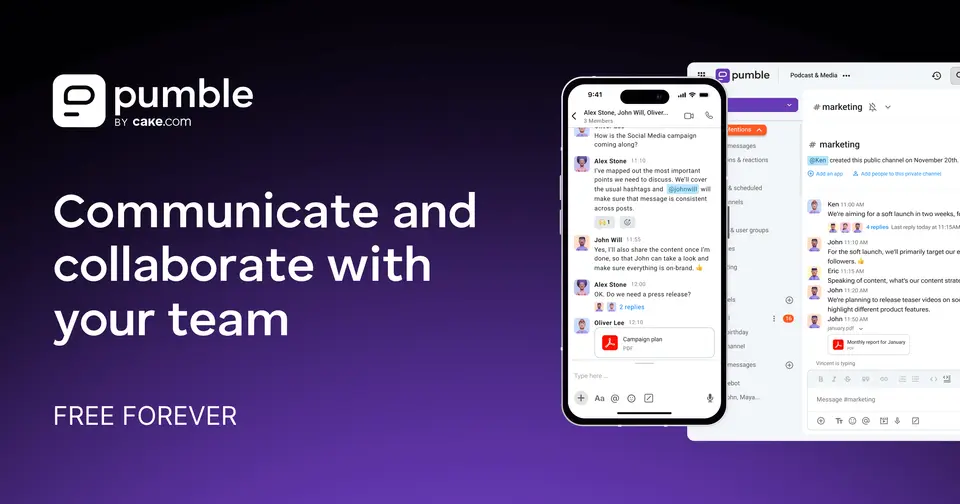
Every plan, grade, refund rule and rival among team communication apps, read from Pumble’s own pages.
Made by CAKE.com Inc. · checked Oct 6, 2026 · toolgpa.com
Contents
- 01WelcomeWhat it is, who it suits, its grades and the ten things to know first
- 02Insider tipsWhat most people miss: ways to pay less, settings worth changing and the catches
- 03What it costsEvery plan, the free plan, ways to pay less and how prices have moved
- 04What it doesIts main features, where it runs, what it works with and who makes it
- 05Where it standsIts grades against its category, and whether to keep it or make your own
- 06The alternativesThe tools it is most often weighed against, side by side
- 07Quick answersThe questions people ask about it, each answered in a line or two
- 08About ToolGPAWho made this guide, what else is on the site, and how to cite it
ToolGPA put this guide together from Pumble’s own pages, its app-store listings and our grades. Every fact in it is on Pumble’s page too, where it is kept up to date. Checked Oct 6, 2026.
Part 01 · Overview
Welcome
What it is, who it suits, its grades and the ten things to know first
3.6
GPA, above 32 of the 33 other team communication apps we grade
Pumble is a team chat app from CAKE.com, the company behind Clockify and Plaky. It combines channels, threads and direct messages with voice and video meetings, recorded voice and video messages, and file sharing. The free plan covers an unlimited number of users with unlimited message history, and paid plans add group meetings, screen sharing, guest access and admin controls.
To get you started, here are 9 things to know about Pumble, taken from its own pages and our grades.
- 1
Best for free team chat with unlimited message history
Pumble is team chat with a free plan that keeps unlimited users and message history, with channels, threads, direct messages and 1:1 calls.
- 2
Paid plans start at $2.49 a month for each person
As its pricing page puts it: $2.49 per seat / month, billed annually.
- 3
There is a free plan
Unlimited users, channels and message history, 1:1 voice and video meetings, 10 GB of storage per workspace and up to 3 apps and integrations.
- 4
It runs on 6 platforms
Web, macOS, Windows, Linux, iOS and Android.
- 5
Channels, threads and direct messages
Public and private channels, threads for side conversations, and 1-on-1 or group direct messages, with unlimited message history on every plan.
- 6
Voice and video meetings
1:1 voice and video meetings are on the free plan. Group meetings start on Pro with up to 50 members and rise to 100 on Business and Enterprise.
- 7
Screen sharing and recordings
Screen sharing and on-screen annotations come with Pro, and meeting recordings with Business. Meeting links can be sent to people outside the workspace.
- 8
A 3.6 GPA, above 32 of 33
That is against the other team communication apps we grade, on value, the free plan, features, ease of use and platforms.
- 9
Keep it
To replace Pumble you would be making chat that a whole team counts on staying up. That is not a weekend's work, with an AI app builder or without one.
Pumble at a glance
- Pricing
- Free plan, from $2.49 per seat / month, billed annually
- Free plan
- Yes
- Free trial
- 7-day free trial of all paid features, no credit card required
- Runs on
- Web, macOS, Windows, Linux, iOS, Android
- Made by
- CAKE.com Inc., since 2020
- Category
- Team Communication
- Our grade
- 3.6 GPA, excellent
- Store rating
- 4.7 on the App Store, 1,786 ratings
The report card
Best for free team chat with unlimited message history
Pumble is team chat with a free plan that keeps unlimited users and message history, with channels, threads, direct messages and 1:1 calls. But a free workspace shares 10 GB and 3 integrations, group meetings and screen sharing start on Pro at $2.49 a seat, guests and recordings wait for Business, single sign-on waits for Enterprise, and meetings top out at 100 members.
| Subject | Grade | Comment |
|---|---|---|
| Value for money | A | Pro is $2.49 a seat a month billed annually, about a third of the $7 team chat typically starts at, and even Enterprise with single sign-on and the audit log is $6.99, under that middle figure. The free plan has unlimited users and history. |
| Free plan and trial | B | Unlimited users, channels and message history, plus 1:1 voice and video meetings and voice and video messages. The caps: 10 GB of storage for the whole workspace, 3 integrations, and no group meetings or screen sharing. |
| Features | B | On Pro and Business it covers the whole job: public and private channels, threads, direct messages, group meetings with screen sharing and annotations, recordings, scheduled and voice messages, a Slack import, a public API and an MCP server. Meetings stop at 100 members, and SSO waits for Enterprise. |
| Ease of use | A | 4.72 from about 1,800 App Store ratings. It's channels, threads and direct messages laid out the way most chat apps do it, and there's a built-in Slack import if you're arriving from there. |
| Platforms and integrations | A | Web, Mac, Windows, Linux, iPhone and Android. Google Calendar, Drive, Gmail, GitHub, Jira, Zoom and Zapier all connect, Clockify and Plaky natively at no cost, and developers get a public API, an SDK and an MCP server. |
An A is worth 4 points, a B 3, a C 2, a D 1 and an F nothing. The GPA is the average of the five.
Who Pumble is for
- Fits if your team wants free chat that keeps every message and can live with 1:1 calls
- Works for teams moving from Slack, since there's a built-in import
Who it is not for
- Tight if you're staying free and need group calls or screen sharing, as the Free plan only does 1:1 meetings
- Watch out: a free workspace gets 10 GB of storage in total and 3 apps beyond Clockify and Plaky
- Not for you if you need guest access, user groups or meeting recordings below Business at $3.99 a seat
- Skip it if you need single sign-on, data retention or an audit log below Enterprise at $6.99 a seat
- Too light for big meetings, which top out at 50 members on Pro and 100 on Business
Good to know
Good for
- Teams that want a free chat app without a message-history cap
- Companies using Clockify or Plaky, which integrate natively at no cost
- Teams moving from Slack, using the built-in Slack import
- Teams on a budget: paid plans start at $2.49 per seat / month
Worth knowing
- The Free plan allows only 1:1 meetings; group meetings and screen sharing start on Pro.
- Guest access, user groups and meeting recordings need the Business plan.
- Single sign-on, data retention settings and the audit log are limited to Enterprise.
- Free workspaces get 10 GB of storage in total and up to 3 apps and integrations beyond Clockify and Plaky.
Part 02 · Tips
Insider tips
What most people miss: ways to pay less, settings worth changing and the catches
7
Things most people miss, each from its own help pages
The things about Pumble that are easy to miss until they cost you: ways to pay less, settings worth changing and the catches at renewal or when you leave. Each one is from Pumble’s own pages, linked beside it.
Read on Oct 17, 2026. Read from Pumble's help centre (user seats, cancelling, exporting data, message retention, notifications, recurring messages, keyboard shortcuts) on 17 October 2026. Not tried out: these tips are what its own pages say.
- 1
Renewal
Empty seats keep billing until you remove them yourself
Pumble charges for every seat you hold, filled or not, and a pending invite takes up a seat too. When someone leaves, an owner or admin has to remove the spare seat on the Billing page before the next billing cycle. Its help page says there are no refunds for seats.
pumble.com - 2
Leaving
Cancel and you drop to Free with your messages kept
Cancel from the three dots by the workspace name, Subscription, Billing, Cancel subscription. Paid features last to the end of the period, then the workspace moves to Free. Pumble says it doesn't delete anything unless you remove the workspace, and old invoices stay downloadable.
pumble.com - 3
Leaving
The export leaves out private channels and DMs
Only the workspace owner can export, under Workspace settings, General settings, Import & Export. You get public channel messages, users, and files as links, in a zip. Private channels and direct messages aren't included, and each export is deleted 10 days after you download it.
pumble.com - 4
Privacy
Pumble keeps every message forever unless you're on Enterprise
On every plan, all messages and files are kept for the life of the workspace. Only Enterprise owners can set them to delete after a period, with separate rules for public channels, private channels and DMs, under Workspace settings, General settings, Message history. Those deletions can't be undone.
pumble.com - 5
Setting
Pausing only mutes the sound, so set a notification schedule
Pause notifications from your profile picture stops the sounds, but its help page says visual notifications still show up. For real quiet, click your profile picture, then Preferences, and choose the time frame under Allow notifications. On a phone it's Notifications, Notification schedule.
pumble.com - 6
Easy to miss
Post the Monday reminder once and let it repeat
Write the message, click the down arrow next to the paper plane and choose "custom and recurring". Set the time, how often it repeats, like every Friday or once a month, and when it ends. It works on every plan, free included. Edit or delete it under Drafts & scheduled.
pumble.com - 7
Shortcut
Ctrl+K jumps to any chat, and the up arrow edits your last message
Ctrl+K (Cmd+K on a Mac) opens any conversation. Shift+Esc marks everything read, Alt+Shift+down goes to the next unread chat and Ctrl+U uploads a file. Ctrl+Shift+M sets up a new meeting in the desktop app. Ctrl+/ lists the rest.
pumble.com
Part 03 · Pricing
What it costs
Every plan, the free plan, ways to pay less and how prices have moved
$2.49
A month to start, for each person. There is a free plan too
Pumble has a free plan. Paid plans start at $2.49 per seat / month, billed annually.
The free plan has unlimited users and history.
Free
$0
Unlimited users and message history, 1:1 voice and video meetings, voice and video messages, 10 GB of storage per workspace and up to 3 integrations.
Pro
$2.49
per seat / month, billed annually ($2.99 billed monthly)
Group meetings with up to 50 members, screen sharing with annotations, customizable sidebar sections, 10 GB of storage per seat and up to 10 integrations.
Business
$3.99
per seat / month, billed annually ($4.99 billed monthly)
Guest access, permissions, user groups, meeting recordings, meetings with up to 100 members, 20 GB of storage per seat and unlimited integrations.
Enterprise
$6.99
per seat / month, billed annually ($7.99 billed monthly)
Single sign-on (SAML2, OAuth2), data retention settings, audit log, full organization analytics and 100 GB of storage per seat.
CAKE.com Bundle
$12.99
per seat / month, billed annually ($15.99 billed monthly)
Enterprise features of Pumble together with Clockify time tracking and Plaky project management.
The free plan
Unlimited users, channels and message history, 1:1 voice and video meetings, 10 GB of storage per workspace and up to 3 apps and integrations.
Trying it first
7-day free trial of all paid features, no credit card required
Read from pumble.com on Oct 6, 2026.
Ways to pay less
Annual discount
About 2 months free with annual billing
Pumble's pricing FAQ says paying annually gives roughly 2 months free: Pro is $2.49 per seat / month billed annually against $2.99 billed monthly.
Stated on pumble.comOther savings
CAKE.com Bundle with Clockify and Plaky
The bundle includes the Enterprise versions of Pumble, Clockify and Plaky for $12.99 per seat / month billed annually, which the vendor states is 53% less than their combined price.
Stated on pumble.com
Part 04 · Features
What it does
Its main features, where it runs, what it works with and who makes it
6
Places it runs: Web, macOS, Windows, Linux, iOS and Android
Team chat with unlimited message history on the free plan. Here is what it does, as its own site describes it, and what it covers: public API, team chat, video calls, file sharing.
Web, Mac, Windows, Linux, iPhone and Android.
- Channels, threads and direct messages
- Public and private channels, threads for side conversations, and 1-on-1 or group direct messages, with unlimited message history on every plan.
- Voice and video meetings
- 1:1 voice and video meetings are on the free plan. Group meetings start on Pro with up to 50 members and rise to 100 on Business and Enterprise.
- Screen sharing and recordings
- Screen sharing and on-screen annotations come with Pro, and meeting recordings with Business. Meeting links can be sent to people outside the workspace.
- Voice and video messages
- Record a voice or video message for teammates to play later, and schedule written messages to be sent at a chosen time.
- Guest access
- From Business, guests can be limited to chosen channels. Each paid seat includes 5 free single-channel guests; multi-channel guests need their own seat.
- Integrations, API and MCP server
- Apps for Google Calendar, GitHub, Jira, Zapier and others, a public API and SDK for custom apps, and an MCP server for connecting AI agents.
Where it runs
- Web
- macOS
- Windows
- Linux
- iOS
- Android
What it works with
- Google Calendar
- Google Drive
- Gmail
- GitHub
- Jira
- Zapier
- Zoom
- Clockify
Who makes Pumble
Pumble is made by CAKE.com Inc., the software company that also makes the time tracker Clockify and the project manager Plaky. It earns money from paid plans of the three products, sold one by one or as a bundle.
- Founded
- 2009cake.com
- Based
- Palo Alto, Californiacake.com
- Ownership
- Privately held. CAKE.com Inc. calls itself a 100% bootstrapped company and is led by its founder, Nenad Milanović. Its pages name no parent company.cake.com
- Funding
- Bootstrapped: in a news post on its own blog in April 2026, CAKE.com calls itself a 100% bootstrapped company and says its paid-plan customers are its investors.cake.com
- Team
- 400+ people and 4 offices, according to its About pagecake.com
- Founders and leaders
- Hiring
- 4 open roles: 3 in engineering and 1 in operationsjobs.cake.com
- Affiliate program
- 30% of the recurring revenue from a referred customer's paid plan for up to one year, across Clockify, Pumble and Plaky. The cookie lasts 60 days and payouts go by wire transfer once a threshold is passed.cake.com
- Partner program
- Solution partners (consultants, systems integrators and value-added resellers) sell and implement the products for clients and are listed on its site. Commission rates are not published.cake.com
- Lately
- Introducing Audit Logs: Track Administrative Activity · Oct 1, 2026
- Introducing Gantt View Subitems: Get Visual Insight Into Project Timelines · Sep 30, 2026
- Introducing the Pumble-Trello Integration: Manage Trello Cards in Pumble · Sep 28, 2026
- Introducing Channel Managers: Eliminate Admin Bottlenecks · Sep 16, 2026
Read on Oct 6, 2026 from the company’s own pages and from news reports. What is not stated there is left out.
Part 05 · Standing
Where it stands
Its grades against its category, and whether to keep it or make your own
32/33
Other team communication apps it is graded above
Pumble's GPA of 3.6 is higher than 32 of the 33 other team communication apps we grade, and level with 1.
It stands best on value for money (A, above 30 of 33) and worst on free plan and trial (B, above 23).
Its paid plans start at $2.49 a month for each person, against a middle price of $7 for the category: 1 of the 28 others that charge start lower.
On features, ease of use and platforms it scores 3.7 out of 4, and no tool on the category's chart scores higher without costing more.
Each grade against the category
Every bar is all 34 team communication apps we grade, cut by the letter each got. Pumble’s own letter is outlined.
- AValue for moneyAbove 30 of 33
- BFree plan and trialAbove 23 of 33
- BFeaturesAbove 26 of 33
- AEase of useAbove 28 of 33
- APlatforms and integrationsAbove 15 of 33
Price against what you get
Each dot is one of 31 team communication apps. Further left costs less; higher up scores better on features, ease of use and platforms. Pumble is the marked dot.
What paid plans start at, a month (each step along is roughly double) →
Keep it, or make your own?
Whether this is something you could build for yourself with an AI app builder, and what you would give up.
Keep it
To replace Pumble you would be making chat that a whole team counts on staying up. That is not a weekend's work, with an AI app builder or without one.
It is one of the better ones too: its GPA of 3.6 is higher than 32 of the 33 other team communication apps we grade. It costs $29.88 a year.
What you could not
- Chat that a whole team counts on staying up.
- Video calls.
- Storing and serving files for other people.
- Apps for macOS, Windows, Linux, iOS and Android that stay in step with each other.
- It is priced for each person, which means accounts and billing for a team.
- It plugs into other products, Google Calendar, Google Drive and Gmail among them, and has an API.
- The depth: we grade its features B, which means it covers the whole job.
What this rests on. Pumble’s listing: what it does, where it runs, what it plugs into and what it costs. It is a judgement about the kind of software this is. We have not built a replacement for it, and making your own means looking after it too. How we decide, and every tool’s verdict.
Part 06 · Alternatives
The alternatives
The tools it is most often weighed against, side by side





Slack, Microsoft Teams, Chanty, Flock and Zoho Cliq
The 5 tools Pumble is most often weighed against, with where each one differs from it.
- 2.8GPA
Slack
Free plan · from $7.25/mo
Channel-based team messaging with huddles, workflows and AI.
- Slack also covers workflow automation and documents.
- 3.0GPA
Microsoft Teams
Free plan · from $4.00/mo
Chat, video meetings and calling tied into Microsoft 365.
- Only Pumble lists a Linux app.
- Microsoft Teams also covers transcription, noise cancellation and whiteboard.
- 2.8GPA
Chanty
Free plan · from $3/mo
Team chat with built-in tasks, calls and AI agents.
- Chanty also covers tasks, kanban boards and AI agents.
- 2.4GPA
Flock
Free plan · from $4.50/mo
Team messenger with channels, video calls and shared to-dos.
- Flock also covers tasks.
- 3.4GPA
Zoho Cliq
Free plan · from $16.20/mo
Team chat, calls and meetings from the Zoho suite.
- Zoho Cliq also covers whiteboard and workflow automation.
Part 07 · Questions
Quick answers
The questions people ask about it, each answered in a line or two
14
Questions, each answered in a line or two
The short version of everything above, for when you only need the answer. Each one is told in full in its part of the guide.
Is Pumble free?
Pumble has a free plan. Unlimited users, channels and message history, 1:1 voice and video meetings, 10 GB of storage per workspace and up to 3 apps and integrations.
How much does Pumble cost?
Pumble lists 5 plans. Free: $0.
What platforms does Pumble work on?
Pumble is available on Web, macOS, Windows, Linux, iOS and Android.
Does Pumble offer any discounts?
Pumble publicly lists the following: About 2 months free with annual billing; CAKE.com Bundle with Clockify and Plaky.
How is Pumble rated?
Pumble's iPhone and iPad app averages 4.7 out of 5 from 1,786 ratings on the App Store in the United States, as read on Oct 6, 2026.
Is Pumble open source?
Pumble is not described as open source on its own site, as read on Oct 6, 2026.
Does Pumble have an API?
Yes. Pumble offers a public API, according to its own site.
What does Pumble integrate with?
Pumble's listing names Google Calendar, Google Drive, Gmail, GitHub, Jira, Zapier, Zoom and Clockify.
Does Pumble have a free trial?
Yes. 7-day free trial of all paid features, no credit card required.
Who makes Pumble?
Pumble is made by CAKE.com. CAKE.com Inc. calls itself a 100% bootstrapped company and is led by its founder, Nenad Milanović.
What are the alternatives to Pumble?
The closest alternatives to Pumble in our directory are Slack, Microsoft Teams, Chanty, Flock and Zoho Cliq.
How does Pumble compare with other team communication apps?
Pumble's GPA of 3.6 is higher than 32 of the 33 other team communication apps we grade, and level with 1.
Is Pumble good value for money?
ToolGPA grades Pumble A for value for money. Its paid plans start at $2.49 a month for each person, against a middle price of $7 for the category: 1 of the 28 others that charge start lower.
Could I make my own version of Pumble?
To replace Pumble you would be making chat that a whole team counts on staying up.
Where this guide comes from
The prices, plans, platforms and features were read from Pumble’s own pages on Oct 6, 2026, and the grades were given on Oct 10, 2026. Graded from this listing, whose facts were read from Pumble's own pages on 6 October 2026, and its App Store rating. Also tested with a demo account on 2026-04-08.
Every tool we list gets five grades, A to F, each with its reason, and a GPA that averages them. How each is decided is at toolgpa.com/grades. This guide is ToolGPA’s own work; it is not made, paid for or approved by CAKE.com Inc. Prices change, so check pumble.com before you buy.
Part 08 · About
About ToolGPA
Who made this guide, what else is on the site, and how to cite it
3,189
Tools graded, in 94 categories
ToolGPA grades software the way a school report grades a pupil: five subjects, a letter for each with the reason written beside it, and a GPA that averages them. Prices, plans and platforms are read from each maker’s own pages and dated, so you always know how fresh a figure is.
Every grade, review and ranking on ToolGPA is our own judgement. No company can pay for a grade or change one. Every tool on the site has a guide like this one, free to download and pass on. It all lives at toolgpa.com.
3,189
tools graded
94
categories
426
price changes on record
579
apps priced in 12 countries
What else is on toolgpa.com
- Pumble, kept up to dateEverything in this guide, with prices and grades as they are todaytoolgpa.com/tools/pumble
- How grades are givenThe rules behind every letter and every GPAtoolgpa.com/grades
- Value chartsWhat each tool costs against what it scores, for every categorytoolgpa.com/charts
- CompareAny two tools side by side, plan by plantoolgpa.com/compare
- Price changesEvery price rise and cut on record, each with its sourcetoolgpa.com/price-changes
- Prices by countryWhat apps cost on the App Store in 12 countriestoolgpa.com/prices-by-country
- Pay lessEvery public discount: yearly billing, students, nonprofitstoolgpa.com/save
- Keep or makeWhich tools are worth paying for, and which you could build yourselftoolgpa.com/keep-or-make
Scan for the live page
Prices and grades as they are today
Quoting this guide?
Please name ToolGPA and link to the live page, so readers can check the figures for themselves:
ToolGPA, "Pumble: The Insider's Guide", checked Oct 6, 2026. https://toolgpa.com/tools/pumble
Know someone choosing between team communication apps?
Send them this guide: toolgpa.com/tools/pumble/guide
ToolGPA elsewhere: youtube.com/@toolgpa
See our other guides
The best-graded team communication apps after Pumble, each with an Insider's Guide of its own.
- Team Communication Insider's GuideEvery one of the 34 team communication apps we grade, compared
- Discord Insider's GuideFree text, voice and video chat built around servers3.6 GPA
- Zoho Cliq Insider's GuideTeam chat, calls and meetings from the Zoho suite3.4 GPA
- Jitsi Meet Insider's GuideFree, open-source video meetings you can self-host3.0 GPA


Choosing software? Every tool graded, every price dated.
Compare tools at toolgpa.com ›Everything in this guide is ToolGPA’s own summary of what Pumble’s pages, its app-store listings and public reviews said on the dates shown. Grades are our judgement under the rules at toolgpa.com/grades. Every grade, review and ranking on ToolGPA is our own judgement. No company can pay for a grade or change one. Pumble is a trademark of its owner, and this guide is not made, paid for or approved by CAKE.com Inc. Prices and plans change: check pumble.com before you buy.