
Pumble review (2026): is the free plan enough?
Team chat with unlimited message history on the free plan
Black Friday: is there a Pumble sale?
Our verdict
Third of our top three team communication apps
For: Teams that want to pay nothing and keep their message history
Pumble is team chat with channels, threads and voice and video meetings. Its free plan has no limit on users or message history, where Slack's Free plan keeps 90 days searchable, and Pro is $2.49 per seat a month, billed annually. It runs on the web, Mac, Windows, Linux, iPhone and Android, and its iPhone and iPad app averages 4.7 from about 1,800 ratings. It is third because it does less around the chat than the two above: a free workspace connects 3 apps where Slack's connects 10, and meetings stop at 100 people against 300 on Teams Essentials. Group meetings and screen sharing start on Pro, and guest access and meeting recordings need Business at $3.99 per seat a month, billed annually.
See all three and how we rankPumble report card
Excellent · out of 4.0 · graded Oct 10, 2026
Best for free team chat with unlimited message history
Pumble is team chat with a free plan that keeps unlimited users and message history, with channels, threads, direct messages and 1:1 calls. But a free workspace shares 10 GB and 3 integrations, group meetings and screen sharing start on Pro at $2.49 a seat, guests and recordings wait for Business, single sign-on waits for Enterprise, and meetings top out at 100 members.
Who Pumble is for
- Fits if your team wants free chat that keeps every message and can live with 1:1 calls
- Works for teams moving from Slack, since there's a built-in import
Who Pumble is not for
- Tight if you're staying free and need group calls or screen sharing, as the Free plan only does 1:1 meetings
- Watch out: a free workspace gets 10 GB of storage in total and 3 apps beyond Clockify and Plaky
- Not for you if you need guest access, user groups or meeting recordings below Business at $3.99 a seat
- Skip it if you need single sign-on, data retention or an audit log below Enterprise at $6.99 a seat
- Too light for big meetings, which top out at 50 members on Pro and 100 on Business
Why Pumble gets a 3.6
Five grades, each with its reason. The GPA is their average: an A is 4 points, an F is none.
- AValue for moneyPro is $2.49 a seat a month billed annually, about a third of the $7 team chat typically starts at, and even Enterprise with single sign-on and the audit log is $6.99, under that middle figure. The free plan has unlimited users and history.
- BFree plan and trialUnlimited users, channels and message history, plus 1:1 voice and video meetings and voice and video messages. The caps: 10 GB of storage for the whole workspace, 3 integrations, and no group meetings or screen sharing.
- BFeaturesOn Pro and Business it covers the whole job: public and private channels, threads, direct messages, group meetings with screen sharing and annotations, recordings, scheduled and voice messages, a Slack import, a public API and an MCP server. Meetings stop at 100 members, and SSO waits for Enterprise.
- AEase of use4.72 from about 1,800 App Store ratings. It's channels, threads and direct messages laid out the way most chat apps do it, and there's a built-in Slack import if you're arriving from there.
- APlatforms and integrationsWeb, Mac, Windows, Linux, iPhone and Android. Google Calendar, Drive, Gmail, GitHub, Jira, Zoom and Zapier all connect, Clockify and Plaky natively at no cost, and developers get a public API, an SDK and an MCP server.
What these grades rest on. Graded from this listing, whose facts were read from Pumble's own pages on 6 October 2026, and its App Store rating. Also tested with a demo account on 2026-04-08. How we review and grade.
Make Pumble? Put this grade on your site

Paste this where you want the badge. It links here and follows the grade if it changes. About badges
<a href="https://toolgpa.com/tools/pumble#review"><img src="https://toolgpa.com/badge/pumble.svg" alt="Pumble: 3.6 GPA on ToolGPA" width="196" height="56"></a>Where Pumble stands among team communication apps
Pumble's GPA of 3.6 is higher than 74 of the 75 other team communication apps we grade, and level with 1.
It stands best on ease of use (A, above 70 of 75) and worst on free plan and trial (B, above 41).
Its paid plans start at $2.49 a month for each person, against a middle price of $6.90 for the category: 5 of the 51 others that charge start lower.
On features, ease of use and platforms it scores 3.7 out of 4, and no tool on the category's chart scores higher without costing more.
Each grade against the category
Every bar is all 76 team communication apps we grade, cut by the letter each got. Pumble’s own letter is outlined.
- AValue for moneyAbove 58 of 75, level with 17
- BFree plan and trialAbove 41 of 75, level with 18
- BFeaturesAbove 63 of 75, level with 11
- AEase of useAbove 70 of 75, level with 5
- APlatforms and integrationsAbove 51 of 75, level with 24
Price against what you get
Each dot is one of 66 team communication apps. Further left costs less, and higher up scores better on features, ease of use and platforms. Point at a dot to see which tool it is.
Features, ease of use and platforms, averaged
What paid plans start at, a month (each step along is roughly double) →
- The best score at each price
- Has a free plan
- No free plan
Keep Pumble, or make your own?
Keep it
To replace Pumble you would be making chat that a whole team counts on staying up. That is not a weekend's work, with an AI app builder or without one.
It is one of the better ones too: its GPA of 3.6 is higher than 74 of the 75 other team communication apps we grade. It costs $29.88 a year.
What you could not
- Chat that a whole team counts on staying up.
- Video calls.
- Storing and serving files for other people.
- Apps for macOS, Windows, Linux, iOS and Android that stay in step with each other.
- It is priced for each person, which means accounts and billing for a team.
- It plugs into other products, Google Calendar, Google Drive and Gmail among them, and has an API.
- The depth: we grade its features B, which means it covers the whole job.
What this rests on. Pumble’s listing: what it does, where it runs, what it plugs into and what it costs. It is a judgement about the kind of software this is. We have not built a replacement for it, and making your own means looking after it too. How we decide, and every tool’s verdict.
What is Pumble?
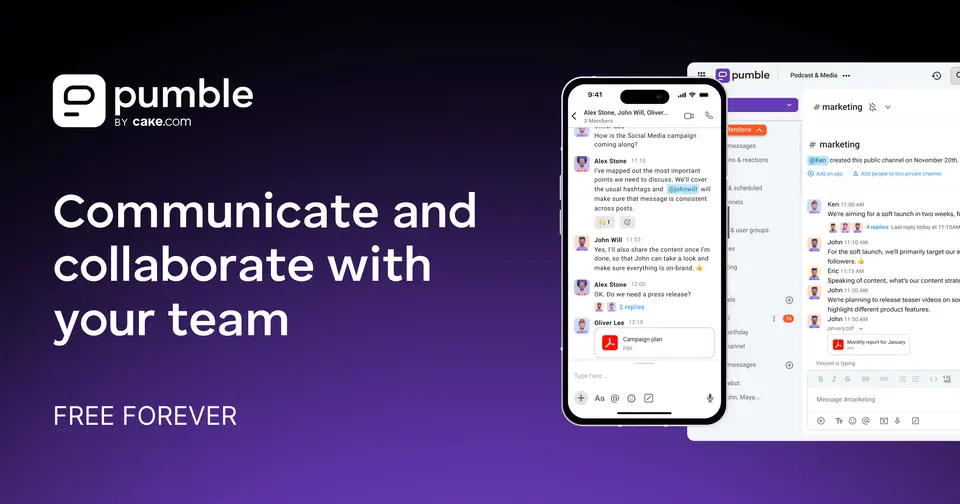
Pumble is a team chat app from CAKE.com, the company behind Clockify and Plaky. It combines channels, threads and direct messages with voice and video meetings, recorded voice and video messages, and file sharing. The free plan covers an unlimited number of users with unlimited message history, and paid plans add group meetings, screen sharing, guest access and admin controls.
Worth knowing
- The Free plan allows only 1:1 meetings; group meetings and screen sharing start on Pro.
- Guest access, user groups and meeting recordings need the Business plan.
- Single sign-on, data retention settings and the audit log are limited to Enterprise.
- Free workspaces get 10 GB of storage in total and up to 3 apps and integrations beyond Clockify and Plaky.
Key features
- Channels, threads and direct messages
- Public and private channels, threads for side conversations, and 1-on-1 or group direct messages, with unlimited message history on every plan.
- Voice and video meetings
- 1:1 voice and video meetings are on the free plan. Group meetings start on Pro with up to 50 members and rise to 100 on Business and Enterprise.
- Screen sharing and recordings
- Screen sharing and on-screen annotations come with Pro, and meeting recordings with Business. Meeting links can be sent to people outside the workspace.
- Voice and video messages
- Record a voice or video message for teammates to play later, and schedule written messages to be sent at a chosen time.
- Guest access
- From Business, guests can be limited to chosen channels. Each paid seat includes 5 free single-channel guests; multi-channel guests need their own seat.
- Integrations, API and MCP server
- Apps for Google Calendar, GitHub, Jira, Zapier and others, a public API and SDK for custom apps, and an MCP server for connecting AI agents.
Pumble tips most people miss
Renewal
Empty seats keep billing until you remove them yourself
Pumble charges for every seat you hold, filled or not, and a pending invite takes up a seat too. When someone leaves, an owner or admin has to remove the spare seat on the Billing page before the next billing cycle. Its help page says there are no refunds for seats.
pumble.comLeaving
Cancel and you drop to Free with your messages kept
Cancel from the three dots by the workspace name, Subscription, Billing, Cancel subscription. Paid features last to the end of the period, then the workspace moves to Free. Pumble says it doesn't delete anything unless you remove the workspace, and old invoices stay downloadable.
pumble.comLeaving
The export leaves out private channels and DMs
Only the workspace owner can export, under Workspace settings, General settings, Import & Export. You get public channel messages, users, and files as links, in a zip. Private channels and direct messages aren't included, and each export is deleted 10 days after you download it.
pumble.comPrivacy
Pumble keeps every message forever unless you're on Enterprise
On every plan, all messages and files are kept for the life of the workspace. Only Enterprise owners can set them to delete after a period, with separate rules for public channels, private channels and DMs, under Workspace settings, General settings, Message history. Those deletions can't be undone.
pumble.comSetting
Pausing only mutes the sound, so set a notification schedule
Pause notifications from your profile picture stops the sounds, but its help page says visual notifications still show up. For real quiet, click your profile picture, then Preferences, and choose the time frame under Allow notifications. On a phone it's Notifications, Notification schedule.
pumble.comEasy to miss
Post the Monday reminder once and let it repeat
Write the message, click the down arrow next to the paper plane and choose "custom and recurring". Set the time, how often it repeats, like every Friday or once a month, and when it ends. It works on every plan, free included. Edit or delete it under Drafts & scheduled.
pumble.comShortcut
Ctrl+K jumps to any chat, and the up arrow edits your last message
Ctrl+K (Cmd+K on a Mac) opens any conversation. Shift+Esc marks everything read, Alt+Shift+down goes to the next unread chat and Ctrl+U uploads a file. Ctrl+Shift+M sets up a new meeting in the desktop app. Ctrl+/ lists the rest.
pumble.com
Read on Oct 17, 2026. Read from Pumble's help centre (user seats, cancelling, exporting data, message retention, notifications, recurring messages, keyboard shortcuts) on 17 October 2026. Not tried out: these tips are what its own pages say.
Pumble pricing
As of Oct 6, 2026, Pumble has a free plan, and paid plans start at $2.49 per seat / month, billed annually.
- Starts at
- $2.49 per seat / month, billed annually
- Free plan
- Unlimited users, channels and message history, 1:1 voice and video meetings, 10 GB of storage per workspace and up to 3 apps and integrations.
- Free trial
- 7-day free trial of all paid features, no credit card required
| Plan | Price | What you get |
|---|---|---|
| Free | $0 | Unlimited users and message history, 1:1 voice and video meetings, voice and video messages, 10 GB of storage per workspace and up to 3 integrations. |
| Pro | $2.49per seat / month, billed annually ($2.99 billed monthly) | Group meetings with up to 50 members, screen sharing with annotations, customizable sidebar sections, 10 GB of storage per seat and up to 10 integrations. |
| Business | $3.99per seat / month, billed annually ($4.99 billed monthly) | Guest access, permissions, user groups, meeting recordings, meetings with up to 100 members, 20 GB of storage per seat and unlimited integrations. |
| Enterprise | $6.99per seat / month, billed annually ($7.99 billed monthly) | Single sign-on (SAML2, OAuth2), data retention settings, audit log, full organization analytics and 100 GB of storage per seat. |
| CAKE.com Bundle | $12.99per seat / month, billed annually ($15.99 billed monthly) | Enterprise features of Pumble together with Clockify time tracking and Plaky project management. |
Read from pumble.com on Oct 6, 2026. Prices change, so confirm with Pumble before you buy.
Ways to pay less
- Annual discountAbout 2 months free with annual billing
Pumble's pricing FAQ says paying annually gives roughly 2 months free: Pro is $2.49 per seat / month billed annually against $2.99 billed monthly.
Stated on pumble.com - Other savingsCAKE.com Bundle with Clockify and Plaky
The bundle includes the Enterprise versions of Pumble, Clockify and Plaky for $12.99 per seat / month billed annually, which the vendor states is 53% less than their combined price.
Stated on pumble.com
How people rate the Pumble app
4.7
out of 5 for the iPhone and iPad app
- 5 stars86%
- 4 stars8%
- 3 stars2%
- 2 stars<1%
- 1 star3%
1,786 ratings on the App Store in the United States, read Oct 6, 2026. It rates the app, not everything the product does. See the listing
Works with
Who makes Pumble
Pumble is made by CAKE.com Inc., the software company that also makes the time tracker Clockify and the project manager Plaky. It earns money from paid plans of the three products, sold one by one or as a bundle.
- Founded
- 2009cake.com
- Based
- Palo Alto, Californiacake.com
- Ownership
- Privately held. CAKE.com Inc. calls itself a 100% bootstrapped company and is led by its founder, Nenad Milanović. Its pages name no parent company.cake.com
- Funding
- Bootstrapped: in a news post on its own blog in April 2026, CAKE.com calls itself a 100% bootstrapped company and says its paid-plan customers are its investors.cake.com
- Team
- 400+ people and 4 offices, according to its About pagecake.com
- Founders and leaders
- Hiring
- 4 open roles: 3 in engineering and 1 in operationsjobs.cake.com
- Affiliate program
- 30% of the recurring revenue from a referred customer's paid plan for up to one year, across Clockify, Pumble and Plaky. The cookie lasts 60 days and payouts go by wire transfer once a threshold is passed.cake.com
- Partner program
- Solution partners (consultants, systems integrators and value-added resellers) sell and implement the products for clients and are listed on its site. Commission rates are not published.cake.com
- Lately
- Introducing Audit Logs: Track Administrative Activity · Oct 1, 2026
- Introducing Gantt View Subitems: Get Visual Insight Into Project Timelines · Sep 30, 2026
- Introducing the Pumble-Trello Integration: Manage Trello Cards in Pumble · Sep 28, 2026
- Introducing Channel Managers: Eliminate Admin Bottlenecks · Sep 16, 2026
Read on Oct 6, 2026 from the company’s own pages and from news reports. What is not stated there is left out.
Jobs at CAKE.com
Any open roles at CAKE.com are on its own careers page. We can’t read a count from there, so have a look.
Applications go to CAKE.com, not to us.
Pumble alternatives
- Pumble vs Slack
Free plan · from $7.25/mo
- Pumble vs Microsoft Teams
Free plan · from $4.00/mo
- Pumble vs Chanty
Free plan · from $3/mo
- Pumble vs Flock
Free plan · from $4.50/mo
- Pumble vs Zoho Cliq
Free plan · from $16.20/mo





Common questions
Is Pumble open source?
Pumble is not described as open source on its own site, as read on Oct 6, 2026.
Does Pumble have an API?
Yes. Pumble offers a public API, according to its own site.
Sources for this page
The prices, plans, platforms and features above were read from these pages on Oct 6, 2026. What people say is linked where it appears.