
Microsoft Teams review (2026): is the free plan enough?
Chat, video meetings and calling tied into Microsoft 365
Black Friday: is there a Microsoft Teams sale?
Our verdict
Second of our top three team communication apps
For: Organizations that already pay for Microsoft 365
Microsoft Teams puts chat, channels, video meetings, calling and file sharing in one app, and it is included in Microsoft 365 business plans alongside Outlook, OneDrive and the Office apps. On its own, Teams Essentials is $4.00 per user a month, paid yearly, less than Slack Pro, with meetings of up to 300 people and recordings with transcripts. Its iPhone and iPad app averages 4.8 from about 3.4 million ratings. It is second because its free version is built for one person, where Slack's Free plan covers a workspace, and there is no Linux desktop app. Essentials and the Microsoft 365 Business plans stop at 300 users, and phone service, Teams Premium and Copilot are separately priced add-ons.
See all three and how we rankMicrosoft Teams review
Very good · out of 4.0 · graded Oct 10, 2026
Best for offices that already pay for Microsoft 365
Microsoft Teams is the chat and meetings app that comes with Microsoft 365, with chat, 300-person meetings, calling and shared Office files in one window, and bought alone it's $4.00 a person a month. But the free version is for one person, the trial needs a card, webinars, phone service and Copilot cost extra, and plenty of users say it's slow and cluttered. If your team runs Linux or wants a free team chat, look elsewhere.
Who Microsoft Teams is for
- Fits if your company already pays for Microsoft 365, because Teams usually comes with it
- Works for teams who want chat and meetings at $4.00 a person and edit Word, Excel and PowerPoint files together
Who Microsoft Teams is not for
- Skip it if your team runs Linux, because Microsoft says Teams is no longer supported there
- Tight if you're hoping for a free team chat, since the free version is for one person and group calls stop at 60 minutes
- Pricey if you need webinars, which start on Business Standard with Copilot at $23.50, or Phone and Premium at $10.00 each
- Not for you if a slow, busy app drives you mad, going by Hacker News and App Store reviews
- Watch out: the one-month trial needs a card and turns into a paid plan, and the lower-priced plans stop at 300 users
Why Microsoft Teams gets a 3.0
Five grades, each with its reason. The GPA is their average: an A is 4 points, an F is none.
- BValue for moneyTeams Essentials is $4.00 a user a month paid yearly, the low end of the category: 300-person meetings of up to 30 hours, recordings with transcripts, 10 GB each. Business Basic at $7.00 adds Office and business email. Webinars, Phone and Copilot cost extra.
- CFree plan and trialMicrosoft's own page says the free version is for one person, so it won't run a team. Chat is unlimited, but group calls stop at 60 minutes and 100 people with 5 GB of storage. The one-month trial of the paid plans wants a card and turns into a subscription on its own.
- BFeaturesIn one window: chat and channels, 300-person meetings with breakout rooms and noise suppression, recordings with transcripts, shared Word, Excel and PowerPoint files, and Teams Phone if you want the office line in here too. Webinars, Phone, Premium and Copilot are all priced separately.
- AEase of use4.8 on the App Store from about 3.4 million ratings, and for most people it's already installed and signed in by work. Chat, meetings, calls and files are in one window, so there's no second app to learn. Hacker News regulars still call it slow and bloated.
- BPlatforms and integrationsWeb, Mac, Windows, iPhone and Android. No Linux desktop app: Microsoft says the Linux client is no longer supported and points you at a web app. The integrations on record are all Microsoft's own, Loop, OneNote, Word, Excel, PowerPoint, Whiteboard, Exchange and Copilot.
The good
Most offices end up on Teams for a boring reason. It's already paid for. It comes with the Microsoft 365 business plans, next to Outlook, OneDrive and the Office apps.
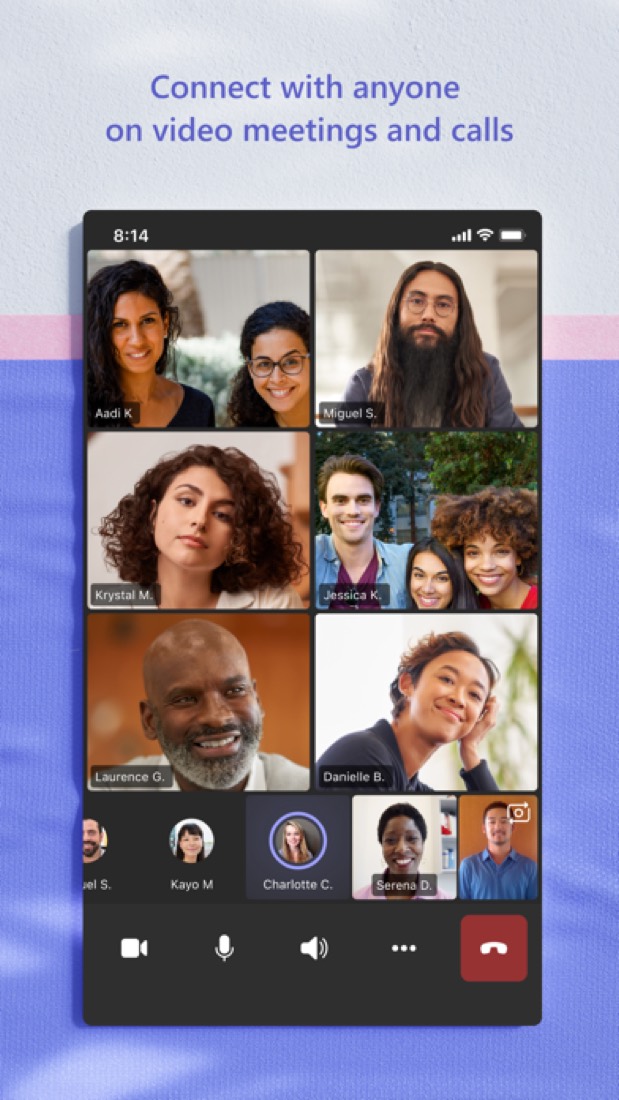
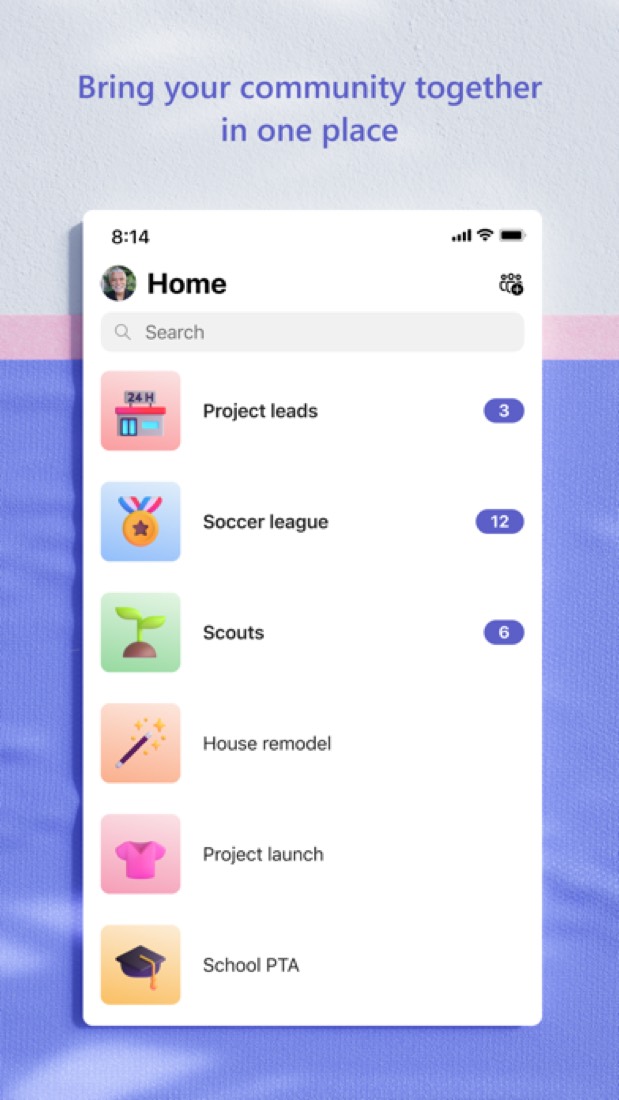
Chat, channels, video meetings, calling and shared files sit in one window, so you're not hopping between four apps to plan one project.
Paid plans take 300 people in a meeting for up to 30 hours, with recordings, transcripts, breakout rooms and noise suppression.
Everyone edits the same Word or Excel file, so nobody's merging five copies of "budget final v3" at the end. Even a two-star reviewer mentions this.
Bought alone, Teams Essentials is $4.00 a person a month, where Slack Pro is $7.25.
This year's update notes list video recaps of recorded meetings, files that upload in the background and warnings when a caller might be a scammer.
The stuff that'll bug you
Lots of people are on Teams because they have to be. You can hear it in what they write.
Slow and heavy is the complaint that won't go away. Microsoft's own page says the current app is built for speed and low memory use. Hacker News regulars in 2026 still call it slow and bloated.
The phone app has rough edges. A September 2026 reviewer said scrolling a chat kept skipping messages. Another joined a meeting on the iOS app, lost the video and couldn't get it back.
There's no Linux app. Microsoft says Teams is no longer supported there, and its download page offers a web app instead.
The free version is for one person. It covers family calls, but group calls stop at 60 minutes and it won't run a team for nothing.
The trial wants a card. It lasts a month and turns into a paid plan by itself, so set a reminder.
And extras cost extra. Phone service, Teams Premium and Copilot are all add-ons, and webinars need a dearer plan. Essentials only does live captions in English, and it and the Business plans stop at 300 users.
Money
Free covers one person: unlimited chat, group calls of up to 60 minutes and 100 people, and 5 GB of storage.
Teams Essentials is $4.00 a person a month, paid yearly. That's Teams and nothing else: meetings for 300, recordings with transcripts and 10 GB of storage each. Live captions are English only.
Microsoft 365 Business Basic is $7.00. For three dollars more you get web and mobile Office, business email and 1 TB of storage each. It's the one we'd pick.
Webinars, desktop Office and Copilot come with Business Standard with Copilot at $23.50. All three plans stop at 300 users. Past that it's Teams Enterprise at $8.55, or the E3 suite at $39.00.
Add-ons stack up. Teams Phone is $10.00 a person and Teams Premium is another $10.00, and Premium only goes on top of an Enterprise license.
There's a one-month free trial, but it wants a card and turns into a paid plan by itself. Nonprofits that qualify get 75% off Microsoft 365 Business Premium. And Microsoft sells its suites without Teams too, so check which one your company has.
What actual users say
Teams has 4.8 on the App Store from about 3.4 million ratings. So most people who rate it give it high marks.
The written reviews are grumpier, and you can see why. Plenty of the writers didn't choose Teams. Work or school chose it for them.
What do they like? Being reachable away from the desk, and editing documents together. One manager put it on their phone so a crisis wouldn't have to wait until they got back.
What do they hate? Clutter and glitches. A 2022 reviewer found chats could be hidden but not deleted, and a student in 2021 was marked absent because Teams showed their camera as off.
The unluckiest was a job candidate in 2024. The practice run went fine, then the app froze when the real interview started.
Hacker News is harsher still. The common take there is that you don't choose Teams. Your bosses do, because it comes with the rest of Microsoft 365.

What this review rests on. Based on Microsoft's Teams pricing pages for business and for individuals, its download page, its client documentation and its What's new page as of 9 October 2026, its App Store reviews and Hacker News threads about it. Also tested with a demo account on 2026-02-16. How we review and grade.
Make Microsoft Teams? Put this grade on your site

Paste this where you want the badge. It links here and follows the grade if it changes. About badges
<a href="https://toolgpa.com/tools/microsoft-teams#review"><img src="https://toolgpa.com/badge/microsoft-teams.svg" alt="Microsoft Teams: 3.0 GPA on ToolGPA" width="196" height="56"></a>Where Microsoft Teams stands among team communication apps
Microsoft Teams's GPA of 3.0 is higher than 60 of the 75 other team communication apps we grade, and level with 6.
It stands best on ease of use (A, above 70 of 75) and worst on free plan and trial (C, above 5).
Its paid plans start at $4 a month for each person, against a middle price of $6.90 for the category: 13 of the 51 others that charge start lower.
On features, ease of use and platforms it scores 3.3 out of 4. 1 tool scores higher and costs less.
Each grade against the category
Every bar is all 76 team communication apps we grade, cut by the letter each got. Microsoft Teams’s own letter is outlined.
- BValue for moneyAbove 47 of 75, level with 10
- CFree plan and trialAbove 5 of 75, level with 35
- BFeaturesAbove 63 of 75, level with 11
- AEase of useAbove 70 of 75, level with 5
- BPlatforms and integrationsAbove 9 of 75, level with 41
Price against what you get
Each dot is one of 66 team communication apps. Further left costs less, and higher up scores better on features, ease of use and platforms. Point at a dot to see which tool it is.
Features, ease of use and platforms, averaged
What paid plans start at, a month (each step along is roughly double) →
- The best score at each price
- Has a free plan
- No free plan
Keep Microsoft Teams, or make your own?
Keep it
To replace Microsoft Teams you would be making chat that a whole team counts on staying up. That is not a weekend's work, with an AI app builder or without one.
It is one of the better ones too: its GPA of 3.0 is higher than 60 of the 75 other team communication apps we grade. It costs $48 a year.
What you could not
- Chat that a whole team counts on staying up.
- Video calls.
- Audio cleaned up live as you speak.
- Storing and serving files for other people.
- Speech turned into text you can trust.
- An endless canvas that stays smooth with hundreds of things on it.
- Apps for macOS, Windows, iOS and Android that stay in step with each other.
- It is priced for each person, which means accounts and billing for a team.
- It plugs into other products, Microsoft Loop, OneNote and PowerPoint among them.
- AI features, unless you pay a model provider for each request yourself.
- The depth: we grade its features B, which means it covers the whole job.
What this rests on. Microsoft Teams’s listing: what it does, where it runs, what it plugs into and what it costs. It is a judgement about the kind of software this is. We have not built a replacement for it, and making your own means looking after it too. How we decide, and every tool’s verdict.
What is Microsoft Teams?
Microsoft Teams combines chat, channels, video meetings, calling and file sharing in one app. It is sold on its own as Teams Essentials or Teams Enterprise and is also included in Microsoft 365 business and enterprise suites, alongside Outlook, OneDrive and the Office apps. A free version covers personal use, and phone service, Teams Premium and Microsoft 365 Copilot are paid add-ons.
Worth knowing
- The free version is built for one person: group calls stop at 60 minutes and 100 participants, with 5 GB of cloud storage.
- Teams Essentials and the Microsoft 365 Business plans stop at 300 users; larger organizations need Teams Enterprise or Microsoft 365 E3 or E5.
- There is no Linux desktop app: Microsoft points Linux users to a progressive web app and says the Linux client is no longer supported.
- Webinar hosting is left out of Teams Essentials and Business Basic, and phone service, Teams Premium and Copilot are separately priced add-ons.
Key features
- Chat and channels
- Chats and channels hold conversations, shared files, Loop and OneNote pages and third-party apps. Paid plans include unlimited chat messages, file attachments and search.
- Video meetings
- Business plans allow meetings of up to 300 participants and 30 hours, with screen sharing, breakout rooms, custom backgrounds, Together mode and noise suppression.
- Recordings, transcripts and captions
- Paid plans record meetings with transcripts. Live captions cover more than 30 languages on the Microsoft 365 business plans and English only on Teams Essentials.
- Webinars
- Webinar hosting with attendee registration and reporting comes with Microsoft 365 Business Standard with Copilot and the enterprise suites, not with Business Basic or Essentials.
- Teams Phone
- A cloud phone system added to a Teams license. Teams Phone Standard is $10.00 per user / month paid yearly, and US bundles that add a calling plan start at $13.00.
- Copilot and Teams Premium
- Microsoft 365 Copilot and Teams Premium are add-ons. Teams Premium costs $10.00 per user / month paid yearly and needs a plan with a Teams Enterprise license.
Microsoft Teams tips most people miss
Renewal
You get 7 days after buying or renewing to cancel with a refund
For business plans bought from Microsoft or a partner, Microsoft's admin docs give a prorated refund only if you cancel within seven days of the start or renewal. After that you can only turn off recurring billing. On a yearly plan paid monthly, you keep paying every month until the term ends.
learn.microsoft.comLeaving
After a plan ends, only admins can reach the data, and not for long
An ended business subscription sits as Expired for 30 days with normal access, then Disabled for 90 days, when only admins can get at and back up the data. Then it's deleted. Buying the same plan again later doesn't bring the data back, so export chats and files before it lapses.
learn.microsoft.comSetting
Meeting recordings expire after 120 days unless your admin changes it
Recordings and transcripts go to the recycle bin 120 days after the meeting by default. An admin can change that in the Teams admin center, under Meetings, Meeting policies, Recording & transcription, but only for new recordings. Once the recycle bin is emptied, they're gone for good.
learn.microsoft.comShortcut
Hold Ctrl+Space to talk while muted in a meeting
Ctrl+Space (Option+Space on a Mac) unmutes you only while you hold it. Ctrl+Shift+M toggles mute, Ctrl+Shift+O your camera and Ctrl+Shift+K raises your hand. Outside meetings, Ctrl+E goes to search and Ctrl+N starts a chat. Ctrl+. shows the full list.
support.microsoft.comPrivacy
You can turn read receipts off, if your admin lets you
Go to Settings and more next to your profile picture, then Settings, Chats and channels, and switch off Read receipts. Microsoft says your admin decides whether you're allowed to. In group chats, "Read by" only works when there are 20 people or fewer.
support.microsoft.comEasy to miss
Write it tonight, send it at 9am with Schedule message
Type the chat message, click the Actions and apps icon, choose Schedule message, pick a date and time, then Continue and Send. You can edit or reschedule it before it goes. On a phone, press and hold the Send button instead. You need an existing chat with the person first.
support.microsoft.com
Read on Oct 17, 2026. Read from Microsoft Support (Teams keyboard shortcuts, read receipts, scheduled messages) and Microsoft Learn (cancelling and ending business subscriptions, recording expiration) on 17 October 2026. Not tried out: these tips are what its own pages say.
Microsoft Teams pricing
As of Oct 5, 2026, Microsoft Teams has a free plan, and paid plans start at $4.00 per user / month, paid yearly.
- Starts at
- $4.00 per user / month, paid yearly
- Free plan
- Microsoft Teams (free) is for one person: unlimited chat, group calls of up to 60 minutes and 100 participants, and 5 GB of cloud storage.
- Free trial
- One-month free trial of the paid plans; a credit card is required and it converts to a paid subscription.
| Plan | Price | What you get |
|---|---|---|
| Microsoft Teams (free) | $0 | For one person: unlimited chat, group calls of up to 60 minutes and 100 participants, tasks and polling, and 5 GB of cloud storage. |
| Microsoft Teams Essentials | $4.00per user / month, paid yearly | Teams on its own for up to 300 users: meetings of up to 300 people and 30 hours, recordings with transcripts, and 10 GB of storage per user. |
| Microsoft 365 Business Basic | $7.00per user / month, paid yearly | Suite plan that includes Teams, plus web and mobile Office apps, custom business email and 1 TB of cloud storage per user. Up to 300 users. |
| Microsoft Teams Enterprise | $8.55per user / month, paid yearly | Teams on its own for organizations of more than 300 people, with recordings, transcripts and 10 GB of cloud storage per user. |
| M365 Business Standard with Copilot | $23.50per user / month, paid yearly | Microsoft 365 Business Standard with Copilot: Teams with webinar hosting, desktop Office apps and Copilot in the apps. Up to 300 users. |
| Microsoft 365 E3 | $39.00per user / month, paid yearly (annual commitment) | Enterprise suite for any size that includes Teams with webinars, desktop Office apps and added security. Microsoft 365 E5 is $60.00. |
Read from microsoft.com on Oct 5, 2026. Prices change, so confirm with Microsoft Teams before you buy.
Ways to pay less
- Nonprofit75% off Microsoft 365 Business Premium for nonprofits
Eligible nonprofits can get Microsoft 365 Business Premium, a suite that includes Microsoft Teams, at a 75% discount after registering and confirming eligibility.
Stated on microsoft.com
Microsoft Teams refunds and cancellation
Good · checked Oct 18, 2026
Teams has no billing of its own: it is a Microsoft 365 business subscription, and Microsoft's commerce rules apply. You get seven days from the start or the renewal to cancel and have the unused part refunded, which is a real window but a short one. Miss it and all you can do is switch off recurring billing and ride out the term. Cancelling is self-serve in the admin centre, as long as you are under 25 licences, so it is a B.
- Refund window
- 7 days
- How you cancel
- Yourself, in settings
- Getting your money back
Microsoft says that on a Microsoft Customer Agreement billing account you can cancel and get a prorated credit or refund only within seven days of the subscription starting or renewing, paid back in one to two days. After that you can only turn off recurring billing. On the older Microsoft Online Subscription Agreement, cancelling at any point gives a prorated credit or refund in the next billing cycle.
Stated on learn.microsoft.com- How to cancel Microsoft Teams
A billing admin cancels in the Microsoft 365 admin centre, under Subscriptions or Billing then Your products. Subscriptions with more than 25 licences must be cut to 25 or fewer first, and one bought through a reseller is cancelled through the reseller. Outside the seven-day window the only option offered is to switch recurring billing off, which stops the renewal and leaves access running to the end of the term.
- Have users save their OneDrive and SharePoint files somewhere else first
- Sign in to the Microsoft 365 admin centre and open Subscriptions, or Billing then Your products
- Select the subscription you want to end
- Under the subscription's billing or payment settings, select Cancel subscription
- Inside the cancellation window, pick a reason and confirm; outside it, choose to edit the recurring billing settings
- If you are turning off the renewal, set recurring billing to Off and save
- What you keep afterwards
Microsoft's page on what happens when a business subscription ends says it moves from Active to Expired, then Disabled, then Deleted: for most offers, 30 days Expired and 90 days Disabled. While Expired everyone keeps normal access; while Disabled only admins can reach the data to back it up and the apps fall into a read-only mode. Once Deleted the data is gone and the subscription cannot be reactivated.
Stated on learn.microsoft.com- Renewals
Subscriptions renew by recurring billing unless it is switched off in the admin centre, which Microsoft's cancellation page presents as the standard way to stop a plan outside the seven-day window. The same page warns that an annual subscription paid monthly keeps being charged every month for the rest of its term, and that a free trial rolls into a paid subscription unless recurring billing is turned off first.
Stated on learn.microsoft.com
In your favour
- Seven days from the start or any renewal to cancel and get the unused part back.
- Microsoft says a prorated refund inside that window is paid back within one to two days.
- A billing admin does it all in the admin centre, with nobody to phone.
- After the end date you get 30 days of normal access and then 90 more for admins to pull the data out.
Watch out for
- Seven days is a narrow window, and after it the only move left is to stop the renewal.
- An annual plan paid monthly keeps billing every month until the term runs out.
- A subscription with more than 25 licences has to be cut down to 25 before you can cancel it online.
- Once the subscription reaches Deleted the data is gone and cannot be brought back.
Microsoft Teams customer support
Excellent · checked Oct 18, 2026
Admins on any paid Microsoft 365 business plan can get a person on the phone, and Microsoft states the hours: technical support in English round the clock, billing from 9 to 5 on weekdays. The online route shows the expected wait before you commit to it. Add Microsoft's enormous written help and a public community and that is an A. It is admin-only, though, and the free Teams tier gets none of it.
Ways to get help
Phone
Microsoft lists support phone numbers by country for Microsoft 365 for business. Technical support is in English, with local languages in some countries. Callers from an unregistered number are sent a verification code to the address or number held in the admin centre profile.
Stated on learn.microsoft.comContact form or ticket
An admin opens Help and support in the Microsoft 365 admin centre, types the question into the Support Assistant, and if the suggested articles do not help picks Contact Support and asks for a callback by phone or email. The pane shows the expected wait time.
Stated on learn.microsoft.comHelp centre
The Microsoft Teams help and learning site holds written articles, training and videos on meetings, chat, channels and administration, open to anyone without signing in.
Stated on support.microsoft.comCommunity or forum
The Microsoft Teams area of the Microsoft Community Hub is a public forum where users, IT admins and Microsoft staff post questions, answers and announcements.
Stated on techcommunity.microsoft.com
Not listed on Microsoft Teams’s pages: live chat.
- When people answer
Microsoft says technical support for Microsoft 365 for business is provided in English 24 hours a day, 7 days a week, and in local languages in some countries. Billing support in most countries is in English from 9 AM to 5 PM, Monday to Friday, with local-language cover varying by country.
Stated on learn.microsoft.com- How fast it says it replies
Its pages do not say.
- What depends on your plan
The page says these routes are for admins of a business subscription, and that you must have at least one subscription bought through Microsoft: buy everything through a partner and the partner handles support instead. Volume licensing customers have a separate team. Nothing on the page offers a faster queue for a more expensive edition.
Stated on learn.microsoft.com
In your favour
- Technical support is stated as English, 24 hours a day, 7 days a week.
- Phone support comes with any paid business subscription, not only the expensive ones.
- The online form shows the expected wait before you ask for a callback.
- Nothing suggests a cheaper edition is sent to a slower queue than a dearer one.
Watch out for
- Only an admin can use these routes, so an ordinary user has to go through their IT team.
- Buy everything through a reseller and Microsoft sends you to the reseller for support.
- Billing questions are weekday office hours only in most countries, unlike technical ones.
- No page states how long a reply or a fix should take, only the hours the lines are open.
What these two grades rest on. Read on 18 October 2026: Microsoft's commerce documentation on cancelling a business subscription and on what happens to data and access when one ends, its Microsoft 365 admin support page, the Teams help and learning site, and the Teams area of the Microsoft Community Hub. These are Microsoft 365 business rules, not a policy written for Teams. Nobody here cancelled a plan or contacted support. They are graded apart from the five that make the GPA. How we grade refunds and support.
How people rate the Microsoft Teams app
4.8
out of 5 for the iPhone and iPad app
3,377,810 ratings on the App Store in the United States, read Oct 7, 2026. It rates the app, not everything the product does. See the listing
Works with
- Microsoft Loop
- OneNote
- PowerPoint
- Word
- Excel
- Microsoft Whiteboard
- Microsoft 365 Copilot
- Exchange
Who makes Microsoft Teams
Microsoft makes Teams and sells it by subscription, on its own and as part of Microsoft 365, alongside a free version. Teams is one product of a listed company that also sells Windows, Azure and Xbox.
- Founded
- 1975news.microsoft.com
- Based
- Redmond, Washingtonnews.microsoft.com
- Ownership
- Publicly traded. Microsoft Corporation's common shares trade on the Nasdaq Stock Market under the ticker symbol MSFT, according to its investor relations FAQ.microsoft.com
- Team
- 223,000 employees worldwide as of June 30, 2026, of whom 121,000 are in the United States.news.microsoft.com
- Founders and leaders
- Satya Nadella, Chairman and Chief Executive Officernews.microsoft.com
- Brad Smith, Vice Chair and Presidentnews.microsoft.com
- Amy Hood, Executive Vice President and Chief Financial Officernews.microsoft.com
- Judson Althoff, CEO, Microsoft Commercial Businessnews.microsoft.com
- Hiring
- Microsoft's careers site lists 2,321 jobs across the whole company, with no filter applied.apply.careers.microsoft.com
- Partner program
- Microsoft AI Cloud Partner Program: gives member firms benefits, offerings and incentives, among them Azure credits, cloud services, product licences, technical consultation, developer tools and marketing benefits.learn.microsoft.com
- Lately
- What's New in Microsoft Teams | August - September 2026 · Oct 1, 2026
- Help your customers get answers and support with Teams Phone Agent · Sep 30, 2026
- Serve customers with Queues app's collaborative calling for Microsoft Teams · Sep 14, 2026
- Microsoft Teams Rooms: Platform choice delivers flexibility for your spaces · Sep 3, 2026
Read on Oct 6, 2026 from the company’s own pages and from news reports. What is not stated there is left out.
Jobs at Microsoft
Any open roles at Microsoft are on its own careers page. We can’t read a count from there, so have a look.
Applications go to Microsoft, not to us.
Microsoft Teams alternatives
- Microsoft Teams vs Slack
Free plan · from $7.25/mo
- Microsoft Teams vs Zoom
Free plan · from $14.16/mo
- Microsoft Teams vs Google Meet
Free plan · from $7/mo
- Microsoft Teams vs Google Chat
Free plan · from $7/mo
- Microsoft Teams vs Webex
Free plan · from $12/mo





Common questions
Does Microsoft Teams have a Linux app?
No Linux app was listed when its pages were read on Oct 5, 2026. Microsoft Teams is listed for Web, macOS, Windows, iOS and Android.
Is Microsoft Teams open source?
Microsoft Teams is not described as open source on its own site, as read on Oct 5, 2026.
Sources for this page
The prices, plans, platforms and features above were read from these pages on Oct 5, 2026. What people say is linked where it appears.
- microsoft.com/en-us/microsoft-teams/compare-microsoft-teams-business-options
- microsoft.com/en-us/microsoft-teams/compare-microsoft-teams-home-options
- microsoft.com/en-us/microsoft-teams/compare-microsoft-teams-enterprise-options
- microsoft.com/en-us/microsoft-teams/group-chat-software
- microsoft.com/en-us/microsoft-teams/download-app
- learn.microsoft.com/en-us/microsoftteams/teams-client-desktop-admin
- microsoft.com/en-us/microsoft-teams/education
- microsoft.com/en-us/nonprofits/microsoft-365