
Google Meet review (2026): is the free plan enough?
Browser-based video meetings included with Google Workspace
Black Friday: is there a Google Meet sale?
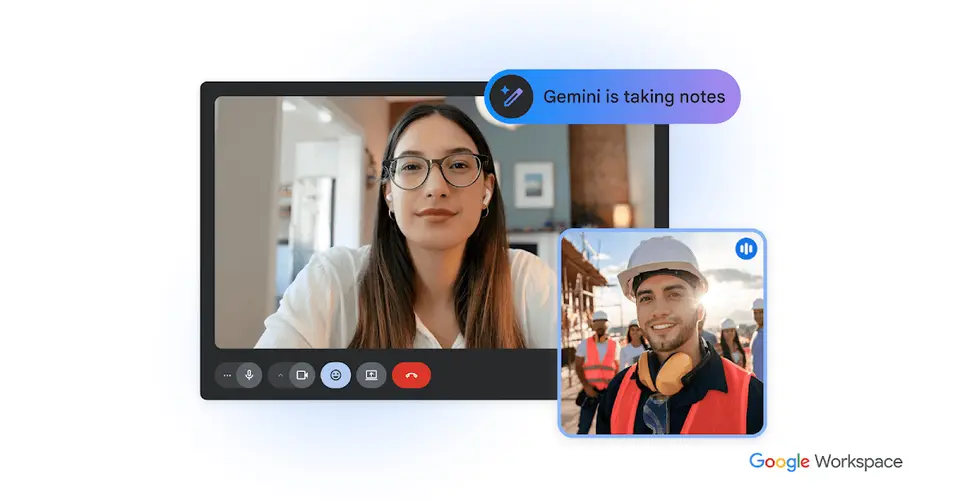
Google Meet review
Good · out of 4.0 · graded Oct 10, 2026
Best for quick calls with nothing to install
Google Meet is a video call you start from a browser tab, with nothing to install, and group calls of up to an hour cost nothing. But free group calls stop at 60 minutes, recording and noise cancelling need the $14 Workspace plan, you can't buy Meet on its own, there's no desktop app, and people say it works older laptops hard. If you need recordings without buying a whole suite, look elsewhere.
Who Google Meet is for
- Fits if your team already pays for Google Workspace, because Meet comes with it
- Works for calls where guests shouldn't install anything, and family calls between iPhones and Android phones
Who Google Meet is not for
- Tight if your free group calls often run past 60 minutes
- Skip it if you need recordings, noise cancelling, polls or breakout rooms on the $7 plan, because they start on dearer plans
- Not for you if you want a desktop app, since on a computer it's always a browser tab
- Not for you if your laptop is getting old, as people say calls work the processor hard
- Pricey if Meet is all you want: paid features only come with Workspace or Google One Premium, and Business plans stop at 300 users
Why Google Meet gets a 2.8
Five grades, each with its reason. The GPA is their average: an A is 4 points, an F is none.
- CValue for moneyMeet isn't sold on its own. It comes with Google Workspace from $7 a user a month on a one-year commitment, the going rate for this category, but at $7 you get no recording, no noise cancelling and no Gemini. Those start at Business Standard, $14.
- BFree plan and trialAnyone with a Google Account hosts up to 100 participants at no cost, and one-to-one and mobile calls have no time limit. Group calls stop at 60 minutes, though, and guests need a Google Account or letting in one by one.
- CFeaturesThe meeting itself: browser joining, 24-hour calls on paid plans, captions, recordings and transcripts to Drive, Gemini notes, 1080p. But the listing puts recording, noise cancellation, Gemini, polls, breakout rooms and Q&A on the dearer plans, so Business Starter is a plain call and little else.
- AEase of use4.76 on the App Store from about 2.3 million ratings. Nothing to install on a computer: someone sends a link, you click it, you're in the call in a browser tab. Guests need no account if the host lets them in. Hacker News commenters say calls work laptop processors hard.
- BPlatforms and integrationsThe browser plus iPhone and Android apps. No desktop app is listed, so on a computer it's always a tab. It joins up with Docs, Sheets, Slides, Drive and YouTube, and Calendar drops a Meet link into an event.
The good
What does Meet do differently? There's nothing to install. Someone sends a link, you click it, and you're on the call in a browser tab.
That works in Chrome, Firefox, Edge and Safari, on a Mac, a Windows PC, a Chromebook or Linux. People on Hacker News bring up exactly this when they compare it with Zoom.
The free version lets anyone with a Google Account host up to 100 people for 60 minutes. One-on-one calls and mobile calls have no time limit.
So for "call mom every sunday", you won't pay.
You can join straight from a Doc, a Sheet or a Slides deck, and Google Calendar can add a Meet link to an event.
Pay for Workspace and meetings stretch to 24 hours. From Business Standard up, Gemini takes the notes and writes the summary.
The stuff that'll bug you
The paid features are locked inside a bigger purchase. You can't buy "Meet Pro". You buy Google Workspace, or Google One Premium if it's only you.
And the cheapest plan leaves out what you'd upgrade for. Business Starter at $7 has no recording, no noise cancelling and no Gemini notes. Those start at Business Standard, which is $14. Polls, breakout rooms and Q&A sit on the dearer plans too.
It's heavy on your computer. This came up more than once on Hacker News. One person said they replaced a 2021 laptop because it couldn't keep up with Meet any more.
Google's help page asks for just a dual-core processor and 2 GB of memory. Going by those comments, the minimum and "comfortable" are a long way apart.
There's no desktop app. On a computer it's always a browser tab, and tabs get lost.
Free group calls end at 60 minutes, and guests need a Google Account, or the host has to let each one in.
The Business plans stop at 300 users. And Google shows different plans and prices by country, so check the price where you are.
Money
Free covers 100 participants, 60 minutes for group calls, and no limit one-on-one.
After that you're buying Google Workspace, per person, on a one-year commitment. Business Starter is $7 a month: 100 people and 24-hour meetings, and that's about it for Meet.
Business Standard is $14. It's the one we'd pick if meetings matter to you, because it adds recordings saved to Drive, noise cancelling, Gemini notes and room for 150.
Business Plus is $22, with 500 people and attendance tracking. Enterprise goes up to 1,000 and you have to talk to sales.
Some small print. The Business plans stop at 300 users, and there's a 14-day trial. For now new customers get up to 50% off the first 3 months, and nonprofits that qualify can get Workspace for nothing.
Also, Google shows different plans and prices in different countries. So what you see on their site might not match ours.
What actual users say
Google Meet has 4.76 on the App Store from about 2.3 million ratings.
A warning about the written reviews, though. Most of the ones Apple shows are over three years old, and several are from when the app was called Duo. So they're about calling family, not about work meetings.
What do the happy reviews talk about? Calling across the iPhone and Android divide. One couple, an iPhone and a Pixel, video call on it most nights, and kids use it to see a parent who lives somewhere else.
The unhappy ones talk about glitches. Calls that won't connect, or being kicked out the second they answer. A 2024 reviewer found the iPhone app plain confusing.
Hacker News is more about work. People like that it runs in any browser with nothing to install. They don't like what it does to their laptop fans.
And one commenter lost 20 minutes trying to share a screen with their mother on an iPad. Safari wouldn't do it.
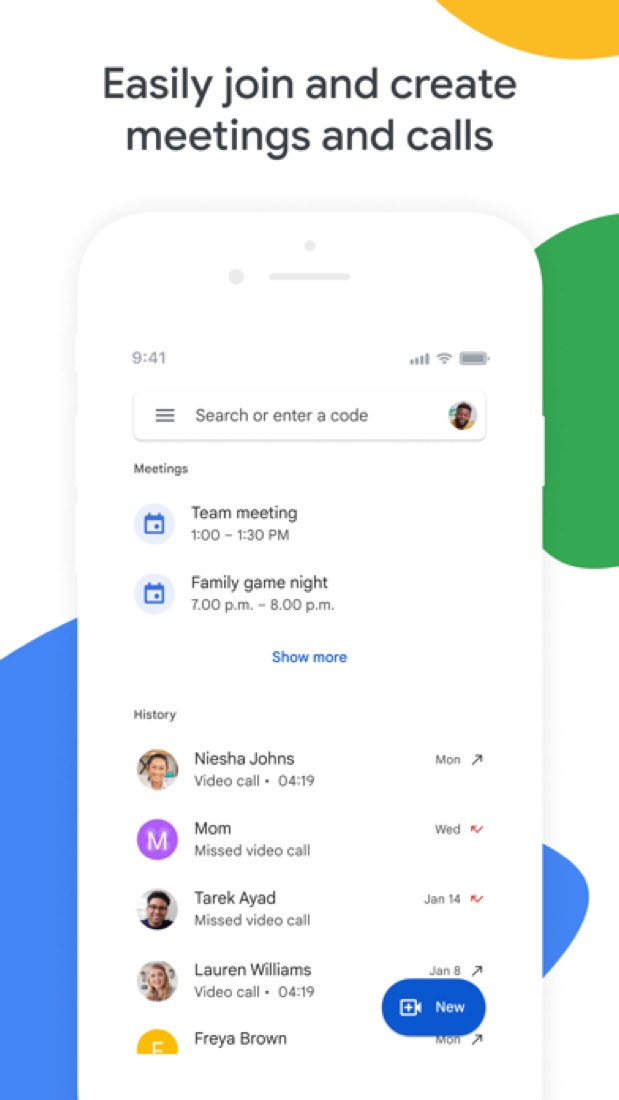
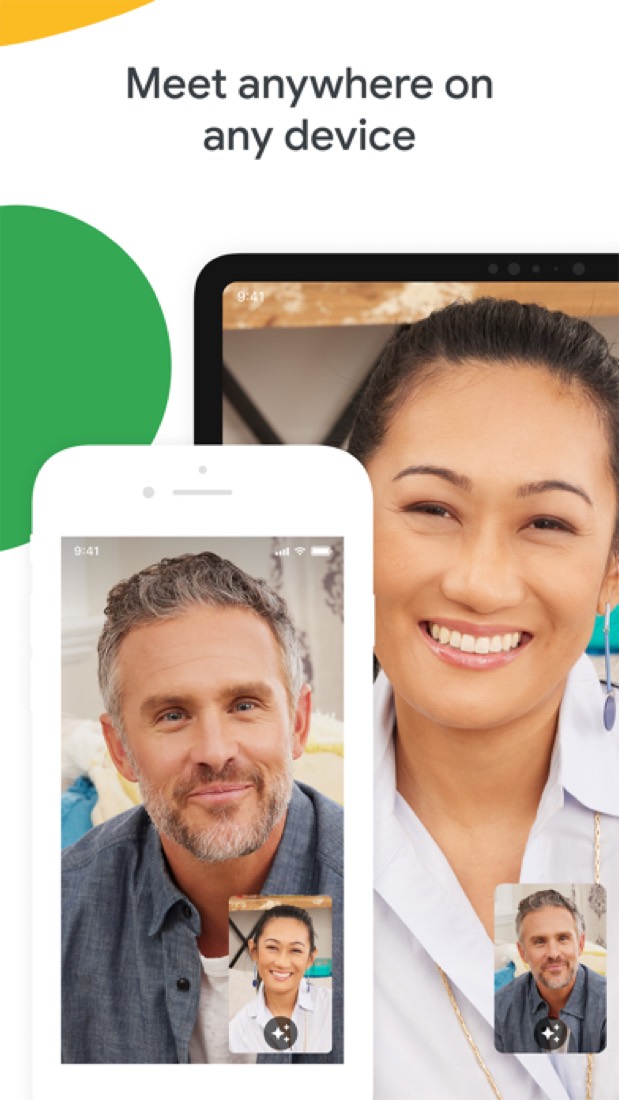
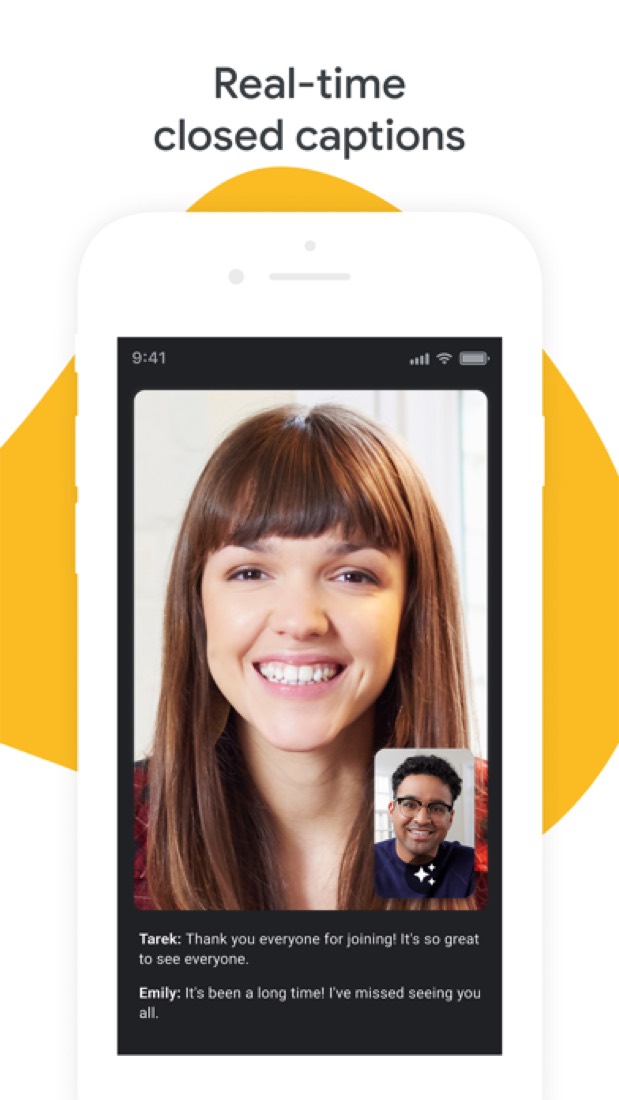
What this review rests on. Based on Google's Workspace pricing page, its Meet product page and Meet help pages as of 9 October 2026, its App Store reviews and Hacker News threads about it. Also tested with a demo account on 2026-07-26. How we review and grade.
Make Google Meet? Put this grade on your site

Paste this where you want the badge. It links here and follows the grade if it changes. About badges
<a href="https://toolgpa.com/tools/google-meet#review"><img src="https://toolgpa.com/badge/google-meet.svg" alt="Google Meet: 2.8 GPA on ToolGPA" width="196" height="56"></a>Where Google Meet stands among team communication apps
Google Meet's GPA of 2.8 is higher than 49 of the 75 other team communication apps we grade, and level with 10.
It stands best on ease of use (A, above 70 of 75) and worst on features (C, above 1).
Its paid plans start at $7 a month for each person, against a middle price of $6.90 for the category: 26 of the 51 others that charge start lower.
On features, ease of use and platforms it scores 3.0 out of 4. 4 tools score higher and cost less.
Each grade against the category
Every bar is all 76 team communication apps we grade, cut by the letter each got. Google Meet’s own letter is outlined.
- CValue for moneyAbove 7 of 75, level with 39
- BFree plan and trialAbove 41 of 75, level with 18
- CFeaturesAbove 1 of 75, level with 61
- AEase of useAbove 70 of 75, level with 5
- BPlatforms and integrationsAbove 9 of 75, level with 41
Price against what you get
Each dot is one of 66 team communication apps. Further left costs less, and higher up scores better on features, ease of use and platforms. Point at a dot to see which tool it is.
Features, ease of use and platforms, averaged
What paid plans start at, a month (each step along is roughly double) →
- The best score at each price
- Has a free plan
- No free plan
Keep Google Meet, or make your own?
Keep it
To replace Google Meet you would be making video calls. That is not a weekend's work, with an AI app builder or without one.
It costs $84 a year.
What you could not
- Video calls.
- A bot that joins your calls and turns the talk into notes.
- Audio cleaned up live as you speak.
- Speech turned into text you can trust.
- A real app for iOS and Android. Something home-made would be a web page.
- It is priced for each person, which means accounts and billing for a team.
- It plugs into other products, Google Docs, Google Sheets and Google Slides among them.
- AI features, unless you pay a model provider for each request yourself.
What this rests on. Google Meet’s listing: what it does, where it runs, what it plugs into and what it costs. It is a judgement about the kind of software this is. We have not built a replacement for it, and making your own means looking after it too. How we decide, and every tool’s verdict.
What is Google Meet?
Google Meet is Google's video meeting service. It runs in a computer browser without an install and in mobile apps, and anyone with a Google Account can host a meeting of up to 100 people for 60 minutes at no cost. Longer and larger meetings, recording, noise cancellation and Gemini note-taking come with Google Workspace plans, which bundle Meet with Gmail, Drive, Chat and the rest of the suite.
Worth knowing
- No-cost meetings end at 60 minutes unless they are 1:1 or mobile calls.
- Paid Meet features are not sold separately: they come with a Google Workspace plan, or Google One Premium for individuals.
- Business Starter has no recording, noise cancellation or Gemini in Meet, and Business plans stop at 300 users.
- Computers join through the browser; the site lists apps only for phones and tablets, not a desktop app.
Key features
- Meetings in the browser
- Computers join from the browser with no software to install, and phones and tablets use the Google Meet app from the App Store or Play Store.
- Meeting size and length
- No-cost meetings hold 100 participants for up to 60 minutes. Workspace plans allow 24-hour meetings with 100, 150, 500 or 1,000 participants depending on the plan.
- Recordings and transcripts
- Recordings and transcripts capture what was discussed, with recordings saved to Google Drive. Recording is a paid feature that starts at Business Standard.
- Gemini in Meet
- Gemini can take notes, summarize and translate meetings. It is included from Business Standard up and is not part of Business Starter.
- Noise cancellation and video quality
- AI reduces background noise, and video runs at up to 1080p with studio look and lighting options. These are premium features on certain paid plans.
- Captions and audience tools
- Live captions show subtitles as people speak. Polls, breakout rooms, moderation controls and Q&A are premium features on certain paid plans.
Google Meet pricing
As of Nov 9, 2026, Google Meet has a free plan, and paid plans start at $7 per user / month with a 1-year commitment (Google Workspace).
- Starts at
- $7 per user / month with a 1-year commitment (Google Workspace)
- Free plan
- Anyone with a Google Account can host meetings of up to 100 participants for up to 60 minutes; 1:1 and mobile calls have no time limit.
- Free trial
- 14-day free trial of Google Workspace.
| Plan | Price | What you get |
|---|---|---|
| Free (Google Account) | $0 | Meetings of up to 100 participants and 60 minutes, with no time limit on 1:1 and mobile calls. |
| Business Starter | $7per user / month, 1-year commitment, billed monthly | Google Workspace suite plan: Meet with 100 participants and 24-hour meetings, without recording, noise cancellation or Gemini in Meet. |
| Business Standard | $14per user / month, 1-year commitment, billed monthly | Suite plan: 150 participants, recordings saved to Drive, Studio Sound noise cancellation and Gemini in Meet. |
| Business Plus | $22per user / month, 1-year commitment, billed monthly | Suite plan: 500 participants with attendance tracking, plus 5 TB of pooled storage per user and Vault. |
| Enterprise | Custom | Suite plan: 1,000 participants and in-domain live streaming, with no minimum or maximum number of users. |
Read from workspace.google.com on Nov 9, 2026. Prices change, so confirm with Google Meet before you buy.
Ways to pay less
- Annual discountSave 16% with a 1-year commitment
Google's pricing page says the Annual plan saves 16% compared with paying without a commitment. The listed prices are the Annual ones, billed monthly.
Stated on workspace.google.com - Other savingsUp to 50% off the first 3 months
New Google Workspace customers get up to 50% off their first 3 months, for a limited time with no end date given. Which plan gets 50%, 30% or 20% varied between reads of the page in October and November.
Stated on workspace.google.com - By countryLower price shown to buyers in India
On 9 October 2026 the pricing page showed Business Starter at ₹270 per user a month to a reader in India, against $7 on the US page. Google's help center says it sometimes offers country-based discounts.
Stated on workspace.google.com - NonprofitFree Google Workspace for Nonprofits
Eligible nonprofits get Google Workspace for Nonprofits at $0 per user with 150-participant meetings, and Business Standard for $3.50 per user / month on a 1-year commitment.
Stated on google.com - EducationEducation Fundamentals at no charge
Google Workspace for Education Fundamentals, which includes Meet, is available at no charge to qualifying institutions. Education Plus is a paid edition.
Stated on edu.google.com
Google Meet refunds and cancellation
Good · checked Oct 18, 2026
Meet's paid tiers are Google Workspace, so Workspace's billing rules apply. Monthly is the good half: cancel in the Admin console whenever you like, pay only for the days you used, and Google says leftover credit goes back to your card by itself. The yearly commitment is the other half, where cancelling early still costs you the rest of the contract. That split, under an agreement that says plainly it owes you no refund, is a B and not an A.
- Refund window
- No set window
- How you cancel
- Yourself, in settings
- Getting your money back
Google says billing is prorated and unused credit refunded: if a credit balance is left after you cancel everything, a refund to the original payment method is started automatically, and a balance can also be claimed under Billing, then Payment accounts. On an Annual/Fixed-Term Plan, payments through the end of the term are not refunded. The Workspace agreement adds that it owes no refund on termination.
Stated on knowledge.workspace.google.com- How to cancel Google Meet
An administrator cancels in the Google Admin console under Billing, then Subscriptions, which needs the Billing management privilege. The payment-plan comparison says a monthly Flexible Plan can be cancelled at any time without penalty, while an Annual/Fixed-Term Plan must be paid in full even if cancelled early. A subscription billed through Google Play or the iOS Settings app is cancelled in that store instead.
- In the Google Admin console, open Menu, then Billing, then Subscriptions (this needs the Billing management privilege)
- Click your subscription, then More, then Cancel Subscription
- Select a reason for cancelling and click Continue
- Review the alternatives to cancelling that are offered, then click Continue to cancel
- Tick the box to confirm you have read the information
- Enter your email address and click Cancel My Subscription
- What you keep afterwards
You lose the core Workspace services, Meet among them. Google warns that users' Workspace data will be deleted and cannot be restored, and tells you to download anything you want with the Data Export tool before you cancel. User accounts, groups and the organisational structure stay unless you also delete the organisation's Google Account. You can resubscribe within 51 days, or after 84 days.
Stated on knowledge.workspace.google.com- Renewals
The agreement says a Flexible Plan order term is monthly and renews automatically each month unless cancelled in the Admin console, and that an Annual/Fixed-Term order term renews in line with the elections in the order form or Admin console. Either side that does not want a renewal must say so at least 15 days before the term ends. No reminder before a renewal is mentioned.
Stated on workspace.google.com
In your favour
- On monthly billing you cancel yourself in the Admin console at any time, with no penalty.
- Monthly billing is prorated: you pay for the days you actually used and no more.
- Credit left over after you cancel everything goes back to your card without you asking.
- The Data Export tool means you can take the files, mail and calendars with you.
Watch out for
- Cancel a yearly contract early and you still owe the rest of it. Nothing comes back.
- The agreement is blunt: ending or not renewing does not oblige Google to refund fees.
- Once you cancel, users' Workspace data is deleted and cannot be restored. Export it first.
- The terms ask for 15 days' notice before the term ends if you do not want it to renew.
Google Meet customer support
Excellent · checked Oct 18, 2026
Every Workspace licence includes Standard Support, and it is not a token gesture: live chat with a Google agent from the Admin console, round the clock in English, with a stated four-hour target on the most urgent cases. Behind it sit a huge help centre and a public admin community. Live help on every paid plan, with hours and a response time in writing, is an A. The catch is that only administrators can open a case.
Ways to get help
Live chat
Get help in the Admin console opens a chat with an assistant; typing Contact support and choosing Chat puts you in a queue until a Google support representative is free. It needs an administrator account with the Support administrator privilege.
Stated on knowledge.workspace.google.comPhone
Phone support is offered only to Google Workspace Premium Support customers and certain Education editions, in English only. You generate a PIN in the Admin console, valid for 60 minutes, and call the number shown for your region.
Stated on knowledge.workspace.google.comEmail
The same Get help flow offers an Email option, which sends the question to Google support rather than opening a live chat.
Stated on knowledge.workspace.google.comAccount manager
Premium Support includes a designated Technical Account Manager, described as helping with operational rigour, platform health and architectural stability.
Stated on knowledge.workspace.google.comHelp centre
The Google Meet Help Center has articles on setting up Meet, starting and joining meetings, host controls and troubleshooting, open to anyone without signing in. A separate Admin Help Center covers billing and administration.
Stated on support.google.comCommunity or forum
The Google Workspace Community is a public forum where administrators and Google product experts answer troubleshooting questions.
Stated on support.google.com
- When people answer
Google publishes hours by country. English support is listed as 24/7 for all countries. Some local languages are weekday hours only: German for Austria and Germany, and Dutch and French for Belgium, are listed as 9:00 to 18:00 Monday to Friday, UTC+1.
Stated on knowledge.workspace.google.com- How fast it says it replies
Standard Support, included with every Workspace licence, states a four-hour service-level objective for P1 cases. Enhanced Support states one hour for P1 cases and Premium Support 15 minutes. Those are the published targets for the most urgent priority, not for ordinary questions.
Stated on knowledge.workspace.google.com- What depends on your plan
Standard Support comes with the licence on every paid edition, with 24/7 access. Enhanced and Premium are paid upgrades: Enhanced adds faster targets and help with third-party applications, Premium adds the fastest targets, designated technical advisors and a Technical Account Manager. Every Workspace user gets the Help Center and the admin community.
Stated on knowledge.workspace.google.com
In your favour
- Live chat with a Google agent is included with every paid licence, not sold as an add-on.
- Google puts a number on it: a four-hour target for the most urgent cases on Standard Support.
- English support is listed as running 24 hours a day, every day, in every country.
- The help centre is enormous, free to read, and backed by a public admin community.
Watch out for
- Only administrators with the Support administrator privilege can open a case.
- Phone support is kept for Premium Support and some Education editions, in English only.
- The chat opens with an assistant, and you have to ask it for support to reach a person.
- Round the clock means English. Several local languages are weekday business hours only.
What these two grades rest on. Read on 18 October 2026: the Google Workspace agreement and Google's help articles on cancelling a subscription, refunding remaining credit, the Flexible and Annual/Fixed-Term payment plans, renewals, Workspace support offerings, contacting support, support hours by language and phone support, plus the Meet Help Center and the Workspace community. Nobody here cancelled a plan or contacted its support. They are graded apart from the five that make the GPA. How we grade refunds and support.
What people say about Google Meet
4.8
out of 5 for the iPhone and iPad app
- 5 stars85%
- 4 stars10%
- 3 stars3%
- 2 stars<1%
- 1 star1%
2,332,591 ratings on the App Store in the United States, read Oct 7, 2026. It rates the app, not everything the product does. See the listing
Often praised
- Reviewers of the iPhone app use it for video calls with friends and family who do not have iPhones, where FaceTime is not an option for them. App Store reviews
- Commenters say meetings run in the browser with nothing to install, including on Linux and in Firefox. Hacker News 1, 2, 3
Often criticised
- Commenters say calls are heavy on the computer, with reports of laptops that struggle or had to be replaced to keep up. Hacker News 1, 2, 3
- Reviewers of the iPhone app report calls that fail to connect or drop them straight out, and features that do not work as they expect. App Store reviews
Based on 10 App Store reviews, eight of them more than three years old and several written when the app was called Duo, and about 18 Hacker News comments from June to September 2026, read Oct 7, 2026. These are themes summarised in our words, not our own verdict. Follow the links to read what was said.
Works with
Who makes Google Meet
Google, the largest business of Alphabet, makes Google Workspace, which includes Chat and Meet and is sold by subscription. Alphabet earned more than 70% of its 2025 revenue from online advertising.
- Founded
- 1998about.google
- Based
- Mountain View, Californiaabout.google
- Ownership
- Publicly traded. Google LLC is a subsidiary of Alphabet Inc., whose Class A and Class C shares trade on the Nasdaq Global Select Market as GOOGL and GOOG, according to Alphabet's annual report for 2025.sec.gov
- Team
- Alphabet, Google's parent, reported 190,820 employees as of December 31, 2025.sec.gov
- Founders and leaders
- Sundar Pichai, CEO of Google and Alphabetblog.google
- Larry Page, Co-founderabout.google
- Sergey Brin, Co-founderabout.google
- Hiring
- Google Careers lists 3,138 open jobs across the whole company, with no filter applied.google.com
- Referral program
- Google Workspace Referral Program: a one-time cash reward per new user, in the United States USD 8 for Business Starter, USD 15 for Business Standard and USD 23 for Business Plus, for up to 100 users per referred account and 200 users a year.workspace.google.com
- Affiliate program
- Google Workspace Affiliate Program, joined through CJ Affiliate, for people who refer at least 100 users a year. Pays per new user, for up to 300 users per account, with no annual cap; rates vary by country and edition.workspace.google.com
- Lately
- Built-in interoperability between Google Meet and Microsoft Teams on Android (AOSP) devices, now generally available · Oct 1, 2026
- New Google Meet 'Take notes for me' settings for admins and end users take effect September 29th · Sep 22, 2026
- Quick notes in Take notes for me · Sep 22, 2026
- View conference room and meeting location details directly on the Google Meet homepage · Sep 16, 2026
Read on Oct 6, 2026 from the company’s own pages and from news reports. What is not stated there is left out.
Jobs at Google
Any open roles at Google are on its own careers page. We can’t read a count from there, so have a look.
Applications go to Google, not to us.
Google Meet alternatives
- Google Meet vs Zoom
Free plan · from $14.16/mo
- Google Meet vs Microsoft Teams
Free plan · from $4.00/mo
- Google Meet vs Webex
Free plan · from $12/mo
- Google Meet vs Whereby
Free plan · from $10.99/mo





Common questions
Does Google Meet have a Windows app?
No Windows app was listed when its pages were read on Nov 9, 2026. Google Meet is listed for Web, iOS and Android.
Does Google Meet have a macOS app?
No macOS app was listed when its pages were read on Nov 9, 2026. Google Meet is listed for Web, iOS and Android.
Is Google Meet open source?
Google Meet is not described as open source on its own site, as read on Nov 9, 2026.
Sources for this page
The prices, plans, platforms and features above were read from these pages on Nov 9, 2026. What people say is linked where it appears.
- workspace.google.com/pricing
- web.archive.org/web/20261004021507/https://workspace.google.com/pricing/
- web.archive.org/web/20261007092156/https://workspace.google.com/pricing
- knowledge.workspace.google.com/admin/billing/compare-flexible-and-annual-fixed-term-payment-plans
- workspace.google.com/products/meet/
- google.com/nonprofits/offerings/workspace/
- edu.google.com/workspace-for-education/editions/compare-editions/