
Google Chat review (2026): is the free plan enough?
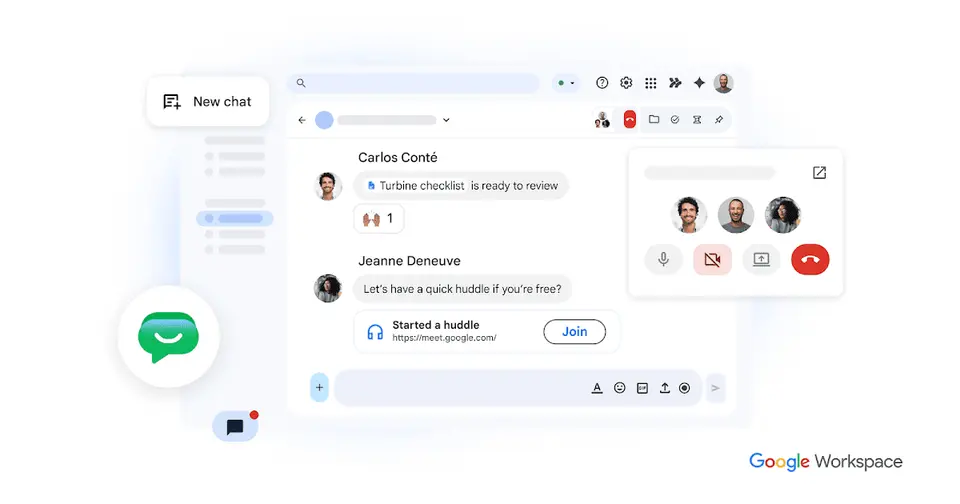
Team messaging and spaces built into Google Workspace
Black Friday: is there a Google Chat sale?
Google Chat review
Good · out of 4.0 · graded Oct 10, 2026
Best for teams already on Google Workspace
Google Chat is the team chat inside Google Workspace, sitting in Gmail with direct messages, group chats and spaces. If your company already pays for Workspace, it costs nothing extra. But you can't buy it on its own, there's no native desktop app, Gemini waits for the $14 plan, the Business plans stop at 300 users, and it does less around the edges than Slack. If you're not on Workspace, look elsewhere.
Who Google Chat is for
- Fits if you already pay for Google Workspace and don't want a second bill for chat
- Works for people in Gmail all day, since Chat sits in the same window
Who Google Chat is not for
- Skip it if you're not on Google Workspace, because Chat isn't sold on its own
- Not for you if you want a real desktop app, since computers get a browser tab or a Chrome app that needs Chrome open
- Pricey if you want Gemini to summarize chats, which starts on Business Standard at $14 a person
- Too light for teams who lean on Slack's 2,600 apps and its Workflow Builder
- Watch out: Business plans stop at 300 users, some listed features are marked coming soon, and Google has shut down chat apps before
Why Google Chat gets a 2.8
Five grades, each with its reason. The GPA is their average: an A is 4 points, an F is none.
- CValue for moneyThere's no price for Chat: you buy Google Workspace from $7 a user a month on a one-year commitment, which is exactly what team chat typically starts at, except here it also buys Gmail and Drive. Gemini in Chat waits for Business Standard at $14.
- BFree plan and trialGoogle says Chat is included for consumer Google Workspace users, so a person on a personal Google Account chats free, with direct messages, groups and spaces. A business gets the 14-day Workspace trial and then a plan, and some premium features need one.
- BFeaturesDirect messages, group chats, spaces with threads, huddles, voice and video messages, Drive and Calendar in the conversation, Chat apps for Jira, GitHub, Asana and Salesforce, and an API with webhooks and Apps Script. Gaps users name: no archiving a space, and Gemini waits for the $14 plan.
- BEase of use4.6 on the App Store from about 306,000 ratings. For most people it's already open: Chat sits in Gmail's left-hand navigation, so there's no new app to learn and no second window to keep an eye on.
- BPlatforms and integrationsWeb, iPhone and Android, and that's the list. There's no native desktop app: a computer gets the browser, Chat inside Gmail, or a web app installed through Chrome. Gmail, Drive, Calendar, Meet, Asana, Jira, GitHub and Salesforce connect, and there's a Chat API.
The good
The pitch is simple. You probably already have it. Google Chat comes with every Google Workspace plan, so if your work email is Gmail, it's sitting in the sidebar right now.
That means email on one side, chat next to it, and no extra app to keep open.
It does what you'd expect. Direct messages, group chats, and spaces, which is Google's word for channels. Spaces have threads, so a side chat about "who's bringing the projector" doesn't bury everything else.
It ties into the rest of Google, too. Share a Drive file, start a Meet call or give someone a task without leaving the conversation.
Google says a space can hold up to 500,000 people on eligible plans, and there are apps for Jira, GitHub, Asana and Salesforce.
The stuff that'll bug you
You can't just buy Google Chat. It only comes inside Google Workspace. So for a business, choosing Chat really means choosing Gmail, Drive and the rest.
There's no proper desktop app. Google's help pages offer a "standalone app", but it's a web app you install through Chrome, and Chrome has to be open for it to work. One commenter grumbled about keeping a whole browser running just to chat.
The AI sits on the dearer plan. Gemini in Chat, which summarizes and translates conversations, isn't in Business Starter. It starts at Business Standard.
Small gaps add up. Even a regular user on Hacker News listed two: you can't archive a space, and the message box won't do nested bullet points.
The Business plans stop at 300 users. Past that it's Enterprise, with no price on the page.
Then there's Google's history. It has launched and closed so many chat apps that it's a running joke, and some people don't trust this one to stick around.
Google's own page also says some listed features are "coming soon" or only on Business and Enterprise plans. Even the free personal version has premium features held back for paid plans. So check before you count on one.
Money
There's no price for Chat itself. You pay for Google Workspace, per person, on a one-year commitment.
Business Starter is $7 a month. Chat is all there apart from Gemini, with 30 GB of storage each.
Business Standard is $14. That's where Gemini in Chat arrives, along with 2 TB of storage. Business Plus is $22, with 5 TB and Vault for keeping and searching old data.
Those three stop at 300 users. Past that it's Enterprise and a call with sales.
Is it free for anyone? Sort of. Friends and families chat on personal Google Accounts without paying, but for a company it's the 14-day trial, then a plan.
Already paying for Workspace? Then the sum is easy. Chat costs you nothing more, where Slack Pro would be another $7.25 a person.
What actual users say
Google Chat has 4.6 on the App Store from about 306,000 ratings.
Lots of the reviewers aren't at work at all. They're friend groups and families on a mix of iPhones and Android phones who wanted one chat that works for everyone.
The crossest reviews are from 2021 and 2022, when Google moved people over from Hangouts. They hated the layout, with every message down one side of the screen. The screens on Google's listing now show bubbles on both sides, so that one looks sorted.
What else did they grumble about? Direct messages and spaces living in separate places, slow video uploads, and redesigns nobody asked for.
Hacker News is split. One person has been on it since it launched and has no complaints. Another only has it because their clients do, and calls it terrible.
A third says it's been getting slower for years.
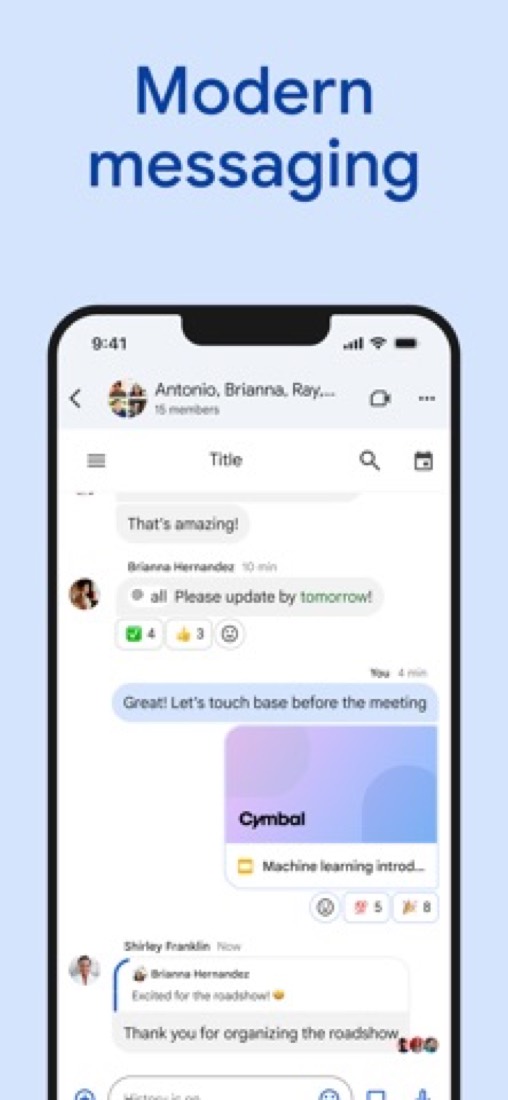
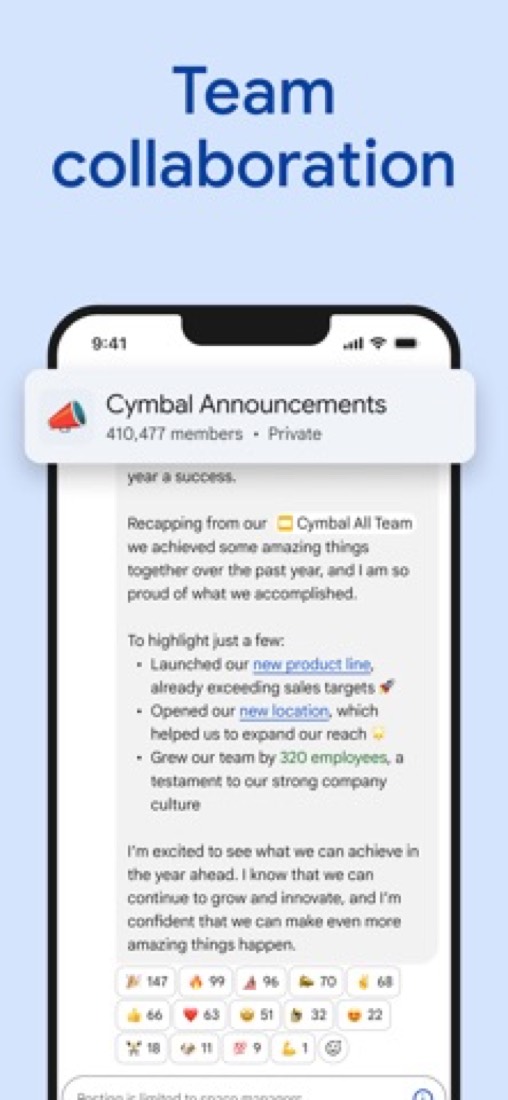
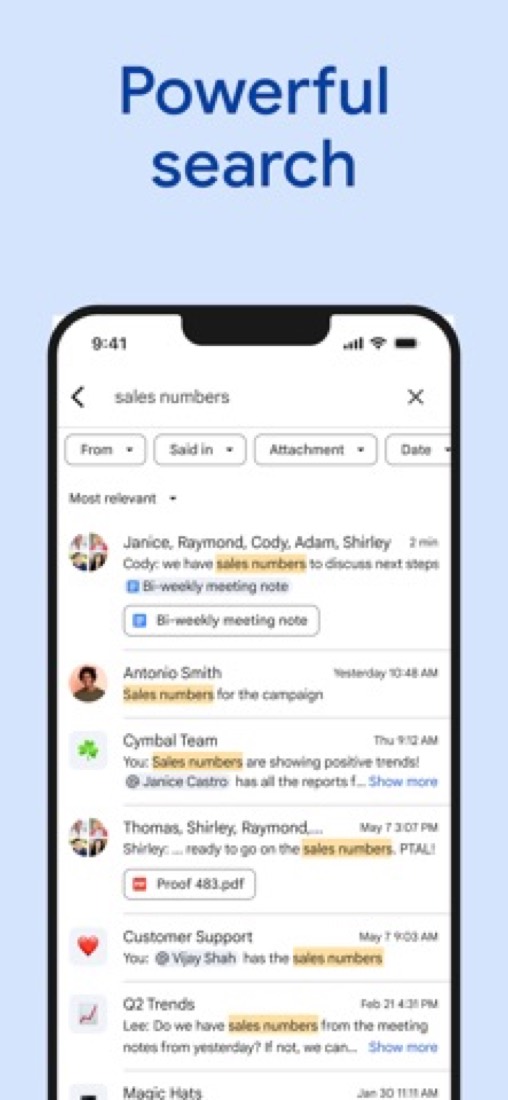
What this review rests on. Based on Google's Workspace pricing page, its Chat product page and Chat help pages as of 9 October 2026, its App Store reviews and Hacker News threads about it. Also tested with a demo account on 2026-06-29. How we review and grade.
Make Google Chat? Put this grade on your site

Paste this where you want the badge. It links here and follows the grade if it changes. About badges
<a href="https://toolgpa.com/tools/google-chat#review"><img src="https://toolgpa.com/badge/google-chat.svg" alt="Google Chat: 2.8 GPA on ToolGPA" width="196" height="56"></a>Where Google Chat stands among team communication apps
Google Chat's GPA of 2.8 is higher than 49 of the 75 other team communication apps we grade, and level with 10.
It stands best on features (B, above 63 of 75) and worst on value for money (C, above 7).
Its paid plans start at $7 a month for each person, against a middle price of $6.90 for the category: 26 of the 51 others that charge start lower.
On features, ease of use and platforms it scores 3.0 out of 4. 4 tools score higher and cost less.
Each grade against the category
Every bar is all 76 team communication apps we grade, cut by the letter each got. Google Chat’s own letter is outlined.
- CValue for moneyAbove 7 of 75, level with 39
- BFree plan and trialAbove 41 of 75, level with 18
- BFeaturesAbove 63 of 75, level with 11
- BEase of useAbove 58 of 75, level with 11
- BPlatforms and integrationsAbove 9 of 75, level with 41
Price against what you get
Each dot is one of 66 team communication apps. Further left costs less, and higher up scores better on features, ease of use and platforms. Point at a dot to see which tool it is.
Features, ease of use and platforms, averaged
What paid plans start at, a month (each step along is roughly double) →
- The best score at each price
- Has a free plan
- No free plan
Keep Google Chat, or make your own?
Keep it
To replace Google Chat you would be making chat that a whole team counts on staying up. That is not a weekend's work, with an AI app builder or without one.
It costs $84 a year.
What you could make
- Tasks: an app builder makes this well.
What you could not
- Chat that a whole team counts on staying up.
- Storing and serving files for other people.
- A real app for iOS and Android. Something home-made would be a web page.
- It is priced for each person, which means accounts and billing for a team.
- It plugs into other products, Gmail, Google Drive and Google Calendar among them, and has an API.
- AI features, unless you pay a model provider for each request yourself.
- The depth: we grade its features B, which means it covers the whole job.
What this rests on. Google Chat’s listing: what it does, where it runs, what it plugs into and what it costs. It is a judgement about the kind of software this is. We have not built a replacement for it, and making your own means looking after it too. How we decide, and every tool’s verdict.
What is Google Chat?
Google Chat is the messaging app in Google Workspace, with direct messages, group conversations and persistent spaces for teams. It is available inside Gmail as well as on its own, and ties into Drive, Calendar, Meet and Tasks for sharing files, scheduling meetings and assigning work. Chat is not sold separately: it is included with every Workspace plan, and Gemini features such as summaries and translation start at Business Standard.
Worth knowing
- Chat is not sold on its own: a business gets it by paying for a Google Workspace plan that also covers Gmail, Drive and Meet.
- Gemini in Chat is left out of Business Starter, and Google marks some listed features as coming soon or limited to Business and Enterprise plans.
- There is no native desktop app: computers use the web interface, Chat inside Gmail, or a standalone web app installed through Chrome. The store apps are for phones and tablets.
- Business Starter, Standard and Plus can be bought for a maximum of 300 users.
Key features
- Direct messages and spaces
- Chat covers direct messages, group messaging and persistent spaces with threaded conversations. Google says a space can hold up to 500,000 members on eligible plans.
- Huddles and voice or video messages
- Huddles let teammates connect in real time for drop-in collaboration, and updates can be shared as recorded audio or video messages.
- Gemini in Chat
- Gemini summarizes conversations, lists action items and translates messages. The pricing table includes it from Business Standard up, not in Business Starter.
- Built into Gmail and Workspace
- Chat appears in Gmail's left navigation and works with Drive, Calendar, Meet and Tasks, so files, meetings and assigned tasks are handled from a conversation.
- Chat apps and API
- Chat apps cover tools such as Asana, Jira, GitHub and Salesforce. Custom apps can be built with the Chat API, webhooks and Apps Script, or without code in AppSheet.
- Migration and interoperability
- Existing data can be migrated from Slack or Teams, and interoperability products from Mio and NextPlane connect Chat with other messaging platforms.
Google Chat pricing
As of Nov 9, 2026, Google Chat has a free plan, and paid plans start at $7 per user / month with a 1-year commitment (Google Workspace).
- Starts at
- $7 per user / month with a 1-year commitment (Google Workspace)
- Free plan
- Google says Chat is included for consumer Google Workspace users as well as business and education customers; some premium features need a paid subscription.
- Free trial
- 14-day free trial of Google Workspace.
| Plan | Price | What you get |
|---|---|---|
| Consumer (Google Account) | $0 | Chat for consumer Google Workspace users. Google notes that some premium features require a paid subscription. |
| Business Starter | $7per user / month, 1-year commitment, billed monthly | Google Workspace suite plan that includes Chat, with 30 GB of pooled storage per user. Gemini in Chat is not included. |
| Business Standard | $14per user / month, 1-year commitment, billed monthly | Suite plan with Chat plus Gemini in Chat to find, summarize and translate conversations, and 2 TB of pooled storage per user. |
| Business Plus | $22per user / month, 1-year commitment, billed monthly | Suite plan with 5 TB of pooled storage per user, Vault to retain and search data, and advanced endpoint management. |
| Enterprise | Custom | Suite plan with data loss prevention, context-aware access and data regions, with no minimum or maximum number of users. |
Read from workspace.google.com on Nov 9, 2026. Prices change, so confirm with Google Chat before you buy.
Ways to pay less
- Annual discountSave 16% with a 1-year commitment
Google's pricing page says the Annual plan saves 16% compared with paying without a commitment. The listed prices are the Annual ones, billed monthly.
Stated on workspace.google.com - Other savingsUp to 50% off the first 3 months
New Google Workspace customers get up to 50% off their first 3 months, for a limited time with no end date given. The discount on each plan varied between reads of the US page in October and November.
Stated on workspace.google.com - NonprofitFree Google Workspace for Nonprofits
Eligible nonprofits get Google Workspace for Nonprofits, which includes Chat, at $0 per user, and Business Standard for $3.50 per user / month on a 1-year commitment.
Stated on google.com - EducationEducation Fundamentals at no charge
Google Workspace for Education Fundamentals, which includes Chat, is available at no charge to qualifying institutions. Education Plus is a paid edition.
Stated on edu.google.com - By countryLower price shown to buyers in India
On October 9, 2026 Google's pricing page showed Starter at ₹270 per user / month to a visitor in India, against $7 in the US version, and listed a Base plan at ₹99 that the US version does not show.
Stated on workspace.google.com
Google Chat refunds and cancellation
Good · checked Oct 18, 2026
There is nothing to buy in Chat on its own. Paying for it means buying Google Workspace, and Workspace's billing rules decide everything. Choose monthly and the deal is fair: an admin cancels in the console, you pay for the days you used, and leftover credit is sent back without asking. Choose the yearly commitment and you owe the rest of it whatever you do. That split, under an agreement that says Google need not refund anything, is a B.
- Refund window
- No set window
- How you cancel
- Yourself, in settings
- Getting your money back
Google says it prorates and refunds unused credit: cancel everything and a refund of any remaining credit to the original payment method starts by itself, and a balance can also be claimed from Billing, then Payment accounts. On an Annual or Fixed-Term Plan you are charged the rest of the commitment instead. The Workspace agreement states that ending or not renewing does not oblige Google to refund fees.
Stated on knowledge.workspace.google.com- How to cancel Google Chat
An administrator with the Billing management privilege cancels the Workspace subscription in the Admin console, under Billing and then Subscriptions. Google's comparison of the two payment plans says the monthly Flexible Plan can be ended at any time with no penalty, while an Annual or Fixed-Term Plan is still owed in full. A consumer Google Account has nothing to cancel, since Chat costs nothing there.
- Sign in to the Google Admin console with an account that has the Billing management privilege
- Open Menu, then Billing, then Subscriptions
- Click your subscription, then More, then Cancel Subscription
- Choose a reason for cancelling and click Continue
- Read the alternatives Google offers, then click Continue to carry on cancelling
- Tick the confirmation box, enter your email address and submit the cancellation
- What you keep afterwards
Cancelling ends the core Workspace services, Chat among them. Google warns that users' Workspace data will be deleted and cannot be restored, and says to pull everything out with the Data Export tool beforehand. The user accounts, groups and organisational structure survive unless you also delete the organisation's Google Account. A new subscription can be added within 51 days, or else after 84.
Stated on knowledge.workspace.google.com- Renewals
The Workspace agreement puts the Flexible Plan on a monthly term that renews by itself until an admin cancels in the console, and renews an Annual or Fixed-Term order as the order form or the console sets out. Either side that does not want the next term must say so at least 15 days before the current one ends. Nothing in the agreement promises a reminder first.
Stated on workspace.google.com
In your favour
- Monthly billing can be stopped by your own admin at any time, with no penalty attached.
- You are charged for the days you actually used, so a mid-month exit is not a wasted month.
- Any credit left when you cancel everything is refunded to the card without you chasing it.
- The Data Export tool lets you take the conversations and files out before the door shuts.
Watch out for
- A yearly commitment is owed in full. Cancelling early buys you nothing back.
- The agreement says plainly that ending or not renewing does not oblige Google to refund you.
- Workspace data is deleted after cancellation and cannot be restored, so export it first.
- The terms want 15 days' notice before the term ends if you do not want it to renew.
Google Chat customer support
Excellent · checked Oct 18, 2026
Standard Support comes with every Workspace licence, and it is real support: live chat with a Google agent from the Admin console, available around the clock in English, with a published four-hour target on the most serious cases. A large help centre and a public community sit behind it. Live help on every paid plan, with hours and a response time in writing, is an A. Two caveats: only admins can open a case, and consumers on the free Chat get articles and a forum only.
Ways to get help
Live chat
The Get help panel in the Admin console starts with an assistant; asking it to contact support and choosing Chat puts you in a queue for a Google support representative. It requires an administrator account with the Support administrator privilege.
Stated on knowledge.workspace.google.comPhone
A phone route exists only for Premium Support customers and certain Education editions, in English. You generate a PIN in the Admin console that lasts 60 minutes and call the number listed for your region.
Stated on knowledge.workspace.google.comEmail
The same Get help flow offers Email instead of chat, which sends the case to Google support and continues over email rather than live.
Stated on knowledge.workspace.google.comAccount manager
Premium Support assigns a designated Technical Account Manager, described as helping with operational rigour, platform health and architectural stability.
Stated on knowledge.workspace.google.comHelp centre
The Google Chat Help Center covers messaging, spaces, apps and troubleshooting and is open to anyone, paying or not, without signing in. Administrators get a separate help centre for billing and settings.
Stated on support.google.comCommunity or forum
A public Google Chat help community where users and Google product experts answer questions. Workspace administrators also have their own admin community.
Stated on support.google.com
- When people answer
Google lists hours country by country. English support is shown as 24 hours a day, seven days a week everywhere. Some local languages are office hours only: German in Austria and Germany, and Dutch and French in Belgium, are listed as 9:00 to 18:00, Monday to Friday, UTC+1.
Stated on knowledge.workspace.google.com- How fast it says it replies
Standard Support, which every Workspace licence includes, carries a four-hour service-level objective for P1 cases. Enhanced Support cuts that to one hour and Premium Support to 15 minutes. These are the published targets for the highest priority, not for everyday questions.
Stated on knowledge.workspace.google.com- What depends on your plan
Standard Support is bundled with every paid edition at no extra cost, with round-the-clock access. Enhanced and Premium are paid upgrades buying faster targets, triage by specialists, help with third-party software and, on Premium, a designated technical account manager. Every Workspace user, whatever the edition, can read the help centre and the admin community.
Stated on knowledge.workspace.google.com
In your favour
- Live chat with a Google agent is part of the licence, not something you buy on top.
- The target is published: four hours for the most urgent cases on the included tier.
- English cover is listed as 24 hours a day, seven days a week, in every country.
- Chat's own help centre and community are free to read without any account at all.
Watch out for
- Only administrators holding the Support administrator privilege can open a case.
- Phone help is reserved for Premium Support and some Education editions.
- An assistant answers the chat first, and you have to ask it for support to reach a person.
- On the free consumer Chat there is nobody to write to: articles and the forum are all there is.
What these two grades rest on. Read on 18 October 2026: the Google Workspace agreement, Google's admin help on cancelling, refunding remaining credit, the two payment plans and renewals, and its pages on support offerings, contacting support, language hours and phone PINs, plus the Google Chat Help Center and its community. Chat has no billing of its own, so the Workspace rules were read. Nobody here cancelled a plan or contacted its support. They are graded apart from the five that make the GPA. How we grade refunds and support.
How people rate the Google Chat app
4.6
out of 5 for the iPhone and iPad app
306,312 ratings on the App Store in the United States, read Oct 5, 2026. It rates the app, not everything the product does. See the listing
Works with
Who makes Google Chat
Google, the largest business of Alphabet, makes Google Workspace, which includes Chat and Meet and is sold by subscription. Alphabet earned more than 70% of its 2025 revenue from online advertising.
- Founded
- 1998about.google
- Based
- Mountain View, Californiaabout.google
- Ownership
- Publicly traded. Google LLC is a subsidiary of Alphabet Inc., whose Class A and Class C shares trade on the Nasdaq Global Select Market as GOOGL and GOOG, according to Alphabet's annual report for 2025.sec.gov
- Team
- Alphabet, Google's parent, reported 190,820 employees as of December 31, 2025.sec.gov
- Founders and leaders
- Sundar Pichai, CEO of Google and Alphabetblog.google
- Larry Page, Co-founderabout.google
- Sergey Brin, Co-founderabout.google
- Hiring
- Google Careers lists 3,138 open jobs across the whole company, with no filter applied.google.com
- Referral program
- Google Workspace Referral Program: a one-time cash reward per new user, in the United States USD 8 for Business Starter, USD 15 for Business Standard and USD 23 for Business Plus, for up to 100 users per referred account and 200 users a year.workspace.google.com
- Affiliate program
- Google Workspace Affiliate Program, joined through CJ Affiliate, for people who refer at least 100 users a year. Pays per new user, for up to 300 users per account, with no annual cap; rates vary by country and edition.workspace.google.com
- Lately
- Introducing the new Confluence integration with Google Chat · Sep 22, 2026
- Pick up where you left off with persistent drafts in Google Chat · Sep 8, 2026
- Introducing the new 1Password App for Google Chat · Sep 8, 2026
- Restrict who can view the member lists in Google Chat spaces · Aug 25, 2026
Read on Oct 6, 2026 from the company’s own pages and from news reports. What is not stated there is left out.
Jobs at Google
Any open roles at Google are on its own careers page. We can’t read a count from there, so have a look.
Applications go to Google, not to us.
Google Chat alternatives
- Google Chat vs Slack
Free plan · from $7.25/mo
- Google Chat vs Microsoft Teams
Free plan · from $4.00/mo
- Google Chat vs Zoho Cliq
Free plan · from $16.20/mo
- Google Chat vs Lark
Free plan · from $6/mo
- Google Chat vs Pumble
Free plan · from $2.49/mo




Common questions
Does Google Chat have a Windows app?
No Windows app was listed when its pages were read on Nov 9, 2026. Google Chat is listed for Web, iOS and Android.
Does Google Chat have a macOS app?
No macOS app was listed when its pages were read on Nov 9, 2026. Google Chat is listed for Web, iOS and Android.
Is Google Chat open source?
Google Chat is not described as open source on its own site, as read on Nov 9, 2026.
Does Google Chat have an API?
Yes. Google Chat offers a public API, according to its own site.
Sources for this page
The prices, plans, platforms and features above were read from these pages on Nov 9, 2026. What people say is linked where it appears.
- workspace.google.com/pricing
- workspace.google.com/pricing?region=US&hl=en
- web.archive.org/web/20261007092156/https://workspace.google.com/pricing
- workspace.google.com/products/chat/
- support.google.com/chat/answer/9455386?hl=en
- apps.apple.com/us/app/google-chat/id1163852619
- play.google.com/store/apps/details?id=com.google.android.apps.dynamite&hl=en_US&gl=US
- google.com/nonprofits/offerings/workspace/
- edu.google.com/workspace-for-education/editions/compare-editions/