
Zoom review (2026): is the free plan enough?
Video meetings bundled with team chat, phone and AI notes
Black Friday: is there a Zoom sale?
Zoom review
Good · out of 4.0 · graded Oct 10, 2026
Best for video meetings anyone can join
Zoom is a video meeting app most people already know how to join, on every device, and guests need no account. But free meetings stop at 40 minutes, one-on-ones included, and save recordings only to your own computer. Pro is $14.16 a person, paid for the year up front, and still tops out at 100 people, and webinars and phones mean an Enterprise sales call. If your company has Microsoft 365 or Google Workspace, start there instead.
Who Zoom is for
- Fits if you meet people outside your company, since guests join without an account
- Works for teams who want AI meeting notes, which are unlimited on Pro at $14.16 a person
Who Zoom is not for
- Tight if you're staying free, because meetings stop at 40 minutes, one-on-ones included, and recordings stay on your computer
- Pricey if your company already has Microsoft 365 or Google Workspace, which include meetings
- Skip it if team chat is the main thing you need, since Zoom is a meetings app first
- Pricey if you need 300 people in a call, which starts on Business at $18.33 a person, or 500, which is a $50-a-month add-on
- Watch out: yearly plans are charged up front, and webinars, the phone system and Rooms need an Enterprise sales call
Why Zoom gets a 2.6
Five grades, each with its reason. The GPA is their average: an A is 4 points, an F is none.
- CValue for moneyWorkplace Pro is $14.16 a user a month on yearly billing, double the $7 this category typically starts at, and it still tops out at 100 people. Single sign-on and 300-person meetings wait for Business at $18.33, and the year is taken in one payment up front.
- CFree plan and trialBasic gives you unlimited meetings for 100 people, instant messaging, 3 whiteboards and AI summaries for 3 meetings a month. Then the clock: nearly every meeting on a free account ends at 40 minutes, one-to-ones included, and recordings save only to your own computer.
- CFeaturesThe meeting app comes bundled with team chat, whiteboards, clips, mail, calendar and a booking page. But the plan ladder is full of walls. 300 people needs Business, 500 is a $50-a-month add-on, and the phone system, webinars and Rooms come only with Enterprise through sales.
- BEase of use4.66 on the App Store from about 3.2 million ratings, just under our top mark. Most people already know what to do with a Zoom link, and guests need no account or plan. Commenters say the browser version lacks parts of the app and Zoom keeps pushing the download.
- APlatforms and integrationsWeb, Mac, Windows, Linux, iPhone, Android and a browser extension, which is the whole field. Gmail, Outlook, Google Calendar, Salesforce and ServiceNow connect. Commenters do say the browser version is the poor relation and that Zoom nudges you to download instead.
The good
So why is everyone still on Zoom? Because the person you're calling already knows how to open the link.
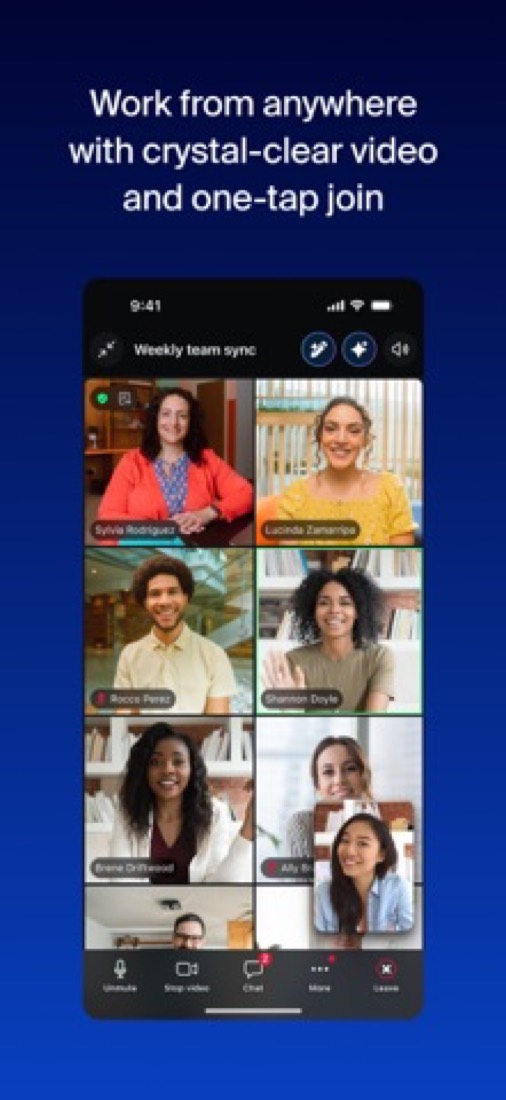
Guests don't need an account or a paid plan. They click and they're in. It runs on Mac, Windows, Linux, iPhone, Android and in a browser.
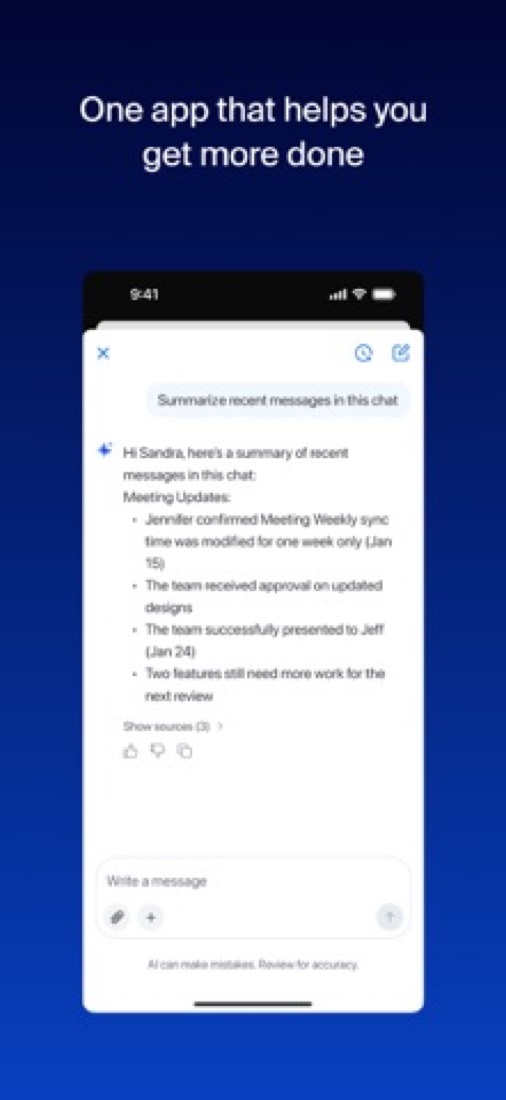
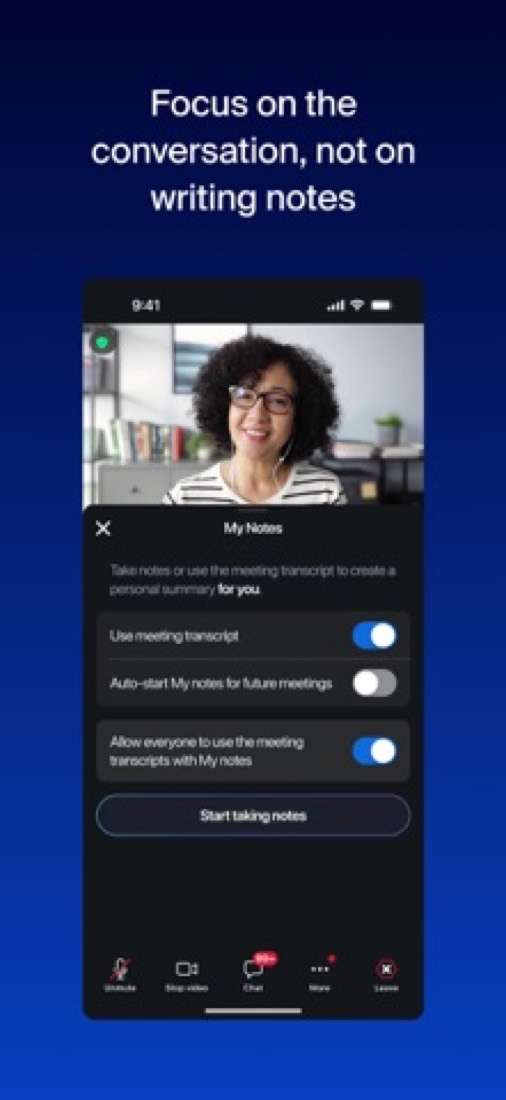
On Pro, AI note-taking and meeting summaries are unlimited, and the note-taker also works for calls on other apps and for in-person chats. A separate note-taker like Granola is $14 a month by itself.
It's turned into a bundle as well. Team chat, whiteboards, short video clips, docs, a calendar and a booking page all live in the same app now. You may never touch half of it.
Meeting sizes: 100 people on Basic and Pro, 300 on Business, 1,000 on Enterprise.
The stuff that'll bug you
40 minutes. That's the free plan, and it's what the unhappy App Store reviews keep coming back to.
Reviewers remember when the limit was only for group calls. Now Zoom's own help page says nearly every meeting hosted on a free account ends at 40 minutes, one-on-ones included. Free recordings only save to your own computer.
Some also say you have to wait 10 minutes before starting a new call. We couldn't find that wait on Zoom's site, so take it as their report and not a rule.
Paying costs a fair bit. Pro is $14.16 a person a month, taken as one yearly payment, and still tops out at 100 people. Cloud recording starts there too.
The walls keep coming. 300 people and single sign-on need Business. 500 people is a $50-a-month add-on. The phone system, webinars and Rooms only come with Enterprise, through sales.
The browser version is the poor relation. Commenters say it's missing things the app has, and that Zoom keeps nudging you to download instead.
And on Linux, one Hacker News commenter says the app freezes their computer whenever they copy from the chat.
Money
Basic is free: 40 minutes, 100 people, chat, 3 whiteboards and AI summaries for 3 meetings a month.
Pro is $14.16 a person a month if you pay for the year ($169.90), or $16.99 month to month. It lifts meetings to 30 hours and adds unlimited AI notes and 10 GB of cloud recordings.
Business is $18.33 on yearly billing, or $21.99 monthly. You're paying for 300 people per meeting, single sign-on and unlimited booking pages.
Need 500 in one call? That's the Large Meeting add-on, from $50 a month. The phone system, webinars and Rooms only come bundled in Enterprise, which means talking to sales.
Two things to know. The yearly price is taken in one go, up front. And verified nonprofits get 50% off Pro and Business.
Would we pay? For a team that's always in meetings with outsiders, yes. If your company already has Microsoft 365 or Google Workspace, meetings are included there, so we'd start with those.
What actual users say
Zoom has 4.66 on the App Store from about 3.2 million ratings. That's a huge pile of people.
A lot of the happy reviews come from the lockdown years. Kids doing school, families doing birthdays, people without an iPhone who can't FaceTime. One says it works on any device and any internet connection.
What do they like day to day? Small stuff, like mute being easy to find. And you choose camera on or off before you walk in.
The angry reviews are mostly about the time limit. One person points out that a 10-minute wait is no joke when the family you're calling is 11 hours ahead.
A teacher on an iPad was fed up with whiteboards that didn't save. That's from 2021, so it may be better now.
Hacker News is cooler on it. The talk there is mostly about the Linux app, which one commenter says freezes their computer whenever they copy from the chat.
What this review rests on. Based on Zoom's pricing, Workplace Pro, download and support pages as of 9 October 2026, its App Store reviews and Hacker News threads about it. Also tested with a demo account on 2026-09-19. How we review and grade.
Make Zoom? Put this grade on your site

Paste this where you want the badge. It links here and follows the grade if it changes. About badges
<a href="https://toolgpa.com/tools/zoom#review"><img src="https://toolgpa.com/badge/zoom.svg" alt="Zoom: 2.6 GPA on ToolGPA" width="196" height="56"></a>Where Zoom stands among team communication apps
Zoom's GPA of 2.6 is higher than 46 of the 75 other team communication apps we grade, and level with 2.
It stands best on platforms and integrations (A, above 51 of 75) and worst on features (C, above 1).
Its paid plans start at $14.16 a month for each person, against a middle price of $6.90 for the category: 38 of the 51 others that charge start lower.
On features, ease of use and platforms it scores 3.0 out of 4. 5 tools score higher and cost less.
Each grade against the category
Every bar is all 76 team communication apps we grade, cut by the letter each got. Zoom’s own letter is outlined.
- CValue for moneyAbove 7 of 75, level with 39
- CFree plan and trialAbove 5 of 75, level with 35
- CFeaturesAbove 1 of 75, level with 61
- BEase of useAbove 58 of 75, level with 11
- APlatforms and integrationsAbove 51 of 75, level with 24
Price against what you get
Each dot is one of 66 team communication apps. Further left costs less, and higher up scores better on features, ease of use and platforms. Point at a dot to see which tool it is.
Features, ease of use and platforms, averaged
What paid plans start at, a month (each step along is roughly double) →
- The best score at each price
- Has a free plan
- No free plan
Keep Zoom, or make your own?
Keep it
To replace Zoom you would be making video calls. That is not a weekend's work, with an AI app builder or without one.
It costs $169.92 a year.
What you could not
- Video calls.
- Chat that a whole team counts on staying up.
- A bot that joins your calls and turns the talk into notes.
- An endless canvas that stays smooth with hundreds of things on it.
- Booking pages that read and write other people's calendars and send the emails.
- Apps for macOS, Windows, Linux, iOS and Android that stay in step with each other.
- It is priced for each person, which means accounts and billing for a team.
- It plugs into other products, Gmail, Outlook and Google Calendar among them, and has an API.
- AI features, unless you pay a model provider for each request yourself.
What this rests on. Zoom’s listing: what it does, where it runs, what it plugs into and what it costs. It is a judgement about the kind of software this is. We have not built a replacement for it, and making your own means looking after it too. How we decide, and every tool’s verdict.
What is Zoom?
Zoom sells its video meetings as part of Zoom Workplace, a bundle that also covers team chat, VoIP calling, whiteboards, clips, mail, calendar and documents in one app. The free Basic plan allows 40-minute meetings with up to 100 participants plus instant messaging. Paid plans extend meetings to 30 hours and add cloud recording, unlimited AI note-taking and admin controls, while webinars, larger meetings and rooms are add-ons or Enterprise features.
Worth knowing
- Basic meetings end at 40 minutes, one-to-one calls included, and the plan records locally only with no cloud storage.
- Meetings of 300 people need Business; beyond that the Large Meeting add-on starts at $50 a month for 500 participants.
- SSO and managed domains start at Business, and webinars, the phone PBX and Rooms are bundled only into Enterprise, which is sold by sales.
- Annual plans are charged as one upfront payment; the monthly figure shown is the annual total divided by 12.
Key features
- Video meetings
- Meetings run up to 40 minutes on Basic and 30 hours on paid plans, with 100 participants on Basic and Pro, 300 on Business and 1,000 on Enterprise.
- Team chat
- Instant messaging is part of every Workplace plan, including the free Basic plan, and sits in the same app as meetings and calling.
- AI notes and meeting summaries
- Basic includes AI note-taking 3 times a month and summaries for 3 hosted meetings. Pro makes both unlimited and takes notes in Zoom, third-party and in-person conversations.
- Whiteboard and Clips
- Basic allows 3 editable whiteboards and 5 two-minute clips. Clips become unlimited on Pro, and whiteboards become unlimited on Business.
- Mail, Calendar and Scheduler
- Basic connects Gmail or Outlook and syncs Google or Microsoft calendars. Pro adds Zoom Mail and Zoom Calendar, and Business adds unlimited Scheduler booking pages.
- Recording and cloud storage
- Basic records locally only. Pro adds 10 GB of cloud recording storage per license, and extra cloud storage is sold as an add-on from $10 a month for 30 GB.
Zoom pricing
As of Oct 9, 2026, Zoom has a free plan, and paid plans start at $14.16 per user / month, billed annually ($169.90 a year).
- Starts at
- $14.16 per user / month, billed annually ($169.90 a year)
- Free plan
- Workplace Basic: meetings of up to 40 minutes and 100 participants, instant messaging, 3 editable whiteboards, 5 two-minute clips, and AI summaries for 3 hosted meetings a month.
- Free trial
- Free trial of Workplace Pro when subscribing in the iOS app, per the App Store listing; its length is not stated
| Plan | Price | What you get |
|---|---|---|
| Workplace Basic | $0 | Meetings of up to 40 minutes and 100 participants, instant messaging, 3 editable whiteboards, 5 two-minute clips and limited AI features. |
| Workplace Pro | $14.16per user / month, billed annually ($16.99 billed monthly) | 30-hour meetings with 100 participants, unlimited AI note-taking and meeting summaries, unlimited clips, and 10 GB of cloud storage per user. |
| Workplace Business | $18.33per user / month, billed annually ($21.99 billed monthly) | 300 participants per meeting, Scheduler with unlimited booking pages, unlimited whiteboards, SSO and managed domains. |
| Workplace Enterprise | Custom | 1,000 participants per meeting, plus a full-featured phone PBX, webinars for 500 attendees, Rooms and translated captions. |
Read from zoom.us on Oct 9, 2026. Prices change, so confirm with Zoom before you buy.
Ways to pay less
- Annual discountAbout 17% less with annual billing
Workplace Pro is $169.90 a year ($14.16 a month) against $16.99 billed monthly, and Business is $219.90 a year ($18.33 a month) against $21.99.
Stated on zoom.us - Nonprofit50% off for verified nonprofits
Zoom's pricing FAQ says verified nonprofit organizations worldwide get a 50% discount on Workplace Pro, Workplace Business, Webinars and Large Meetings.
Stated on zoom.us
Zoom refunds and cancellation
Weak · checked Oct 18, 2026
Zoom's terms say every payment is non-cancelable and non-refundable for the term you are in, and the cancel article agrees that cancelling does not generate a refund. On its own that would be a C, because you press Cancel Plan yourself and keep the service to the end of the term. What pulls it down is the renewal clause: the terms want written notice at least 30 calendar days before the next term begins, or it renews. No refunds plus a notice period is a D on our ladder.
- Refund window
- No set window
- How you cancel
- Yourself, in settings
- Getting your money back
The terms of service say all payments are non-cancelable for the initial or current renewal term and are final and non-refundable, unless Zoom agrees otherwise, the law requires it, or your order form says so. Where local law gives a cooling-off period, Zoom says you may end the services and get a pro rata refund of prepaid, unused charges. The cancel article repeats that cancelling does not generate a refund.
Stated on zoom.com- How to cancel Zoom
A subscription bought online from Zoom is cancelled in the web portal under Plans and billing by the account owner, an admin or someone with billing privileges, and takes effect at the next renewal date. Add-ons must be cancelled before the base plan. If Cancel Plan is greyed out, self-service is not supported and you contact an account executive or support. Store purchases are cancelled in the store.
- Download any cloud recordings you want to keep
- Sign in to the Zoom web portal as the account owner, an admin or a user with billing privileges
- Click your profile picture at the top right, then Plans and billing
- Find the plan on the Current Plans or Plan Management tab
- Cancel any add-ons on that subscription first, then click Cancel Plan on the plan itself
- Confirm the cancellation; the status shows a pending cancellation until the term ends
- What you keep afterwards
The article says the subscription and its services stay active to the end of the current billing term, and that you get a confirmation email while the status shows a pending cancellation. Cloud recordings remain available for 30 days after the paid subscription ends and are then permanently deleted and cannot be recovered. A cancellation can be undone with Reactivate at any point before the term ends.
Stated on support.zoom.com- Renewals
The terms say each renewal term starts automatically unless one side gives written notice of termination at least 30 calendar days before it begins, through the billing portal or by email to Zoom's renewals address. Zoom says it will send a reminder before a renewal only where the law requires one. Prices can change with 30 days' notice, and not cancelling inside that window counts as accepting the new price.
Stated on zoom.com
In your favour
- If you bought online you cancel it yourself in the web portal, with nobody to phone.
- You keep the paid plan until the end of the term you have already paid for.
- Cancelled by mistake? Reactivate puts the plan back any time before the term ends.
- Cloud recordings stay available for 30 days after the plan ends, so there is time to download them.
Watch out for
- No refunds. The terms call every payment non-cancelable and non-refundable for the term you are in.
- The terms want 30 days' written notice before a renewal term starts, or it renews anyway.
- Zoom promises a renewal reminder only where the law makes it send one.
- Cloud recordings are deleted for good 30 days after the plan ends, so download them first.
Zoom customer support
Excellent · checked Oct 18, 2026
Zoom says every plan gets round-the-clock access to its global support centres, and an account owner or admin can reach a live chat agent, not just the bot. Behind that sit a big knowledge base and a busy community. That is an A. Be clear about the limits, though: a live person on the phone is a paid Premier upgrade in business hours only, and an ordinary member who is not an admin gets the virtual agent and the articles.
Ways to get help
Live chat
Zoom's support table lists a Live Chat Agent for account owners and admins, separate from the Zoom Virtual Agent for Chat, an AI agent that everyone gets and that answers first from the support site.
Stated on support.zoom.comPhone
The Zoom Virtual Agent for phone is listed as available to every plan, 24 hours a day. A Live Phone Agent is listed only for the paid Premier support tiers and for owners and admins, with a note that regional business hours apply.
Stated on support.zoom.comHelp centre
The Zoom Support site holds a knowledge base of written articles on meetings, phone, billing and administration, searchable without signing in, alongside the Zoom Learning Center.
Stated on support.zoom.comCommunity or forum
The Zoom Community is a public forum where Zoom customers ask questions and share answers. Zoom lists it as digital support included on every plan.
Stated on community.zoom.com
Not listed on Zoom’s pages: email, contact form or ticket.
- When people answer
Zoom says all its plans include 24/7 access to its Global Support Centers and the Zoom Learning Center, local language support and status notifications. The one stated exception is the Live Phone Agent on the Premier tiers, which carries a note that regional business hours apply.
Stated on support.zoom.com- How fast it says it replies
Its pages do not say.
- What depends on your plan
Every plan gets the knowledge base, the community and the virtual agent. A live chat agent is listed for owners and admins. A live phone agent, priority response and direct access to second-line support come with the paid Premier tiers, which also add service-level agreements, pooled or assigned technical account managers and set numbers of developer support hours.
Stated on support.zoom.com
In your favour
- Zoom states 24/7 access to its global support centres on every plan, including the free one.
- Account owners and admins get a live chat agent, not only the virtual agent.
- The knowledge base and the community are open to everyone without paying.
- Zoom publishes exactly which support tier gets what, which is more than most do.
Watch out for
- A live person on the phone is a Premier upgrade, and only in regional business hours.
- An ordinary member who is not an owner or admin is left with the virtual agent and the articles.
- No response time is stated for standard support: priority response and SLAs belong to Premier.
- The first thing you meet on the support site is an AI agent, not a person.
What these two grades rest on. Read on 18 October 2026: Zoom's terms of service, its help article on cancelling a Zoom subscription, its article on using Zoom support resources with the support plan table, its contact page, the Zoom Support site and the Zoom Community. Nobody here cancelled a plan, asked for a refund or contacted its support. They are graded apart from the five that make the GPA. How we grade refunds and support.
How people rate the Zoom app
4.7
out of 5 for the iPhone and iPad app
- 5 stars84%
- 4 stars8%
- 3 stars2%
- 2 stars<1%
- 1 star5%
3,244,104 ratings on the App Store in the United States, read Oct 7, 2026. It rates the app, not everything the product does. See the listing
Works with
Who makes Zoom
Zoom is made by Zoom Communications, Inc., the listed company Eric Yuan founded in 2011 and which was called Zoom Video Communications until 2024. Its annual report says it generates revenue from sales of subscriptions to its platform.
- Founded
- 2011zoom.com
- Based
- San Jose, Californiasec.gov
- Ownership
- Publicly traded. A listed company: its About page says it completed an IPO in 2019 and trades on the NASDAQ under the ticker ZM, and its annual report names the Nasdaq Global Select Market.zoom.com
- Team
- 7,438 full-time employees as of January 31, 2026, according to its annual reportsec.gov
- Founders and leaders
- Hiring
- 86 open positions, most of them in sales (33), engineering (23) and customer services (10)careers.zoom.us
- Affiliate program
- Affiliate marketing program, joined through Impact: affiliates promote Zoom products on their own sites and earn commissions on the leads they send. The rate is not stated on Zoom's partner page.partner.zoom.com
- Referral program
- Zoom Up Program for Referral Partners: partners market Zoom to their own customers and may be eligible to earn commissions, with rewards tied to how much they invest in their Zoom practice. No rates are published.partner.zoom.com
- Reseller program
- Zoom Up Program for Resellers: resellers work with Zoom's sales teams and bill and invoice the customer themselves, with rewards tied to how much they invest in their Zoom practice. No rates are published.partner.zoom.com
- Lately
- Zoom Expands ISV Exchange to Channel Partners, Broadening Access to Its Growing Technology Ecosystem · Oct 1, 2026
- Zoom Connects Live Instruction, Video Learning, and Engagement Insights for Higher Education · Sep 29, 2026
- Zoom brings meeting intelligence to Muse, from Meta · Sep 29, 2026
- Zoom Revenue Accelerator recognized as a Strong Performer in revenue orchestration platforms by independent research firm · Sep 28, 2026
Read on Oct 6, 2026 from the company’s own pages and from news reports. What is not stated there is left out.
Jobs at Zoom Communications
Any open roles at Zoom Communications are on its own careers page. We can’t read a count from there, so have a look.
Applications go to Zoom Communications, not to us.
Zoom alternatives
- Zoom vs Google Meet
Free plan · from $7/mo
- Zoom vs Microsoft Teams
Free plan · from $4.00/mo
- Zoom vs Webex
Free plan · from $12/mo
- Zoom vs Whereby
Free plan · from $10.99/mo
- Zoom vs Slack
Free plan · from $7.25/mo





Common questions
Is Zoom open source?
Zoom is not described as open source on its own site, as read on Oct 9, 2026.
Does Zoom have an API?
Yes. Zoom offers a public API, according to its own site.
Sources for this page
The prices, plans, platforms and features above were read from these pages on Oct 9, 2026. What people say is linked where it appears.
- zoom.us/pricing
- zoom.us/billing/pricing?pageType=workplace
- zoom.com
- zoom.com/en/products/collaboration-tools/zoom-workplace-pro/
- zoom.us/download
- support.zoom.com/hc/en/article?id=zm_kb&sysparm_article=KB0060748
- support.zoom.com/hc/en/article?id=zm_kb&sysparm_article=KB0067966
- apps.apple.com/us/app/zoom-workplace/id546505307
- zoom.com/en/about/