The Raycast Insider’s Guide
Everything we know about Raycast in one document: what it costs, its grades, getting a refund, getting help and what else to look at. Read it here, or keep a copy.
Raycast
The Insider’s Guide
Keyboard launcher with extensions, clipboard history and AI
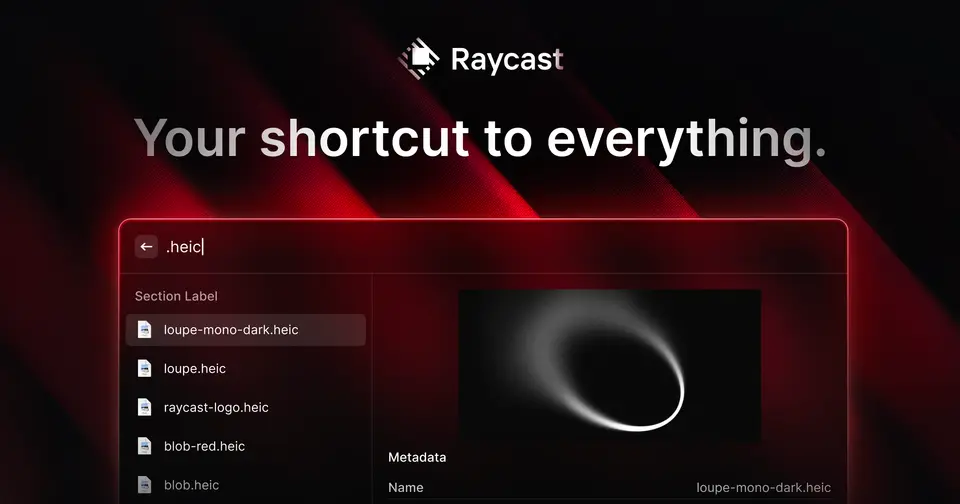
Every plan, grade, refund rule and rival among desktop utilities, read from Raycast’s own pages.
Made by Raycast Technologies Ltd. · checked Oct 9, 2026 · toolgpa.com

Contents
- 01WelcomeWhat it is, who it suits, its grades and the ten things to know first
- 02Insider tipsWhat most people miss: ways to pay less, settings worth changing and the catches
- 03What it costsEvery plan, the free plan, ways to pay less and how prices have moved
- 04What it doesIts main features, where it runs, what it works with and who makes it
- 05Where it standsIts grades against its category, and whether to keep it or make your own
- 06After you payGetting your money back, getting out, and getting help
- 07The alternativesThe tools it is most often weighed against, side by side
- 08Quick answersThe questions people ask about it, each answered in a line or two
- 09About ToolGPAWho made this guide, what else is on the site, and how to cite it
ToolGPA put this guide together from Raycast’s own pages, its app-store listings and our grades. Every fact in it is on Raycast’s page too, where it is kept up to date. Checked Oct 9, 2026.
Part 01 · Overview
Welcome
What it is, who it suits, its grades and the ten things to know first
2.8
GPA, above 57 of the 94 other desktop utilities we grade
Raycast is a keyboard-driven launcher for Mac and Windows that bundles a set of utilities: clipboard history, snippets, quicklinks, window management, a calculator and file search. A store of extensions connects it to other apps, and developers can build their own with its extension API. The paid Pro plan adds Raycast AI, cloud sync and unlimited notes.
To get you started, here are 10 things to know about Raycast, taken from its own pages and our grades.
No rating on record we can lean on, and the setup is yours to do: hotkeys, aliases and extensions all get picked by you.
- 1
Best for running your computer from the keyboard
Raycast is a search bar for your Mac or PC that opens apps, keeps clipboard history, moves windows and runs thousands of extensions, and most of that is free.
- 2
Paid plans start at $8 a month when paid by the year
As its pricing page puts it: $96 / year, billed annually.
- 3
There is a free plan
Core features such as clipboard history (kept 3 months), snippets, quicklinks, calculator and window management, the extension store, and up to 5 Raycast Notes. AI is not included.
- 4
It runs on 3 platforms
macOS, Windows and iOS, with a browser extension too.
- 5
Launcher with hotkeys and aliases
Open apps, search files and run commands from one keyboard-driven window, and assign hotkeys or aliases to the commands and apps you use most.
- 6
Extension store
Thousands of extensions for tools such as Linear, Slack, Notion and Spotify. The extension API lets anyone with web development skills build their own.
- 7
Clipboard history, snippets, quicklinks
Built-in utilities included in the free plan. Free keeps clipboard history for 3 months.
- 8
Refunds: no set window
The terms say payments are non-refundable, with no credit for a period you've partly used. What you do get is an easy exit: cancel any time in your account settings and keep the plan until the renewal date.
- 9
A 2.8 GPA, above 57 of 94
That is against the other desktop utilities we grade, on value, the free plan, features, ease of use and platforms.
- 10
Keep it
To replace Raycast you would be making a launcher wired into the operating system. That is not a weekend's work, with an AI app builder or without one.
Raycast at a glance
- Pricing
- Free plan, from $96 / year, billed annually
- Free plan
- Yes
- Free trial
- Free Pro trial for eligible new accounts; trial AI credits expire after 7 days
- Runs on
- macOS, Windows, iOS, Browser extension
- Made by
- Raycast Technologies Ltd.
- Category
- Desktop Utilities
- Our grade
- 2.8 GPA, good
The report card
Best for running your computer from the keyboard
Raycast is a search bar for your Mac or PC that opens apps, keeps clipboard history, moves windows and runs thousands of extensions, and most of that is free. But AI, sync between devices and more than 5 notes need Pro at $96 a year, you can't buy sync without the AI, top models cost $20 a month, the Windows app lacks some Mac features, and version 2 brought complaints about bugs and memory. Linux and Android users get nothing.
| Subject | Grade | Comment |
|---|---|---|
| Value for money | C | The free app costs nothing, at work too. Pro is where the money is: $96 a year, or $10 a month, against the $2.99 a month utilities here charge in the middle. You can't buy sync without the AI, and the top models need the $20 tier. |
| Free plan and trial | B | The launcher, clipboard history, snippets, window management and the whole extension store are free, even commercially. The caps are real though: 3 months of clipboard history, 5 notes, no AI and no sync between devices. |
| Features | A | A launcher, clipboard manager, text expander, calculator and window manager in one, and then thousands of extensions for Linear, Slack, Notion and Spotify, with an API for writing your own. No other launcher here brings a store and an extension API with it. |
| Ease of use | C | No rating on record we can lean on, and the setup is yours to do: hotkeys, aliases and extensions all get picked by you. Press a hotkey, type, hit Enter is a minute's work, but some users say version 2 arrived with bugs and heavier memory use. |
| Platforms and integrations | B | Mac, Windows, iPhone and iPad, plus a browser extension and a real extension API. No Android or Linux, no web app, and Raycast says the Windows app doesn't have every Mac feature yet. |
An A is worth 4 points, a B 3, a C 2, a D 1 and an F nothing. The GPA is the average of the five.
Who Raycast is for
- Fits if you'd rather type two letters than hunt for an app with the mouse
- Works for people who paste the same things all day and want clipboard, snippets and windows in one free app
Who it is not for
- Skip it if you're on Linux or Android, because there's no Raycast for either, and no web app
- Pricey if AI is the main draw, since it needs Pro at $96 a year and the top models need the $20-a-month tier
- Tight if you want your setup synced between computers, as sync is Pro only and you can't buy it without the AI
- Not for you if you want a launcher on your phone, as the iPhone app is mostly AI and notes
- Watch out: the Windows app lacks some Mac features, and users say version 2 brought bugs and heavier memory use
Good to know
Good for
- Mac and Windows users who prefer the keyboard to the mouse
- Replacing separate clipboard, snippet and window utilities with one app
- Developers who want to build their own commands and extensions
- Teams that share snippets, quicklinks and internal extensions
Worth knowing
- AI is not part of the free plan; Raycast AI, cloud sync and unlimited notes need Pro.
- The free plan keeps 3 months of clipboard history and allows 5 Raycast Notes.
- Top-tier AI models need the Plus or Max tier, at $20 or $50 a month.
- The Windows app does not yet have every macOS feature; Raycast says it is still bringing them across.
What people say
What they like
- Commenters describe assigning hotkeys that jump straight to a chosen app or window, and relying on its built-in window management.
- Reviewers and commenters name its extensions, including those the community publishes, as one of its strengths.
What they don’t
- Version 2 draws objections over higher memory use, bugs and a change of direction that some dislike.
18 Hacker News comments from April to September 2026, mostly about the Mac app, and 10 App Store reviews of its iPhone app
Part 02 · Tips
Insider tips
What most people miss: ways to pay less, settings worth changing and the catches
7
Things most people miss, each from its own help pages
The things about Raycast that are easy to miss until they cost you: ways to pay less, settings worth changing and the catches at renewal or when you leave. Each one is from Raycast’s own pages, linked beside it.
Read on Oct 17, 2026. Read from the Raycast Manual (bring your own key, AI credits, clipboard history, Hyper Key, quicklinks, import and export) on 17 October 2026. Not tried out: these tips are what its own pages say.
- 1
Pay less
On Pro, plug in your own AI key so chats don't use up credits
Pro lets you add your own Anthropic, Google, OpenAI or OpenRouter key under Settings, AI, Models & Providers. Chats then bill to that key rather than your 500 monthly credits, at the provider's normal API rates. Tools that run on Raycast's servers, like image generation, still use credits.
manual.raycast.com - 2
Renewal
Unused AI credits last one extra month, then they're gone
Each month's credits expire 60 days after they're granted, so leftovers roll over once and no more. Top-ups last 12 months. See what's left and when it renews under Settings, Account, or type /usage in AI Chat.
manual.raycast.com - 3
Privacy
Keep your password manager out of clipboard history
Clipboard history skips any app on its Disabled Applications list. Passwords and Keychain Access are on it already. Add your password manager, banking app or anything else private under Settings, Clipboard History, Disabled Applications.
manual.raycast.com - 4
Setting
Paid for Pro? Turn on longer clipboard history yourself
Pro can keep clipboard history for 6 months, a year or for good, but the manual says longer retention isn't switched on for you. Pick it under Settings, Clipboard History, Keep history for. Otherwise you're still on the shorter options, from 1 day to 3 months.
manual.raycast.com - 5
Easy to miss
Turn Caps Lock into a Hyper Key for your own shortcuts
Settings, Keyboard, Hyper Key turns a key you hardly use into an extra modifier to hang your Raycast hotkeys on. With Caps Lock, Quick Press decides what a single tap does: nothing, the old Caps Lock, or Escape. It works on Mac and Windows.
manual.raycast.com - 6
Shortcut
Make a quicklink with a search box, then give it an alias
Create Quicklink takes a URL with a placeholder, like https://google.com/search?q={argument name="query"}, so you type the search right into Raycast. Give it an alias or hotkey under Settings, Quicklinks. Quicklinks can open files, folders and deeplinks too.
manual.raycast.com - 7
Leaving
Export Settings & Data saves your whole setup to one locked file
The Export Settings & Data command puts snippets, quicklinks, notes, settings, hotkeys and more into one encrypted .rayconfig file, with a passphrase of 8 characters or more. It imports on Mac or Windows. Scheduled exports need Pro and pause if your plan lapses.
manual.raycast.com
Part 03 · Pricing
What it costs
Every plan, the free plan, ways to pay less and how prices have moved
$8
A month to start, paid by the year. There is a free plan too
Raycast has a free plan. Paid plans start at $96 / year, billed annually.
The free app costs nothing, at work too.
Free
$0
Core launcher features, thousands of extensions, custom extensions, 3 months of clipboard history and 5 Raycast Notes. No AI.
Pro
$96
per year, or $10 / month billed monthly
Raycast AI with 500 credits a month, cloud sync, dictation, translator, custom themes, unlimited notes and custom window management commands.
Pro (Plus tier)
$192
per year, or $20 / month billed monthly
Pro features with 3,000 AI credits a month and access to top-tier AI models.
Pro (Max tier)
$480
per year, or $50 / month billed monthly
Pro features with 7,500 AI credits a month and access to top-tier AI models.
Teams Pro
$144
per user / year, or $15 / user / month billed monthly
Pro for each member plus unlimited shared commands and a private store. Plus and Max tiers cost more; a free Teams plan caps sharing at 30 snippets and 30 quicklinks.
Enterprise
Custom
Teams Pro plus an AI Control Center and admin controls such as SAML/SCIM, domain capture, enforced 2FA and extension and IP allow-lists.
The free plan
Core features such as clipboard history (kept 3 months), snippets, quicklinks, calculator and window management, the extension store, and up to 5 Raycast Notes. AI is not included.
Trying it first
Free Pro trial for eligible new accounts; trial AI credits expire after 7 days
Read from raycast.com on Oct 9, 2026.
Ways to pay less
Annual discount
Annual billing saves 20%
Pro is $96 a year against $10 a month, which is $120 over twelve months. Teams Pro is $144 per user a year against $15 per user a month. Both work out 20% cheaper.
Stated on raycast.comEducation
50% off Pro for verified students
Raycast's pricing FAQ says verified students get a 50% discount on the Pro plan through an application form.
Stated on raycast.com
How its prices have moved
- Oct 2, 2026Pro (Plus tier): new, $192 per year, or $20 / month billed monthlyThe archived copy of 2 October 2026 lists a Plus tier of Pro at $20 a month or $192 a year; the copy before it, of 1 September 2026, shows one Pro plan with an Advanced AI add-on at $8 a month. The tier arrived between the two.
- Oct 2, 2026Pro (Max tier): new, $480 per year, or $50 / month billed monthlyThe archived copy of 2 October 2026 lists a Max tier of Pro at $50 a month or $480 a year; the copy before it, of 1 September 2026, shows one Pro plan with an Advanced AI add-on at $8 a month. The tier arrived between the two.
- May 11, 2023Pro: new, New paid plan for one person; its price is not readable in the archived copyThe archived copy of 11 May 2023 lists a Pro plan for individuals beside Free; the copy before it, of 11 April 2023, has only a free Personal plan and two team plans. The plan arrived between the two.
What the app costs elsewhere
Each country’s App Store price for “Pro”, against $9.99 in the United States, in dollars at the day’s rate. The four cheapest and the four dearest of 11.
| Country | Price there | In dollars | Against the US |
|---|---|---|---|
| Philippines | ₱ 499.00 | $7.94 | 20% less |
| Turkey | ₺399,99 | $8.13 | 19% less |
| Canada | $12.99 | $9.13 | 9% less |
| India | ₹ 899 | $9.29 | 7% less |
| Mexico | $199.00 | $10.93 | 9% more |
| Germany | 9,99 € | $11.19 | 12% more |
| Brazil | R$ 56,90 | $11.37 | 14% more |
| South Africa | R199.99 | $12.10 | 21% more |
Part 04 · Features
What it does
Its main features, where it runs, what it works with and who makes it
4
Places it runs: macOS, Windows, iOS and Browser extension
Keyboard launcher with extensions, clipboard history and AI. Here is what it does, as its own site describes it, and what it covers: works offline, AI features, keyboard-first, launcher, clipboard manager, window management, text expansion.
No other launcher here brings a store and an extension API with it.
- Launcher with hotkeys and aliases
- Open apps, search files and run commands from one keyboard-driven window, and assign hotkeys or aliases to the commands and apps you use most.
- Extension store
- Thousands of extensions for tools such as Linear, Slack, Notion and Spotify. The extension API lets anyone with web development skills build their own.
- Clipboard history, snippets, quicklinks
- Built-in utilities included in the free plan. Free keeps clipboard history for 3 months.
- Window management
- Window management commands are part of the free core features; creating custom window management commands needs Pro.
- Raycast AI
- Pro adds Quick AI and AI Chat on a monthly credit allowance. A browser extension for Safari, Chrome, Firefox and Chromium browsers passes the active tab to the AI.
- Notes and iOS companion app
- Raycast Notes captures quick thoughts: 5 notes on Free and unlimited on Pro. The iOS app carries AI, notes, snippets and quicklinks; syncing them across devices needs Pro.
Where it runs
- macOS
- Windows
- iOS
- Browser extension
What it works with
- Linear
- Slack
- Notion
- Jira
- 1Password
- Spotify
- Todoist
- Zoom
Who makes Raycast
Raycast is made by Raycast Technologies Ltd., a venture-backed company registered in England and Wales that its two founders started at Y Combinator in 2020. It earns money from Pro, Teams and Enterprise subscriptions on top of a free plan, and also makes the Glaze app builder.
- Founded
- 2020raycast.com
- Based
- London, with a fully remote team based in Europetechcrunch.com
- Ownership
- Privately held. Privately held and venture-backed: its own funding announcements and careers page name Accel, Coatue and Atomico among its investors, and its pages name no parent company.raycast.com
- Funding
- Raised a $30 million Series B led by Atomico in September 2024, according to its own announcement and TechCrunch, which named Accel, Coatue, Y Combinator, Atlassian's venture arm and World Innovation Lab as taking part. Earlier: a $15 million Series A led by Accel and Coatue in November 2021, and a $2.7 million seed round led by Accel in October 2020.raycast.comtechcrunch.comraycast.comraycast.com
- Team
- A fully remote team of 39 peopleraycast.com
- Founders and leaders
- Thomas Paul Mann, CEO & Co-Founderraycast.com
- Petr Nikolaev, CTO & Co-Founderraycast.com
- Affiliate program
- 30% commission on all payments from users an affiliate brings to Raycast Pro, who get 10% off. Run through Rewardful; paid via Wise once commissions pass £50, after 30 days pending, as announced in July 2024.raycast.com
- Referral program
- Pro users get a limited number of promo codes through the Share Raycast command; a new user who signs up with one gets a free month of Pro, and so does the referrer.raycast.com
- Lately
- Why We're Changing How Raycast AI Is Priced · Sep 10, 2026
- Meet Glaze · Jul 1, 2026
- The New Raycast · May 14, 2026
- Introducing Glaze · Mar 4, 2026
Read on Oct 18, 2026 from the company’s own pages and from news reports. What is not stated there is left out.
Part 05 · Standing
Where it stands
Its grades against its category, and whether to keep it or make your own
57/94
Other desktop utilities it is graded above
Raycast's GPA of 2.8 is higher than 57 of the 94 other desktop utilities we grade, and level with 26.
It stands best on features (A, above 93 of 94) and worst on value for money (C, above 2).
Its paid plans start at $8 a month when paid by the year, against a middle price of $2.50 for the category: 15 of the 17 others that charge start lower.
On features, ease of use and platforms it scores 3.0 out of 4. Nothing scores higher for less, though at least one tool matches that score at a lower price.
Each grade against the category
Every bar is all 95 desktop utilities we grade, cut by the letter each got. Raycast’s own letter is outlined.
- CValue for moneyAbove 2 of 94
- BFree plan and trialAbove 37 of 94
- AFeaturesAbove 93 of 94
- CEase of useAbove 6 of 94
- BPlatforms and integrationsAbove 86 of 94
Price against what you get
Each dot is one of 55 desktop utilities. Further left costs less; higher up scores better on features, ease of use and platforms. Raycast is the marked dot.
What paid plans start at, a month (each step along is roughly double) →
Keep it, or make your own?
Whether this is something you could build for yourself with an AI app builder, and what you would give up.
Keep it
To replace Raycast you would be making a launcher wired into the operating system. That is not a weekend's work, with an AI app builder or without one.
It costs $96 a year.
What you could not
- A launcher wired into the operating system.
- Control over other apps' windows.
- A clipboard history running in the background of your computer.
- Text expansion that works in every app.
- Apps for macOS, Windows and iOS that stay in step with each other.
- It plugs into other products, Linear, Slack and Notion among them.
- AI features, unless you pay a model provider for each request yourself.
- The depth: we grade its features A, which means it covers the whole job.
What this rests on. Raycast’s listing: what it does, where it runs, what it plugs into and what it costs. It is a judgement about the kind of software this is. We have not built a replacement for it, and making your own means looking after it too. How we decide, and every tool’s verdict.
Part 06 · Refunds
After you pay
Getting your money back, getting out, and getting help
What happens once you have paid: whether you can get your money back, how to leave, and how to reach a person when something goes wrong. Each is graded from Raycast’s own terms and help pages.
Refunds and cancelling
Ordinary · checked Oct 12, 2026
The terms say payments are non-refundable, with no credit for a period you've partly used. What you do get is an easy exit: cancel any time in your account settings and keep the plan until the renewal date. Raycast also says it emails you before a renewal, which we like to see. There's no refund window, though, so it's a C.
- Refund window
- No set window
- How you cancel
- Yourself, in settings
- Getting your money back
The terms say all payments are non-refundable, with no refunds or credits for partly used subscription periods. The stated exceptions: consumers in the UK or EU can cancel within 14 days of the subscription starting, though they may be charged for the time used; a mid-term change to the terms that you object to within 30 days; and Raycast discontinuing the service without cause.
Stated on raycast.com- How to cancel Raycast
The manual says a subscription bought on the website can be ended at any time from Account Settings, which stops auto-renewal. A subscription started in the iOS app has to be managed through the App Store, and Raycast says it cannot cancel or change those.
Stated on manual.raycast.com- What you keep afterwards
The manual says you keep the plan's benefits until the renewal date and then revert to a Free account. The pricing page's FAQ adds that cancelling does not change when AI credits expire, but they can only be used after resubscribing, since AI is not on the Free plan. The manual's account page lists an option to delete the account permanently.
Stated on manual.raycast.com- Renewals
Monthly and yearly subscriptions renew automatically. The terms say an email is sent before the end of each period to say the subscription will renew, and that a price change applies only from the next renewal, after notice. They also speak of ending a subscription at the end of a period by giving notice within 10 days of that renewal email. The no-refund rule makes no exception for a renewal.
Stated on raycast.com
In your favour
- You cancel in your account settings at any time, with nobody to write to.
- The terms promise an email before each renewal, so a yearly charge shouldn't come as a surprise.
- You keep the plan's benefits right up to the renewal date, then drop to the Free account.
- A price rise only applies from your next renewal, and you're told first.
Watch out for
- No refunds and no credit for a partly used period, apart from the 14-day right UK and EU consumers have.
- Leftover AI credits can't be used on the Free plan. You'd have to resubscribe before they expire.
- Subscribed in the iOS app? Raycast can't cancel that for you. It goes through the App Store.
- The terms talk of notice within 10 days of the renewal email, which sits oddly beside the manual's cancel any time.
Customer support
Ordinary · checked Oct 12, 2026
Raycast gives you plenty of ways in: a Send Feedback command inside the app, email addresses for support and for billing, a web form and a Slack community. What it doesn't give you is a clock. No hours and no reply time, on any plan. Lots of doors and no promise is still a C.
Ways to get help
Email
Separate addresses for general support and bug reports, for billing queries and for Enterprise queries, listed on the manual's support page.
Stated on manual.raycast.comContact form or ticket
A feedback form on the Raycast website, given as an alternative to the in-app command.
Stated on manual.raycast.comHelp inside the app
The Send Feedback command inside Raycast, which the manual calls the best way to get help: for bug reports, feature requests, billing issues and any other question.
Stated on manual.raycast.comHelp centre
The Raycast Manual, with sections on each feature and on account management, billing and troubleshooting.
Stated on manual.raycast.comCommunity or forum
The Raycast Community on Slack, where users share tips, discover extensions and help one another.
Stated on manual.raycast.com
Not listed on Raycast’s pages: live chat, phone.
- When people answer
Its pages do not say.
- How fast it says it replies
Its pages do not say.
- What depends on your plan
The manual's Enterprise page lists tailored enterprise terms and service level agreements that replace the standard terms, and the support page gives Enterprise queries their own email address. The pages read tie nothing else about support to a plan.
Stated on manual.raycast.com
In your favour
- You can ask for help without leaving the app, using the Send Feedback command.
- Billing has its own email address, separate from general support.
- The manual's billing page covers trials, renewals, cancelling and failed payments in one place.
Watch out for
- No page says when support works or how fast it aims to reply.
- Service level agreements are an Enterprise thing. Pro buyers get no stated promise.
- There's no live chat with a person and no phone line on the pages we read.
What these two grades rest on. Read on 12 October 2026: Raycast's terms of service, its pricing page and FAQ, and the manual's pages on billing, account management, Enterprise and contacting support. Nobody here cancelled a plan or contacted its support. They are graded apart from the five that make the GPA. How we grade refunds and support.
Part 07 · Alternatives
The alternatives
The tools it is most often weighed against, side by side




Alfred, Rectangle, Paste and TextExpander
The 4 tools Raycast is most often weighed against, with where each one differs from it.
- 2.4GPA
Alfred
Free plan · from £34 one-time
Mac launcher with hotkeys, snippets and custom workflows.
- Only Raycast lists Windows and iOS apps.
- Only Raycast lists a browser extension.
- Alfred can be bought with a one-time purchase.
- 2.8GPA
Rectangle
Free
Free, open-source window snapping for macOS.
- Only Raycast lists Windows and iOS apps.
- Only Raycast lists a browser extension.
- Rectangle is open source, according to its own site.
- 2.2GPA
Paste
Free trial · from $2.49/mo
Clipboard manager for Mac, iPhone and iPad with pinboards.
- Raycast has a free plan. Paste does not, though it has a free trial.
- Only Raycast lists a Windows app.
- Only Raycast lists a browser extension.
- 2.4GPA
TextExpander
Free plan · from $5/mo
Text snippets that expand as you type, shared across a team.
- Raycast also covers launcher, clipboard manager and window management.
Part 08 · Questions
Quick answers
The questions people ask about it, each answered in a line or two
21
Questions, each answered in a line or two
The short version of everything above, for when you only need the answer. Each one is told in full in its part of the guide.
Is Raycast free?
Raycast has a free plan. Core features such as clipboard history (kept 3 months), snippets, quicklinks, calculator and window management, the extension store, and up to 5 Raycast Notes.
How much does Raycast cost?
Raycast lists 6 plans. Free: $0.
What platforms does Raycast work on?
Raycast is available on macOS, Windows and iOS. It also has a browser extension.
Does Raycast offer any discounts?
Raycast publicly lists the following: Annual billing saves 20%; 50% off Pro for verified students.
Is Raycast any good?
We have not tested Raycast, so this is what reviewers say. Often praised: Commenters describe assigning hotkeys that jump straight to a chosen app or window, and relying on its built-in window management.
Does Raycast have an Android app?
No Android app was listed when its pages were read on Oct 9, 2026. Raycast is listed for macOS, Windows and iOS.
Does Raycast have a Linux app?
No Linux app was listed when its pages were read on Oct 9, 2026. Raycast is listed for macOS, Windows and iOS.
Is Raycast open source?
Raycast is not described as open source on its own site, as read on Oct 9, 2026.
Does Raycast work offline?
Yes, according to its own site. What works without a connection differs by plan and platform, so check the vendor's page for the detail.
What does Raycast integrate with?
Raycast's listing names Linear, Slack, Notion, Jira, 1Password, Spotify, Todoist and Zoom.
Does Raycast have a student discount?
50% off Pro for verified students. Raycast's pricing FAQ says verified students get a 50% discount on the Pro plan through an application form.
Does Raycast have a free trial?
Yes. Free Pro trial for eligible new accounts; trial AI credits expire after 7 days.
Who makes Raycast?
Raycast is made by a company of the same name. Privately held and venture-backed: its own funding announcements and careers page name Accel, Coatue and Atomico among its investors, and its pages name no parent company.
What are the alternatives to Raycast?
The closest alternatives to Raycast in our directory are Alfred, Rectangle, Paste and TextExpander.
Does Raycast give refunds?
The terms say all payments are non-refundable, with no refunds or credits for partly used subscription periods.
How do I cancel Raycast?
The manual says a subscription bought on the website can be ended at any time from Account Settings, which stops auto-renewal.
What happens to my data if I cancel Raycast?
The manual says you keep the plan's benefits until the renewal date and then revert to a Free account.
How do I contact Raycast support?
Raycast's pages list these ways to get help: email, contact form or ticket, help inside the app, help centre and community or forum.
How does Raycast compare with other desktop utilities?
Raycast's GPA of 2.8 is higher than 57 of the 94 other desktop utilities we grade, and level with 26.
Is Raycast good value for money?
ToolGPA grades Raycast C for value for money. Its paid plans start at $8 a month when paid by the year, against a middle price of $2.50 for the category: 15 of the 17 others that charge start lower.
Could I make my own version of Raycast?
To replace Raycast you would be making a launcher wired into the operating system.
Where this guide comes from
The prices, plans, platforms and features were read from Raycast’s own pages on Oct 9, 2026, and the grades were given on Oct 10, 2026. Based on Raycast's home, pricing, Windows, iOS and changelog pages as of 9 October 2026, the App Store reviews of its iPhone app and Hacker News threads about it. Also tested with a demo account on 2026-07-26.
Every tool we list gets five grades, A to F, each with its reason, and a GPA that averages them. How each is decided is at toolgpa.com/grades. This guide is ToolGPA’s own work; it is not made, paid for or approved by Raycast Technologies Ltd. Prices change, so check raycast.com before you buy.
Part 09 · About
About ToolGPA
Who made this guide, what else is on the site, and how to cite it
3,189
Tools graded, in 94 categories
ToolGPA grades software the way a school report grades a pupil: five subjects, a letter for each with the reason written beside it, and a GPA that averages them. Prices, plans and platforms are read from each maker’s own pages and dated, so you always know how fresh a figure is.
Every grade, review and ranking on ToolGPA is our own judgement. No company can pay for a grade or change one. Every tool on the site has a guide like this one, free to download and pass on. It all lives at toolgpa.com.
3,189
tools graded
94
categories
426
price changes on record
579
apps priced in 12 countries
What else is on toolgpa.com
- Raycast, kept up to dateEverything in this guide, with prices and grades as they are todaytoolgpa.com/tools/raycast
- How grades are givenThe rules behind every letter and every GPAtoolgpa.com/grades
- Value chartsWhat each tool costs against what it scores, for every categorytoolgpa.com/charts
- CompareAny two tools side by side, plan by plantoolgpa.com/compare
- Price changesEvery price rise and cut on record, each with its sourcetoolgpa.com/price-changes
- Prices by countryWhat apps cost on the App Store in 12 countriestoolgpa.com/prices-by-country
- Pay lessEvery public discount: yearly billing, students, nonprofitstoolgpa.com/save
- Keep or makeWhich tools are worth paying for, and which you could build yourselftoolgpa.com/keep-or-make
Scan for the live page
Prices and grades as they are today
Quoting this guide?
Please name ToolGPA and link to the live page, so readers can check the figures for themselves:
ToolGPA, "Raycast: The Insider's Guide", checked Oct 9, 2026. https://toolgpa.com/tools/raycast
Know someone choosing between desktop utilities?
Send them this guide: toolgpa.com/tools/raycast/guide
ToolGPA elsewhere: youtube.com/@toolgpa
See our other guides
The best-graded desktop utilities after Raycast, each with an Insider's Guide of its own.
- Desktop Utilities Insider's GuideEvery one of the 95 desktop utilities we grade, compared
- LocalSend Insider's GuideOpen-source file sharing between nearby devices, no cloud3.2 GPA
- Ninite Insider's GuideInstalls and updates many Windows apps at once3.2 GPA
- 7-Zip Insider's GuideFree, open-source file archiver with the 7z format3.0 GPA

Choosing software? Every tool graded, every price dated.
Compare tools at toolgpa.com ›Everything in this guide is ToolGPA’s own summary of what Raycast’s pages, its app-store listings and public reviews said on the dates shown. Grades are our judgement under the rules at toolgpa.com/grades. Every grade, review and ranking on ToolGPA is our own judgement. No company can pay for a grade or change one. Raycast is a trademark of its owner, and this guide is not made, paid for or approved by Raycast Technologies Ltd. Prices and plans change: check raycast.com before you buy.