
Screenpresso review (2026): is it worth it?
Windows screenshot and video capture with a built-in editor
Black Friday: is there a Screenpresso sale?
Screenpresso report card
Fair · out of 4.0 · graded Nov 13, 2026
Best for Windows screenshots with a free edition
Screenpresso takes screenshots, scrolling captures and video on Windows and opens them in an editor. The free edition adds branding to video and sharing and has a limited editor, and the PRO price could not be confirmed in dollars.
Who Screenpresso is for
- Fits if you want a free way to capture and annotate on a Windows PC
- Works for people who need to blur sensitive data and are willing to pay for PRO
Who Screenpresso is not for
- Not for you if you use a Mac or phone, since it is Windows only
- Skip it if you dislike branding: the free edition adds it to video and sharing
- Tight if you need OCR, 4K or automatic blurring, all PRO only
- Watch out: PRO has a year of updates, then an optional maintenance fee for later versions
- Watch out: the vendor names Windows 11 or Windows Server 2022 as its requirement
Why Screenpresso gets a 2.4
Five grades, each with its reason. The GPA is their average: an A is 4 points, an F is none.
- CValue for moneyNo US dollar price could be confirmed: the pricing page showed ringgit. PRO is a one-time license with a year of updates, then an optional maintenance fee.
- BFree plan and trialA free edition with image capture, HD video with branding, a limited editor and sharing with branding, and it may be used at work. OCR, 4K and auto-blur need PRO.
- CFeaturesScreenshots, video, an editor, libraries, sharing and blurring of sensitive data. The gaps in the listing: OCR, 4K and auto-blur are PRO only.
- BEase of useNo store rating is on record, but it is a program you install and start using with nothing to set up.
- CPlatforms and integrationsWindows computers only, plus a Chrome extension. The vendor names Windows 11 or Windows Server 2022.
What these grades rest on. Graded from this listing, whose facts were read from Learnpulse SAS's own pages on 13 November 2026. Not based on using the product, and shorter than our full reviews. How we review and grade.
Make Screenpresso? Put this grade on your site
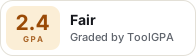
Paste this where you want the badge. It links here and follows the grade if it changes. About badges
<a href="https://toolgpa.com/tools/screenpresso#review"><img src="https://toolgpa.com/badge/screenpresso.svg" alt="Screenpresso: 2.4 GPA on ToolGPA" width="196" height="56"></a>Where Screenpresso stands among desktop utilities
Screenpresso's GPA of 2.4 is higher than 35 of the 186 other desktop utilities we grade, and level with 33.
It stands best on ease of use (B, above 78 of 186) and worst on features (C, above 2).
Each grade against the category
Every bar is all 187 desktop utilities we grade, cut by the letter each got. Screenpresso’s own letter is outlined.
- CValue for moneyAbove 5 of 186, level with 22
- BFree plan and trialAbove 75 of 186, level with 31
- CFeaturesAbove 2 of 186, level with 110
- BEase of useAbove 78 of 186, level with 108
- CPlatforms and integrationsAbove 111 of 186, level with 60
Keep Screenpresso, or make your own?
Keep it
Nothing Screenpresso does is plain enough to make in a weekend. The 4 things listed below take a company.
That makes this kind of software worth paying for, not this one in particular: 118 of the 186 other desktop utilities grade higher.
What you could not
- Capture tools hooked into the operating system.
- Recording the screen with its sound, and somewhere to keep the video.
- A real app for Windows. Something home-made would be a web page.
- AI features, unless you pay a model provider for each request yourself.
What this rests on. Screenpresso’s listing: what it does, where it runs, what it plugs into and what it costs. It is a judgement about the kind of software this is. We have not built a replacement for it, and making your own means looking after it too. How we decide, and every tool’s verdict.
What is Screenpresso?
Screenpresso is a Windows screen capture tool that takes screenshots, including scrolling windows, and records video, then opens them in a built-in editor. A free edition covers basic capture; a PRO license sold as a one-time purchase adds the full editor, OCR and automatic blurring.
Worth knowing
- Windows only; the vendor's stated requirement is Windows 11 or Windows Server 2022, on x64 or ARM64.
- The free edition adds branding to video and sharing and has a limited editor; OCR, 4K and auto-blur need PRO.
- A PRO license includes one year of updates, then an optional maintenance fee applies for later versions.
- The pricing page showed its prices in Malaysian ringgit when read, so no US dollar price could be confirmed.
Key features
- Screenshot capture
- Press Print Screen to capture a region, window or full screen with edge snapping, a zoom lens, delayed capture and scrolling-window stitching.
- Video capture
- Records the screen to lightweight MP4 files; the PRO page lists HD and 4K capture with system sound, webcam and automatic subtitles.
- Image editor
- A vector editor adds arrows, spotlights, speech bubbles, numbered steps and border effects; the PRO page lists a full-featured version.
- Workspace and libraries
- Every capture is saved to a workspace panel where files can be dragged into email clients and other programs, printed or copied.
- Sharing
- Publishes captures to 143 online services, to its own cloud for a short public URL, to PDF or email, or as a generated document.
- Sensitive-data blur and OCR
- PRO adds text capture from images and automatic blurring of sensitive information in an image or video.
Screenpresso pricing
We could not confirm Screenpresso’s current pricing from its own site, so we are not listing plans here. See screenpresso.com for current prices.
Works with
Screenpresso alternatives
- Screenpresso vs Greenshot
Free plan · from $1.99 one-time
- Screenpresso vs Snipaste
Free plan · from $8.99 one-time
- Screenpresso vs PicPick
Free plan · from $30/yr
- Screenpresso vs FastStone Capture
Free trial · from $29.95 one-time





Common questions
Does Screenpresso have an Android app?
No Android app was listed when its pages were read on Nov 13, 2026. Screenpresso is listed for Windows.
Does Screenpresso have an iPhone app?
No iPhone app was listed when its pages were read on Nov 13, 2026. Screenpresso is listed for Windows.
Is Screenpresso open source?
Screenpresso is not described as open source on its own site, as read on Nov 13, 2026.
Sources for this page
The prices, plans, platforms and features above were read from these pages on Nov 13, 2026.