
Shottr
Small Mac screenshot tool with annotation, OCR and a ruler
What is Shottr?
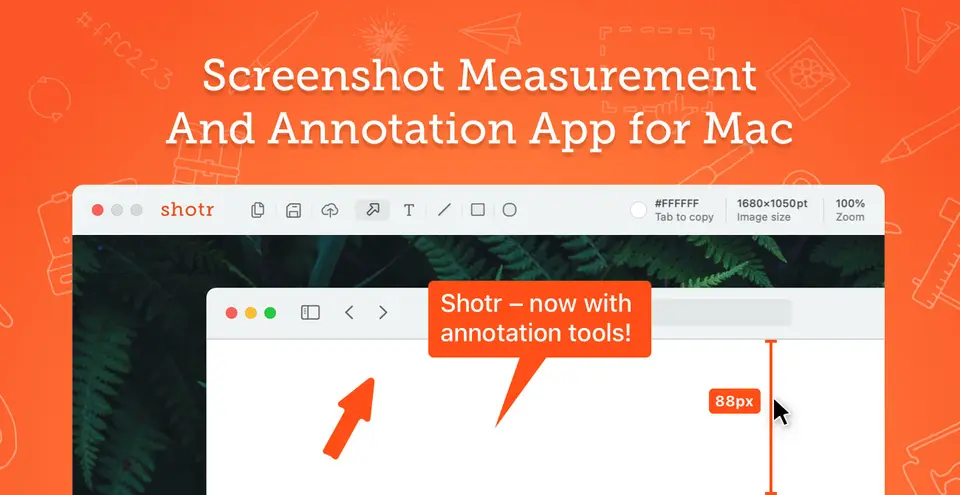
Shottr is a small native screenshot app for Mac, aimed at designers and developers who care about pixels. It takes area, fullscreen and scrolling screenshots, then lets you annotate them, measure distances, pick colors, pixelate or erase parts, recognize text and add a backdrop. Screenshots can be uploaded for a shareable link. It is free to use, with a one-time license that the vendor requires for commercial use.
Shottr has a free plan. Paid plans start at $12 one-time purchase (Basic Tier). See every plan
Good for
- Designers and front-end developers who measure pixels and colors on screen
- Capturing long pages or chats as one scrolling screenshot
- Buyers who prefer a one-time license to a subscription
Worth knowing
- Mac only, and the vendor calls a Windows or Linux version unlikely. Its pages disagree on the minimum macOS: 10.15 on the homepage, 12 in the knowledge base.
- The free version asks you to consider buying after 30 days, and commercial use requires a paid license.
- Shottr Cloud uploads are public to anyone with the URL and carry no storage guarantee. Dropbox, Google Drive, iCloud and FTP are not supported.
- The interface is not localized; the vendor says it is intentionally avoiding other languages for now.
Key features
- Scrolling screenshots
- Captures a long web page or chat conversation as one image, in any app or window. A manual scrolling mode covers systems where automatic capture does not work.
- Annotations and backdrops
- Adds text, arrows, freehand drawings, highlights, spotlights and a magnifier callout, and the Backdrop tool sets a screenshot on a gradient with shadows and rounded corners.
- Text recognition and QR codes
- A hotkey lets you select an area of the screen; Shottr recognizes the text in it and copies it to the clipboard. The same feature reads QR codes.
- Screen ruler and color picker
- Arrow keys measure horizontal and vertical distances on a screenshot, and the Tab key copies the color under the cursor. A contrast checker supports WCAG 2.0 and APCA.
- Pixelate, erase and pin
- Hides parts of an image behind pixelation or removes them, and pins screenshots as floating, always-on-top borderless windows for reference.
- Upload and link sharing
- Uploads a screenshot to Shottr Cloud or any S3-compatible storage and copies its public URL. Shottr Cloud needs a free access token tied to your email.
Shottr pricing
- Starts at
- $12 one-time purchase (Basic Tier)
- Free plan
- Free to use for as long as you want, with most features available. After 30 days the app starts asking you to consider upgrading. Commercial use requires a license.
- Free trial
- None listed
| Plan | Price | What you get |
|---|---|---|
| Free | $0 | Most features with no time limit. After 30 days the app starts asking you to consider upgrading. |
| Basic Tier | $12one-time purchase | A license for one user on up to five computers. Required for commercial use; the vendor says the activated version gives a better overall experience. |
| Friends Club | $30one-time purchase | Adds access to experimental features and better support. A Basic license cannot be upgraded to this tier. |
Read from shottr.cc on Oct 6, 2026. Prices change, so confirm with Shottr before you buy.
Works with
Shottr alternatives
- Shottr vs CleanShot X
From $35 one-time
- Shottr vs Monosnap
Free plan · from $2.5/mo
- Shottr vs Greenshot
Free plan · from $1.99 one-time
- Shottr vs Camtasia Snagit
Free trial · from $39/yr





Common questions
Is Shottr free?
Shottr has a free plan. Free to use for as long as you want, with most features available. After 30 days the app starts asking you to consider upgrading. Commercial use requires a license. Paid plans start at $12 one-time purchase (Basic Tier).
How much does Shottr cost?
Shottr lists 3 plans. Free: $0. Basic Tier: $12 one-time purchase. Friends Club: $30 one-time purchase. Prices were read from shottr.cc on Oct 6, 2026.
What platforms does Shottr work on?
Shottr is available on macOS.
Does Shottr have an Android app?
No Android app was listed when its pages were read on Oct 6, 2026. Shottr is listed for macOS.
Does Shottr have an iPhone app?
No iPhone app was listed when its pages were read on Oct 6, 2026. Shottr is listed for macOS.
Is Shottr open source?
Shottr is not described as open source on its own site, as read on Oct 6, 2026.
What does Shottr integrate with?
Shottr's listing names Raycast, Alfred and Amazon S3. A listing names up to eight integrations, so it may connect to more.
Who makes Shottr?
Shottr is made by Electric Endeavors LLC.
What are the alternatives to Shottr?
The closest alternatives to Shottr in our directory are CleanShot X, Monosnap, Flameshot, Greenshot and Camtasia Snagit. Each one has a side-by-side comparison with Shottr.
Sources for this page
The prices, plans, platforms and features above were read from these pages on Oct 6, 2026.